Customer Ratings & Reviews
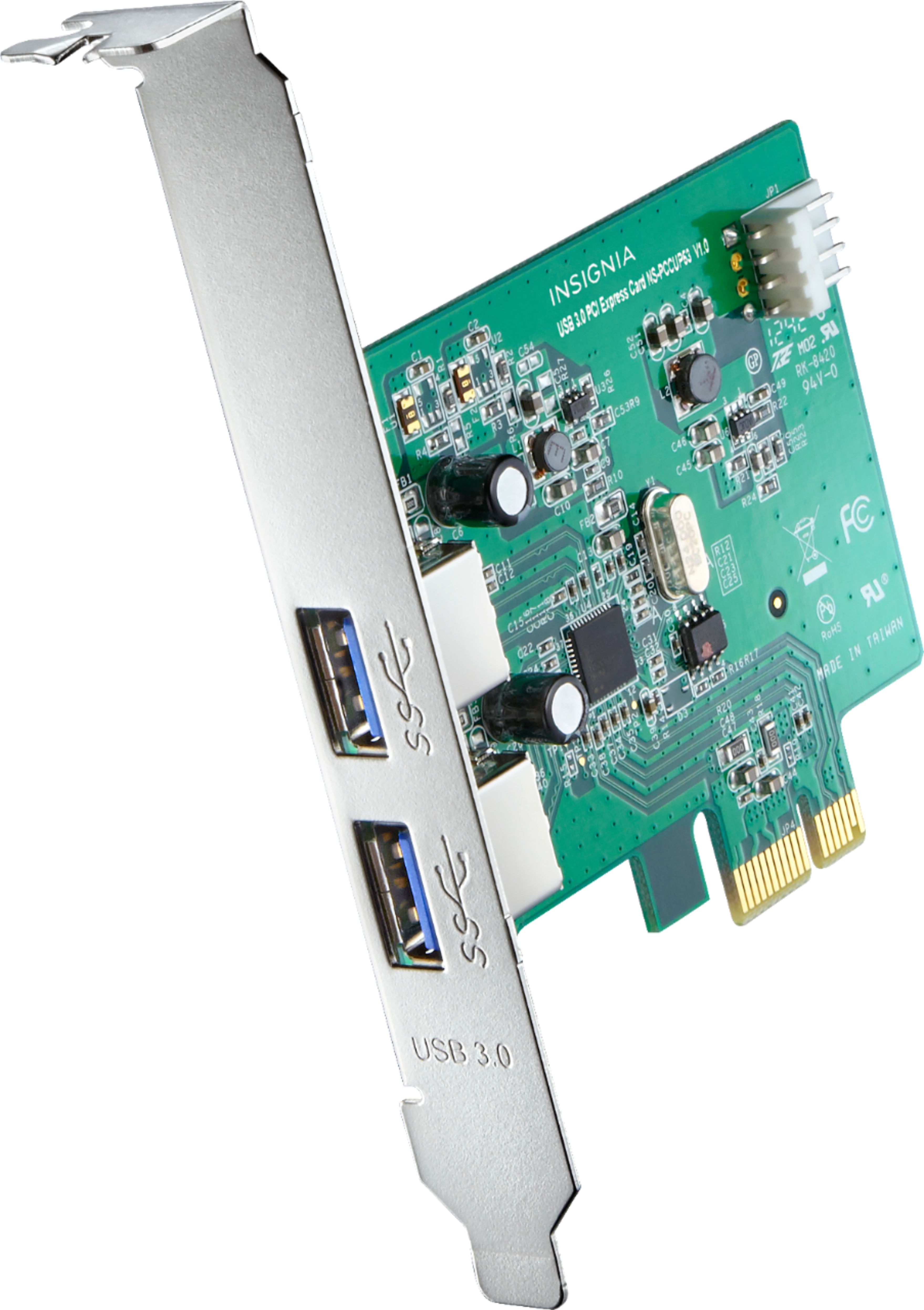

- Model:
- NS-PCIEC8
- |
- SKU:
- 5976402
Customer reviews
Rating 4.6 out of 5 stars with 84 reviews
(84 customer reviews)Rating by feature
- Value4.8
Rating 4.8 out of 5 stars
- Quality4.7
Rating 4.7 out of 5 stars
- Ease of Use4.8
Rating 4.8 out of 5 stars
Customers are saying
Customers admire the 2-Port USB 3.0 PCI Express Host Card for its easy installation, compatibility with various operating systems, and its ability to support devices like the Oculus Rift. While some customers have mentioned the lack of a drivers CD, the overall feedback is positive, highlighting the card's ability to upgrade a PC's USB selection at an affordable price.
This summary was generated by AI based on customer reviews.
- Pros mentioned:Usb 3.0
Rated 5 out of 5 stars
This works for my Oculus Rift with some caveat
||Posted .This reviewer received promo considerations or sweepstakes entry for writing a review.I bought this hoping to be able to increase the number of my USB 3.0 ports in my computer to be able to use a 3 sensor setup. My Rift works fine with a 3 sensor setup using only 1 USB 3.0 port and 2 USB 2.0 ports. But this is only true if the VR content is not graphics bandwidth extensive. However when you start playing content that requires a lot of movement and small moving objects, the sensors cant seem to keep up and I lose tracking which is characterized by my hands floating stuck on air. You can control the direction where you point but it does not offer an accurate location of your hands in the geo vr space. so it messes up the game play. When I installed the unit, my PC detects this peripheral as a USB3.0 hub which is great. But when I plug in my rift and start the config wizard, it only detects a USB 2.0 port. I was worried a bit because i though I was back to square one and thought that it wont work. After getting through the set-up, the touch controllers seemed to work without any hitches. And the good news is, it solved my other problem of tracking being lost whenever the scene requires a lot of quick movements. It simply offloaded the USB traffic from my integrated board and till now, i have not experienced any of those weird of tracking situations. Oculus software may have limitations in identifying the chipset of this USB 3.0 controller (which uses ASMedia) but somehow, it works for my VR titles (Robo Recall, Dead and Buried, Brass Tactics) without anymore of those tracking issues. It works so far and it extended the life of my 7 year old PC.
I would recommend this to a friend - Pros mentioned:Installation, Speed, Usb 3.0
Rated 5 out of 5 stars
Works Well, Effortless Installation
||Posted .This reviewer received promo considerations or sweepstakes entry for writing a review.Added this card to an older Dell Optiplex which only had USB 2.0 ports. Worked well and did not require any driver installation under Windows 10. Also, the Apricorn Data Transfer Cable sold by Best Buy will recognize this card with its bootable CD and transfer data much faster to the destination drive on a disk clone. Currently using it with a 7-port USB 3.0 hub plugged into one of its jacks.
I would recommend this to a friend - Pros mentioned:Compatibility, Usb 3.0
Rated 4 out of 5 stars
Works fine.
||Posted .This reviewer received promo considerations or sweepstakes entry for writing a review.Purchased to add extra USB 3.0 ports to my PC for use with the Oculus Rift. Uses AsMedia host controller. Rift sensor works just fine with it, though it does keep recommending updating drivers even though it has the most current drivers available.
I would recommend this to a friend - Pros mentioned:Installation, Speed, Usb 3.0
Rated 5 out of 5 stars
Easy setup and it works
||Posted .This reviewer received promo considerations or sweepstakes entry for writing a review.I bought this because I have an older desktop system with Windows 10 that didn't have any USB 3 ports but I have an external hard drive that is USB 3 capable. It was easy to install and my computer detected it right away. No issues at all and the speed increase was worth the money paid for it.
I would recommend this to a friend - Pros mentioned:Usb 3.0
Rated 5 out of 5 stars
Work Great for Rift
||Posted .This reviewer received promo considerations or sweepstakes entry for writing a review.I use this for my headset instead of sensors, both sensors are plugged into USB 2.0 on my pc and work perfectly fine. Unfortunately my USB 3.0 is borked on my pc. No matter what I do for driver replacement and testing it fails. Issue was when I upgraded from windows 7 to windows 10 - RiP. Can't even plug a mouse or keyboard into the 2 USB 3.0 slots on my motherboard without it buggering out. Popped this into my PCI-e 4x slot and connected floppy power plug into it - which for me thankfully is included on my powersupply otherwise a converter would work, but not included with the card. Windows 10 auto installed and it works perfect with my Oculus Rift Headset. I believe some of the others stated it registered as a USB 2.0 in the Oculus software during setup with the sensors, but for my headset it registers as USB 3.0 in Windows device manager AND the Oculus software. Didn't test with sensors since everything is working good. Highly recommend if you need a USB 3.0. Far as I know its just a single controller configuring both USB ports given the low price, but no impact since I only use one USB at any given time. Solid product :) Unrelated to performance info: Also it comes with a backup mounting plate in case the other bends/warps/breaks and easy replace with screws. Not major, but thought it was a nice touch if needed. Also means it can be mounted without the plate for an internal USB card if you have an odd case/motherboard configuration where you have an internal pci-e 4x slot and need internet USB ports - rare niche situation but noting it here anyway.
I would recommend this to a friend - Pros mentioned:Compatibility, Installation
Rated 5 out of 5 stars
Simple Upgrade
||Posted .This reviewer received promo considerations or sweepstakes entry for writing a review.Card was simple to install and Windows recognized it immediately. Works much better than the original ports installed in our pc.
I would recommend this to a friend - Pros mentioned:Ease of use, Installation
Rated 4 out of 5 stars
Good if you need a couple more USB 3.0
||Posted .This reviewer received promo considerations or sweepstakes entry for writing a review.I was pleased with this purchase and for a good price. Here are my pros and cons. PROS: - Easy to install - Did not need to install any drivers - Comes with ATX and ITX Backplates CONS: - Wish it had at least 3 USB ports I would recommend this to anyone looking for extra USB 3.0 ports. I got it to have more for my Oculus Rift.
I would recommend this to a friend - Pros mentioned:Usb 3.0
Rated 4 out of 5 stars
Insignia™ - 2-Port USB 3.0 PCI Express Host Card -
||Posted .This reviewer received promo considerations or sweepstakes entry for writing a review.Not designed for Win 7 or earlier which is what I purchased it for. It does not come with a driver disc and Insignia does not have drivers available online. But if you look around there are 3rd party drivers that I used to make it work. Once I found drivers it works fine
I would recommend this to a friend - Pros mentioned:Ease of use, Speed
Rated 5 out of 5 stars
Could not have been easier
||Posted .This reviewer received promo considerations or sweepstakes entry for writing a review.Let's give credit where it's due. This usb card was a breeze to install. To be clear, I didn't not connect any power source to the unit and it worked fine. I am getting transfer speeds of 80-100 MB/s on my drives.
I would recommend this to a friend - Pros mentioned:Speed, Usb 3.0
Rated 5 out of 5 stars
USB add on card
||Posted .This reviewer received promo considerations or sweepstakes entry for writing a review.My external hard drives we're not working as fast as I expected? Turned out it was my PC. I needed USB 3.0. This add on card did the trick. My backups are much faster.
I would recommend this to a friend - Pros mentioned:Usb 3.0Cons mentioned:Power
Rated 4 out of 5 stars
Good but...
||Posted .This reviewer received promo considerations or sweepstakes entry for writing a review.Got this to add 2 USB 3.0 ports to a somewhat older computer (it only had 2). BEWARE THOUGH! It requires a 4 pin floppy power to work and DOES NOT include any SATA or Molex adapters.
I would recommend this to a friend - Pros mentioned:Usb 3.0
Rated 4 out of 5 stars
Good low budget card
||Posted .This reviewer received promo considerations or sweepstakes entry for writing a review.Gets the job done and at the price it's well worth it if you have an older computer and need to upgrade to USB 3.0. Only tow ports but that's nothing an adapter can't fix.
I would recommend this to a friend - Pros mentioned:Speed
Rated 4 out of 5 stars
Bought it for my Oculus Rift, it works fine...
||Posted .This reviewer received promo considerations or sweepstakes entry for writing a review.I bought this for my Oculus Rift because my computer has 2 USB 3.0 ports only. It works but do take note that the Oculus Rift detects this as a USB 2.0 port, but it should still work just fine. Before i bought this, my Rift games sometimes get off tracked and freezes. After I installed it, the annoying problem disappeared.The system detects it as a USB 3.0 HW hence you can connect your USB 3.0 devices here and enjoy faster data transfer speeds. For the price, it is cheaper compared to other brands.
I would recommend this to a friend - Pros mentioned:Ease of use, Usb 3.0
Rated 4 out of 5 stars
Solid Card
||Posted .This reviewer received promo considerations or sweepstakes entry for writing a review.I picked this up to add a couple USB 3.0 ports to my PC build. It works great, easy to install and now I have more slots to hook up devices. No complaints
I would recommend this to a friend - Pros mentioned:Compatibility, Usb 3.0
Rated 5 out of 5 stars
Works well with windows 7 & 10
||Posted .This reviewer received promo considerations or sweepstakes entry for writing a review.Great way to had 3.0 USB ports to computer. Works on 7 & windows 10.
I would recommend this to a friend - Pros mentioned:Ease of use, Speed
Rated 5 out of 5 stars
Great USB 3.0
||Posted .This reviewer received promo considerations or sweepstakes entry for writing a review.Easy to install, great for expanding your PC’s input connectors with this fast speed usb.
I would recommend this to a friend - Pros mentioned:Usb 3.0Cons mentioned:Power
Rated 3 out of 5 stars
Doesn't come with necessary cable
||Posted .This reviewer received promo considerations or sweepstakes entry for writing a review.I'm sure this would work fine if you already have the needed floppy 4 pin power connector but this does not come with one and on the box it does not state that one must already be had. It should work fine for very low powered devices or only data transfer but I had a mic and cam plugged in to it and it caused a bsod.
No, I would not recommend this to a friend - Pros mentioned:Compatibility, Installation
Rated 5 out of 5 stars
anyone can install
||Posted .This reviewer received promo considerations or sweepstakes entry for writing a review.card is simple to install and windows recognized immediately , works perfectly.
I would recommend this to a friend - Pros mentioned:Usb 3.0
Rated 5 out of 5 stars
Solved USB conflict
||Posted .This reviewer received promo considerations or sweepstakes entry for writing a review.This device solved a major USB IRQ issue that kept causing a BSOD on my big Dell server. It seems the USB bus on the motherboard was having IRQ conflicts with the new video card we installed. The computer was nearly useless. Replacing motherboard-based USB with this one - and disabling the USB on the motherboard, solved the problem and returned the computer to effective use.
I would recommend this to a friend - Pros mentioned:Compatibility, Usb 3.0
Rated 3 out of 5 stars
No driver disk
||Posted .This reviewer received promo considerations or sweepstakes entry for writing a review.Product does not come with drivers CD. Does not work w Windows 7 or earlier. Only works w Windows 8.1 and 10. Internet required. U install it, turn on PC, it will check network for drivers. Idk about the old school 4 pin power connector. For me, it worked both connected and not connected.
No, I would not recommend this to a friend