Customer Ratings & Reviews




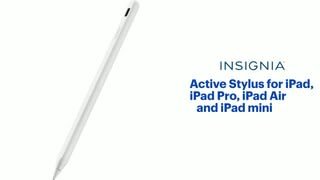
- Model:
- NS-TS3AIEW24
- SKU:
- 6563773
Rating by feature
- Value
Rating 4.6 out of 5 stars
- Quality
Rating 4.5 out of 5 stars
- Ease of Use
Rating 4.5 out of 5 stars
Customers are saying
Customers are positive about the Active Stylus's overall performance, ease of use, and impressive battery life. The stylus is also praised for its reasonable price, easy connectivity, and broad compatibility across different iPad models. Some customers have expressed concerns about the stylus's lack of pressure sensitivity and the hardness of its tip.
This summary was generated by AI based on customer reviews.
- Pros mentioned:Battery life
Nursing Student
||Posted . Owned for 1 week when reviewed.This reviewer received promo considerations or sweepstakes entry for writing a review.I cab write notes all day with my pen without it dying. I’m a nursing student!
I would recommend this to a friendBrand response from InsigniaCustomerSupport
Posted .Thanks, MyaG! We love hearing how well the stylus is supporting your studies. Wishing you all the best in nursing school—you’ve got this!
— Shiela | Insignia Support
Stylus for iPad
||Posted .This reviewer received promo considerations or sweepstakes entry for writing a review.The stylus works very well with the iPads I bought my grandchildren, My granddaughter is an artist and will be drawing beautiful pictures to send to me. No pairing needed.
I would recommend this to a friend- Pros mentioned:Overall performance
Better than an Apple pencil
||Posted . Owned for 3 months when reviewed.This reviewer received promo considerations or sweepstakes entry for writing a review.I LOVE this product, works better than my Apple Pencil sometimes. Would buy again if needed.
I would recommend this to a friendBrand response from InsigniaCustomerSupport
Posted .Thank you for your review, SarinaS! We're thrilled to hear that you love the Insignia™ Active Stylus and find it even better than your Apple Pencil at times. Enjoy using it, and we're glad to know you'd buy it again!
- Shiela | Insignia Support
Fake Apple pen review
||Posted . Owned for 2 months when reviewed.This reviewer received promo considerations or sweepstakes entry for writing a review.It’s very good I love it it just doesn’t connect to the iPad the magnetic.
I would recommend this to a friendEasy to use
||Posted . Owned for 1 month when reviewed.This reviewer received promo considerations or sweepstakes entry for writing a review.Great price for the value and quality. Easy to use
I would recommend this to a friend- Pros mentioned:Ease of use
Functions well without breaking the bank
||Posted . Owned for 1 month when reviewed.This reviewer received promo considerations or sweepstakes entry for writing a review.Functions very well without breaking the bank. Easily connects and user-friendly.
I would recommend this to a friendBrand response from InsigniaCustomerSupport
Posted .Thank you for your wonderful feedback! We're glad to hear that our product is meeting your expectations in terms of functionality, affordability, and ease of use. Your satisfaction is our top priority, and we appreciate your support.
- Carl | Insignia Products
Easy to use
||Posted . Owned for 3 weeks when reviewed.This reviewer received promo considerations or sweepstakes entry for writing a review.Works well but needs frequent recharging if not used regularly
I would recommend this to a friendWorks great with Ipad
||Posted . Owned for less than 1 week when reviewed.This reviewer received promo considerations or sweepstakes entry for writing a review.Works great with my sons new Ipad that he got for Christmas. He is very happy with it.
I would recommend this to a friendThank you
||Posted .This reviewer received promo considerations or sweepstakes entry for writing a review.I love it is good but writing is good for keeping my hand free from my tablet very useful
I would recommend this to a friendInsignia Stylus
||Posted . Owned for 2 weeks when reviewed.This reviewer received promo considerations or sweepstakes entry for writing a review.Pen usage is not reliable. It's hard to turn on. They need to fix this issue
No, I would not recommend this to a friendInsignia Stylus Writing Pencil
||Posted . Owned for 1 week when reviewed.This reviewer received promo considerations or sweepstakes entry for writing a review.I really love this writing pencil. I can take notes when I need to or to just doodle. This is a very cool pen! It’s for my iPad 10th Generation. Keep up the good work!
I would recommend this to a friendFunctions as it should.
||Posted .This reviewer received promo considerations or sweepstakes entry for writing a review.Works as it should, magnet sticks on crooked which is the only down fall.
I would recommend this to a friendBrand response from InsigniaCustomerSupport
Posted .Thank you for your feedback on the Insignia™ Active Stylus for iPad. We're glad to hear that it functions well for you.
We apologize for the issue with the magnet sticking on crookedly. This is not the experience we aim to provide. Your feedback is important, and we'll use it to improve our products. If you need any assistance or have further concerns, please reach out to our customer support team. We're here to help and ensure you have the best experience possible.
Thank you for choosing Insignia™ and for sharing your thoughts! Rolf | Insignia Support https://www.bestbuy.com/site/insignia-active-stylus-for-ipad-ipad-pro-ipad-air-and-ipad-mini-white/6563773.p?skuId=6563773
- Pros mentioned:Battery life, PriceCons mentioned:Pressure sensitivity

Quality iPad pencil at almost one-third price!
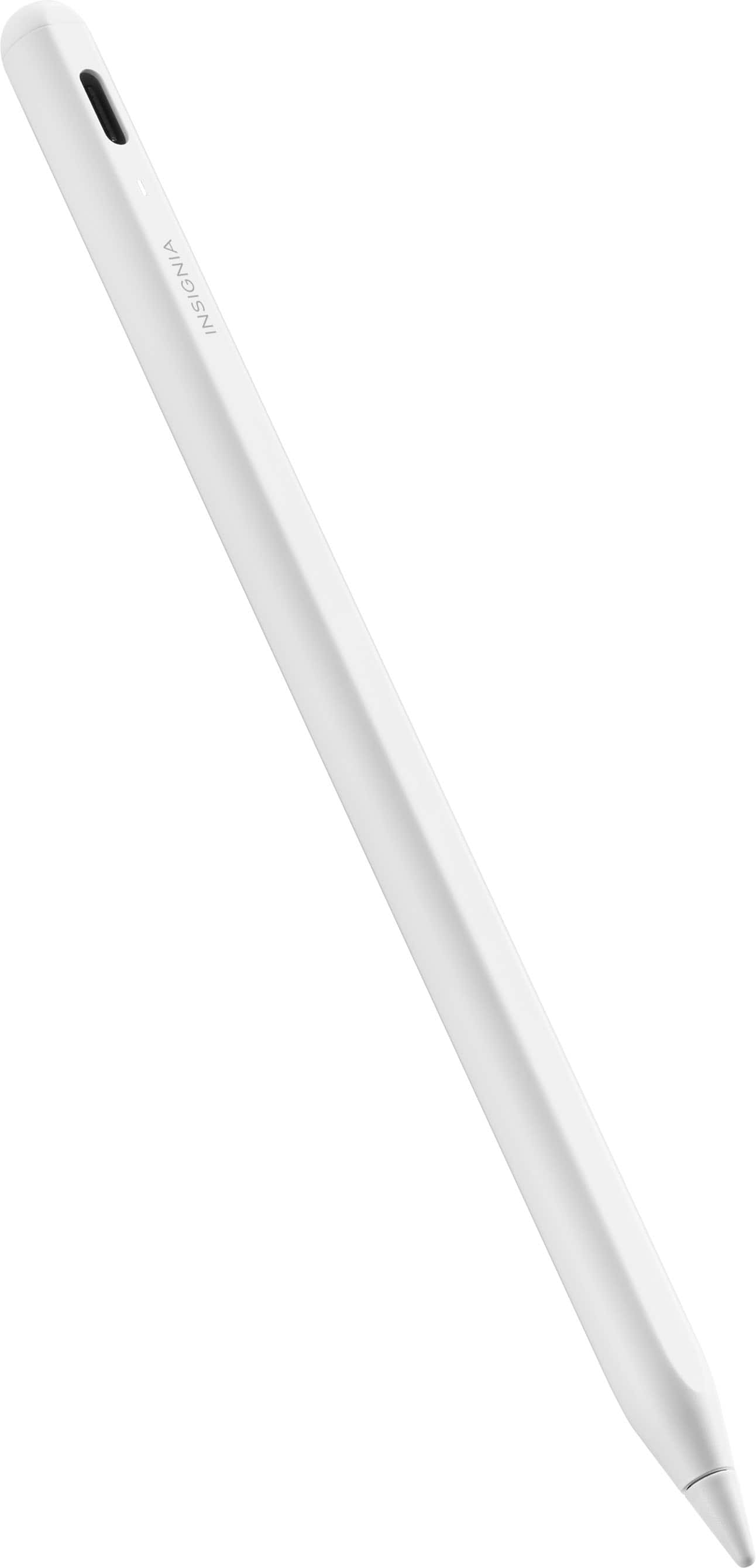
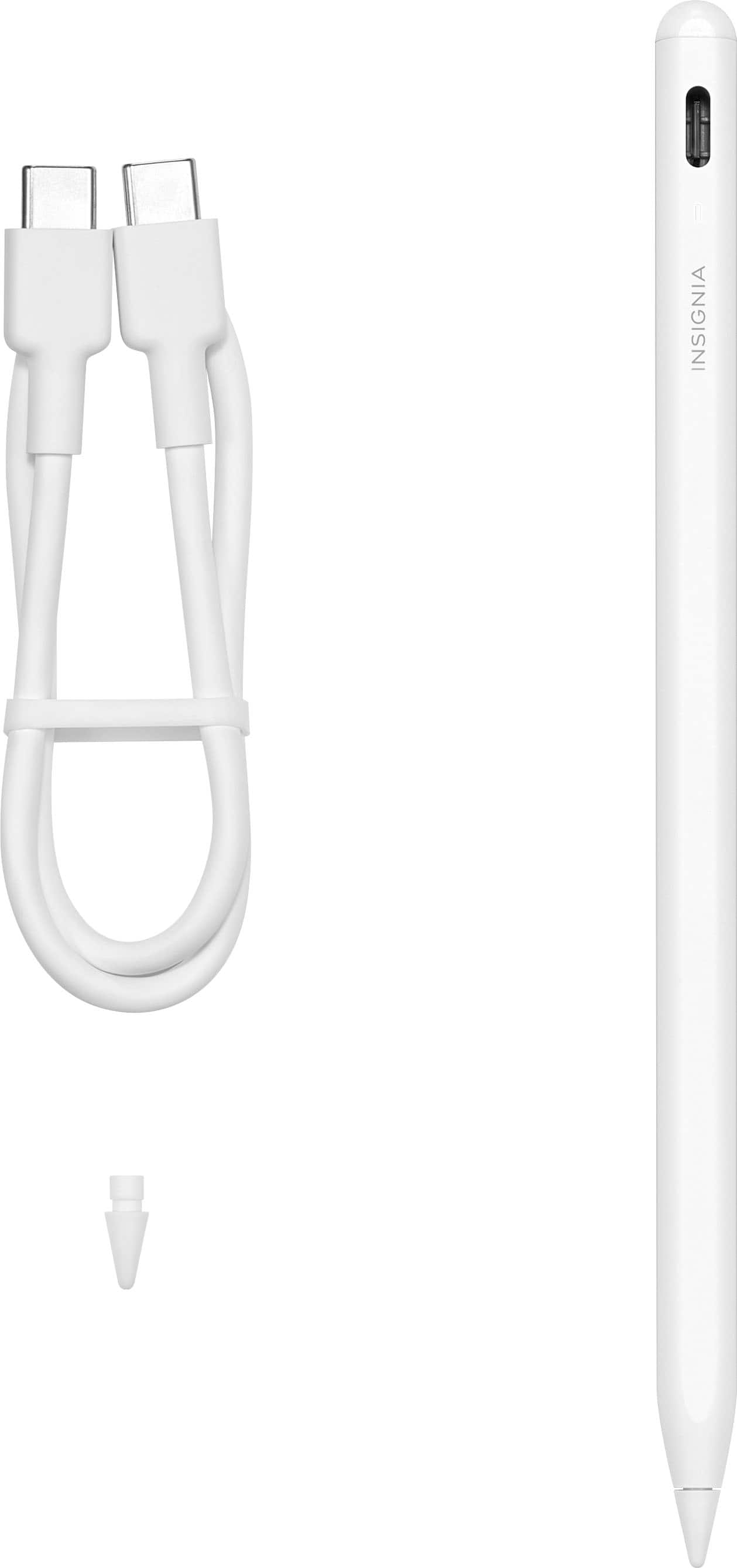
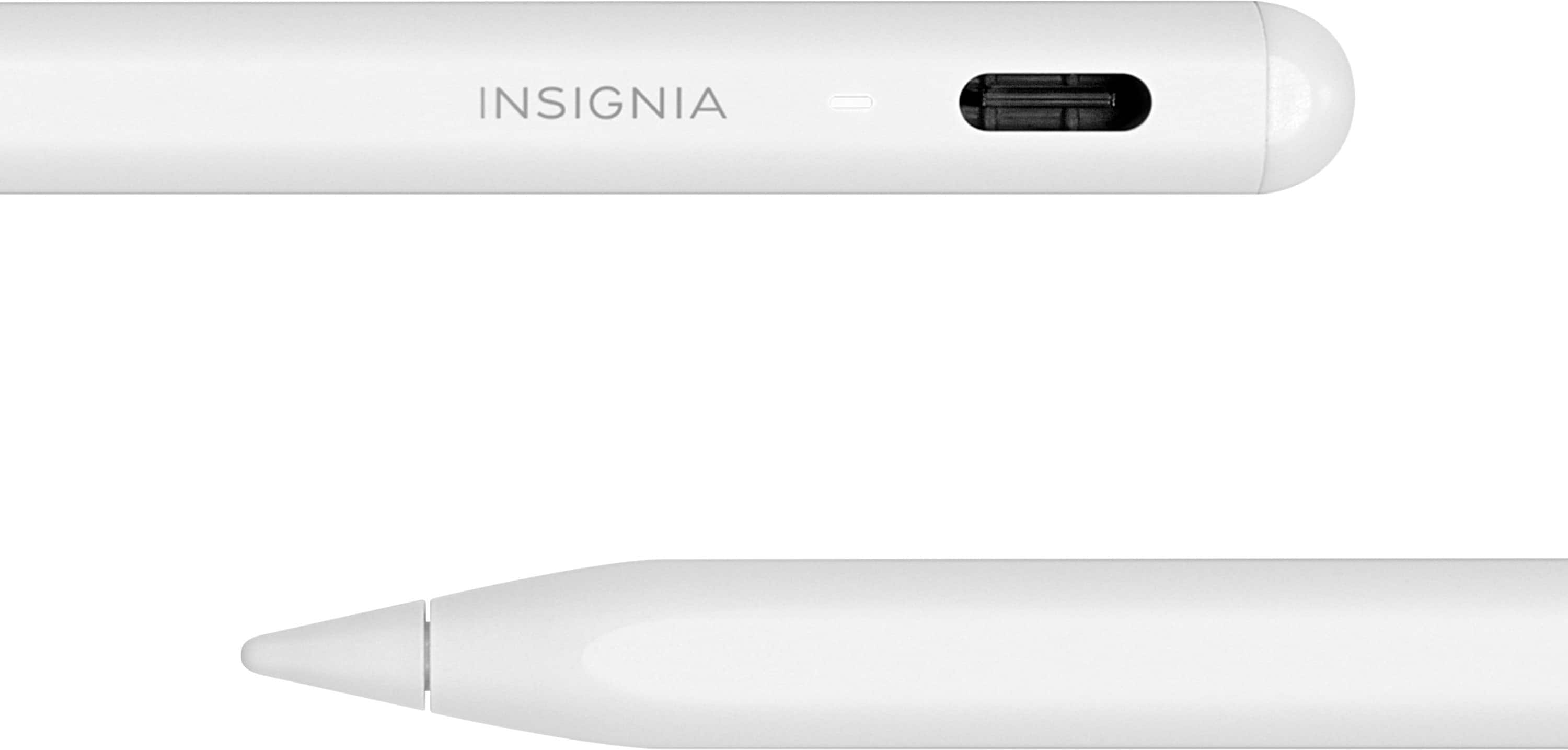
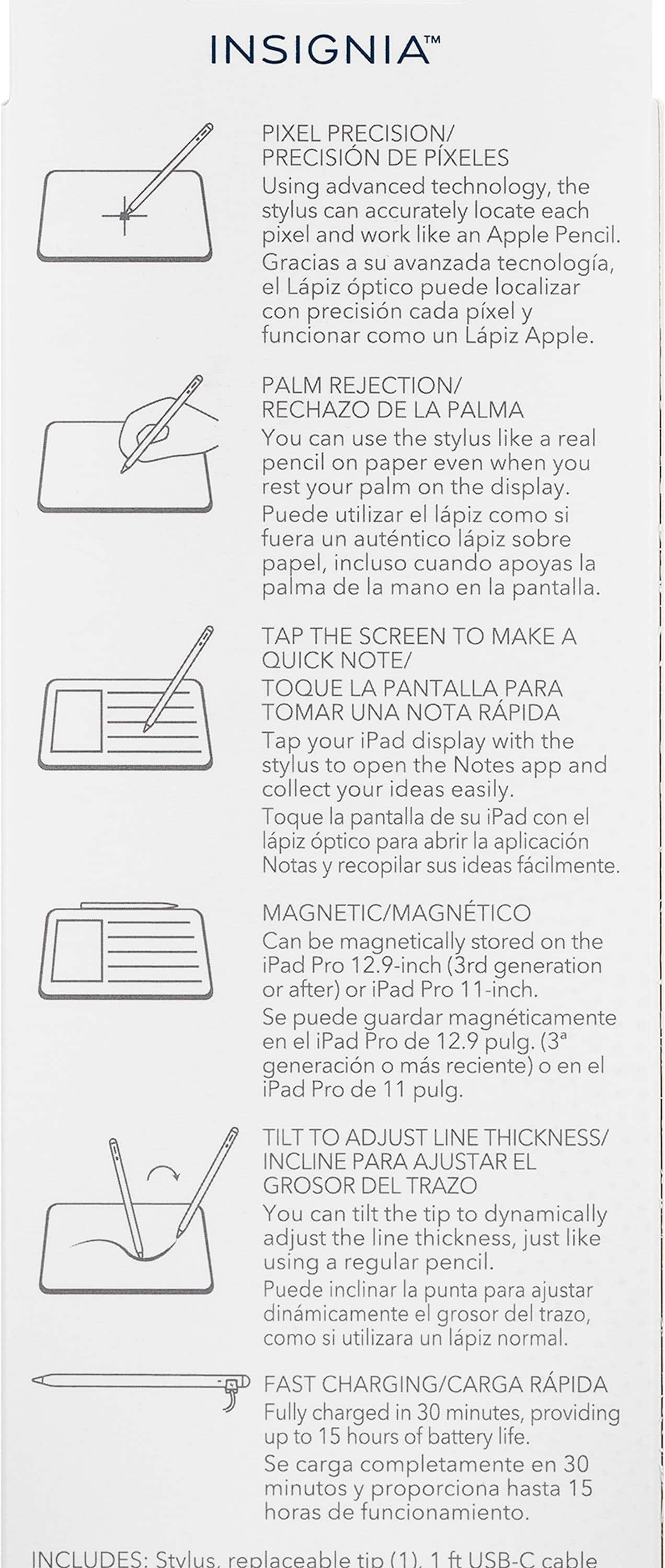
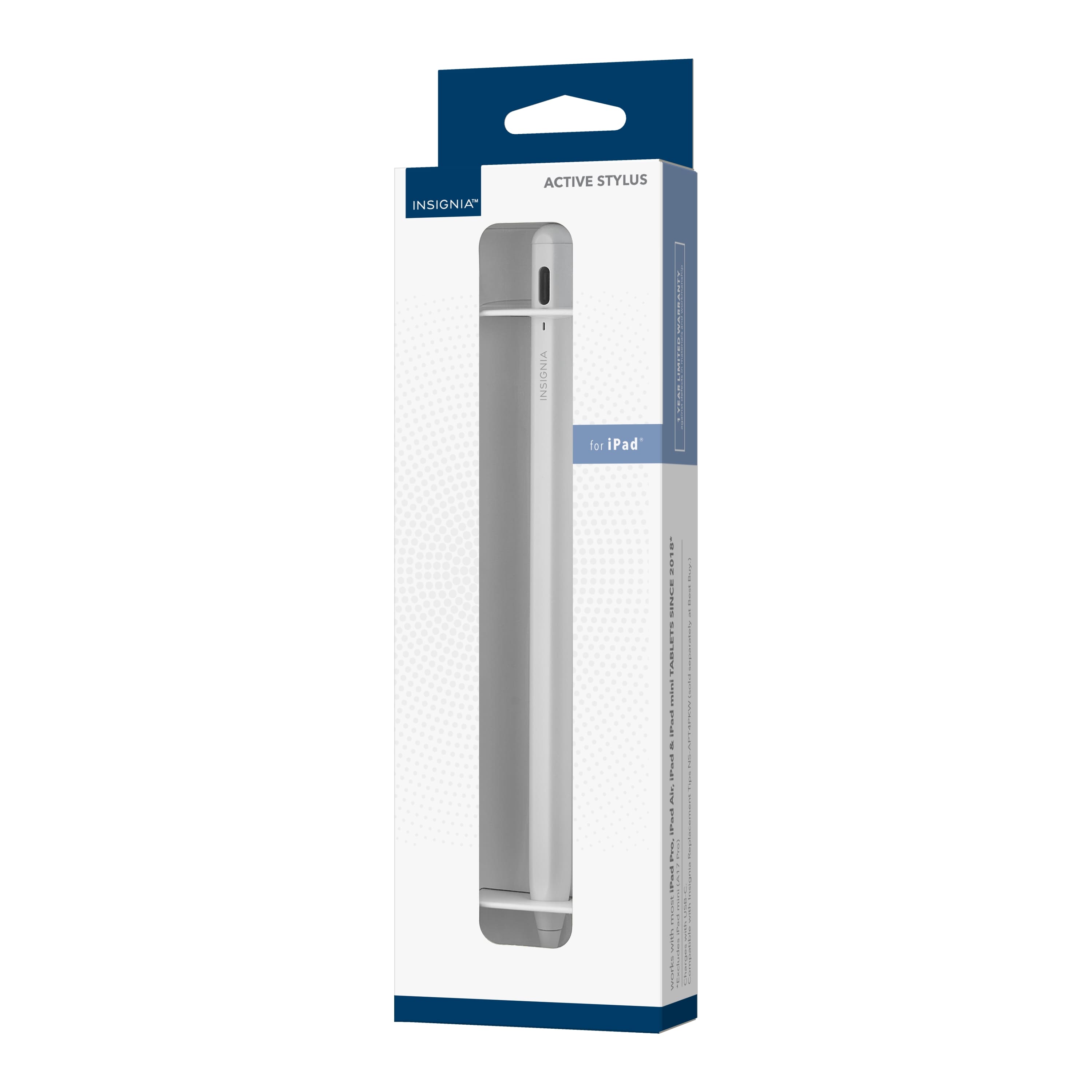
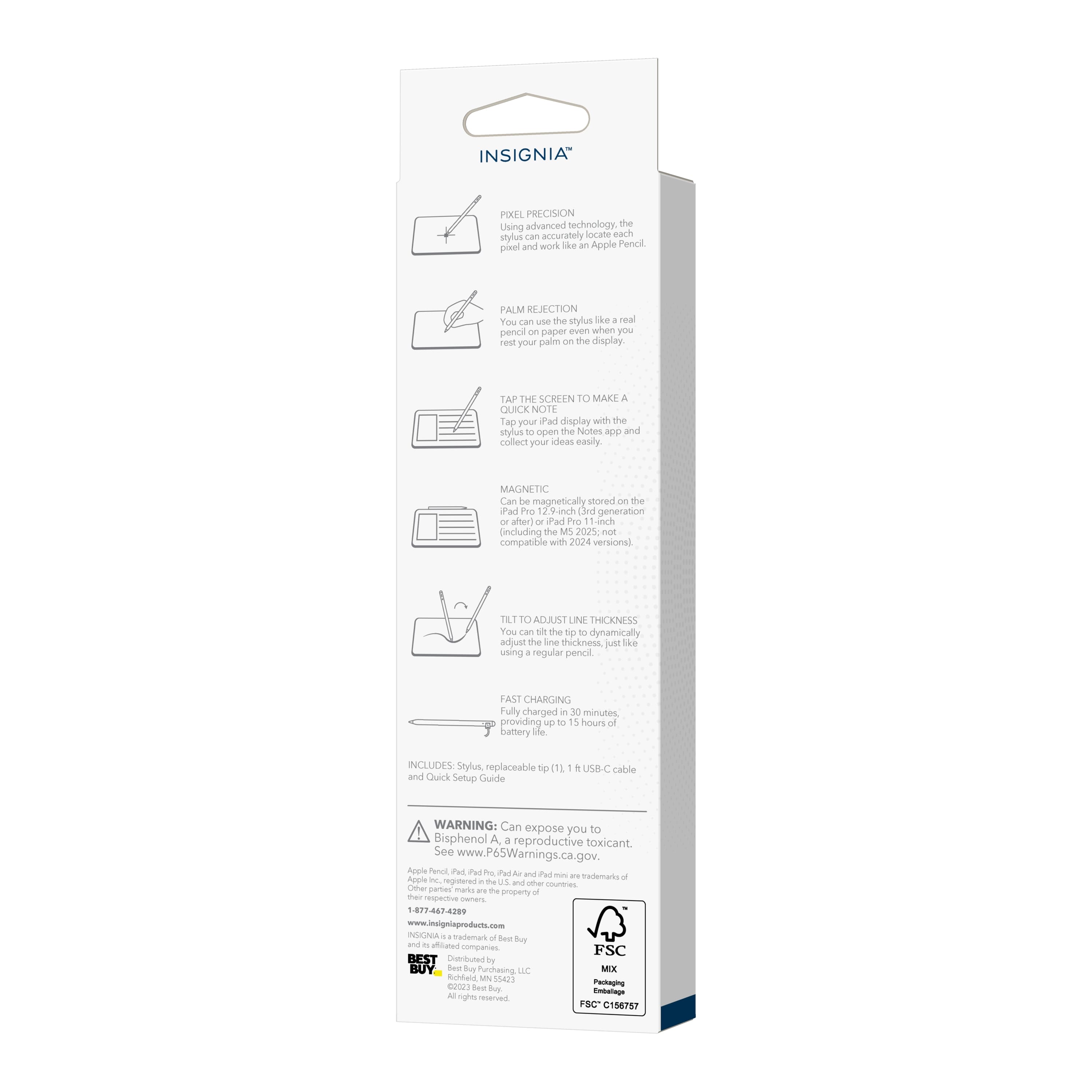
|Posted .This reviewer received promo considerations or sweepstakes entry for writing a review.The build quality of this pencil is excellent. This feels premium to use at a price that is almost one third of the original cost of the apple pencil. This is handy to take notes and for precise taps on the screen especially while editing pictures. The only downside is that this doesn’t have the pressure sensitivity option, which means this cannot be used for pencil shading. But for writing, drawing this is fantastic. Pencil uses USB-C slot to charge and takes about 30 minutes to full charge and can last up to 15 hours. It comes with a USB-C to USB-C cable and no charger. The dual-colored LED indicator indicates when it needs to be charged. This also comes with a spare replaceable tip. More tips can be purchased as required and its really inexpensive. Model NS-APT4PKW. This is compatible with iPad Pro, iPad Air, iPad and iPad mini. Its only compatible with iPads and doesn’t work on other tabs. (Though I knew, I just tried it anyway on Samsung Tab and it didn’t work as expected). What amazed me is how it connects to the iPad. Just double tap the pencil top to power-on and use it on the iPad. It just works. Double tap again to power-off. Overall, I am extremely happy with this pencil. It serves its purpose perfectly and as long as you don’t need to do pencil shading, this will suffice every need of an apple pencil at a much lower price point. I would definitely recommend it.
I would recommend this to a friendBrand response from InsigniaCustomerSupport
Posted .We want to express our gratitude for your purchase of Insignia™ - Active Stylus for iPad, iPad Pro, iPad Air and iPad mini. Your satisfaction and support mean the world to us and we hope that you continue to enjoy using it. If you need any assistance or have any questions, please feel free to contact us. We are always happy to help.
JC | Insignia Support https://www.bestbuy.com/site/insignia-active-stylus-for-ipad-ipad-pro-ipad-air-and-ipad-mini-white/6563773.p?skuId=6563773
- Pros mentioned:Battery life, Ease of use, Overall performance
Comfortable easy to use Stylus
|Posted .This reviewer received promo considerations or sweepstakes entry for writing a review.Do not over look this insignia stylus as it’s pretty nice. I’m using this stylus for work use and not drawing/creativity. My prior android tablet had a pen as well but it wasn’t as intuitive as apple and I didn’t like using it to much. In the box I received the stylus, a charging cable, and a replacement tip. The stylus feels just like the Apple Stylus but does not have the hefty price tag. It does magnetically connect to my iPad, but it does not charge this way so you have to use a plug. The battery life seems to be pretty good as I have used it off and on for a few hours through out the day and it’s still going. In the manual it says to push the button to turn it on, but it’s not a physical button you just tap the top of the stylus twice and it will turn on or off. This stylus works great! I opened the box and charged it right away, only took a few minutes to get to 100%. I thought i would have issues pairing it with my iPad, that was not an issue it just started working without any issue. My iPad gave me a quick tutorial on how to use the stylus and some of the features the iPad can use with it. I was surprised as this is not an Apple Stylus and seemed to be function as if it was one. If you are just using this for school/work/notes/etc I would recommend this stylus. If you are the creative type and do lots of drawing, art work, etc you might want to compare and make sure this would function for those creative task. I did play around with a sketchbook app and it worked fine, but I’m not an artist so I just drew some circles and scribbles. Overall I really like this stylus and it will work great for my needs. I’m also a big fan of insignia products they are priced right and made to last.
I would recommend this to a friendBrand response from InsigniaCustomerSupport
Posted .Thank you for sharing your experience with the Insignia stylus! We're thrilled to hear that it's meeting your needs for work and note-taking on your iPad. It's great to know that the setup was straightforward, and that the stylus is intuitive to use. We appreciate your recommendation for school and work purposes and your acknowledgment of the value and durability of Insignia products. If you have any further feedback or if there's anything else we can assist you with, please don't hesitate to let us know. Keith | Insignia Support https://www.bestbuy.com/site/insignia-active-stylus-for-ipad-ipad-pro-ipad-air-and-ipad-mini-white/6563773.p?skuId=6563773
- Pros mentioned:Battery life
Outstanding Quality at an Outstanding Price!
|Posted .This reviewer received promo considerations or sweepstakes entry for writing a review.This is an easy review to write because there are very few times where you have a 'store brand' product that is superior to the brand name one, but here we are. If you are looking for a stylus/pencil for your iPad, don't bother buying the brand name one, get this one and save yourself a bunch of money. I wanted a stylus for my iPhone because either my fingers have gotten fatter or the buttons have gotten smaller, but I keep messing up when I'm trying to do stuff on my phone. When I first got the Insignia Active Stylus, I charged it up and tried to get it to work but it wouldn't. I thought it was perhaps the screen protector but no, it was me being stupid and assuming that all of the Apple products could use the stylus but the iPhone actually can't (they have different types of screens). That's OK though because it works awesome with my iPad Mini! My wife has the brand name Pencil and we compared the two and the build quality on both is solid in both cases. Now hers is the kind that charges from her device when 'clipped' to the side and this one charges via USB-C, but I actually prefer having dedicated charging for this vs. the draw from the tablet. Charging was super fast so even if it conks out on me, a few minutes on a charger would get me plenty to finish what I'm doing before charging it fully. It says it can go for 15 hours of active use on a full charge but I haven't used it anywhere near that yet. The LED battery indicator has yet to change to blue, which tells you that it is below 60% battery, despite heavy use for about five hours or so. The feel and precision of the Insignia Active Stylus is identical to the brand name version and the magnetic connection to my iPad is ridiculously strong. I have NO worry that this will be popping off of my iPad without actively trying to do so. The extra tip and the mini USB-C to C cord are nice additions and really adds to the value of this device. BTW, when the instructions tell you to 'double-click' the power button on the stylus (the 'eraser' end), it doesn't really 'click' and its not even really a press. It is touch sensitive and it is more like just a double-touch instead. I spent way too much time trying to get an immovable 'button' to click before realizing I was just hurting my thumb and it's really just a tap. Again, if you are looking for a stylus/pencil for your iPad and you want the same quality and functionality as the brand name at half the price, just get the Insignia Active Stylus. You will not be disappointed.
I would recommend this to a friendBrand response from InsigniaCustomerSupport
Posted .Hi Wraith! I am incredibly grateful for your feedback on the Insignia Active Stylus. It is always a pleasure to hear that our store brand product is superior to the brand name option, especially when it can save our customers money. Your experience with the stylus and your honesty about assuming its compatibility with all Apple products is truly valuable feedback that we will use to maintain a high quality of service. Additionally, I am pleased to inform you that the Insignia Active Stylus comes with a 1 year manufacturer warranty for added peace of mind. Thank you for choosing our product and for taking the time to share your thoughts with us.
JC | Insiginia Support https://www.bestbuy.com/site/insignia-active-stylus-for-ipad-ipad-pro-ipad-air-and-ipad-mini-white/6563773.p?skuId=6563773
- Pros mentioned:Battery life, Ease of use
Attractive alternative!
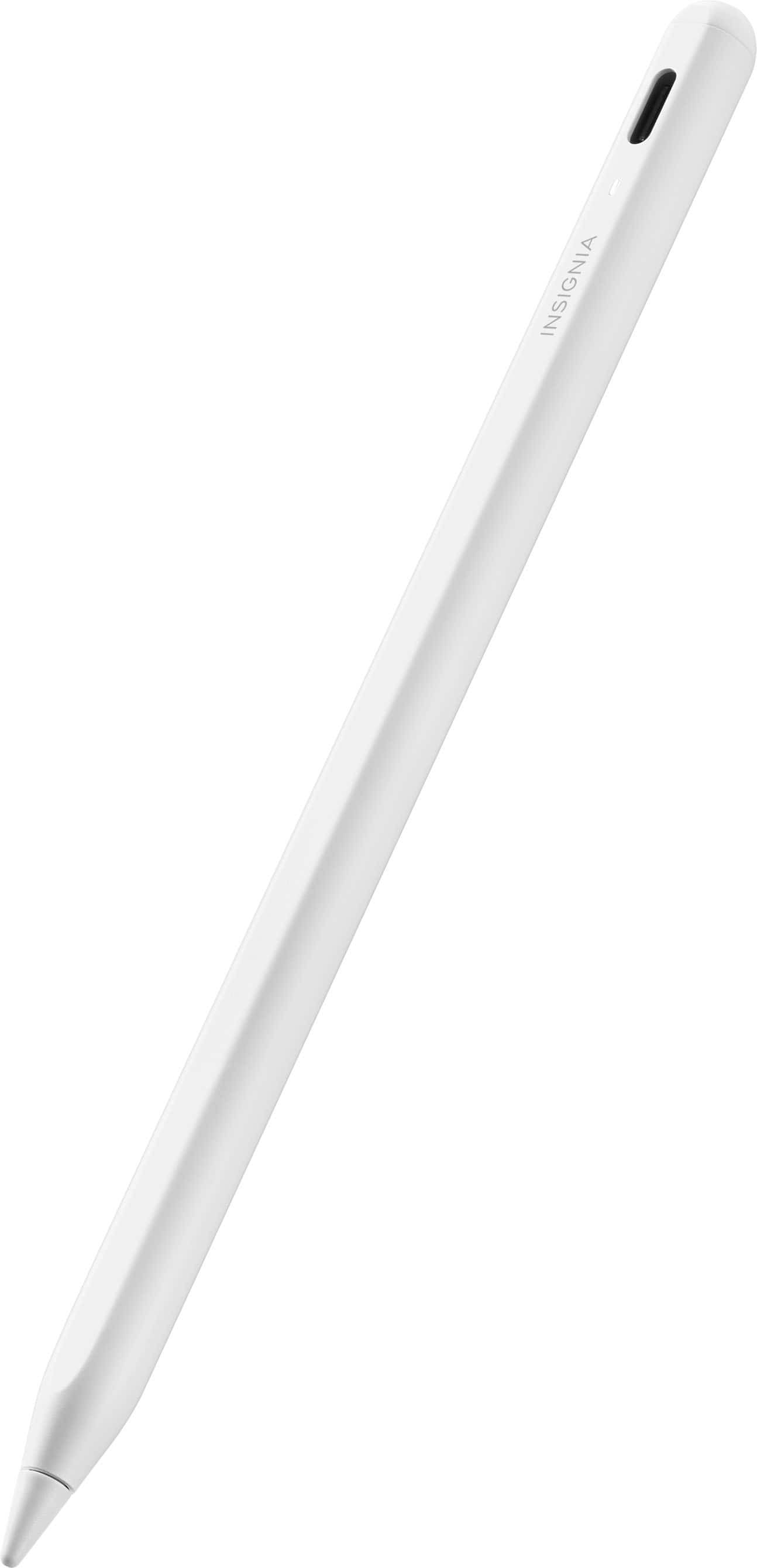
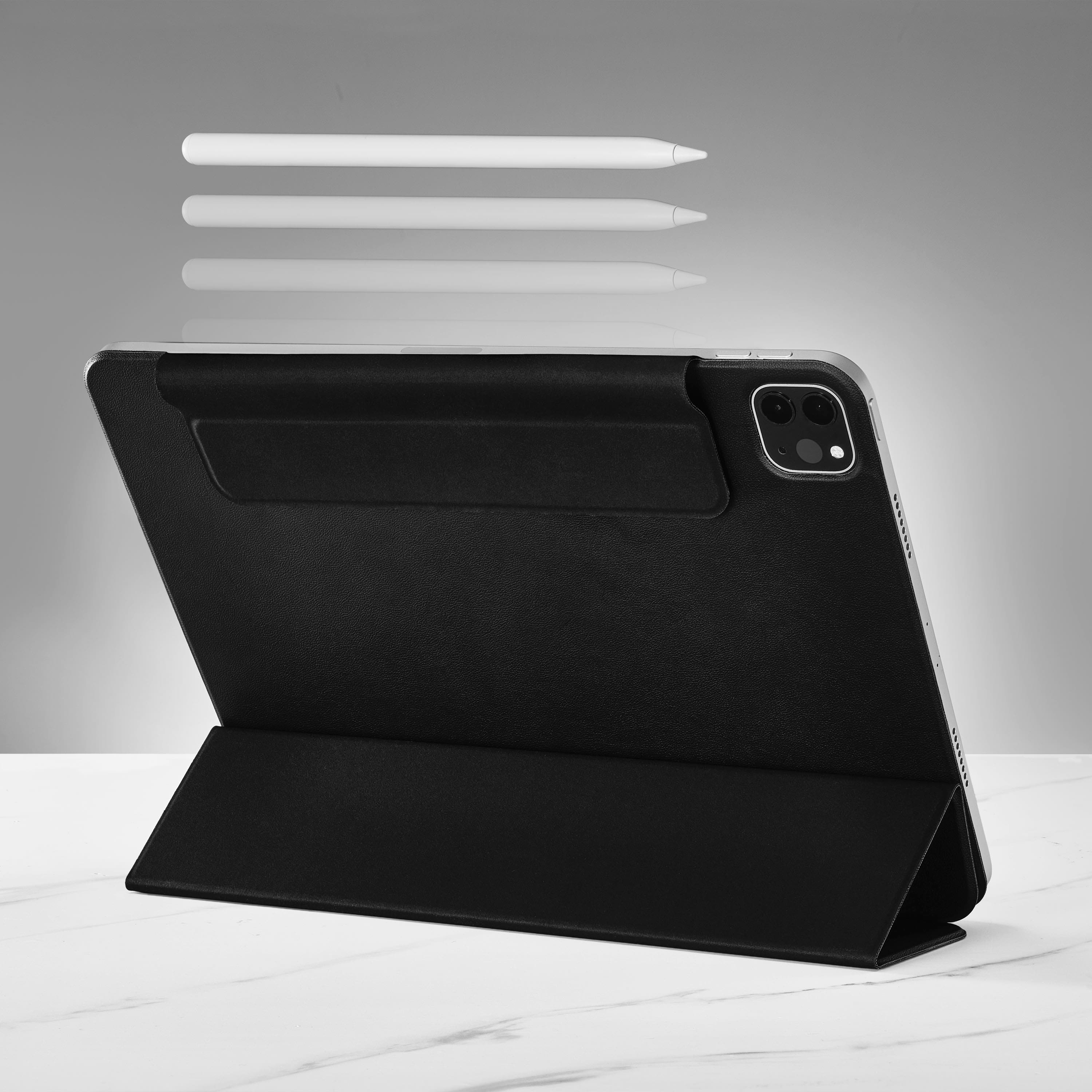
|Posted .This reviewer received promo considerations or sweepstakes entry for writing a review.This attractive white active stylus looks just like my Apple Pencil. The dimensions are identical. It also magnetically attaches to my iPad Air, but cannot charge through induction like the Apple Pencil can. It charges through a matching white USB-C cable, and you can connect the other end of the cable to any device such as a computer, phone, or iPad which can pass a charging current. An LED indicator tells you when the stylus has enough juice to work. I hooked the stylus to my iPad, and in just few minutes the LED changed from orange to white, indicating it was ready to put into use. A double tap on the top of the stylus turns it on or off. The charge will last for many hours, and, once charged, the stylus is great for writing notes and any text entry that the user may want to try. I am not big on more sophisticated drawing, so for those who want that, I defer to those reviewers who have that skill and need such flexibility. This product does everything I use the Apple Pencil for, at a fraction of the cost. It looks great, and its easy to use. Highly reccomended!
I would recommend this to a friend - Pros mentioned:Connectivity, PriceCons mentioned:Pressure sensitivity
Affordable and Great Quality!!!!
|Posted .This reviewer received promo considerations or sweepstakes entry for writing a review.I am amazed by the Insignia Active Stylus and its affordable price of only 40 dollars. This stylus is definitely worth every penny. It is well-designed and performs just as well as the Apple Pencil. The Insignia Stylus comes with a complete set, including a USB-C charging cable and a spare tip. After a quick 30-minute charge, the stylus is ready to use. Its precision is remarkable, making it perfect for taking notes or browsing the web. My 5-year-old daughter loves using this stylus for her educational games. It's great for tracing letters and drawing. It's also ideal for kids, even though it doesn't have pressure sensitivity, which is not a big deal for me. Connecting the stylus to the iPad is effortless. Simply press a button, and it automatically connects without the need for Bluetooth. It also features an LED light that indicates when the stylus needs charging. If you're looking for a stylus that performs just as well as the Apple Pencil, then you've come to the right place. Overall this is an amazing pencil at a outstanding price that works great and that my daughter loves using it. I definitely recommend this Insignia Active Stylus!!!
I would recommend this to a friend - Pros mentioned:Ease of use, Price
Great alternative
|Posted .This reviewer received promo considerations or sweepstakes entry for writing a review.Having long used the Apple Pencil now with the second generation, I’m happy to see an alternative. The Insignia active stylus is all but identical to the Apple Pencil with only the USB-C charge port giving away its origins. That port is how you charge it as it doesn’t magnetically charge like the Apple Pencil. The stylus comes with a charge cable and an extra replacement tip. Using the stylus, it has all the same functionality with the exception of how you turn it on. Unlike the Apple Pencil that is automatically connected when you pull it off the iPad, the Insignia stylus requires a double tap on top to turn it on. Once turned on, it has white led to let you know it’s on. Another difference with the Insignia stylus is you can’t see the battery charge state in the iPad Notification Center. For the difference in price these minor differences are well worth it. The Insignia active stylus gives you all the functionality the Apple Pencil has for less than half. If you want a stylus for your iPad but don’t want to pay the Apple tax, Insignia has you covered.
I would recommend this to a friend - Cons mentioned:Pressure sensitivity
It's not an Apple Pencil, but good enough for some
|Posted .This reviewer received promo considerations or sweepstakes entry for writing a review.The Insignia Pencil may look like Apple’s Pencil, but the similarities end there. Apple’s pencil is likely over priced, but it definitely delivers when paired with the right apps. I have an iPad Air and an iPad Mini. I’d gotten a pencil with the Air, but wanted to get something to use with the Mini for note taking and perhaps some quick Photoshop edits. The Insignia pencil is not nearly as responsive. When editing in Photoshop, changes are updated only after the Pencil is lifted from the screen. There are no quick tap short cuts (I.e between drawing and erasing). Leaning the Insignia pencil does change the results when drawing, but that’s not as convenient as using pressure to impact the area you’re editing. It behaves more or less like a really skinny finger. The Insignia worked just fine for note taking. It’s nice that it attaches to the side of my iPad and fits in the same space as Apple’s offering. Charging is convenient with the included cable. I was able to charge straight from the USB-C port on my iPad without any issue. It will not charge from the magnetic dock. Note that you will have to ‘forget’ the Apple Pencil from your iPad in order to use the Insignia pencil. No need to pair the Insignia In this case, you clearly get what you pay for. The Insignia provides a clear option for those on a budget with a limited need for a stylus. I’m fine using it with my Mini for notes, but it can’t replace the Apple Pencil for me overall.
I would recommend this to a friendBrand response from InsigniaCustomerSupport
Posted .Thank you for your feedback on the Insignia Pencil. We appreciate your detailed review and comparison to Apple's Pencil. It's great to hear that the Insignia pencil worked well for note taking and that you found it convenient to charge with the included cable.
However, we are sorry to hear that the Insignia pencil lacks responsiveness when it comes to editing in Photoshop. We understand your frustration with the delayed updates and lack of quick tap shortcuts. It's disappointing to hear that the Insignia pencil behaves more like a finger rather than providing the pressure sensitivity you were looking for.
We appreciate your honesty in acknowledging that you get what you pay for with the Insignia pencil. It's clear that it may not be a suitable replacement for the Apple Pencil, especially for more advanced tasks like Photoshop editing. We are glad to hear that the Insignia pencil still serves a purpose for those on a budget with limited needs for a stylus.
Thank you again for sharing your experience with us. We value your feedback and will take it into consideration for future improvements to our products. Keith | Insignia Support https://www.bestbuy.com/site/insignia-active-stylus-for-ipad-ipad-pro-ipad-air-and-ipad-mini-white/6563773.p?skuId=6563773
- Pros mentioned:Ease of useCons mentioned:Pressure sensitivity
Good Value for Basic Note Takers and Photo Editors
|Posted .This reviewer received promo considerations or sweepstakes entry for writing a review.The Insignia Active Stylus for iPad is an exceptional value for users who are OK with basic functionality and are cost conscious as long as they understand that advanced features such as pressure sensitivity or hover capabilities are not compatible with this stylus. The Insignia stylus does a great job if your main purpose is to take notes, and it also does work well for photo editing if your main purpose is to select precise areas of the photo. For me, pressure sensitivity is a 'nice to have', not a 'need to have' but if you're an artist who does things like shading, you're better off investing in the real deal. I will say, I was thinking I might be annoyed by the USB-C charging vs. the inductive charging on the real deal, but it honestly wasn't an issue, and I like how it attaches the same way as the OEM version. In conclusion, the Insignia Active Stylus stands out as a solid, cost-effective choice for iPad users who do not require advanced features like pressure sensitivity or hover detection. It performs reliably for basic tasks such as note-taking and simple drawing, offering good functionality at its price point. Note for the Insignia team: Since this is a house brand I would assume you'd be able to make these improvements. The instructions about how to turn the stylus on weren't intuitive. You don't 'double-click' the power button to turn it on. A) There's no button B) There's no click. You would have been better off instructing the user to 'Double Tap the End" or if you insist on calling it a power button at least say 'tap' instead of click.
I would recommend this to a friend