Customer Ratings & Reviews



- Model:
- NS-TS3AIEW24
- SKU:
- 6563773
Rating by feature
- Value
Rating 4.7 out of 5 stars
- Quality
Rating 4.5 out of 5 stars
- Ease of Use
Rating 4.5 out of 5 stars
Customers are saying
Customers have good things to say about the Active Stylus for iPad, iPad Pro, iPad Air and iPad mini, particularly its overall performance and ease of use. Many users appreciate the stylus's long battery life and reasonable price. The stylus also connects easily to multiple devices and works well with different iPads. While some users noted the lack of pressure sensitivity, the stylus is still well-received for general use.
This summary was generated by AI based on customer reviews.
Not worth it
||Posted . Owned for 3 weeks when reviewed.This reviewer received promo considerations or sweepstakes entry for writing a review.Doesn’t really work on older models. Don’t even waste your money or time
No, I would not recommend this to a friendBrand response from InsigniaCustomerSupport
Posted .Thank you for sharing your experience. We're sorry to hear that the product didn't work well with older models. Your feedback is important to us, and we'll use it to improve our products. We appreciate your honesty and patience. - Carl | Insignia Products

Pen
||Posted . Owned for 3 weeks when reviewed.This reviewer received promo considerations or sweepstakes entry for writing a review.Pen already stop working and I though it was Apple pen so dissatisfied
No, I would not recommend this to a friendBrand response from InsigniaCustomerSupport
Posted .Thank you for reaching out to us about your experience with the Insignia Active Stylus. Sorry to hear that it stopped working and didn't meet your expectations. We understand how frustrating it can be when a product doesn't perform as expected, especially if you were expecting a high-quality product like an Apple-compatible stylus. We appreciate your feedback and will take it into consideration as we continue to improve our products. Jeth | Insignia Support. https://www.bestbuy.com/site/insignia-active-stylus-for-ipad-ipad-pro-ipad-air-and-ipad-mini-white/6563773.p?skuId=6563773
did not work
||Posted . Owned for 1 week when reviewed.This reviewer received promo considerations or sweepstakes entry for writing a review.did not work for me - would not draw nor make any marks. Returned the item
No, I would not recommend this to a friendBrand response from InsigniaCustomerSupport
Posted .I'm sorry to hear that the Insignia™ Active Stylus didn't work as expected for you. It's frustrating when a product doesn't meet your needs, especially when it comes to drawing or writing. We appreciate your feedback, as it helps others make informed decisions. Hopefully, you find a stylus that works better for your iPad in the future. If you have any other questions or need assistance, feel free to reach out! Jeth | Insignia Support. https://www.bestbuy.com/site/insignia-active-stylus-for-ipad-ipad-pro-ipad-air-and-ipad-mini-white/6563773.p?skuId=6563773
- Pros mentioned:Battery lifeCons mentioned:Tip hardness

Great Alternative For Apple Pen
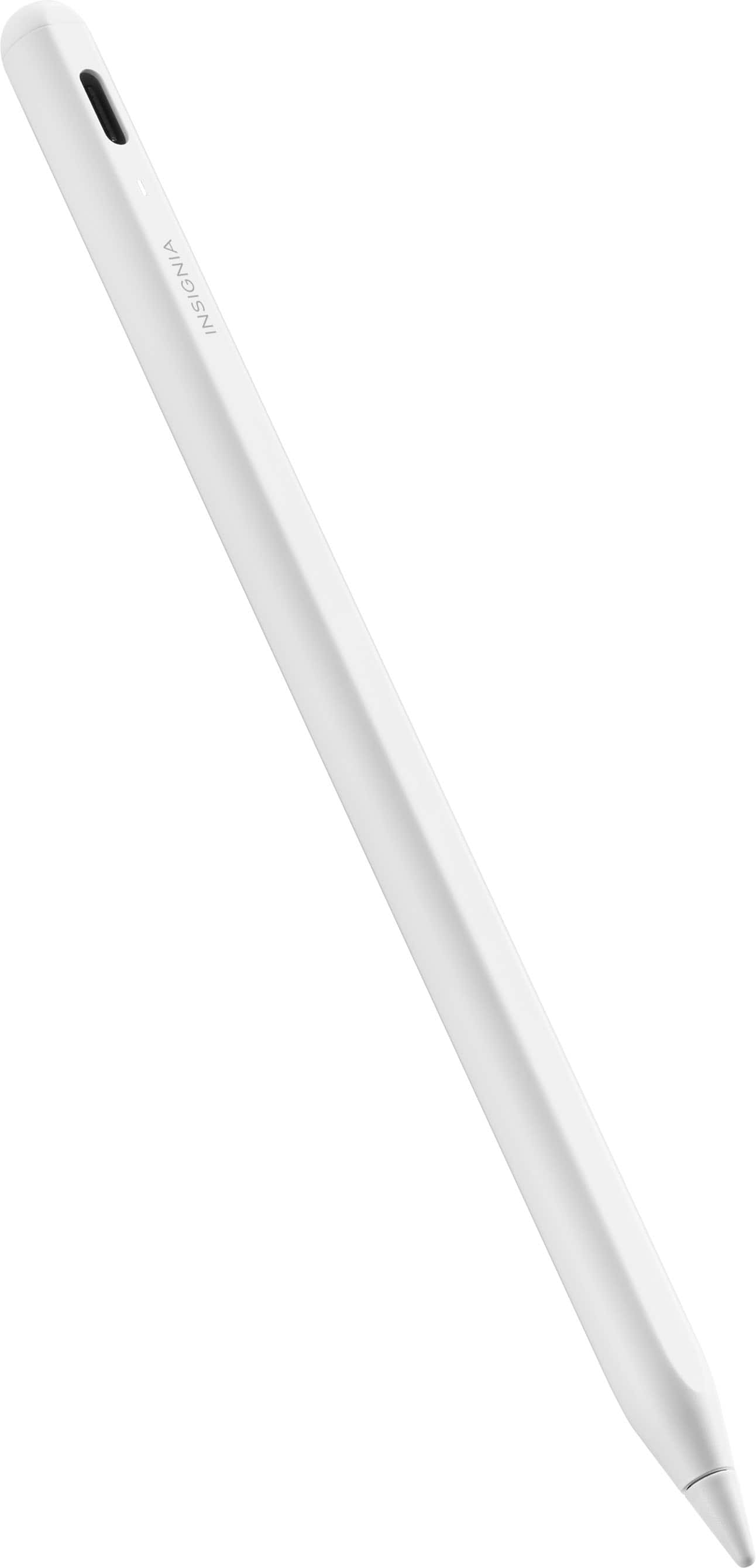
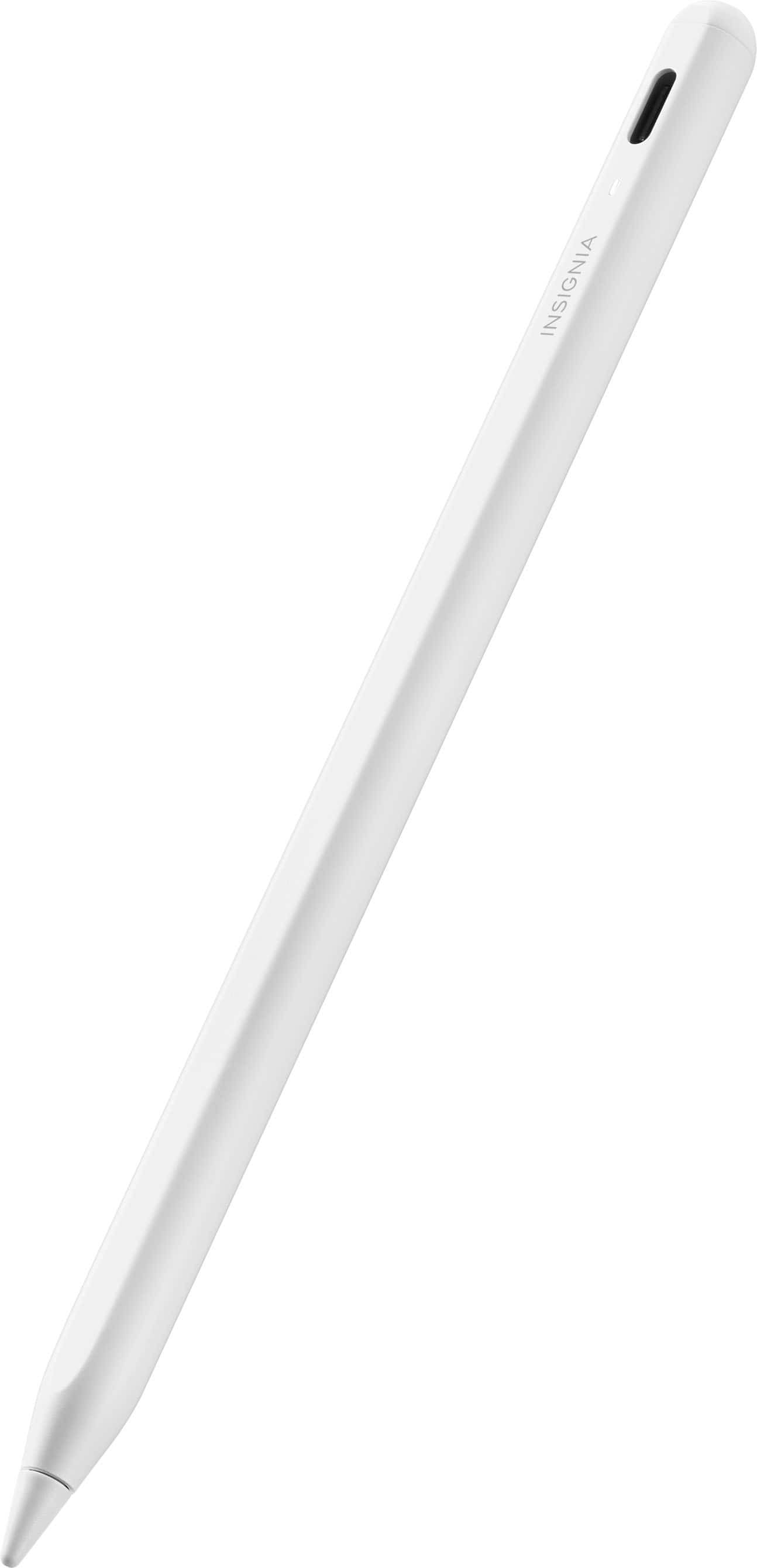
|Posted .This reviewer received promo considerations or sweepstakes entry for writing a review.I really like this product. It is very comfortable, though I do wish there was a little padding or at least a softer material towards the tip. It does get a little uncomfortable after a while for me, kind of like when you get done with a long test or hand writing an essay. The battery lasts quite a while. I have used this stylus for an average ol in f 3 hours per day for the past 7 days and the indicator light finally turned Red. Charge time to full was about 20 minutes. Unlike the Apple pen, this pen does have not have wireless charging, which is a nice feature because the stylus will always be charged; however, that doesn't justify the drastic price difference between this product and Apple's version. The power "button" is a sensor at the top of the per, regretfully, there is no haptic feedback or "click" so I have to check the light to ensure it's on, minor annoyance but Not a deal breaker. Overall, the active stylus has a sleek look and attaches to the iPad very well. The pen "snaps" to the iPad when it attaches in a very satisfying way! I really like this product and if you haven't guessed, yes, I wrote this review on my iPad with my new favorite peripheral!
I would recommend this to a friendBrand response from InsigniaCustomerSupport
Posted .Thank you for sharing your detailed feedback, PaulieB1! We're thrilled to hear that you're enjoying the Insignia™ Active Stylus for your iPad. It's great to know that you find it comfortable to use, with impressive battery life and a sleek design that attaches satisfyingly to your iPad. We appreciate your insights regarding the wish for softer material at the tip and the absence of haptic feedback for the power "button." Your feedback helps us improve our products in the future. If you have any further questions or need assistance in the future, feel free to reach out. We're here to help! - James | Insignia Support | https://www.bestbuy.com/site/insignia-active-stylus-for-ipad-ipad-pro-ipad-air-and-ipad-mini-white/6563773.p?skuId=6563773
Brilliant.
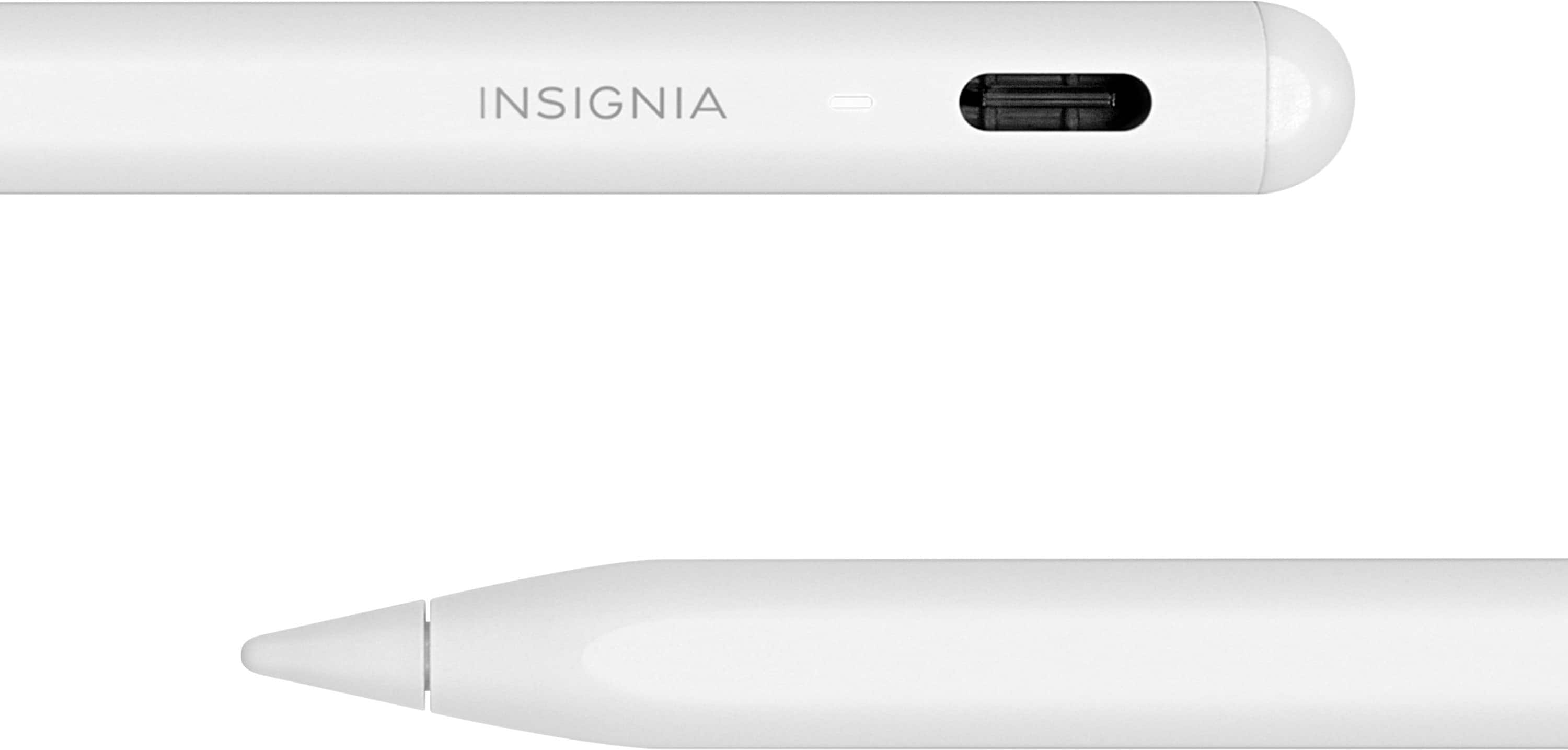
|Posted .This reviewer received promo considerations or sweepstakes entry for writing a review.Apple sure has made a mess of the digital stylus. I refuse to upgrade past the 2nd generation as Apple seems to be actively trying to mess up everything that was great about the 2nd generation Apple Pencil. What’s so great about it? The 2nd generation magnetically connects, pairs, AND charges directly from your iPad. Simple. Unless you attempt to move the iPad when the pencil is attached and then everything falls apart because the magnets are not strong enough to keep the pencil attached if you so much as brush up against the pencil while it’s connected. The truth is its best if you just don’t touch the iPad or the Pencil until the pencil is fully charged, then just remove it, and go about your day. Which brings me to the Insignia Stylus. The Insignia Stylus uses even weaker magnets to attach to the iPad, but they don’t charge the stylus so why bother? My guess is that Insignia needed to add some weight to the stylus because it’s already like holding a feather and if the magnets were not adding some weight to the device it would probably float away. Seriously. I love how light this thing is. When I pick up a digital stylus I don’t want to pick up a rock, I want a featherlight experience that just melts around my fingers and that’s what Insignia has managed to accomplish. Brilliant. The inclusion of a status LED is a welcome addition giving a clear indicator that its time to charge but I love how they’ve chosen to not hide the thing. Apple design principals seem to suggest Apple is allergic to holes, so they try to either avoid them (look how few ports are included in all of their products) or they hide them behind covers/slots or worse place them on the back or bottoms of products in the most awkward places (hello Apple Magic Mouse). I digress. Insignia didn’t do that. They proudly display the USB-C charging hole at the top which I love. But I must confess I’m only a few days into carrying this thing around full-time. I wonder what that hole is going to be filled with in another month or two of floating around at the bottom of my backpack. I digress. Again. A double-tap of the tip of the Insignia powers it on and you’re off and jotting. The Insigna lacks Apple’s double-tap support for switching between writing and erasing, which is kind of a bummer but I’ve not found any other differences when using the Insignia as my daily stylus. Another quality product from Insignia.
I would recommend this to a friend- Pros mentioned:Battery life
Better Than the Original
Posted .This reviewer received promo considerations or sweepstakes entry for writing a review.Pleasantly surprised. I've not had it for long but in some ways it functions better than the official Apple Pencil. The battery seems to last longer and I can charge it by plugging it in, as opposed to dangling it from my [9th gen] iPad's charging port - which is my original one broke in the first place. It doesn't need to "connect" and setup it just works out of the box. And I can turn it off when I don't need it to conserve energy (my original seemed like it was dead every time I went to pick it up unless I disconnected it from my iPad). It comes with a replacement tip, and by the feel of it is just as sturdy or sturdier than the official pencil. Compatible with multiple iPad models too. I'm not a pro artist but from what I can tell the tilt sensor works just fine too. My kids broke my original Apple pencil and I didn't want to spend $120 for another one knowing it might break again. I thought it would not work well because of the price but I actually like this one better than the official Apple Pencil (especially for 9th gen iPad).
I would recommend this to a friendBrand response from InsigniaCustomerSupport
Posted .We're glad that you're so impressed with the Insignia Active Stylus! It's great to know that it's exceeding your expectations and providing a better user experience than the original Apple Pencil.
Your feedback is invaluable to us. We'll continue to strive for innovation and quality in all our products.
Thank you for choosing Insignia. If you have any questions or need further assistance, please don't hesitate to reach out. - Mae | Insignia Support | https://www.bestbuy.com/site/brands/best-buy-brands/pcmcat1596746025285.c?id=pcmcat1596746025285
- Pros mentioned:Connectivity
Outstanding value, skimpy user guide
|Posted .This reviewer received promo considerations or sweepstakes entry for writing a review.I had never used a stylus on my iPads, so was curious what it could do. This just arrived on my door, so these are initial observations from a new user. First, my iPad I tested on is a 9th generation 10.2" with cellular. The quick use guide that comes with the stylus is lacking information. It states to turn it on you press the power button twice at the top. However, there's no button to be found. When I looked at the description on the Best Buy web site, I now see it's a touch sensitive button, and a quick double tap turned it on. The other information lacking was how to pair the stylus with the iPad. Looking online all I could find was to make sure Bluetooth was turned on at the iPad. Since I also have a keypad connected, my Bluetooth was on but the stylus wasn't appearing in the list. I checked another review and found the answer. You simply touch the stylus to the screen and it links automatically. That's fantastic, but would have been nice to have mentioned it in the guide. Since I was unsure how to use the stylus with the iPad, I opened the Freeform app and just started doodling. I see in this app I can vary the width of the line I'm drawing (assuming I'm not using a fine point) simply by the angle the stylus is held compared to the screen. I imagine in an artist's hand this would be a neat trick. There's probably more this is capable of, but again the guide doesn't really provide any detail. I was considering only rating it a four because of the skimpy guide, but the versatility of the stylus along with the low cost makes this a super deal. So get the usage answers you need online and just use it as it's intended to be used. My keyboard case has a storage loop to hold the stylus, and it holds it perfectly.
I would recommend this to a friend Great Apple Pencil replacement or option
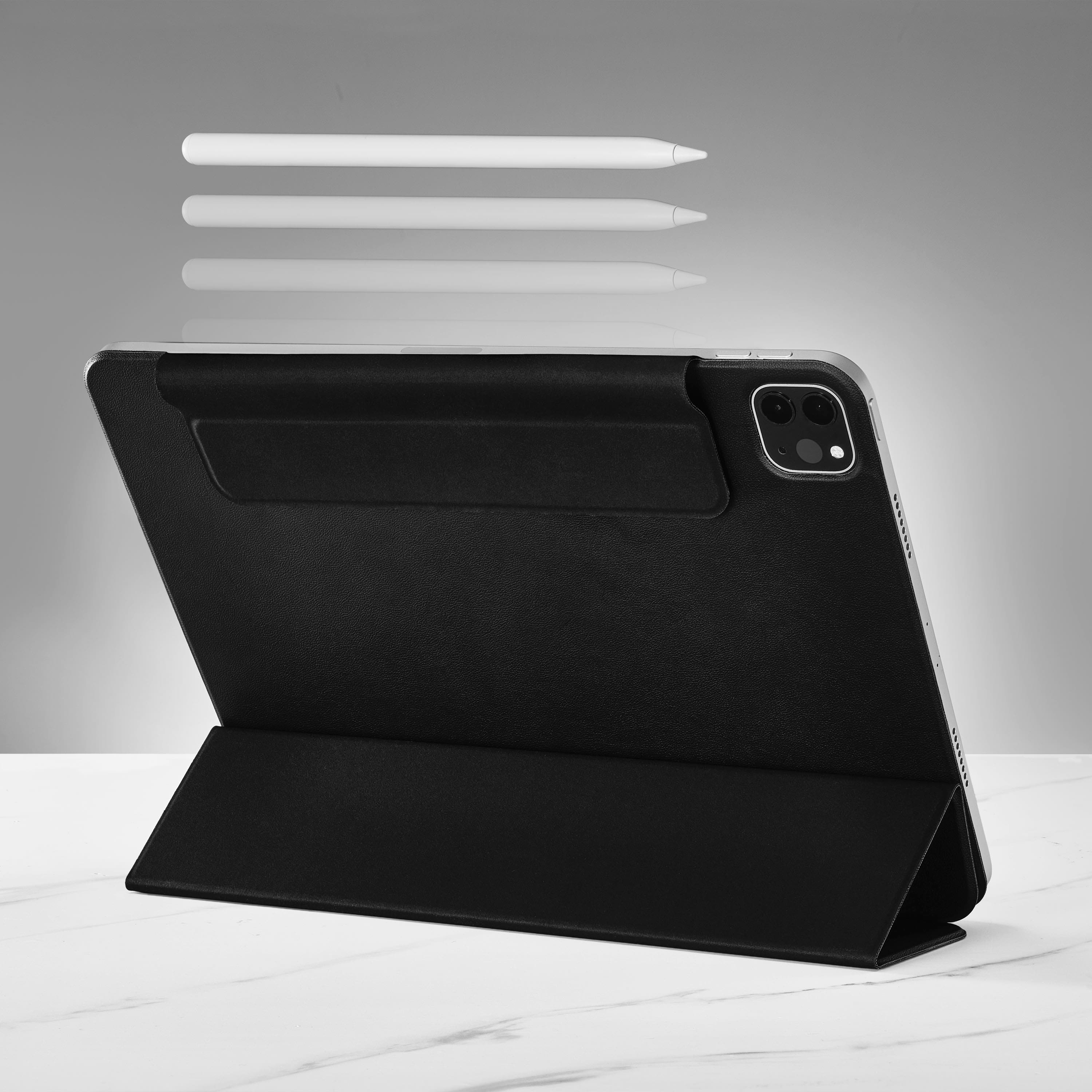
|Posted .This reviewer received promo considerations or sweepstakes entry for writing a review.The Insignia Active Stylus is a good stylus that can be used with Apple’s iPad, iPad Pro, iPad Air and iPad mini. The product came well packaged and like all stylus for tablets, it was very easy to setup and get going right out of the box. It was very easy to pair it to my iPad via my Bluetooth settings. To get it to turn on you have to double click the top of the stylus, where the eraser would be on a typical pencil. To turn if off you have to double click the top of it again. When it’s on, there’s a white LED light that stays illuminated the entire time. After a while it can become a bit annoying with the LED light on the entire time. It’s only on one side, so when I get tired of looking at it while takin notes I turn the pencil where the light is not facing me. The stylus is accurate and does a good job for my needs. It has a built in magnet which allows me to attach it to my iPads that have Apple Pencil 2 support For my older iPads that have Apple Pencil 1 support, I’m unable to magnetically attach it to my iPad because those particular iPads don’t have the feature where the pencil can attach to it. This stylus will not charge by connecting it to my iPad that supports Apple Pencil 2. It’s only for storing your pencil to your iPad. In order to charge the stylus, it has to be plugged in via a USB-C cable. I primarily use this stylus for my older iPad mini. I have an Apple Pencil 2 for my newer iPads, but the battery life on my Apple Pencil 1 that I use on my older iPads was not getting as good battery life as it used to. Purchasing another Apple Pencil 1 isn’t cheap, so this replacement does what I need for a fraction of the cost.
I would recommend this to a friend- Pros mentioned:Overall performance
I REALLY LIKE THIS!
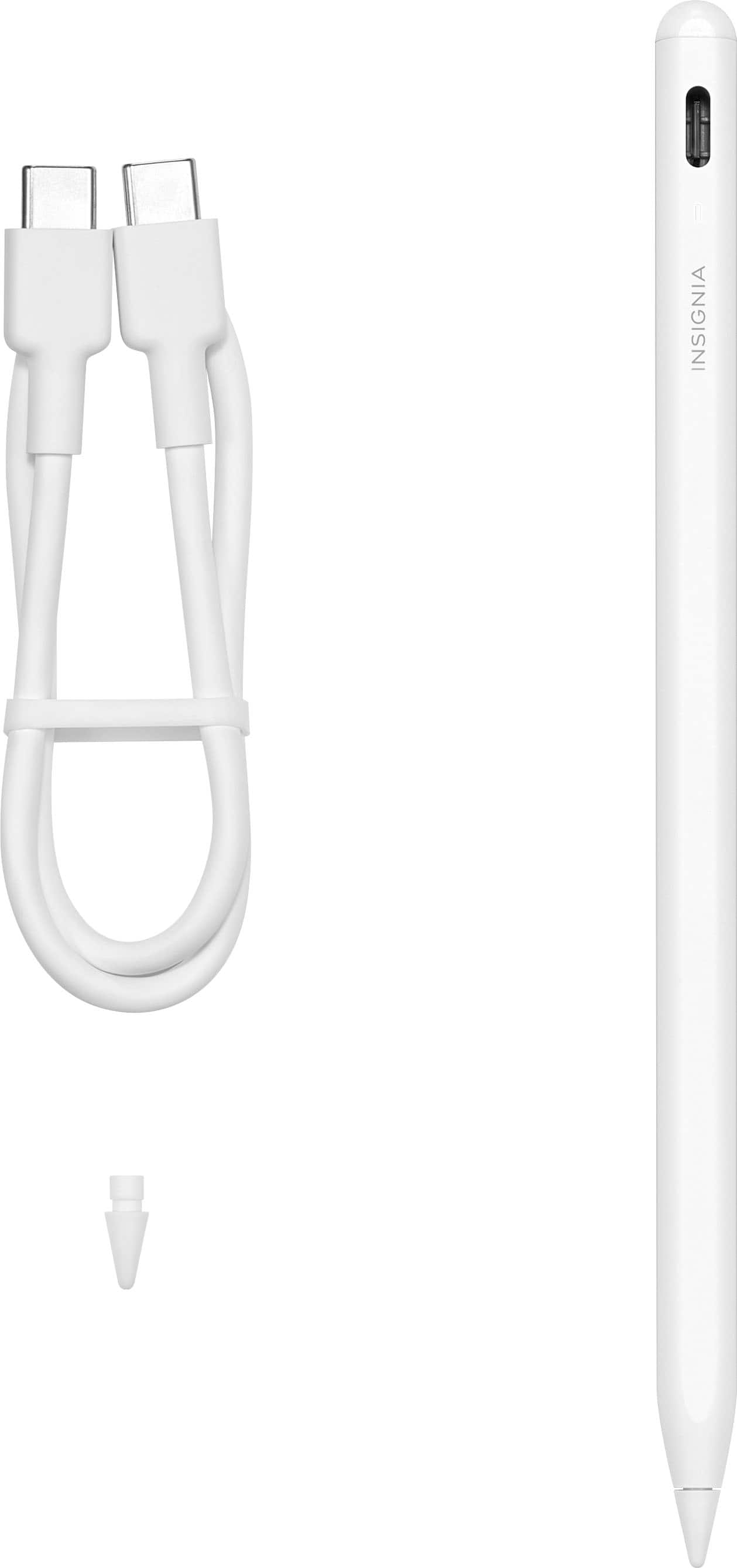
|Posted .This reviewer received promo considerations or sweepstakes entry for writing a review.I have both of the Apple pencils that they have released and I used one with my work iPad and one for personal use. The older one, the first generation had gotten to the point that it would not charge properly and you didn’t know how long it would work. So I had been considering a new Apple Pencil until I was able to receive this, and boy was I pleasantly surprised. Pros: COST! The cost of this Insignia Active Stylus is by far cheaper than the alternative, but don’t let the cost fool you. It works really well with my iPad Pro. Connection: I took this out of the box and used my charger that I use to charge the iPad, which is a plus, its the same as the charging cord that Insignia supplies with the Active Stylus. It took about 1.5 hours and it was fully charged. I turned on the stylus by tapping the top 2 times and turned on my iPad, went to settings and there it was and I was using it within minutes. Cons: I guess I have gotten used to the fact that my iPad lets me know how much battery is left in the Pencil and this stylus doesn’t that I’m aware of, but I revert back to my first Pro: COST! That old adage, “You get what you pay for” does not apply here this stylus is very well made, comfortable to use and has so far passed all my expectations. And to know that there is an option out there that doesn’t cost all that much is so much better. Thanks Insignia for a well made option! I would HIGHLY recommend this product
I would recommend this to a friend - Pros mentioned:Overall performance
Insigna - Active Sylus for iPad
Posted .This reviewer received promo considerations or sweepstakes entry for writing a review.Great product for the price. Stylish and response (althought not the oem product). Very usable. Works with my iPad Mini (A17). Happy with proformance.
I would recommend this to a friend - Pros mentioned:Battery life
Works great for a great price
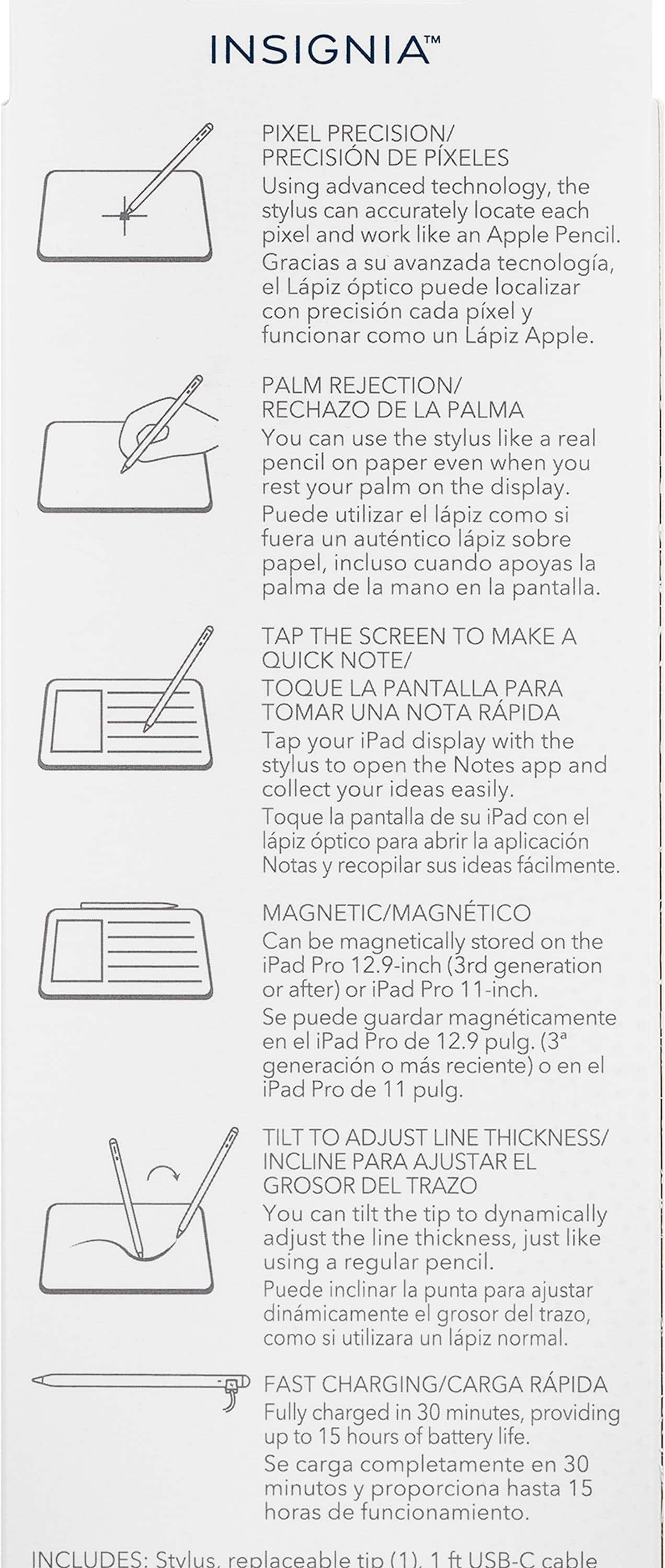
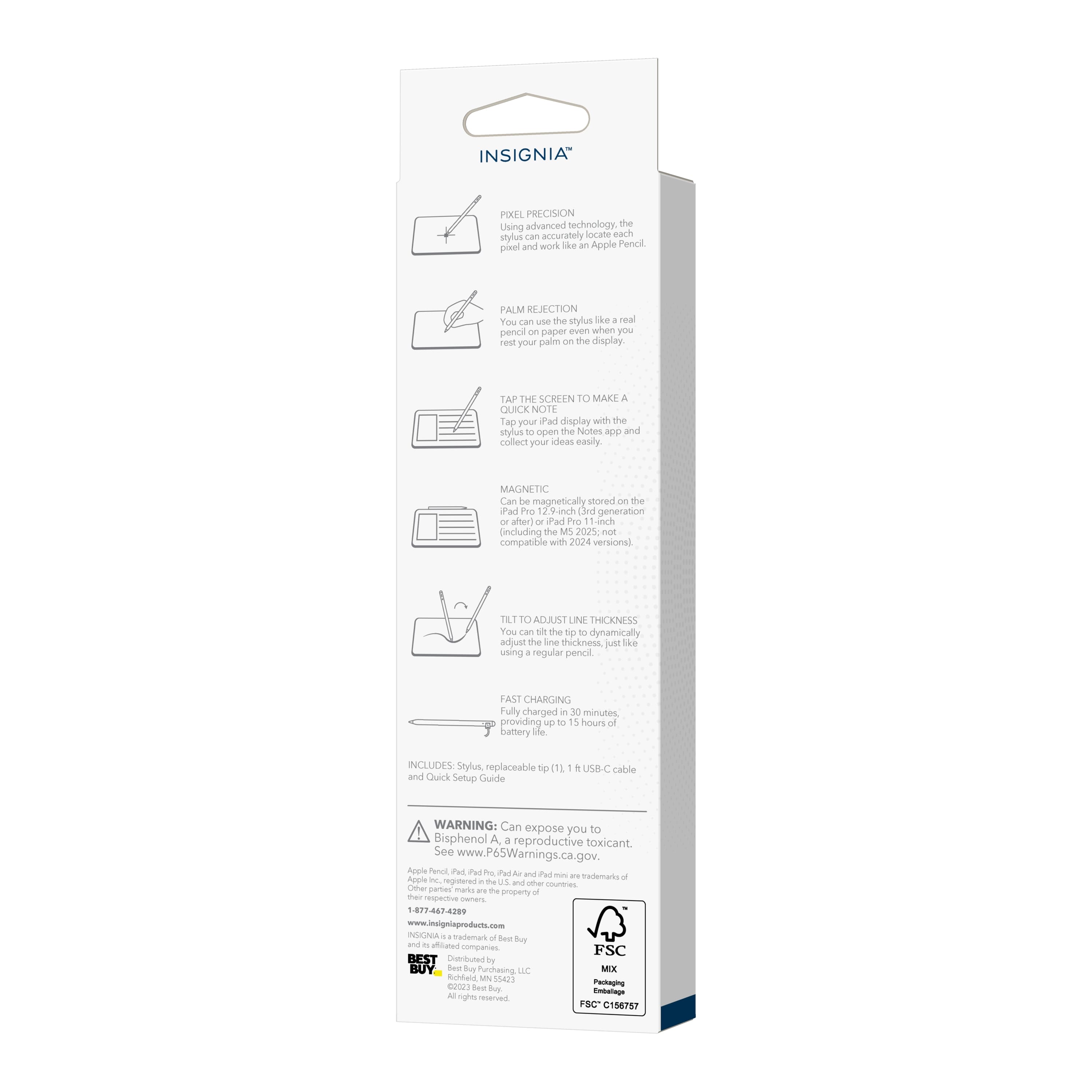
|Posted .This reviewer received promo considerations or sweepstakes entry for writing a review.Included- stylus, replacement tip, and USB-C cable This is my first experience with a stylus and I'm happy and pleased with it. It's comfortable to hold and to write with. It's lightweight and seems durable and fun to use. I've always wanted one so I was excited to try this less expensive version. Some of the great features of the Insignia stylus is that it's fast charging. It only takes 30 minutes for a complete charge, which offers about 15 hours of battery life. It's magnetic, so it can be stored on the iPad (iPad Pro 12.9in 3rd generation and later or iPad Pro 11 in.). The stylus works precisely and accurately when you write and draw with it. With the slightest tilt of the pencil you're able to adjust the thickness of the line. It works similar to what I would expect it's more expensive competitor does. So if you don't feel like you need to have the name brand stylus, then I highly recommend trying the Insignia Stylus for your writing and drawing needs on your iPad. It's a great value.
I would recommend this to a friend - Pros mentioned:Battery life, Ease of use
Insignia Pen for IPad
Posted .This reviewer received promo considerations or sweepstakes entry for writing a review.Very pleased with my purchase! It charges fast and stays charged for days. I'm so glad I purchased this one. I honestly can't tell the difference between this and the Apple pen. Buy it!! You won't be disappointed!!
I would recommend this to a friend - Pros mentioned:Overall performance
God pen
Posted .This reviewer received promo considerations or sweepstakes entry for writing a review.Works well and is affordable compared to other products
I would recommend this to a friend Excellent
Posted .This reviewer received promo considerations or sweepstakes entry for writing a review.Excellent gift, is the best for home office, i recomend
I would recommend this to a friendGreat stylus, makes work easier
|Posted .This reviewer received promo considerations or sweepstakes entry for writing a review.I just recently launched a small business, and I only used my iPad occasionally over the time I’ve had it. But now it’s an everyday occurrence thanks to the Insignia active stylus. Out of the box I will say the charge time was fairly quick. It comes packed with instructions for initial usage. You gently double tap the top of the pen, sort of Like using a mechanical pen. I found this to be really functional and love that you don’t actually have a button to try to locate to use it. The paring was honestly instant. You don’t have to go into any settings of any kind to pair, you just tap an go. Using this stylus has made my life so much easier. From being able to edit new content on the go, to checking analytics of my website, and even physically writing out what I want to say instead of typing has been more than I can ask for. The insignia active stylus is very responsive, requires minimal effort to setup other than charging, and really would be great for anyone in school, anyone who owns a business, or would love to be able to use their iPad more efficiently in the go or at home.
I would recommend this to a friendBrand response from InsigniaCustomerSupport
Posted .Hi AsiaLovely1, thank you so much for sharing your experience with us. We're so glad that you were satisfied with our Insignia - Active Stylus for iPad, iPad Pro, iPad Air and iPad mini - White. Rest assured that we will continue providing best and quality products to our valued customers like you! We look forward to making your day again soon. Have a great day! Gly | Insignia Support | https://www.bestbuy.com/site/insignia-active-stylus-for-ipad-ipad-pro-ipad-air-and-ipad-mini-white/6563773.p?skuId=6563773
not great for drawing
Posted .This reviewer received promo considerations or sweepstakes entry for writing a review.i think this stylus is only good tor note taking and not drawing. Pros: out of all the stylus pens ive tried, this one physically feels and looks more like an apple pencil. it has the same matte tonish and it just looks nice overall. its also very smooth when using. cons: the tilt sensitivity on it is not good. I found that while drawing i would slightly tilt the pen and the line would already become too thick to the point where i had to have the pen completely straight so the line would stay the same. for this reason only i decided to go with a different one, but i really wanted to like it. You can find better ones on amazon for half the price of this one
I would recommend this to a friendBrand response from InsigniaCustomerSupport
Posted .Hi Anaa, thank you for reaching out. We appreciate your feedback on the Insignia Active Stylus. The stylus is designed to provide a smooth writing experience, but tilt sensitivity may vary depending on the app being used. Some applications may not fully support tilt functionality, which can affect line thickness. Tine | Insignia Support
- Pros mentioned:Connectivity
Just What I Needed
Posted .This reviewer received promo considerations or sweepstakes entry for writing a review.Works perfectly for what I needed it for. Easily connected to my iPad and works with every app that I have tried so far.
I would recommend this to a friend - Pros mentioned:Ease of use
Excellent Price/Very Nice
Posted .This reviewer received promo considerations or sweepstakes entry for writing a review.The pen works great and easy to connect to Apple devices.
I would recommend this to a friendBrand response from InsigniaCustomerSupport
Posted .Hi there! Thank you for your feedback! We're glad to hear that the Insignia™ Active Stylus is working great for you and that it was easy to connect to your Apple devices. If you have any other questions or need further assistance, feel free to reach out. Enjoy using your stylus! |Angelica| Insignia Products|
- Pros mentioned:Ease of use
Stylist
Posted .This reviewer received promo considerations or sweepstakes entry for writing a review.First time owner, I find it easier to use and convenient
I would recommend this to a friend I pad stylus
Posted .This reviewer received promo considerations or sweepstakes entry for writing a review.I love my I pad stylus and I constantly use it to write notes and make notes
I would recommend this to a friend