Customer Ratings & Reviews
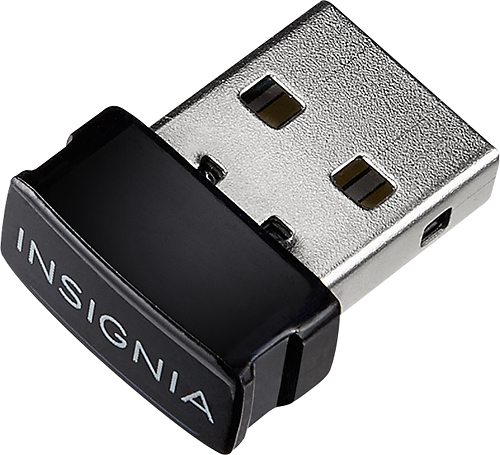
- Model:
- NS-PCY5BMA
- |
- SKU:
- 5655065
Customer reviews
Rating 4.2 out of 5 stars with 1233 reviews
(1,233 customer reviews)to a friend
Customers are saying
Customers regard the Bluetooth 4.0 USB Adapter very favorably, frequently praising its ease of use, Bluetooth functionality, and compatibility with various devices. Many appreciate its affordable price and reliable connections, while some experienced minor issues with software or signal strength. Positive feedback also highlights the adapter's compact size, simple installation, and good performance. A few users suggested improvements to the instructions and software.
This summary was generated by AI based on customer reviews.
Rated 1 out of 5 stars
Poor. Item didn't work
||Posted .This reviewer received promo considerations or sweepstakes entry for writing a review.Product didn't work I would not recommend this product
No, I would not recommend this to a friend- Pros mentioned:CompatibilityCons mentioned:Instructions
Rated 4 out of 5 stars
Works great but instructions need improvement
Posted .This reviewer received promo considerations or sweepstakes entry for writing a review.Works perfect with Windows 8.1, new HP laptop & a Sony BT speaker after I understood that must go to Broadcom website to download software for BT adapter running with Windows 8.1, & not use the provided DVD. Also, had to hold down the pairing button on my speaker for 10+ seconds even when I thought it was in pairing mode, before my computer would find the BT speaker through this BT adapter. Just me or should the instructions be improved? After getting past the setup issue, it works great!
I would recommend this to a friend - Pros mentioned:Ease of use
Rated 4 out of 5 stars
Windows 10 Installation Tip
Posted .This reviewer received promo considerations or sweepstakes entry for writing a review.Windows 10 Users: Log on to the Internet BEFORE inserting the adapter into the USB port. Windows 10 will locate and install the needed drivers automatically. NO manufacturer software downloads needed.
I would recommend this to a friend - Pros mentioned:Ease of use
Rated 4 out of 5 stars
Solid
Posted .This reviewer received promo considerations or sweepstakes entry for writing a review.Very easy interface for those who do not have blue tooth at the moment. I have had mine for years and it just keeps running. No issues so far.
I would recommend this to a friend Rated 4 out of 5 stars
Rough install, good performance
Posted .This reviewer received promo considerations or sweepstakes entry for writing a review.My work laptop (an older Dell, running Win 7 Enterprise) had Bluetooth, which I wanted to use for listening to training materials in a small BT headset. Unfortunately the Dell BT was very poor, causing any headset to get static, breakups and fuzzy sound -- so I bought this dongle. Took me many tries to get this adapter both installed and connected, and paired with any headset. (This may be partly because of the pre-existing BT, which I realized would have to be disabled to prevent conflict.) But once installed and paired, it works very well -- the reception and sound quality are much better, even with a cheap BT headset.
I would recommend this to a friend- Pros mentioned:Bluetooth, Ease of use
Rated 5 out of 5 stars
Just what I needed
Posted .This reviewer received promo considerations or sweepstakes entry for writing a review.I bought this to add Bluetooth to a computer that didn't have it. It was very easy to install and easy to use
I would recommend this to a friend - Pros mentioned:Bluetooth
Rated 5 out of 5 stars
Does exactly what the specs say it does
Posted .This reviewer received promo considerations or sweepstakes entry for writing a review.I just bought my second one. It pairs with my LG headset just fine and my iPhone, as well. All my issues were with settings in Windows, not with the dongle itself. Granted, the Windows settings were confusing, but that's Microsoft's klugieness, not Insignia's. If you're looking for something that has more than the 20' range, read the specs before buying and don't complain that it doesn't do what you want it to do.
I would recommend this to a friend - Cons mentioned:Signal strength
Rated 1 out of 5 stars
Poor Instructions, Weak Range
Posted .This reviewer received promo considerations or sweepstakes entry for writing a review.I picked up this device at my local BestBuy recently. It doesn't include a CD as indicated here, but does have an insert called a QUICK SETUP GUIDE that requires the user to go to a third-party website to download drivers/software. The insert says FOLLOW THE INSTRUCTIONS SHOWN ON THE PAGE TO DOWNLOAD AND INSTALL THE SOFTWARE, but there are no instructions on the page. I am very technically savvy, but the the average user would likely be confused as to how to proceed. Once I got the drivers installed, the pairing and connection from my computer to my Bluetooth device (a speaker) was pretty seamless. There were no included instructions for how to accomplish this, so again, this may be difficult for the average user. The insert suggested REFER TO YOUR USER GUIDE for more information on using the device with Windows, but a user guide was not included and there are no instructions on how to get it. The third-party website containing the drivers also does not include a user guide. A USER MANUAL is included in the downloads from the manufacturer's website, but that information isn't clear in the insert. In fact, the only reference to the manufacturer's website is in the warranty section. I had to reboot after installation, and once the devices were paired and connected, I began streaming music to my Bluetooth speaker with little difficulty. The quality at a short range was perfect, but when I moved my speaker about 15 feet away on the other side of a wall, the signal began dropping in and out. The wall is a wood/sheetrock wall, finished only on one side. It has no insulation or other metal that would typically interfere with a Bluetooth signal. For reference, I paired my speaker with my callphone and it performs perfectly at this same distance and location. My conclusion is that this Bluetooth adapter has a very weak signal. For these reasons, I could not recommend this device to anyone. In fact, unless you are looking to use it in a short range configuration and are very proficient at installing device drivers and configuring Windows devices, I'd have to suggest you NOT purchase this product.
No, I would not recommend this to a friend - Pros mentioned:Ease of use
Rated 5 out of 5 stars
Works great for the price
Posted .This reviewer received promo considerations or sweepstakes entry for writing a review.it's pretty easy to use, You just might have to go to the insignia website and download the driver because it doesn't come with a disc....don't throw away the instruction paper .....the web address is on there.....www.broadcom.com/support/bluetooth/update.php....My older laptop is 7 years old and I got this to work....Good Luck!!!
I would recommend this to a friend Rated 5 out of 5 stars
Great adapter makes your laptop Bluetooth enabled
Posted .This reviewer received promo considerations or sweepstakes entry for writing a review.This adapter is small so it's not in the way, software install is pretty simple, although it took a few minutes, but after that, Bluetooth pairing with your devices is easy. So far I've only used it for my BT headphones, so I don't know how well it works with other types of devices.
I would recommend this to a friend- Pros mentioned:Ease of use
Rated 5 out of 5 stars
Beyond my expectations
Posted .This reviewer received promo considerations or sweepstakes entry for writing a review.This little item was quite easy to set up and very easy to use..works well with my windows 8.1 and I didn't need to download or install anything..my laptop just picked it up..In other words its worth every cent
I would recommend this to a friend - Pros mentioned:Compatibility
Rated 5 out of 5 stars
Great bluetooth adapter
Posted .This reviewer received promo considerations or sweepstakes entry for writing a review.This bluetooth adapter is great it works perfectly for my needs and works great with my computers so if you n't have bluetooth on your computer i recommend getting this insignia bluetooth adapter
I would recommend this to a friend Rated 4 out of 5 stars
Insignia™ - Bluetooth 4.0 USB Adapter - Black
Posted .This reviewer received promo considerations or sweepstakes entry for writing a review.I bought this adapter to pair my HP laptop, that lacked Bluetooth capability, with Creative wireless speaker. It took a while to add the speaker as a new device--for the speaker to be recognized by my HP laptop. I am not sure if that is th HP laptop, Creative speaker or Insignia™ - Bluetooth 4.0 USB Adapter. I finally got them to all play nice together and pair together.
I would recommend this to a friendRated 5 out of 5 stars
Great Bluetooth USB device
Posted .This reviewer received promo considerations or sweepstakes entry for writing a review.This does exactly what I needed it to. I used it to add Bluetooth functionality to my custom built PC that did not come with Bluetooth. This device allows you to simultaneously connect multiple Bluetooth devices at once. I needed it to connect my Bluetooth mouse. my Logitech one finally gave out after 7 years. It's great it adds so many capabilities to your PC provided you install additional software, like locking and unlocking your pc using Bluetooth proximity, playing music on your computer from your phone or vice versa. and also you can wirelessly transfer files from pc to phone and vice versa. feels good to be able to eliminate wire clutter with the reliability of bluetooth
I would recommend this to a friend- Pros mentioned:Bluetooth
Rated 5 out of 5 stars
Works on Linux computers!
Posted .This reviewer received promo considerations or sweepstakes entry for writing a review.I had recently purchased a set of bluetooth headphones so that I wouldn't literally be tethered to my computer when listening to music in my office. Unfortunately, neither my desktop or my laptop had built in bluetooth, so I needed an adapter in order to use the new headphones. Because of my work, I predominately use Fedora KDE Spin as an operating system. I was a little worried about this adapter a first because it only listed Windows as a supported operating system, but it was the only option they had in the store at my local Best Buy, so I purchased it. When I got home, I plugged it into my laptop (running Fedora 23) and the bluetooth icon immediately appeared in the system tray. When I got to work this morning, I plugged it into my desktop (running Fedora 22) and again, it just worked! So, if you are running a linux operating system with a more recent kernel, there should be no problems with this adapter.
I would recommend this to a friend Rated 4 out of 5 stars
It just works
Posted .This reviewer received promo considerations or sweepstakes entry for writing a review.Not much to say. I plugged it in, installed the drivers, it detected my BT devices, and everything worked. $20 Price isn't too bad either although I think it should still be cheaper like $10 or $15. It's not like BT is a new technology. Knocked off a star because of the price.
I would recommend this to a friend- Pros mentioned:Compatibility
Rated 5 out of 5 stars
Works GREAT!
Posted .This reviewer received promo considerations or sweepstakes entry for writing a review.This product works great for my conputer and laptop. I was able to hook headphones and wireless printer to them.
I would recommend this to a friend Rated 2 out of 5 stars
Useless range
Posted .This reviewer received promo considerations or sweepstakes entry for writing a review.Bought it to use with the headset, range advertised up to 20 feet , not even works at 10' and must be sitting at "direct" sight from the receiver, in order to get the signal I had to attach an usb extension ... installation flawless though... being read the reviews I think is just related to manufacturing so BestBuy having that excellent return service I'll just exchange it... hopefully that will resolve the issue
I would recommend this to a friendRated 3 out of 5 stars
Only works with certain versions of Windows
Posted .This reviewer received promo considerations or sweepstakes entry for writing a review.This is NOT a Bluetooth adapter. It's a Bluetooth antenna that requires Windows Vista or better to do all the work. Like a Win-modem, it only works with certain versions of Windows. There are other adapters available that work fine with older versions of Windows, Macs, Linux and the Raspberry Pi. The manufacturer doesn't have any device drivers to install, it's Windows firmware or nothing.
No, I would not recommend this to a friend- Pros mentioned:Ease of use
Rated 3 out of 5 stars
Easy to Install
Posted .This reviewer received promo considerations or sweepstakes entry for writing a review.This was very easy to install and pairs easily with my different bluetooth devices, just wish it had a little more range.
I would recommend this to a friend