Customer Ratings & Reviews
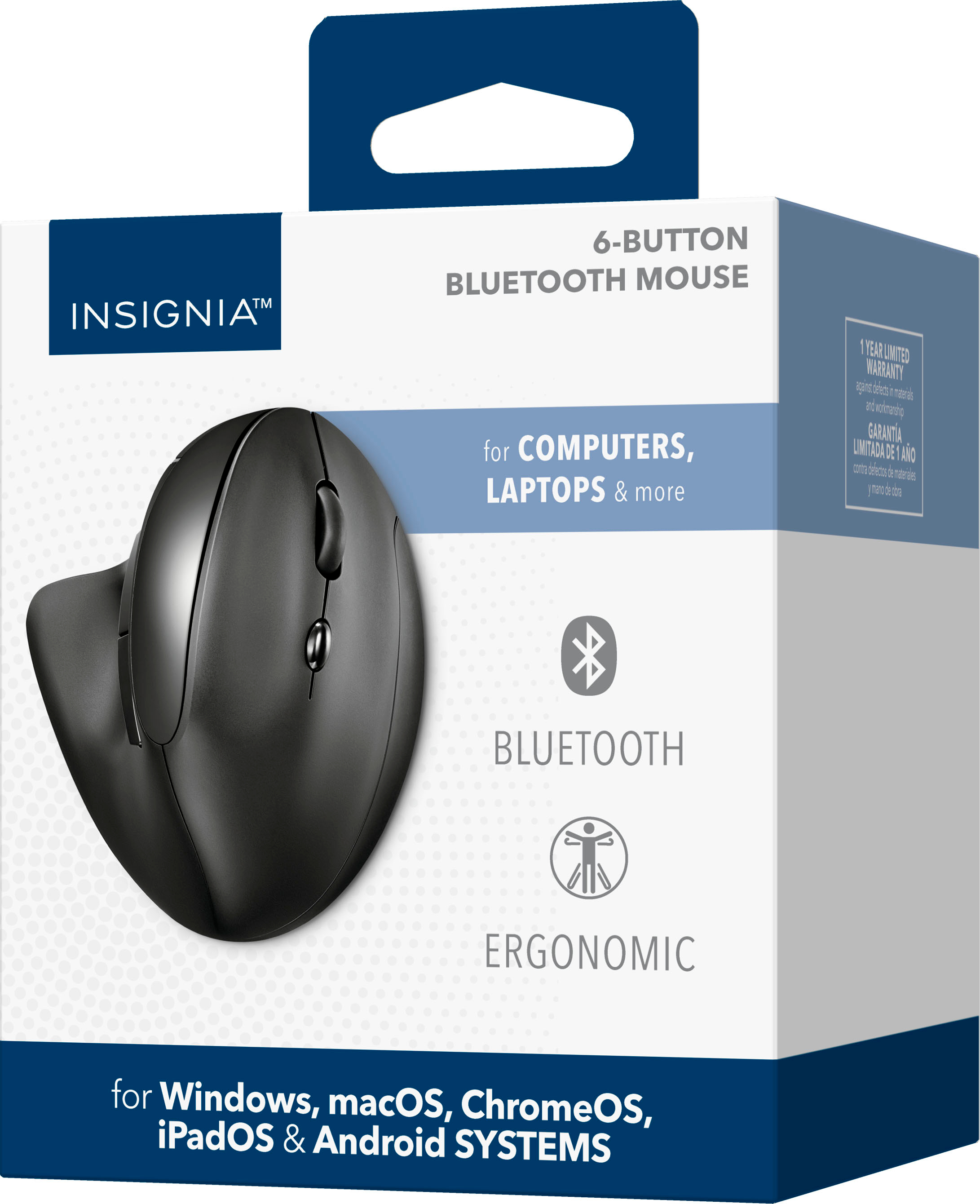
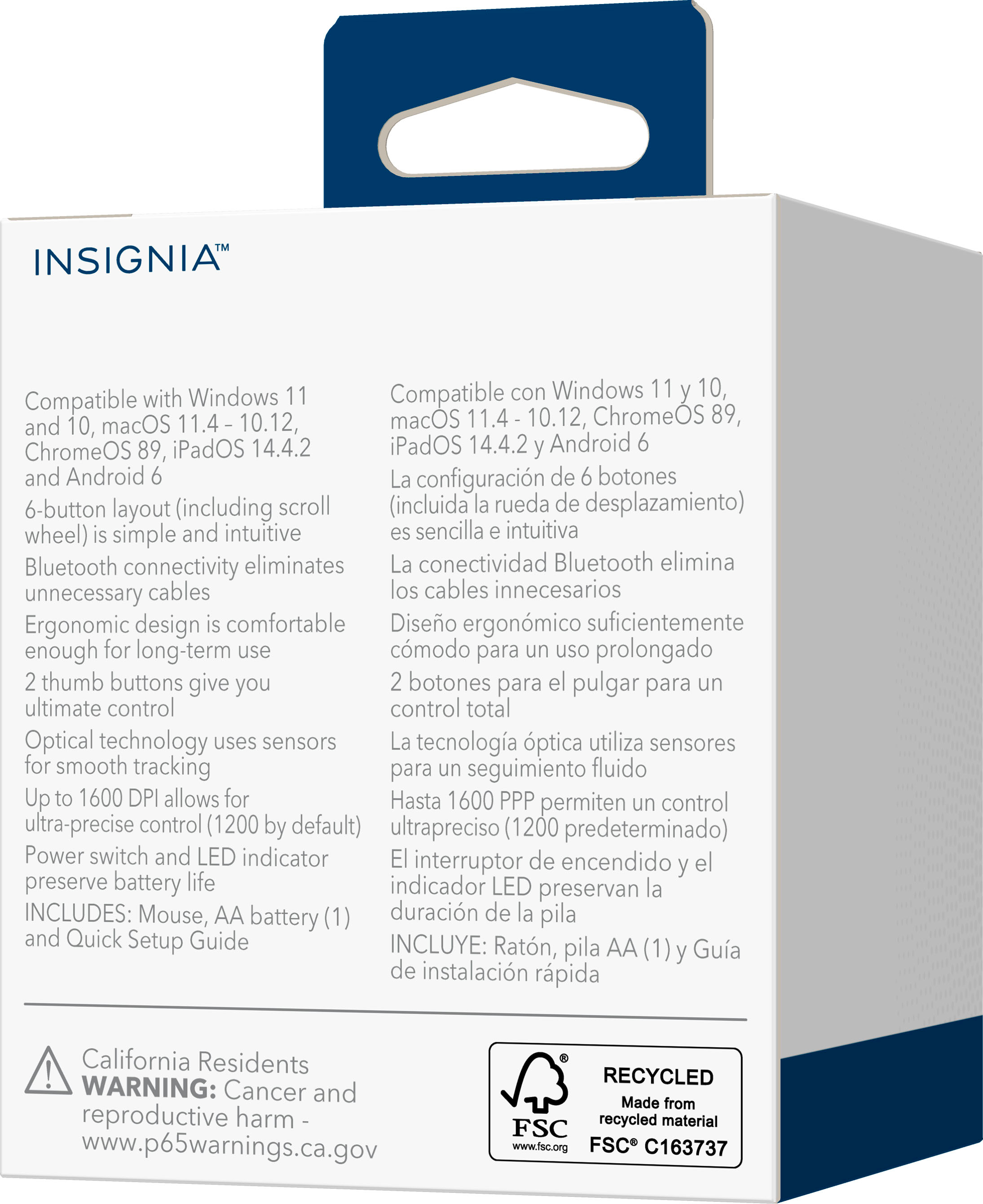

- Model:
- NS-PM4EK6B24
- SKU:
- 6554850
Rating by feature
- Value
Rating 4.6 out of 5 stars
- Quality
Rating 4.5 out of 5 stars
- Ease of Use
Rating 4.5 out of 5 stars
Customers are saying
Customers regard the Bluetooth 6-Button Ergonomic Mouse highly for its ergonomics, Bluetooth connectivity, and ease of use, making it a preferred choice for many. Users also appreciate its quality and battery life. However, some customers feel the size of the mouse could be improved.
This summary was generated by AI based on customer reviews.
mouse
||Posted . Owned for less than 1 week when reviewed.This reviewer received promo considerations or sweepstakes entry for writing a review.Returned it was not very comfortable to work with. It was also more than we wanted to pay.
No, I would not recommend this to a friendBrand response from InsigniaCustomerSupport
Posted .Hi,
Hearing your feedback about this product is really helpful to us. We want to know how we can improve its quality and efficiency and through your feedback it would definitely help us. If you need further assistance, you may contact us at (877) 467-4289.
Insignia Support
https://www.bestbuy.com/site/brands/best-buy-brands/pcmcat1596746025285.c?id=pcmcat1596746025285
- Pros mentioned:Battery life

Almost perfect.
|Posted .This reviewer received promo considerations or sweepstakes entry for writing a review.Suffering from carpal tunnel syndrome and having to use the computer constantly, I needed a mosue to relieve some of the issues I have encountered. This mouse is a god send and I am so glad I got it. Takes a little bit to get use to, but when you do, it is a game changer. Good points: 1. Bluetooth with great range and connection strength. 2. Comfortable by having hand in neutral position while using it. 3. Smooth glide on the mouse pad with silicone feet. 4. Nice click on buttons and center wheel spins effortlessly (in a good way) 5. Battery life is fantastic (had not had to change battery for a while now) 6. Downloadable software gives button remapping to make it more efficient during work (like key macos or shortcuts) 7. DPI is good and keeps me humming along with no skips or over phasing. Bad: 1. Angle is good, but with hand in the new position I tend to hit the left button more that with normal mouse. 2. First mouse I have had from this company that does not have a lot of grip. So I tend to grab it hard to keep it in my hand. 3. Would be nice to have a finger tray (on lower right side) to keep fingers from "dragging" on the desk/mousepad 4. Has some problems with glossy mouse pads (my others do not), so I have to use a matte fabric one to get it 100% working. Almost all the bad items are personal preference, so you might not have the same issues. I would get this for any of the family or friends that need a mouse for pending repetitive stress activities. Highly recommend this mouse,
I would recommend this to a friend - Pros mentioned:Battery life, Ease of use
Perfect fit mouse, no USB port needed, works well.
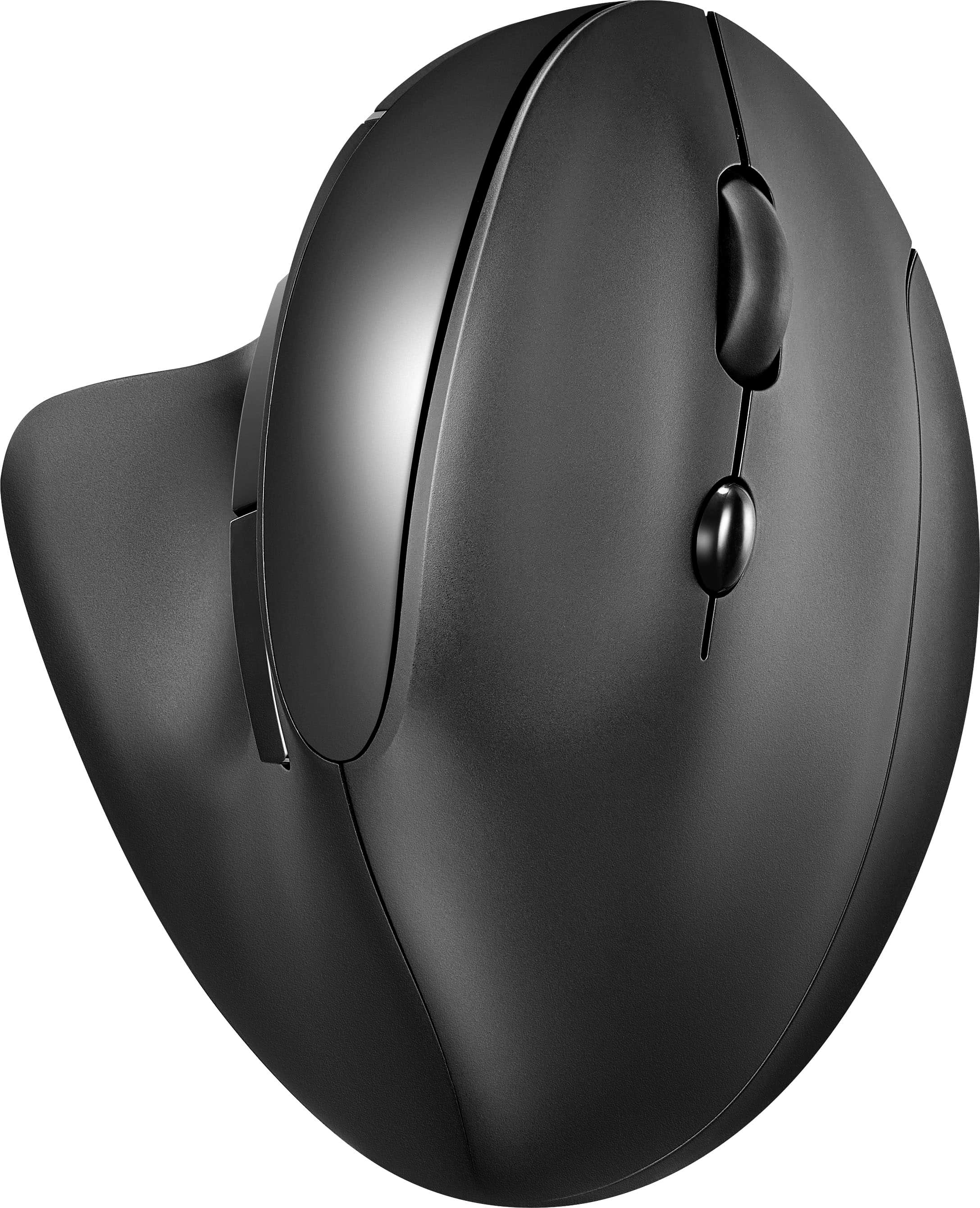
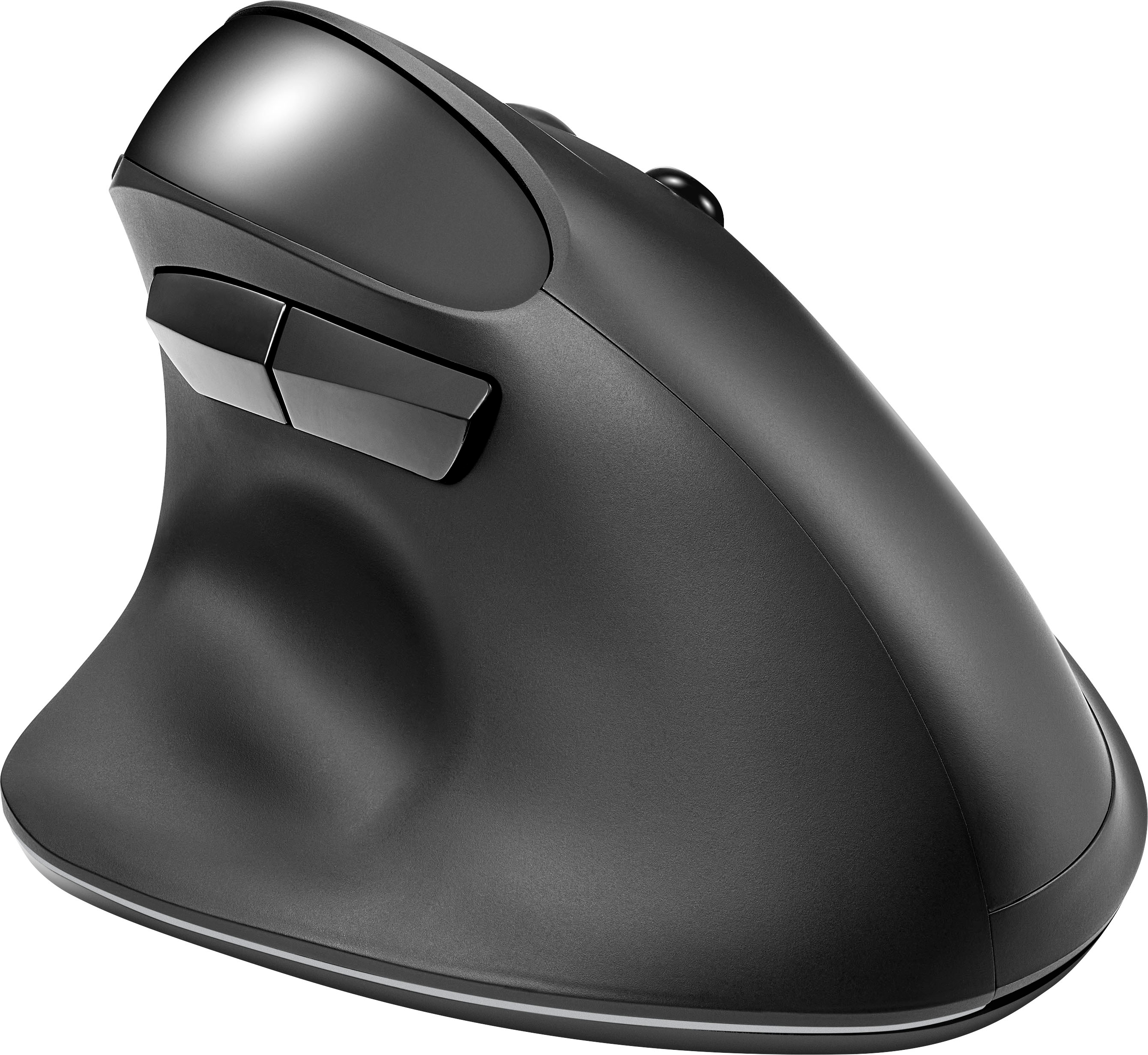
|Posted .This reviewer received promo considerations or sweepstakes entry for writing a review.I have a limited number of USB ports on my laptops and keeping them available as often as possible is key. I have been using the the USB dongle mouse for years and always was thinking about switching to the Bluetooth mouse, but never was able to find the time to get one. Finally I found this 6 button Bluetooth mouse from Insignia and made the jump. The setup on my Windows based laptop was super easy. Just put the battery into the mouse, turn the switch to on and within seconds the message popped up on the screen asking me if I want to pair with the new mouse. One click to confirm it and within seconds my new Insignia mouse was operational. The next step for me was to go to the Windows settings, type in the word mouse in the search button to quickly locate the mouse settings and once there adjust the scroll speed to my liking. I did not have to adjust the pointer settings as the prior setting was kept. The mouse fits great in the hand. The inner buttons by the thumb are for forward and back, two external surfaces for left and right buttons, between them there is a scroller plus the DPI change button to go between 800, 1,200 and 1,600 DPI. At the bottom of the mouse there is an On And Off buttons if you want to save battery life between the uses. If you switch the mouse and then put it on, you can use it immediately, there is no wait time for connection. There is no delay on buttons clicks neither. Single AA battery is expected to last 3 months the manual says. Fit and finish looks quality. The mouse slides well on different surfaces. Overall it is a great mouse. No USB port needs to be wasted to connect it, no cable. Works great, fits well. Looks like a winner.
I would recommend this to a friend - Pros mentioned:Battery life, Ease of use
Very comfortable mouse, everything but cheese.
|Posted .This reviewer received promo considerations or sweepstakes entry for writing a review.Still the early days of use. So far, its as good a mouse as any mouse I have ever used. I usually use a trackball with my setups. But needed a more traditional mouse for my wife to use one of the computers. Right out of the box Windows 11 pop up saw it and with one click it was running. Easy navigation with scroll and quick forward and back on pages with thumb buttons. Even has the mouse speed (DPI) button right behind the scroll wheel for ease of slowing or racing the pointer around the screen with just a tap. Even though I ordered online hoping for the best. That's what I got. Fits a man or women's hand nicely and just feels great to move and click it. Even has quiet soft press buttons and scrolling. Like that pressing scroll wheel gives you page scroll, something my trackball does not have. Only issue is just not knowing that there was tape on the slider pads under the mouse. Mouse felt too grippy on desk and looked under the mouse and realized there was protective tape on the 3 contact pads. Got those off and the mouse is now slip sliding away and I owe it a cheese slice. Probably should get a mouse pad for it to have its best life instead of just sliding it around on desk alone. Again, trackball owner who has not needed a mouse pad in almost forever. Also note that this is Bluetooth only. No USB dongle is needed or provided. And the mouse does require one AA battery (included).
I would recommend this to a friend - Pros mentioned:Battery life, Ergonomics
Go for the ergonomic mouse
|Posted .This reviewer received promo considerations or sweepstakes entry for writing a review.I have been wanting to get an ergonomic mouse for some time since I started developing early onset arthritis in the palm of my hand. My concern was that a new ergonomic mouse would not be intuitive enough or that it would require too much effort and practice to learn how to use a different type of mouse after my 30+ years of using a computer. I now know that I should not have waited so long. This mouse is fantastic. Connection Connecting this mouse was a breeze. Almost effortless. My computer immediately recognized it when I turned it on and clicked the button for Bluetooth. Within seconds the mouse was well-connected and easily moving around the screen. It seems to be working instantaneously. No delay in the connection. Feel The mouse is comfortable in my hand. It has a natural fit and feel to it. The material however does feel a little cheap. It's incredibly light, but it makes it feel like the plastic is a little too cheap. I think that's the trade-off for the lightness, but it concerns me a little about potentially dropping it. My mice seem to get dropped a lot around here, so I'm hoping it's more durable than it feels like it will be. Overall, I think the mouse is a great. It even comes with a starter battery. It's a nice option for an ergonomic mouse at a great price point.
I would recommend this to a friend - Pros mentioned:Bluetooth, Ease of use, Ergonomics
Best mouse around!!
|Posted .This reviewer received promo considerations or sweepstakes entry for writing a review.The Insignia Bluetooth 6 button mouse is one of the best mouse I have ever used. I already use a mouse very similar to this at my work computer. But I knew I needed one for my home computer. As soon as I was able to snatch this up I did. I have a lot of wrist pain from carrying children around in car seats. A doctor told me to switch to a more up and down mouse to see if that would help with my wrist pain. My wrists have never felt so good. I'm able to use my computer with no pain. And I'm feeling a lot less pain outside of my work commitments. This mouse is very easy to get used to, it takes about 6 hours. Once you're used to it, you'll never want to go back. The only thing I'll say is it is taller, so I have a hard time with it fitting under my standing desk. But other than that, there's nothing I could say bad about it. It. It hooked up very quickly with my Bluetooth. A USB to use this mouse like you used to in the past. I would highly recommend this to anybody looking for a better way!
I would recommend this to a friend - Pros mentioned:Battery life, Ergonomics
Bluetooth Only - no USB dongle!
|Posted .This reviewer received promo considerations or sweepstakes entry for writing a review.The Insignia Ergonomic Mouse is a perfectly suitable mouse for everyday use. The Bluetooth connection was straight forward and worked like a charm. Since the connection type is Bluetooth only, this means there’s no USB dongle to plug in. If you’re working with a computer/laptop with limited ports and don’t want to deal with cables, this Bluetooth mouse might just be the way to go. There’s also never going to be the issue of “oh no, I left the USB dongle on the other computer!” In terms of ergonomics, I’m very happy with this mouse and how it feels when I use it. It’s like any other ergonomic mouse if you’re familiar with them. If you’re not used to the design, it doesn’t take long to acclimate to it because it ends up feeling like a much more natural hand position. I have multiple desk stations so I’ve slowly been upgrading the keyboards and mice to ergonomic ones. I don’t think I’ll ever go back to a traditional mouse, I definitely prefer the ergonomic design now. This Insignia mouse is powered by one AA battery (comes included in the box). The Bluetooth makes it wireless, and the battery makes it so no cables are ever required since it's not a rechargeable mouse. I don’t really have a preference between a mouse that needs charging or one that uses a battery, but I have found that in general batteries last longer than a charge. I've only used this mouse a few days so I can't speak to the battery life, but I can't imagine it's any different than my other experiences with small battery powered mice. If you’re looking for a traveling mouse, just take into consideration your connectivity and power preferences. I highly recommend using a mousepad with it. I started using the mouse at my desk that had no mousepad as my previous mouse did not have any issues gliding around on the bare desk. The Insignia mouse however did not work very well when there was no mousepad. Not a dealbreaker for me at all. The mouse glides nicely and works well once I paired it with a mousepad.
I would recommend this to a friend - Pros mentioned:Ergonomics
Ergonomic design very comfortable
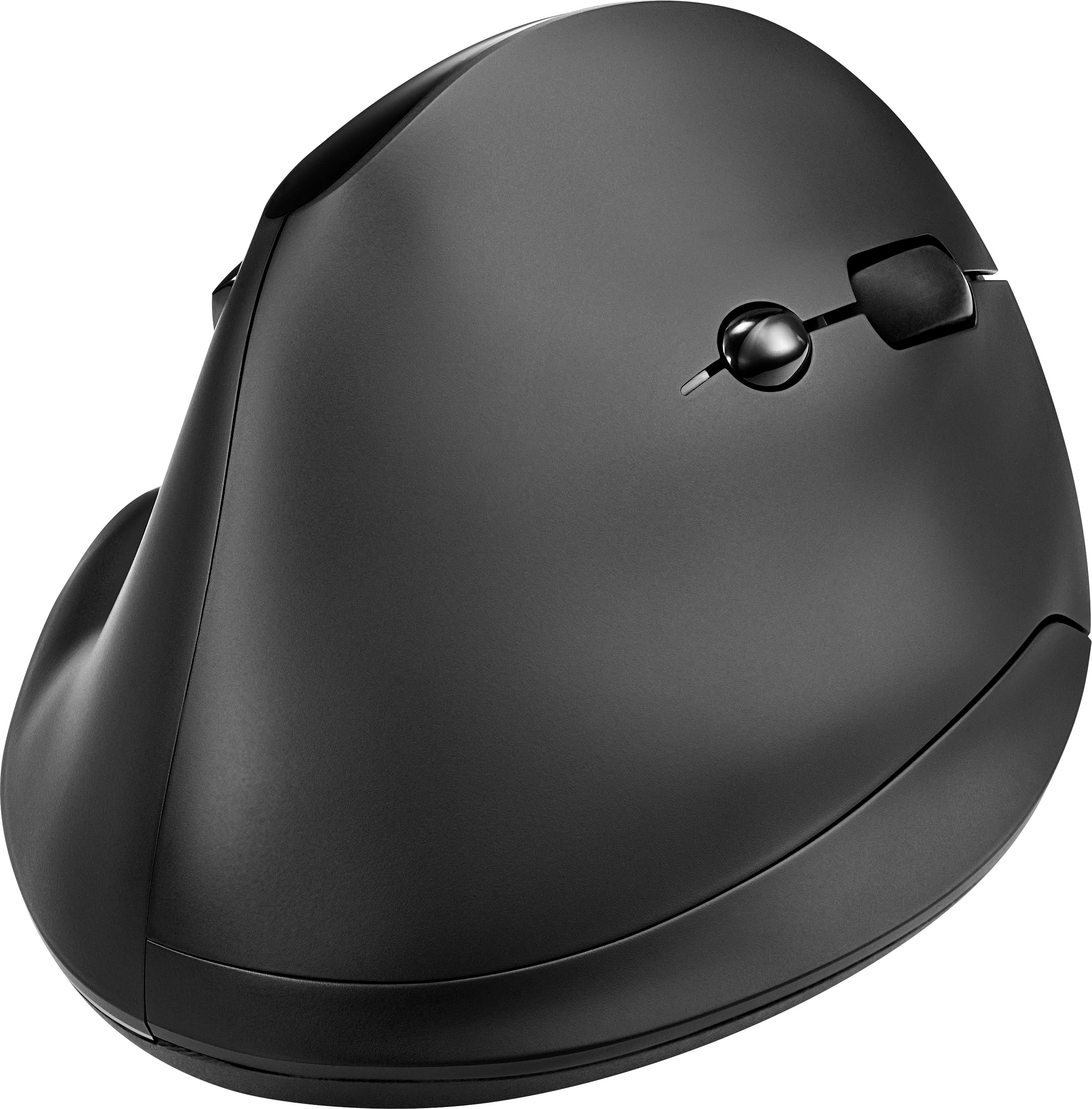
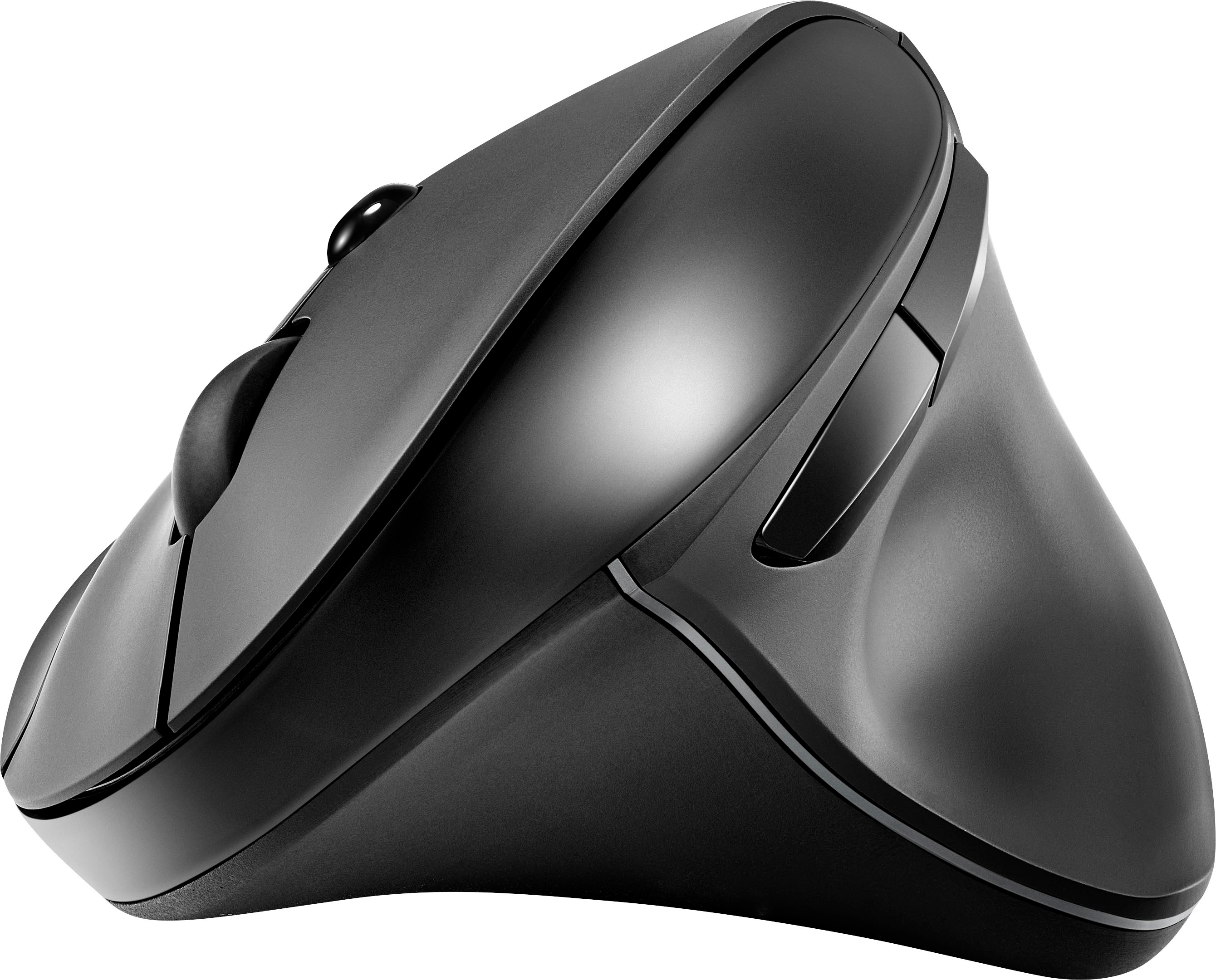
|Posted .This reviewer received promo considerations or sweepstakes entry for writing a review.This is a review of Insignia's Ergonomic 6-button Bluetooth mouse (NS-PM4EK6B24). Unlike my previous mouse, which was so fancy that it had a built-in OLED screen to display settings, there is nothing particularly fancy about Insignia's ergonomic Bluetooth mouse. It has six buttons, the standard left and right click, center click which is also a scroll wheel, and forward and back (for Web browsing) on the side, plus a button on the top to change the DPI from 800 to 1200 to 1600. In other words, a very basic Bluetooth mouse. With one exception—the ergonomic design has the mouse tilted about 80 degrees upward from the desk surface. This may seem strange, and it did take me a short while to adjust to the design, but this idea makes so much sense. Notice where your hand lands if you unselfconsciously place it on the desktop in front of you. Your hand will not be parallel to the desktop (which is what your typical mouse forces you to do). To make your hand parallel to your desktop you have to consciously rotate your arm inward, which puts some strain on your arm. The Insignia mouse is definitely more ergonomic, allowing your arm to assume a more natural posture, which you will quickly get used to and appreciate. The only small downside to this mouse is that it does not display the current DPI. I found a post on a different Insignia mouse that indicated that the LED will flash a certain number of times to show the DPI setting when you click the DPI button. But this mouse doesn't seem to do that or provide any way to communicate the DPI setting. You can figure out the DPI pretty quickly by moving the mouse each time you click the button to see the cursor move a different distance with each click. But it would be nice to have a display. That one small downside aside, this is a very nice mouse, comfortable, solid, and responsive. I can recommend it to anyone looking for a basic mouse.
I would recommend this to a friend - Pros mentioned:Bluetooth
A solid contender if you prefer vertical mice
|Posted .This reviewer received promo considerations or sweepstakes entry for writing a review.This is a simple Bluetooth only mouse, especially at the price point. In the box there is the mouse and a generic alkaline AA battery. It’s not rechargeable unless you invest in rechargeable AA batteries separately. Pairing was simple. My Windows 10 work computer found the mouse once I put it in Bluetooth pairing mode. I didn’t even have to go into the Bluetooth pairing settings since it connected right away. I was up and running very quickly. I’ll start off by saying this mouse is not for everyone. This is my first vertical mouse and I had a difficult time transitioning to the steep angle since I’ve been using gaming mice forever. I think since I don’t have a keyboard tray my keyboard and mouse sit on top of my desk making the position of my wrist a bit negative. If I had a keyboard tray with the mouse a bit lower the angle of my wrist could be more comfortable. Admittedly the ergonomics of my work desk are not optimal. However, if I use my sit/stand desktop, stand up and keep the keyboard and mouse lower it’s much more natural. I found myself placing my index finger on top of the mouse instead of over the left mouse button. It felt awkward. However the more I used it the more I got used to the layout. The quick DPI adjustment is made with a dedicated switch just behind the scroll wheel. In addition to the two typical mouse buttons there are 2 programmable buttons within easy reach of your right thumb. For the price point this is a good mouse especially if you prefer the more vertical layout then this is a great economical choice.
I would recommend this to a friend Decent mouse, not for large hands
|Posted .This reviewer received promo considerations or sweepstakes entry for writing a review.This is a quite basic mouse, so there's not a lot to say about it. Construction seems to be what you would expect for $40 ( as of this writing ). It doesn't seem flimsy or cheap, but it's not particularly solid or robust either. The feet let it slide around fine enough on a mouse pad, but it's not as smooth as other, nicer mice I've tried. The buttons aren't programmable or customizable. "Adequate" is the word that keeps coming to mind. It does seem to be designed for average-to-small hands. My hands are much wider than average, but only a little longer; somewhere between L to XL. I prefer a full palm hold on my mouse rather than a fingertip or claw position. To get my fingertips in their usual position, the mouse mostly contacts the ridge under my knuckles rather than back in the palm. There's also a significant gap between the base of the mouse and the edge of my palm when resting on the desk because the mouse is not tall enough for the width of my hand. The other point of contention with the mouse is the battery. It uses a single AA battery, and includes one in the box, so that's a nice thing. Not having a rechargeable battery at this price is a bit of a bummer. Some people may like it, as alkaline AA cells last longer than internal rechargeables. Some people don't want to worry about always have a fresh AA on hand. I've only had it a week, so I can't comment on how long the battery should last. And I have no idea if this has an auto-standby mode or if it simply stays on the whole time.
I would recommend this to a friend- Pros mentioned:Ergonomics
Great Mouse
Posted .This reviewer received promo considerations or sweepstakes entry for writing a review.I love this mouse it fit my hand so good. So if anyone is looking for a good mouse try this one it is great.
I would recommend this to a friend - Pros mentioned:Ergonomics
Good and well priced mouse
Posted .This reviewer received promo considerations or sweepstakes entry for writing a review.Nice to hold, works well and a good price and stylish
I would recommend this to a friend Poor connection, flimsy and plastic-y
|Posted .This reviewer received promo considerations or sweepstakes entry for writing a review.I don't like this mouse. Straight out of the box, it feels cheap and flimsy, very plastic-y. It has zero heft or weight to it that would give it an air of quality. It's simply too light. For these reasons alone, I believe it's overpriced. Maybe if it was half the MSRP it would be worth it if, and only if, you literally couldn't afford something more high quality from other brands that famously make really really good mice. Okay, I haven't even gotten to how this mouse actually functions. But before I can even talk about that, I have to mention how difficult this is to pair with a PC. For some reason, I was able to pair it with a Mac without any issue. However, when I then tried to do the same with my work PC, it was a nightmare. I had to resort to looking online to several support posts and other website before I literally stumbled upon a multiple step, convoluted solution that finally got it paired with the PC. However, my sense of accomplishment was short-lived as within a day or so, it stopped working with the PC and I've been unable to re-pair it since. Just look elsewhere if you need a multifunction, ergonomic mouse.
No, I would not recommend this to a friendBrand response from InsigniaCustomerSupport
Posted .Hi,
Thanks for your review.
1. Could you please try to turn your PC's Bluetooth and mouse off, then turn on. Re-pair the Bluetooth connection?
2. If still not fixed the issue, check the PC Bluetooth firmware, make sure that the Bluetooth driver is updated. Refer to the device’s manual for instructions to update drivers.
Slow and doesn't connect with other devices
Posted .This reviewer received promo considerations or sweepstakes entry for writing a review.Very slow movement and doesn't connect to another laptop even after disconnecting from the earlier one.
No, I would not recommend this to a friendBrand response from InsigniaCustomerSupport
Posted .We apologize for the inconvenience you've experienced with the slow movement and connectivity issues of the product. Ensuring smooth and reliable operation is important to us, and we're sorry to hear that the product didn't meet your expectations in this regard. Your feedback is valuable, and we'll investigate these issues further to identify any potential improvements needed in our product's performance and connectivity features. If you require further assistance or if there's anything else we can do to help, please don't hesitate to reach out to our customer service team. We apologize again for any inconvenience caused and appreciate your feedback. Keith | Insignia Support https://www.bestbuy.com/site/insignia-bluetooth-6-button-ergonomic-mouse-black/6554850.p?skuId=6554850