Customer Ratings & Reviews


- Model:
- NS-SP1X7
- SKU:
- 5529012
Rating by feature
- Value
Rating 3.2 out of 5 stars
- Quality
Rating 3.3 out of 5 stars
- Ease of Use
Rating 3.2 out of 5 stars
Customers are saying
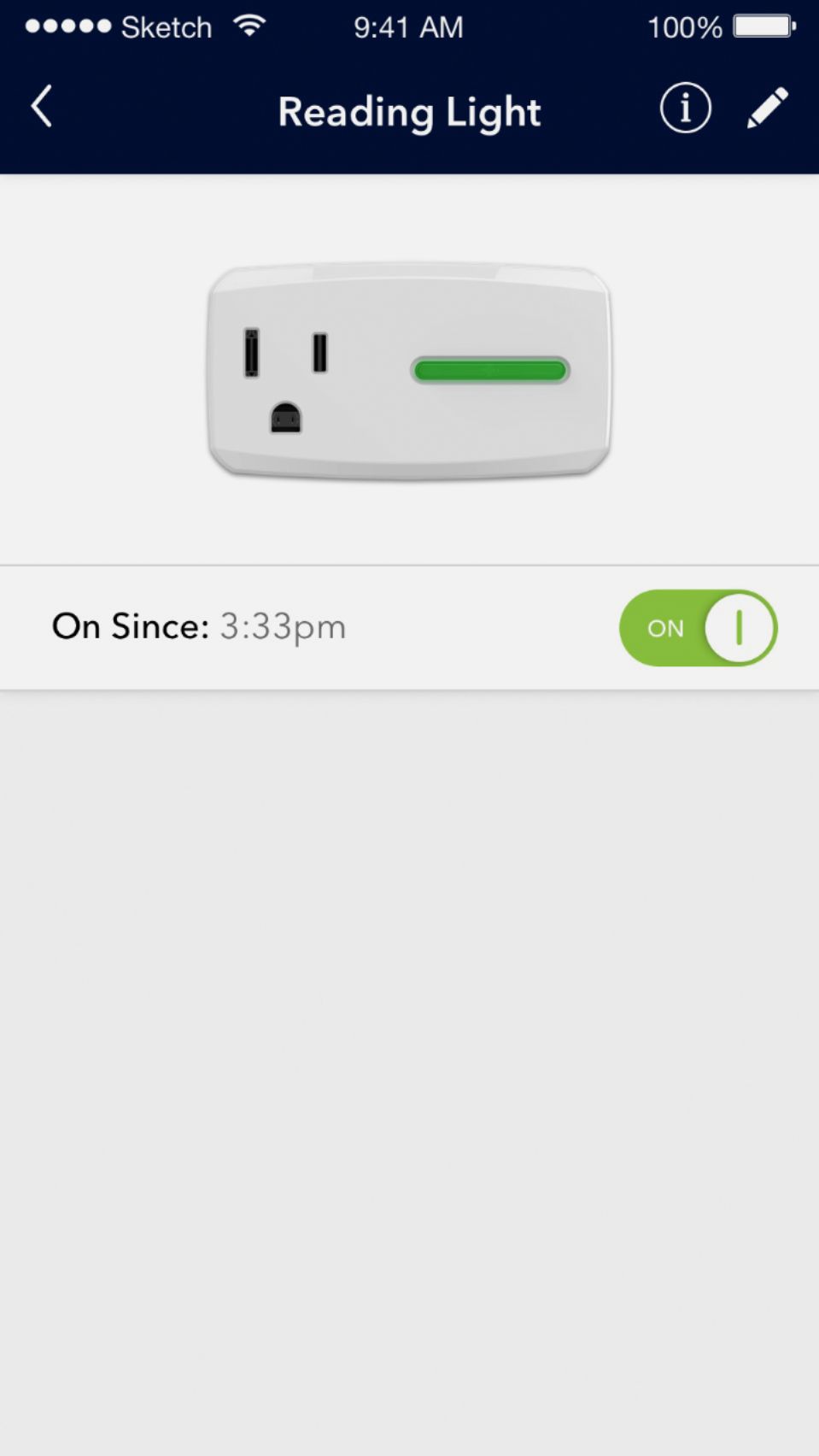
Customers love the Wi-Fi Smart Plug for its easy setup, remote control capabilities, and compatibility with Alexa and Google Home. They appreciate the ability to schedule on/off times and use it as a timer. However, some users have experienced connectivity issues, app glitches, and compatibility issues after a few weeks of use.
This summary was generated by AI based on customer reviews.
- Pros mentioned:Alexa compatibleCons mentioned:Connectivity
Inconsistent needs more testing
Posted .This reviewer received promo considerations or sweepstakes entry for writing a review.I purchased this smart plug and linked it to my Alexa account. It worked great with no complaints. When I tried to add a second plug I had nothing but issues trying to connect to my network. The second plug is in the same room as the first as well as the router. When trying to connect the plug to the network via a IOS11 device I found ZERO success. I had to add the smart plug via Android... As of this review I replaced the second smart plug in hopes of having a different experience. Unfortunately I may have to go a different route. It seems that the product wasn't tested enough... I'm still not able to get a second plug to work after trying all the suggested fixes
No, I would not recommend this to a friend - Cons mentioned:Compatibility, Connectivity
Don't waste your time or money even on sale!
Posted .This reviewer received promo considerations or sweepstakes entry for writing a review.I was trying to turn my house into a smart house slowly with Google Home and different devices such as these smartplugs. I didn't want to spend a ton of money on getting different devices, these were on sale, so I figured I'd get a few and try them. These devices are the biggest mistake to try. They require to create a best buy login, then having to connect to the device's wifi, set up all the steps within a certain amount of time. First seemone took a few minutes to set up, second went by a little faster. Connected my account to Google Home and went on my way. Randomly Google would say it couldn't control the devices. Then second attempt would work. I just thought it might have been a glitch. After a couple of weeks, one device had just shut down totally. Through several attempted resets and relocation of the device, still never worked. Swapped the devices for the one I used more often. Then second device suddenly stopped connecting to my wifi. I tried resetting and reloading as per the instructions in the site. App said plug couldn't connect to WiFi. And kept timing out too. Though the setup worked to connect just fine, but the app claimed it couldn't. I just returned them at this point. Way too many issues and just replaced with a different device.
No, I would not recommend this to a friend - Cons mentioned:Compatibility
Works Well When It Works
Posted .This reviewer received promo considerations or sweepstakes entry for writing a review.I've installed 4 of these devices about a week ago -- initially to control Christmas decorations. After the typical resetting, etc. to register each device, I was very happy with the convenience. However, on numerous occasions over the past week all devices are gone when I open the Connect screen. After many tries to close the app, log back in, even restart my android phone, etc; it magically starts working again. By then, someone gets frustrated and runs around to all 4 devices to turn them off or on. So I have to question the reliability of the system and would be very careful using it for an application when you positively, no kidding, want it to turn a device off or on.
No, I would not recommend this to a friend - Pros mentioned:PriceCons mentioned:Compatibility, Connectivity
JUNK JUNK JUNK
Posted .This reviewer received promo considerations or sweepstakes entry for writing a review.The only thing GOOD about these are the price, but what good is that when they are total junk. I've had 4 of these and wasted my money, only to buy better ones from Amazon. The software is cumbersome to start with, once hooked up, they are as slow and reliable as a 1972 Ford Pinto. You have to repeat a function several times, IF it decides to work, and quite frequently they go offline for no reason. Please purchase something else!!
No, I would not recommend this to a friend - Pros mentioned:Google home compatible
Using to voice control Christmas Tree on/off
Posted .This reviewer received promo considerations or sweepstakes entry for writing a review.I set the device up using the Connect app from Insignia. It wasn't clear on how to get this setup with Google Home. I'm new to home automation and Google Home, but found some instructions to configure the device in the Google Home app online. Now I can say "Hey Google, turn the Christmas Tree on." to my Google Home mini or Insignia speaker clock (with Google Assistant) and it turns my tree on. Nice!
I would recommend this to a friend - Pros mentioned:Remote control
Skeptical at First
Posted .This reviewer received promo considerations or sweepstakes entry for writing a review.I was skeptical at first based on the reviews, but decided to take a chance because what's the worst...I have to return it and try another? My intent was to be able to control a water pump at home in the pool, from work. Well...it works great so far! (It's actually part of a solar heater project.) It always connected to my wifi fine and the app does what it's supposed to do.
I would recommend this to a friend - Cons mentioned:Compatibility, Connectivity
Piece of junk
Posted .This reviewer received promo considerations or sweepstakes entry for writing a review.Seriously, it is just piece of junk. Amount of time I spent trying to make them work is about 6 hours over last month. They were barely working. They could turn on 5 seconds, 15 seconds, 30 seconds after you gave command or not turn on at all. No matter if I do that through the app or through the Google Home. Randomly disconnecting. Their excuse is that WiFi is weak - no, WiFi is ok. Unless you want me to have router few feet away.Then they stopped working at all. Deleted everything, reinstalled app, connecting them again. Spent an hour trying to connect the first one - did not want to take my WiFi password. Was taking up to ten minutes trying each time. Trying to connect second one. It simply cannot connect to the plug. App sees it, but cannot connect. I have a plug from another manufacturer in the same room and in the same group - never had any problem with it. These three plugs I bought tempted by low price are driving me nuts even when they kinda working - they switch 3 times out of 5, with random delay. I'm taking them back to best buy tomorrow, that's it, I spent too much time on this junk. Better buy more expensive ones from better manufacturer, set them up one time and forget about them than deal with them every day not working as they should.
No, I would not recommend this to a friend - Cons mentioned:Slow response
The app needs some work, tricky setup
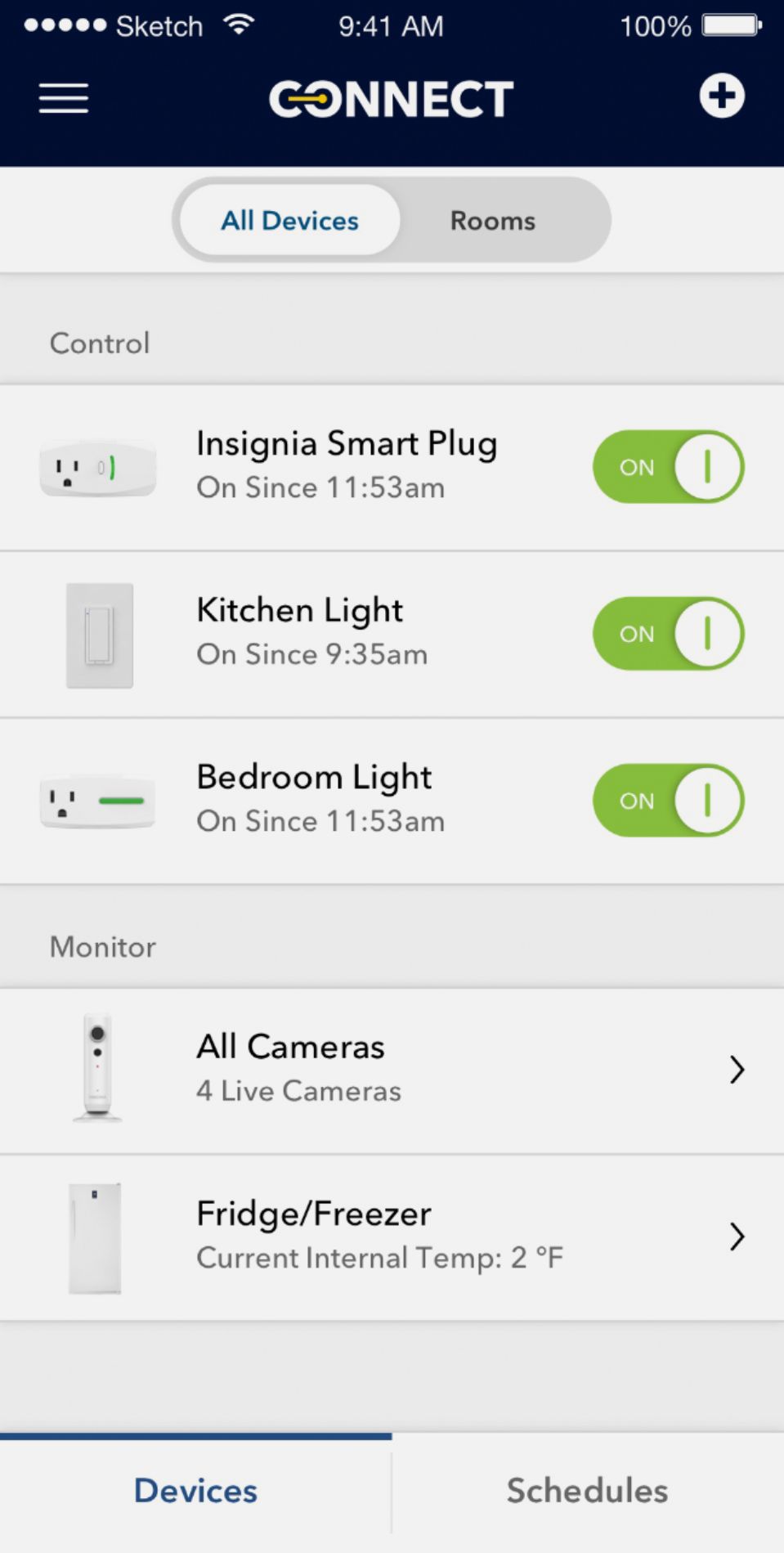
Posted .This reviewer received promo considerations or sweepstakes entry for writing a review.The Insignia Connect app needs some work still. I tested it from both Android 6.0.1 as well as the latest version of iOS. It took a lot of fiddling just to even connect to it. The android version kept freezing and crashing every time I tried to configure the device to the wireless network. After another factory reset I was able to get it connected to the network using an iOS device. The device only supports wireless G though, so I had to change my network to mixed instead of 802.11n only. You can log into the web interface of the device from a desktop browser, and it allows you to connect it to your wireless network from there as well. Unfortunately, even when the device is connected to your network this way, the app won't detect it. You have to reset it again and configure it from the app on your mobile device. Once it's finally on your account though, it gets a little bit better. Once the device is added to your account, any device you sign into appears to show the device correctly. You can manually toggle the power on the light (which takes up to 15 seconds to execute, but it does vary. I have seen it as quick as about 2 seconds) You can also specify schedules for one or more devices, as well as multiple schedules per device. I see potential for this device. I'd like to see it offer integration with some other IoT goodies like amazon Alexa or Apple HomeKit. I'm optimistic for this device. I'd like to see Insignia offer more Connect goodies and build out their platform.
I would recommend this to a friendBrand response from InsigniaCustomerSupport
Posted .Hello! We want to thank you for the time you took to write your feedback; we'd like to inform that some of the issues you have reported regarding connectivity and stability of the app, have been addressed in the Android version 1.0.0.391 which was just posted. We are aware of the sometimes long delay between the button action on the app and the response from the device and will be releasing new update addressing this shortly.
In addition to this, the smart plug does use a WiFi module that is compatible with B/G/N routers and has been tested with various types and brands of routers on the market; however, If your router is set to N-only mode, the device will not work appropriately. As to your comments about the Web browser interface, this merely provides a view of connectivity status and WiFi signal strength. We do not allow connectivity setup of the app via the web interface for security reasons and to keep all actions driven via the app. Our team is currently working on other enhancements and features that will provide additional interaction with many other devices. We kindly ask you that you look for updates coming via the app store or Google play store. Regards, Daniel T. - Insignia Support
- Pros mentioned:Price
Loving It
Posted .This reviewer received promo considerations or sweepstakes entry for writing a review.Works great. Just as advertised. Took seconds to get it connected and working,following the simple included directions. Used it with my IOS devices with no issues. Same with my Samsung Android devices. It was easy to enable the Insignia Connect skill in my Amazon Alexia app and control the plug. It is a great entry level device. It's half the price of other devices. Makes a lazy man lazier but scored lots of cool points with the grandson. On my way to Best Buy to buy more. Would love it more if it offered energy monitoring and reporting.
I would recommend this to a friend - Cons mentioned:App
Did Not Live Up To Expectations
Posted .This reviewer received promo considerations or sweepstakes entry for writing a review.While the Insignia Wi-Fi Smart Plug is great on paper, it did not live up to my expectations and was an exercise if futility over several days. I purchased the Smart Plug and attempted to set it up through the Insignia Connect App. Over two days, I tried to connect the plug to my home network; The IOS version of the app would connect to the plug, but when I tried to connect the plug to my network, the app would get stuck in a loop of attempting to connect (which may take up to 3 minutes). After 15 minutes, I closed the app and tried to set it up again using a electrical outlet, but the results were the same. After several more attempts (including several factory resets), I tried to use a third electrical outlet about 3 feet away from my router, and it still would not connect to my network. I brought the smart plug back and exchanged it for another unit. When I tried to set up the new plug, it behaved exactly as the old plug I returned. I contacted Insignia Customer Support and went through everything that I had done, they suggested reinstalling the app or trying to use a different phone (android, preferably, since the IOS app does not work as smoothly). After reinstalling the app, I experienced the same behavior with my iPhone. I then installed the app on my work phone (Android) and attempted to set the smart plug up with that phone. The android app is more user-friendly and provides more information, however there were issues during the set-up. Both apps require signing into BestBuy or Insignia to use the app; The log-in screen provides the option to see the password or hide it, however inside the app when you are entering the network password, it does not give you this option and if you make a mistake in the password, you do not have the ability to catch it and correct it. In the Android app, I was also able to connect to the plug, but when I attempted to connect to my wireless network, it either told me that the password was incorrect or the device encountered an error connecting to the network and try again later. The password issue occurred whether I manually typed in the password or copy/pasted the password; also, the copy/paste would work one time, then it would not, and then it would work again after several tries. After another four hours of these problems (including many factory resets on the plug), I called Insignia Customer Support again; this time, I spent much more time with the young lady who pick up the call. I explained the issue and everything that I had done to get the smart plug on my network. After going over all the troubleshooting steps I had gone through, she started checking for more information and with her colleagues. She told me that the server had been updated last week and that may have caused issues with the apps and I can try to delete and reinstall the apps again. Thus far, I have not had any success getting the plug onto my home network and I plan to return the unit and try a different brand of smart plug.
No, I would not recommend this to a friend - Pros mentioned:Alexa compatible
Cheap, works, easy to set up
Posted .This reviewer received promo considerations or sweepstakes entry for writing a review.On sale for black Friday, bought 3 with intention to use with Alexa. Set up with insignia app and Alexa took about 20 minutes for all...they work great with Alexa. One plug has a 15 to 30 second delay in some cases...I suspect it may be the distance from the router. Overall cant beat for the price.
I would recommend this to a friend - Pros mentioned:Easy setup, Price
Awesome
Posted .This reviewer received promo considerations or sweepstakes entry for writing a review.I purchased 4 of these plugs to turn my house into a makeshift smart home. They were easy to set up and the app is easy to use. I wish it was compatible with the Apple home setup, but for the price and functionality, it's a great dead!
I would recommend this to a friend - Pros mentioned:Alexa compatible
Very Pleased - Easy Setup - Simple Intuitive App
Posted .This reviewer received promo considerations or sweepstakes entry for writing a review.I have two of these and I'm very pleased with them. I purchased one on a whim on a daily deal for only $10.00. It set on the shelf for months and once I configured it, I regretted not using it earlier. As mentioned, I found the app very simple and intuitive. Set up schedules to turn the device(s) on and off. Integration with Amazon Alexa is great and works as well if not better than more expensive smarthome devices that I have on the network. If I have a need for any more back devices like this I will get more of these. There is a step up to this device by insignia that has a power meter function. I would stay away from that device, I spent approx 45 minutes working with it without successfully configuring the device. These are cheaper and work much better.
I would recommend this to a friend - Pros mentioned:Easy setupCons mentioned:App
Amazing!!!
Posted .This reviewer received promo considerations or sweepstakes entry for writing a review.It took me longer to unpack and read the directions than to actually get it working. It actually took longer to download the Insignia/bestbuy app. Only took another minute to hook it up to my Google Home.
I would recommend this to a friend - Cons mentioned:App, Connectivity
Ridiculously terrible
Posted .This reviewer received promo considerations or sweepstakes entry for writing a review.Compared to brand name Wemo, TP link etc, this is TOTAL GARBAGE. Setup is a joke with seemingly patchwork instructions. Will connect. Won’t connect. Will and won’t “save changes” You must create a BBY login, no option to skip. Complete junk. Spend $5 more for a good, updated app and hardware such as WEMO. I have 35 Wemo devices. Not a single problem. Not one until now - when I try and save $5 for an off brand (that requires ANOTHER app, by the way) To add to this: 2 of 3 of my units were OBVIOUS returns with fingerprints, dust and scraped prongs. One of the used units was defective out of the box. Needless to say all 3 are going back. Keep up the terrible job, Best Buy.
No, I would not recommend this to a friend Great device for money APP could use work
Posted .This reviewer received promo considerations or sweepstakes entry for writing a review.The app and instructions are a little misleading but with some factory resets and the below change to directions I was able to have my plugs synced in no time. No more crawling under the tree to unplug it. For anyone saying it's not compatible with iOS 11 it is as of 12/5/2017. i do agree that the instructions are not well set up When it opens it's connection window and gives you the option to connect to the network there don't do it. instead click done and then click connect from in the app. It seems the first connection interferes with the other.
I would recommend this to a friendAlexa cannot detect more than 3 of these
Posted .This reviewer received promo considerations or sweepstakes entry for writing a review.Simple to setup with Insignia Connect app on android, however there is a significant Amazon Alexa compatibility issue (and compatibility with Alexa is the reason I got these in the first place). I had 3 of these outlets working fine with Alexa for 2 months. I decided to purchase a fourth outlet, and despite hours on a 3 way call with both Insignia and Amazon, neither could get the fourth identical outlet to be recognized by Alexa. I've since tried the entire process from scratch, and found that if I remove any one of the four devices from the Insignia App, Alexa can see the 3 remaining devices. With 4, Alexa cannot see any of them. This isn't a problem if you only ever plan on using the basic Insignia Connect app to control your outlets or only ever want to use 3 or fewer; but I imagine that many people will have purchased these to run with Alexa and will at some point want to integrate 4 or more devices. I'm returning the forth outlet today. I woukd ideally return the other 3 too for other reasons; patchy connection issues (despite strong Wifi signal) and a whole weekend of downtime, plus the fact that I wanted the same brand for all my smart home devices to reduce the number of companion apps I need to run. FWIW, the Insignia support team just told me that any compatibility issue with Alexa is Amazon's problem - the lack of support over a major selling point of the device is another reason to consider alternatives. The $5 or so saving on these versus the name brand plugs from TP-Link or Belkin is not worth it IMO - advise strongly to look elsewhere.
No, I would not recommend this to a friend- Cons mentioned:App
Waste of money
Posted .This reviewer received promo considerations or sweepstakes entry for writing a review.It started ok - I downloaded the app on an old phone (rating 2/5 stars - red flags raised!) as it wouldn't work with the most recent Android OS. Followed instructions and was able to get the plug to work. For a month all was good - I was able to control Christmas lights by voice using Google assistant. Then, not even a month later, voice commands don't work, app won't load (invalid token), plug cannot be factory reset and set up with the app (several trials, even after the app claims the plug is set up, I cannot control it from within the app or by other means; only pressing the on/off button works). Was good when it worked (thus not 1 star rating) but the short lifespan of the plug is very disappointing.
No, I would not recommend this to a friend Works perfectly w/ Alexa & App
Posted .This reviewer received promo considerations or sweepstakes entry for writing a review.Was slightly worried when I read the reviews on here and some people were having problems, but I have had no problems at all. Works perfectly with my Amazon Echo and it works perfectly with the app as well. I think what some people may run into is that if you change the name of the outlets, you have to go into the Alexa app and refresh the devices. Once that is done though, everything is flawless.
I would recommend this to a friend- Pros mentioned:Google home compatible
Nice plug - missing IFTTT support
Posted .This reviewer received promo considerations or sweepstakes entry for writing a review.This plug seems nice and I can control it with Google Home/assistant. However, lack of IFTTT or SmartThings support greatly limits the possibilities compared to similar products. IINSIGNIA PLEASE ADD IFTTT SUPPORT FOR YOUR PRODUCTS.
No, I would not recommend this to a friend