Customer Ratings & Reviews







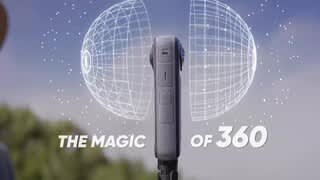
- Model:
- CINSABMA
- |
- SKU:
- 12035846
Customer reviews
Rating 4.7 out of 5 stars with 655 reviews
(655 customer reviews)Rating by feature
- Value4.6
Rating 4.6 out of 5 stars
- Quality4.8
Rating 4.8 out of 5 stars
- Ease of Use4.6
Rating 4.6 out of 5 stars
Rated 5 out of 5 stars
Action Camera
||Posted . Owned for 1 month when reviewed.This reviewer received promo considerations or sweepstakes entry for writing a review.I purchased it for my grandson and he just loves it. He also purchased the mount for it and it works great.
This review is from Insta360 - X4 8K 360 Degree Action Camera - Black
I would recommend this to a friendRated 4 out of 5 stars
Great camera, BUT.....
||Posted .This reviewer received promo considerations or sweepstakes entry for writing a review.The non-replaceable camera lens prevents a 5 star rating. Otherwise, lots of features in the software makes this one of the best 360° action cameras around.
This review is from Insta360 - X4 8K 360 Degree Action Camera - Black
I would recommend this to a friendRated 5 out of 5 stars
Neat tech
||Posted . Owned for 1 month when reviewed.This reviewer received promo considerations or sweepstakes entry for writing a review.Great technology for outdoors lovers, amazing how you can capture all at once
This review is from Insta360 - X4 8K 360 Degree Action Camera - Black
I would recommend this to a friendRated 5 out of 5 stars
Excellence
||Posted . Owned for 1 month when reviewed.This reviewer received promo considerations or sweepstakes entry for writing a review.It's an enormous product. I recommend it to everyone. Thank you best.
This review is from Insta360 - X4 8K 360 Degree Action Camera - Black
I would recommend this to a friend- Pros mentioned:Video quality
Rated 1 out of 5 stars
Buy from Manufacturer or not at all
||Posted . Owned for 3 months when reviewed.This reviewer received promo considerations or sweepstakes entry for writing a review.Avoid purchasing this product from Best Buy—or at all. It stopped working two months after purchase. We used it for only one week in Greece, where it was never submerged in water, and now it’s an expensive brick. Best Buy’s Geek Squad won’t fix or even examine cameras. Their only advice was to send it to the manufacturer and “see what they say.” Best Buy’s customer service is a joke, and their decline is evident. As a longtime customer who has spent thousands there, I’m disappointed. The whole point of buying expensive items from a store like this is for reliable service and repair options. If they can’t provide that, what’s the point of having a storefront? While the camera worked, it captured stunning photos and videos, but $500 for just one week of use isn’t worth it. I’ll likely return to GoPro for reliability.
This review is from Insta360 - X4 8K 360 Degree Action Camera - Black
No, I would not recommend this to a friend Rated 5 out of 5 stars
Goooooood
||Posted . Owned for 2 weeks when reviewed.This reviewer received promo considerations or sweepstakes entry for writing a review.Perfect for travelers. The package includes everything you need. Price/performance product.
This review is from Insta360 - X4 8K 360 Degree Action Camera - Black
I would recommend this to a friendRated 5 out of 5 stars
360 x4 the best so far
||Posted . Owned for 3 weeks when reviewed.This reviewer received promo considerations or sweepstakes entry for writing a review.So far so good , download is great. And editing is super easy
This review is from Insta360 - X4 8K 360 Degree Action Camera - Black
I would recommend this to a friendRated 3 out of 5 stars
Nice camera but over hyped
||Posted . Owned for 2 months when reviewed.This reviewer received promo considerations or sweepstakes entry for writing a review.Great camera but expensive for what you get. This was the first camera I ever bought and I was unimpressed with the quality. It says 8k but you can only record in 8k for roughly 10-15 minutes before it gets really hot. Besides it usually gets compressed to 5.7k anyways. The quality suffers heavily for the convenience of 360. It’s a cool camera no doubt but have found it not that useful for cars unless you’re racing. Looking into getting the DJ osmo to replace it.
This review is from Insta360 - X4 8K 360 Degree Action Camera - Black
I would recommend this to a friendRated 5 out of 5 stars
Great 360 cam
||Posted . Owned for 2 weeks when reviewed.This reviewer received promo considerations or sweepstakes entry for writing a review.Great Cam features, beautiful picture while daylight
This review is from Insta360 - X4 8K 360 Degree Action Camera - Black
I would recommend this to a friendRated 5 out of 5 stars
Love this one..!!
||Posted . Owned for 3 weeks when reviewed.This reviewer received promo considerations or sweepstakes entry for writing a review.Love this one, specially because is the upgraded one. Same as the last one, all the features are easy to use and the results are amazing..!!!
This review is from Insta360 - X4 8K 360 Degree Action Camera - Black
I would recommend this to a friendRated 4 out of 5 stars
Insta 360
||Posted .This reviewer received promo considerations or sweepstakes entry for writing a review.A great purchase. Now to learn more about using this device.
This review is from Insta360 - X4 8K 360 Degree Action Camera - Black
I would recommend this to a friendRated 5 out of 5 stars
Insta360
||Posted . Owned for 1 month when reviewed.This reviewer received promo considerations or sweepstakes entry for writing a review.Worth every penny! I really got to use it this weekend and want disappointed!
This review is from Insta360 - X4 8K 360 Degree Action Camera - Black
I would recommend this to a friendRated 5 out of 5 stars
More versatile than an action camera
||Posted . Owned for 3 months when reviewed.This reviewer received promo considerations or sweepstakes entry for writing a review.I think there are big advantages of the w4 over a standard action camera. It can be used for in a lot of different ways
This review is from Insta360 - X4 8K 360 Degree Action Camera - Black
I would recommend this to a friendRated 5 out of 5 stars
Great video capability
||Posted . Owned for 2 months when reviewed.This reviewer received promo considerations or sweepstakes entry for writing a review.I am really impressed with this small camera and what I can film with it. I recomend it. Pricy but worth it.
This review is from Insta360 - X4 8K 360 Degree Action Camera - Black
I would recommend this to a friendRated 5 out of 5 stars
Packs a punch
||Posted . Owned for 1 month when reviewed.This reviewer received promo considerations or sweepstakes entry for writing a review.I think its a bit over priced, but it is a great camera. Alot of features and takes very good photos and video.
This review is from Insta360 - X4 8K 360 Degree Action Camera - Black
I would recommend this to a friendRated 5 out of 5 stars
Finally got one!
||Posted . Owned for 3 weeks when reviewed.This reviewer received promo considerations or sweepstakes entry for writing a review.First 360 camera but I have been researching insta360 for years now. I’m happy with my purchase. The ai feature is pretty slick.
This review is from Insta360 - X4 8K 360 Degree Action Camera - Black
I would recommend this to a friendRated 3 out of 5 stars
1st experince
||Posted . Owned for 2 weeks when reviewed.This reviewer received promo considerations or sweepstakes entry for writing a review.Image clarity was not so good it’s blurry and good thing is easy to carry
This review is from Insta360 - X4 8K 360 Degree Action Camera - Black
No, I would not recommend this to a friendRated 5 out of 5 stars
Nice Camera
||Posted . Owned for 1 month when reviewed.This reviewer received promo considerations or sweepstakes entry for writing a review.Haven't used much yet but so far really happy with the camera
This review is from Insta360 - X4 8K 360 Degree Action Camera - Black
I would recommend this to a friendRated 2 out of 5 stars
Not as good for 2026
||Posted . Owned for 9 months when reviewed.This reviewer received promo considerations or sweepstakes entry for writing a review.Having issues with connecting mobile devices Also suddenly shouts off
This review is from Insta360 - X4 8K 360 Degree Action Camera - Black
No, I would not recommend this to a friendRated 5 out of 5 stars
Great camera
||Posted . Owned for 1 month when reviewed.This reviewer received promo considerations or sweepstakes entry for writing a review.Great product, my husband loves it, we will buy it again.
This review is from Insta360 - X4 8K 360 Degree Action Camera - Black
I would recommend this to a friend