Customer Ratings & Reviews
- Model:
- Y354020
- SKU:
- 10735870
Rating by feature
- Value
Rating 4.3 out of 5 stars
- Quality
Rating 4.3 out of 5 stars
- Ease of Use
Rating 4.3 out of 5 stars
Works fine for a month then begins to fail
||Posted .This reviewer received promo considerations or sweepstakes entry for writing a review.Continuously gets stuck in "non-carpeted" zones. I have tile, mind you.
No, I would not recommend this to a friendBrand response from iRobot Team
Posted .We appreciate you taking the time to provide feedback on the Roomba 105 Combo. We're sorry to hear about the difficulties you are experiencing. Please reach out to https://homesupport.irobot.com/s/contact-support-info, so we may properly diagnose your issue.

- Pros mentioned:Cleaning performance, Noise level
Roomba is BACK — and Better Than Ever!
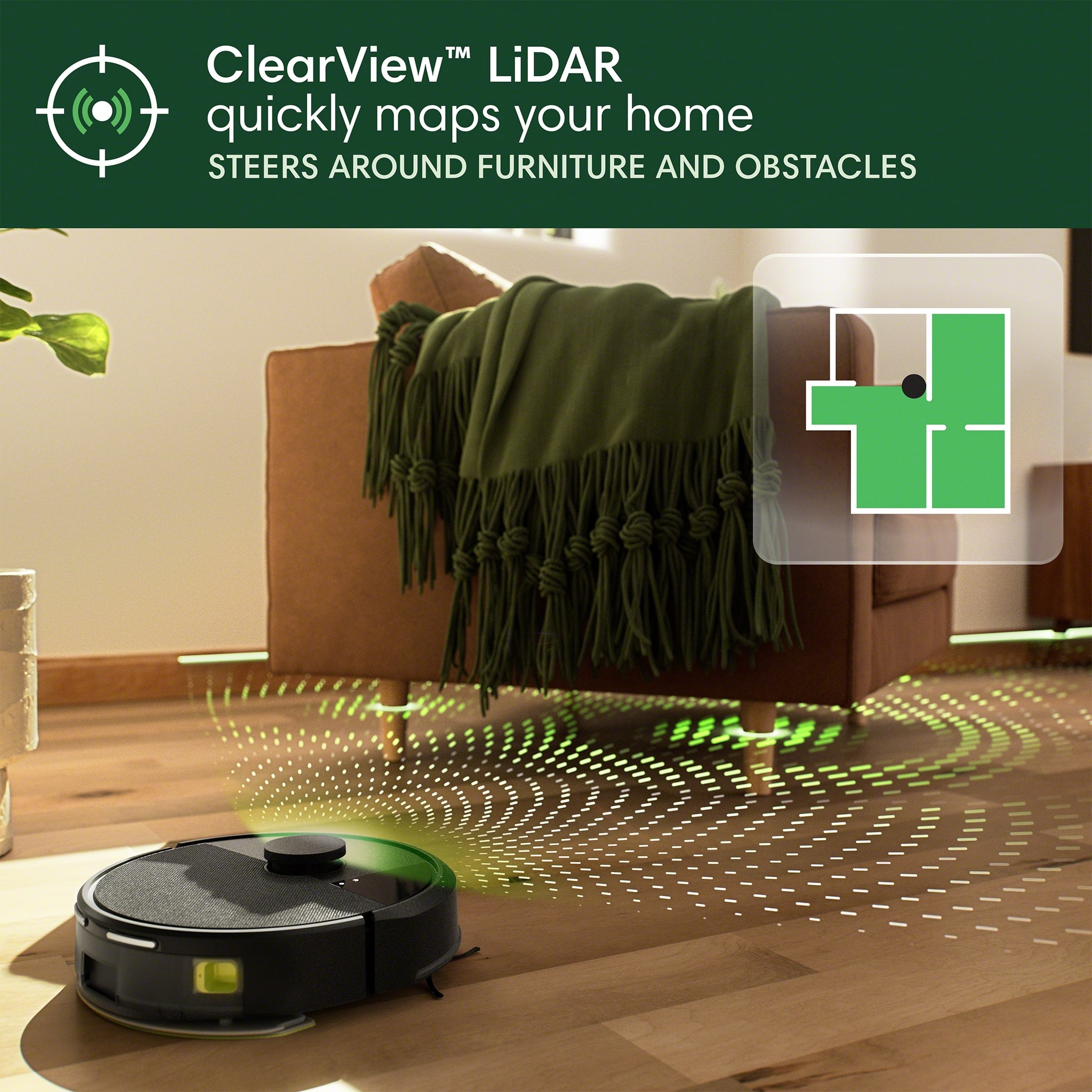
Posted .This reviewer received promo considerations or sweepstakes entry for writing a review.I’ve been a Roomba user for years, but I’ll be honest - over time, other brands started pulling ahead. Better features, smarter tech, more value for the money… I eventually moved on. But when I saw that Roomba completely overhauled their lineup recently, I figured it was time to give them another shot. I picked up the Combo 105, and I’ve got to say… I’m seriously impressed. From setup to performance, everything just works. The new design is much sleeker than the older models I used to have, and the vacuum/mop combo is surprisingly solid. The app is fairly polished compared to others I’ve had (but I expected a bit more from iRobot) and very easy to use too. My floors look great, and it navigates way more intelligently now thanks to the LiDAR. No more random bumper car behavior - it actually covers the whole area methodically, and with no issues so far! I didn’t expect much from the mop feature (especially since the pad doesn’t rotate or scrub), but it ended up being a nice surprise. It’s not a deep cleaner, obviously, but it keeps the floors feeling fresh between mopping days, and for something at this price, that’s more than enough. What really stood out to me, though, is how quiet and efficient this thing is. It doesn’t get stuck, it handles pet hair and crumbs well, and it runs like it knows what it’s doing. Honestly, I’m so happy with it that I’m already planning to get the Combo 405 for my second floor. If this is what the “new Roomba” looks like, I’m hopeful they’re on track for a real comeback. They’ve finally caught up to the competition… and if they keep this momentum going, they might just reclaim the top spot.
I would recommend this to a friendBrand response from iRobot Team
Posted .Hello, thank you for taking the time to share your feedback about the Roomba 105 Combo. We’re thrilled you are loving your new robot. Three cheers for clean floors!
- Pros mentioned:Cleaning performanceCons mentioned:Navigation

Decent robot vacuum for the price
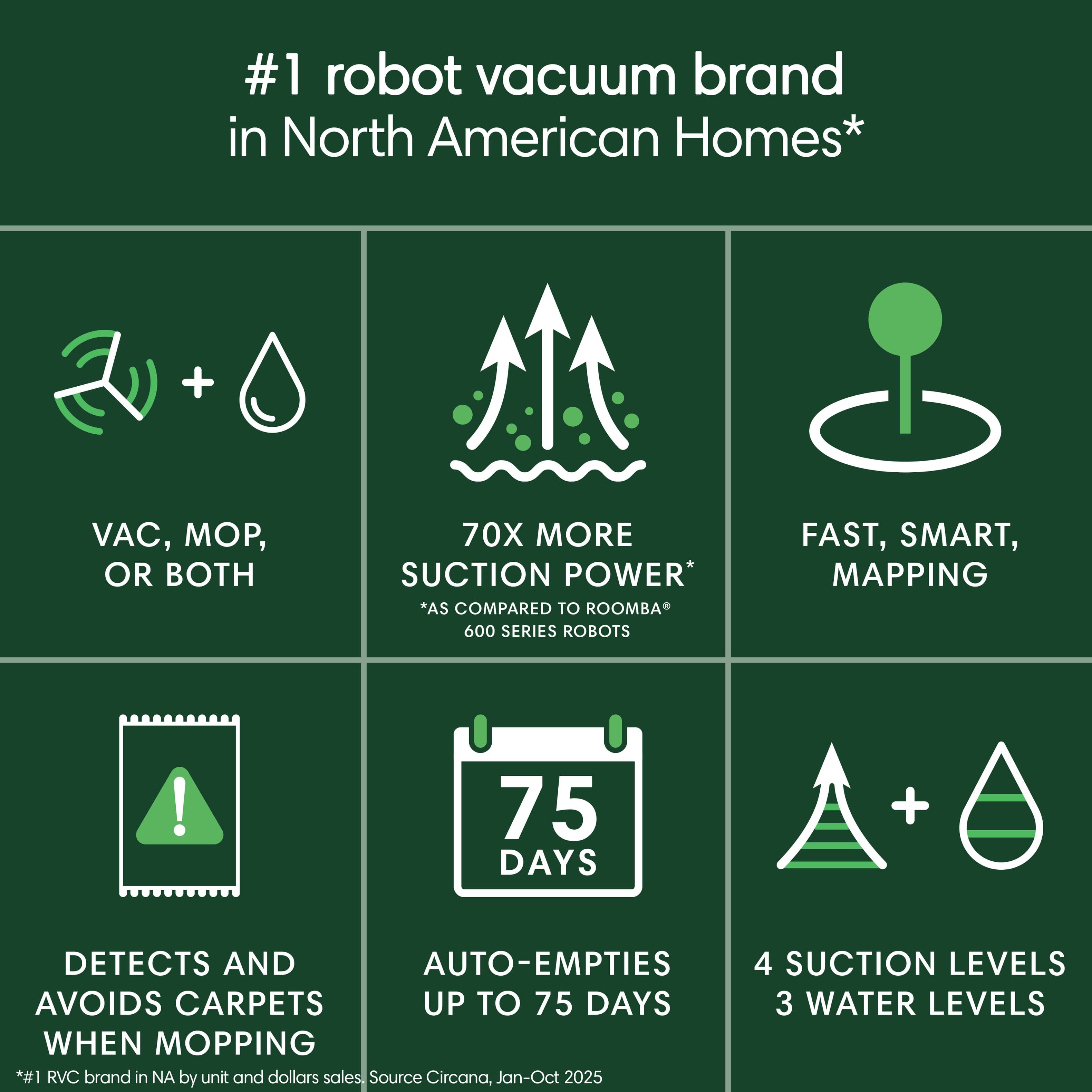
|Posted .This reviewer received promo considerations or sweepstakes entry for writing a review.I was impressed by the initial quality and fit & finish of this Roomba. The setup was straightforward and you’re guided through the process using the Roomba app. The mapping process was quite easy, and it is relatively accurate when learning where it can go, but it is not perfect. I enjoy that it’s automatic and that you can just allow the robot to read the rooms by itself. Manually adding clean zones and no-go zones is a nice touch. I did have two challenges with mapping: It has trouble dividing rooms, but this is easily solved using the “edit room” option in the mapping app. I also have sliding mirror closet doors in two of my rooms - this confused the Roomba and it thought it was a part of the room, which caused it to bump into the doors constantly when cleaning. Again, this was fixed through the app. Overall, I am impressed at its cleaning capabilities on carpet, but let down on hard flooring. I love the clean lines and cleaning thoroughness that the Roomba has on carpet. It has trouble picking up some things. I’d say that it gets the carpet 98% clean. This is better than previous models. However, it seems to be having trouble on hard floors. I had to get it to clean a room four times before it got most of the dirt - and it wasn’t that dirty. It just doesn’t suck everything up. Another issues is where it transitions from hard floors to carpet. It leaves crumbs and dirt at the base of the transition and it doesn’t clean them up. Since I didn’t have these issues in the past, my hope is a firmware update will come along and fix this. The mop feature is nice, but it is definitely not meant to clean up a lot of dirt. The machine can maintain clean floors, but it doesn’t scrub dirty surfaces. The app has quite a bit of features, including scheduling cleaning and manually having it clean certain rooms - even the level of cleaning (vac, vac & mop, mop only – then select a light, medium, or deep clean) and I find that really useful. It automatically recharges and empties the dust bin while it’s cleaning. Then it returns to the exact spot where it left off - but ONLY if it’s on the floor that the charging station is on. When moving it to a different level, it forgets how to resume cleaning. I also really like that it has the ability to see in the dark so I don’t have to turn on all the lights for it to be able to clean. For the negatives, I find myself having to frequently quit the app so I can tell the robot to do another task or check the battery level. It doesn’t update sometimes unless you restart the app. It has also gotten stuck a few times, mainly on rugs. It tends to curl up the edges of rugs almost every time runs over some of them. On occasion, the curls get jammed, so I have to rescue the robot. I think for the price, this is a competitively priced product. There are better options on the market, but they also cost a lot more. I would recommend it to a friend who wants a good, entry level vacuum and mop.
I would recommend this to a friendBrand response from iRobot Team
Posted .Hello, thank you for taking the time to share your feedback about the Roomba 105 Combo. We’re thrilled you are loving your new robot. Three cheers for clean floors!
Not as expected
||Posted . Owned for 1 week when reviewed.This reviewer received promo considerations or sweepstakes entry for writing a review.Returning this device as it does not work well on my floor
No, I would not recommend this to a friendBrand response from iRobot Team
Posted .Thank you for taking the time to leave a review. We are so sorry to hear that you weren't happy with your Roomba 105 Combo and returned it. We will absolutely share your feedback with the relevant teams for consideration on future products. We hope you’ll give our products another try in the future.
vacuum
||Posted .This reviewer received promo considerations or sweepstakes entry for writing a review.Thought it would just mop instead of mop and vacuum
No, I would not recommend this to a friendBrand response from iRobot Team
Posted .We appreciate you taking the time to provide feedback on the Roomba 105 Combo. We're sorry to hear about the difficulties you are experiencing. Please reach out to https://homesupport.irobot.com/s/contact-support-info, so we may properly diagnose your issue.
Horrible DO NOT BUY!!!
||Posted . Owned for 3 weeks when reviewed.This reviewer received promo considerations or sweepstakes entry for writing a review.Horrible doesn't work well. Overpriced and needs to have a better system when mapping out hime.
No, I would not recommend this to a friendBrand response from iRobot Team
Posted .We appreciate you taking the time to provide feedback on the Roomba 105 Combo. We're sorry to hear about the difficulties you are experiencing. Please reach out to https://homesupport.irobot.com/s/contact-support-info, so we may properly diagnose your issue.
- Pros mentioned:Cleaning performanceCons mentioned:Battery life
Frustrating
|Posted .This reviewer received promo considerations or sweepstakes entry for writing a review.For this price point I honestly expected a better out of the box experience than I had with this Roomba. I've had other Roomba robot vacuums in the past but this one had me royally ticked off in the first hour out of the box. In fact it took me the better part of two days to get it up qand running in my home. First the mandatory software update was a royal pain. It kept hanging up on me which lee to me doing multiple factory resets and then uninstalling the app on my iPhone and reinstalling it to make it work. This is what took so long to get it up and running. Now once I got it ruung it does do a good job of mapping your home. The obstacle avoidance could be better but I've seen a lot worse from more expensive robot vacuums. It's not all bad. Once you have it running it does do an outstanding job cleaning the space you set it to do. If you are cleaning a larger space count on multiple trips to the docking station to top off the charge. But so far it is set to run when I am not home so I never really notice this. Cleaning wise this is an outstanding product. Performing the initial setup is a frustrating experienceto ssay the least. Overall I'd give this a 5 out of 10m based on the initial set up experience.
No, I would not recommend this to a friendBrand response from iRobot Team
Posted .Hello, thank you for taking the time to share your feedback about the Roomba 105 Combo. We’re thrilled you are loving your new robot. Three cheers for clean floors!
- Pros mentioned:Cleaning performanceCons mentioned:Navigation
Robot Vacuums have come a long way!
|Posted .This reviewer received promo considerations or sweepstakes entry for writing a review.I owned an earlier generation robot vacuum before getting the Roomba 105. Getting this new unit has shown me just how far the technology for smart vacuums has come. Gone are the days of having to just mindlessly set your robo-vac loose on your house. The Roomba goes on schedule and is managed through the app. You can also segment your rooms allowing you to specify which room you'd like cleaned and the level of cleanliness desired--for instance, a less trafficked space can receive a light cleaning, while a busy room can get a deeper clean. Also, you get nice straight lines, so it looks like you actually vacuumed--a huge win for those of us who have carpet that shows the vacuum lines. So, with all this praise, why isn't it 5 stars? Well, it's not without it's quirks. Stray items that show up on your floor still present a challenge. Ours was jammed by the string on a sunhat that had fallen off a table. I had to cut the string to get it free from the wheels. Also the mopping feature is clunky, at best. We started with having the dock on the wood floors, but it when the mop pad was wet, it started to leave a mark on the wood floor underneath it. We moved the dock to a carpeted room, but then it has trouble taking off with the mop pad attached. We've since opted to have it vacuum the wood floors and have not used the mop feature at all. Overall, it's been a really good vacuum. Most of the time, it just does it's job without any intervention. The carpets look nice and the wood floors are swept clean.
I would recommend this to a friendBrand response from iRobot Team
Posted .Hello, thank you for taking the time to share your feedback about the Roomba !05 Combo. We’re thrilled you are loving your new robot. Three cheers for clean floors!
- Pros mentioned:Cleaning performance, Suction power
Efficient & doesn't require servicing. Automatic.
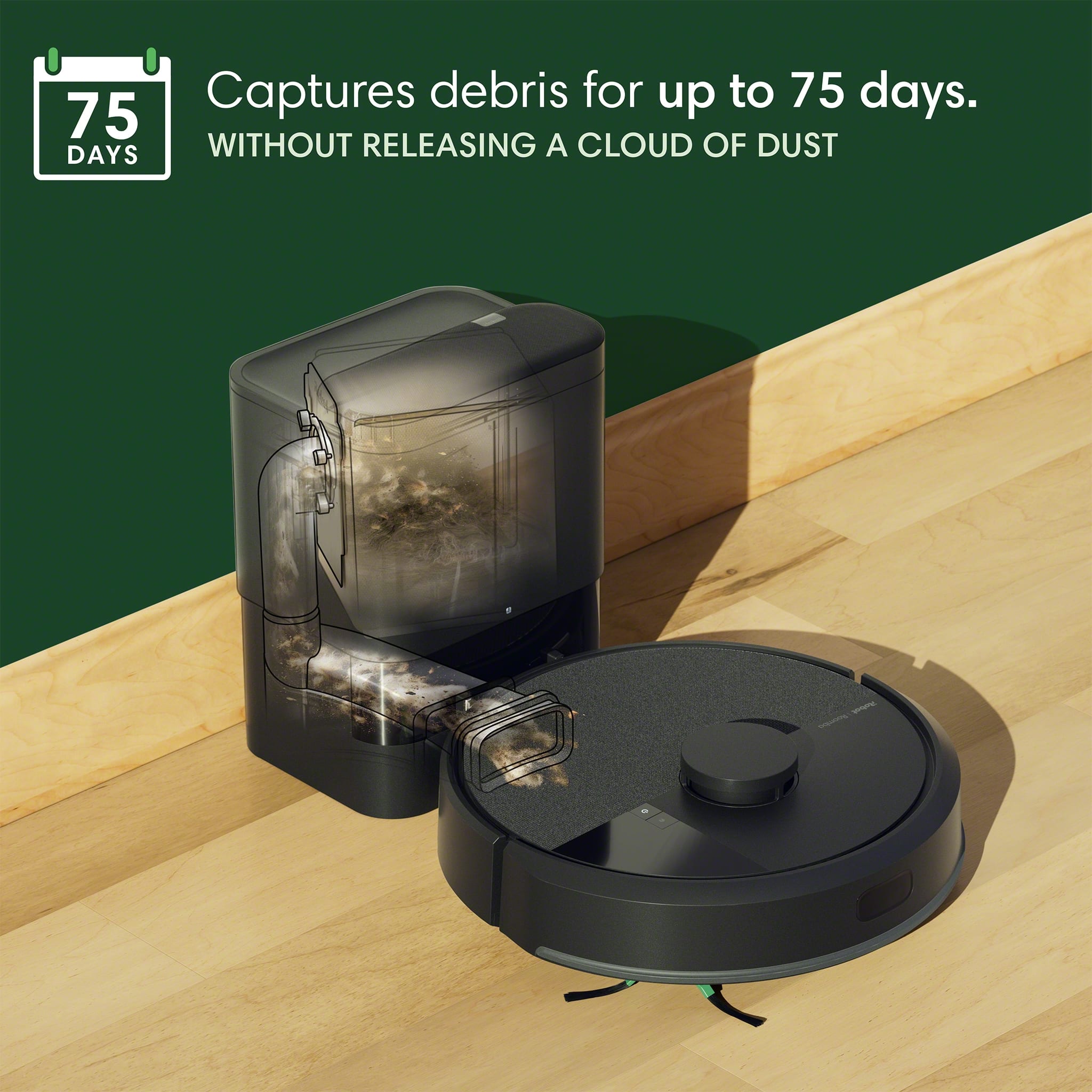
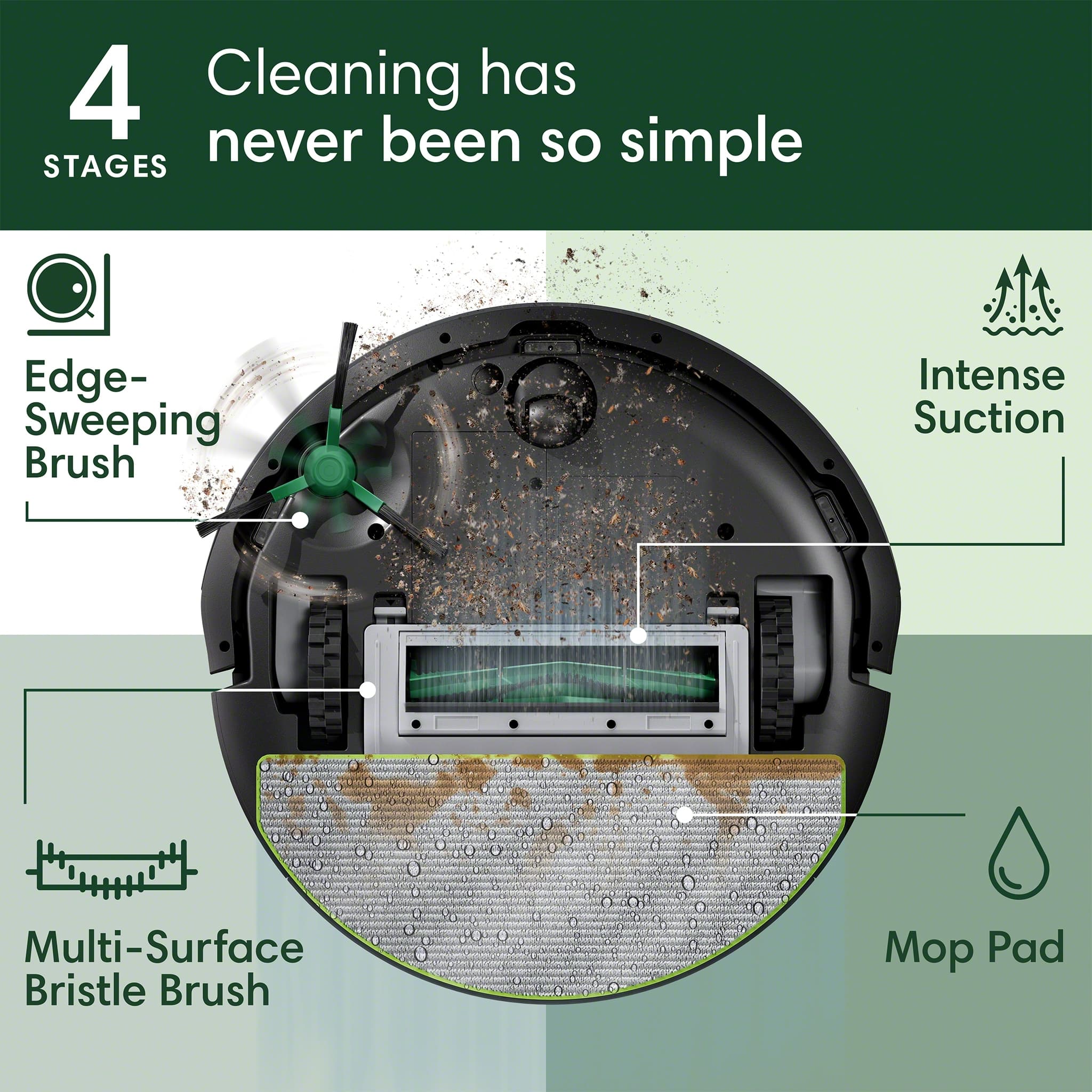
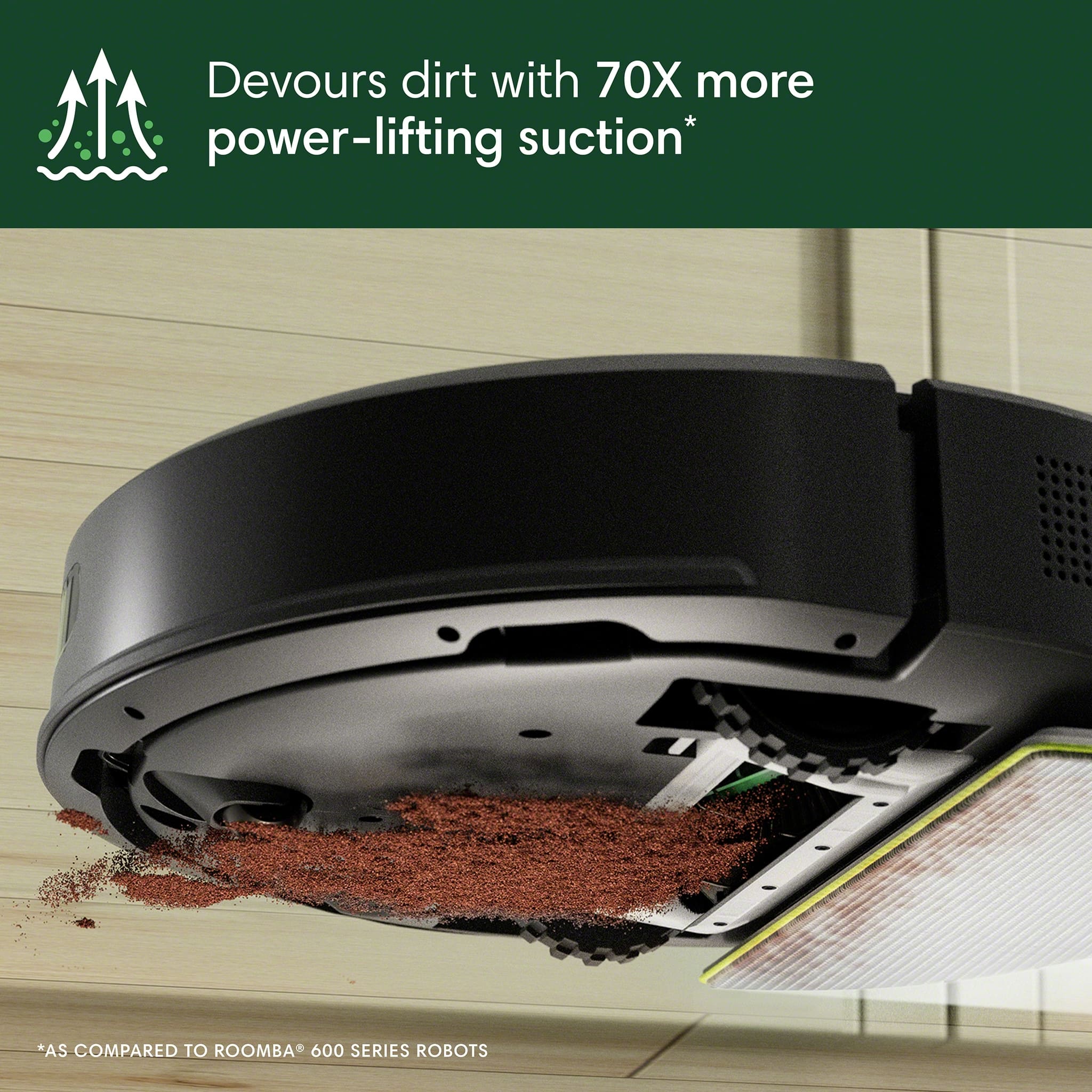
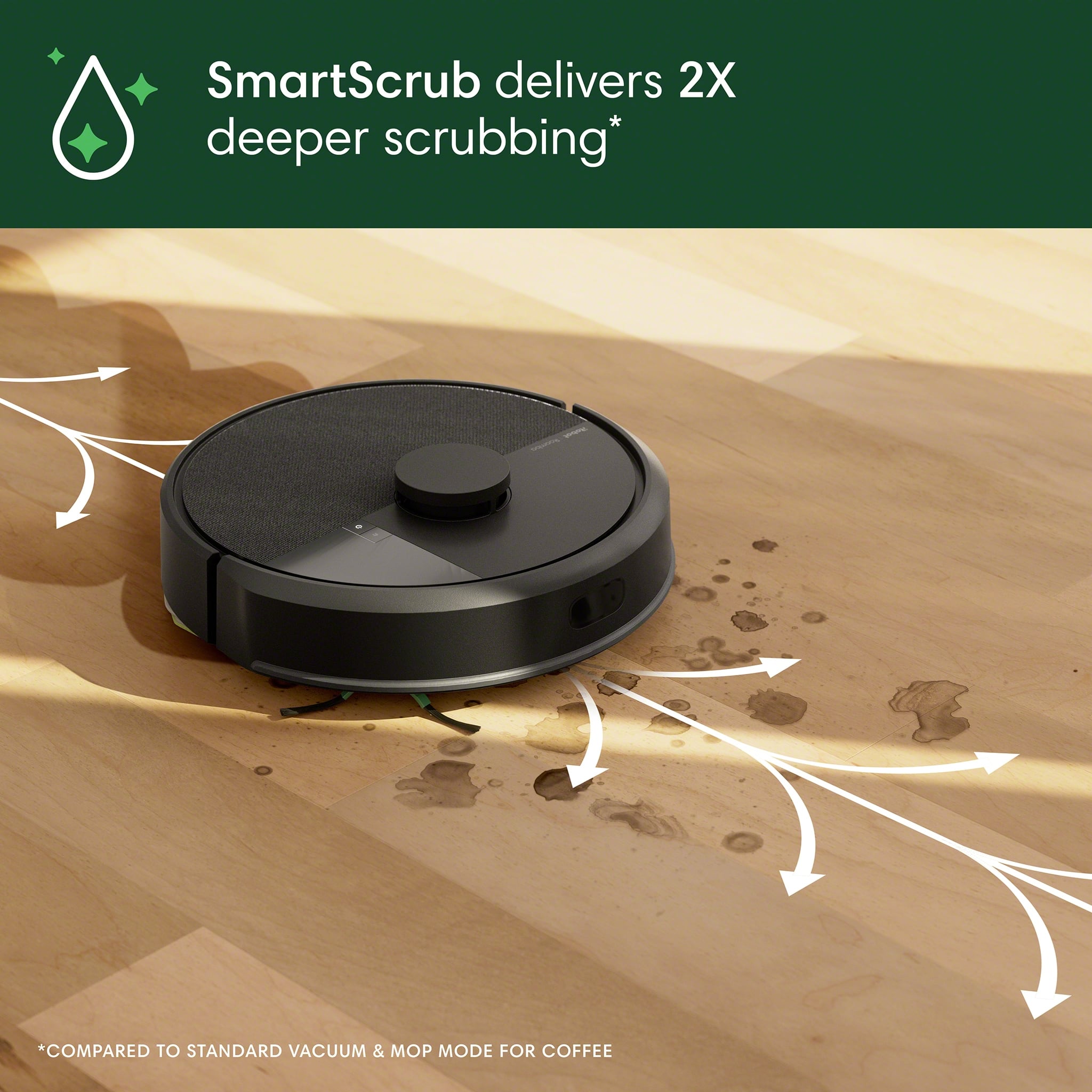
|Posted .This reviewer received promo considerations or sweepstakes entry for writing a review.Roomba is a very known brand name in the realm of Robot Vacuum. This one is another good product that you don't get wrong buying it. This iRobot can vacuum, mop or both in the same time. It uses a microfiber pad for mopping and multi surface brush. Long time, Roomba used to have a rotating roller to clean carpet areas. I'd say the new design is better by having less issues. This series (Roomba 105) seems to have a boosted suction compared to my older one. Attached to this iRobot, the auto-empty dock! Very good if you don't want to keep checking and cleaning the vacuum robot. It has been running for a week now and sill has a lot of space for many coming days. What also makes Roomba special is the ClearView LiDAR sensor. It really maps your areas and avoid obstacles (before bumping into them). I noticed that it works well even in the dark areas. Big improvement when compared with the robots without LiDAR. The App is great. It offers real time monitoring of the vacuum robot. It allows you to schedule and control the robot's activity. The app also allows you to control the robot (via Roomba Home) using voice commands: Alexa, Google, Siri, ... All nice features while still remaining friendly to be used. Some minor issues with my unit (usually they get fixed by updates): it sometimes get lost while switching carpet to hard floor modes. Mopping is not scrubbing... It is good to deep clean dust by wiping surface. It is good for cleaning rooms if they are connected (no stairs). It requires minimum service and following-up. I'd recommend it for small surfaces or also big ones. You don't need to move everything around so it will not get stuck in them. LiDAR is working very nice.
I would recommend this to a friendBrand response from iRobot Team
Posted .Hello, thank you for taking the time to share your feedback about the Roomba 105 Combo. We’re thrilled you are loving your new robot. Three cheers for clean floors!
- Pros mentioned:Cleaning performance, Ease of use
This is the coolest robot I've used.
|Posted .This reviewer received promo considerations or sweepstakes entry for writing a review.This is my 6th Roomba. By far my favorite. First of all the setup was a breeze. It took about 20 minutes to get everything going. The dock's charging mechanism is a welcome change over prior versions. My home has a mixture of stairs, carpet and wood flooring. This is my first mopping Roomba and it seems to have hit the sweet spot for depth of cleaning and quickness. The main level where this Roomba is, is approximately 1500 SqFt. It is able to tackle this with no issues. I have 3 dogs and 2 kids (sub 10 years of age) and it seems to get all of the pet hairs, spills and more. Some potential hurdles, -Make sure you have the right app. On Android there are 3 or 4 apps that claim to control Roombas. Download the right one. -The water reservoir is easy to fill, it doesn't feel easy the first time you do it due to how snug the lid is for the water, but once you know that, it is easy. -Make sure to schedule it to clean when it works for you. I have mine go about 2 x a week and have used it for a few weeks now. If this is your entry into the world of iRobot's Roomba product, or you 10th Roomba, you'll not be disappointed!
I would recommend this to a friendBrand response from iRobot Team
Posted .Hello, thank you for taking the time to share your feedback about the Roomba 105 Combo. We’re thrilled you are loving your new robot. Three cheers for clean floors!
- Pros mentioned:Cleaning performance, Ease of use
Easy-to-use combo vac!
|Posted .This reviewer received promo considerations or sweepstakes entry for writing a review.I will start off by saying we have multiple Roombas in our house and we think this one is the best yet! The iRobot Roomba Combo is an absolute game-changer. It seamlessly vacuums and mops in one go, saving me time and effort every day. Super easy to set up with a user-friendly appthat includes a mapping feature for accuracy. The auto-empty base is a great addition as we no longer have to emptying or deal with whatever it vacuums up. It easily transitions between hardwood and carpet, and does a great job picking up our dogs hair and crumbs left by the kids. The mop function adds a nice finishing touch for our hard floors. It’s quiet enough to run during the day without being disruptive. I like the smart scheduling function as it helps keep our floors regularly clean. Maintenance is minimal. If you're looking for an all-in-one cleaning robot that actually delivers, this is worth every penny. We had it all set up in about 15 - 30 minutes and have loved it ever since. Already recommended it to my friends and family!
I would recommend this to a friendBrand response from iRobot Team
Posted .Hello, thank you for taking the time to share your feedback about the Roomba 105 Combo. We’re thrilled you are loving your new robot. Three cheers for clean floors!
- Cons mentioned:Size
Just not enough positive to outweigh the negatives
|Posted .This reviewer received promo considerations or sweepstakes entry for writing a review.I want to start by saying I have tried multiple robot vacuums over the years, including some by iRobot. I do not necessarily think this is an improvement over what I've used years before. Let's start with the phone app (on an iPhone) - it just does not work as well as the previous one. The initial pass of my main floor netted me 4 rooms - I wanted to split off 'the kitchen' from something else. The application locks up when I try to alter the map with room separators. I was able to get an exclusion area in at least, but that took a few tries. Though you get a mapped log of cleaning, what it considers 'success' obviously is not when looking it. My run, which was JUST Normal vacuuming (no mop), took all day. The app estimates just under 3 hours for what it has mapped, but every day has been 4+, and like I said, incomplete. The unit itself is not very large for both the bot and the base. The base is mostly room for the vacuum bag, which is an obvious negative to me. I know that's an easy $$ stream, but there's no reason that couldn't have been a dump-able bagless setup. The bot itself is just a tad too tall for safely cleaning under the couches - I had to save it once already. The mop...is pretty simple. I've had an iRobot mop only bot in the past and this is very similar EXCEPT the reservoir for the floor cleaner is so small. If you schedule this thing to mop daily, you'll have to refill it daily if you have any amount of square footage. The mop pad is washable, but based on my past experience will get pretty funky, especially in a house with pets. I'm also not super happy with the results, it just doesn't seem to clean the wood floors all that well (and I'm not cheaping out on the cleaner).
No, I would not recommend this to a friendBrand response from iRobot Team
Posted .We appreciate you taking the time to provide feedback on the Roomba 105 Combo. We're sorry to hear about the difficulties you are experiencing. Please reach out to https://homesupport.irobot.com/s/contact-support-info, so we may properly diagnose your issue.
- Cons mentioned:Navigation
Nearly Unusable
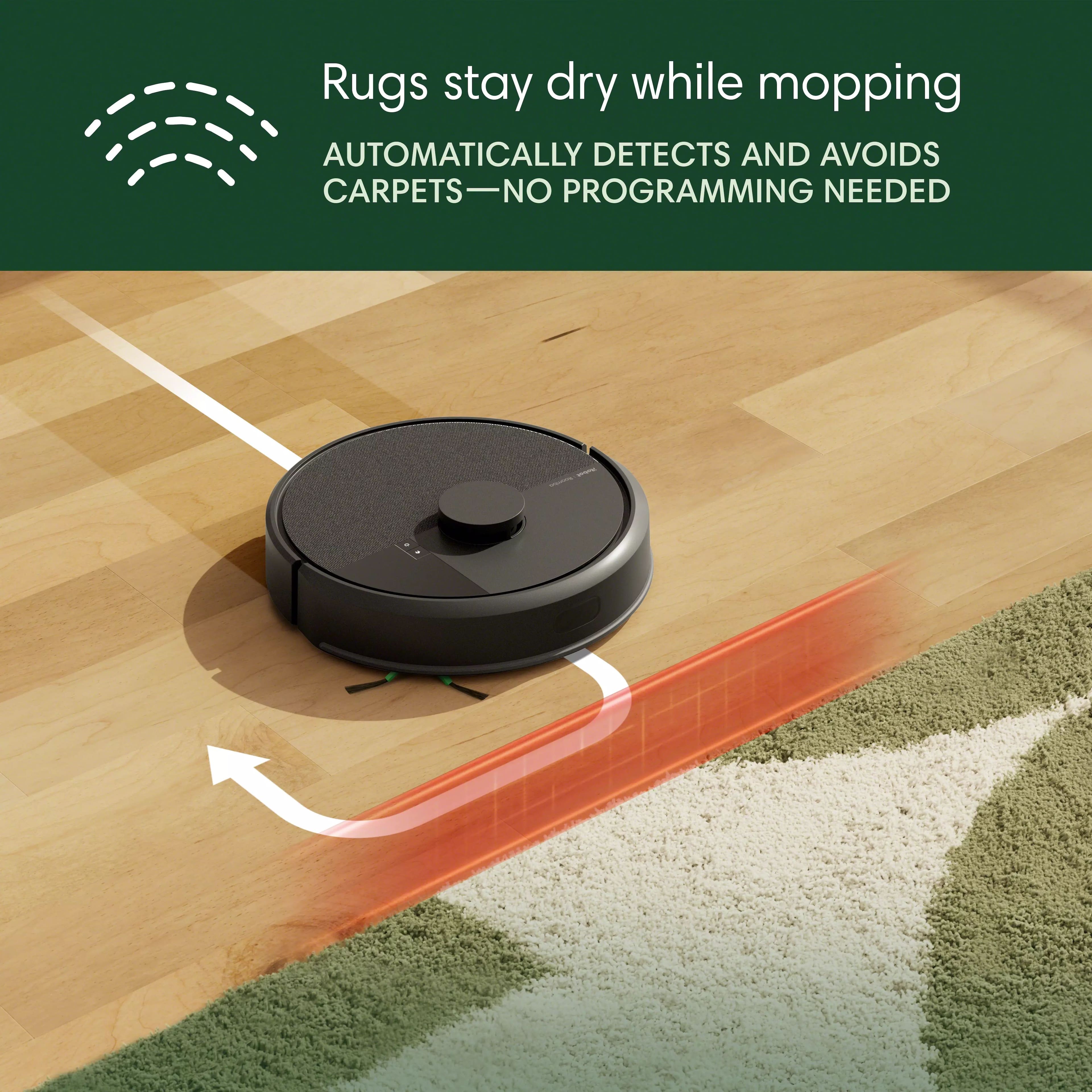
|Posted .This reviewer received promo considerations or sweepstakes entry for writing a review.I’ve had an older Roomba for years now, and it has worked very well. It had no “app” or intelligent capabilities, but it did a good job of keeping the house regularly vacuumed. I had to use special little electronic pylons to separate the house into sections where it could clean without the battery dying. They were also needed to fence off stairs and other areas where I didn’t want the Roomba to enter. Eventually, that Roomba’s battery stopped holding a charge and a few of its parts broke so it was going to cost me almost as much as a new one to repair it. I found this modern Roomba 105 Combo model with some nice features, so I decided to upgrade. I like the advertised features of this Roomba 105. It’s able to clean both carpet and hard flooring. It has smart floorplan mapping, as well as a dustbin collector so the onboard collection container doesn’t have to be emptied after each room. It also has an app that’s supposed to make it easier to operate. Unboxing the Roomba was simple following the quick-step guide printed on the inner packaging. It included a QR code that I scanned on my phone to download the app. I have a Galaxy Fold 6 and the app downloaded just fine, but that’s where things went wrong. The first thing the app wanted was for me to create a new or login to an existing account. There is no way to use the Roomba 105 without using the app with an account. I chose to create an account and entered my email address with a password. The app then reported that I already had an account so I needed to login with it. I guess at some time in the past, I had created an iRobot account to buy parts my old Roomba, so I tried a few usual passwords to no avail. I then told it to email me a password recovery link and then waited. After 30 minutes, there we no e-mail, so I tried again. After another 30 minutes, I still had no reset e-mail, so I decided to try creating a new account. This time I got an error that the app was unable to connect to the iRobot servers. I tried a few more times, and it finally let me create a new account – using my same old e-mail address. After that, it asked a few setup questions and then quickly connected to my new Roomba. The app prompted me to enter my W-Fi password, and then reported that Roomba was now connected to my network. I checked my router, and could see that it had been logged into Wi-Fi and assign and IP address. The app then reported that it was “connecting my Roomba to the cloud”. I let that process for about 30 minutes, and it never connected. I shutdown the app and tried to restart it, but it would just hang on the iRobot logo. I used my phone’s setup utility to clear all memory used by the app, but still no luck. I decided to delete the app and re-install it, which then worked. But then it couldn’t find the Roomba, even though I verified it was still on my network. I looked up how to factory reset the Roomba and I started over. This time, I was unable to sign into the app due to a “server unavailable” message. Having invested an hour and a half trying to get this running without results, I decided to contact iRobot support. I called, and the automated voice response system told me that my wait time would be over half an hour. I was fairly aggravated, so I put everything aside and tried again later. I was eventually able to connect to the iRobot server and get the app working. I had the Roomba begin its process of mapping my house. The downstairs level of my house where I wanted to use the Roomba is about 1,700 square feet. It’s mostly an open floorplan, except for a bedroom/bathroom suite, a dining room, and an entry hall. Only the bedroom is carpeted – everything else is either hardwood flooring or tile. The entry hall has rugs as does the kitchen and dining room. The Roomba navigated everything fairly well until it came to the hallway. The rugs there are thing and have fringe on the ends. Unfortunately, the Roomba did not go over these rugs, but pushed them along the floor. The fringe on the one rug got caught in the Roomba’s wheel and cause it to stop. The only way I would be able to use the Roomba in my house would be to remove those rugs. I assume there may be a way, once the mapping is complete, to have it avoid the hallway, but that accesses half the house. Neither option is desirable. Because of this, I am unable to use the Roomba. Overall, this Roomba 105 sounds like a great idea, but the problems I had logging into the app and with the app connecting to the Roomba to the cloud are far too frustrating given the price of this unit. In fact, I would prefer not to have to connect the Roomba to “the cloud” to use it. My previous Roomba lasted for years and worked well without an app or cloud connection. Not being able to navigate some of my rugs is really the nail in the coffin for this Roomba. I won’t be using it in my house.
No, I would not recommend this to a friendBrand response from iRobot Team
Posted .We appreciate you taking the time to provide feedback on the Roomba 105 Combo Vac. We're sorry to hear about the difficulties you are experiencing. Please reach out to https://homesupport.irobot.com/s/contact-support-info, so we may properly diagnose your issue
Simple, set-and-forget robot vac goodness
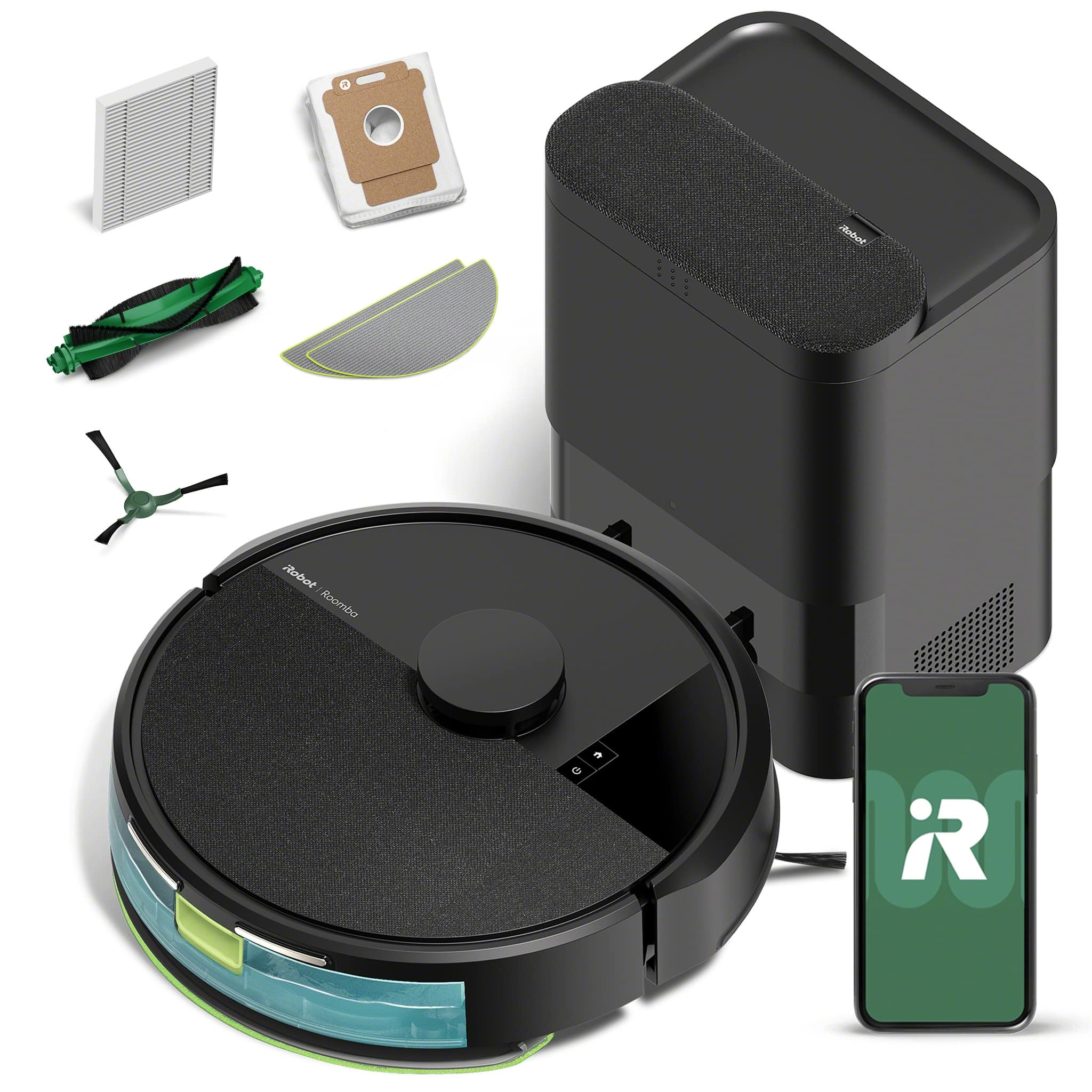
|Posted .This reviewer received promo considerations or sweepstakes entry for writing a review.If you're new to the robot vacuum game, iRobot has been upgrading and perfecting their Roomba vac series for years, with its latest machine offering the combination of powerful dirt-syphoning prowess and quality hands-free characteristics to make cleaning your floors an afterthought. At first glance, the Roomba 105 looks deceptively small considering it comes with an auto-emptying dock that collects the Roomba's dirty work after every job. Rather than housing the vacuum with a massive dock as in previous models, the small AutoEmpty dock is short and unassuming, with a simple opening that aligns with the Roomba automatically at the end of jobs and two small connector prongs that charge the vacuum when it comes in contact. The Roomba 105 itself is its usual black circle shape with almost no protruding parts except a small underside brush. Lastly, the vac comes with its mop attachment and an extra mop head for good measure. Getting to the down and dirty, the Roomba 105 startup sequence is really simple once it's out of the box and fully charged. While I'm not a fan of having to download yet another app onto my phone to control this thing, at least the the Roomba Home app is straightforward and easy to use. It provides cleaning recommendations, area maps, and automations that let you schedule cleaning routines. You can even point your vacuum to an area on the map, and the Roomba 105 will head to that location and spot clean the area. The app is also your one-stop shop to order any replacement parts or to contact iRobot for any support requests. Once it gets going, this vacuum/mop combo really does a good job. It moves seamlessly from carpeted areas to hard surfaces to rugs, automatically switching from mop to vacuum as needed. Its sensors pick up everything in front of it, so if you're like me and have kids that leave things all over the floor, you won't have to worry about the vacuum clogging up as often as you would think. My cleaning sessions did experience a few errors initially as it was populating and learning the room map and running into odd chair angles and busy corners of my living room. A big plus is the sensor catching stairway edges and unlevel door entrances - the Roomba 105 didn't have any problems cleaning in these danger zones, and I wasn't worried about finding an alert that the vacuum had fallen down the stairs or anything. Overall, the Roomba 105 does a fine job cleaning and even better job performing the duties without any oversight. A robot vacuum does have its built-in set of drawbacks. The vac is confined to one floor of your home or office, so you will either be satisfied with only one floor of hands-free cleanliness or you may need to consider alternatives for more floors. But for the floor you choose, your new Roomba 105 will be a set-and-forget automaton that keeps that area clean without the hassle of doing it yourself. That in itself makes this an easy recommendation.
I would recommend this to a friendBrand response from iRobot Team
Posted .Hello, thank you for taking the time to share your feedback about the Roomba 105 Combo. We’re thrilled you are loving your new robot. Three cheers for clean floors!
Love my iRobot.
Posted .This reviewer received promo considerations or sweepstakes entry for writing a review.Love my purchases. Use it everyday to keep the fine dust and dirt as well as the pet dust and dander at bay.
I would recommend this to a friendBrand response from iRobot Team
Posted .Hello JodyA, we are happy you love our products! Please know that we are driven to continually improve our products to help you do more, every day.
Great Vacuum/Mop
Posted .This reviewer received promo considerations or sweepstakes entry for writing a review.I absolutely love the roomba mop/vacuum battery life is great. Performs wonderfully no issues
I would recommend this to a friend