Customer Ratings & Reviews


- Model:
- i557020
- SKU:
- 6545289
Rating by feature
- Value
Rating 4.1 out of 5 stars
- Quality
Rating 4.2 out of 5 stars
- Ease of Use
Rating 4.2 out of 5 stars
Customers are saying
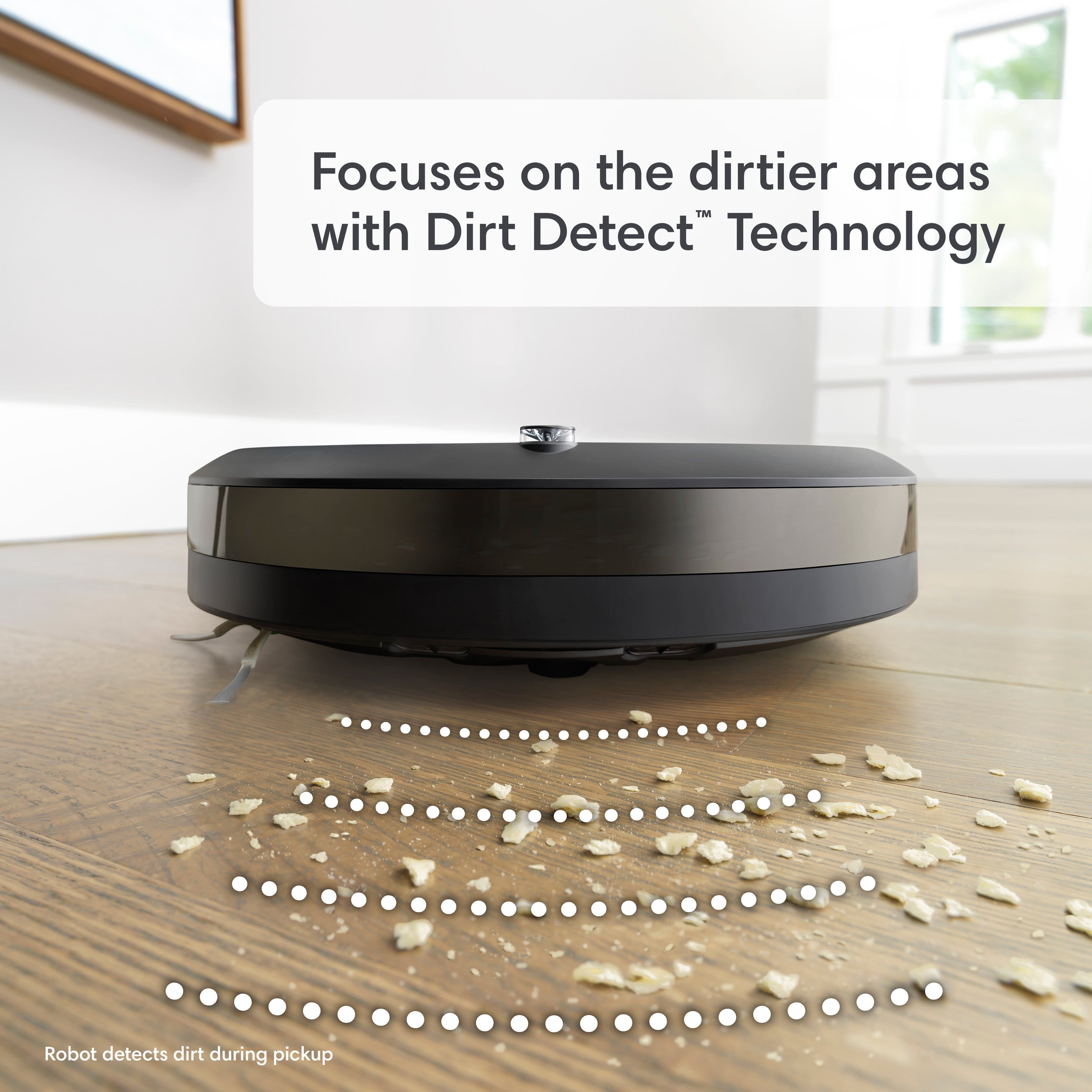
Customers are pleased with the Roomba Combo i5+'s cleaning performance and ease of use. Many appreciate the convenience of the self-emptying feature and its ability to remove hair effectively. However, some customers have expressed concerns regarding its navigation capabilities, noise level, and mapping functionality. Additionally, a few users have reported connectivity issues with the app.
This summary was generated by AI based on customer reviews.
Terrible
||Posted . Owned for 1 month when reviewed.This reviewer received promo considerations or sweepstakes entry for writing a review.Terrible.. didn’t even vacuum up anything. Just pushed everything all over the floor
No, I would not recommend this to a friendBrand response from iRobot Team
Posted .We appreciate you taking the time to provide feedback on the Roomba Combo i5+. We're sorry to hear about the difficulties you are experiencing. To resolve this, we would suggest performing the steps from the following article: https://homesupport.irobot.com/s/article/19596 . If the issue continues, please reach out to https://homesupport.irobot.com/s/contact-support-info, so we may properly diagnose your issue.

Horrible
||Posted . Owned for 7 months when reviewed.This reviewer received promo considerations or sweepstakes entry for writing a review.Horrible not working and keep getting error. Don’t waste your money
No, I would not recommend this to a friendBrand response from iRobot Team
Posted .We appreciate you taking the time to provide feedback on the Roomba Combo i5+. We're sorry to hear about the difficulties you are experiencing. Please reach out to https://homesupport.irobot.com/s/contact-support-info, so we may properly diagnose your issue.
- Pros mentioned:Self-emptying featureCons mentioned:Mapping, Navigation

Not my favorite Roomba
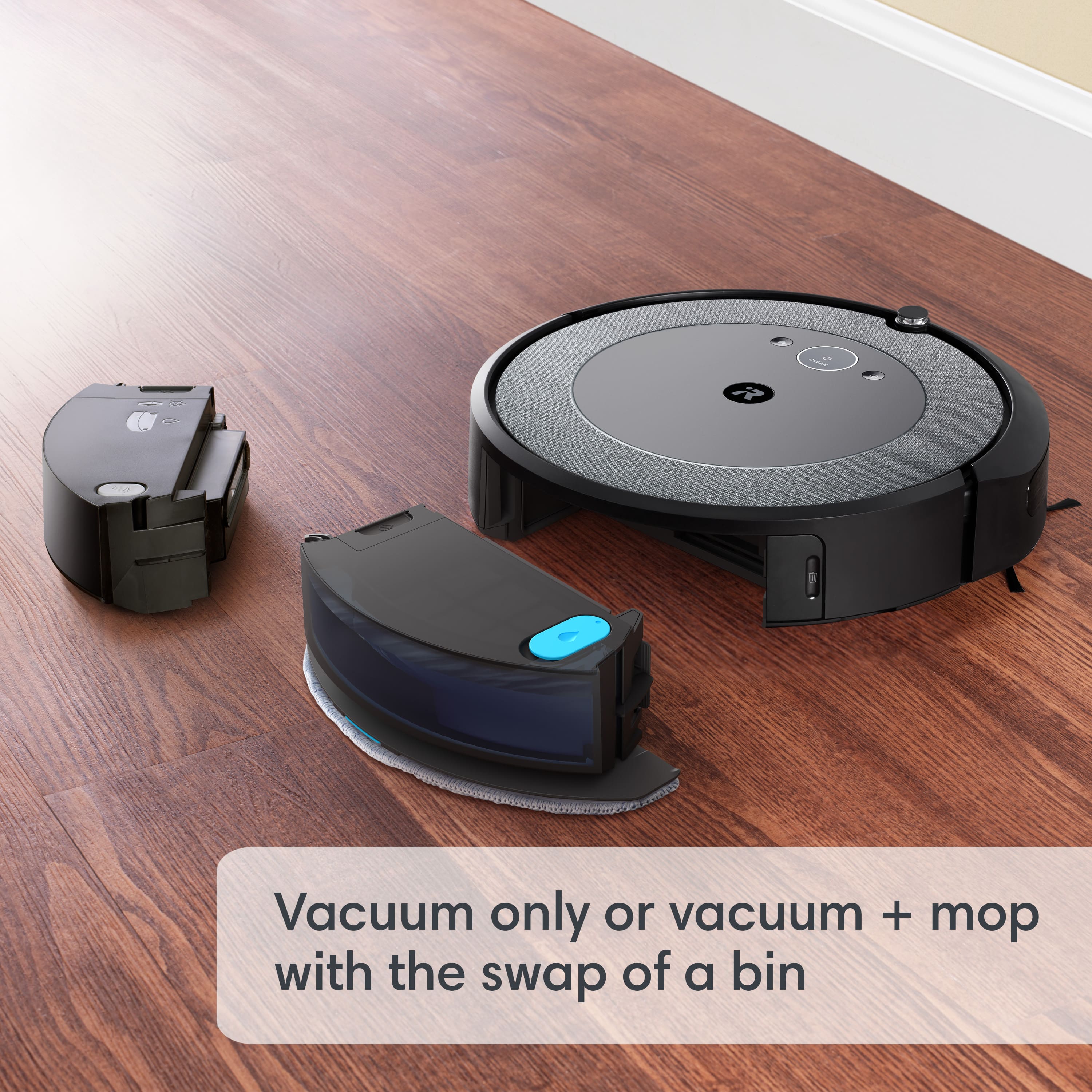
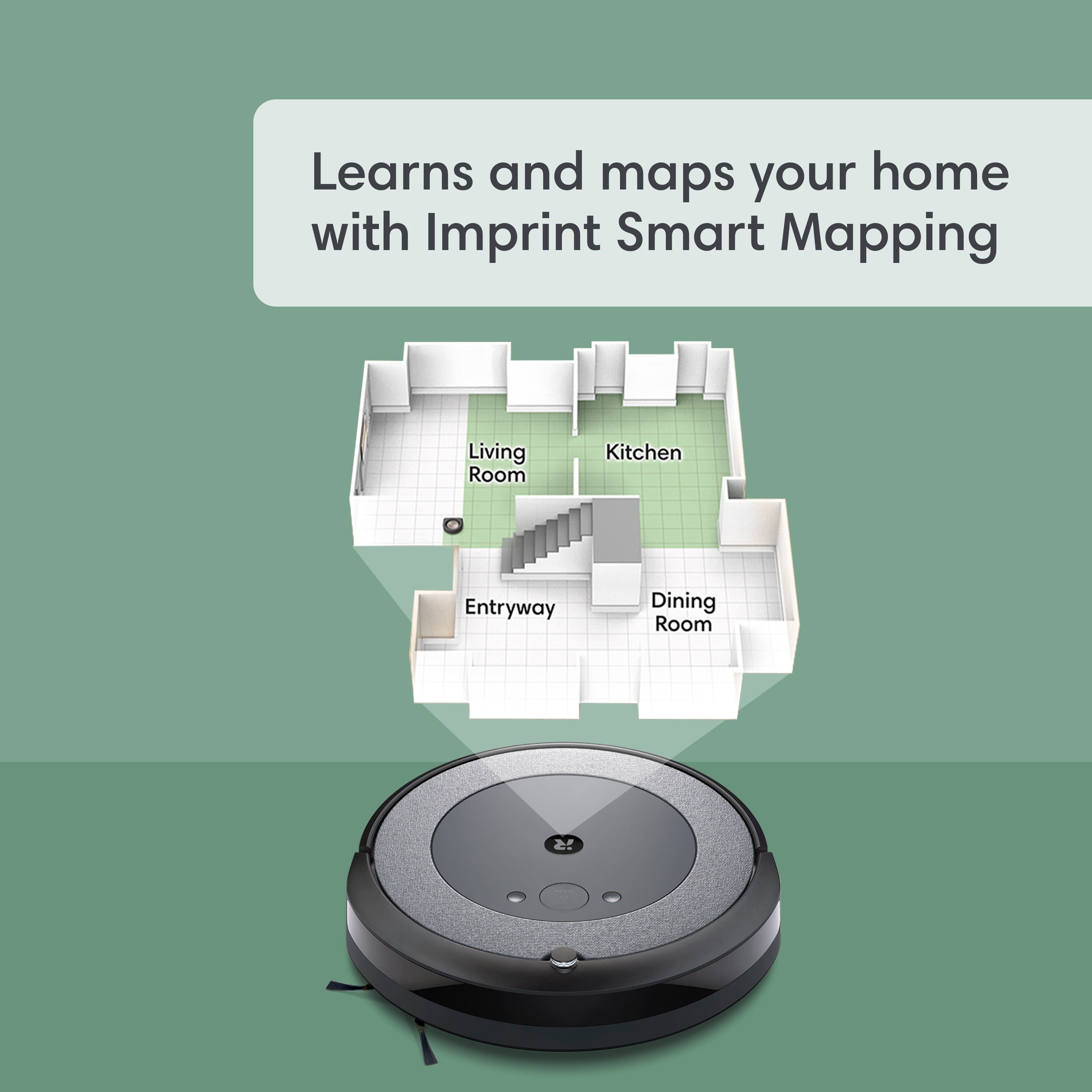
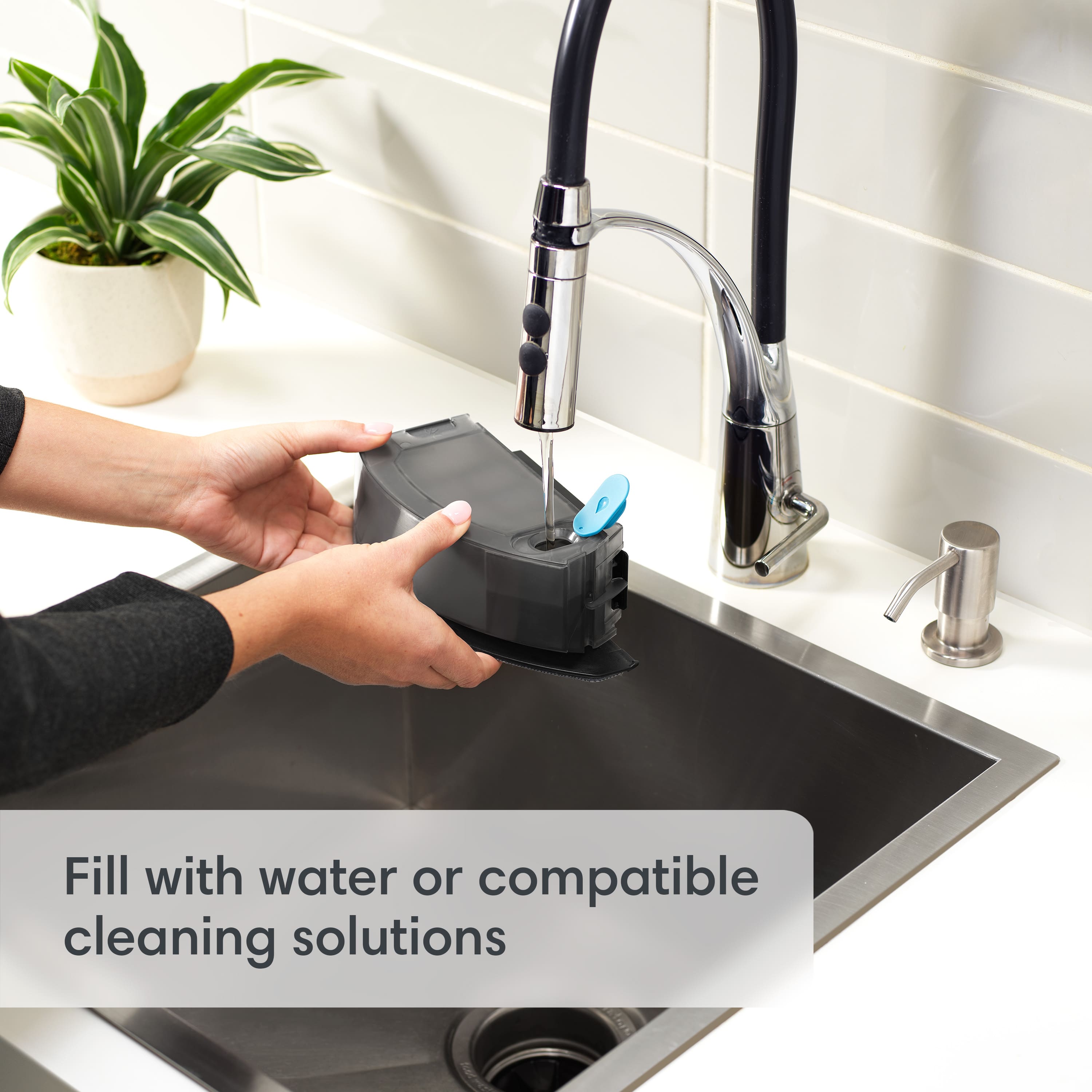
|Posted .This reviewer received promo considerations or sweepstakes entry for writing a review.This is not my first iRobot Roomba. With that being said, I have some pretty high expectations for products made by iRobot. As much as it pains me to say this, I personally feel like the Roomba Combo i5+ falls short of my expectations. As a vacuum, it does okay. It has great suction and does a decent job of cleaning carpet and hard floors. I've never been of the belief that a robot vacuum will replace a standard upright vacuum. It leaves nice vacuum lines across carpets. It also empties itself at its charging station which is a plus. That's really all I have to say about it that I like. The mapping run that starts off appeared to be very disorganized in the way it mapped my house. The end result was a map that had all sorts of wierd angles and no discernable order. Next, the vacuum doesn't seem to be very intelligent about taking the smartest route to the rooms it is sent to clean. Sometimes it goes through unnecessary areas to get to its destination. It is advertised as having obstacle avoidance, but to me it still seems to want to run over obstacles such as kid's toys and other items. I do not like the combo bin that picks up dirt and mops. I had issues with it out of the box. It says to run a mapping cycle and a cleaning cycle prior to using the combo bin, which I did. The combo bin came with no obvious instructions. When I put the combo bin on the Roomba, after adding water, the vacuum base station still attempted to empty the dirt bin. Instead of sensing the new combo bin automatically, it was like the Roomba didn't know the combo bin was attached initially. This sucked water into the dirt collection bag and cause an error. Finally, I found a QR code on the top of the combo bin. I scanned it and suddenly I was taken to a page to set up the combo bin. There was no indication that this is what I needed to do in the first place. After cleaning up the mess and setting up the combo bin, I let the vacuum try a mop cycle. I wasn't impressed. The mopping it does was not very thorough. Also, I sent it to clean one room marked on the map, but it ventured into a bedroom with carpet and attempted to sweep and mop the carpet in a small area. I shouldn't have to block off carpeted areas and close doors when areas are explicitly marked on the map for cleaning. The microfiber pad seems to become wet by gravity feeding the water or solution to the pad. This is inconsistent in liquid delivery so the floor has dry spots left where the vacuum cleaner doesn't mop. I don't feel like this product represents the true quality of iRobot, therefore, I do not recommend getting this model.
No, I would not recommend this to a friend More work than a manual vaccum/mop
||Posted . Owned for 2 months when reviewed.This reviewer received promo considerations or sweepstakes entry for writing a review.You end up cleaning this device so often due to cheap parts to accommodate the low price tag. Then end up dealing with poor customer service, do not buy this.
No, I would not recommend this to a friendNot worth it.
||Posted . Owned for 1 week when reviewed.This reviewer received promo considerations or sweepstakes entry for writing a review.Expensive for no reason. Mop feature is a pi** poor option.
No, I would not recommend this to a friendBrand response from iRobot Team
Posted .We appreciate you taking the time to provide feedback on the Roomba Comboi5+. We're sorry to hear about the difficulties you are experiencing. Please reach out to https://homesupport.irobot.com/s/contact-support-info, so we may properly diagnose your issue.
suction is horrible!
||Posted . Owned for 2 months when reviewed.This reviewer received promo considerations or sweepstakes entry for writing a review.it is no vacuum. it just pushes the dirt around. has more hangups than full vacuum finishing. christmas gift so could not return.
No, I would not recommend this to a friendNot a good vacuum
||Posted . Owned for 1 month when reviewed.This reviewer received promo considerations or sweepstakes entry for writing a review.Vacuum does not clean the whole house. Only go to one side even if I change the base from one size to the other.
No, I would not recommend this to a friendDamaged my carpet
||Posted . Owned for 4 months when reviewed.This reviewer received promo considerations or sweepstakes entry for writing a review.Their support said it’s not compatible with most carpets. Be aware. My carpet has holes
No, I would not recommend this to a friend- Pros mentioned:Cleaning performanceCons mentioned:Mapping
Good Vacuum Performance, Bad Documentation, Quirky
|Posted .This reviewer received promo considerations or sweepstakes entry for writing a review.Summary: This is my third robot vacuum. The others are from two other manufacturers so I am familiar with how robot vacs should work. With Roomba's name, and the cost of this machine, I expected a 5 star performer. Instead this device has left this engineer puzzled. It does indeed vacuum well, and if I was considering only that, I could give it 5 stars (once you get it set up and floor mapped). But it falls short in other areas. Rationale: - A small Quick Start Guide (QSG) was provided in the box, but its information was almost laughable. It had only six steps: get ready, position the unit, plug in, wake the unit up, download the app using a QR code and a link to the Owners Guide (OG). At least they provided a link. A full featured users manual/ OG is normally my "go to" in order to learn device functions (even in PDF form). But the OG for this is simply lacking in detail to say the least (more below). - Getting the unit powered up and running was simple, but floor mapping proved frustrating. Given what I read in on line forums, I know I am not the only one who found this challenging. The OG did not explain this most important step. In fact, it barely even mentioned it. I unsuccessfully tried to map a number of times so I searched on line for more information. I finally found some info in a link on the iRobot site and there was some info in the app. It wasn't great info, but it helped me solve the puzzle: Mapping needs to be done with the room lights on - even in daylight conditions. This would have been very easy to state in either the QSG or the OG (ideally both). I found it was also helpful to position the base on a longer straight wall than what the QSG states. It took three locations for it to map successfully. After I did that, I was able to get a decent map although it took a many hours. I was easily able to name rooms and divide them (or remove weird dividers in my case) using the app pretty easily so that was good. - After mapping, the first vacuum went well and, even though we keep our carpets clean, the unit did suck up dirt and pet hair well. The large bin that sucks the dirt from the robot is indeed excellent (this is the first robot vac we own with this great feature). - Initially, I was not able to vacuum a specific room "on demand" as opposed to vacuuming the entire floor. The option to vacuum a specific room do so was grayed out in the app. I was able to get around this: I set up a schedule for that specific room. Only after I ran that schedule (which was easy to set up) was I able to specify a room to be vacuumed on demand. Quirky to say the least. - Mopping did not go well. There is only one page regarding mapping in the OG and it is insufficient. The help on the app is not sufficient either for reasons I will explain. I searched on line for more help and came across forums where warnings were prevalent about mopping. In many cases, the water/solution would get sucked into the bin causing a great mess because the unit was not properly registered. Therefore I made sure the unit was properly registered using the app and QR code that came on the QSG. I replaced the dust bin with the combo bin after I filled the combo bin up halfway with water. But when I looked on the app to start the robot, I received the following error message ○ "Unable to start. Dust bin may be full. Please empty the bin and clean its sensor to obtain optimal performance." I tried multiple times and still received the same message so I called customer service. They gave me some suggestions (e.g. shake the combo bin, reboot) but those were of no help. As I was on hold while they were escalating my issue, I noticed a faint QR code printed on the combo bin. This was not very prominent becausel it is small and light gray on a charcoal colored bin, but I decided to scan it into my phone. It took me through the same registration process as I did before using the QR code on the QSG. Eureka! It worked and I was able finally able to start mopping! Why in the world isn't this documented?!!? And why wouldn't the registration from the QR code on the QSG take care of this?! - After finally getting the mopping function to work I went to try to mop my rooms with hard floors. But a FAQ buried on the web site says that "carpets should be rolled up or removed from the room to keep them clean and dry" because "When the Roomba Combo Bin is being used, the Roomba i5/+ will always vacuum and mop simultaneously." So ok, if you dig deep, you will know this ahead of purchase. For my use, I need to keep the base in a carpeted room. Instead, I tried to mop by picking the unit up and placing it on my hard floor. But you cannot start a mop if the unit is not in the base (the rep confirmed this). I tried something else instead - pressing the spot clean button while the robot was on my hard floor. But it appears the robot only vacuums in this mode. And it would not do my entire elongated bathroom in the spot clean mode since moves in concentric circles and the room geometry would not allow the spot clean to do the my entire room. I understand from the customer service rep that more expensive models in the iRobot line will accommodate carpets better in mopping mode; therefore, you may want to explore those if mopping is important to you. But once again - this information should be included in the OG! And for this MSRP, I would expect better. - One last note about the combo bin - when I filled it with water and turned it over in the orientation it would be if it was installed in the robot, drops of water leaked through the wick caps. I do not know if this is normal, but it doesn’t seem that it should be. It soaked the mopping pad before I even got started. I would not want this wet pad going across my carpet so use it carefully. On a good note - it is easy to swap out the combo bin with the "dry" dust bin used only for vacuuming. - I give iRobot kudos for prominently providing their customer service phone number on their web site and also generous weekend hours. However, the nice reps I talked to about the problem should have easily known about my mopping issue and the QR code. I bet they do not because it is not documented! Bottom line: If I was rating this solely on the vacuuming performance, I could give it 5 stars. And perhaps I would consider purchasing a Roomba solely for vacuuming (or perhaps one of their higher end models that accommodates carpets while mopping). But considering the frustrating mapping, horrible documentation, not being able to mop for my application, and given the significant MSRP, I have to give this a three. There are other units that would vacuum similarly to this for less money.
No, I would not recommend this to a friend roomba
||Posted . Owned for 2 weeks when reviewed.This reviewer received promo considerations or sweepstakes entry for writing a review.gets stuck in area rugs and doesn’t meet expectations
No, I would not recommend this to a friendMop part not my favorite
||Posted . Owned for 3 weeks when reviewed.This reviewer received promo considerations or sweepstakes entry for writing a review.Mops sucks dont work well on ceraminc floors . Leave a residue behind.
No, I would not recommend this to a friendReview
||Posted . Owned for 1 month when reviewed.This reviewer received promo considerations or sweepstakes entry for writing a review.Keeps logging out the bristle r breaking already I think this item is not worth the money
No, I would not recommend this to a friend- Cons mentioned:Navigation, Noise level
Good robot vacuum, almost great!
|Posted .This reviewer received promo considerations or sweepstakes entry for writing a review.This is now my third iRobot Roomba over the years, and my second one was an upgrade over the first in terms of features. Despite this being the newer model, it's lacks one of the simple features I loved on the last one. That was the ability to go on the map and designate areas at "No Go". I tried to use room dividers to replicate that feature but it doesn't really work. That's the only reason I took a star off. If they bring that back in a firmware update, this is 5 stars. Overall, it does a good job cleaning and this is my first Roomba with the self emptying bin, so I absolutely love that feature! We have a golden retriever so the robot runs daily and it was always slightly frustrating to have to empty the bin every single day. Once this runs it's cycle, it goes back to the dock, there's about 5 seconds of a really loud noise, and that's it, bin empty. I've done a few spot checks on it and it gets the bin spotless. So it may be loud for a few seconds, but it's working. The mop feature is nice, but kind of half baked on this model. Higher models have a robotic arm that deploys for mopping and can do both things at once. I don't expect that here with a more modest price point, and it's nice that iRobot was able to find a solution that fits more budgets. But I go back to the "no go" zones and inability to keep the robot out of certain places. I can tell it to just mop the kitchen, but I can't stop it from going over air vents or near the dog bowl. It does a decent job but I don't know that it's something we'll use often due to the setup/takedown time. I would recommend this to anyone that has more basic needs for vacuuming with the self emptying option for ease of use. If you're looking for one that can self mop, navigate around obstacles, and be virtually autonomous, there are more expensive models that will fill that need. The iRobot brand is the standard for robot vacuums, so you won't be disappointed no matter which one you get.
I would recommend this to a friend - Cons mentioned:Mapping, Navigation
Nice entry-level robotic vacuum!
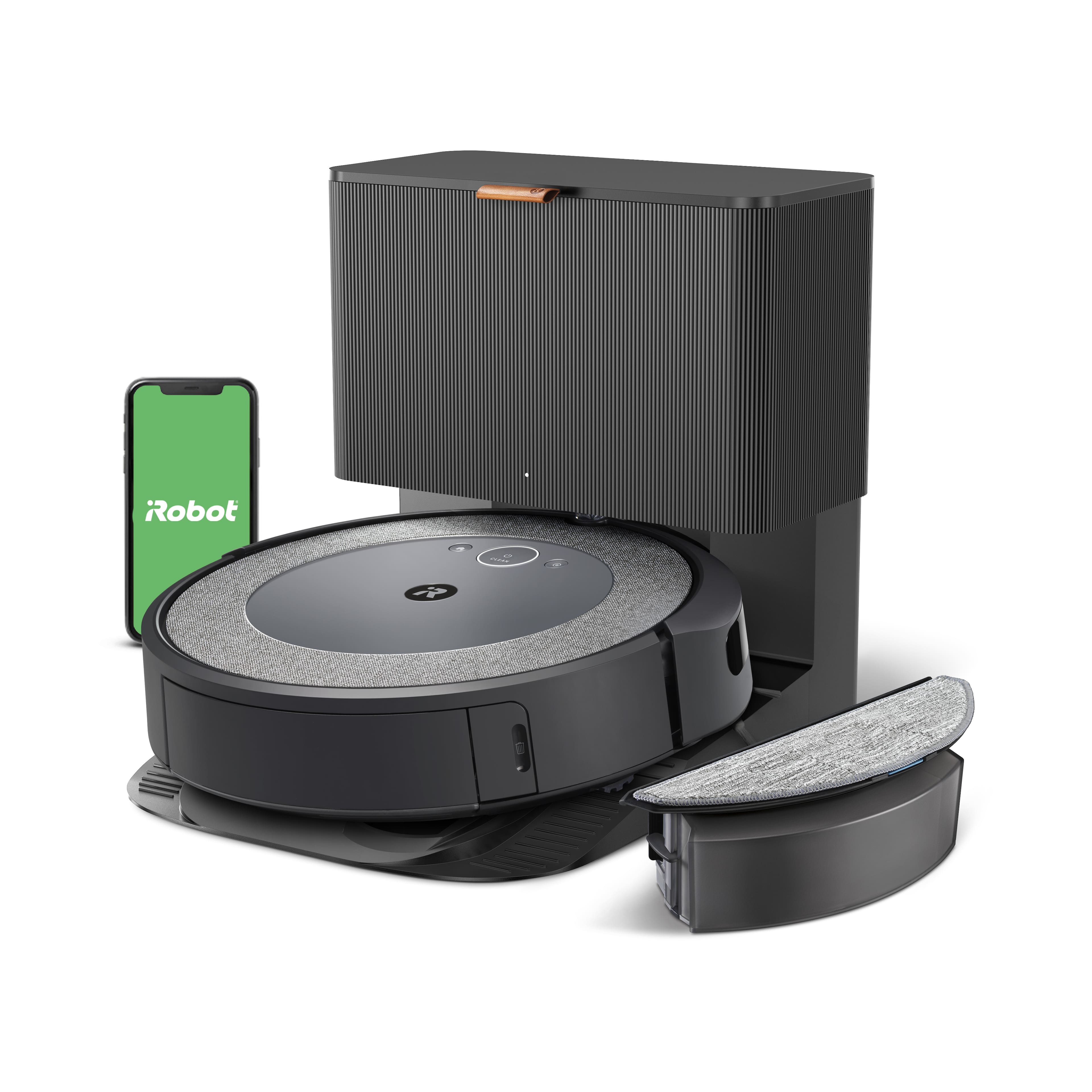
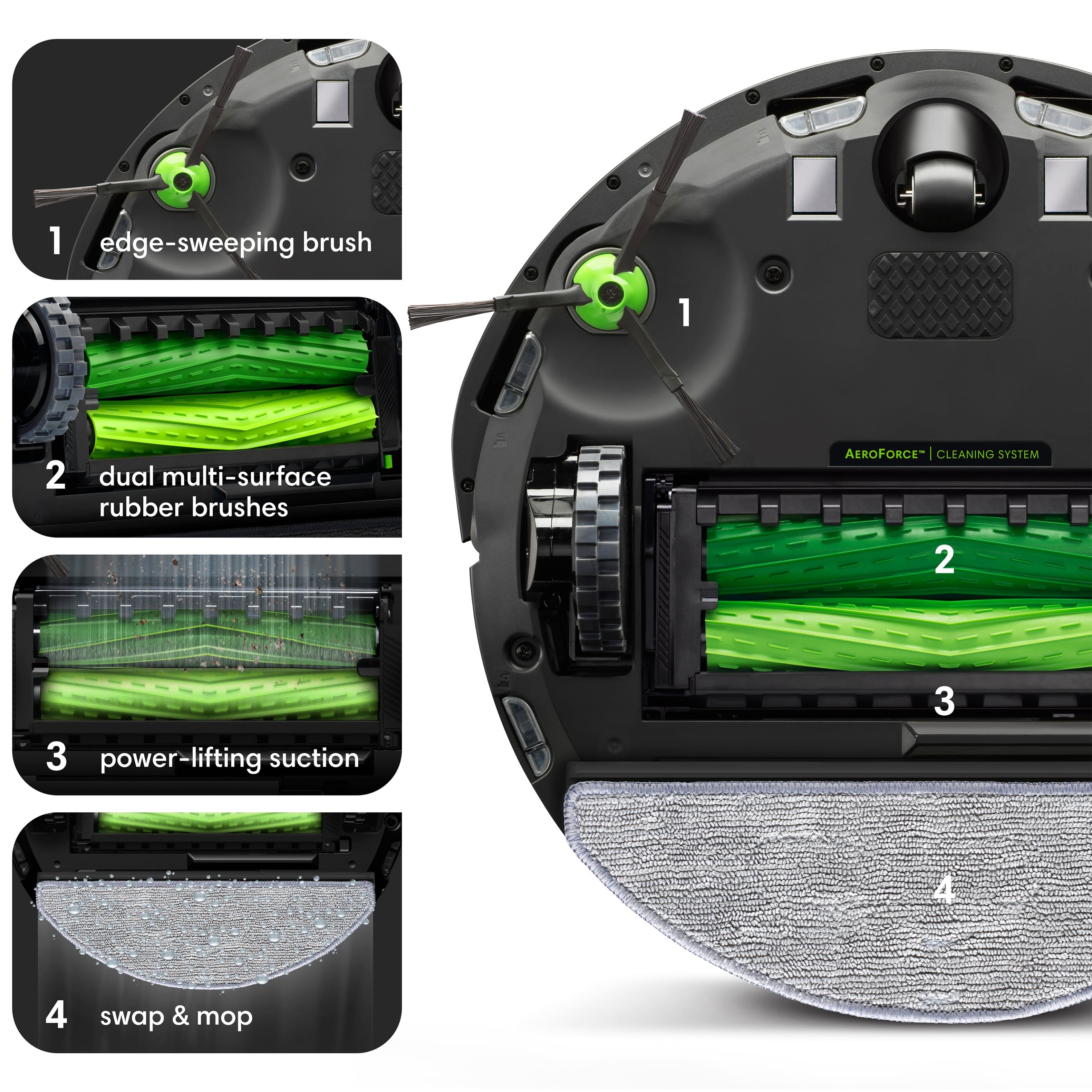
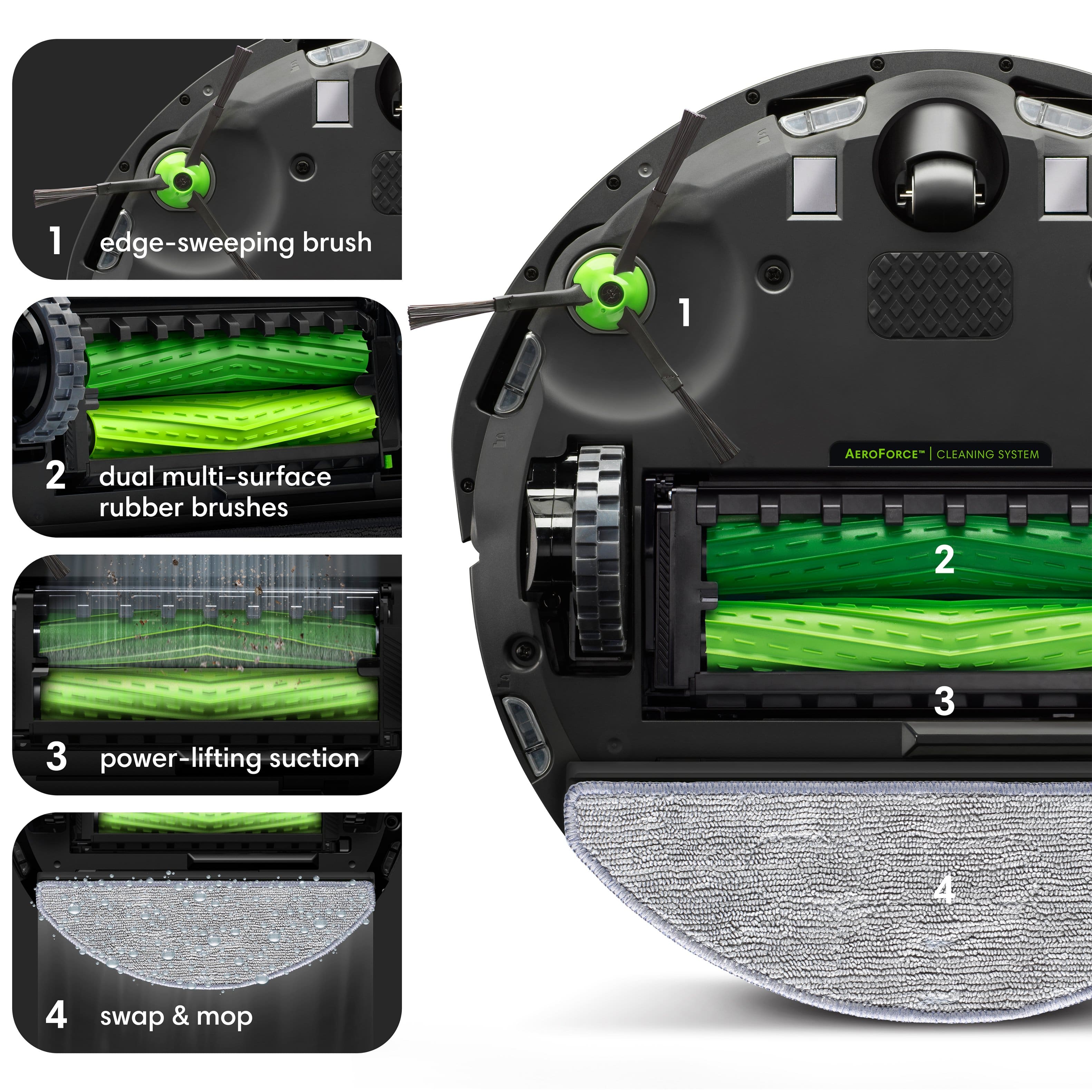
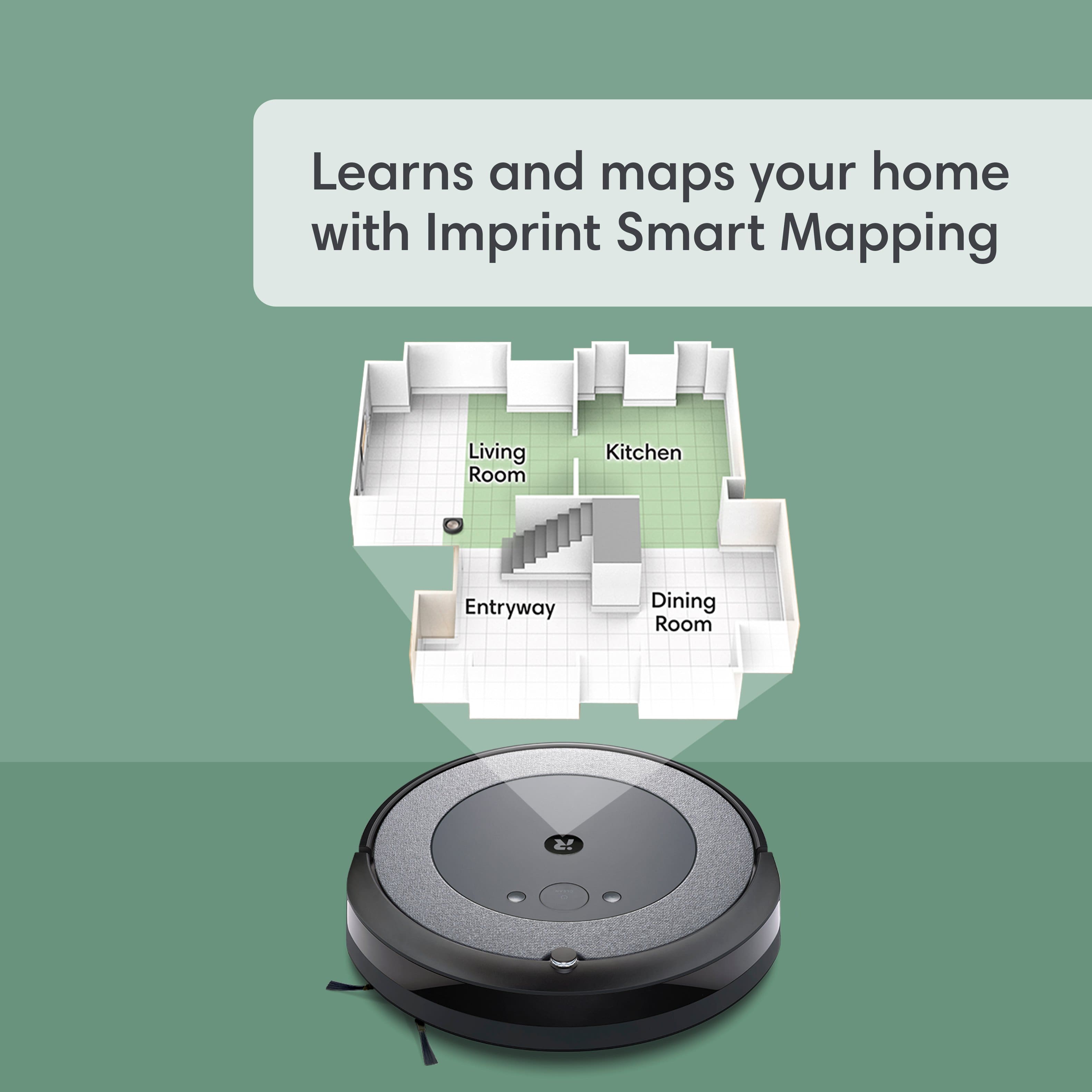
|Posted .This reviewer received promo considerations or sweepstakes entry for writing a review.We have used an iRobot Roomba 980 model for the past 7 years (which was their top-of-the-line model at that time) and another robotic vacuum brand for the last 3 years. Having more than one is pretty much essential with a 2-story house with 3 cats. The 980 still works pretty well, but the battery is aging and even though we use that one upstairs, it doesn't quite last long enough to complete with one charge. Along with the fact that it doesn't have a self-emptying dust bin feature (have to be sure to make it upstairs to manually empty it before if finishes recharging) it makes it pretty much impossible to run it on a schedule or while we are not home (the other one we have does auto-empty). So, we decided to get the Roomba Combo i5+ for upstairs. The first thing I noticed is that when both the i5+ and the 980 are flipped over, the main underside design really hasn't changed over the last 7 years. It has the central rubber pickup rollers around the suction opening, along with the single spinning sweeper brushes on the front right side. The Roomba i5+ is one of their new/current entry level series (the i5 is the same vacuum but doesn't have the base with the self-emptying tower). With it being the entry level, it does have a few features missing compared to the next few levels but does still is a vacuum/mop combo unit, although the mopping functionality is less advanced than the higher levels (such not being able to tell it where to not to mop). Getting it set up in the iRobot app is mostly simple. One thing to be aware of is to make sure the phone/device being used to set it up is connected to a 2.4GHz wireless network. Even though it seems like it is successfully connecting to a 5GHz wireless network, it will not finish getting set up. Once it is configured in the app, it can get its own name and it is ready to go! As with what we have experienced, it does a pretty good job of cleaning. Does it get everything, not quite (but neither do our other two), but still not that bad of a job. One thing our older ones have a problem with is a little thicker rug in the family room where most of the time, it can't maneuver its way onto it. The i5+ got on it right away, and then later when it had problems getting back on it, it had a better way to try to get back on it. We haven't used the mopping feature during the initial testing as our wood floors weren't exactly installed the best (too many gaps and try to keep excess liquids from getting in) and there is a fairly long distance to get to the tile floored kitchen (it pretty much starts mopping from the start). Plus, won't be using it once it is moved upstairs. To use the mopping feature, the dust bin will be swapped out with the mopping water/solution bin, which also contains mopping "foot" and pad. With the I5+ being entry level, that also means it doesn't have the same camera/LIDAR system for mapping and object avoidance (that is one feature we miss from the 980). It relies on its bumpers to find walls and other objects the hard way. After the first time through the house, it had plenty of scuff marks (almost as bad as the older ones). One thing the i5+ has on our 980 is the mapping. In the iRobot app, it can create a map by sending it on a mapping run, or by just executing a Vacuum Everywhere. After the initial map is created, it will automatically try to determine break points to create separate rooms. These can of course be edited in the app. With this being our first time to use the mapping in the iRobot app, I will say I was a little disappointed with the editing, especially compared to the mapping with our other brand. To edit the room dividers, it was a little awkward and somewhat difficult to get it to exactly how and where I wanted them. Instead of having endpoints to tap and drag to where they should go, you have to rotate the divider to the desired angle, then move the map under it to get it placed correctly. Executing the rotating motion doesn't exactly work the best and can take a few times to get it started. And, since it doesn't have the camera/LIDAR detections, the map itself isn't quite the most accurate, although it is close, which was making it a little harder to get the room dividers in the right place (so I could set up a specific room vacuuming routine). This was made more evident when I finally ran that routine, and it kept going partway into areas I hadn't intended it to. One other thing, which I'm not sure if it is available with the higher levels, is that it doesn't display a live map in the app as it is vacuuming (showing where it is at). It will at least (after the initial map is created and the room labels have been set) tell you what room it is in and what it is doing at that time (Vacuuming this room, Traveling to this room, etc.). After it is done cleaning (or going back to recharge before continuing the job), it makes its way to the base, then it empties the dust bin, which is the base running an high-power vacuum. Is it a quiet process, not really, but we were already used to it. One thing we noticed is that after the first empty process, if it detects that the bin isn't fully empty, it will run it again. The base comes with two bag, one in a storage area, and one installed. Unfortunately with ours, the installed one wasn't installed correctly, so it didn't empty the first time we ran it, and we couldn't tell why. The next time I opened the app, it did finally show that the bag wasn't installed. After looking, the bottom part of the plastic card hadn't made it into the detection slot. After getting it in there, it started working properly. When trying the "Clean specific room routine" it did act a little awkwardly (which we have always done somewhat with the others). It went to clean one area, then the next area, and while in that area, it went back to the first area for a few seconds, then went back to finish. If you are looking for a pretty good robotic vacuum with basic functionality and the ability to mop at the same time, this is a nice choice. Be sure to go to the iRobot website and "Compare Products" to make sure you do get the best model for your home.
I would recommend this to a friend - Pros mentioned:Cleaning performance, Ease of use
Completely useless mop, good vacuum
|Posted .This reviewer received promo considerations or sweepstakes entry for writing a review.The iRobot Roomba Combo i5 Robot Vacuum and Mop in Woven Neutral offers a mixed experience. As a vacuum, it's a standout performer, easily earning a 5-star rating. It efficiently picks up pet hair and debris, leaving floors impeccably clean. The initial setup, while a bit tricky with the app, eventually led to a smooth operation. The mapping feature is a cool addition, allowing for targeted cleaning in specific zones, a major plus. However, the mop function falls short of expectations. The limited liquid capacity leads to incomplete coverage, leaving much to be desired. Even with different cleaning solutions, streaking remains an issue. It seems the design lacks the necessary weight to effectively mop, rendering this feature less than satisfactory. The build quality is commendable, with sturdy components and a durable fabric ring. The Woven Neutral design adds a touch of style, though the glossy front plastic tends to attract dust and smudges, marring its appearance. The setup process was a source of frustration. The app dependency, coupled with mandatory account creation and policy agreements, hindered an otherwise seamless experience. The need for a firmware update, with a potential 24-hour wait time, was a surprising and inconvenient delay. Object sensing could use improvement. The Roomba tends to bump into obstacles, occasionally missing spots in the process. Additionally, its performance on rugs and mats leaves something to be desired, and the whipper brush can scatter crumbs on hard surfaces. In terms of battery life, for larger areas exceeding 600 sq. ft., multiple passes may be necessary. This compromises efficiency, as interruptions from pets or kids, coupled with charging time, counteract the automation's time-saving potential. In conclusion, the iRobot Roomba Combo i5 shows promise as a vacuum but falls short as a mop. Design decisions, both in hardware and software, leave room for improvement. While I can recommend it as a vacuum, particularly for pet owners, the overall experience warrants hesitation, especially at its retail price. Comparing this product to the Shark vacuum I used before, I wasn’t impressed at all and won’t continue to use this over the Shark.
No, I would not recommend this to a friend - Cons mentioned:Noise level
Noisy, not up to snuff with past Roomba experience
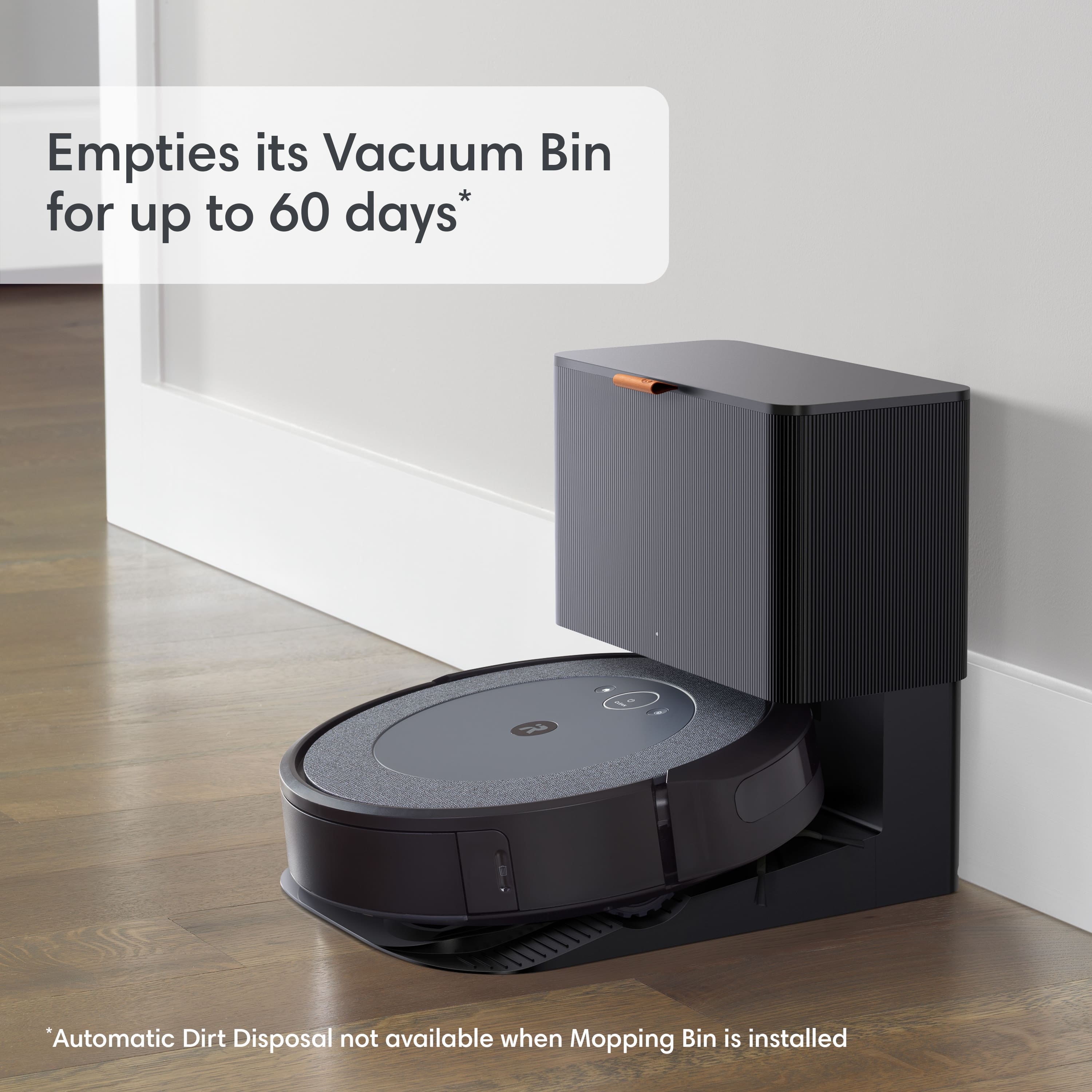
|Posted .This reviewer received promo considerations or sweepstakes entry for writing a review.Review for iRobot Roomba Combo i5+ Self-Emptying Robot Vacuum & Mop - Woven Neutral My very first robot vacuum was a Roomba and I remember being so happy that it did the drudge work of vacuuming for me that I really didn’t mind its random wandering or the fuss of cleaning it. But that was almost five years ago, and I’ve tried a number of different robot vacuums from Roomba and other makers during those years. I’ve been impressed with the improvements in mapping, ease of cleaning, and general progress in making these devices more effective and, at the same time, quieter and easy to care for. That’s why I was so excited to get this new Roomba that was self-emptying and was even able to damp mop floors. Unboxing and setup was quick and easy. I was ready to map out my main floor in minutes. The resulting map was disappointing. I have a pretty open main floor with a front living room, a center kitchen and dining room, and a rear great room. Whereas I can say that it’s easy to think of some of the spaces as free-flowing, the mapping software thought I had eight rooms! I had to spend some time combining and reorganizing the map. I found the map editing features to be clumsy and difficult to use, but eventually made a useful map that both I and the Roomba could understand. After recharging, I sent it on its way, and it did a very good job of vacuuming. I was disappointed at how loud it was. In fact, I stopped it twice to see if something was stuck in it or had come loose. I really didn’t think it sounded right! My old Roomba had become noisy with age, so I was looking forward to a new, quieter experience, but it was almost as loud. I’ve seen some complaints about the sound level of the self-emptying feature, which is a momentary “whooshing” sound as the base unit sucks debris from the robot, but I’m ok with that! It’s short and sounds very thorough. Ninety minutes of constant droning is really too much. I’ve convinced myself that the noise is the result of superior vacuuming and set the schedule to clean when I don’t have to listen to it. I do have some positive things to say. The self emptying feature is great! I have dust allergies, so cleaning and emptying my old Roomba was always a problem. Not only am I freed from daily emptying, but the base unit uses disposable bags that seal themselves shut when you remove them. So much less dust to be breathing! Each bag can last up to 60 days (with the disclaimer that 30 days may be more typical if you have pets). Sadly, my final comment is in regard to the mopping feature. It’s difficult to use, and not very effective. If you have carpeted areas you have to direct it to specific bare floor areas where it, unfortunately, doesn’t do a very good job. As a time-saving device, it’s just more work than it’s worth.
No, I would not recommend this to a friend - Pros mentioned:Cleaning performance
It works great!
|Posted .This reviewer received promo considerations or sweepstakes entry for writing a review.I was so happy to get the IRobot i5 combo. I can vacuum or mop all while doing something else. The very first thing I noticed is how well the item was packaged. The next thing I noticed is that the unit comes assembled and ready to go. My third observation was a quick start guide was included but not an actual operating manual. After a bit of searching on the iRobot site I found a manual. The model I have is self-emptying (love that) but of course you have to wonder what it empties into. A simple lift of the lid on the charging station and you’ll find a vacuum style bag already attached and a spot for an extra bag that of course was included. Next comes the app installation. Simply scan the QR code and it takes you to the app to be installed. What was really nice is the app just found my internet and went ahead and connected the iRobot. I just had to remember my internet password. Next the app runs through a few screens explaining how it works and on the last screen it updates the app. For me that update took over an hour and was still in progress when I simply closed the window. I pushed the iRobot off its home station and pressed the clean button. It went to town and went up and down the hallway cleaning pretty well. I have hardwood floors with lots of rugs, not very thick rugs. The iRobot maneuvered from floor to rug quite easily. It did seem to miss the dirt on the floor next the rugs edge but wait! Give it a little time as it goes back and forth over the same area it eventually gets those bits of dirt. It moves about wherever it can go including right up to the sleeping dog. She was not impressed! I was ready for it to finish so I directed it home by putting my foot in front of it anytime it tried to go somewhere besides to the base unit. It went home and immediately emptied the unit. I didn’t have to do anything, outstanding! The app allows you to create “rooms” and then you can schedule them to clean. Yes, that’s right the iRobot can clean floors while you sleep. Love that. I expect I’ll spend a few weeks setting up “rooms” and a schedule, but I think it will be well worth it. Definitely recommend this iRobot!
I would recommend this to a friend - Pros mentioned:Cleaning performanceCons mentioned:Noise level
Get ready to be disgusted. (At how bad you clean)
|Posted .This reviewer received promo considerations or sweepstakes entry for writing a review.You don’t realize how much you need a robot vacuum until you have one. I have been using the Roomba for about a week now and man when I tell you I’m disgusted and happy at the same time that’s an understatement. I wanna start with saying I have a dog. A hypoallergenic but still a dog. The set up was very easy. You unbox it, plug it in, register it and you’re off. You will set it to go map out your house/ areas you want it to find and it will create a map of your house. From there you can create lines/ area blocks for the house on where you want it to go. You can name them and create a schedule per room and location. Seems hard but it is very intuitive in the app. When it comes to the cleaning aspect it does a great job with cleaning my tile and hardwood floors. My rugs it does okay. Though I have a white dog and low pile rug. After a few passes and with maintenance it does a good job. But man when I tell you I swept and cleaned before I vacuumed and still found tons of dirt is an understatement. This thing is a miracle worker when it comes to dirt. Makes me happy but disgusted. It gets under areas you forget about and gives a real clean feeling. The base looks really nice and robust. It is pretty loud when it cleans so I wouldn’t recommend cleaning at 4am and have it wake you up with the turbine engine. The one thing I wish is that it wasn’t a disposable bag that hold the dirt but a reusable container that you can empty. Other than that it is very well built and sturdy. The one issue you will have is you need to make sure nothing gets kicked under your table or around your couch because the vacuum will find it and it will get clogged or stuck in the brushes. It happened about few times where a cable got stuck and a bigger chunk of card board gets caught and it stops to tell you to clear it. So be mindful and maybe start the cleaning an hour before you leave for the day just in case it gets itself into trouble. Other than that you are ready to go! Have fun and get ready to be shocked at how bad you clean.
I would recommend this to a friend - Cons mentioned:Noise level
Great product!
|Posted .This reviewer received promo considerations or sweepstakes entry for writing a review.First impressions - Really was excited to see this in action. Setup literally took few minutes and all good to go. These robots save me hours of time and get the job done better because they are relentless. Suction is not very strong, but enough for a good weekly cleaning. I wipe after and I don't see any dirt. Mapping easy to do. The only "problem" is the noise to empty it at the end of the task. I typically run the Roomba when I'm at home (the noise is almost like a loud dishwasher? very manageable!) does a great job on carpet but kind of rummaging up the carpet for a deeper clean; seems super effective, but also just kind of looks nice so you can see where he's run through already where he hasn't. The self empty 100% sounds like a jet taking off. It isn’t so loud that it affects me in my home office two rooms away, but it is in our den and it is definitely “pause the tv” loud in the den. However the self emptying process takes maybe about ten seconds so is very easy to work around. I can not speak highly enough about how this little addition to our family has improved our life.
I would recommend this to a friend - Pros mentioned:Ease of use
Easy way to keep your home clean!
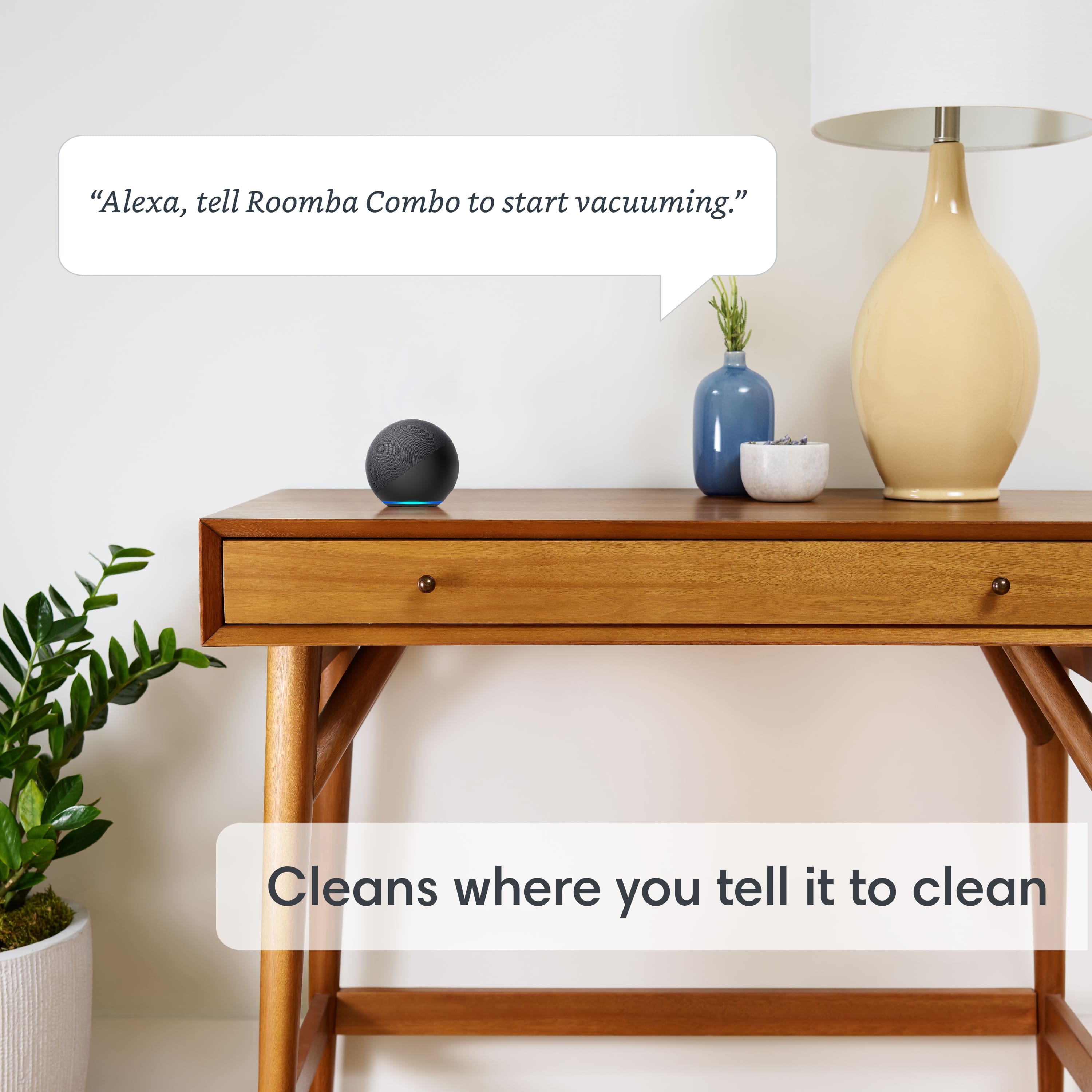
|Posted .This reviewer received promo considerations or sweepstakes entry for writing a review.This generation of iRobot is simply amazing. Setup is easy and only takes a few minutes with the iRobot app on your phone or tablet. There you can also connect it to Google Home or Alexa and control it with your voice so you don't even need the app once you have completely set it up and customized the jobs to your home. From there you simply just speak what you want it to do and then you don't need the app unless you need to update it or perform maintenance. There are several things I can say about this machine that make it stand out above the rest. The first is the self-emptying capability and the second is the mopping ability. To give the machine the ability to vacuum and mop hard floors, you simply change out the bin to a special vacuum/mop bin and it'll do both when you set it up to do both. One thing to remember is that if you have carpets you'll need to change the bins to vacuum only so that it doesn't try to wet mop your carpet and once your rooms are set it should adapt to either vacuum or mop according to what bin is on it and how you have rooms setup on the app. This machine is pretty clever, it learns the layout of your house when you first set it up, so it knows where furniture is, where different floors and rooms are so that you can customize the jobs to each area/room with the app. It also learns and adapts when things appear in it's path and I must say that they have updated intelligence on it so that it recognizes certain things to avoid them like stairs. Probably the most important thing is how well does it work... for vacuuming and keeping up with every day traffic, this thing is amazing. Your house will always look good and reduce the heavy cleaning to only an occasional need so you can focus on other things. The bin is great as it makes emptying the bin. Overall this is a pretty amazing machine and I'd definitely recommend getting one or giving one as a gift if you know someone who doesn't have one that has hard floors and carpets. The tech seems like it'd be hard to use but I was able to show mother how to use this one and now she wants one even though she's not so tech inclined. iRobot makes it easy to troubleshoot problems and reorder products with simple guides in the app whenever there's a problem or maintenance is needed.
I would recommend this to a friend