Customer Ratings & Reviews

- Model:
- j955020
- SKU:
- 6553417
Rating by feature
- Value
Rating 3.8 out of 5 stars
- Quality
Rating 4.0 out of 5 stars
- Ease of Use
Rating 4.0 out of 5 stars
Customers are saying
Customers recognize the Roomba j9+ Self-Emptying Robot Vacuum's excellent cleaning performance, impressive battery life, and strong suction power as significant advantages. Many appreciate the advanced mapping and navigation features, as well as the convenient self-emptying function and ease of use. However, some users find the noise level to be a drawback. The robot's obstacle avoidance capabilities are also frequently praised.
This summary was generated by AI based on customer reviews.
Never again
||Posted . Owned for 4 months when reviewed.This reviewer received promo considerations or sweepstakes entry for writing a review.Not a fan. Never makes it back to base. Always stuck.
No, I would not recommend this to a friendBrand response from iRobot Team
Posted .We appreciate you taking the time to provide feedback on the Roomba J9+. We're sorry to hear about the difficulties you are experiencing. To resolve this, we would suggest performing the steps from the following article: https://homesupport.irobot.com/s/article/32678 . If the issue continues, please reach out to https://homesupport.irobot.com/s/contact-support-info, so we may properly diagnose your issue.

Malfunctioning
||Posted . Owned for 1 month when reviewed.This reviewer received promo considerations or sweepstakes entry for writing a review.I just had this item a month ago and suddenly it bogged down. Error 26 and error 30 appears, I changed the filter and bin bag but still stop working.
No, I would not recommend this to a friend- Pros mentioned:Battery life, Suction power

Game Changer for house cleaning
|Posted .This reviewer received promo considerations or sweepstakes entry for writing a review.So we’re fairly new to these robot vacuums, I owned a cheaper one back in the day that was nowhere near this advanced. I’d be lucky if it didn’t get stuck after 5 mins of running or if it could get remotely close to its base if it ever made it that long after a cleaning. Long story short, we didn’t use it much because it wasn’t worth it. I have to say my experience with this Roomba is nothing close to that. What a spectacular design and research that went into this. I’m very impressed this thing rarely gets stuck anywhere. I’m not just talking about on edges or after running over a bump and getting stuck, I mean this thing will get caught in between 4 legs of a chair that are only a couple of inches between the robot and the legs, and still gets out. I’m also impressed with the sucking power for a portable vacuum, we have 2 dogs that shed a lot (small hair and long hair) and it does a great job at cleaning them up. As for the technology in this thing, I’m pretty blown away. It maps your house out for you and does a pretty good job at showing you the digital version of it. It will tell you the dirty parts of the house by showing you which rooms were dirtiest! That’s crazy. It can take a couple of times running it to learn your house, but it took us only once really. The sensors work well as it doesn’t just ram into thing, but can detect when there is an object in front of it and it slowly approaches it. The battery life is also impressive, it’ll run for around 2-3 hours and can be fully charged in 5-6 hours and it spends a good amount of time in each room. You also get live alerts on your phone when an issue occurs with your Roomba, so its not just sitting there stranded waiting for you to figure it out. It will even send you to a video of how to fix the issue. The app is packed full of features, including seeing the history of cleaning, total square footage area cleaned, check your product health including seeing how full your disposable bag is, among many other helpful things. The only downsides to this Roomba we’ve seen so far is that its made a mess when it was emptying itself out into the base, it has only happened once so hopefully it was just a fluke. It also has some trouble picking things up off a hard floor because it’ll just push it away. Minor issues though compared to the all the benefits this iRobot has to offer. Overall the experience is wonderful, even though its only been a short time of using it, its all an automated experience. All we do is make sure random stuff is off the floor before it’s scheduled to come on, and it does the rest. Its nice coming home to seeing those fresh straight vacuum lines on the carpet every day, knowing your carpet has been recently cleaned. Normally our regular vacuums bother our dogs, but this surprisingly doesn’t really affect them at all.
I would recommend this to a friend - Pros mentioned:Suction powerCons mentioned:Noise level
I now have a robot helping keep house!
|Posted .This reviewer received promo considerations or sweepstakes entry for writing a review.This is my first robot cleaner. It’s not that I was opposed to one before, just that I didn’t have a significant enough place to use one. Now that I have a bigger room, with much of it hard surfaced, it made sense to try this Roomba. Setup was painless. It reminded me a little of setting up a Bluetooth or wifi speaker, you get it set up physically, plug it in, and then download the companion app to get it set up to the home network, get it updated software wise, and to continue the instructions for first operation beyond “plug it in”. The app is where you see the maps it creates as it works, change settings like suction power, to tell it to pause, go home, etc, and to access the iRobot store to order things like replacement bags and brushes. Oh yeah, this model auto empties what it picks up when it returns to the base. As far as operation, seeing it in person for the first time made me smile. The Roomba backs out of the base when I say vacuum everywhere (because first time it had to learn the map) and then rotates very smoothly to move away from the base. You can hear the vacuum part turn on as it begins traveling, but thankfully it’s not terribly loud. It’s not as loud as my wand vacuum for sure. The Roomba begins an ordered grid travel path and softly bumps things in its way and immediately backs up and rights itself. For the most part it doesn’t “off-road”, although it did roll up onto the base of one of my speakers. It seemed to have learned that wasn’t necessary and backed off. It didn’t have any issues going from a wood surface to a rug, which is low pile. I eventually sent it back to the base because I wanted to let it fully charge before unleashing it. It quickly and carefully retraced its path and found the base with zero problems. Neat. It also did an empty of its bin to the base bag. This operation was quite a bit louder than the Roomba’s travel operations. The base seems to be a very powerful suction to collect debris. Overall, I have to say this is going to be a really helpful tool. I can now keep the great room floor clean and not have to spend that time doing it with my wand. I would highly recommend one of these tools. I am really excited to see what robots and AI can do for us around the house and this is a great start!
- Pros mentioned:Battery life
So far so good
|Posted .This reviewer received promo considerations or sweepstakes entry for writing a review.I have tried several robot vacuums in the past and haven't been satisfied with them. They just didn't seem smart enough. Always getting stuck, on or under furniture. Thinking rugs are walls and getting stuck. Hitting things too hard or avoiding areas they shouldn't, dying before they're done or getting stuck. there's always a flaw. I end up spending more time attending to the robot instead when I should have just vacuumed myself. (I don't get stuck under the couch) I'm determined to find one that can do what it claims. I have pets and if I can spend less time vacuuming, that would be awesome! So far the Roomba J9 seems to have fixed these flaws. More time will tell but it hasn't gotten stuck on anything yet. (it did get tangled on a cord, but that was my fault for not picking that up) and that was a good thing as I was cleaning downstairs and got a notification that he needed help! I haven't had to dig him out from under the bed or couch. It actually slows down before gently bumping into obstacles. Hasn't fallen down the stairs or gotten confused when going up on a rug. It empties itself into its base when needed. The battery definitely lasts long enough to clean my entire main floor. When setting up the Roomba, definitely leave enough space around the base. (I wanted it in a nook and when it backed out it would bump into a wall and just redock) The app is nice, you can set up a cleaning schedule and control Roomba easily. It's definitely great to have a helper that saves time when cleaning and I don't have to vacuum everyday.
I would recommend this to a friend - Pros mentioned:Battery life, Obstacle avoidance
Great suction on dog hair and dirt, self-empties!
|Posted .This reviewer received promo considerations or sweepstakes entry for writing a review.I was really excited to try this iRobot vacuum. I've been using robot vacs for over 20 years and have had some that were great and others that lacked features I need. This Roomba j9 is a pleasure to have in the house! I live on a ranch and dirt and dust are endemic. Recently, someone dumped a Great Pyrenees puppy at my gate and I was overwhelmed with hair, despite daily brushing. The vacuum I had at the time clogged up it's intake and also its wheels!!! Roomba to the rescue! So, I tasked the robot with my difficult cleaning situation and it worked like a charm. First, it was so easy to take out of the box and connect to my wifi with the phone app. Next, i placed it on the charger so it could start with maximum charge. To make the test fair, I vacuumed the 1800 square foot house and ran the robot the next day, so the test was on a day's worth of dirt. Well, I was impressed. The Roomba picked up fine dust, sand, dog hair, bits of grass and more! But the best thing ever was that it emptied itself when it got full! It avoided dog water bowls and dog toys. I only have stained concrete flooring in the house, so I don't know how it performs on carpet, Emptying the big dirt bin on the charger went smoothly and the robot was ready to go again. I highly recommend this robot vac for anyone with shedding dogs and lots of dirt! I would definitely work well for anyone WITHOUT those problems!
I would recommend this to a friend - Pros mentioned:Battery life, Obstacle avoidance
Solid robot vacuum
|Posted .This reviewer received promo considerations or sweepstakes entry for writing a review.I mostly like the iRobot Roomba j9+ Self-Emptying Robot Vacuum (Ruby Bronze version). It does everything a robot vacuum should and does it pretty well. Given the brand and the price tag, one shouldn't expect less. I'm still a little bit envious of my sister's Shark though, to be totally honest. Yes, the Roomba is light years better at avoiding pet accidents. Yes, the overall "intelligence" of the device is very impressive. Had I not had exposure to other robot vacuums and their overall performance, this would easily be a 5 star review. But I have had the opportunity to see other options in action and my personal opinion is that, depending on what's most important to you, you might want to consider the alternatives. For me, the J9+ makes a lot of sense. iRobot's devices have unparalleled obstacle avoidance and my home is notoriously difficult for a robot vacuum to navigate. The J9+, despite a setup process which I felt was a bit too long and tedious, has performed extremely well. If you need something that does well in somewhat cluttered or congested spaces, look no further. Battery life has been excellent for me too. I have no complaints about that. Given all that this thing is doing under the hood to operate, I am very impressed. I do feel, however, that it should be managing to pick up more than it does. This is why I'm a bit envious of my sister's Shark IQ XL. For a not insignificantly lower price, I'm amazed that it actually performs better, apples to apples, at actual overall cleaning. To be fair, the J9+ is no slouch. It does a very respectable job and until Shark can make significant improvements in handling complex spaces, I'll be a loyal member of team Roomba. When it comes down to it, I wouldn't recommend against the J9+. It's a solid offering I think most people would be happy with.
I would recommend this to a friend - Pros mentioned:Cleaning performanceCons mentioned:Noise level
This is hands down the best robo-vac I've seen!
|Posted .This reviewer received promo considerations or sweepstakes entry for writing a review.I've tried several robot vacuums over the past 8 years or so. Most of them require 4 or 5 passes before they even come close to being "clean". The J9+ does an amazing job! The visual sensor is worth it alone. I have a 1yr old puppy who leaves all her toys everywhere and is 98% housetrained. The J9+ avoids the toys and the messes. Perfectly. It's legitimately smart too. It remembers particularly dirty areas and re-vacuums without having to redo a whole room. This is really handy in kitchens where you might have a lot of crumbs by the kitchen table or counters, but not in front of the fridge or stove. Only negative to the device is that it is loud. Not jet turbine loud, but don't use it when kids are napping or you are watching a movie. Activate it then go to the store, movies, or park. It sounds like a full-sized upright vacuum. Most amazing thing about it is that it can climb over rugs and small changes in elevation! I have a stepladder that has an L bracket on either side of the steps. It climbs the 1/2 inch metal bar and vacuums under the stepladder!!! I was speechless the first time I saw this! I don't know how iRobot is gonna improve over this... This machine is literally a timesaver. My wife is even impressed by it!
I would recommend this to a friend - Cons mentioned:Noise level
Practical & Performs As Intended
|Posted .This reviewer received promo considerations or sweepstakes entry for writing a review.If it this thinking it would be a great addition to my cleaning routine and to be honest, some days it works great, others you can’t even tell if ran. Set up, installation and app sync are all pretty standard, I do like how I can (and have) synced this with my Google Home/Nest App which allows me to run it on demand. App is simple, intuitive and communicates well. I have to 2 dogs (short and medium hair), linoleum, tile and carpet that needs cleaning. I initially tried to have it clean the house during the day but it became too chaotic with dogs and my usual home routine so I set it up to run at night. First use it got stuck on my stairs, it sensed the cliff (as it’s designed to do) however it didn’t stop in time and was hanging over the edge too far to self correct. Next couple of times it kept getting stuck under my recliners so I changed its area of operations to only run in the kitchen/dining room area, which is all linoleum. After that change it started working a lot better but it can be loud in a quiet house at night so after a few nights of trial and error I got Sidious (yes that’s his name) on a good schedule. Now to figure out to say execute order 66 to start a cleaning cycle
I would recommend this to a friend - Pros mentioned:Battery life
Competent, intelligent robot vacuum
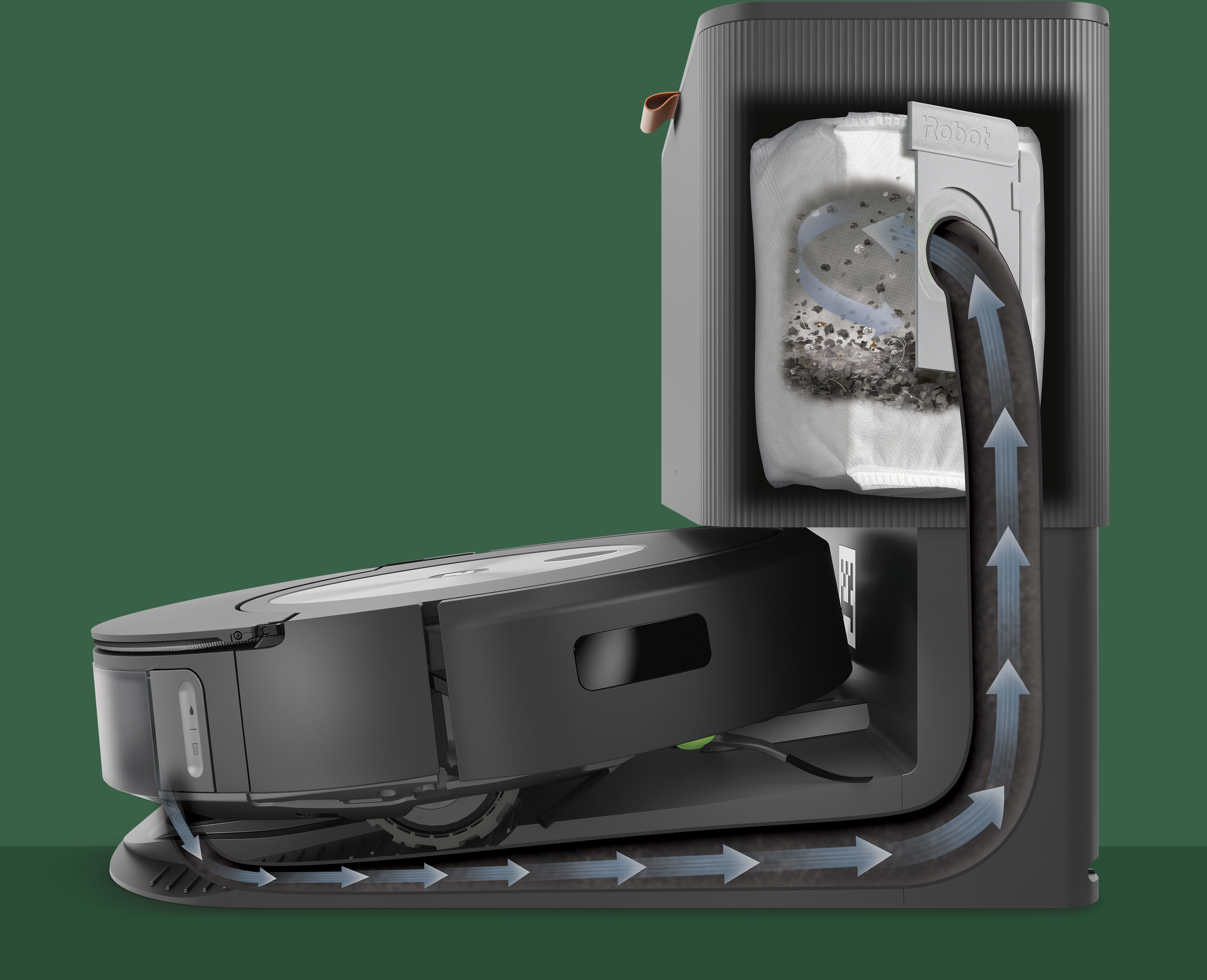
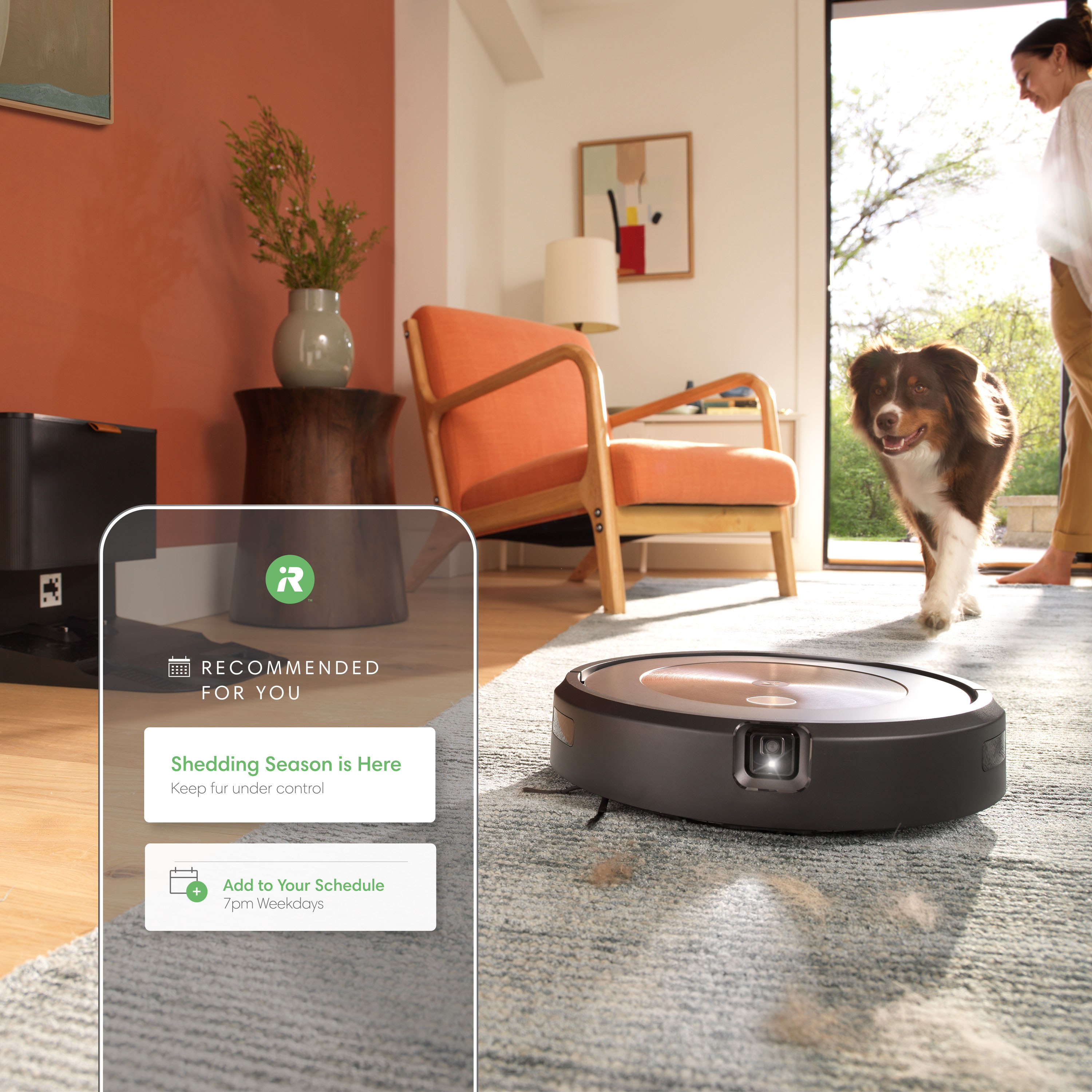
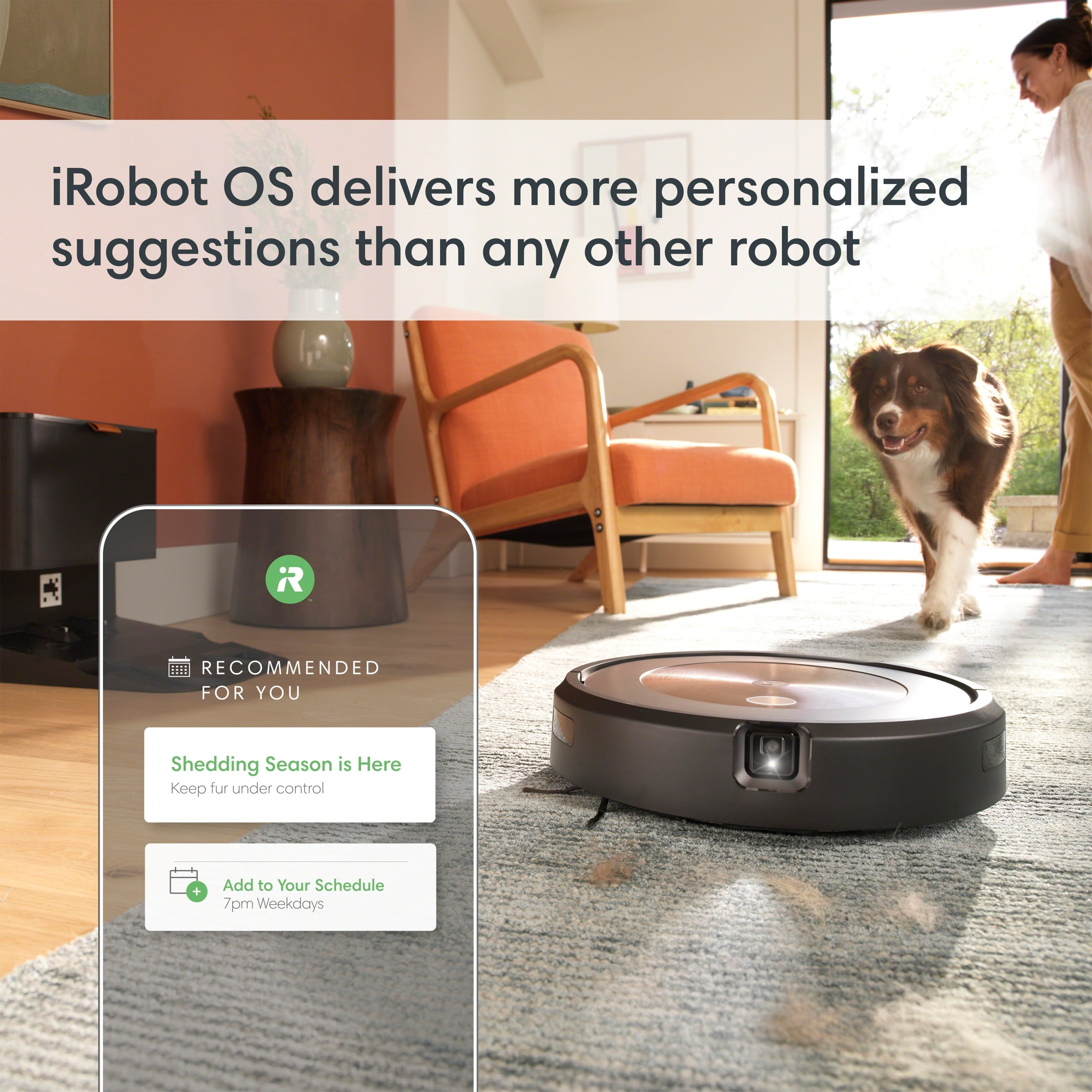
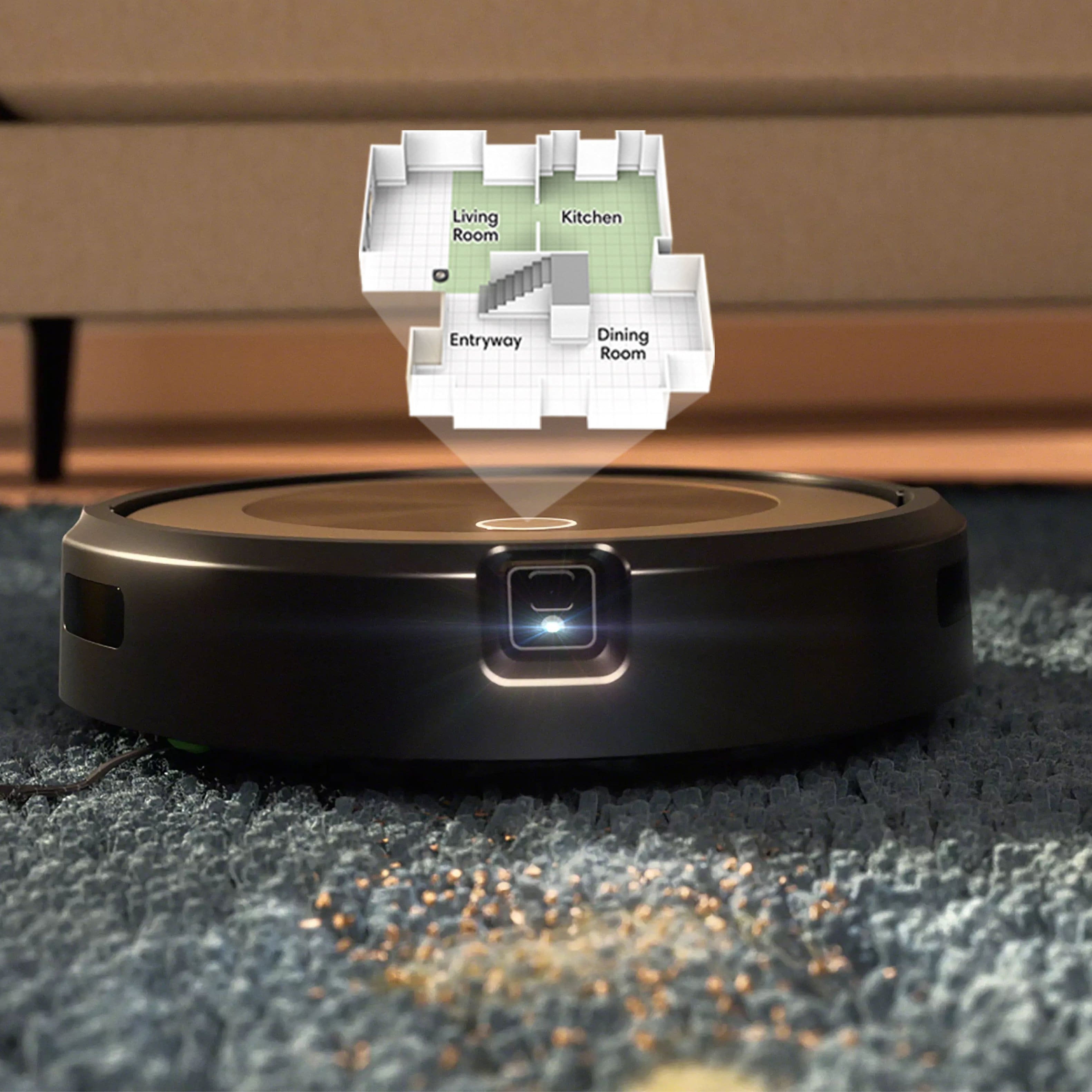
|Posted .This reviewer received promo considerations or sweepstakes entry for writing a review.iRobot seems to release a new range of robots every fall and this is from the 2023 selection – the Roomba j9+ self-emptying robot vacuum, in ruby bronze. I will lead by saying I have an existing Roomba (j7+) which I got about the same time last year, so I was adding a robot vac and not setting up from scratch as I did last year. Unboxing the j9+ is straight forward as you remove the accessories, robot and base station from their protective packaging. The base station just needs the included power cable attached and plugged in and then is ready to receive/charge the robot. If you don’t have the iRobot app, you need to download that and then click to add your new product. There is a short process to identify your robot and then add it to your wi-fi network but two robots in, this has been very smooth for me. If you are adding this to an existing Roomba home, then it’s even easier and takes care of the wi-fi setup from the original setup. I moved my j7+ upstairs and promoted the j9+ to taking care of downstairs. Once the j9+ is online, it will likely want to install a firmware update. I was expecting this, but it seemed to run for a very long time, and I ended up quitting the app and coming back in again, which fixed whatever the issue was. The previous firmware update had gone smoothly so maybe it was just a one-time glitch. Once the firmware is up to date, you can send the robot vacuum out on a mapping run. The mapping run is more about the robot vacuum learning your layout and it prioritizes this over actual cleaning. It is worth running though before you order up any room cleans or set a schedule. It will save battery by not running the vacuum at full power, so it can get around your entire space on one battery charge. The app will make a good effort at automatically naming rooms and identifying where each starts and ends but you can go in and correct this easily. It is worth fine tuning as then your later commands will be accurate and the robot vacuum will clean the exact spaces you wanted, rather than close to them. If, like me, you already had a Roomba map saved for your space with a prior robot, you can just opt to use that, which is what I did and saved time. Once you have your space mapped and the battery charged up on your robot vacuum, you are free to set up schedules or just order cleaning of specific rooms on demand. The robot vacuum is an improvement on last year’s model in terms of battery life and features. The j7+ was having to come back to recharge before it could complete the floor space but the j9+ can get round on one charge and still has almost half the battery left. Additionally, the j7+ would get stuck between my bar stools and rather than back out, it would drive around for a few feet pushing them with it before noticing it had extra weight and just cancelling the program, to stop in place until I got back home to extricate it! The j9+ is much smarter and does a good job going in and out of the bar stool legs without getting trapped between them. I would have liked the mopping function included which the j7+ has but this particular model leaves that out. It is another few hundred dollars extra for the j9 Combo equivalent and no robot mop is as good as a human yet, so not something I absolutely had to have this time around. The vacuuming performance of the j9+ is very good, with it cleaning in nice, straight runs that leave a satisfying trail in the carpet, in neat rows. I usually vacuum the whole house by hand once a week and notice that I am picking up less dust than before, so assume the j9+ has the power to remove much of it in the preceding week. When the robot vacuum runs over any carpet or rugs, you can hear the suction power increase as it automatically turns on its Carpet Boost function. The app has a new feature on the j9+ I did not have on the old robot vacuum called Dirt Detective which supposedly intelligently tracks and cleans your dirtiest rooms. It is a color-coded map of the floor space the goes from clean to dirty. I tend to let my robot vacuum run every day except weekends, so the map mostly stays on the lighter green (clean) but this week I have paused the robot vacuum for a couple of days and now see the rooms show as between clean and dirty. There is a button to clean any dirty rooms or create a schedule if you do not have one set up already. It takes about 10 days to generate enough data for Dirt Detective to work properly but after that, it can create a plan based on what rooms need and prioritize the dirtiest rooms, rather than just cleaning them all sequentially every day. Object avoidance is good and every few days, I get sent photos by the app, to say if something is an obstacle to permanently avoid, a temporary obstacle or not an obstacle at all. You can opt in to sharing photos of the alleged obstacles with iRobot so they can add it to their database of known objects. Once finished vacuuming, it will return to the base station and empty itself. This takes about 10 seconds as a large vacuum on the base station sucks the debris out of the on-board trap. It is loud but fast so not too irritating. The base station came with a bag already set and another stored in it for replacement. Supposedly the bags will last about 60 days, and, in my experience, this is accurate. They are easy to replace and self-sealing for when you remove them and throw them in the trash. It would be easy to pair with Alexa, Siri, or Google Assistant-enabled devices so you can just use your voice. If you follow the app’s suggestions and name and identify specific areas, you can order the robot vacuum to just come out and clean a specific area and then return to base. I still prefer to just use the app for any situation, but it is going to be very convenient to just vocalize in the moment and have the little robot trundle out to help in trouble spots. All in all, this is a very reliable, low maintenance unit and it appears to be getting smarter as time goes by. The app gets updated regularly and I like that iRobot continues to add features and intelligence over time. It is easy to manage multiple iRobot vacuums in the app and I was impressed with battery life and object avoidance on the latest model.
I would recommend this to a friend - Pros mentioned:Battery life, Obstacle avoidance
High performing robotic vacuum
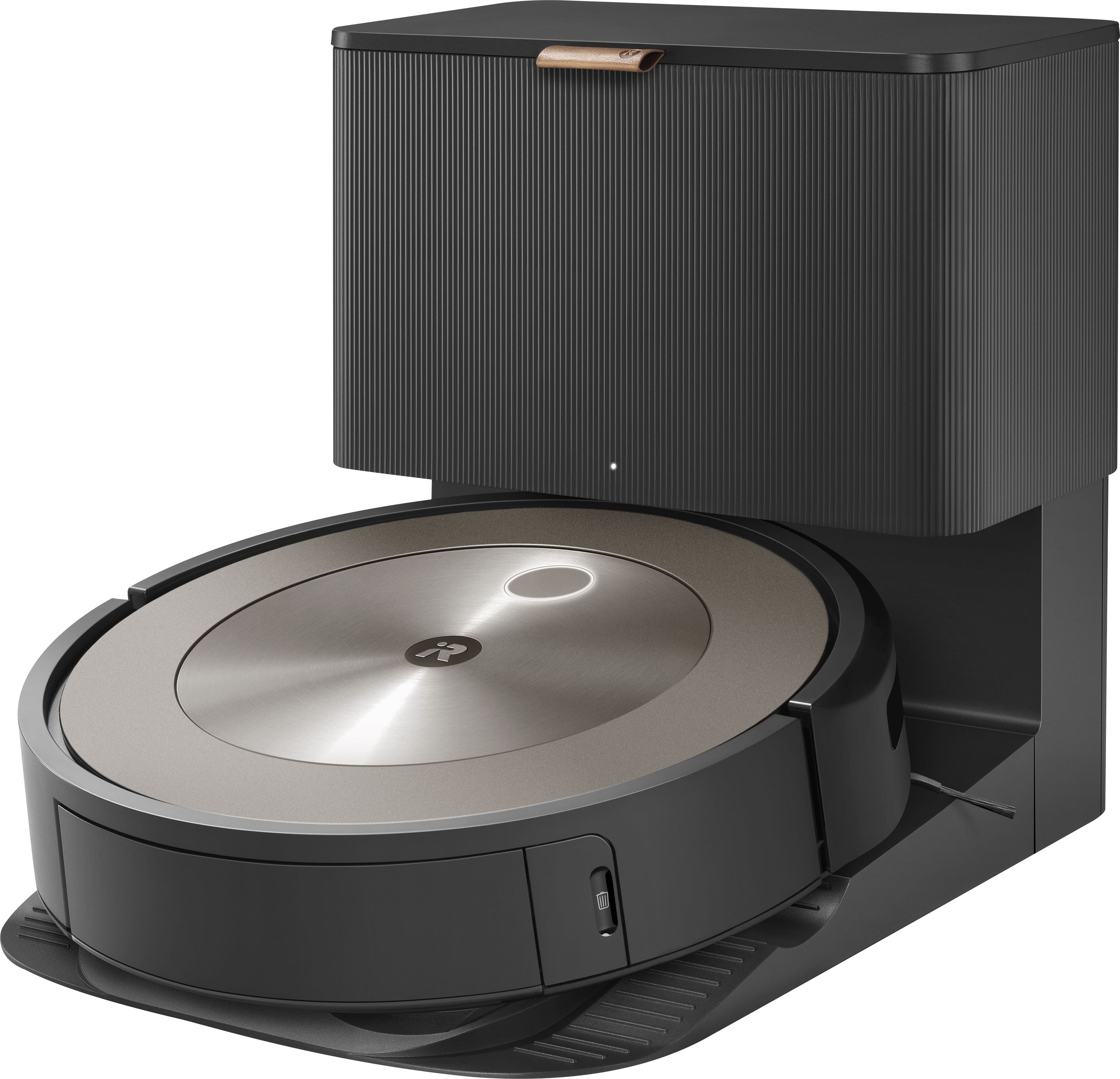
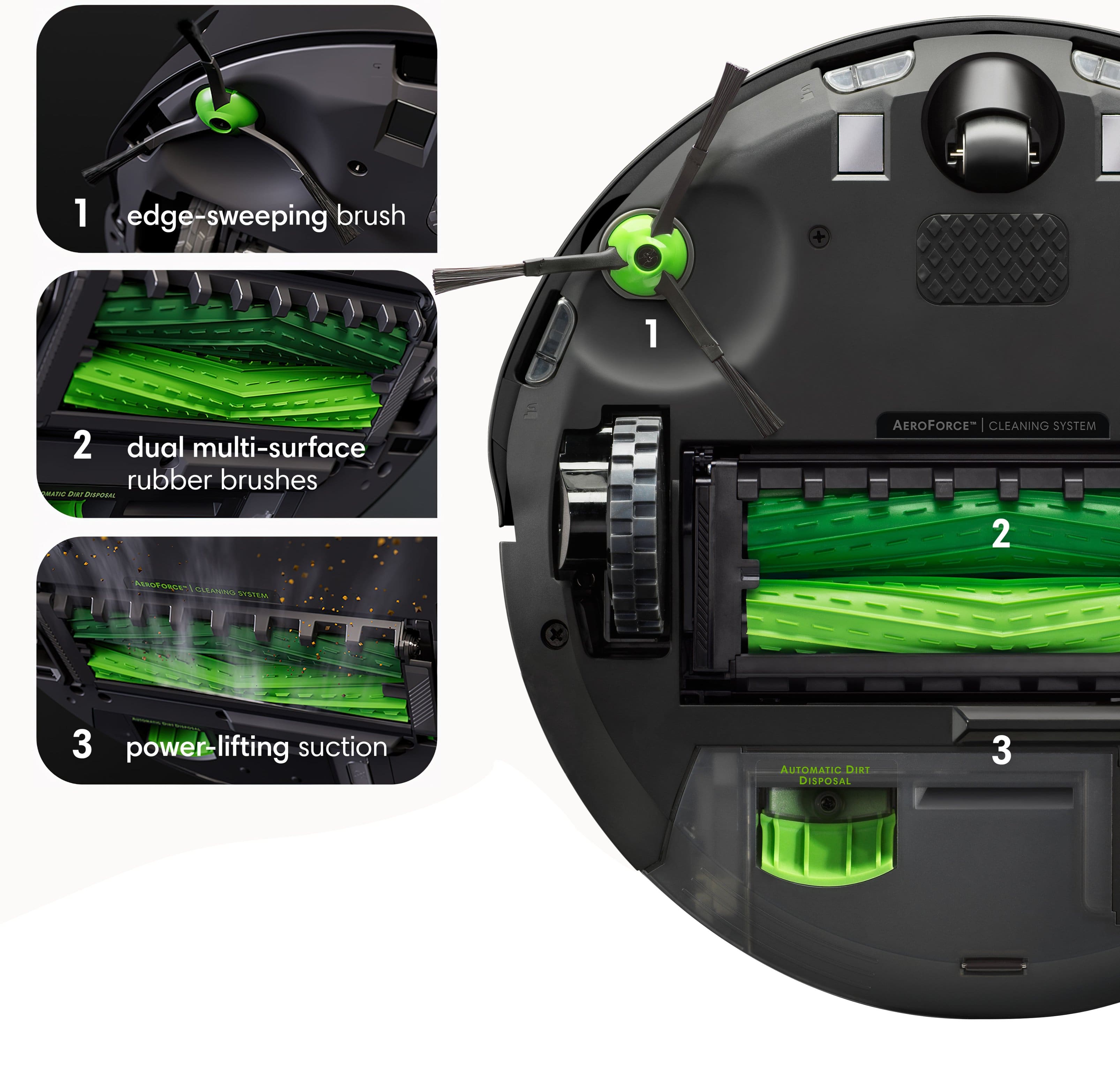
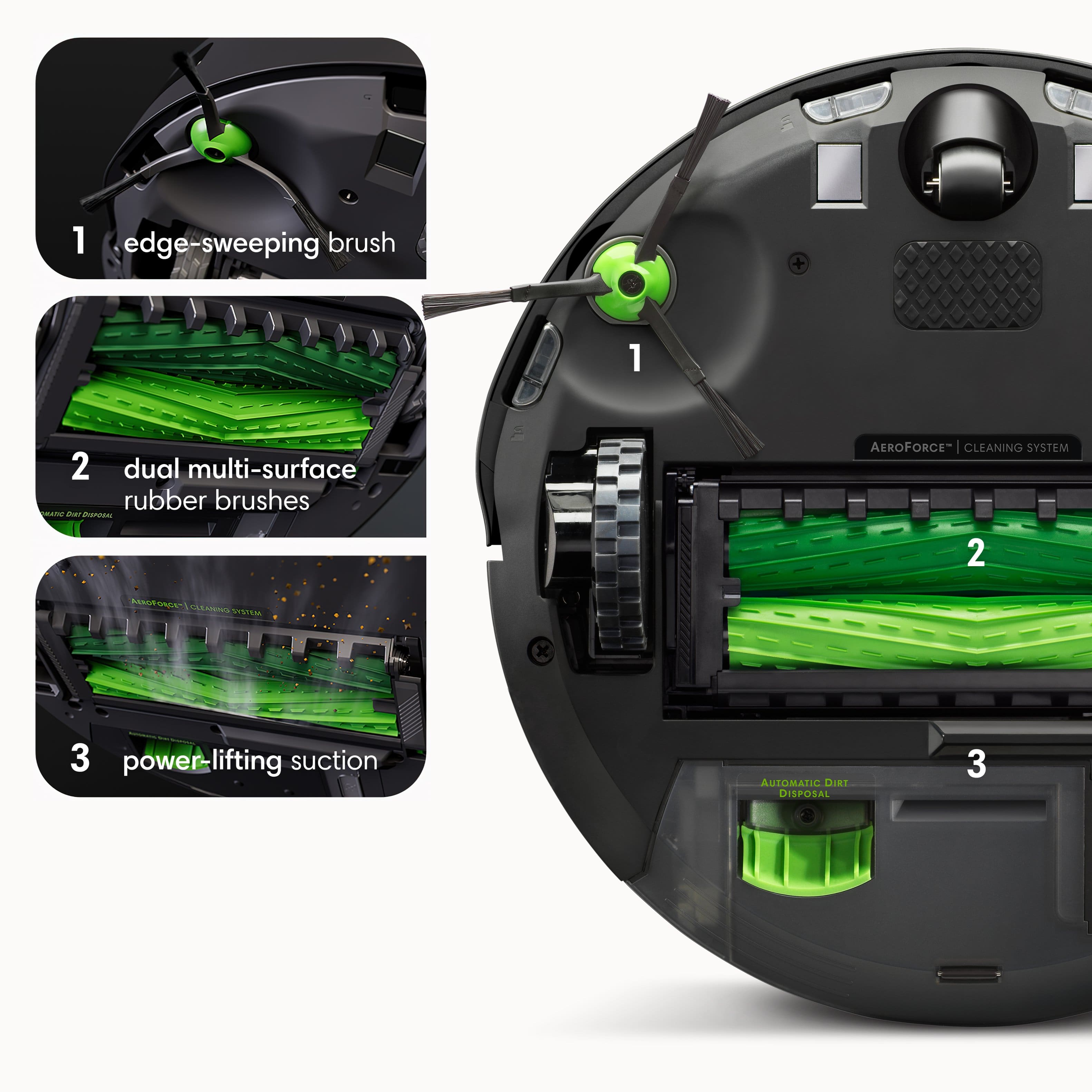
|Posted .This reviewer received promo considerations or sweepstakes entry for writing a review.The iRobot Roomba j9+ Self-Emptying Robot Vacuum 'Ruby Bronze' is the one of the best robotic vacuums that I have ever used. It takes just a bit to set up initially. Out of the box, I took out the vacuum, the Automatic Dirt Disposal Clean Base, an extra filter, an extra dirt disposal bag, and line cord. The vacuum is circular with a diameter of 13.7 inches and a height of 3.4 inches. It weighs just under 9 lbs. The Clean Base is 15.8 by 12.2 by 13.3 inches, and weighs just under 22 lbs. I setup the Clean Base and let the vacuum fully charge. While it was getting charged, I downloaded the iRobot Home app on my Android phone and got it connected to the vacuum. This app will make sure the OS for the j9+ is updated, but it is also one of the ways to get the vacuum to start, see the mapping for your rooms, and set up no-sweep zones. It can also connect to Alexa, Siri, or Google Assistant so that it will start sweeping via voice commands. Once I told it to start, it quickly left the base and started mapping and sweeping. My home has mostly hardwood floors with some rugs. I also have a dog and 2 cats. Like most robot vacuums, it logically started a sweeping pattern through the rooms and the progress of the vacuum and dirt level can be seen on the app. It has a feature called Dirt Detective that remembers the dirt level of certain areas so that those areas can be prioritized if there is a limited window of time for cleaning. I have had a few robot vacuums through the years so there were a few things that I wanted to watch for specifically. The transition areas where the edge of a rug meets hardwood can be difficult for a robot vacuum because of the change in traction and in height. I have found this area to be problematic for cleaning. So I was pleasantly surprised with how well the j9+ handled it. From a traction perspective, it didn't slow down noticeably, and from a cleaning perspective, it sucked up debris all the way to the rug border. It does have 2 rubber brushes underneath that seem to do a wonderful job in picking up the dirt on the floor. Another area I monitored was in the corners of rooms, as I have seen other robot vacuums struggle to get all the way in there, especially with the typical curved design. The j9+ has a brush specifically for edge cleaning, and it took its time approaching the corners from multiple angles over the course of the sweeping cycle. I thought it did a great job with corners. Obstacle detection and avoidance was pretty good. It bounced around some to get around chair legs and table legs, but that seemed typical to me. It did find and avoid strategically placed dog toys, and the same with food and water bowls that I leave on the floor. For me, the vacuum operated for an hour before needed a charge but that will probably vary based on how much area is covered by rugs and carpet, and general square footage. When it was done, the vacuum maneuvered onto the Clean Base to charge and automatically get emptied. The base will hold multiple weeks worth of debris emptied from the vacuum into the bag. If I have one issue with the j9+ system, this automatic emptying doesn't always get everything out of the debris compartment on the vacuum. It isn't a big deal to finish the job manually, but it does mean that it isn't a completely automatic process. But for me, I don't mind because it is quick to do, and with how well it handled rug transitions and corners it ended up being a much better and quicker sweeping experience than with past robot vacuums. I thought the noise level of both the operation of the vacuum and the automatic emptying were middle of the road, but certainly quieter than a manual vacuum. The speed of the vacuum was slower than some others, but in general it was time put to good use as it cleaned remarkably well even in obvious fur-shedding areas. Overall, I was very impressed with the iRobot Roomba j9+ Self-Emptying Robot Vacuum. It was easy to setup and use, it cleaned well in both obvious areas and in areas that are traditionally tough for robot vacuums, it cleaned well on both hard woods and rugs, and it did pretty well with the auto-emptying feature with the base. I would recommend it over any other robotic vacuum simply because it cleaned better than the others I have had.
I would recommend this to a friend - Pros mentioned:Suction power
A Powerhouse Roomba Vacuum!
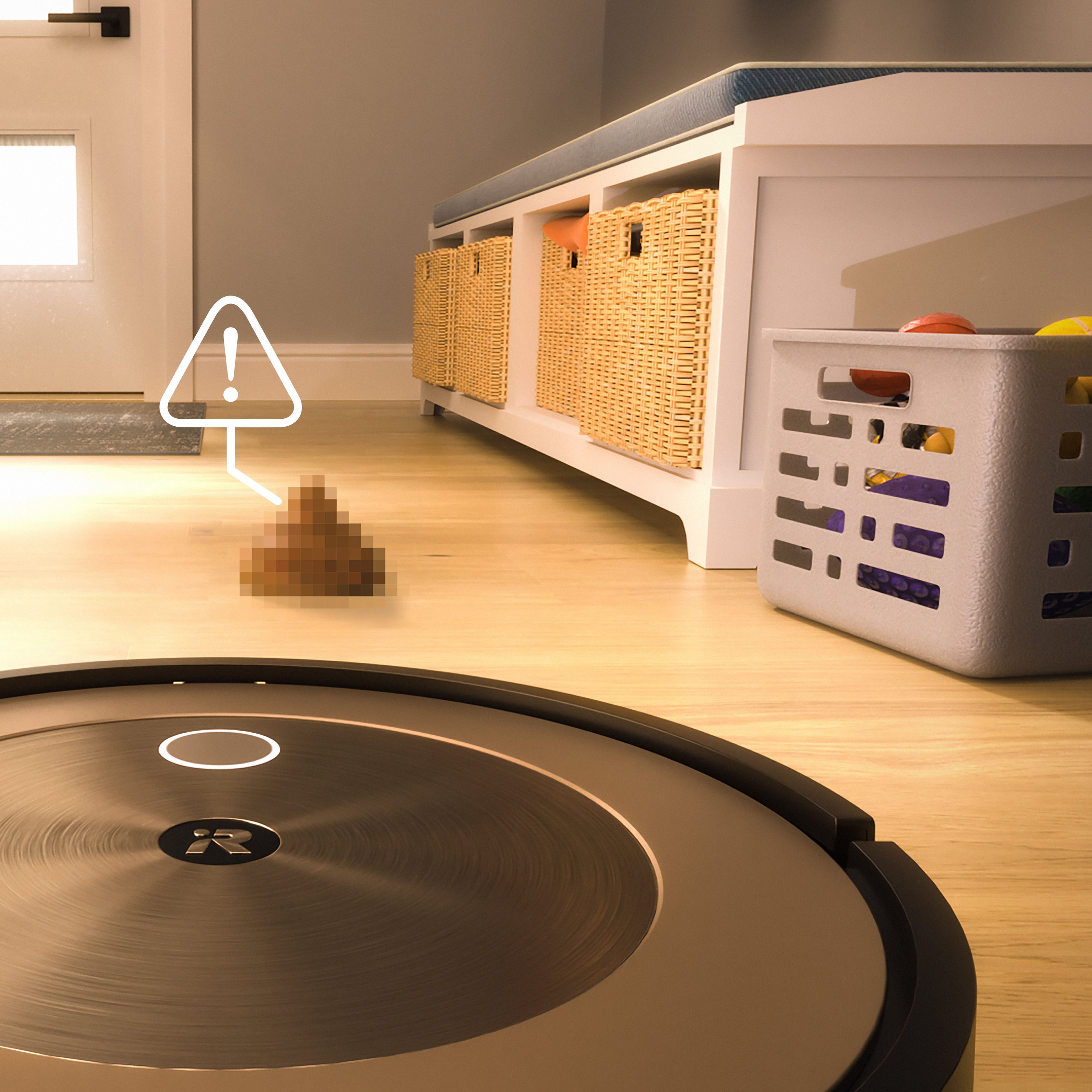
|Posted .This reviewer received promo considerations or sweepstakes entry for writing a review.I’ve been a Roomba user for over 5+ years now and tried many other different brands including Samsung and Neato. The first Samsung I had left a lot to be desired, and while the Neato was decent, the Roomba Robot Vacuums have always been the pinnacle brand of Robot Vacuums. I’ve had 4 different Roombas over the years and have enjoyed seeing the growth in technology and features that they’ve been able to achieve. The J9+ is probably the most technologically advanced Robot Vacuum I’ve owned so far and am happy to explain why! Out of the box the J9+ setup was probably the easiest I’ve encountered so far. The Roomba app on my Iphone detected it immediately and was linked in less than a minute or two. I let the Roomba charge up and first thing I had it do was do a smart map of my home. I will admit the first mapping left some room for improvement, but I believe it didn’t map correctly because I looked at the map while it was in the process of mapping and might have thrown it off. Doing another run after it was able to map our first floor with surprising accuracy. It even detected where area rugs were on our floor and you’re also able to label areas to avoid. Once mapping and labeling the rooms was done the Roomba was ready to do its thing. What I immediately noticed compared to previous models I’ve owned is just how customizable the J9+ Roomba is. When creating schedules in the Roomba app you’re able to select your suction power preference from Low to High with Low being a quieter setting with less frequent charging, middle being the best balance for all floor types, and High being a more powerful clean with more frequent recharging. You can also change whether you want the vacuum to make one or two cleaning passes. So, with the smart mapping feature you can choose to have your Roomba do 2 passes with higher suction on higher traffic areas. There’s also a setting called Careful drive which will have the Roomba do its best to avoid walls and furniture. I noticed there is a little white light that utilizes their “Precision Vision Navigation” to avoid objects left on the ground and does a great job not sucking up cords which has been a problem for some of my Roombas in the past. This Roomba is certified to avoid dog messes, or they’ll replace it for free, which is nice for your piece of mind. The app will also detect your cleaning habits over time and suggest when to clean. By far the coolest feature I have come across so far is the Automation with scheduling which will use Location services with your phone to determine when you have left your home and vacuum while you’re away. So, you never realize the Roomba is running but always come home to a clean house. If you have an Ecobee thermometer, August Lock, or My Q garage door opener you can utilize them as well to tell the Roomba you’re away. Features like this truly are a great use of smart technology in the home and something I would have never thought would be possible but kudos to the App developers for thinking of it! The J9+ can also utilize Automation via Alexa to clean specific rooms with voice command which is very handy as well! Overall, this Roomba is a technological beast! Testing the J9+ for the last week it’s done a great job of cleaning our home. Having it run while we are out doing errands and having it dispose of the dirt automatically in the bin allows us to let the Roomba do its job without even thinking twice about it. With past models that didn’t have smart mapping I would always get funny messages like “your Roomba has fallen off a cliff” and we’d come home to find it in our recessed shower. The j9+ with Smart Mapping has done a great job of doing exactly what it’s supposed to do without getting stuck. I truly believe the Roomba brand has reached an impressive level of smart technology with the j9+ that truly makes it worth the money. If you’re looking for a set it and forget it Robot vacuum the j9+ is exactly what you’re looking for, I definitely recommend it to anyone looking for a truly “smart” vacuum!
I would recommend this to a friend - Pros mentioned:Battery life, Obstacle avoidance
Roomba, it's time to switch to LIDAR!!
|Posted .This reviewer received promo considerations or sweepstakes entry for writing a review.Ive been using a competitor 'D" shaped LIDAR robot vacuum for about 15 years now, and unfortunately, the company is now defunct. I've seen iRobot/Roomba in the market for a long time and was very curious to finally try one. I read about the Roomba J9+ and it seemed to be iRobot's flagship robot vacuum which included a base station to automatically empty the robot's dust bin. I had not experienced that before with the previous brand so I pulled the trigger. Unpacking the J9+ was quick and easy. I set up the base unit in an appropriate area of my den ( it requires a minimum distance from other objects) and charged the vacuum up. The unit comes with an extra high efficiency filter, an extra clean base disposal bag and extra sweeping brush. I downloaded the iOS iRobot Home app and quickly got connected. App set up was simple and it walks you through all the steps to get the unit on your WiFi and in running order. The first run was a mapping run and the J9+ uses VSLAM camera technology to map out the rooms by creating points for objects. It has a built in camera it uses to scan the area and then generates points to create its map. This requires that the light be on while using the J9+ which is new for me. The vacuum has a built-in headlamp but I doubt it's powerful enough without the room lights on. As I mentioned earlier, my previous robot vacs used LIDAR which is a laser based mapping system. TBH, LIDAR is far better than VSLAM since it is much more accurate, much faster and can be done in dark rooms. The J9+ took about 1.5 hours to map my 3 bedroom apartment, where my previous vacuum had it done in under 30 minutes. It also bumped pretty hard into virtually everything around it. I was already a bit disappointed from the start. But, after the map was finally generated, I could then start a cleaning run. Once the battery was recharged I ran it to clean my whole apartment. You can select various cleaning preferences for this vacuum, such as how many passes to clean an area, whether or not to keep cleaning once the bin is full, if it uses it's camera and AI to determine obstacles ( a must for pet owners), if it cleans without bumping into objects and what level of suction to use. The whole process took about an 2 hours and the J9+ did an average job on full suction power. It just took so much longer than I was used to. The robot would pause a lot in areas and then shut off the suction temporarily, as if it was processing data. It also seemed to repeat areas even though I did not have that option selected. I assume that's normal behavior for now. The battery seemed to last the entire session without having to return to the base for a recharge. Im not sure of the run time for the j9+ but so far, so good. The iRobot Home app offers the ability to fine tune the map the j9+ created. I could rework the shape and name of the rooms the robot automatically created. I could also place No-Go zones or create special Clean Zones for spot cleaning. The app also features what they call Dirt Detective where the unit's AI automatically creates a cleaning plan based on how dirty areas are in the map, prioritizing them over cleaner areas in the cleaning cycle. I guess that's helpful but I doubt I'll be using that feature over the general "Vacuum Everywhere" function. I suppose the AI really comes in handy for obstacle detection. For pep owners, this is probably a huge selling point, as it can detect objects and avoid them. iRobot offers Pet Owner Official Promise (POOP-lol) that will replace the unit if its AI detection fails and it sweeps up pet waste. A little peace-of-mind for pet owners. Overall, the J9+ has done a decent job( middle of the road) and I'll certainly keep an eye out for it's long-term results. Im genuinely surprised that iRobot is still not using LIDAR technology. IMHO, it's far better tech, especially after what I've seen from this iRobot. At this point, I see it's not as good at many things over my previous brand but I'm willing to give iRobot a chance.
I would recommend this to a friend Keeps Getting Better
|Posted .This reviewer received promo considerations or sweepstakes entry for writing a review.Summary: The iRobot Roomba keeps getting better, both the model and more features (in this case the J9+), and your actual Roomba. The more you use it, the more it learns your home, and the better job it does. iRobot keeps adding features, besides being self-emptying (yay!), the J9+ can now avoid small random obstacles like a newly arrived package placed in the middle of the room. Or a ‘present’ left behind by a pet. These features worked for me, as well as the standard stuff (vacuum the floor), so if you are willing to accept what it doesn’t do well (high pile carpeting, loose fringe throw rugs), then welcome to 2023 for the best iRobot has to offer. Pros: - Does a surprisingly good job on a variety of surfaces. Floors looked cleaner than our usual manual methods, probably because the 9+ was more thorough, and we ran it more often than we would pull out a vacuum cleaner. It was easy to see where it cleaned, it looked that good. - Self emptying into a larger container. Love this. This larger container was both easier for me to reach when it was time to replace it and would only require replacing every few months (on my previous model). Clearly a win. - For the first time (for me) this Roomba did not require my floor to be completely ‘clutter free.’ - Relatively easy to set up. - I liked the scheduling feature of the App as well as setting up zones. Sometimes I only needed (had time for) one zone. Matter of Taste: - For some reason this one had a hard time finding my network initially, might have been me. Once it was connected, it was fine. - Not for the impatient. It is slow. Don’t think you can do a quick brush up 15 minutes before a party starts (well okay you can with zones). But I run it when I am not at home with the App. Took several passes to develop a good map of the place. - Needs to recharge ever 45 minutes or so while running, and it took close to an hour to recharge. Not a big deal if you plan for it. I found for a relatively complicated map over 900 square feet with beds (which it went under) and tables and chairs it would take about 90 minutes run time with an hour charge time in between, if it wasn’t too dirty, 120 minutes if it had been a while and dirtier (plus two charges). Your mileage may vary. Cons: - There are some areas it just cannot reach; it needs about a foot to get between things. - It doesn’t handle long hair (or long fringe on Persian rugs) well. Will jam up and require freeing the roller. More words: I was an early adopter (2 decades ago) of one of the first Roombas and felt back then it was more trouble than it was worth (so-so cleaning, picky about surfaces, had to empty it myself, always seemed to get stuck). Fast forward many innovations later (including phone integration) and when iRobot came out with a self-emptying model, I jumped on it and really my only criticism with it besides high pile carpeting or throw rugs with fringe, was it didn’t deal well with clutter on the floor. My wife liked the results enough to ask when we were getting another one. So, when this one came out with built in small obstacle avoidance (didn’t need to bump into everything) I was eager to find out if it really was better. My litmus test is power strips. With all the gadgets these days, I sometimes will put out a power strip of chargers, and this would confuse my older Roomba, and it would push the power strip around (pulled my iPhone off the table even). The J9+ just avoided them. So that’s the good news right off the start. Now you might ask, why do you need two roombas (besides my urge to upgrade)? Easy. Two stories (floors). Unplugging the older one and moving it was more work than I was willing to do. That would confuse it and it would have to regenerate a new map. And the secret to good cleaning is a good map (or so I would tell my wife while upgrading). Actually, the secret to good cleaning is its brush design and powerful suction but work with me here. It really IS simpler to have two robots if you have two floors. And simpler means gets used more, and hence cleaner floors. At least for me, you might be more industrious. But, there is no denying it, it works best on hard surfaces (wood floors, linoleum, tiles). And it handled short pet hair with no problem. Long hair would wrap around the brush rotor. With hard floors, it had no problem negotiating a maze of chairs, tables, beds, baskets on the floor, etc. And it was fine with low pile carpeting or throw rugs (without fringe). Basically, anything that was not too long and stringy (or spongey). Even with the new built in small obstacle avoidance, I do find it best to try to pick things off the floor as much as possible. Just runs faster when you do. But this is improved over my earlier version. Set up was easy(ish). Well packaged. No construction. Easy to charge. A good App. There was exactly one step I had a problem with, and I had the same problem with the earlier version, and that was connecting it to the internet the first time. I found the instructions vague. It took me several instances of pushing the buttons. In hindsight maybe I was being inpatient, and it needed to charge a bit first. We haven’t thrown away the upright vacuum cleaner yet. To state the obvious, it doesn’t have an attachment to clean curtains or higher surfaces. And while the Roomba is great for dust, small, dry bits of bugs or dirt, it doesn’t handle large clumps of dirt well. For example, if our cat pushes a potted plant off the window, we get out the vacuum cleaner. If our son has been hiking and leaves clods of dirt across the floor from his boots, we get out the vacuum cleaner (and hand it to him). But otherwise, we let the Roomba do its thing. One other tip, as stated, there are just some areas (corners) where the Roomba does not fit. You can visibly see where it is sparkly clean, and where it is still dusty. When we are about to let the Roomba loose, we (sometimes) use an old-fashioned broom to first sweep the difficult to reach areas into areas where the Roomba can clean. Problem solved. I guess for some the question comes down to cost. But I am not here to evaluate ‘value’, that really is subjective to your budget. iRobot makes less expensive models with fewer functions, but self-emptying and small obstacle avoidance do work, and for me are worth the cost. But you might be more industrious and willing to empty the Roomba yourself and be diligent about picking surprises up off the floor first. I like the features, it works well, hence I rated it a 5.
I would recommend this to a friendVast Improvements Over the Years
|Posted .This reviewer received promo considerations or sweepstakes entry for writing a review.The suction, pickup, battery life, and "smartness" of the iRobot Roomba vacuums continue to improve. This is our third Roomba since 2017, and all of them are still working fine, speaking to the durability of Roombas as a whole. The first 890 Roomba we got in 2017 was great and is still kicking, but needs to be emptied several times during a run and likes to get stuck under our couch and on cords. The battery life has decreased some, but with routine maintenance, it has been a great first robot vacuum. In 2021 we got a 981 model that has two stage suction for carpet and hardfloors. The 890 was moved to the basement. The battery life and suction were better than the 890. The 981 vacuum compacts and holds more in the same size dust bin and the mapping feature allows us to see where the vacuum has been and lets you customize runs. This has been a massive upgrade to the 890 and is still running great. Now we have the j9+. The 981 has been moved to the basement, the 890 is in my wife's classroom, and the J9+ is on the main floor. The j9+ is an even better vacuum. Compared to the 981, it runs quieter, the suction is even better, it has the same two stage suction, the battery life is longer, and it seems to be even smarter and more efficient. The best feature is that it is self emptying. We have two dogs in the house so we have so much dog hair. Even the 981 could not always complete a job without having to be emptied, and we would often come home to find that a the 981 was not done and we'd have to empty the bin and get it going again. With the self emptying feature, we can now have the vacuum rolling while we're gone and not worry about the job not getting done. The app is user friendly, setup was a breeze, and now our floors can be cleaned anytime. I cannot recommend this vacuum enough.
I would recommend this to a friendDoes a great job and saves us a lot of time.
|Posted .This reviewer received promo considerations or sweepstakes entry for writing a review.This vacuum has been fantastic so far and does a great job on carpets and hard flooring. The set up of the physical unit was quite simple and after locating an appropriate location, making sure that the charging base was easy to access for the Roomba, it was a matter of installing the app to the phone and waiting for a full charge. The unit charged up very quickly as it was nearly at full battery charge when unpacked. The unit mapped our main floor and identified flooring types in about an hour, it took a little less than an hour to actually perform the cleaning afterward and we had an overlay of where the unit had cleaned. The unit was quieter than our stick vacuum and it did a really good job especially on the hard flooring sections. I will say that the Roomba had a bit of difficulty fully mounting to the base when it returned for a cleaning cycle and that when the initial clean out cycle started, it didn't go so well - it was very loud and left a pile of dirt/debris next to the open port on the base which should have received the debris. We do have a pet and it seemed like there was a fair amount of hair, so that may have been the reason. Definitely not a deal breaker though. I simply cleaned the extra up and then the next time we vacuumed and it returned for it's emptying cycle, it worked great. I was very impressed. The unit didn't just "bump and turn" when mapping or cleaning, it actually tried alternate ways into the spots it had a hard time reaching and I have to say, it made it's way into areas that I didn't think it could get in and out of. It did a better job, judging from what it picked up, than I had been doing and in just a little bit longer. I would recommend this unit to anyone looking for a good quality robot vacuum.
I would recommend this to a friendBest Roomba yet
|Posted .This reviewer received promo considerations or sweepstakes entry for writing a review.I have had several robot vacuums over the past three years, including an iRobot Roomba and I have to say, the iRobot Roomba j9 plus is the best robot vacuum I have had the pleasure to use. Of all of the robot vacuums I have had, this is the first with a self emptying bin. To me, this one upgrade has made this vacuum a game changer. I never took advantage of the scheduling feature in the app because you had to empty the bin after each use. To me, that meant that I might as well manually start the vacuuming process while I was there to empty it at the end. The j9 plus takes care of that issue by emptying itself when it returns to the dock. Inside the dock is a disposable trash bag that seems like it will be able to handle several Roomba emptyings. The vacuum is smart, much smarter than the previous robots I have used. I have had issues with other models and brands getting hung on socks and dog toys, but so farm this has not been an issue with the j9 +. The vacuum has differenct power levels, but I have kept mine on normal power and have been very impressed by its ability to clean up messes, including and maybe especially, dog hair. We have hardwood, tile and carpet that this vacuum cleans and it has equally well on all of these surfaces. I already had a map from a previous Roomba and this unit has been using that map and updating it as it continues to learn my house. I am not normally a person who gets excited about a vacuum, but I have to say that I really like this one. Its a little pricey, but I think that with all of the bells and whistles this one has to offer, it is worth the asking price. The app is easy to use and intuitive and gives you a lot of control over how this robot operates. It is overall a nice choice.
Roomba Great Product
Posted .This reviewer received promo considerations or sweepstakes entry for writing a review.Great product. Identifies the routes continuoulsy. We have one room that we do not want the roomba to go into and it bypasses that room.
I would recommend this to a friend- Pros mentioned:Cleaning performance
Maintenance cleans great.
Posted .This reviewer received promo considerations or sweepstakes entry for writing a review.It cleans really well. That said, if it looks like you’ve rolled around in a mud pit and then on your tile floor it’s not gonna clean it well. It’s designed for maintenance NOT heavy messes. You still need to sweep if you track in dirt. You still need to mop if you spill something. It will notify you if it’s having issues. It is pricey but it was worth it for us.
I would recommend this to a friend Great vaccum
Posted .This reviewer received promo considerations or sweepstakes entry for writing a review.Get the work of cleaning floors done before you get home. Great buy to help you.
I would recommend this to a friend