Customer Ratings & Reviews

- Model:
- Q052020
- SKU:
- 6595024
Rating by feature
- Value
Rating 3.2 out of 5 stars
- Quality
Rating 3.2 out of 5 stars
- Ease of Use
Rating 3.2 out of 5 stars
Customers are saying
Customers consistently note the Roomba Vac 2 Essential's strong suction power and effective cleaning capabilities across various floor types, praising its ease of setup and relatively quiet operation. However, some users express concerns regarding its navigation, particularly the lack of mapping features, and report inconsistent battery life. The effectiveness of the brush is also a point of discussion among customers.
This summary was generated by AI based on customer reviews.
- Cons mentioned:Battery life
Waste of money
||Posted . Owned for 3 weeks when reviewed.This reviewer received promo considerations or sweepstakes entry for writing a review.Battery last for 15 min. Gets lost and won’t auto empty mist of the time. 100% not happy
No, I would not recommend this to a friendBrand response from iRobot Team
Posted .We appreciate you taking the time to provide feedback on the Roomba Vac 2 Essential. We're sorry to hear about the difficulties you are experiencing. To resolve this, we would suggest performing the steps from the following article: https://homesupport.irobot.com/s/article/80012 . If the issue continues, please reach out to https://homesupport.irobot.com/s/contact-support-info, so we may properly diagnose your issue.

Rooomba!!
||Posted . Owned for 3 weeks when reviewed.This reviewer received promo considerations or sweepstakes entry for writing a review.Great product at a great price. Works very well on smooth flooring.
I would recommend this to a friendGreat equipment
||Posted . Owned for 2 weeks when reviewed.This reviewer received promo considerations or sweepstakes entry for writing a review.Great equipment it helps a lot so reliable! I really recommend this product.
I would recommend this to a friendBrand response from iRobot Team
Posted .Thank you for taking the time to share your feedback about the Roomba Vac 2 Essential. We’re thrilled you are loving your new robot. Three cheers for clean floors!
Vac robot
||Posted . Owned for 3 months when reviewed.This reviewer received promo considerations or sweepstakes entry for writing a review.Best thing ever invented! Would recommend to anyone
I would recommend this to a friendRoomba
||Posted . Owned for 2 weeks when reviewed.This reviewer received promo considerations or sweepstakes entry for writing a review.I love my roomba. She is amazing I named her Rachel
I would recommend this to a friendPoor product
||Posted . Owned for 1 week when reviewed.This reviewer received promo considerations or sweepstakes entry for writing a review.Not ready to be sold as advertised , many issues regarding quality and functionality.
No, I would not recommend this to a friendBrand response from iRobot Team
Posted .We appreciate you taking the time to provide feedback on the Roomba Vac 2 Essential. We're sorry to hear about the difficulties you are experiencing. Please reach out to https://homesupport.irobot.com/s/contact-support-info, so we may properly diagnose your issue
Good for what we need
||Posted . Owned for 2 weeks when reviewed.This reviewer received promo considerations or sweepstakes entry for writing a review.Very basic model but does what it needs to do and does well enough.
I would recommend this to a friendBrand response from iRobot Team
Posted .Thank you for taking the time to share your feedback about the Roomba Vac 2 Essential. We’re thrilled you are loving your new robot. Three cheers for clean floors!
Vacuum
||Posted . Owned for 3 weeks when reviewed.This reviewer received promo considerations or sweepstakes entry for writing a review.Great item ! Works great , great value , we love it
I would recommend this to a friendBrand response from iRobot Team
Posted .Thank you for taking the time to share your feedback about the Roomba Vac Essential 2. We’re thrilled you are loving your new robot. Three cheers for clean floors!
Customer service sucks
||Posted . Owned for 2 weeks when reviewed.This reviewer received promo considerations or sweepstakes entry for writing a review.I would give zero stars if I could! Not for the product, but for Best Buy customer service! They are the worst ever. Ever! I have paid my acvount and clised it. You all can go somewhere!
No, I would not recommend this to a friendGarbage product waist of money
||Posted . Owned for 3 weeks when reviewed.This reviewer received promo considerations or sweepstakes entry for writing a review.Terrible product doesnt clean well at all! It actually speads crumb all over without picking up. Best buy customer service is the worst very disappointed
No, I would not recommend this to a friendBrand response from iRobot Team
Posted .We appreciate you taking the time to provide feedback on the Roomba Vac 2 Essential. We're sorry to hear about the difficulties you experienced. We understand how this situation might be upsetting, especially with a new product. This isn't the experience we aim to provide, and we truly value your input. Feedback like yours is crucial in helping us enhance our designs and technology.
Please reach out to our team https://homesupport.irobot.com/s/contact-support-info. We’d love to help ensure you’re getting the most from your product.
Stupid asd store
||Posted .This reviewer received promo considerations or sweepstakes entry for writing a review.Im starting to hate everything about best buy the atlantic mall store is the worst
No, I would not recommend this to a friendBrand response from iRobot Team
Posted .We appreciate you taking the time to provide feedback on the Roomba Vac 2 Essential. We're sorry to hear about the difficulties you are experiencing. Please reach out to https://homesupport.irobot.com/s/contact-support-info, so we may properly diagnose your issue.
- Pros mentioned:Cleaning, Noise levelCons mentioned:Brush

Good!
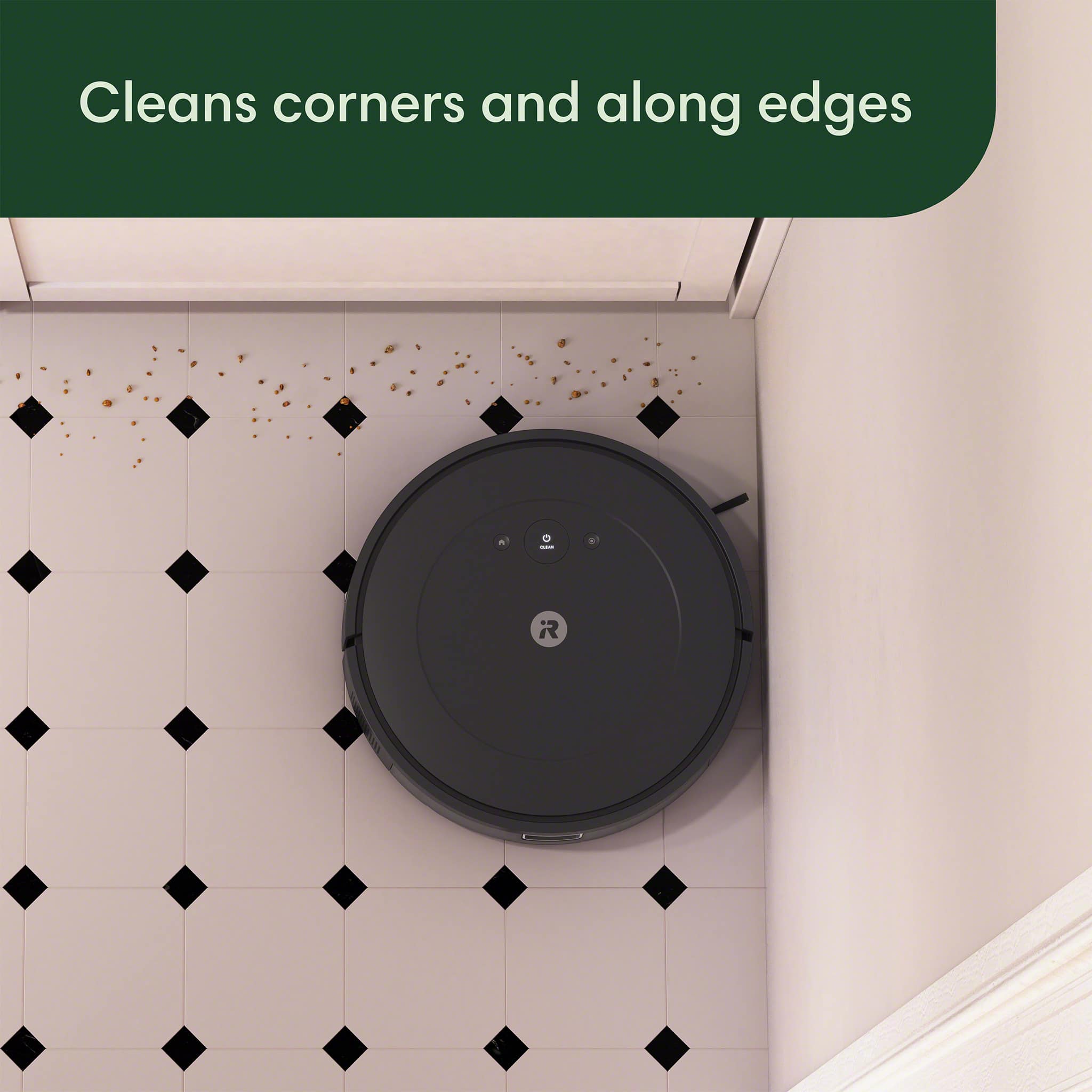
|Posted .This reviewer received promo considerations or sweepstakes entry for writing a review.This is my review for the iRobot Roomba Essential Robot - Vacuum & AutoEmpty Dock. Unboxing was fairly easy, everything was packaged very nice and directions were clear. I did have a moment where I for the life of me could not figure out why the vacuum was not charging, and it was because I was putting it on the dock incorrectly. Finally figured it out and after the iRobot fully charged it was good to go. I download the app, and this app is a 10/10 it will tell you the errors (if any) and how long the run time is, it will also tell you if machine needs any parts which is pretty cool. As for the vacuum itself, I noticed that compared to other floor vacuums this one is not as noisy! Which is a huge plus. Cleans very well and everything is pretty straightforward. I do wish the multi surface brush was a bit better but time will tell if it holds up. I love the fact that this vacuum empty’s itself when it goes back to the dock and if the vacuum gets “lost” you can locate it within the app! Very cool features and I’m super excited to have this on a schedule everyday !
- Pros mentioned:CleaningCons mentioned:Navigation
Good vac performance but is mostly brain dead
|Posted .This reviewer received promo considerations or sweepstakes entry for writing a review.In the universe of robot vacs, the Roomba 2 Essential is a bit of a throwback to an earlier era. Aside from the auto-emptying feature, which is undeniably useful and used to be a very premium option, this model is surprisingly primitive. It's a throwback to the days when all of these robot vacs wandered blindly around your home, bumping off walls and furniture until the job, hopefully, was done. Amazingly, that's exactly how the Roomba 2 Essential operates. It has no memory. No artificial intelligence. No mapping abilities. No ability to vac only certain rooms, via the app, or respond voice commands. The options are vac everything or nothing. You can almost hear it singing "If I only had brain." As such, it just goes until it is done cleaning your entire home. Which may not actually happen since it can get stuck pretty easily. At that point, all it can do is alert you there is a problem. Game over. Reset and restart. That's pretty disappointing in this day and age, when most robot vacs are much smarter. But there is a reason for what might seem like a surprisingly low price point on this thing. This Roomba is lobotomized. That's not to say the Roomba 2 Essential s a complete waste of time. Given its limited smarts, this robot vac still does a good job of cleaning. I assume the main vac elements are the same as the more expensive models with a real brain. Regardless of whether it is working bare floors, rugs or carpet, it gets the job done. And if it does not get hung up somewhere along the way, it probably will find its way home, dock and dump all the dirt it picked up automatically. And then recharge. One nice surprise was how much quieter it is than an earlier generation Roomba I own. The end of cycle self emptying process also is a LOT quieter. My other Roomba sounds like a jet plane taking off when it gets to that point in the cleaning cycle, and a vac in the base sucks all the dirt from robot vac. The Roomba 2 Essential takes longer to empty but at a much lower decibel level. This robot vac also proves it is not completely brain dead in that it vacs in a what most would consider a normal back and forth pattern, as if you were mowing the lawn, instead of randomly wandering about until it runs into something. And then heading off in another direction. It seems to have some sensors on board to detect large solid objects ahead and to avoid cliffs, but bangs into lots of other things, like chair legs, table legs, etc. It has no map in memory so every job involves a repeat of this same learning process. Basic navigation capabilities are just fine. But its Achilles heel is a tendency to jam itself under objects that are just barely tall enough for it to get under, and then become trapped. Once you figure out where those traps are in your house, you can set up barriers to prevent that. You might also want to put up barriers around dining room tables and chairs since this Roomba can waste enormous amounts of time creeping around every leg... or getting stuck and backing out of places where it does not fit. In wide open spaces, however, it is very efficient and moves along at a good clip. As with most modern tech devices, getting the Roomba 2 Essential up and running requires an app. There are no detailed instructions included with the vac. Just a QR code which launches the app. Download, register and then follow the step by step instructions. I had a few issues since I already had another Roomba and this one had to attach to the same app, which did not happen automatically for some reason. But I finally got it working. You can run up to 10 Roombas on the same app, per iRobot. The bottom line here is the Roomba 2 Essential is probably a good choice for folks who don't have a lot of money to spend on a robot vac or have homes with simple trap-free floor plans that are easy for this robot vac to navigate. It cleans well and the auto-emptying feature is a big plus. But if you can afford to spend a little more, you probably should look for one with more smart features since that can make life a little easier. Also, be aware that with all robot vacs, there are ongoing costs for filters, vac bags and new brushes and regular maintenance (after each use in some cases) is required to keep them operating in top form.
I would recommend this to a friend - Cons mentioned:Brush, Navigation
Another great bot from iRobot for our bot family!
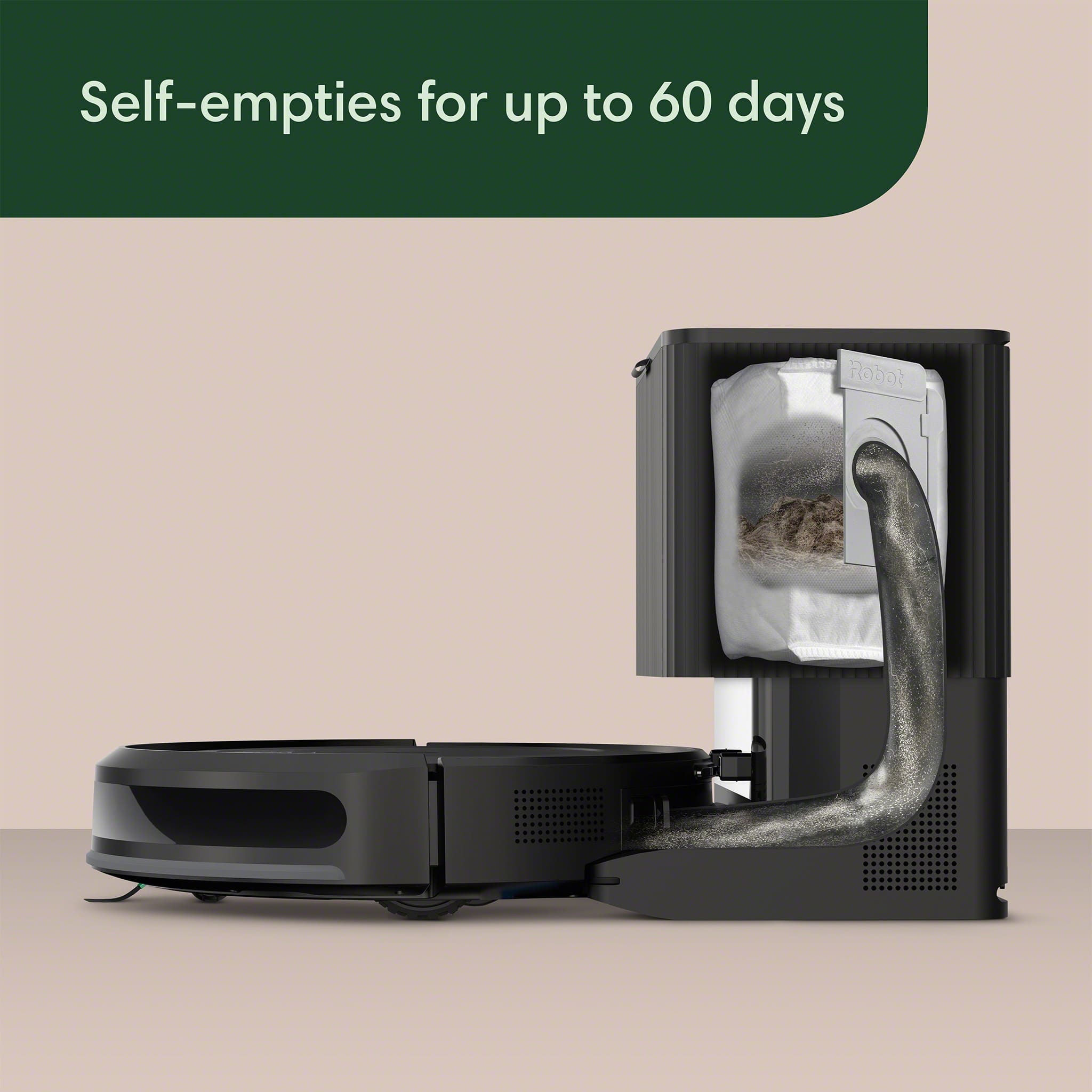
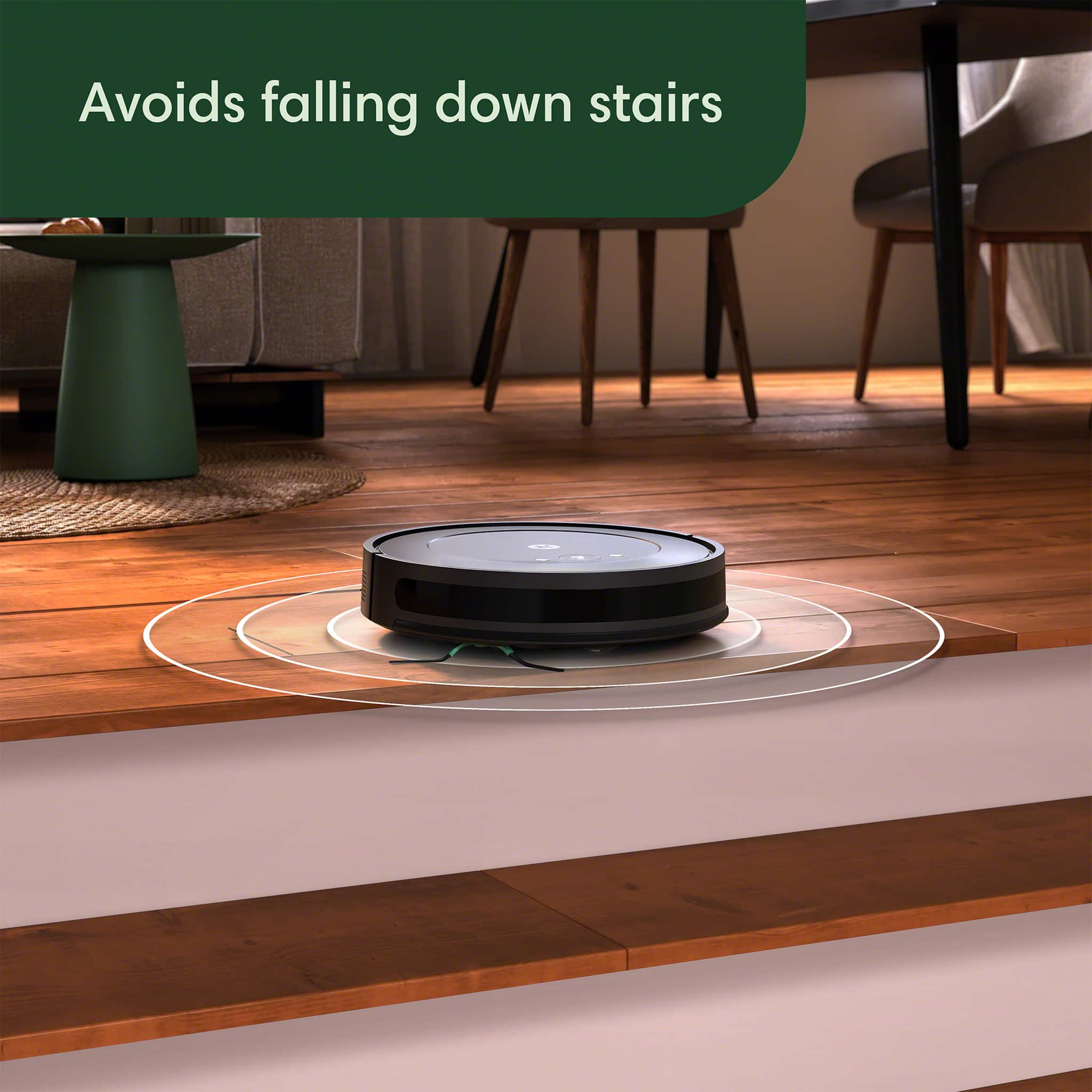
|Posted .This reviewer received promo considerations or sweepstakes entry for writing a review.My house has a fleet of iRobot robots so this one took me a little while to evaluate because it’s cleaning element is different from what I'm used to from iRobot. We have quite a few Roomba j7+ on the several floors of our house. Compared to the pricier Roomba j7+, the Vac 2 Essential is like a scrappy younger sibling. Where the j7+ has advanced obstacle avoidance and pet waste detection, this model has more basic navigation and doesn’t seem to have the more comprehensive object avoidance and recognition of the more expensive bot. It still manages to clean methodically in neat rows and avoid falling down stairs, just without the fancy features. One major difference is the cleaning power of dual rubber scrubbers versus a single brush. It seems to clean just as well as a single brush with suction. A bonus is that the brush seems to be more sturdy than the dual rubber cleaners and may need replacement less often. I’m certain that the dual rubber sweepers of the older robots did a great local pickup of small and large particles so I’m impressed that the single brush cleaned as well as it did. I guess a longer term with the bot may tell us whether it can repel hair and fur clogs as well as the previous versions. The auto-empty dock is a game-changer for iRobot. It can hold up to 60 days of dirt and debris, which means less maintenance for you. I don’t recommend any cleaning robot that doesn’t have one, and iRobot has one of the most reliable mechanisms. The j7+ might have a more premium dock, but this one gets the job done without breaking the bank. The iRobot Home App is as useful as usual with this new bot series. You can schedule cleanings, set up cleanings when you’re gone, and even get a report showing where the robot cleaned. Battery life is solid, cleaning one whole floor on a single charge in our 1400 square foot hard wood floor. I’m sure your milage will vary on carpet. While it might not have all the bells and whistles of the higher tier bots, the Roomba Vac 2 Essential offers impressive functionality . It's perfect for those wanting a smart, efficient cleaning solution without spending a small fortune. I definitely recommend it. If you don’t have an iRobot bot yet, beware, you may end up with a family of bots before long. The satisfaction is that high!
I would recommend this to a friendBrand response from iRobot Team
Posted .Thank you for taking the time to share your feedback about the Roomba Vac 2 Essential. We’re thrilled you are loving your new robot. Three cheers for clean floors!
- Pros mentioned:Setup, Suction power
A Great Robot Vac At A Great Price!
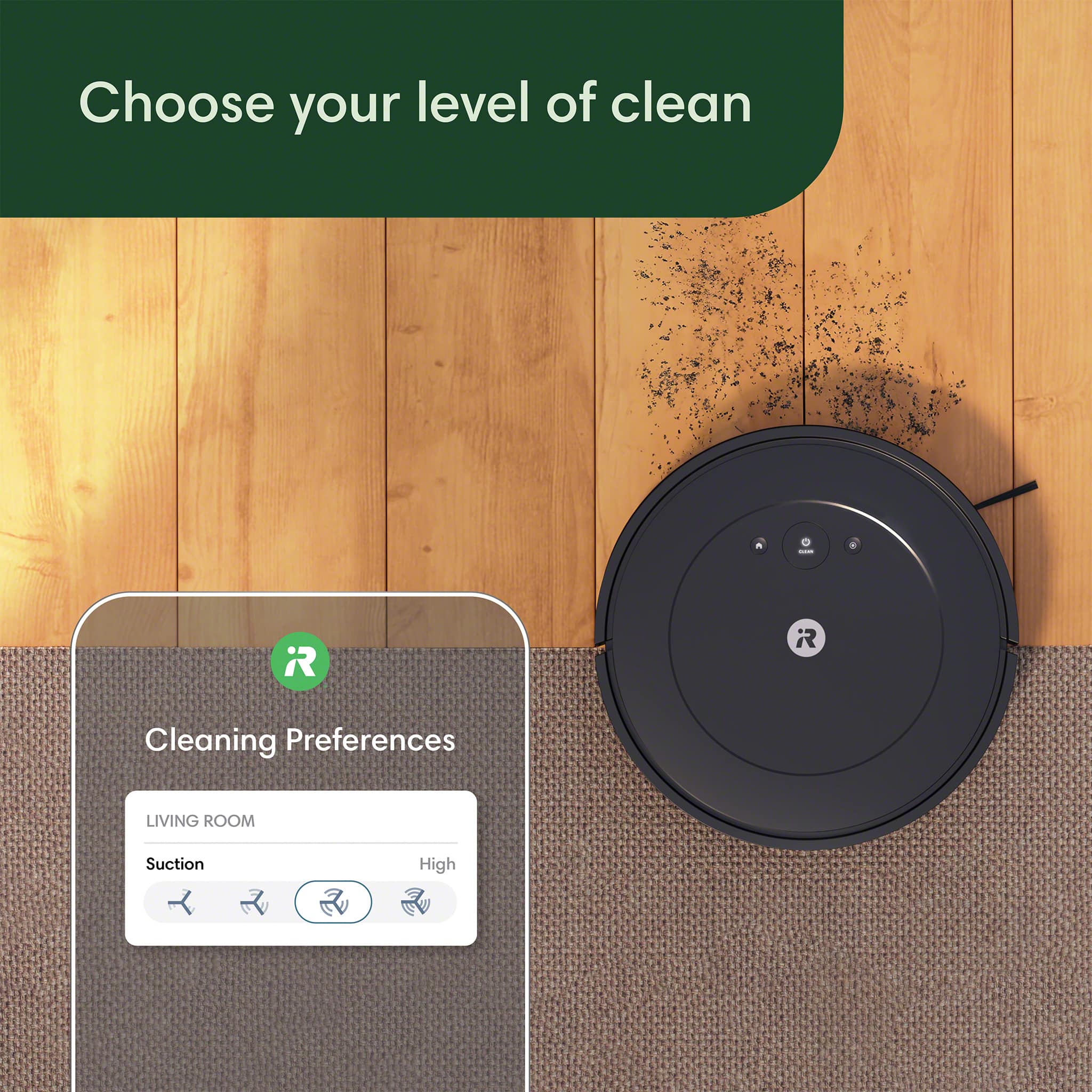
|Posted .This reviewer received promo considerations or sweepstakes entry for writing a review.I am writing this review for the iRobot Roomba Vac2 Essential Robot Vacuum With Auto-Empty Docking Station. There are those brands that are automatically associated with superior quality as well as superior performance. This was the case for me when I had the opportunity to get an iRobot Roomba vac. Over the years many of us have associated robot vacuums with Roomba. Anytime someone is going to use a vacuum robot, they almost always say, “I’m going to Roomba the house while we are away,” or something else very similar. Even though I have owned two other brands of robot vacs, I still found myself Roomba-ing. I’ve said all that to say I had some very high expectations of the Roomba because of its long-lived reputation. The Roomba comes packed in a rather large box which makes you wonder at first at just how large it is. But the superior shipping container makes up most of the space. There was a lot of thought that went into the design of the shipping container, and this is always one of the first things I look at when dealing with a new product. If they are willing to invest resources into the design and build of a shipping box, it is almost certain they will invest resources into the design and build of the product itself. As I opened the box and began unpacking, I was greeted by two white cloth-like bags that housed the Roomba vacuum itself, while the other contained the docking station. Being a packrat at heart, I am keeping the bags because, you know, they might come in handy someday… 😊 Due to many aggravations due to setup issues, I have learned it is best to always review the quick start guide and the user manual to make sure I don’t have to start all over again because I did or didn’t do something the right way. Setup with the iRobot was actually very easy. There is of course the app to download, and it is the app that guides you through the entire setup process. It was necessary to find a spot to place the Roomba and to connect it to a power source before going through the setup. And in a very few minutes, without any glitches whatsoever, the Roomba was connected and ready to go…after charging, that is. I let the unit charge for several hours before using it the first time. Using the app, there is the option of choosing just how long you want the Roomba to vacuum. For the trial run I chose fifteen minutes. After choosing the amount of time, it was as simple as pushing the start button. I watched it closely just to see how well it covered the floor space, and to also see how it handled the odd placement of furniture, TV, speakers, etc. I also wanted to see how it would do with handling the carpet in the middle of the living room. The Roomba follows a rectangular pathway throughout using a pattern in which it overlaps each run. When encountering a hallway or an open door into another room, it appears to take note and then come back after completing the first room. It also seems to take note of barriers (such as walls and furniture) and slows down when approaching them in subsequent runs. At the end of the time cycle, it returned to the docking station. So how did it do? As far as coverage is concerned, it seemed to cover the available space quite well. It has a good memory, and is able to go back and get any spaces it may have missed. Of course, it cannot move furniture or other obstacles, so depending on the layout of the rooms, there could be a lot of nooks and crannies that just won’t get vacuumed. This is true of any robot vacuum, but its just the nature of the beast. So it is best to get all the cords, small tables, chairs, and so forth out of the way if you want a more thorough cleaning job. I noticed that the Roomba did great on the carpet as long as it followed the weave, but when going against the weave it did this bobble and wobble thing. I hadn’t ever noticed this with other robot vacuums, but it didn’t seem to diminish its performance. I’ve noticed this with regular vacuums as well…as you push one way its easy, but if you go in the opposite direction, it becomes quite a battle. When the initial vacuum was over with, the iRobot returned to the docking station right on time. It takes a bit of time for it to become fully oriented to the docking station before actually docking, and once its back home, it begins to recharge. Its worthy of noting that the vacuum will not empty unless it is full, or unless you tell it to empty itself via the app. To judge how well it cleaned, I cued the app to initiate an empty cycle, and then looked inside the bag to see how much debris had been collected. I had vacuumed and cleaned the floors and area rug just the day before, so I wasn’t expecting much. But wow, when I looked into the bag, I was a bit taken aback by how much it had collected. I do have pets, so I guess it shouldn’t have been that big of a surprise. It does go to show however that setting the iRobot to clean every other day or so is probably not overkill. Overall I am quite satisfied with the iRobot Roomba. It doesn’t have all the whistles and bells of some of the other robot vacs out there, but there are enough to ensure that your floors and carpets stay reasonably clean. I would have liked to have seen a mapping function whereby I could designate certain areas within a room to vacuum, you know, to handle messes in a certain spot if you accidentally make a mess. I do like the fact that you can set a cleaning schedule so that the iRobot will work while you are away at work during the week. I like the ability to set vacuum suction strengths so that it can reach deeper down into the carpet, and suck up more debris along baseboards. The bottom line is this, does it perform and clean as expected? Yes, it does. It is surprisingly less expensive than other models on the market, so this makes a great choice for folks on a budget. And even without all the extra whistles and bells, it gets the job done, and it does it very well. I highly recommend to anyone looking for a great all-around robot vacuum that doesn’t cost an arm and a leg.
I would recommend this to a friendBrand response from iRobot Team
Posted .Thank you for taking the time to share your feedback about the Roomba Vac 2 Essential. We’re thrilled you are loving your new robot. Three cheers for clean floors!
- Cons mentioned:Battery life, Mapping
The “economy” vacuum
|Posted .This reviewer received promo considerations or sweepstakes entry for writing a review.This is a replacement vacuum for my old iRobot/Roomba from years ago. I’m familiar with the product and companion app already which are easy to use but was hoping to find improvement here when there really wasn’t any. Out of the box, I was genuinely please and impressed with the eco friendly packaging. Nearly everything is recyclable with very little plastic waste. There’s an easy five step setup process to follow with instructions printed on large cardboard when you open the box. After plugging in the base, setting the vacuum alongside the base, downloading the app (which I already had) and setting up the WiFi, all of which is easy, we’d theoretically be off to the races. And that’s where the problems start… The instructions act like you should just get setup and hit the clean button. Makes sense to me and when I did that, like with most robo-vacuums, I figured it’d go get familiar with the room layout while cleaning. I noticed the battery wasn’t fully charged, which was fine, as it was hovering around 70% and I knew that’d be enough to clean my common area where the vacuum had been placed, so I let the vacuum go to work and left to run errands. To my surprise when I returned the vacuum was paused in the middle of the floor, I opened the app to see the battery had died. Interesting, never would’ve thought that to be the case in such a small room but fine, I put the vacuum back on the deck manually. While browsing the app for any additional data, I couldn’t for the life of me figure out how to retrieve the mapping data that the vacuum collected on its run. After a bunch of googling, it turns out that this vacuum doesn’t even map your room layout, which is comically absurd. That means it has no idea where your couch is, where the Christmas tree is, you can’t set it to avoid a certain area either, so every time it runs it’s just going to roll right into my Christmas tree or dog bed without much care. What an awful design, but whatever, at least they don’t advertise it as a feature that’s missing, it’s just a no brainer to include with any Robo-vacuum. As I’m sitting there stunned, I decide to glance at the physical instructions to see if I am missing anything else. That’s when I notice that the instructions say to attach the brush to the bottom of the vacuum that came in the box. It is insane that I had to view the physical instructions and thumb through a few pages to learn that as most folks aren’t vacuum experts. The attachment could’ve easily come already attached, or been included in the quick start instructions, or had a popup in the app when starting, but no, it was a necessary part of the vacuum that I’m sure much more people than me are never attaching to the device due to a lack of clarity. But then I notice there’s one other piece from the box that had no instructions, which was some type of filter. The filter by default would’ve had to go in the base or in the vacuum, but I’m not sure which one and the instructions don’t say, but since I had to self install the vacuum brush, I assuredly have to install this filter, right? Wrong. After thumbing through the instructions to no avail, I checked the app to no help, and eventually found an online instruction book, much different than the one provided, and more thorough, that showed where the filter goes. I popped the vacuum open to check and there’s a filter already installed so apparently they give you a spare filter as the only spare part but don’t share that information with you at all or what to do with it. Again, just an awful design. While noting the instructions, I found another note buried amongst them that says to not run the vacuum initially without charging it for four hours due to the battery coming less than full. Not the end of the world, but why would that not be on the “quick start” instructions that they want you to read when opening the package? Four hours later of charging and the vacuum can be used again, so here we go… All said, this is clearly a bare bones product from the start with a less than helpful app. Only reason it’s not getting 0 stars is that it does the thing it says it’ll do, which is vacuum, but past that, don’t look out for any bells and whistles. Lastly too I was shocked when I went to dump the debris bin afterwards that it’s VERY small, much smaller than the same brand product I owned from years ago. We live in a remarkably clean house with no kids and no pets that gets vacuumed every few days, yet this bin is full after one run? I’d skip this and spend your money on something else.
No, I would not recommend this to a friendBrand response from iRobot Team
Posted .We appreciate you taking the time to provide feedback on the Roomba Vac 2 Essential. We're sorry to hear about the difficulties you are experiencing. Please reach out to https://homesupport.irobot.com/s/contact-support-info, so we may properly diagnose your issue.
- Pros mentioned:Suction power
Insanely Convenient Perfection
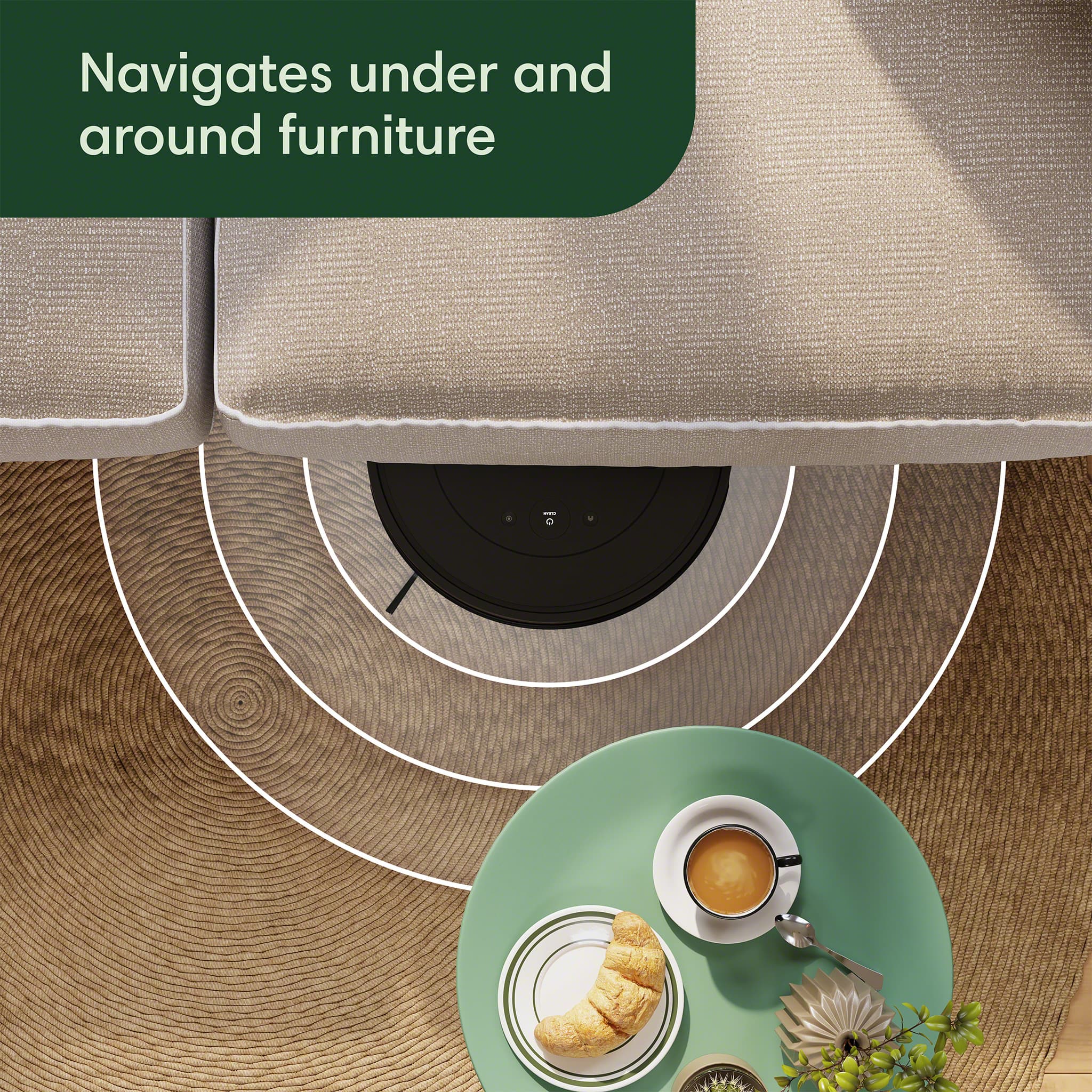
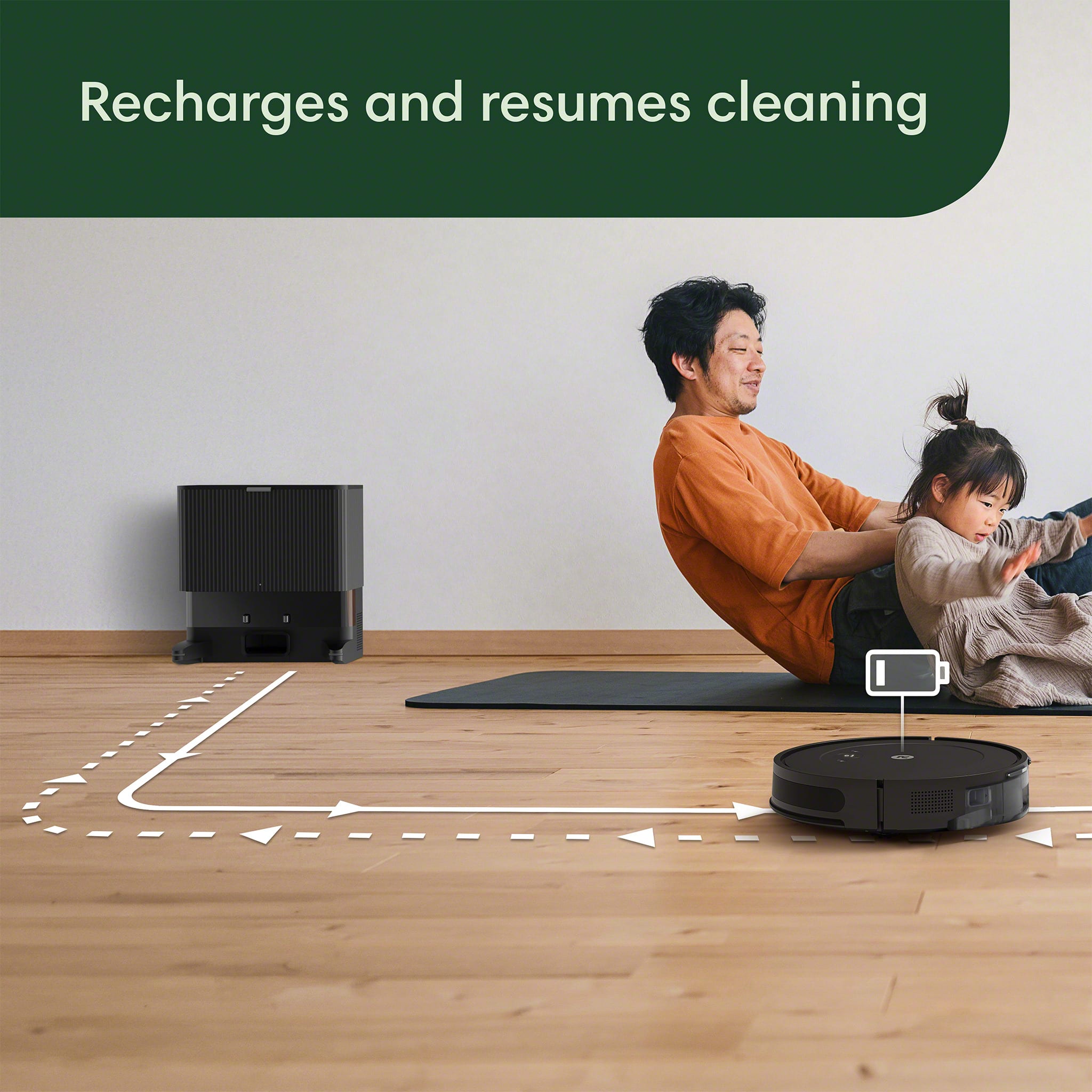
|Posted .This reviewer received promo considerations or sweepstakes entry for writing a review.I've had several robot vacuums in the past, many of which did not have a “base station,” let alone auto-empty, so when I saw this new Roomba Essential 2 come out with the auto-empty dock, I knew it had to be end-game material. I feel like a robot vacuum already is good enough, but when you combine the auto-empty and self-charging, the convenience is just unreal. So the base station can hold up to 60 days of dirt and debris in its bag, they claim, though in my past experience with iRobot devices, this is most likely underrated. Essentially, when it gets full, it goes back to the base station and auto-empties itself rather than like the old models where you had to clean it out by hand; this is quite literally perfection. It can go for up to two hours of cleaning per charge, and when it gets low, it also heads to the base station to empty itself out and recharge. In which case, when it is complete, there is a feature called recharge and resume; it goes back to exactly where it stopped and continues cleaning. There are three buttons on the top: one of which is clean that sends it on its way, another is spot clean where you can send it out in a spiral for potentially a pet-infested area, so to speak, and the other is a home button to send it back to the base. It could be used manually in this manner, or when you use it with the app it becomes even more crazy. You can give it your location so that it may start when you leave home. This for me, was probably my favorite feature. I leave for work, and it goes on its way cleaning my entire house, which is just perfect as somebody with dogs and cats and children (the trifecta of filth, lol). The device itself is 3 1/2 inches high, so if your bed and sofa, and other items are at least that high, it will go underneath them to clean, which is great. This model avoids falling downstairs and has a more reactive soft-touch bumper, which I found to be pretty much spot-on perfect. Assembly of everything out of the box is super easy including the new edge-sweeping brush, which just pops on instead of fumbling around with screws, like you had to do in the past. This has 4 modes of suction and of these, if I'm away from the house, I like it to use medium just to know it's not sitting there burning itself out or something for peace of mind, but if I'm home I just like to put it on max to get the job done most effectively. All I can say is if you've never had a robot vacuum before and you want to get into one, or you have an older model that doesn't have a dock, this thing is absolutely amazing in every way. It basically removes the need to ever vacuum your home again because it just does it for you and empties it for you and bags it up. This is the absolute ideal robot vacuum you could even imagine. Simply perfect.
I would recommend this to a friendBrand response from iRobot Team
Posted .Thank you for taking the time to share your feedback about the Roomba Vac 2 Essential. We’re thrilled you are loving your new robot. Three cheers for clean floors!
Good Roomba robot vacuum
|Posted .This reviewer received promo considerations or sweepstakes entry for writing a review.The iRobot Roomba Vac 2 Essential is a robot vacuum that sweeps both hard and carpeted surfaces. Out of the box, set-up is fast and easy. All that must be done is to remove the bumpers from the vacuum, plug in the charging dock, and set the vacuum in the charging dock. The vacuum does not come with a charged battery, so it cannot be used right out of the box. Once fully charged, I simply pressed the button on the top of the vacuum and it began to map and sweep my room. When using the Roomba to sweep a room, I have to pick up any large pieces of debris and move anything from the floor that may cause it to get trapped in a particular area, or that it may get stuck on. This took some trial and error for me to learn what the behavior of the Roomba would be. When the vacuum gets stuck, it will rotate in a circle for quite some time without signaling that it is stuck, so I felt the need to pay a small amount of attention to it the first time it was running, so I could learn where it would get stuck. While sweeping, it has a small brush that rotates to the side to sweep debris into the path of the suction. This does an excellent job of getting most items smaller than a quarter. When it senses a particularly dirty area, it spins in a circle to ensure that area is clean before it moves on along its previous path to continue sweeping the entire room. At one point it sucked in a sock from under the sofa. It continued sweeping for several minutes, but did eventually sense that there was an issue. It stopped and loudly announced that it had an error, along with the corresponding code number. I was easily able to remove the sock and once I put it back down and pushed the button, it started again right away and continued on as before. I was impressed by how long the battery lasted. It was sweeping for a couple of hours before I went to bed. It became trapped while I was sleeping and did not make it back to its dock. When I placed it back in its dock, it did not empty its dust bin on its own, but this may have been due to the battery being low. The dustbin of the vacuum is really small. I was surprised by how small it is, because the piece that pulls out of the vacuum is considerably larger, with only a small area for holding the dirt. I look forward to trying the vacuum again once the battery is charged to see if it is able to complete a map of my room and return to its dock on its own. Overall, the vacuum did an excellent job of sweeping my room. The bristles allow it to reach areas that it would have otherwise, such as along baseboards and against furniture. I was concerned that there would be dirt in these areas, but I was satisfied by its performance. It also did an excellent job of transitioning from the hard floor to the rugs. It didn’t get stuck on any rugs, not even the small, light ones in my kitchen. It did a good job of sweeping the rugs, as well as the hard floor. I would recommend this vacuum to anyone with carpet or hard floors for regular tidying. However, I do not think the suction is strong enough, nor the dustbin large enough, for this to be the only vacuum in the house, if I had any carpeted floors. I think carpets would need a more thorough sweeping once every week or two, but the Roomba does an excellent job of tidying and sweeping up small debris
I would recommend this to a friend- Pros mentioned:Suction power
Very Well Made Robot Vacuum
|Posted .This reviewer received promo considerations or sweepstakes entry for writing a review.This is the first iRobot robot vacuum that I have. I have another brand of the same type of robot vacuum that I still use that is a couple years old. This iRobot Roomba VAC 2 has a lot of good features and it has worked well to this point in our home. We actually took the older robot vacuum downstairs and use this one upstairs. Our home is entirely hardwood flooring and this works really well on our flooring, I’m not sure how it would do on flooring w/ carpet. The first thing that you must do is download the iRobot App and the setup was seamless and only took a few minutes. The initial clean is basically mapping out the layout of your home and I like the fact the iRobot App has far more features than our other model. It gives you a lot more control of how the robot cleans. And as far as cleaning the iRobot does better w/ our floors and it will run approximately 120 minutes on a single charge, and the great thing is once it’s programmed and mapped out your floor it docks itself and empties, then re-charges and finishes cleaning if it didn’t finish. I also like the fact that this iRobot has 4 different levels of suction and it really makes a difference in each level. The manufacturer states that the docking station will last up to 60 days before having to be emptied, and granted I’ve only tested it for several days, I have no doubt it could last that long, the canister you remove to empty the debris if far larger than our other robot. My only issue w/ the iRobot Roomba VAC 2 Essential is that it only has 1 sweeper on it, our other robot has 2, not that it doesn’t clean as well as the other, because it does, however, I think 2 is better than one. This is a very well made robot vacuum cleaner and I’m sure it will last and function for a long time. I highly recommend it.
I would recommend this to a friendBrand response from iRobot Team
Posted .Thank you for taking the time to share your feedback about the Roomba Vac 2 Essential. We’re thrilled you are loving your new robot. Three cheers for clean floors!
- Pros mentioned:Suction power
Quieter than other robot vacuums
|Posted .This reviewer received promo considerations or sweepstakes entry for writing a review.If you're looking for a quieter robot vacuum that you need to empty less frequently, this is a solid option. Setting this up was pretty easy, they aren't a ton of things to assemble and the app walks you through it and does most of the work for you. I appreciated the minimal packaging as well. I think it took less than 15 mins to be up and running once I opened the box. This is primarily used on the main floor of a two story house that has carpet and hardwood. The carpet is newer so I was worried it would sense the change in flooring as a ledge or a staircase but the robot is pretty smart and handles the change smoothly. It's kind of entertaining to watch it work it's way around objects. I was pleasantly surprised that this isn't as loud as other models/brands I've used in the past as I didn't want the dog to be afraid of the vacuum or the noise. This has great suction and leaves satisfying vacuum lines as it goes across the carpet. It seems to itself stuck less compared to other vacuums we've tried out and I love that this has a little emptying bag in the home base. I do feel this will probably need to be emptied more often than the recommendation as it will be dealing with pet hair and fill up faster. My only complaint would be the bag this empties in is smaller than I expected and it sometimes seems to takes longer to do the cleaning than other days. In general though I think this is a good option for someone who would like a reliable easy to use app and quiet robot vacuum.
I would recommend this to a friend