Customer Ratings & Reviews
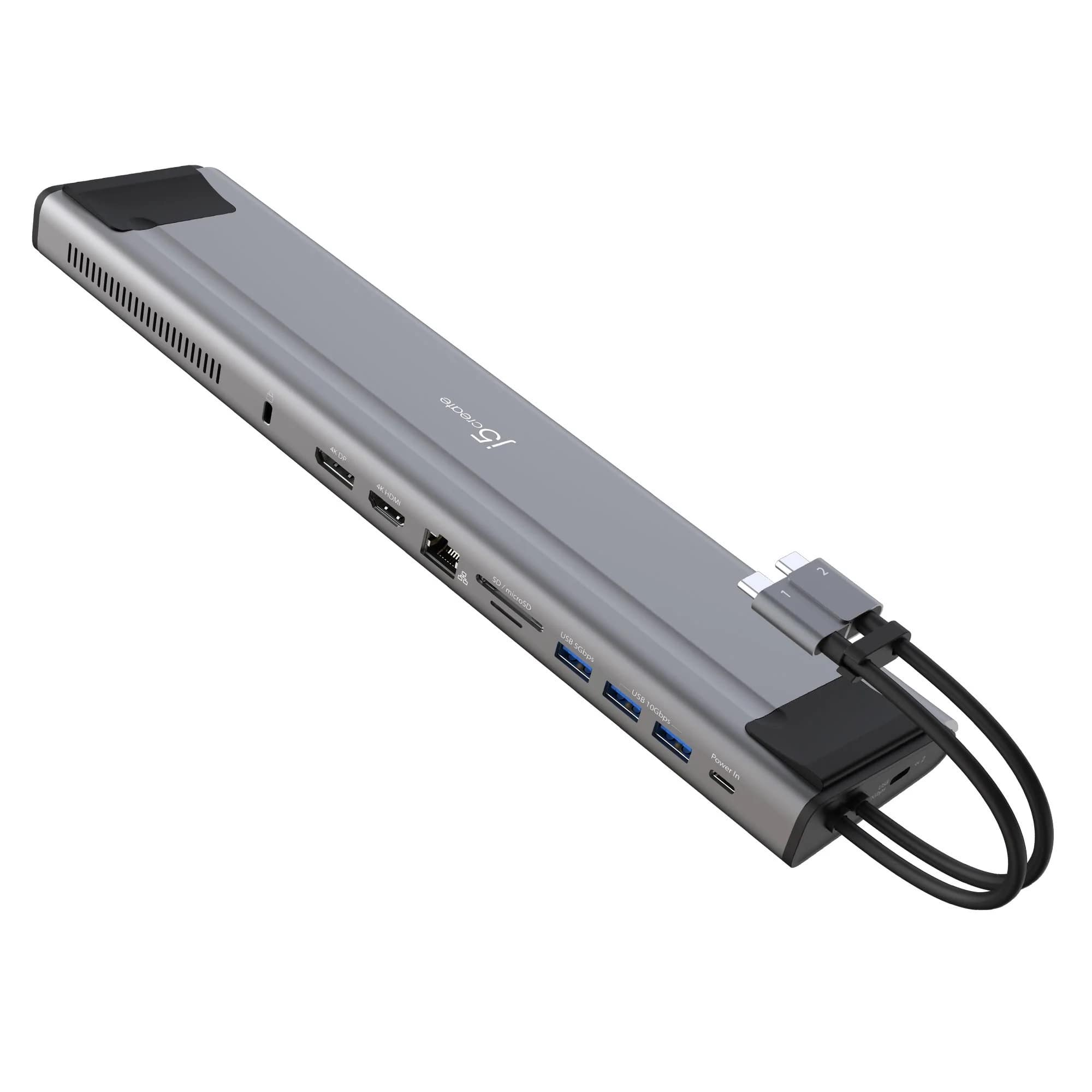
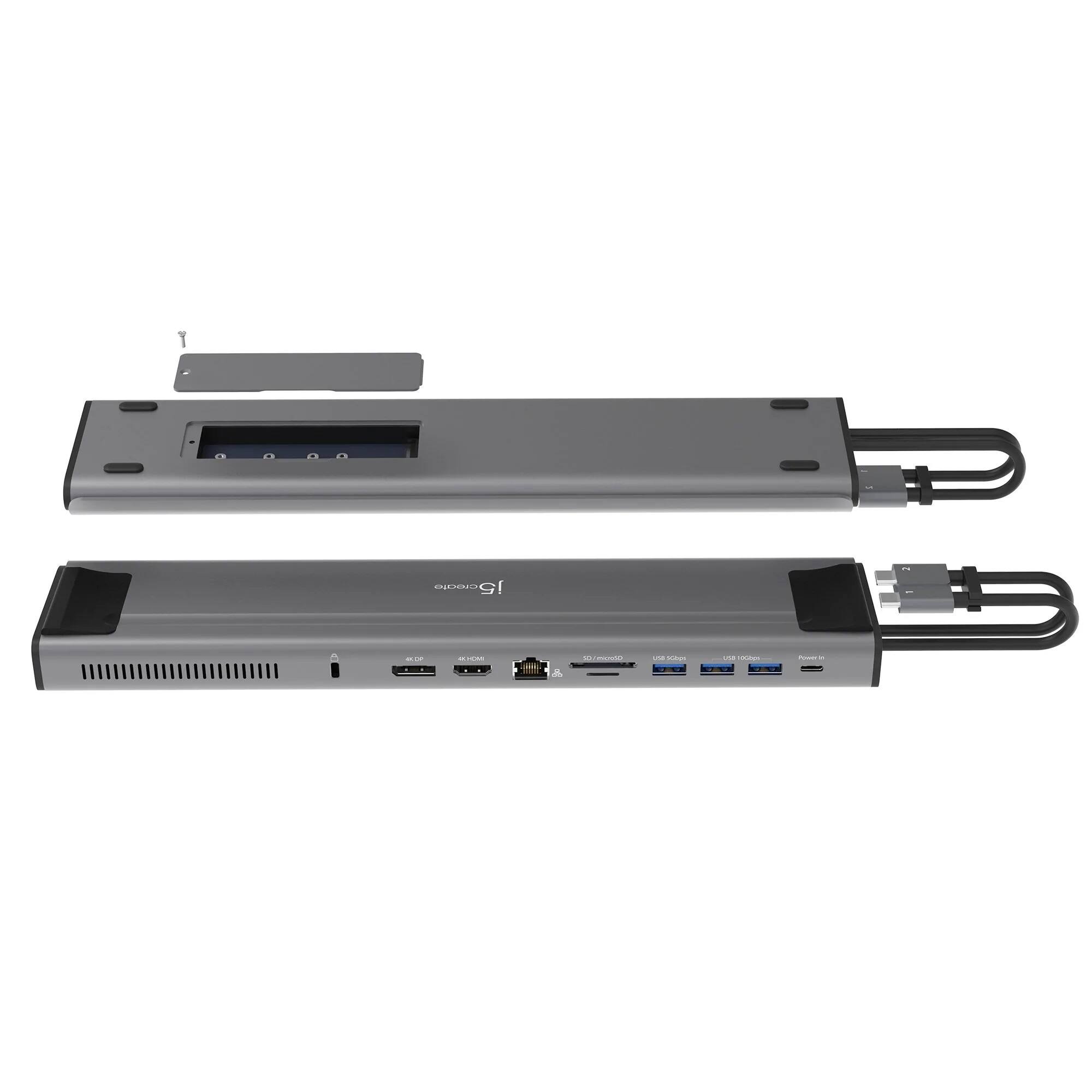
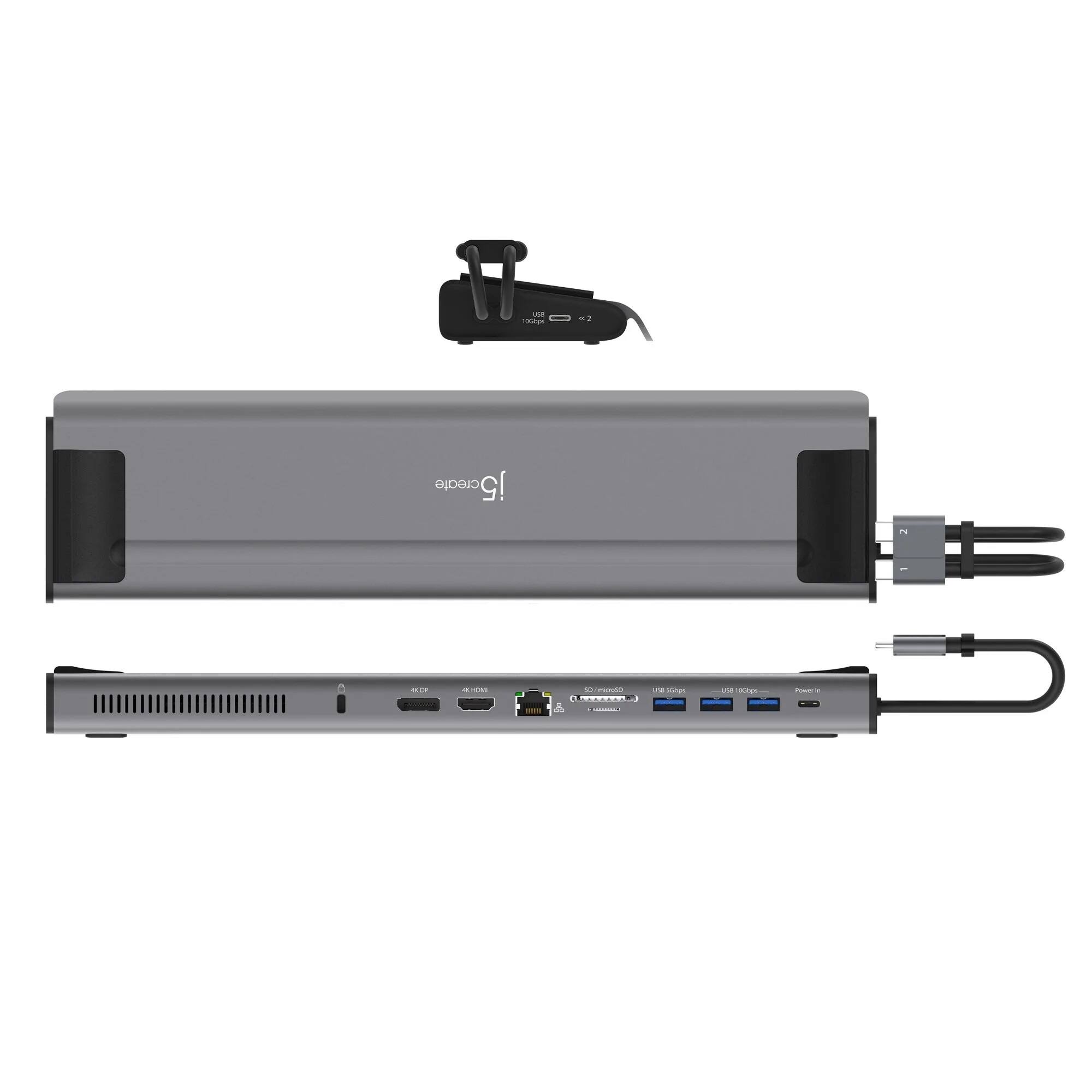
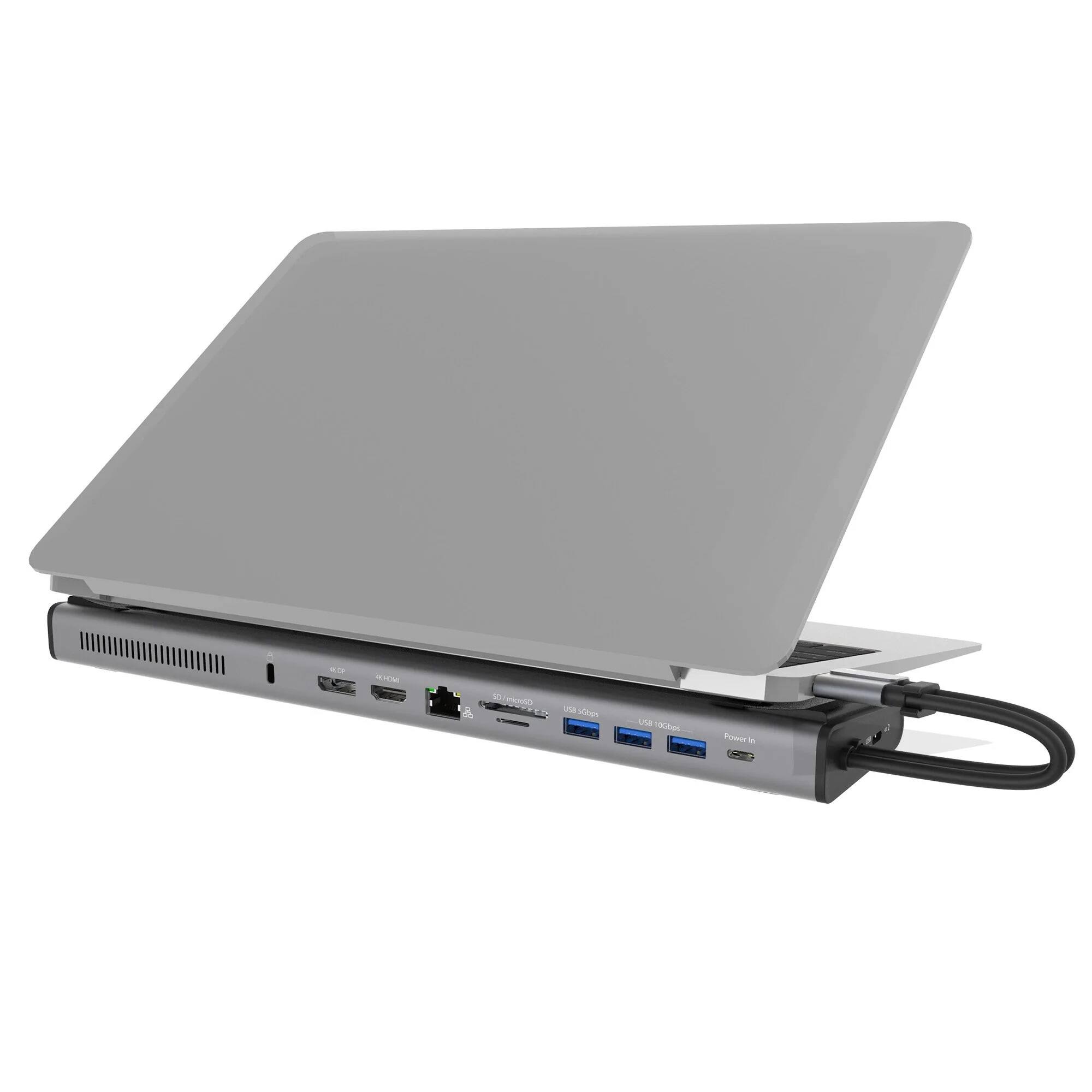
- Model:
- JCD552
- SKU:
- 6469971
Rating by feature
- Value
Rating 3.5 out of 5 stars
- Quality
Rating 3.9 out of 5 stars
- Ease of Use
Rating 4.0 out of 5 stars
Customers are saying
Customers frequently mention the compact size as a significant advantage. However, many users experienced issues with the USB-C ports and compatibility with certain devices, particularly Apple M1 chips and Windows machines. Problems with the display port functionality were also reported. Overall, the product's functionality appears inconsistent across different operating systems and devices.
This summary was generated by AI based on customer reviews.
Best docking station for Apple Laptops with USB C
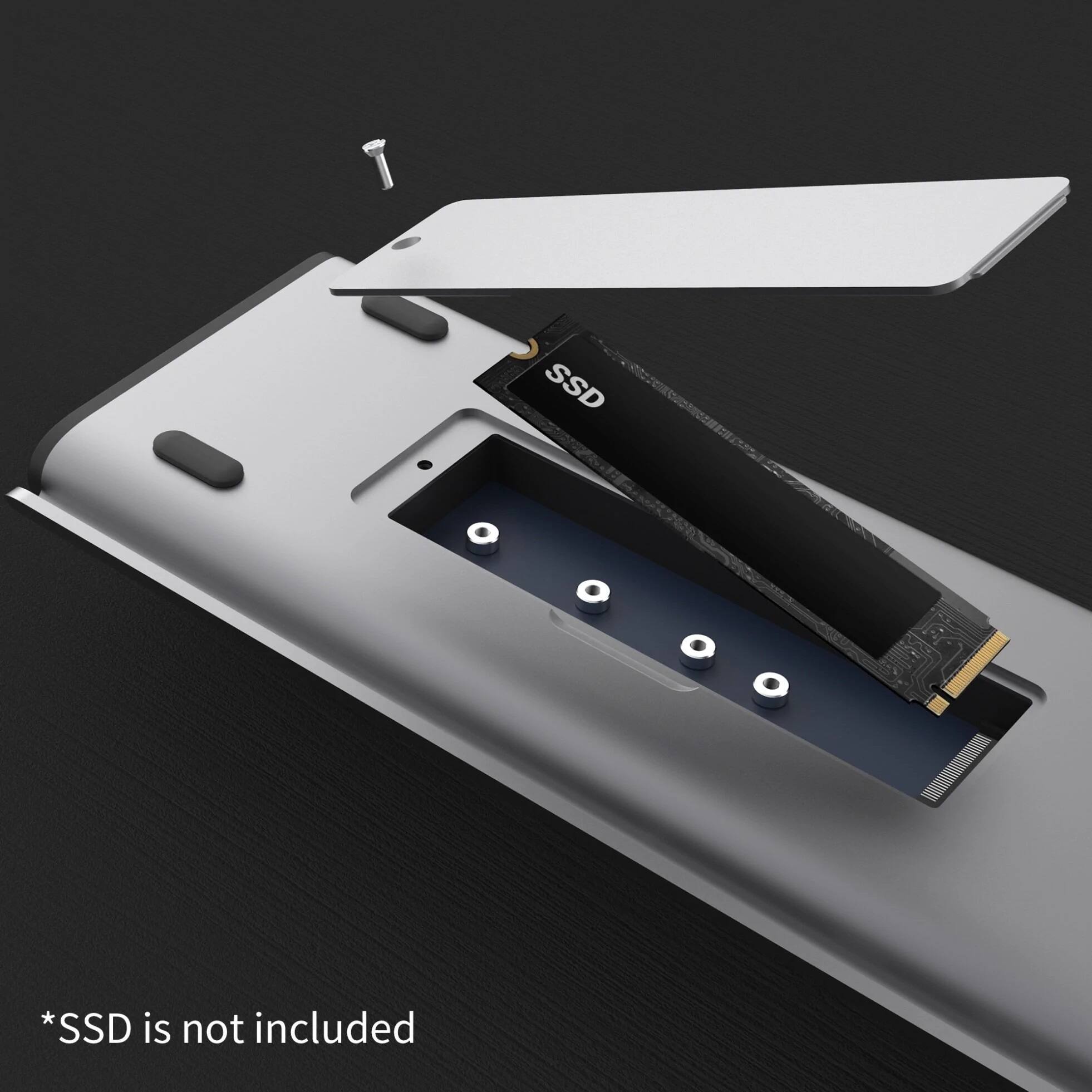
||Posted . Owned for more than 2 years when reviewed.This reviewer received promo considerations or sweepstakes entry for writing a review.Pairs perfectly with my MacBook M1 Pro. I just plug in and instantly I have an external monitor, wireless keyboard, mouse and Ethernet connection all set up. It also charges my laptop. It also had an expansion for additional storage. The hard metallic shell matches the look and feel of my MacBook thus keeping the aesthetic consistent.
I would recommend this to a friendThe Best Buy Manager said it's Junk - Hard lesson.
||Posted . Owned for 9 months when reviewed.This reviewer received promo considerations or sweepstakes entry for writing a review.What a nightmare, waste of money and time. I purchased this along with a 2019 MacBook Pro 16" Intel chip at the suggestion of the sales rep. I should have listened to my gut but went ahead and bought this. Even purchased a nvme drive for Time Machine (TM). Right out of the box I had problems with the Display ports. I chatted with J5Create Tech Support and did a few SMC resets and usb-c port plugin configurations. Finally my 2 external monitors showed up. I was able to do a TM backup then I had to work remotely so I put the device aside and only pulled it out to do a TM snapshots. This was all on the same purchase of a Brand New MBP. I started to notice My MBP wouldn't fully power down when this thing is plugged in. I went back to the store for a refund but was outside my window and was told to contact J5. The manager of best buy told me he agreed that the product was no good and apologized stating "I would never have sold you this as we have had allot of problems with it". So I contacted J5 Create and setup a RMA and finally got a replacement. However upon receiving the new item I spoke with the J5 Create staff and they advised me to make sure I was updated on my MacOs which I did before connecting. After the update I connected the device and again nothing worked. Occasionally the TM drive would show then disconnect. This is when things got really bad! I tried to do an SMC reset however my MBP started to boot loop. I want even able to boot into recovery. Needless to say I had to send the MBP into apple (thankfully I had 2 months left on my warranty) and they had to replace the logic board and finger print ID. I just received the MBP and upon plugging in the JCD552 same problems plus now I'm getting a message that the USB Accessory is disabled due to too much power draw. Connecting power directly to device I loose charging. Bottom line, don't waste your time. It clearly too much technology in one device and the J5 Create team seems to not have a fix. Aside from loosing my data I've loss work and time all because of this item. Last time I buy anything from J5Create. Now I'm stuck with this high priced paper weight.
No, I would not recommend this to a friendGood potential but keep in mind wire doesnt reach
||Posted .This reviewer received promo considerations or sweepstakes entry for writing a review.The 2 usb Wires are too short for my asus rog z g15.
No, I would not recommend this to a friendBrand response from J5create Team
Posted .This Docking Station works with computers that supports "DisplayPort Alt Mode" and "Power Delivery" over USB-C. We apologize that the USB-C host connections were too short for your computer. Cordially, j5.

- Cons mentioned:Usb-c
Great compact dock that gets the job done.
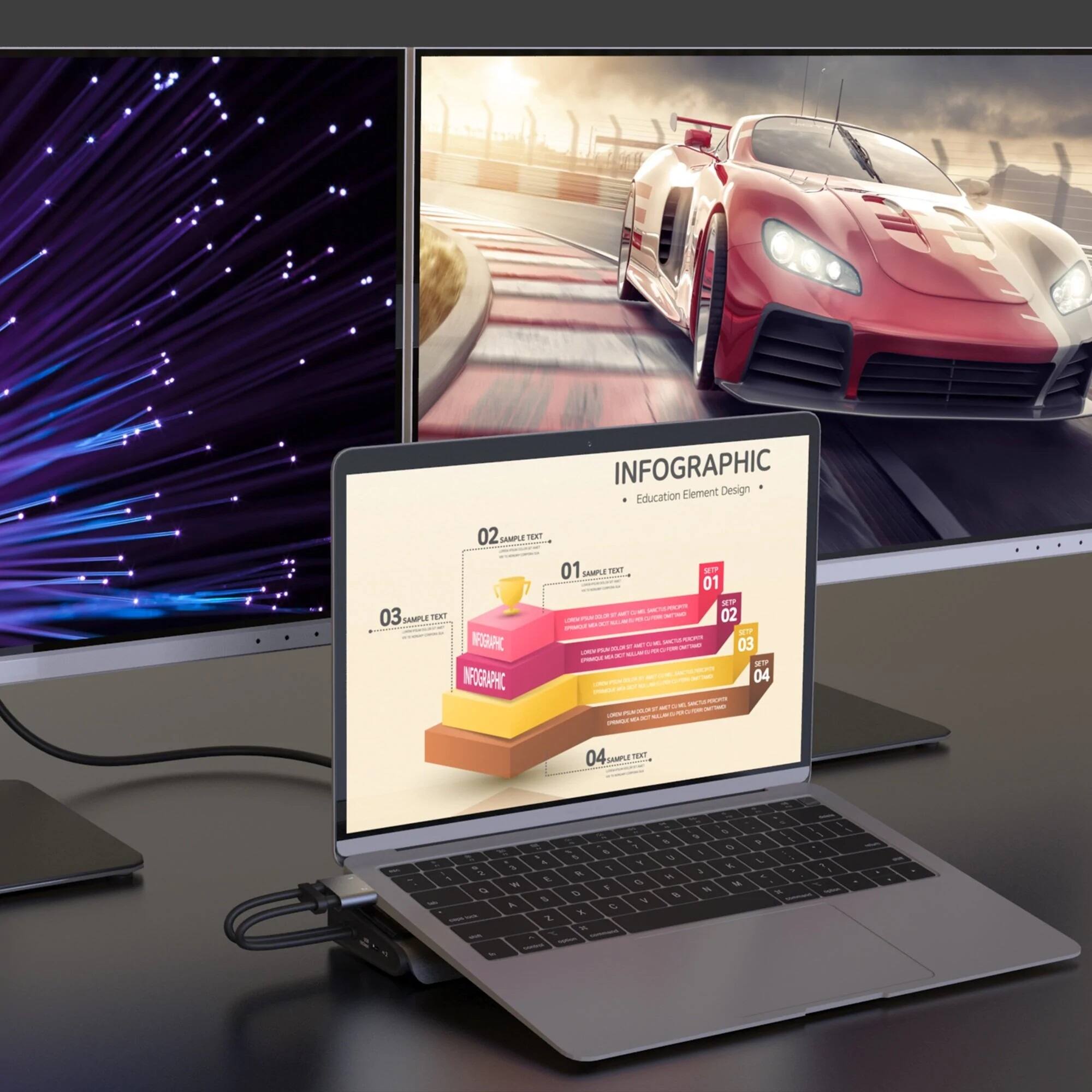
||Posted . Owned for 1 month when reviewed.This reviewer received promo considerations or sweepstakes entry for writing a review.Great dock that works. Nice that you don't have to give it it's own power, but feel it is a little pricy for what it is. Do wish it had 2 HDMI's on the dock itself as well but still a great dock with lots of connections and does what I was looking for. I bought it for my 2019 model Macbook Pro with only USBC connections and 16" screen -- Bonus is that it works with the work laptop I was just issued as well that is also a Macbook Pro but with the new M1 series chip (2021 version). Nice not having to use a bunch of adapters when I'm at my desk trying to connect 2 external displays, keyboard/mouse, hardwired internet, and then still need to plug in a flash drive or something as well.
I would recommend this to a friend 3 monitors…YES 3
||Posted . Owned for 1 year when reviewed.This reviewer received promo considerations or sweepstakes entry for writing a review.M1 Pro and this solves my external display issue. I was thinking the computer would natively support 3 displays (it does not) this also solves my ethernet issue. I do wish it had an additional HDMI port as well as an audio jack. Cord is also very short
I would recommend this to a friendEasy to use and is reliable!
||Posted . Owned for 3 weeks when reviewed.This reviewer received promo considerations or sweepstakes entry for writing a review.Easy to use and is reliable! Great value for the cost.
I would recommend this to a friendWorks great
||Posted . Owned for 3 weeks when reviewed.This reviewer received promo considerations or sweepstakes entry for writing a review.Works very with M1 MacBook Air. Top surface could be sticker to help keep MacBook in place
I would recommend this to a friend- Cons mentioned:Usb-c
J5Create 12 port Docking Station
||Posted . Owned for 2 weeks when reviewed.This reviewer received promo considerations or sweepstakes entry for writing a review.Lock port ought to have been made into Thunderbolt 4 port. 3 usb ports should have been made 10Gbps each or 3.2 (2x2).
I would recommend this to a friend - Cons mentioned:Usb-c
DO NOT PURCHASE IF USING WITH M1 MACBOOK PRO
||Posted . Owned for 3 months when reviewed.This reviewer received promo considerations or sweepstakes entry for writing a review.This dock has such potential. The layout of it is great and the port selection is awesome, but sadly it falls short when it comes to core functionality. I run the M1 Max MBP for audio production and needed something that could connect to two external monitors, my audio interface, and my midi controller. At first, the unit worked as intended, I was able to plug and play. Within 2 weeks the dock stopped displaying my second external monitor and the dock would intermittently not show my USB devices unless I was using one specific port. This is now going on month 3 and now the unit refuses to output anything more than 1 monitor and one USB-C device. I followed the recommendations on J5's support page to no avail and now I am stuck with a $149 paperweight for my uses. I should have purchased the protection plan. If you are in the market for a dock, ESPECIALLY FOR THE M1 MACBOOK PRO please do yourself a favor and get a thunderbolt dock or something else entirely.
No, I would not recommend this to a friendBrand response from J5create Team
Posted .Please contact our Technical Support Team, so that they can get more information from you. Their information can be found on our website under the "Support" tab and a specialist will be ready to assist in resolving this. We apologize for the inconvenience. Thank you.
You do NOT get what you pay for.
||Posted . Owned for 1 year when reviewed.This reviewer received promo considerations or sweepstakes entry for writing a review.I would stay away from this overpriced piece of junk. The device failed within 8-9 months. The company provides 2 year warranty but you still have to pay for the shipping of the failed unit and then they would send you a replacement. Very disappointing experience.
No, I would not recommend this to a friendBrand response from J5create Team
Posted .I'm sorry to hear about your disappointing experience with the device and the company's customer service. It can be frustrating when a product fails within a relatively short period, especially when additional expenses are involved in getting a replacement. If you have any specific questions or need assistance with a particular issue related to the device or the company, please contact our Technical Support Team and you may ask for a Manager regarding your issue. Kind regards, j5create.
- Cons mentioned:Usb-c
Doesn't work for MacBook Pro 2020 (Intel CPU)
||Posted . Owned for less than 1 week when reviewed.This reviewer received promo considerations or sweepstakes entry for writing a review.It doesn't work for my MacBook Pro 2020 (Intel) as claimed. The HDMI display doesn't work. The ethernet adapter cannot be detected. The power-in doesn't work (why? there is no signal, just charging). And j5create's website doesn't even have a driver for this model (why???). I tried the driver for another similar model (JCD543P). It doesn't work either. So far, the display function works for a Windows machine. It looks like I am a volunteer testing engineer.
No, I would not recommend this to a friendBrand response from J5create Team
Posted .The M.2 NVMe USB-C Gen 2 Docking Station is a PnP device, no drivers are needed. The device works with computers that support "DisplayPort Alt Mode" and "Power Delivery" over USB-C. Please contact our Technical Support Team, so that they can get more information from you. Their information can be found on our website under the "Support" tab and a specialist will be ready to assist in resolving this. Thank you.
- Cons mentioned:Usb-c
Works well, but pricy.
||Posted . Owned for 7 months when reviewed.This reviewer received promo considerations or sweepstakes entry for writing a review.Works well. Would have liked another USB C port. I like how it can be used to prop up the rear end of my laptop at a slight elevation when on a flat desk.
I would recommend this to a friend Good Docking Solution
||Posted . Owned for 1 week when reviewed.This reviewer received promo considerations or sweepstakes entry for writing a review.Having some trouble with Mac OS Monterrey, DP 4K 60 HZ would not work with M1 13 inch MacBook Pro, However HDMI 4K 60 Hz works flawlessly. The NVMe slot serves as a perfect time machine back up drive solution. Very happy. Hope there is a software fix for the display port situation on Mac OS. Display port works well on windows machines.
I would recommend this to a friendBrand response from J5create Team
Posted .If your Mac is running the M1 chip and not M1 Pro or M1 Mac, it will only allow (!) external display. This is the hardware limitation on M1 chips. ** If you require further assistance; please contact the j5create Technical Support team via Live Chat or Support Ticket and we will be glad to further assist you. Thank you.
Better than advertised,I recommend for home office
||Posted .This reviewer received promo considerations or sweepstakes entry for writing a review.This was a great investment for my home office. I can now use multiple monitor with my MacBook Pro and extend the storage. It also works with my iPad Pro, this feature isn’t advertised in the packaging but I can use it as a dock for connecting my iPad Pro to my monitor and smart tv.
I would recommend this to a friend- Cons mentioned:Compatibility
Didn’t work on Apple M1 Processor at the time of p
||Posted . Owned for 1 month when reviewed.This reviewer received promo considerations or sweepstakes entry for writing a review.Great dock lots of options included SSD slot for storage options. The only issue I had and why I returned it, was because it didn’t work with my Apple M1 processor. They may have come out with a update by now.
I would recommend this to a friendBrand response from J5create Team
Posted .This Docking Station is a Plug n Play, no drivers are available. If you have the M1 chip, you will only be able to have 1 additional display. That is the limitation on the M1 hardware. M1 Pro and M1 Max will be able to add multiple display's to your computer. Please refer to the manufacturer of your hardware for more information on your device. ** Feel free to contact j5create Technical Support if you require further assistance. Their information can be found on our website under the "Support" tab. Thank you.
- Cons mentioned:Compatibility
Not for M1 Mac Owners
||Posted . Owned for 1 month when reviewed.This reviewer received promo considerations or sweepstakes entry for writing a review.Bought it under the impression it was compatible with the Apple M1 chip. I tried to use the HDMI ports, then HDMI/Display Ports with no luck. Cool product and would be great if it were compatible.
No, I would not recommend this to a friendBrand response from J5create Team
Posted .The M.2 NVMe USB-C Gen 2 Docking Station is compatible with M1 Pro and M1 Max chips and is capable of outputting dual displays via HDMI and DP video ports. Unfortunately, M1's will only allow (1) external display through a PnP device. That is the hardware limitation on M1 chips. ** Feel free to contact j5create Technical Support if you require further assistance. Their information can be found on our website under the "Support" tab. Thank you.
NVMe Fastback
||Posted .This reviewer received promo considerations or sweepstakes entry for writing a review.The M.2 NVMe docking station is a must in fast computing. Loving it.
I would recommend this to a friendBrand response from J5create Team
Posted .Increase your productivity with the M.2 NVMe USB-C Gen 2 Docking Station.
- Pros mentioned:Size
Great Idea, Solid Build, but WEAK Elect. Design!
||Posted . Owned for 1 month when reviewed.This reviewer received promo considerations or sweepstakes entry for writing a review.I had high hopes for this and have been generally pleased with numerous other J5create products. The dock worked fine & as described ....for a few weeks! Than as so many others have reported in the forums ..the video output to one or more of the ports fails ...temporarily and then completely. I SHOULD have listened more closely to those who have seemed to universally complained about this particular issue. I bought it because it was small enough to easily travel but the reliability makes that unlikely. Would recommend looking into "something else".
No, I would not recommend this to a friendBrand response from J5create Team
Posted .We apologize for the inconvenience you experienced. Please contact our Customer Service Team, so that they can get more information from you; in order to narrow down the exact issue you are experiencing. Their information can be found on our website under the "Support" tab. Thank you.
- Pros mentioned:Size
Let's the M1 MacBook Pro support dual 4k monitors
||Posted .This reviewer received promo considerations or sweepstakes entry for writing a review.When used with the displayLink driver, you can can run dual 4k monitors on an M1 Base MacBook Pro! This thing has everything I need at a fraction of the price of similar docks. No bulky desktop set up, it fits beneath my MBP like a champ.
I would recommend this to a friendBrand response from J5create Team
Posted .Multiple connectivity options for greater efficiency. Thank you for your review and rating. Enjoy!
- Pros mentioned:Size
Small but powerful
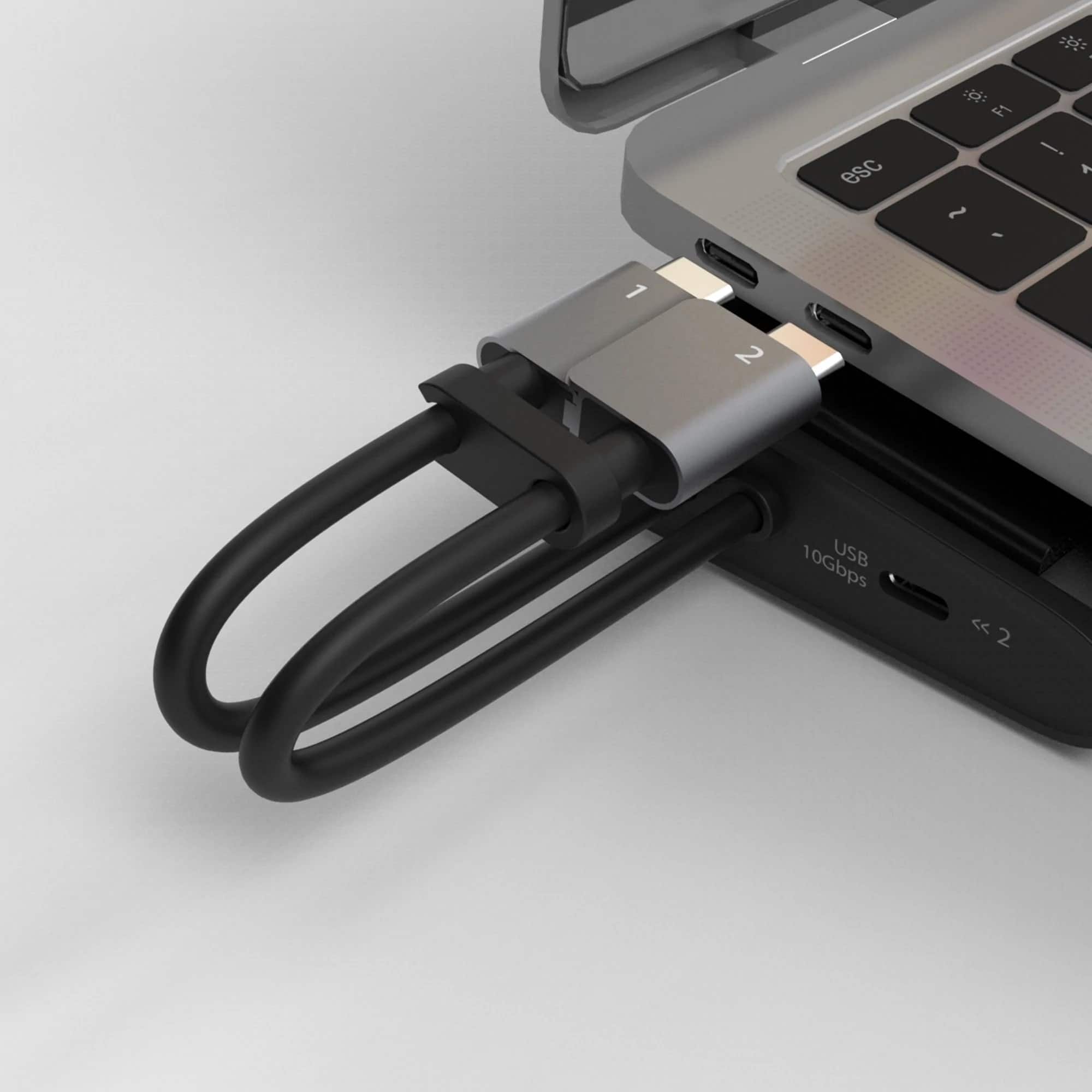
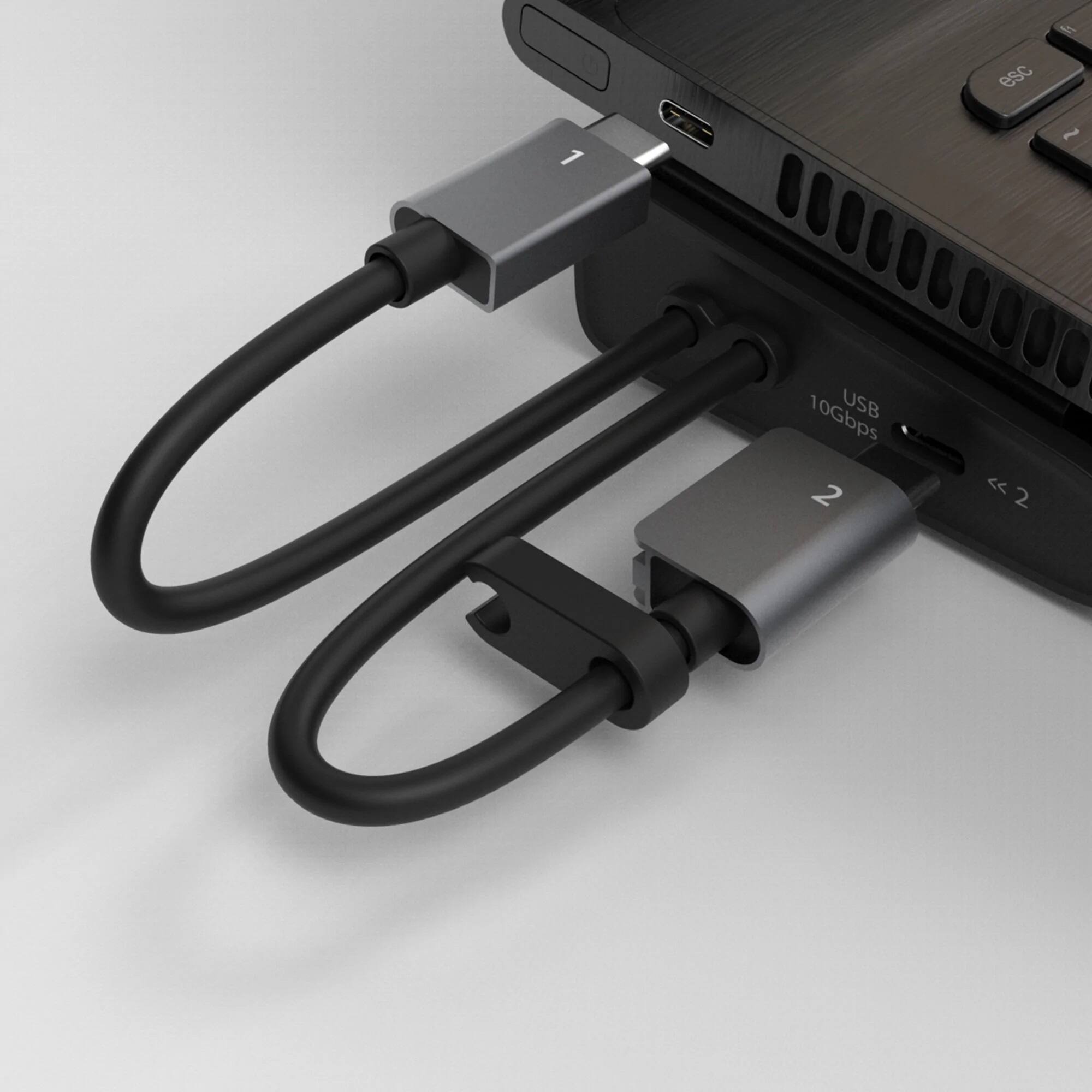
||Posted . Owned for 3 weeks when reviewed.This reviewer received promo considerations or sweepstakes entry for writing a review.Perfect sized docking port for my MacBook Pro. Small enough to be portable for taking to a hotel room and plugging in to an HDMI port. Not exactly sure what the dual USB plug-in gets, but I figured it increases performance?
I would recommend this to a friendBrand response from J5create Team
Posted .The Dual USB-C host connections controls HDMI and DP video ports with MST and DP Alt Mode supported and also the M.2 expansion SSD slot. Thank you for your review. Enjoy!