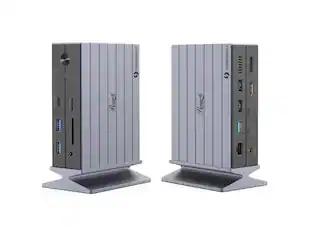
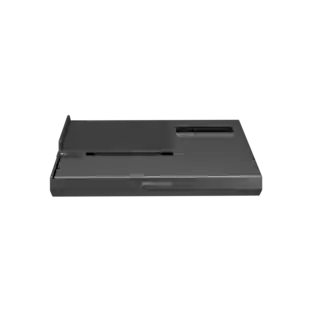
j5create - M.2 NVMe USB-C Gen 2 Docking Station - Grey & Black
About this product
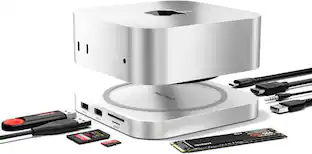
Increase your productivity with the M.2 NVMe USB-C Gen 2 Docking Station, transforming your Thunderbolt 3 or USB-C compatible laptop into a dual 4K workstation with up to 10 Gbps. This high-performance dock features a M.2 NVMe/SATA PCIe SSD Slot to expand your internal storage space, three SuperSpeed USB 10 Gbps ports (one USB-C and two USB Type-A), a Gigabit Ethernet port, SD & microSD memory card reader/writer, and aUSB Type-A 5Gbps port.This USB-C Gen 2 docking station supports 100W Power Delivery pass-through to power and charge your laptop, while powering all connected devices. With the built-in PCIe M.2 SSD enclosure and extra storage you can access throughanSD and microSD card, this is a must-have for creative professionals using a Mac.
Dual 4K Monitor Setup
Supports up to dual 4K @ 60 Hz monitors, allowing resource-demanding applications to run on independent displays without affecting system performance. Dual displays via two USB-C ports supporting DP Alt Mode or a single 4K HDMI display with one USB-C port supporting DP Alt Mode.
Enhanced Data Storage
Built-in M.2 expansion SSD slot supports 2230, 2242, 2260, and 2280 M.2 NVMe SSD with ultra-fast read and write speeds.
High-Speed Performance
Connect your latest and legacy devices with three SuperSpeed USB 10 Gbps ports (1 USB-C and 2 USB Type-A) and a SuperSpeed USB 5 Gbps port.
100W Power Delivery Pass-Through
Use with a USB-C power adapter for the added ability to charge your laptop and power connected peripherals.
Detachable Magnetic Connectors
Its flexible design and universal USB-C connectors (Thunderbolt 3 compatible) make the docking station compatible with a wide range of devices and operating systems.
Anti-theft protection
Security slot to prevent equipment theft in a wide range of business or institutional environments.
Flexible Display Connections
DisplayPort alternate mode allows you to connect two 4K 60 Hz displays via HDMI and DisplayPort or add a single 4K HDMI display when the docking station is connected to only one USB-C host.
Anti-Theft Protection
Security slot to prevent equipment theft in a wide range of business or institutional environments.
Ideal Accessory for MacBook Pro/Macbook Air
Supports two extended displays on MacBook Pro / MacBook Air with an Intel processor and single display with Apple M1 chip.
- Maximum Number of Displays Supported2Maximum Supported Resolution4K (2160p)Number of DisplayPort Outputs (Total)1
Reviews
Rating 3.8 out of 5 stars with 82 reviews
Customer Images
The vast majority of our reviews come from verified purchases. Reviews from customers may include My Best Buy members, employees, and Tech Insider Network members (as tagged). Select reviewers may receive discounted products, promotional considerations or entries into drawings for honest, helpful reviews.
Compare similar products
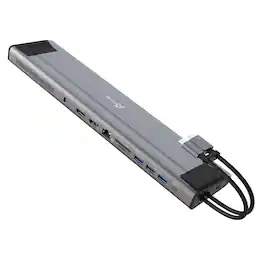
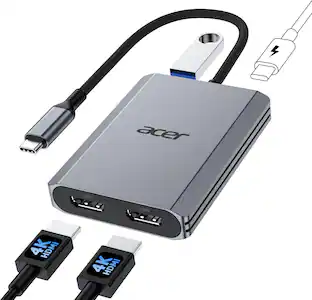
Increase your productivity with the M.2 NVMe USB-C Gen 2 Docking Station, transforming your Thunderbolt 3 or USB-C compatible laptop into a dual 4K workstation with up to 10 Gbps. This high-performance dock features a M.2 NVMe/SATA PCIe SSD Slot to expand your internal storage space, three SuperSpeed USB 10 Gbps ports (one USB-C and two USB Type-A), a Gigabit Ethernet port, SD & microSD memory card reader/writer, and aUSB Type-A 5Gbps port.This USB-C Gen 2 docking station supports 100W Power Delivery pass-through to power and charge your laptop, while powering all connected devices. With the built-in PCIe M.2 SSD enclosure and extra storage you can access throughanSD and microSD card, this is a must-have for creative professionals using a Mac.
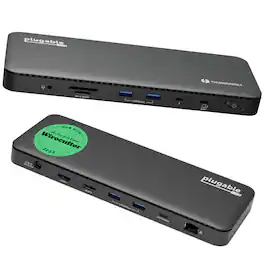
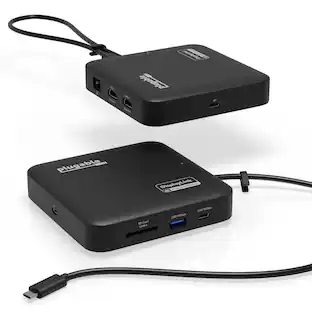
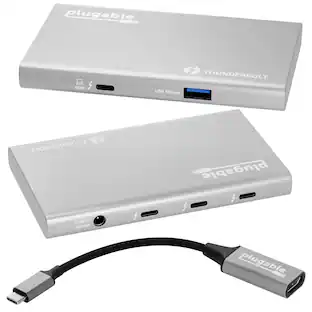
A “do-it-all” dock, the Thunderbolt Certified TBT4-UD5 Plugable Docking Station was awarded The Best Thunderbolt Docking Station by Wirecutter in 2025. It stands out as a versatile and powerful hub for modern workspaces. Its robust design includes an array of 13 ports, catering to a wide range of connectivity needs. Starting with the 40Gbps Thunderbolt 4 host port, this TB4 dock offers plenty of bandwidth to support two HDMI ports, each capable of driving dual 4K 60Hz displays. A downstream 40Gbps Thunderbolt 4 port is also included to provide high-speed connectivity for advanced Thunderbolt-based applications, such as fast storage devices. In addition to its display options, this Thunderbolt USB4 dock boasts a USB-C port with a 10Gbps transfer rate, ideal for quick file transfers and efficient data management. There are also 4x USB 3.0 ports (2x 10Gbps, 2x 5Gbps), perfect for connecting a variety of peripherals like keyboards, mice, and external drives. Throw in SD and Micro SD slots, a combo audio jack, Gigabit Ethernet, and a slot for a K lock, and this setup ensures that users can create a powerful and integrated workstation. Speaking of power, the TBT4-UD5 docking station Thunderbolt 4 packs it in with up to 100W Power Delivery (96W certified) — more than enough for most power-hungry laptops. Especially useful in business and education environments, the Plugable TBT4-UD5 Docking Station delivers exceptional functionality and convenience.

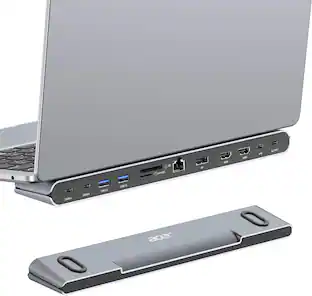
This triple display docking station turns your Mac or Windows laptop into a full workstation with a DisplayPort output, two HDMI outputs, and a VGA output, with resolution support up to 4K (3840 x 2160) on two displays and 1080p on the other one. You can also use your laptop screen for four displays in total, making it easy to access multiple applications at once. With 100W Power Delivery, three USB 3.0 ports, and a USB-C port, the docking station is perfect for your MacBook, Dell XPS, or other USB-C laptop requiring additional ports. This USB 3.0 docking station is also equipped with an RJ45 Gigabit Ethernet port, memory card reader/writer, and combo audio jack for maximum productivity. The elevated design assists with heat dissipation and, with its double-sided cable storage compartment, ensures an easy connection regardless of your USB-C port’s location. All 13 ports are combined into one slim docking station, so you’ll have all the connections you need to stay productive!
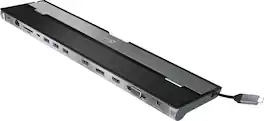
This triple display docking station turns your Mac or Windows laptop into a full workstation with a DisplayPort output, two HDMI outputs, and a VGA output, with resolution support up to 4K (3840 x 2160) on two displays and 1080p on the other one. You can also use your laptop screen for four displays in total, making it easy to access multiple applications at once. With 100W Power Delivery, three USB 3.0 ports, and a USB-C port, this docking station is perfect for your MacBook, Dell XPS, or other USB-C laptop requiring additional ports. This USB 3.0 docking station is also equipped with a RJ45 Gigabit Ethernet port, memory card reader/writer, and combo audio jack for maximum productivity. The elevated design assists with heat dissipation and, with its double-sided cable storage compartment, ensures an easy connection regardless of your USB-C port’s location. All 13 ports are combined into one slim docking station, so you’ll have all the connections you need to stay productive!
| Pros for j5create - M.2 NVMe USB-C Gen 2 Docking Station - Grey & Black | |||
|---|---|---|---|
| There were no pros for this product— | There were no pros for this product— | USB-C, Ease of use, Ports, Design, Monitor Support | Ease of use, USB-C, Ports, Overall Performance, Connectivity |
| Cons for j5create - M.2 NVMe USB-C Gen 2 Docking Station - Grey & Black | |||
| There were no cons for this product— | There were no cons for this product— | Compatibility | Compatibility, Power Supply |
Specs
Find more like this



Customers ultimately bought

Explore tech essentials Sponsored



Discover related products
 $12.99The price was $13.99
 $249.00The price was $275.00
 $189.99The price was $197.23












Keep exploring
 $17.99The price was $21.99
 $111.00The price was $139.00