Plugable - USB 3.0 and USB-C Universal Laptop Docking Station for Windows, Mac, ChromeOS | Dual HDMI - Black
About this product
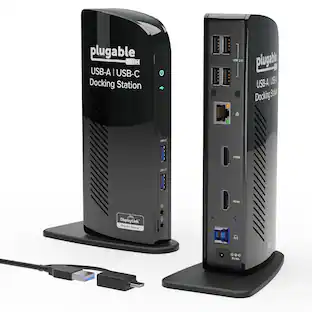
The Plugable UD-3900Z USB 3.0 and USB-C docking station is a reliable USB docking station designed for standardized workstation deployments across Windows, macOS, and ChromeOS environments. As a universal docking station, it enables consistent desk setups across mixed device fleets, expanding laptops and desktops with dual monitors, wired networking, audio, and USB peripherals through a single connection. This USB docking station dual monitor solution supports two HDMI displays up to 1920x1200 @ 60Hz and uses DisplayLink technology to enable extended or mirrored desktops on compatible Windows and ChromeOS systems, as well as on Apple Silicon MacBooks including M1, M2, M3, M4, M5, and MacBook Neo models, even on systems that are typically limited to a single native external display. The UD-3900Z provides 10 expansion ports, including 2 HDMI outputs, 2 USB 3.0 ports for high-speed devices, 4 USB 2.0 ports for keyboards, mice, and receivers, Gigabit Ethernet for stable wired network connectivity, and 3.5mm audio input/output. Both USB-C and USB-A host cables are included, allowing this USB A docking station to support legacy systems while also functioning as a modern USB C docking station. The compact vertical design helps reduce cable clutter and fits easily between monitors, making it well suited for hot-desking and shared workspace environments. This dock is HDMI-only and does not support DisplayPort. HDCP is not supported, so encrypted content such as Netflix, Hulu, or Blu-ray will not play. Designed for business applications rather than GPU-intensive workloads, it is not recommended for gaming or full-screen video playback. The included 24W external power supply powers connected accessories but does not charge the host laptop. In the box: UD-3900Z dock (7.5” x 2.8” x 5.3”), 24W power adapter with US wall plug (100-240V, 50/60Hz, 1.5m / 5ft), USB-A (USB 3.0) to USB-B cable (0.9m / 2.95 ft), USB-C to USB-B host cable (2.9m / 9.5 ft), and quick-install guide.
Standardize Dual-Monitor Workstations
This laptop docking station enables dual HDMI displays up to 1920x1200 from a single USB connection. Supports M1 to M5 MacBooks and MacBook Neo, and expands multi-monitor support on M1-M3 and Neo systems normally limited to one external display. A practical solution for organizations standardizing workstations across mixed device fleets. Does not charge laptops.
Docking Station Dual Monitor
Designed for Windows, macOS, and ChromeOS environments. Windows installs drivers automatically via Windows Update, macOS requires DisplayLink software installation for external displays, and ChromeOS works without additional setup. Ideal for IT-managed deployments across multiple operating systems.
10 Ports with USB-C or USB-A Host Connectivity
Includes two HDMI ports, two 5Gbps USB ports, four USB 2.0 ports, Gigabit Ethernet, and a 3.5mm audio jack. Both USB-C and USB-A host cables are included, allowing compatibility with newer and older laptops while the compact vertical design helps reduce desk clutter.
Best Suited for Office & Productivity Use
Optimized for business software, web applications, and everyday productivity workflows. Does not support HDCP, so encrypted or copy-protected content such as Netflix or Hulu will not play. Not recommended for gaming or full-screen video playback. DisplayPort monitors not supported.
Expert Lifetime Support
Backed by North American-based technical support and our compatibility guarantee if something doesn’t work, we’ll make it right. Trusted by IT professionals worldwide, Plugable provides direct access to the engineers who design our products for deployment assistance, troubleshooting, and lifecycle support. We resolve issues quickly to minimize downtime and help organizations maintain productivity at scale.
- Maximum Number of Displays Supported2Maximum Supported ResolutionFull HD (1080p)Number of DisplayPort Outputs (Total)0Passthrough PowerNo
Reviews
Rating 4.5 out of 5 stars with 4 reviews
The vast majority of our reviews come from verified purchases. Reviews from customers may include My Best Buy members, employees, and Tech Insider Network members (as tagged). Select reviewers may receive discounted products, promotional considerations or entries into drawings for honest, helpful reviews.
Compare similar products
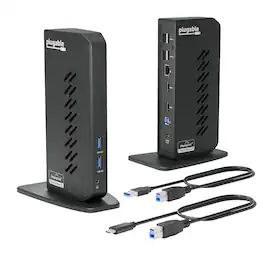
The Plugable UD-3900Z USB 3.0 and USB-C docking station is a reliable USB docking station designed for standardized workstation deployments across Windows, macOS, and ChromeOS environments. As a universal docking station, it enables consistent desk setups across mixed device fleets, expanding laptops and desktops with dual monitors, wired networking, audio, and USB peripherals through a single connection. This USB docking station dual monitor solution supports two HDMI displays up to 1920x1200 @ 60Hz and uses DisplayLink technology to enable extended or mirrored desktops on compatible Windows and ChromeOS systems, as well as on Apple Silicon MacBooks including M1, M2, M3, M4, M5, and MacBook Neo models, even on systems that are typically limited to a single native external display. The UD-3900Z provides 10 expansion ports, including 2 HDMI outputs, 2 USB 3.0 ports for high-speed devices, 4 USB 2.0 ports for keyboards, mice, and receivers, Gigabit Ethernet for stable wired network connectivity, and 3.5mm audio input/output. Both USB-C and USB-A host cables are included, allowing this USB A docking station to support legacy systems while also functioning as a modern USB C docking station. The compact vertical design helps reduce cable clutter and fits easily between monitors, making it well suited for hot-desking and shared workspace environments. This dock is HDMI-only and does not support DisplayPort. HDCP is not supported, so encrypted content such as Netflix, Hulu, or Blu-ray will not play. Designed for business applications rather than GPU-intensive workloads, it is not recommended for gaming or full-screen video playback. The included 24W external power supply powers connected accessories but does not charge the host laptop. In the box: UD-3900Z dock (7.5” x 2.8” x 5.3”), 24W power adapter with US wall plug (100-240V, 50/60Hz, 1.5m / 5ft), USB-A (USB 3.0) to USB-B cable (0.9m / 2.95 ft), USB-C to USB-B host cable (2.9m / 9.5 ft), and quick-install guide.
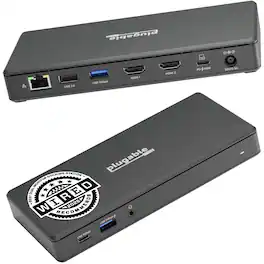
Transform your workspace with one cable. The Plugable UD-MSTH2 docking station for laptop turns a compatible laptop into a complete workstation reducing cable clutter while adding dual-monitor productivity, charging, and everyday connectivity. The UD-MSTH2 was awarded the “Best Dual Monitor Docking Station” by WIRED Connect two HDMI monitors and expand your desktop for smoother multitasking across email, spreadsheets, and video calls. This is an MST dock (Multi-Stream Transport), enabling two displays from a single USB-C video connection on supported systems. Each display can support up to 4K 60Hz, but your actual resolution/refresh rate depends on your laptop’s capabilities. For video output, your USB-C port must support DisplayPort Alt Mode (not all USB-C ports support video). Beyond displays, the UD-MSTH2 works as an all-in-one connectivity hub with up to 65W laptop charging, Gigabit Ethernet for stable wired networking, USB ports for peripherals and storage, and a 3.5mm audio jack for headsets or speakers—ideal for remote work, shared desks, and office setups where you want everything ready the moment you plug in. Designed to be simple and stress-free on supported systems with driverless, plug-and-play operation. It’s a great fit for Windows 10+ and ChromeOS laptops that support USB-C video output, including many popular business and productivity lines and it can be a solid option for users searching for a Lenovo docking station as long as the Lenovo laptop’s USB-C port supports DisplayPort Alt Mode. macOS users should note that Apple’s display limitations mean this dock will support only one external display, so it is not recommended if you need two extended monitors. In the box: UD-MSTH2 dock, 110W power adapter (supports up to 65W charging), 1m USB-C host cable, and Quick Start Guide. Backed by Plugable’s lifetime support from our North American team of connectivity experts.
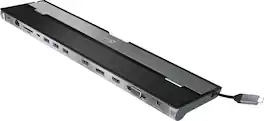
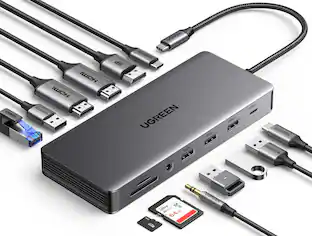
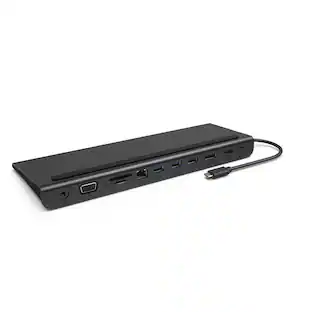
This triple display docking station turns your Mac or Windows laptop into a full workstation with a DisplayPort output, two HDMI outputs, and a VGA output, with resolution support up to 4K (3840 x 2160) on two displays and 1080p on the other one. You can also use your laptop screen for four displays in total, making it easy to access multiple applications at once. With 100W Power Delivery, three USB 3.0 ports, and a USB-C port, this docking station is perfect for your MacBook, Dell XPS, or other USB-C laptop requiring additional ports. This USB 3.0 docking station is also equipped with a RJ45 Gigabit Ethernet port, memory card reader/writer, and combo audio jack for maximum productivity. The elevated design assists with heat dissipation and, with its double-sided cable storage compartment, ensures an easy connection regardless of your USB-C port’s location. All 13 ports are combined into one slim docking station, so you’ll have all the connections you need to stay productive!
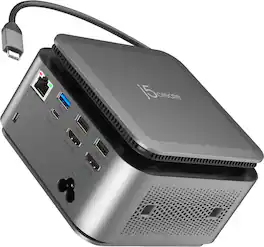
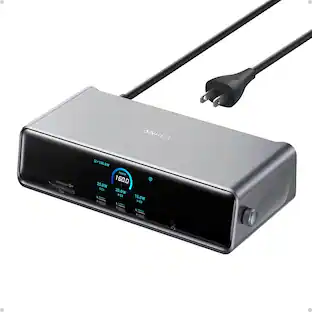
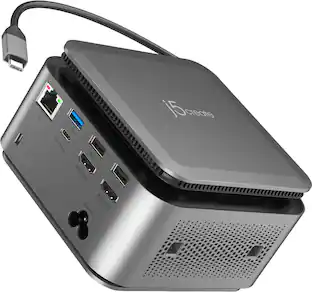
The JCDP4140 14-in-1 USB-C® Powerbase Docking Station is designed to streamline your setup, it features a built-in GaN power adapter and a smart cable storage compartment with a 69.5cm USB-C® cable, delivering up to 100W of power directly to your laptop. With two dedicated USB-C® charging ports (18W and 27W), you can easily power another laptop or fast-charge your tablets, smartphones, and other essential devices. Plus, enjoy seamless connectivity with additional USB™ Type-A, HDMI™, and Ethernet ports, making this your ultimate hub for productivity.
| Pros for Plugable - USB 3.0 and USB-C Universal Laptop Docking Station for Windows, Mac, ChromeOS | Dual HDMI - Black | |||
|---|---|---|---|
| There were no pros for this product— | There were no pros for this product— | Ease of use, USB-C, Overall Performance, Ports, Connectivity | There were no pros for this product— |
| Cons for Plugable - USB 3.0 and USB-C Universal Laptop Docking Station for Windows, Mac, ChromeOS | Dual HDMI - Black | |||
| There were no cons for this product— | There were no cons for this product— | Compatibility, Power Supply | There were no cons for this product— |
Specs
Customers often buy these together
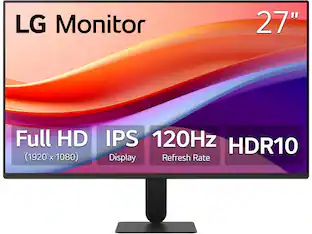 $120.99The price was $129.99


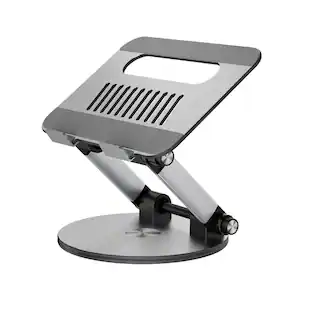


Customers ultimately bought
 $184.00The price was $259.99





Explore tech essentials Sponsored


Discover related products
 $39.99The price was $53.99






Keep exploring
 $38.99The price was $45.99
 $34.99The price was $49.99