Customer Ratings & Reviews
- Model:
- JUA365
- SKU:
- 5615018
Rating by feature
- Value
Rating 4.3 out of 5 stars
- Quality
Rating 4.6 out of 5 stars
- Ease of Use
Rating 4.6 out of 5 stars
Customers are saying
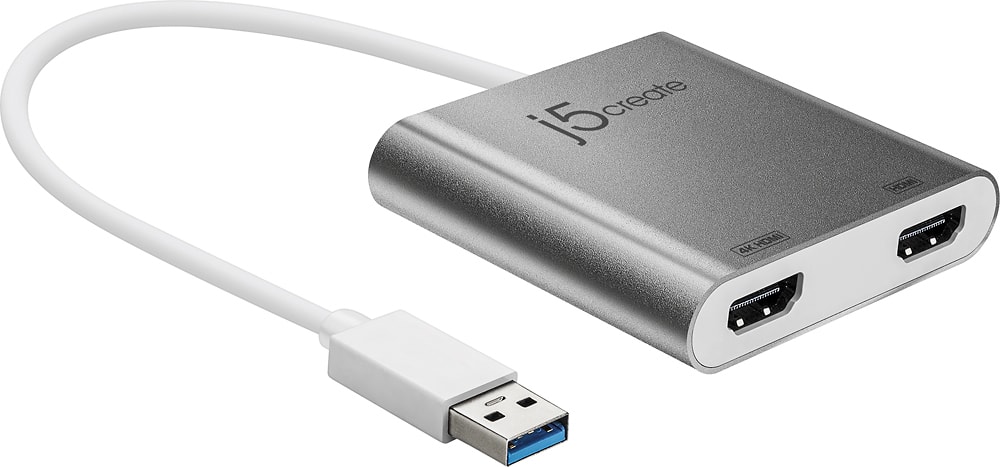
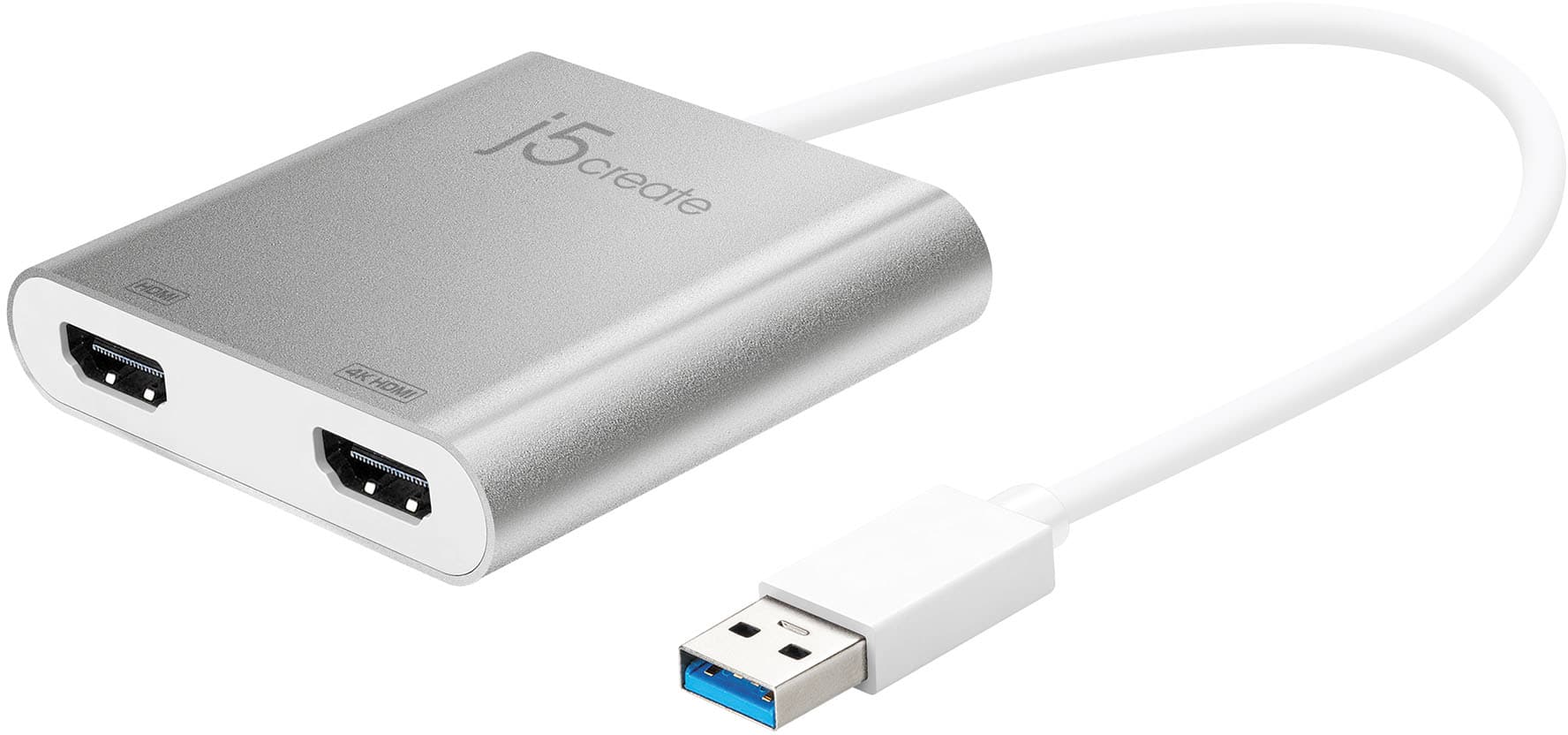
Customers highly value the USB 3.0 to Dual HDMI Multi-Monitor Adapter for its ease of use, HDMI ports, and overall performance. Compatibility and size are also appreciated features. Some customers have expressed concerns regarding the price, driver installation, lag, resolution, and heat.
This summary was generated by AI based on customer reviews.
Poor Quality
||Posted . Owned for 1 month when reviewed.This reviewer received promo considerations or sweepstakes entry for writing a review.Poor quality. Have to keep wiggling the cord around until it connects.
No, I would not recommend this to a friendBrand response from J5create Team
Posted .Hello Jason,
My first suggestion would be to try using the adapter with another USB port or another computer to see if the issue persists. If you would like more detailed troubleshooting assistance or if you have questions about the j5create limited warranty you can contact our customer support team. You can find our contact information on the product package and on the j5create website under the ‘Support’ drop down.
Thank you,
j5create
- Cons mentioned:Lag
Not the best opposition
||Posted . Owned for 3 weeks when reviewed.This reviewer received promo considerations or sweepstakes entry for writing a review.Did not work well. Bad lag time on the the things you do using this item.
No, I would not recommend this to a friendBrand response from J5create Team
Posted .Hello,
We appreciate your feedback. If you would like assistance getting your adapter working I would recommend contacting the j5create customer support team. Our customer support team can provide assistance by phone, email, or live chat. You can find our contact information printed on the product packaging or on the j5create website under the ‘Support’ drop down.
Thank you,
j5create
Shop around
||Posted . Owned for 1 week when reviewed.This reviewer received promo considerations or sweepstakes entry for writing a review.Really not a fan of this product, only for pc and not macs. However, to many steps , download which takes a lot of hard drive space.
No, I would not recommend this to a friendBrand response from J5create Team
Posted .The USB 3.0 to Dual HDMI Adapter requires downloading and installing a driver on a Windows or Mac platform. Depending on the Mac OS you have, different instructions apply. Please contact our Technical Support Team and a specialist will be ready to assist you. Their information can be found on j5create website under the "Support" tab. Thank you.
Only does 1 HDMI, not 2 in 4k
||Posted . Owned for 3 weeks when reviewed.This reviewer received promo considerations or sweepstakes entry for writing a review.I have two brand new 4k monitors and yes, it had the two ports but not dual 4k. Design was sleek as always.
No, I would not recommend this to a friendBrand response from J5create Team
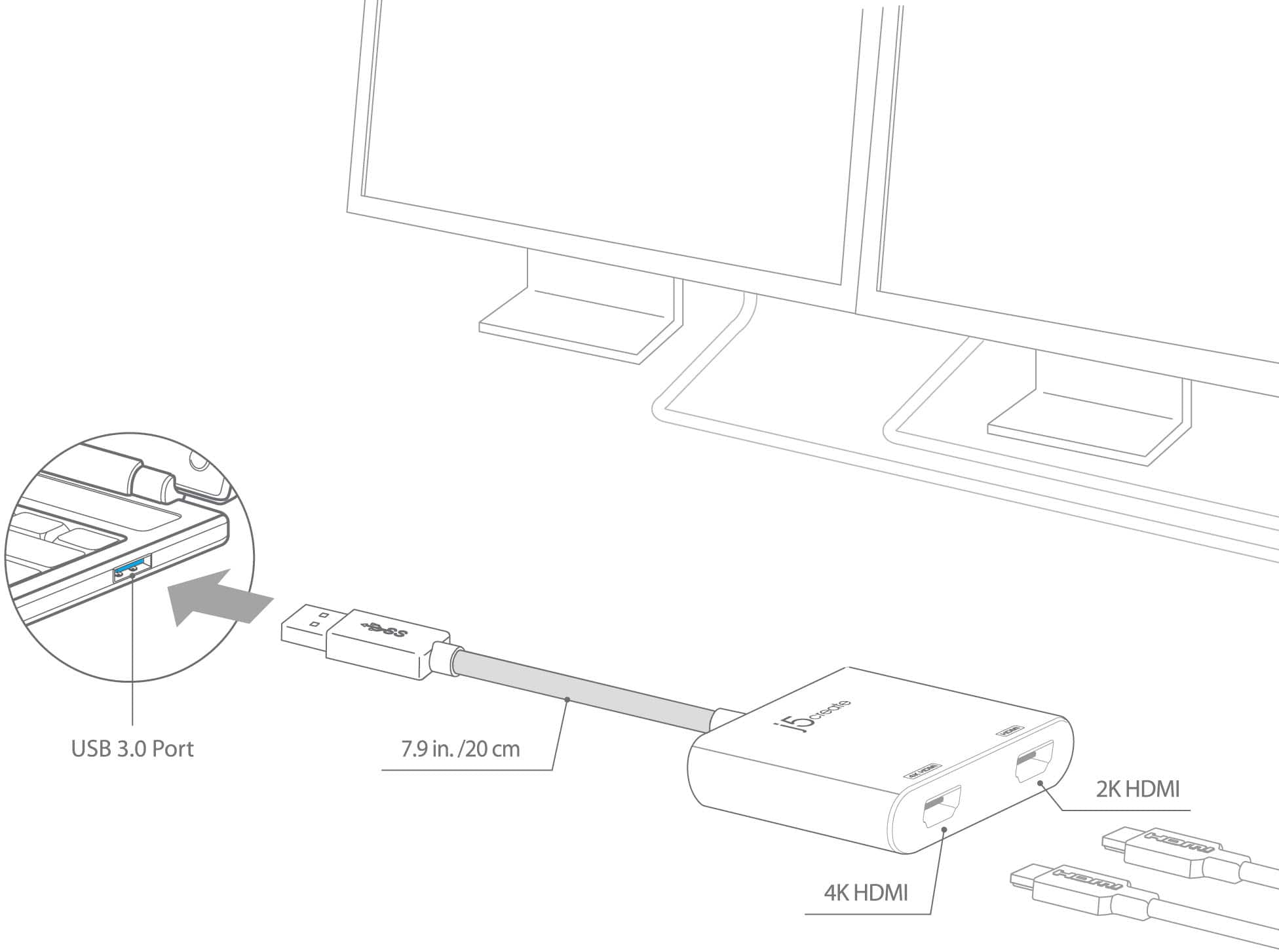
Posted .Good Morning Eyegasmic, we apologize for the inconvenience this may have caused you with the JUA365 adapter only providing one 2k and one 4k HDMI monitor capability. We would recommend using two JUA354 HDMI display adapters as it supports up to 4k resolution and they work off the same driver, no need to uninstall and install another driver. Please feel free to contact us at your earliest convenience with our information on the packaging for
Technical Support with questions, comments, concerns
regarding your j5create device and someone will be more than happy to further assist you and potentially provide a solution to your situation.
We also provide both Spanish and English speaking Technical Support. Thank you.

Customer support leaves a lot to be desired
|Posted . Owned for 4 months when reviewed.This reviewer received promo considerations or sweepstakes entry for writing a review.worked great for four months, then failed. Would have given five stars except a) it failed after just four months and B) when I called customer support, I just got voicemail is full!
No, I would not recommend this to a friendBrand response from J5create Team
Posted .Please uninstall and reinstall the drivers for the USB 3.0 to Dual HDMI Multi-Monitor Adapter. Ensure that you have the latest drivers and firmware installed for your computer. Visit your manufacturer's website for the latest updates and install them accordingly. if this device is still not functioning, please contact j5create Technical Support Team. This product does have a 2 year limited warranty and should be able to help you troubleshoot, or set up a replacement. They can be reached by phone, email or they also offer live chat. Please visit j5create website and select the Support tab. Thank you.
no for me
||Posted .This reviewer received promo considerations or sweepstakes entry for writing a review.not happy with this at all smh wish it would have.
No, I would not recommend this to a friendBrand response from J5create Team
Posted .Please contact our Technical Support Team, so that they can get more information from you; in order to narrow down the exact issue you are experiencing. Their information can be found on our website under the "Support" tab and a specialist will be ready to assist you. Thank you.
- Cons mentioned:Resolution
Would not Recommend
||Posted .This reviewer received promo considerations or sweepstakes entry for writing a review.bought this to add a 4k display to my system. Didn't work, doesn't put out 60 fps.
No, I would not recommend this to a friendBrand response from J5create Team
Posted .Grimm, I regret to hear the JUA354 was not what you were looking for. The JUA354 is limited to 30 hz; we do have plug and play models that will output 4k @ 60 hz and if interested in learning about them and possible compatibility, please reach out to our support team and an agent will be more than happy to help. We apologize for the inconvenience and hope we may still help.
Respectfully,
j5create
Great product!
||Posted .This reviewer received promo considerations or sweepstakes entry for writing a review.This is such a great product! I was able to seamlessly connect two monitors without any problem!
I would recommend this to a friendBrand response from J5create Team
Posted .Adding two more monitors to your set up is now a reality; with the JUA365, you will have more screens to work off - simply download, install the driver and done.
Regards,
j5create
For dual screens
||Posted . Owned for less than 1 week when reviewed.This reviewer received promo considerations or sweepstakes entry for writing a review.Didn't work for what I wanted so I returned it to Best Buy.
I would recommend this to a friendBrand response from J5create Team
Posted .I'm sorry to hear the Adapter did not work for you. Depending on the OS you have, different instructions apply. Sincerely, j5.
Too loud.
||Posted . Owned for 3 weeks when reviewed.This reviewer received promo considerations or sweepstakes entry for writing a review.Returned it to the store. It worked but made way too much noise.
No, I would not recommend this to a friendBrand response from J5create Team
Posted .Hello,
The JUA365 should not make any noise under normal operation. The adapter may have been damaged after manufacture. I regret the inconvenience. Thank you for sharing your experience and feedback.
Have a good day,
j5create
Stopped Working in 2 months
||Posted .This reviewer received promo considerations or sweepstakes entry for writing a review.The unit worked fine for about 3 weeks. Both monitors were recognized and displayed properly. I was using HDMI outputs from the monitors. Then it stopped supporting 2 monitors and would only display one. I didn't change monitors or cables. I tried using another laptop and two other monitors. Nothing worked.
No, I would not recommend this to a friendBrand response from J5create Team
Posted .Purchasing an adapter that only works for 2 months, then stops is upsetting - we understand and apologize for the inconvenience this caused. The JUA365 is covered by a 2 year manufacturer's warranty and if in the future, you experience something similar, please feel free to contact the support team on the casing and an agent will be ready to provide technical assistance to see if we can get it working again, or offer an exchange if necessary.
Respectfully,
j5create
Disappointed
||Posted .This reviewer received promo considerations or sweepstakes entry for writing a review.I couldn’t get it to work with my laptop. The drivers wouldn’t load. Smh.....
No, I would not recommend this to a friendBrand response from J5create Team
Posted .We are sorry to hear you were unable to install the drivers. If possible, we would value the opportunity to assist in getting the device working. Support information can be found on the casing and a representative will be glad to help.
Respectfully,
j5create
Very Disappointed.
||Posted .This reviewer received promo considerations or sweepstakes entry for writing a review.Disappointed that this wasn’t what we needed to set up dual monitors for my work from home office. Even more disappointed that the sales rep said it would work.
No, I would not recommend this to a friendBrand response from J5create Team
Posted .The JUA365 requires a driver. Depending on the OS you have, different instructions apply and if you could please contact our support team, a specialist will be more than happy to lend a helping hand. Thank you.
Eh
||Posted .This reviewer received promo considerations or sweepstakes entry for writing a review.Don't buy this. It won't get you 4k on two monitors. If you have 1080 monitors you also don't need this. I ended up returning it.
No, I would not recommend this to a friendBrand response from J5create Team
Posted .The HDMI adapter has 1 4k HDMI that supports 3840 x 2160 @ 30 Hz. The 2nd HDMI supports 2048 x 1152 @ 60 Hz. If you have any questions regarding the adapter, our contact information can be found on j5create website. Kindly, j5create.
Save yourself the trouble
||Posted .This reviewer received promo considerations or sweepstakes entry for writing a review.This device is only going to meet your needs if you have a very low performance need. The performance on external screens that connect to it is glitchy at best. This will work if you have are displaying an extremely basic slideshow only - no transitions or animations, just the still image.
No, I would not recommend this to a friendBrand response from J5create Team
Posted .Good Evening innovativeguy, we sincerely apologize for the negative experience you had with the JUA365 and wish we could have assisted you in obtaining a much better image quality than the one you experienced. It is possible that you may have obtained a defective JUA365 and that could be the reason for the poor quality. ** Please feel free to contact the Technical Support team on the packaging for further assistance or if you have any other questions and someone will be glad to assist you. Thank you.
Its ok
||Posted . Owned for 3 months when reviewed.This reviewer received promo considerations or sweepstakes entry for writing a review.Dont buy if you cant download extra stuff like if u have a work or school computer.
No, I would not recommend this to a friendBrand response from J5create Team
Posted .We recommend checking with your IT department or system administrator to ensure that the necessary permissions are in place for installing drivers or additional software on your specific computer. Thank you.
Bad Solution for Dual Monitor Setup
||Posted . Owned for 9 months when reviewed.This reviewer received promo considerations or sweepstakes entry for writing a review.This solution was recommended by BB employee to connect dual HP - 27f 27" IPS LED FHD FreeSync Monitors to my laptop. That was the worst recommendation I have ever received, Bad Solution for Dual Monitor Setup.
No, I would not recommend this to a friendBrand response from J5create Team
Posted .Hello,
If you would consider contacting j5create customer support we would like to provide any assistance that we can to get you multi-monitor setup working for you. This adapter will work well with most computer setups both Windows and Mac. You can find our contact information on the product packaging. I hope that we hear from you soon.
Thank you,
j5create
I may have to replace
||Posted . Owned for 1 month when reviewed.This reviewer received promo considerations or sweepstakes entry for writing a review.It takes a while for my screens to boot up and it they timeout I have to they wont come back on or only one comes back on and I'll have to unplug my monitors and plug them back it again to get them running again.
No, I would not recommend this to a friendBrand response from J5create Team
Posted .I regret to hear that you were having trouble with the display adapter. For assistance with any j5create product our customer support team can provide troubleshooting assistance. Our contact information is printed on all of our product packaging and of course on the j5create website as well.
Thank you,
j5create
No works for me!
||Posted . Owned for 2 months when reviewed.This reviewer received promo considerations or sweepstakes entry for writing a review.Never work for me, no video or signal, never ever!
No, I would not recommend this to a friendBrand response from J5create Team
Posted .The USB 3.0 to Dual HDMI Multi-Monitor Adapter requires an installation of a driver for functionality. Depending on the OS you have, different instructions apply. Drivers are located on j5create website under the "Support" tab. ** Feel free to contact j5create Technical Support if you require further assistance. Thank you.
Doesn’t work on apple macbok pro M1
||Posted . Owned for 3 weeks when reviewed.This reviewer received promo considerations or sweepstakes entry for writing a review.It does not work with the new Macbook Pro m1 to produce dual monitors so didn’t really work for that purpose but im sure others can find a use for it.
No, I would not recommend this to a friendBrand response from J5create Team
Posted .Hello, we have a beta driver available on the website under the "Support" tab for computers running the M1 chip. If you have any questions regarding the Adapter. please give us a call and our representatives well be glad to assist you. Respectfully, j5.