j5create - USB 3.0 to Dual HDMI Multi-Monitor Adapter - Silver
Customers are saying
Customers find value in the USB 3.0 to Dual HDMI Multi-Monitor Adapter's ease of use and overall performance, with many praising its seamless installation and reliable functionality. The adapter's HDMI ports, compatibility, connectivity, and size also contribute to its positive reception. However, some customers have expressed concerns about the price, driver installation, potential lag, resolution limitations, and heat generation.
Features
HDMI dual independent display output
The highest resolution one port is 4K(3840x2160)@30Hz and the other port is 2K(2048x1152)@60Hz.
Supports 4 Display Modes
Mirroring mode, clone one screen onto another. Extended mode, extend your desktop across multiple displays. Primary mode, have individual applications open on each monitor. Display Rotation, view an image or report vertically.
Increase Efficiency
Through the convenient and simple USB interface installation, two display screens can be added quickly, and the efficiency is doubled.
Universal Compatibility
Compatible with both Mac & Windows. Backwards compatible with USB 2.0.
Specifications
- Connector Type (End 1)USB-AGender (End 1)MaleConnector Type (End 2)HDMI Type A
Reviews
Rating 4.5 out of 5 stars with 1591 reviews
- Ease of use (435)
- Overall Performance (194)
- HDMI (171)
- Compatibility (82)
- Connectivity (31)
- Price (51)
- Driver (13)
- Lag (12)
- Resolution (8)
- Heat (6)
Customer Images
The vast majority of our reviews come from verified purchases. Reviews from customers may include My Best Buy members, employees, and Tech Insider Network members (as tagged). Select reviewers may receive discounted products, promotional considerations or entries into drawings for honest, helpful reviews.
Compare similar products

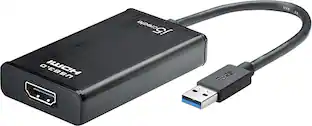
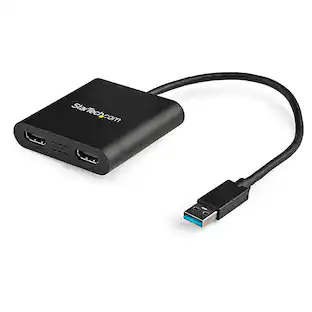
This USB 3.0 to Dual HDMI Multi-Monitor Adapter acts as an external video card for your MacBook or Windows computers. It allows you to add two additional displays through your USB 3.0 port, boosting your productivity by giving you more screen space to work from. One of the HDMI ports can output resolutions up to 4K, while the other can output resolutions up to 2048 x 1152. This is the perfect alternative to a costly video card. With this USB 3.0 Multi-Monitor Adapter, you can quickly install the driver with a simple USB plug-in. Afterwards, connect the device to your monitors using HDMI cables and then you will have a dual-display workstation!

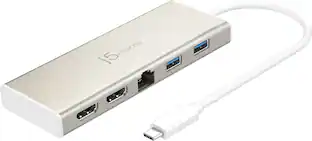
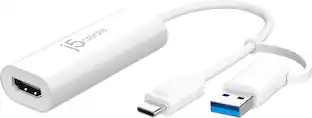
The USB-C to Dual HDMI Multi-Monitor Adapter acts as an external video card for your MacBook or Windows laptops. It allows you to add two additional displays through your USB-C port, boosting your productivity by giving you more screen space to work from. One of the HDMI ports can output resolutions up to 4K, while the other can output resolutions up to 2048 x 1152. Simply install the driver for the USB-C to Dual HDMI Multi-Monitor Adapter by plugging-in the adapter and then connect your monitors using HDMI cables for a dual-display workstation!

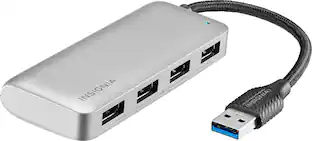
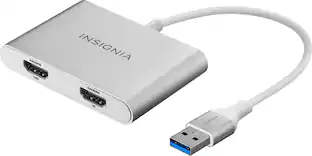
The Insignia USB-A 3.0 to Dual HDMI video adapter can mirror or extend your computer display to any HDMI-enabled monitor, TV, or projector. The HDMI-1 port can transfer up to 4K@30Hz resolution. The HDMI-2 port can transfer up to 1920x 1080P@60Hz. This adapter is compatible with Windows 10 or 11, but can’t support the Mac OS, Chrome OS, Android OS, Linux OS, Game OS. The driver can be installed automatically when computers internet connection is available, and Windows Update is enabled.

The JUA254 USB to HDMI Multi-Monitor Adapter works as an external video card, instantly allowing users to attach additional displays via HDMI connection without the hassle of a lengthy setup or having to install additional hardware. The USB 3.0 Display Adapter can support up to four displays running on the same computer, turning your workstation into a fully-functioning, multi-display powerhouse. This USB adapter works as an external video card, instantly allowing additional displays without the hassle of opening the computer casing and installing an external graphics card. You can have a second monitor with an extended display, a mirrored display, a rotational display (rotation mode not available for Mac), or make it your primary monitor. Now enjoy true 1080p HD resolution through any Windows or Mac computer with a USB 3.0 port. These adapters are also backwards compatible with USB 2.0 resolutions and playback, which are ideal for office applications. The simple plug-and-play function allows you to connect your computer to a second monitor or projector within seconds to create a new visual environment on Windows 10.
| Pros for j5create - USB 3.0 to Dual HDMI Multi-Monitor Adapter - Silver | |||
|---|---|---|---|
| Ease of use, Overall Performance, HDMI, Compatibility, Connectivity | Ease of use, Overall Performance, Connectivity, HDMI, Price | Ease of use, HDMI, Compatibility, Performance, Dual Monitors | Overall Performance, Functionality |
| Cons for j5create - USB 3.0 to Dual HDMI Multi-Monitor Adapter - Silver | |||
| Heat, Price, Driver, Lag, Resolution | Compatibility | Heat, Driver Installation, Cord Length | There were no cons for this product— |
Specs
Customers often buy these together
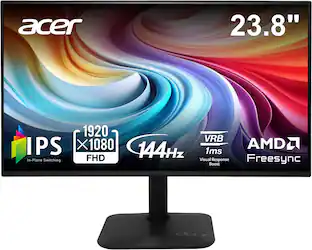 Top Deal$79.99The price was $119.99
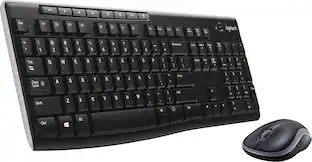 $26.99The price was $29.99
 Top Deal$139.99The price was $199.99




More to consider
 Top Deal$29.99The price was $36.99
Explore tech essentials Sponsored

Discover related products







Keep exploring
 $12.99The price was $13.99