Customer Ratings & Reviews
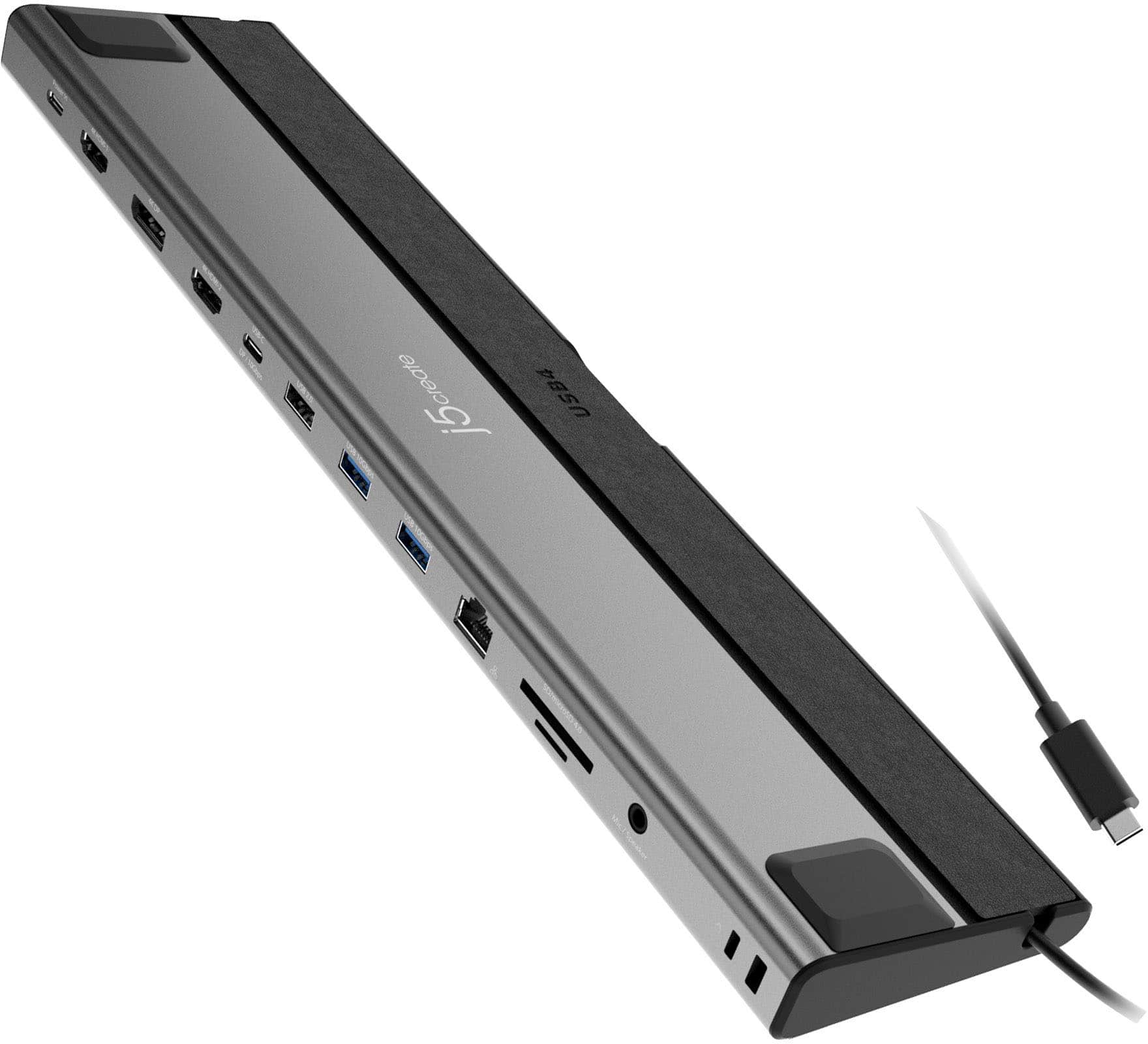
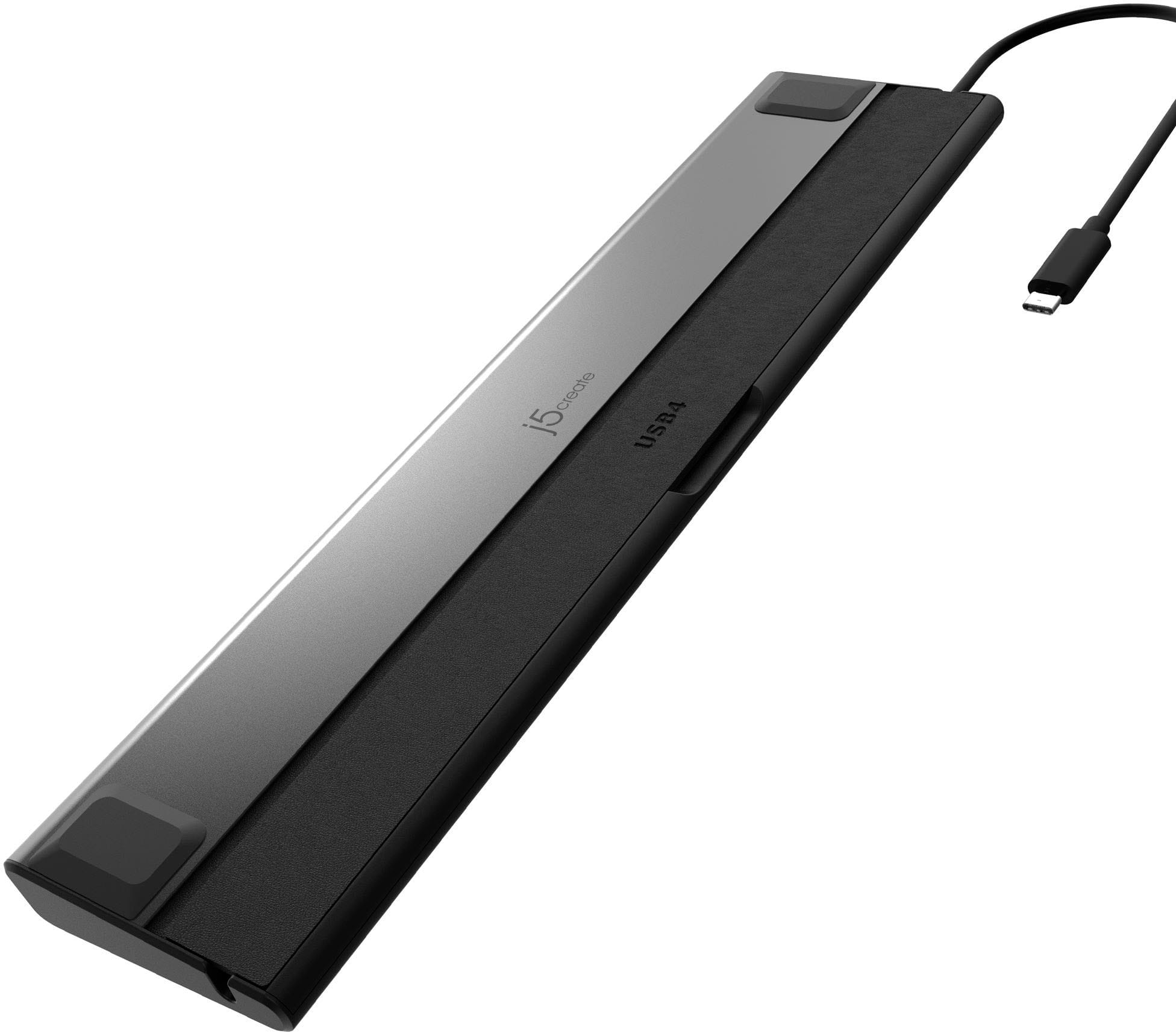
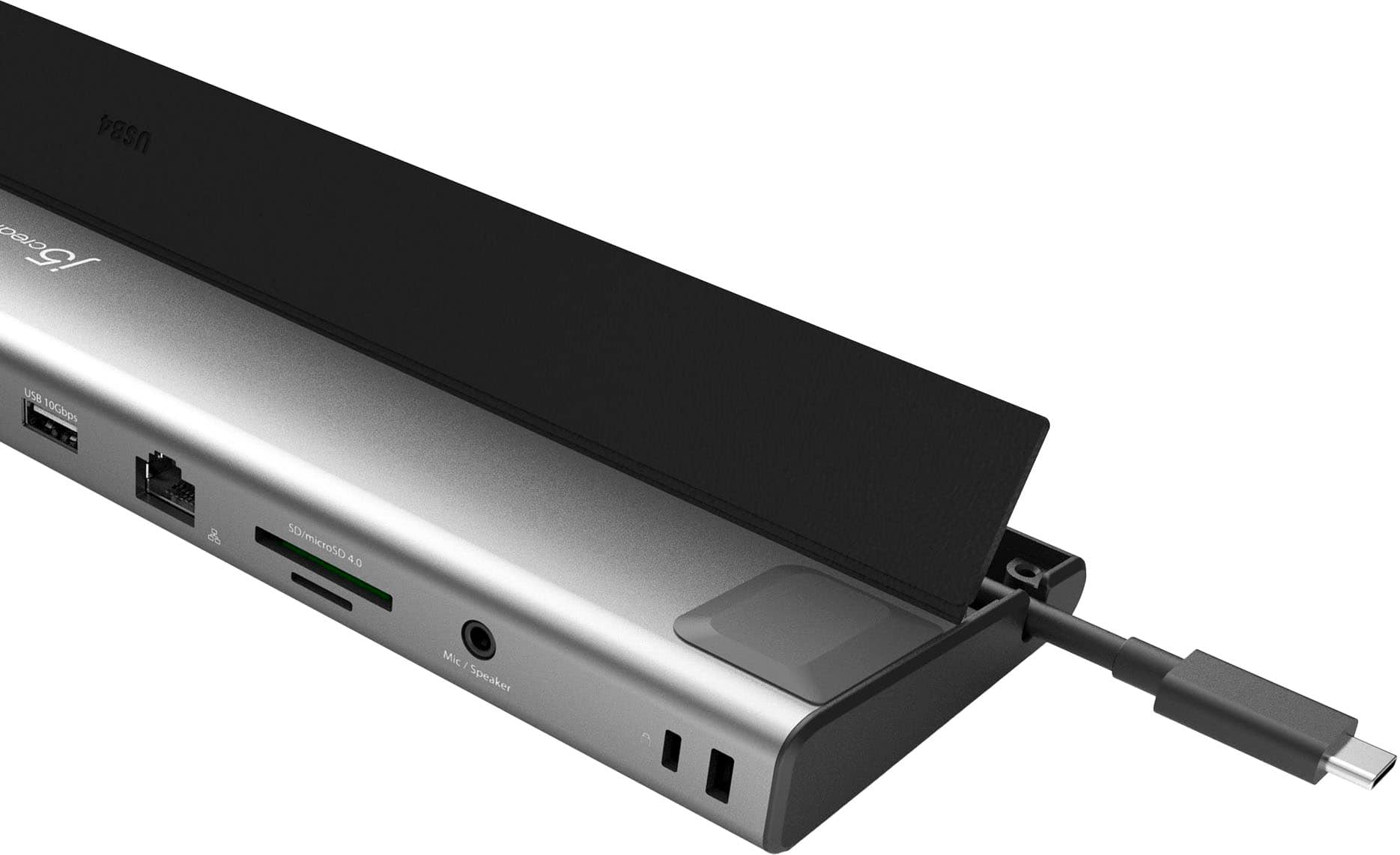
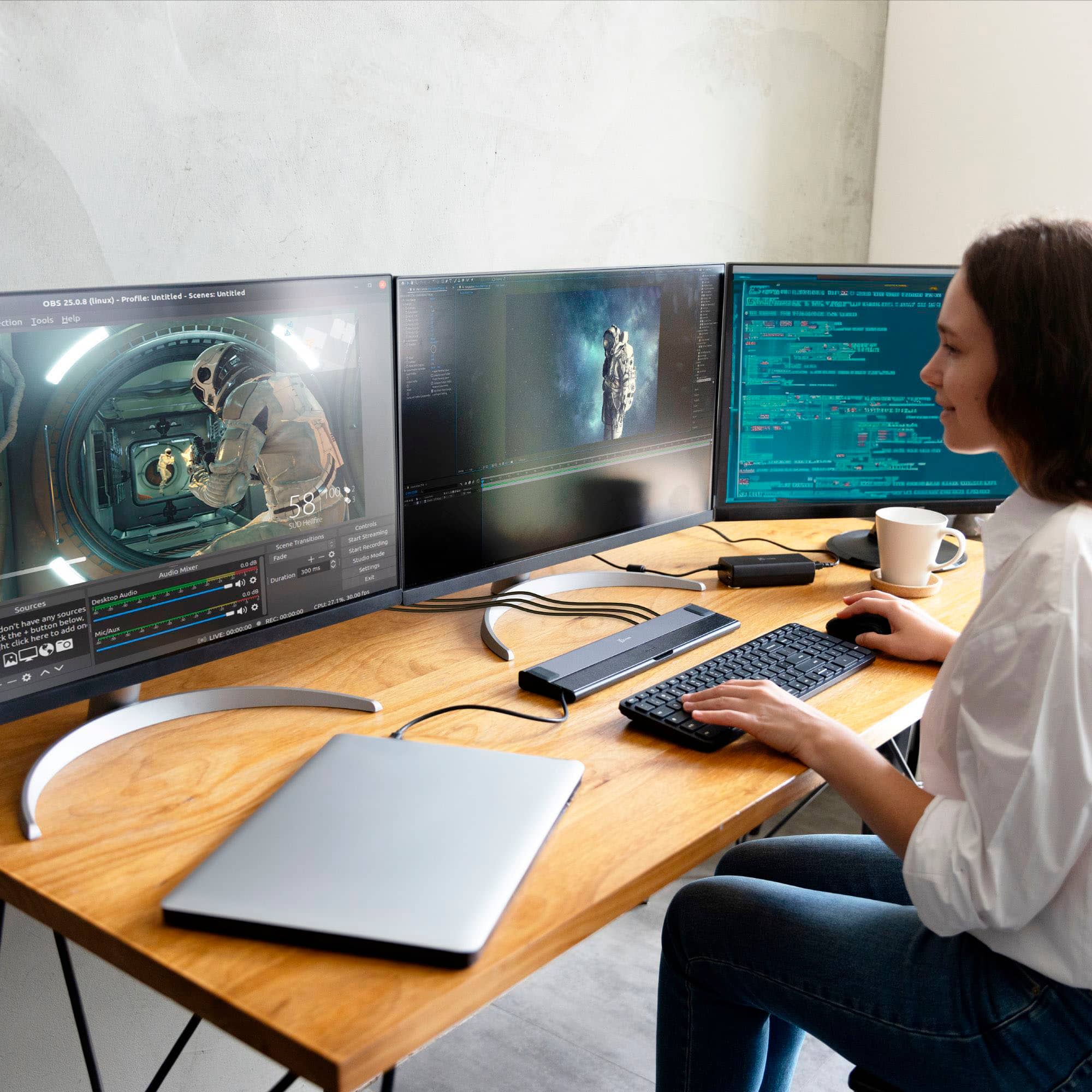
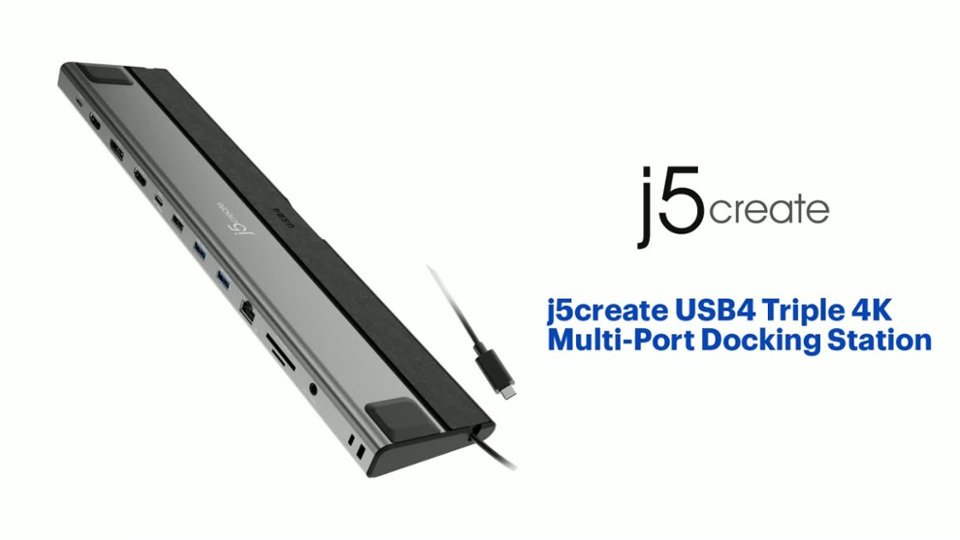
- Model:
- JCD554
- SKU:
- 6584029
Rating by feature
- Value
Rating 3.3 out of 5 stars
- Quality
Rating 3.8 out of 5 stars
- Ease of Use
Rating 3.6 out of 5 stars
Customers are saying
Customers are pleased with the overall performance and compact size of the USB4 Triple 4K Multi-Port Docking Station. However, some customers have reported issues with the HDMI port. Additionally, a few customers have expressed concerns about the power supply being insufficient.
This summary was generated by AI based on customer reviews.
- Pros mentioned:Overall performanceCons mentioned:Power supply
A Game-Changer for Laptop users
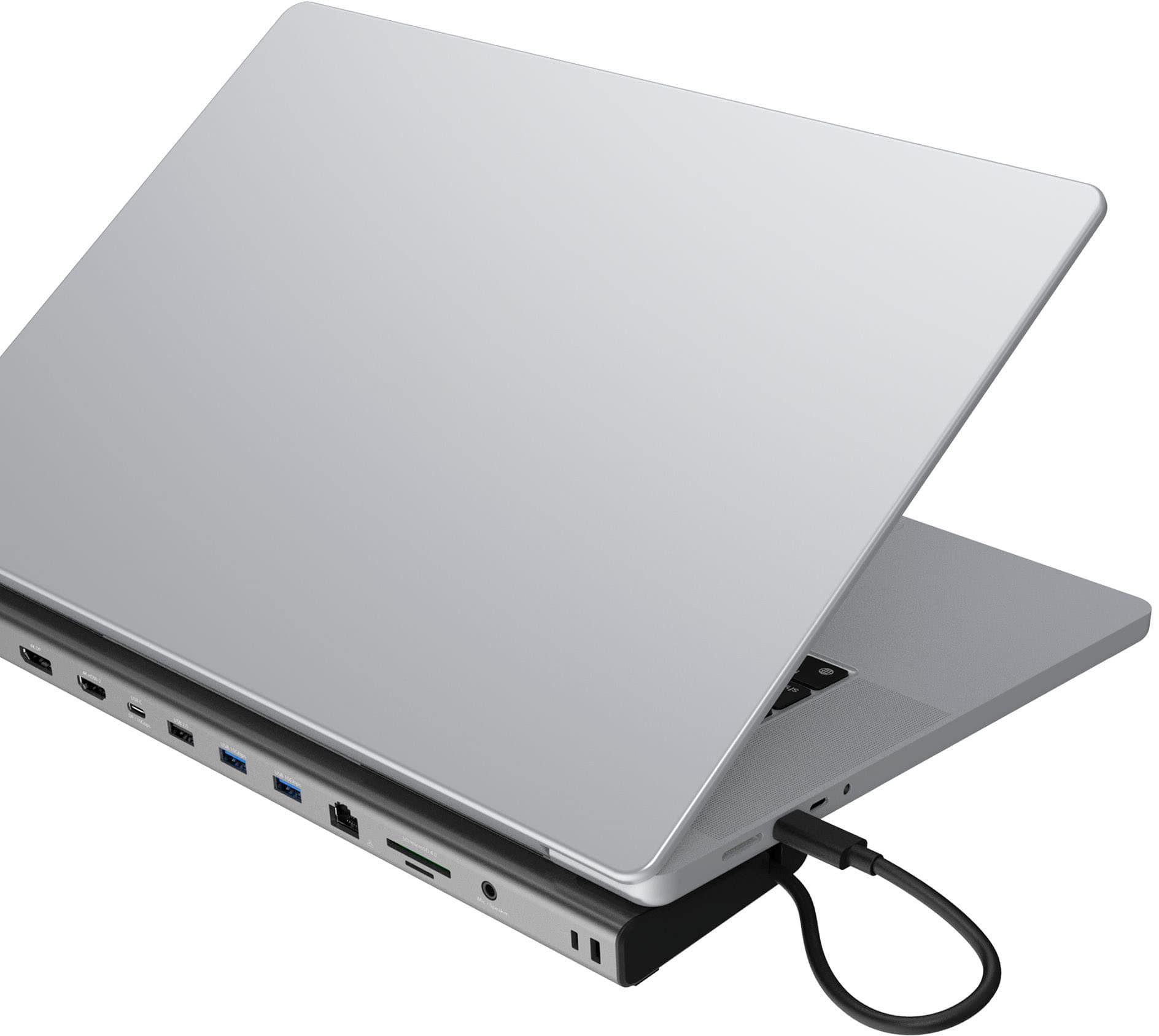
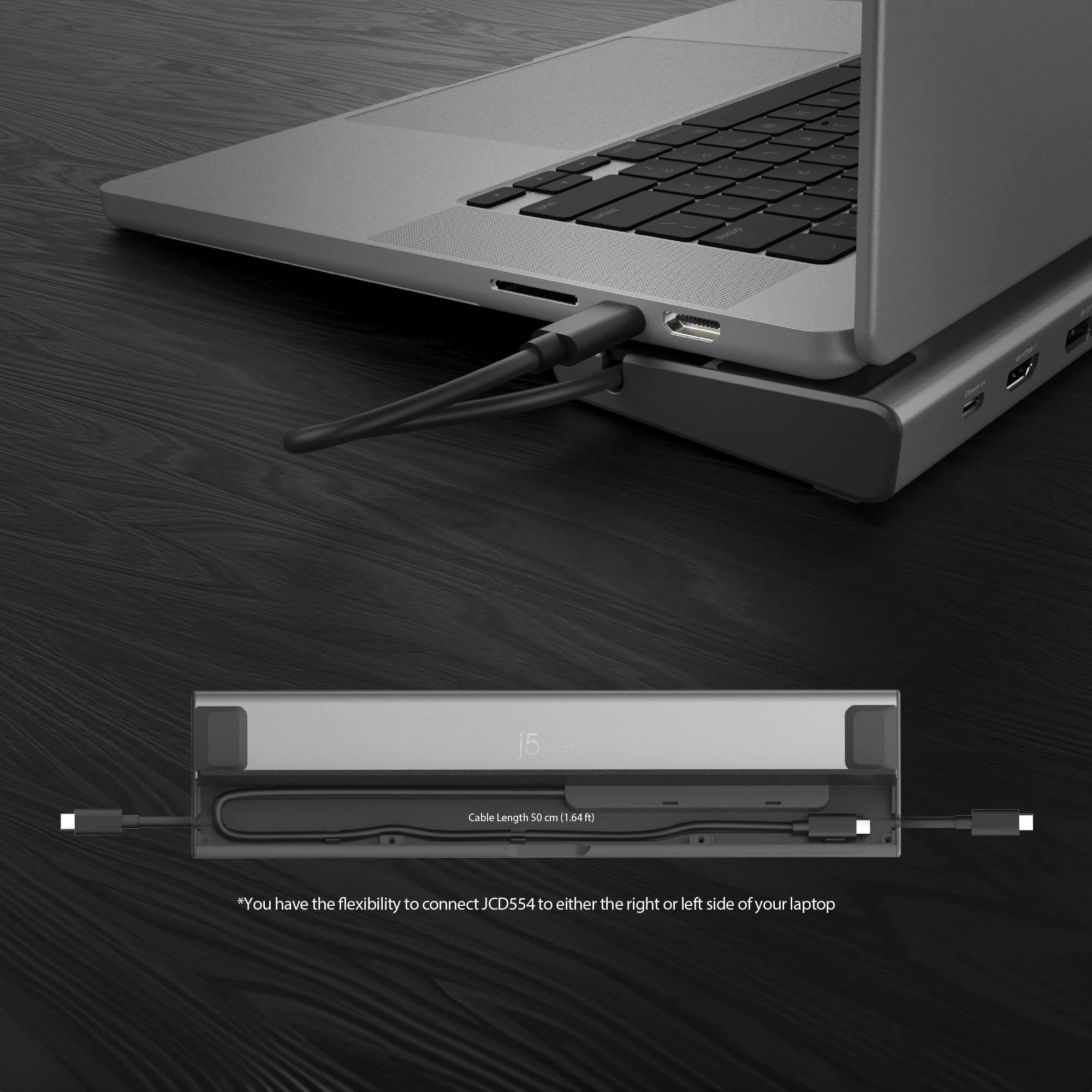
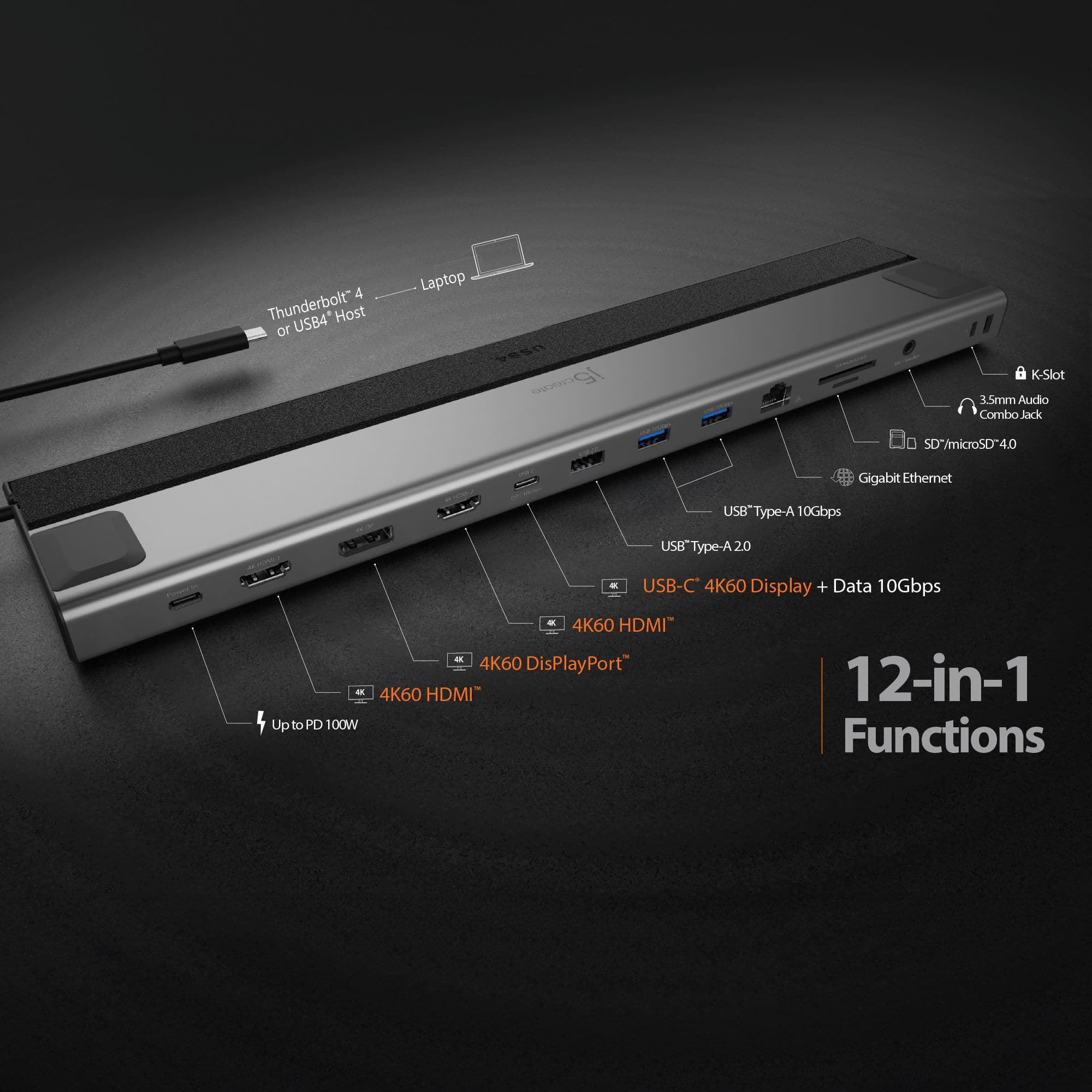
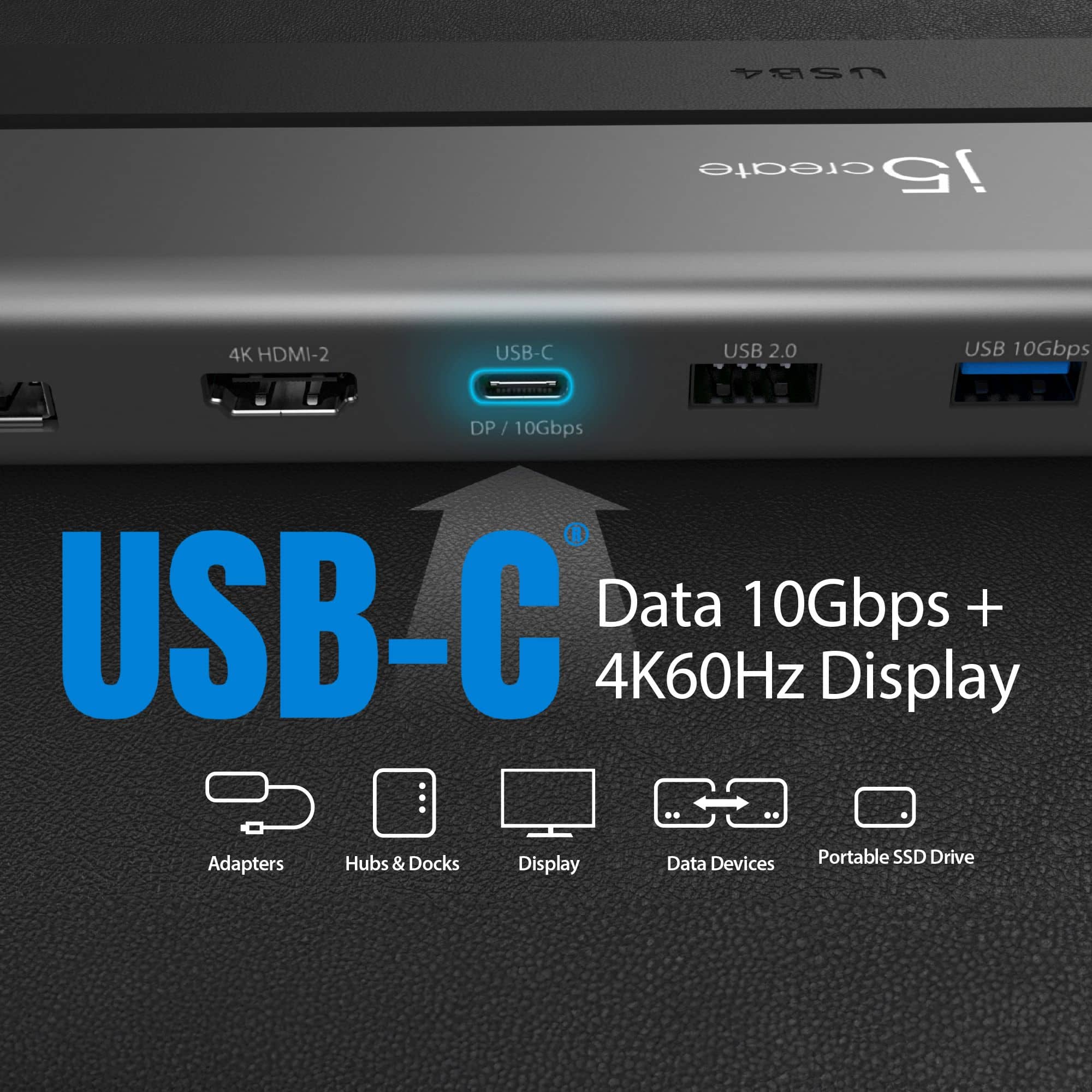
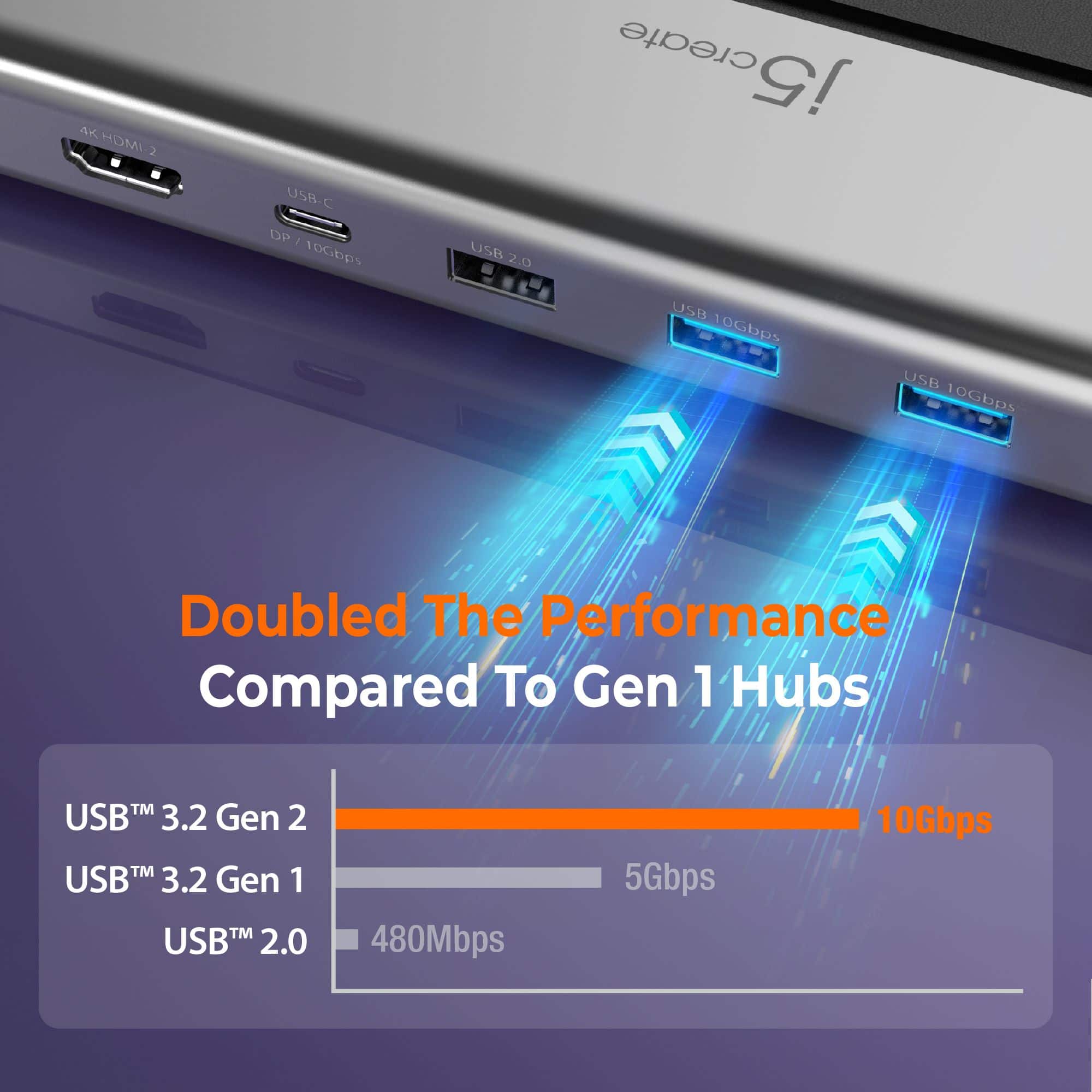
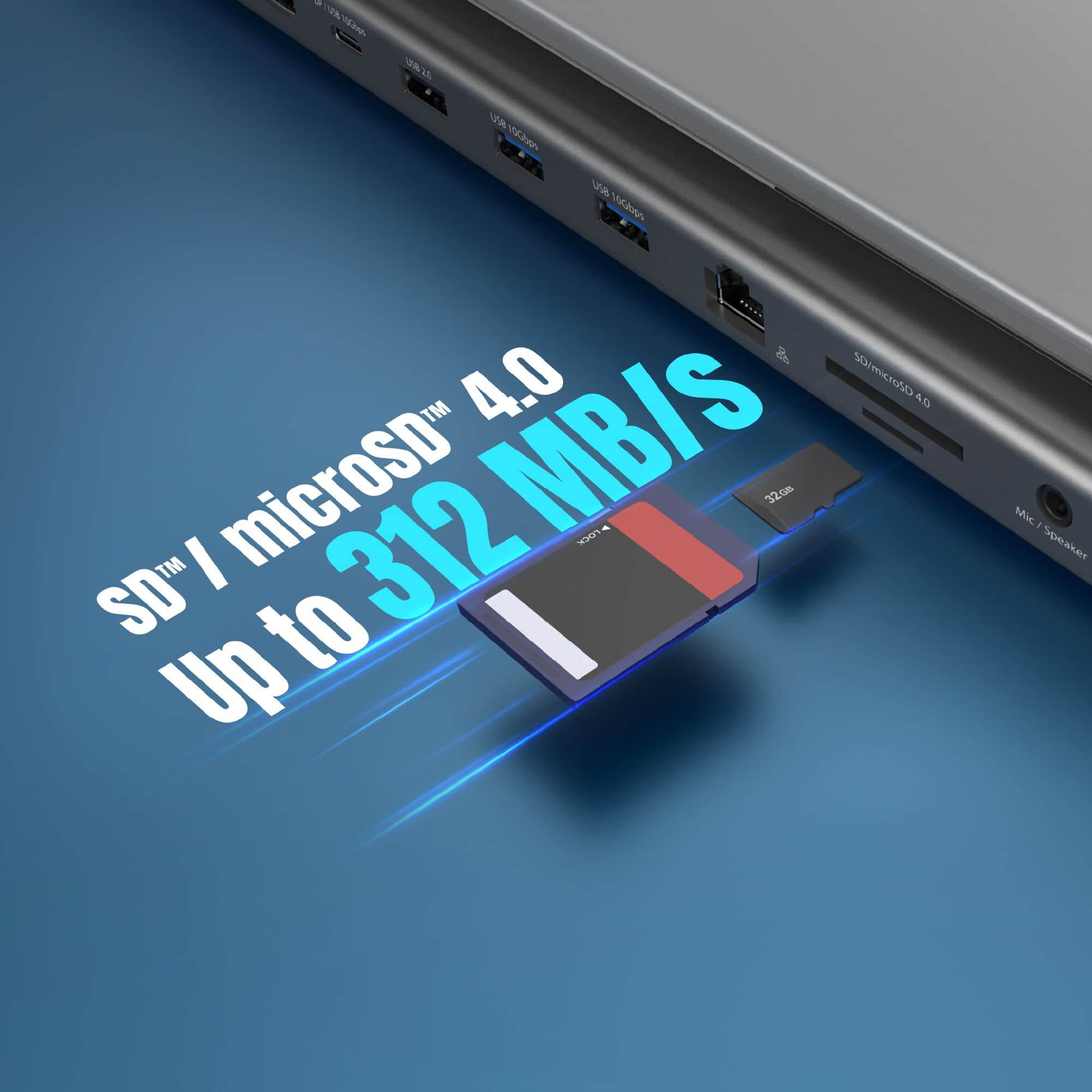
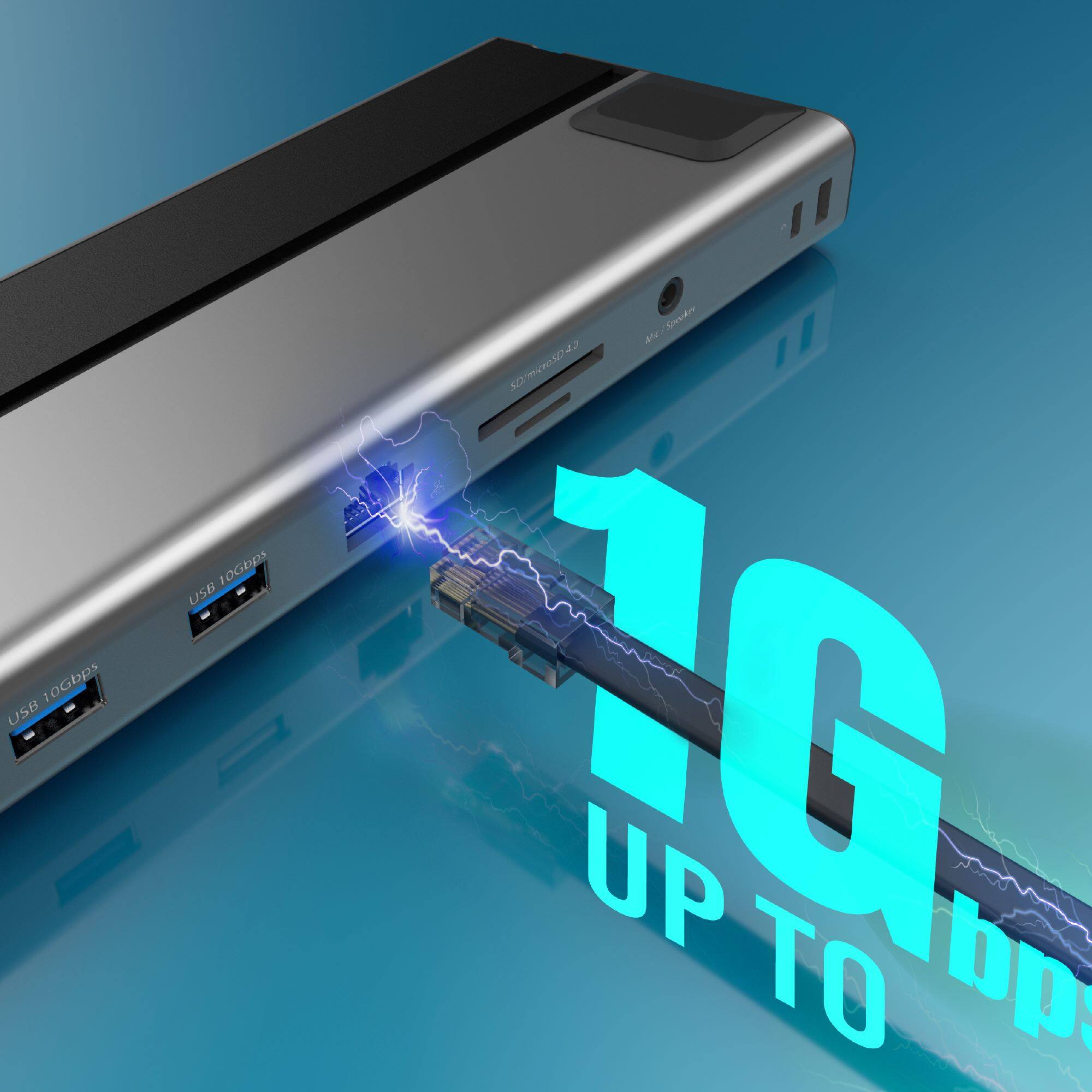
||Posted . Owned for 1 month when reviewed.This reviewer received promo considerations or sweepstakes entry for writing a review.The j5create USB4 Triple 4K Multi-Port Docking Station (JCD554) has elevated my workspace with my HP Envy laptop! Setup was effortless—no drivers needed, just plug and play. It instantly powered three monitors at, delivering sharp visuals for seamless multitasking. The 12-in-1 features shine: three USB 3.2 10Gbps ports (one USB-C, two Type-A) handle my peripherals flawlessly, while the SD/microSD 4.0 card reader and Gigabit Ethernet ensure fast file transfers and stable connectivity. The 85W Power Delivery keeps my laptop charged. Its sleek aluminum build with leather accents looks great, and the dual-opening cable storage keeps things tidy. The heat-dissipating design stays cool during long sessions. The only downside is the it does not stay powered unless you have your laptop plugged in. This docking station is a must-have for professionals needing a versatile, high-performance setup. Highly recommended!
I would recommend this to a friend Works Great!
||Posted . Owned for less than 1 week when reviewed.This reviewer received promo considerations or sweepstakes entry for writing a review.I wish it had more ports, but overall, this product fits my needs. I have a 34 inch monitor hooked to my laptop and wanted the option to add more accessories. I'm highlt satisfied with this product so far. I upgraded from the 2021 j5 version due to the lower refresh rate. This 2024 version is definitely an upgrade.
I would recommend this to a friend- Cons mentioned:Power supply
Meh - probably requires a dedicated power supply.
||Posted . Owned for less than 1 week when reviewed.This reviewer received promo considerations or sweepstakes entry for writing a review.It's plug and play and that's great, but it suffers from frequent and random disconnects. I'm powering it with my laptop's power supply, and maybe that's a part of the problem. Maybe the laptop power supply is not sufficient. Bottom line - it's fair, but long-term it won't work for me, so I'm returning it.
No, I would not recommend this to a friendBrand response from J5create Team
Posted .Please contact our Technical Support Team for further information. Their information can be found on j5create website under the Support tab. Thank you.

- Cons mentioned:Power supply
Good Docking Station!
||Posted . Owned for less than 1 week when reviewed.This reviewer received promo considerations or sweepstakes entry for writing a review.This item is rated poorly by others but my experience has differed. I like the low profile design, it fits nicely under my laptop. There is not enough power over the USB C connection to power the laptop but I purchased an alternate 65W USB C Laptop Charger and that issue was resolved. I have not noticed any disconnects either. This device allows me to use 3 monitors (2 HDMI and 1 Display Port) for work without issue.
I would recommend this to a friend - Pros mentioned:Overall performance
Great for Travel!
||Posted .This reviewer received promo considerations or sweepstakes entry for writing a review.I bought it to pair with a new portable double monitor set. The dock works fantastic with everything hooked to it. Also nice as I can be mobile and undock the laptop and leave everything setup for the next day. Was a little pricey but so far definitely worth the money. Have to see if I can add a 3rd monitor.
I would recommend this to a friend - Cons mentioned:Hdmi port, Power supply
Display port does not work.
||Posted . Owned for 1 week when reviewed.This reviewer received promo considerations or sweepstakes entry for writing a review.I have tried multiple chords, multiple monitors and under no circumstances will the supposed 4k displayport work. Im really disappointed in this product bc you end up buying additional chords and need a power supply. Also the one usb-c input doesnt work. Total rip off. Not only will i never buy j5 again, I think im done with Best Buy too, it was a nice run but you guys can go away now.
No, I would not recommend this to a friendBrand response from J5create Team
Posted .The DP port requires DisplayPort Alt Mode to transmit audio and video signals and the USB-C input (Power-in) requires USB Power Delivery for pass-through charging. Please refer to the manufacturer of your hardware for more information on your device.
*The HDMI and DisplayPort ports share the same video output channel (Alt Mode) from your laptop’s USB-C port. You can only use one of them at a time: either HDMI or DisplayPort, not both.
- Pros mentioned:Size
Sleek and slim
||Posted . Owned for 10 months when reviewed.This reviewer received promo considerations or sweepstakes entry for writing a review.Slim and simple. I use it to slightly lift up my laptop and give a few more inputs for my random accessories. So far nothing has disconnected or caused concern. Video stays up and connections stay strong.
I would recommend this to a friend Not quite enought
||Posted . Owned for 1 month when reviewed.This reviewer received promo considerations or sweepstakes entry for writing a review.Several and variable ports, and that is good. But not enough oomph to retain all connections. Cam monitoring causes second monitor to go dead and must restart computer to obtain full functionally again.
No, I would not recommend this to a friendBrand response from J5create Team
Posted .It sounds like the USB4 Triple 4K Display Docking Station is struggling to maintain full functionality, especially under load when monitoring with a camera. This could be due to insufficient power distribution or data bandwidth when handling multiple high-demand connections simultaneously.
Ensure that the docking station is connected to a power adapter that meets its requirements, especially when it supports Power Delivery. A lack of sufficient power can cause connected devices (like monitors) to lose functionality.
USB4 and Thunderbolt docks can handle a lot of data, but when multiple high-resolution displays and other data-intensive devices (like cameras) are connected, it can overwhelm the dock’s bandwidth capacity.
Try disconnecting other USB or high-bandwidth devices and check if the monitor remains stable while monitoring the camera. If the issue is resolved, you might be exceeding the dock's bandwidth limits.
If you require further assistance; please contact the j5create Technical Support team and they will be glad to further assist. Their information can be found on our website under the Support tab. Thank you.
- Cons mentioned:Hdmi port
DP alt mode breaks hdmi compatibility
||Posted . Owned for 6 months when reviewed.This reviewer received promo considerations or sweepstakes entry for writing a review.I don't think its the fault of the manufacturer, but this does not support display port and hdmi through the same port. Tried wiring my Valve Index and 240hz monitor, within the specs of the rated thunderbolt bandwidth, but it couldnt work because DP alt mode is entirely incompatible with HDMI signals. Multiple displayports on a later model would be ideal, i think. Awesome hub though, just wouldnt work for my usecase.
I would recommend this to a friendBrand response from J5create Team
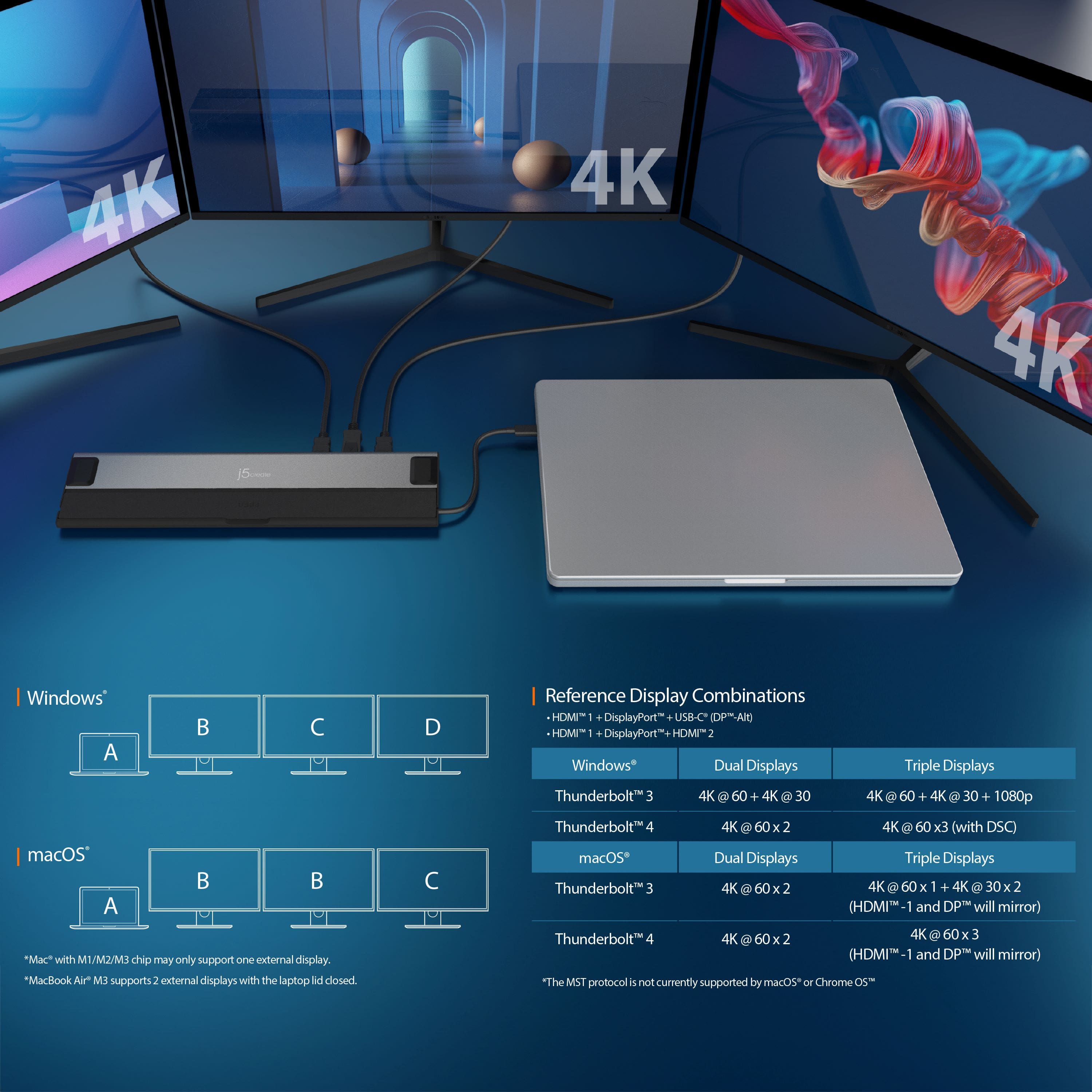
Posted .Supports up to MST three 4K displays with Thunderbolt 4 or USB4 host laptops.
Reference Triple Display Combinations
HDMI 1 + DisplayPort + USB-C (DP -Alt)
HDMI 1 + DisplayPort + HDMI 2
- Pros mentioned:Size
Docking Station
||Posted .This reviewer received promo considerations or sweepstakes entry for writing a review.Docking Station fits under my laptop perfectly and doesn't take up any desk space.
I would recommend this to a friend - Pros mentioned:Overall performance, Size
more than I hoped
||Posted . Owned for 3 weeks when reviewed.This reviewer received promo considerations or sweepstakes entry for writing a review.Perfect with my sumsung laptop. Almost invisible, I added a 10 port powered USB and it performs flawlessly.
I would recommend this to a friend Great Docking Station!
||Posted . Owned for 2 weeks when reviewed.This reviewer received promo considerations or sweepstakes entry for writing a review.Fantastic product at a great price! I was looking for a minimalistic docking station for my office and this was a great solution.
I would recommend this to a friendNeeds work
||Posted . Owned for less than 1 week when reviewed.This reviewer received promo considerations or sweepstakes entry for writing a review.Doesn’t seem to work with my pc laptop and monitors.
I would recommend this to a friendBrand response from J5create Team
Posted .The USB4 Triple 4K Display Docking Station requires an available USB4 or Thunderbolt 4 port on host.
Good Product
||Posted . Owned for 3 weeks when reviewed.This reviewer received promo considerations or sweepstakes entry for writing a review.Very pleased with this product, only complaint I may have would be wish documentation was better.
I would recommend this to a friend- Pros mentioned:Overall performance
I want to win hahahah
||Posted . Owned for 3 months when reviewed.This reviewer received promo considerations or sweepstakes entry for writing a review.Im writing this review because this is a super good product being sold at BestBuy can i pls win my 400 gift card lol
I would recommend this to a friend Disappointed
||Posted . Owned for 1 month when reviewed.This reviewer received promo considerations or sweepstakes entry for writing a review.If you're thinking this would be an easy fix to set up three monitors for a laptop you'd be wrong. To accomplish this you will need three different cable types and will likely need to change video settings and/or download drivers on your laptop. You'll also be lucky if you can find a helpful video on YouTube. I wasn't. At least it appears to be well made.
No, I would not recommend this to a friendBrand response from J5create Team
Posted .The USB4 Triple 4K Display Docking Station is designed as a Plug-and-Play device and does not require driver installation. To achieve triple display output, your laptop must have an available USB4 or Thunderbolt 4 port, and compatible monitors/cables will be needed depending on your setup.
Skip This
||Posted . Owned for 3 months when reviewed.This reviewer received promo considerations or sweepstakes entry for writing a review.Way expensive, bulky, aand didn't even recognize my devices
No, I would not recommend this to a friendBrand response from J5create Team
Posted .If you have more specific details about the issue, please reach out to j5create customer support team for troubleshooting. Thank you.
Docking station
||Posted .This reviewer received promo considerations or sweepstakes entry for writing a review.I have bought multiple for work and they work wonderfully
I would recommend this to a friendSmall but it has the bells and whistles I needed.
||Posted . Owned for 1 month when reviewed.This reviewer received promo considerations or sweepstakes entry for writing a review.This made my new all-in-one Dell extremely useful. I had not anticipated that I would fill the ports so quickly.
I would recommend this to a friendExcellent Hub
||Posted . Owned for 2 weeks when reviewed.This reviewer received promo considerations or sweepstakes entry for writing a review.I'm currently using this hub to run 4k 120 on my Samsung 49in monitor and a 65 in Samsung 4k TV. And it's fully capable. The long usb c cable is also convenient for laptop access if you normally keep the laptop on a monitor stand.
I would recommend this to a friend