Customer Ratings & Reviews

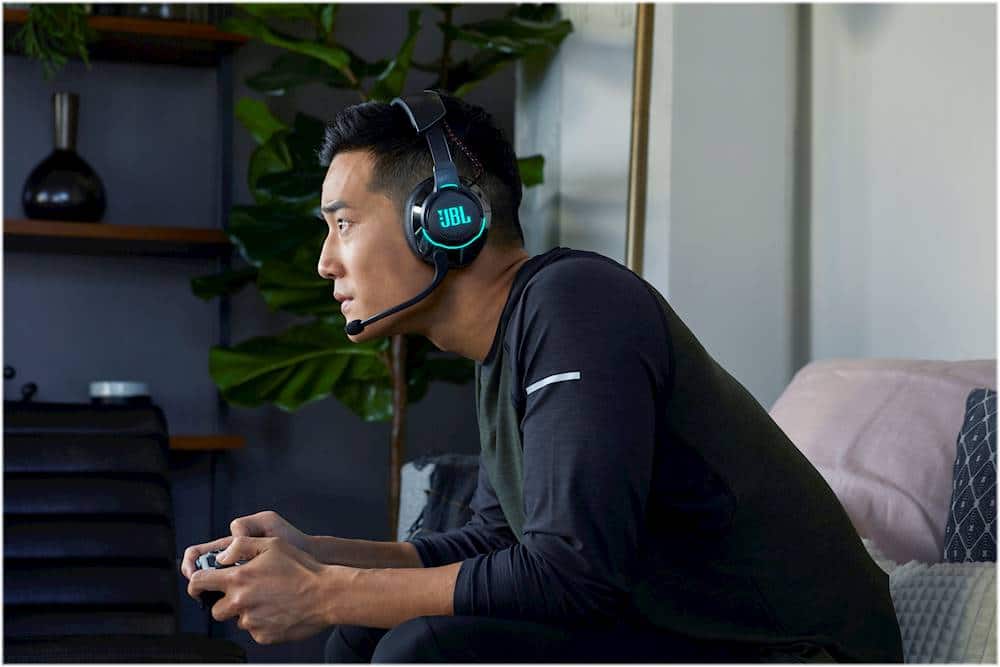
- Model:
- JBLQUANTUM800BLKAM
- SKU:
- 6408566
Rating by feature
- Value
Rating 3.2 out of 5 stars
- Quality
Rating 4.0 out of 5 stars
- Ease of Use
Rating 3.6 out of 5 stars
Customers are saying
Customers commend the Quantum 800 RGB Wireless DTS Headphone:X v2.0 Gaming Headset for its exceptional sound quality, praising its noise-canceling feature and amazing sound. They also appreciate the comfort of the headset, describing it as very comfortable. While some customers have concerns about the accuracy of the product description regarding its wireless functionality, the overall positive feedback on sound quality and comfort make this headset a popular choice among gamers.
This summary was generated by AI based on customer reviews.
- Cons mentioned:Battery life
Overpriced, Bad construction.
||Posted . Owned for 1 year when reviewed.This reviewer received promo considerations or sweepstakes entry for writing a review.Kinda Crap NGL way overpriced for cost RGB drains battery at alarming rate after a wile I was unable to update firmware contacted support, they said they would give me a return label and just didn't. Ended up braking, the @#%&*!% plastic that connects the headband to the speaker snapped right where the clear part meets the speaker
No, I would not recommend this to a friendBrand response from JBL Support
Posted .Thank you for bringing this to our attention. We're not sure why the replacement process for your JBL - Quantum 800 did not push thru. We'd still like to work with you directly to get this issue sorted out. Please contact our customer support team using this link. https://bit.ly/2WocMfi

- Cons mentioned:Wireless
Extremely Disappointed
||Posted .This reviewer received promo considerations or sweepstakes entry for writing a review.This product gives ok sound quality but if you are looking at this for your XBOX product and are expecting a wireless head set like I was be prepared for a huge letdown it will work with the XBOX but you will not be able to use the wireless capabilities it has to be plugged into your controller to work so if you want a true wireless headset stay away!
No, I would not recommend this to a friendBrand response from JBL Support
Posted .We appreciate the feedback you've provided to us. We understand that our JBL Quantum 800 did not meet your expectations. We're always looking for ways to improve so we'll make sure to submit your feedback to the right department.
- Pros mentioned:Sound quality
Very good quality
||Posted . Owned for 1 month when reviewed.This reviewer received promo considerations or sweepstakes entry for writing a review.Purchased these head phones as a gift for my grandson to play his Nintendo….He LOVES them!
I would recommend this to a friend - Pros mentioned:Sound quality
The Smith Family
||Posted . Owned for 2 months when reviewed.This reviewer received promo considerations or sweepstakes entry for writing a review.Excellent sound system and the quality of the headphones was worth the $.
I would recommend this to a friend Finally yaaay I received my package.
||Posted . Owned for 1 week when reviewed.This reviewer received promo considerations or sweepstakes entry for writing a review.I haven't set them up yet but I'm so excited to do so when my hubby gets home today. What a relief I'm so excited I finally omg recieved my item. Thank you bestbuy. I will do another review once I get my item up and running. Can't wait to try them out. They look amazing WOW. I'm not sure yet if I can recommend this item until I try them out. Just got them today. But I dont want to say no either.
I would recommend this to a friend- Pros mentioned:Comfort, Sound qualityCons mentioned:Volume control

Good but a little misleading
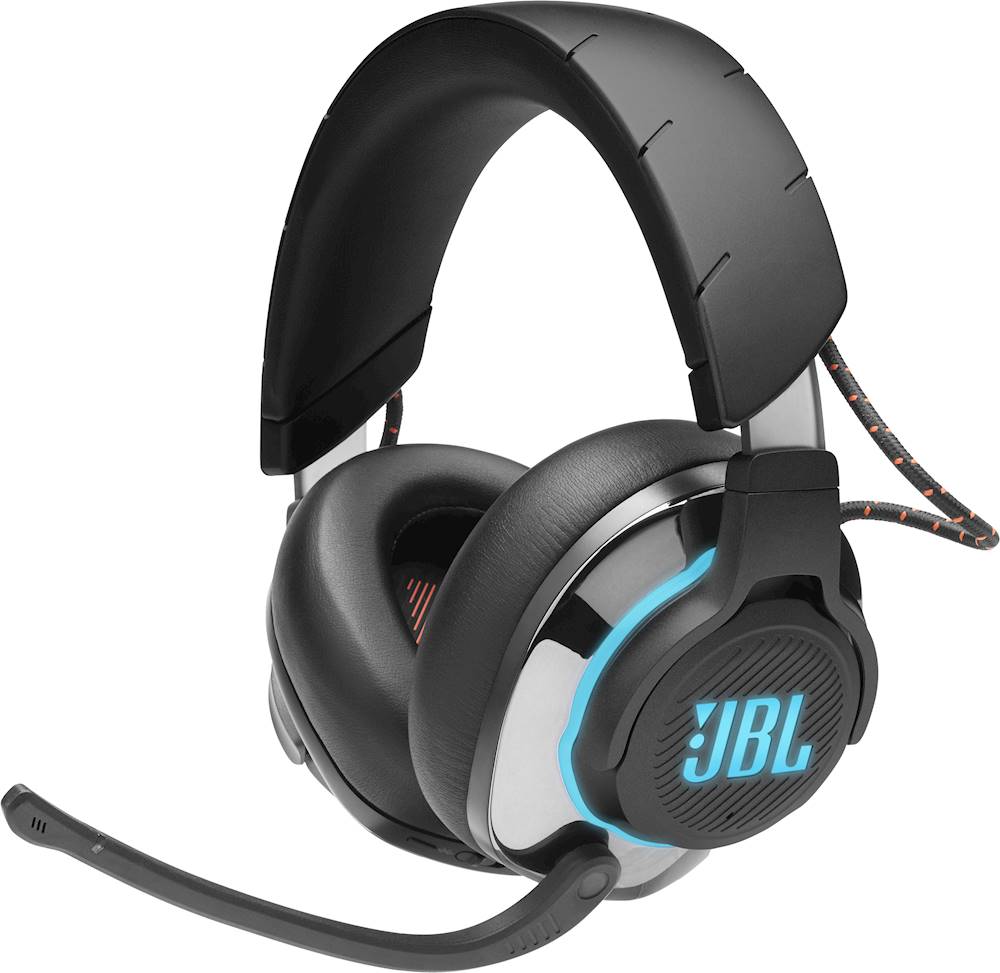
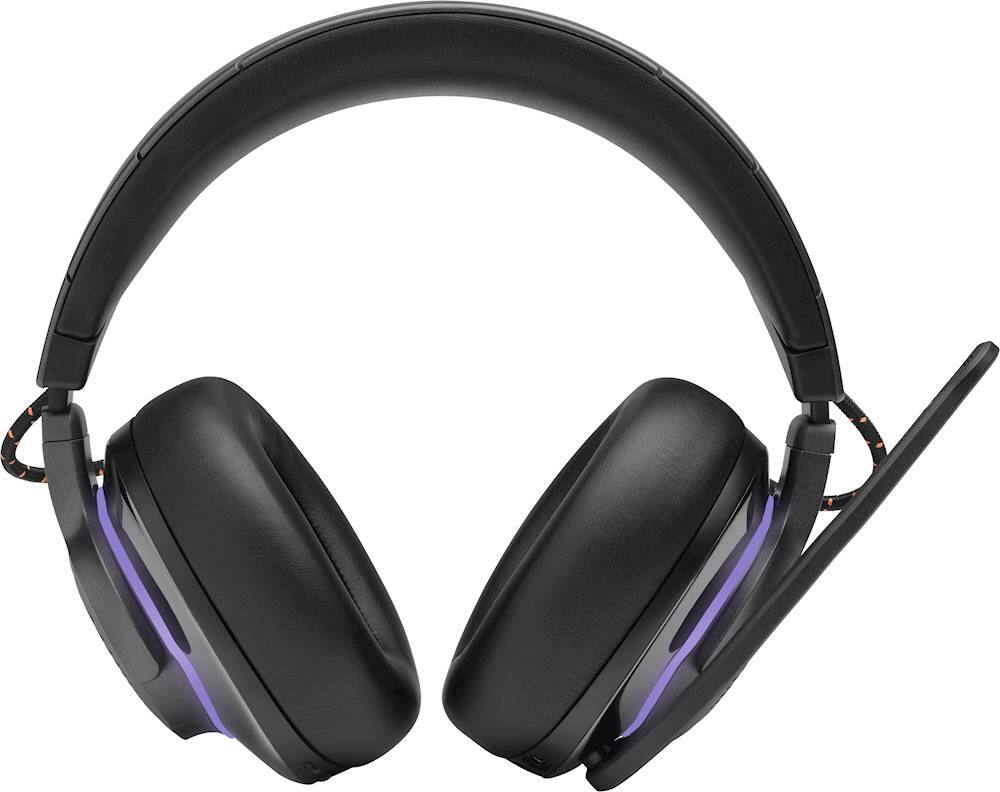
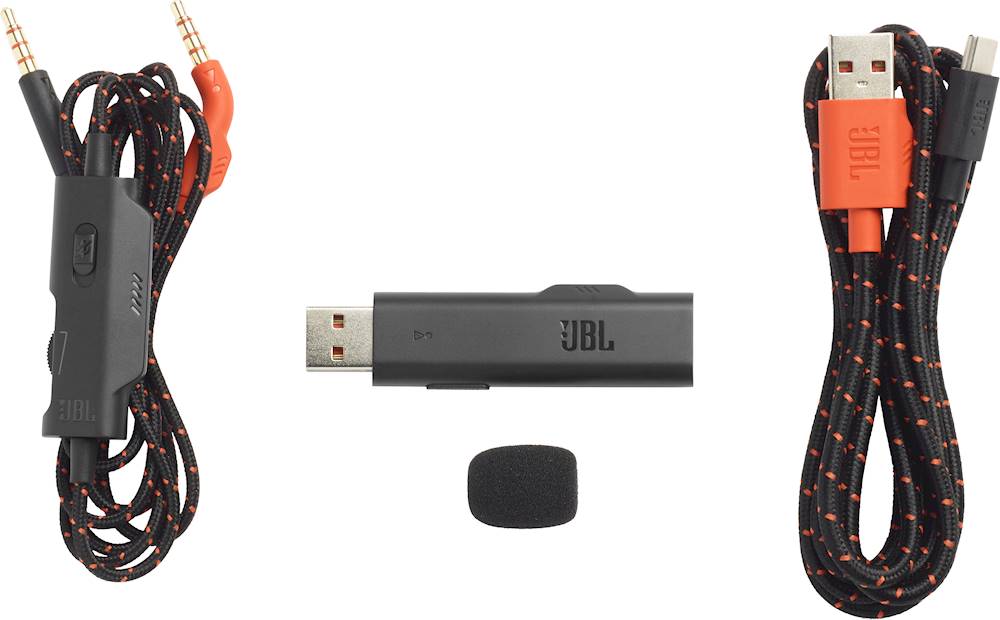
|Posted .This reviewer received promo considerations or sweepstakes entry for writing a review.The JBL - Quantum 800 RGB Wireless Gaming Headphones is one the latest offerings from JBL in the gaming headset space. With a seemingly feature packed offering I was impressed to try these out until I opened the user manual and saw that they really are NOT meant for Xbox (or some other gaming platforms) … In the box you get • 3.5mm audio cable • JBL Quantum 800 RGB Wireless Gaming Headset • Owner's manual/Warranty Card • USB charging cable • USB wireless dongle The headset itself feels very good in the hand but has some heft to it. The left and right ear cups are labeled well within the foam cups themselves. The contact points with your head are very well padded and I was able to wear them for 3+ hours without any sort of discomfort. Very well done considering the weight! The mic has good reach and adjustability and the outside looks great with the RGB lights lit up. The mic even has a light just above it to show when it is muted and when it is not. Now here is where I was disappointed in the functionality of this headset. JBL states it is compatible with basically as major consoles and PC. Well that is a little stretch and I believe there needs to be some wording changes to the marketing around this headset. Sure its featured packed for PC with the JBL QuantumENGINE software suite and QuantumSURROUND with DTS sound with all the nice wireless benefits however that stops right there… With PC. Then we come to PlayStation where there are still the wireless benefits which is great for gaming but again features are lost here too. Now then comes Xbox and the rest of the listed consoles they support. Well with Xbox you MUST use these headphones with the wired connection to the controller and you lose basically all the nice features about this headset minus the physical controls for adjusting the mic settings and the lift the mic to mute. I also found that the RGB lights did not stay on longer than 15 minutes or so with Xbox (Would make a weird noise and shut down completely every so often). I assume I wasn’t even get noise cancellation with my Xbox although the headphones sealed out a lot of noise by themselves. Overall do your research before buying this headphone and make sure they work for what you want. PC gamers should love them but Xbox and a couple others should keep in mind these are just another wired headset with very few extra feature they are able to use. The headphone also did not get nearly loud enough on Xbox. I was playing nearly on max volume the entire time. I also hooked these headphones up to my LG V40 smartphone with a Quad Dac and they sounded good but not amazing. It definitely gave them more power which woke them up over the Xbox but a nice pair of Sony’s will output just as good of sound. Overall I think JBL needs to tweak a little marketing around these headphones to better target systems/consoles that use most of the features these support. I am sure PC users are thrilled with this headset given they are comfortable and feature packed but as an Xbox gamer I just see them as another headset with a nice mic muting feature and good comfort.
I would recommend this to a friendBrand response from JBL Support
Posted .Thank you for taking the time to provide us with your valuable feedback. We'll make sure to forward this to our Marketing team for better information in the future.
Great headset for people who want comfort
||Posted . Owned for 1 month when reviewed.This reviewer received promo considerations or sweepstakes entry for writing a review.This headset is great to use because while you can use it for your iPhone or android you can also use it for your console or computer for a very long time without needing to take it off or recharge it
I would recommend this to a friend- Pros mentioned:Comfort, Sound qualityCons mentioned:Battery life
JBL sound, with latency (lag)
|Posted .This reviewer received promo considerations or sweepstakes entry for writing a review.I was very excited when I received these. They are packaged very well. Connecting them to my PC was very easy. The headphones themselves sound great and are very comfortable, but I have a few issues with them. Number one being latency! I noticed it right away when I started playing a game and clicking on the menu icons, I could tell there wasn't immediate sound. This is not good for gaming. In a lot of situations in game you have only a split second to react, and if the sound is lagging behind the action, it's already too late. This is especially true in FPS games. Another big issue is that you can not use them while being charged. You can't even connect the wire connection and use them un-powered while charging. This is a big no-no in my book. The battery life is okay, but not great, especially in a gaming situation. The software to control the lighting is not user friendly. It seems overly complicated to just control some blinking LED lights. I set mine to solid JBL orange and left it alone. I also noticed there is a slider that goes from "Chat" to "Game" which controls the sound. Mine won't go all the way to game mode. I'm not sure if this is an issue with the software or the headset, but it is annoying. I feel like I may be missing out the the full sound potential of game mode. I've been using the headset wired, connected to my Asus ROG Z370-E gaming motherboard. This so far is the best latency free sound I can get out of this headset, and I don't have to worry about having to charge them all the time. These would be great for a casual gamer, but less than ideal for a competitive situation game, like an FPS. Things I like: 1.) Top notch build quality 2.) Sound great 3.) Comfortable 4.) Active noise cancellation Things I don't like: 1.) Latency 2.) Can't use while charging 3.) Buggy software/headset controls 4.) Battery life
No, I would not recommend this to a friendBrand response from JBL Support
Posted .Thank you for taking the time to provide us with your feedback. We are sorry to hear that you are not satisfied with the performance of the Quantum 800. We would like to assist you further with the issues you are having with the Game Mode option. Please reach out to us at JBL Customer Service for technical support.
- Cons mentioned:Wireless
DOES NOT WORK WIRELESSLY WITH XBOX One
||Posted . Owned for 1 week when reviewed.This reviewer received promo considerations or sweepstakes entry for writing a review.Totally misleading - Sounds fine but not $200 fine for a NON-WIRELESS headset for the Xbox One... This is a wireless headset for a PC - but its wired for the XBOX/PS4 ETC.
No, I would not recommend this to a friendBrand response from JBL Support
Posted .Thank you for your feedback. We are sorry that the Quantum 800 did not meet your expectations. There are many different ways to connect headphones to any given system. We at JBL have made it possible to connect the Quantum 800 in various ways: Wired, Bluetooth, and USB Wireless. Unfortunately, the Xbox One controller does not support USB headsets. This is not specific to JBL. For use with the Xbox One, you are limited to using the 3.5mm wired connection.
- Pros mentioned:Comfort, Sound qualityCons mentioned:Volume control
WOW!
|Posted .This reviewer received promo considerations or sweepstakes entry for writing a review.I had a bit of a rough start with this headset. It took me a while to understand that, most of the time, the volume dial is not enabled. The device it is connected to controls the volume especially when Bluetooth connected. When using the supplied dongle, the dial controls the volume. Or at least that’s what happened when connected to my computer. There are two dials on the left side, the volume and the dial between game sounds and chat sounds. The dials have different resistance so you can tell them apart. It also has ANC or ambient noise cancelling button. This is above the dials. This function worked really well. Below the dials is another button: Mute microphone. This can also be done by raising the mic. A red light comes on to alert you that it’s muted just above the mic. The 3.5mm wired connection worked perfectly. When using that, you still need to use volume on the device they are connected to. The device I was connected to was my switch in handheld mode. The only buttons on the right side are the power switch and the pairing button for Bluetooth. These are extremely comfortable. And now, the best part. The sound quality! Wow! It has absolutely amazing sound quality. Everything sounds crisp, clear and beautiful! Highly recommend!
I would recommend this to a friend For PC and Playstation ONLY
||Posted . Owned for less than 1 week when reviewed.This reviewer received promo considerations or sweepstakes entry for writing a review.Whoever wrote the description and specs for this headset is a deceiver. Even the box gave me better information than the online description. If i would've seen the box in store first i would've never wasted my time with it. I bought these for use with my xbox one x because obviously the specs said it would work great with xbox... it hardly works with xbox... I got better and louder sound from a cheap spare headset that was about $40 as compared to this one... that shouldn't even be possible when me or anyone is opening this much money.
No, I would not recommend this to a friendBrand response from JBL Support
Posted .We appreciate the feedback you've provided to us. We understand that our JBL Quantum 800 did not meet your expectations. Our JBL Quantum 800 headset is compatible via 3.5mm jack with PC, PlayStation, Xbox, Nintendo Switch, Mobile, Mac, and VR. You can use the 2.4GHz wireless connection with PC, PlayStation, Mac, and VR. You just need to make sure you adjust the audio settings on your Xbox to get the full experience.You can check out what compatibility each connection type has on our Quick Start Guide here: https://bit.ly/2Ke1zYG
- Pros mentioned:Sound quality
A Solid Wireless Headset Just Not for Every Device
|Posted .This reviewer received promo considerations or sweepstakes entry for writing a review.So, heading into this review I want to address the elephant in the room first, since there are a lot of things I really like about this headset, but there is one thing that is likely going to be a deal-breaker for a lot of people. The claims that this headset is wireless and compatible with PC, PS4, Xbox One, Nintendo Switch, and Mobile Devices, is true, but misleading. This is because while it is wireless, it can only be used wirelessly with devices that support audio through USB or Bluetooth. The headset uses a USB dongle for most gaming sources, which means that it will work fine on PC, with the full suite of JBL audio software available to use as a result. On the PS4, you can get wireless audio, but you don’t get many of the bonuses from the PC software. On Xbox and Nintendo Switch on the other hand, you need to use the included 3.5mm cable to wire it to the console/controller. So, while the product description seems to imply that the full feature set is available across all devices, this isn’t truly the case, with the full experience of the headphones really only being possible for PC gaming. Now that this is out of the way, I want to talk about the actual experience of using the headphones, which largely is excellent. The preset sound signature is very balanced, with a nice bass response that doesn’t sound artificially enhanced, clear midrange, and even at high volumes, never sounded harsh. I play a lot of Call of Duty, so positional accuracy is nearly essential for me as a gamer. Thankfully, while the soundstage never feels incredibly wide, it has a nice space to it that allows for clear imaging of where enemies are running. Using Dolby Atmos for Headphones on my Xbox, with these plugged in over the controller, I was easily able to discern enemy positions in a full 360-degree space. This is not the case for all headsets I have used. Additionally, in terms of gaming, the flip-up to mute mic is a very welcome feature I never knew I needed, and the mic clarity itself is very good. The foam ear pads are very comfortable, although I personally found them a bit warm for longer playing sessions, and the headband felt a bit tight for my tastes, but not overbearing by any means. In terms of PC gaming, the headset is really able to shine, with a software suite that allows you to adjust your surround sound settings, dial in your head measurements for more accuracy, and adjust things like RGB, which in my opinion looked quite good, although I have never personally understood the point of RGB on headphones. I played a bit of Alien Isolation on my PC with these connected wirelessly in the Quantum Surround mode (which sounded best in my opinion), and I nearly jumped out of my seat when the Alien jumped out at me. These really are that good. The headphones aren’t too heavy but feel very sturdy overall. I like that you can control some of the mic monitoring directly on the headphones, along with volume, Bluetooth connectivity, power, and mic muting. The active noise cancelling is also surprisingly great in my opinion. I only say surprisingly because I have used dedicated noise cancelling headphones which sounded worst than these, I was actually very impressed with the noise cancelling when gaming and listening to music. Overall, I really like this headset. It can be used both wired and wirelessly, with two ways of connecting wirelessly (Bluetooth and USB Dongle). It sounds really good, has great imaging, good mic quality, effective noise cancelling, and feels high quality. Unfortunately, the detailing for the product does feel misleading, with only the full array of gaming features being available on PC, and wireless connectivity not being fully possible on Xbox and Nintendo Switch. If you’re in need of a primarily Xbox or Switch headset, I personally feel this headset is a bit too expensive to not be using the majority of features it is capable of. However, if you want a great all-around headset, that has an array of connectivity options, and excellent overall quality, this is a great way to go.
I would recommend this to a friend - Pros mentioned:Bass, Sound quality
Outstanding Sound and Performance
|Posted .This reviewer received promo considerations or sweepstakes entry for writing a review.These headphones are a great move forward in bringing outstanding sound and noise cancellation technology to gaming headsets. System compatibility: PC / XBOX / Playstation / Nintento Switch / Mobile / Mac / VR. I tested mostly on a PC. The headphones are comfortable to wear and the soft foam earpieces exclude a LOT of external noise. In use, there is also, I believe, some degree of active noise cancellation (ANC) that can be toggled simply from the headset to allow easy access to external sounds (like someone talking to you). The sound is immediately surprising. Strong bass that isn't muddy at all, very clear highs, crisp sounds that are never distorted, and astounding separation of L/R channels. Sound that is unaugmented by their software is impressive - direct connection through the included 3.5 mm audio cable is outstanding and approaches the sound of more expensive headphones designed for audio-only enjoyment - Bluetooth and 2.4G wireless sound is responsive and very impressive (nothing will ever be as impressive as a direct connection). Navigation of the headset is a little daunting at first - the illustration in the quick start guide has 16 items identified on the headset. But most of the physical controls are not things that need to be adjusted frequently during use and I found the use of the headset to feel like an extension of my hand almost immediately. PC software is a little bloat-y but is easy to use and is helpful in making simple adjustments to sound design. Un-adjusted sound for me was a little exaggerated at the north and south ends of the spectrum. The quality of the sound here is the selling point: crisp, clean, clear. With a direct connection, there is also the uncharacteristic availability of impressive volume (headphones are notoriously designed to under-volume (?) everything to over-protect you from hearing loss). Here, the direct connection sounds grand and the two wireless options are wholly impressive. The microphone is fine, but is not the selling point of this headset.
I would recommend this to a friend - Pros mentioned:Sound qualityCons mentioned:Weight
PS4 player? Get it!
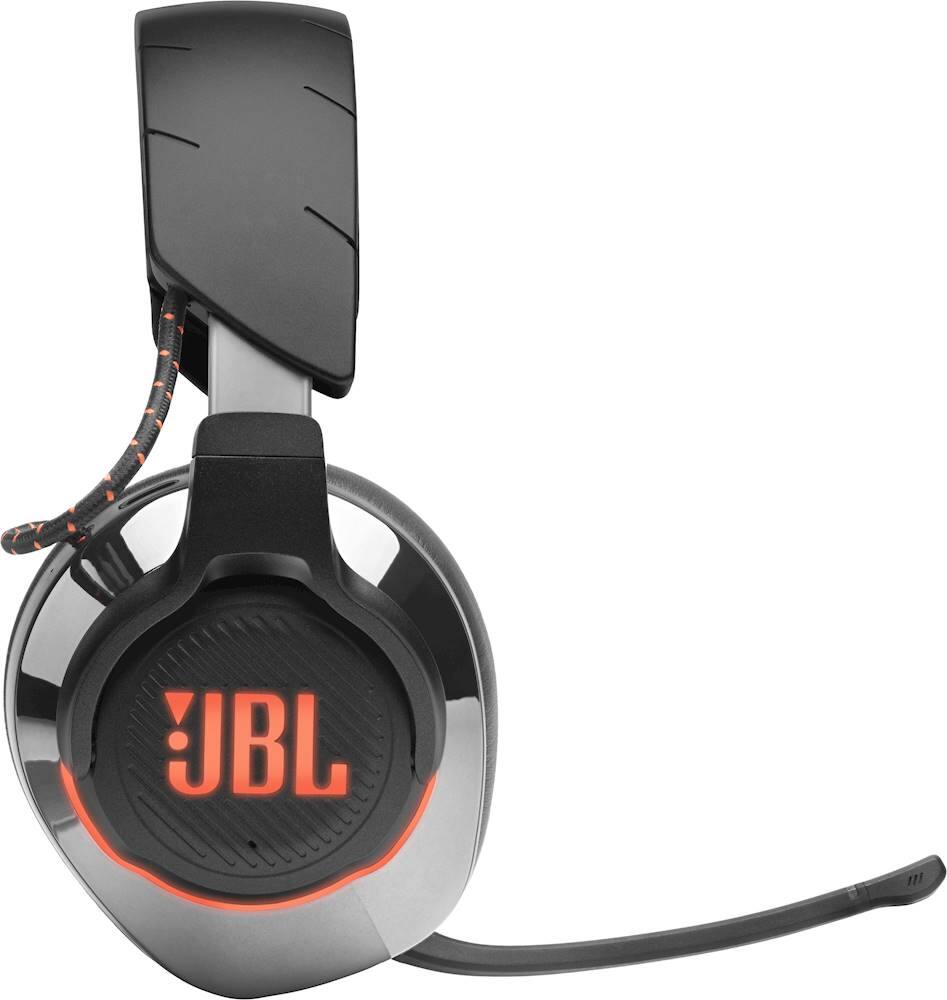
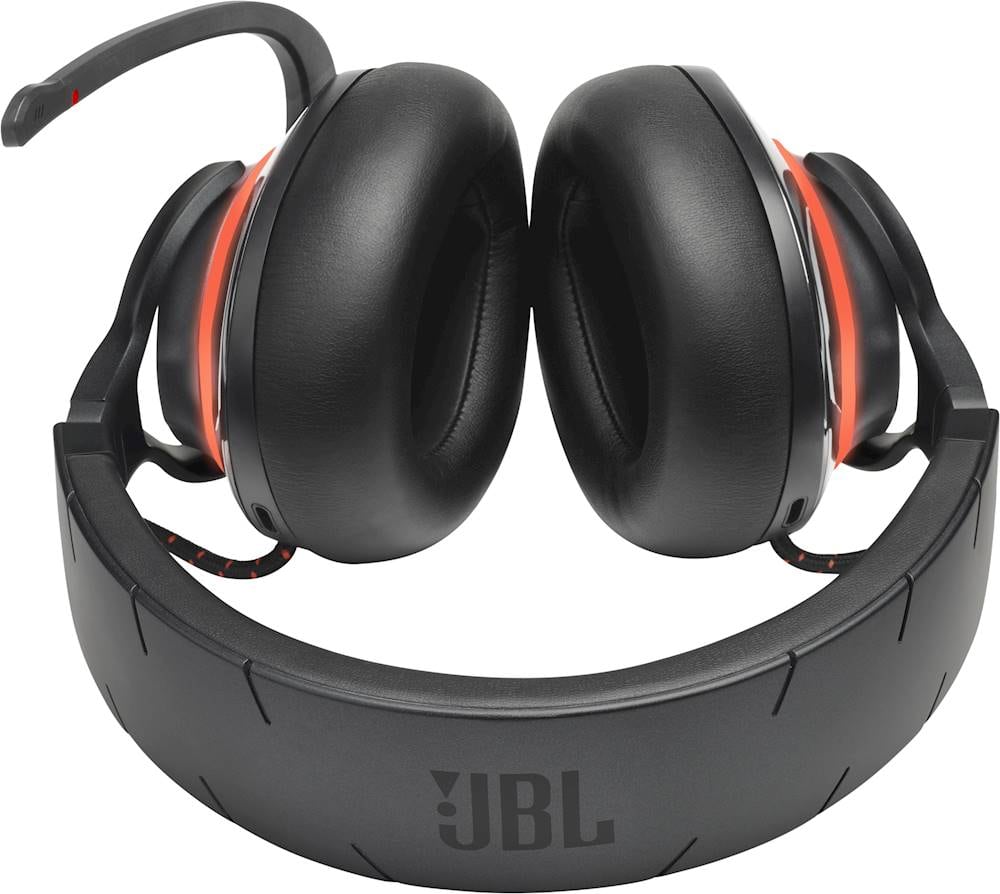
|Posted .This reviewer received promo considerations or sweepstakes entry for writing a review.Received the package and read the instructions. I also charged the headset before using it just in case it needed a full charge. Once I was ready, I plugged the USB dongle into my PS4 Pro. I was caught off guard the headset automatically synced up with the Bluetooth. I was under the impression I would have to sync it myself. The sound was a little low, so I went into settings and devices on the PS4 to turn up the master volume. Issue resolved. While having the headset on, I realize it’s a little heavy. I’ve come to realize that of the headsets I’ve used in the past, the better build headsets lean towards the heavy side. This set feels solid and durable. I mostly play racing games, so I fired up the current games I’m playing now to try it out. The sound quality is great. And the huge cups definitely helps with the noise cancelling. The best is when you’re racing online, you need to know if there’s a car need you. Now just by sight, but by sound as well. You can hear the engine of another car in your vicinity. I played for about an hour last night and I noticed that my ears didn’t get hot and sweaty normally when I hear a headset with big cups. That’s when I noticed the slits on the top of the cups. I assume these are for ventilation, but there’s nothing on the box or instructions to confirm this. I had a conversation with the people I were racing with and they had no issues hearing me. I could tell there was about an ½ second delay with my words. Not sure if that was the PS4 or the headset itself. The LED on the side lights up showing the JBL logo and I’ve read this will cut into your power life from 14 hours to 8 hours. If you choose, you hold the mute button left ear cup for 6 seconds (instructions say 5 seconds) and it turns off the LED. Hold it again for 6 seconds and it turns the LED back on. I’ve only had the headsets for a few days, but it’s my new go-to headset. I recommend this headset for anyone using a wireless setup with a PS4.
I would recommend this to a friend - Pros mentioned:Comfort, Sound quality
Well built, great sound.
|Posted .This reviewer received promo considerations or sweepstakes entry for writing a review.I absolutely love these headphones. Mic quality is great. The sound is great as well. I'm an avid gamer and still have a social life and enjoy that these headphones help maintain that by letting me hear my IRL surroundings and still be immersed in the game. I left consoles a long time ago so I can't speak about the compatibility. These headphones use a dongle and they come with an aux cord with a mute control feature built into the cable. * I however do not like the software that JBL came up with to pair with the headphones. It's not part of the headphones and they work straight out of the box. (This is little side note is for PC only.)* I like that you can cancel out all noise. It has a button on the left headphone that I would guess that takes your microphone off of mute and you can hear a reverb which allows you to hear outside sounds all while lowering down the sound coming from the source (PC/Xbox/PS4 ETC.). Honestly such a simple feature but that really blew me away. The headphones remind me of 90's elementary school headphones because those were so enjoyable and quite large. The memory foam is really comfortable around my ears especially for long gaming sessions and the RGB lighting wraps up how great these headphones are for the gaming aficionado. Highly recommend!
I would recommend this to a friend - Pros mentioned:Bass, Sound quality
For the price, these headphones are legit!
|Posted .This reviewer received promo considerations or sweepstakes entry for writing a review.Wow, these JBL Quantum 800 headphones are amazing. Knowing why being made by a top manufacturer in the sound game is why and it shows. For the price point, you cannot beat a heaphone setup that is seriously the absolute best I have tried yet over Bluetooth. The main reason why is the timing for sounds, it is spot on! I own very expensive gaming heaphones from Turtle Beach and HK audio and these simply beat the TBs and are right on par with my $589 HK Audio's setup. Many BT headphones for gaming are horrible, also has a latency issue and the sound never lines up, with the JBLs, it is finally spot on. The sound is amazing, true surround sound in a headphone for amazing gamimg and even movie watching. The noise canceling is also fantastic and blocks out all 4 of my daughters yelling and screaming while playing in the house. Tge lows hit low but are not too much where your ears hurt afterwards. The mids and highs are crisp, no tiny sounds at all. The battery lasts about 8 hours on average ar 3/4 volume for me. Also, the microphone is fantastic with the flip up mute option. My gaming buddies say I sound very clear on their end. Give these headphones a try, you will be very happy.
I would recommend this to a friend - Pros mentioned:Comfort, Sound quality
An emersive gaming experience
|Posted .This reviewer received promo considerations or sweepstakes entry for writing a review.I have been using a different pair of wireless headphones but they are not so comfortable so I wanted to try something different. JBL is a brand I've always enjoyed and this headset has not let me down. The set comes with the wireless receiver for my PS4, a charging cable and a 3.5mm cable for when you want a wired connection. Setup with my PS4 could not have been easier. As soon as I plugged in the receiver and powered the system on, it immediately recognized my headset and I was ready to go. I played a friend online in a game of MLB The Show and the sound was amazing. It was like I had a home theater system on my ears. The music, the announcers, the crack of the at...everything sounded so real and intense. My buddy heard me perfectly on the other side and I know he was jealous about my sound experience. I also paired the headset to my phone and while I have other audio options, these were beasts. I love the controls that easily accessible, the battery life has been fantastic and they are super comfortable to wear , which was important to me after my last headset. This headset makes me want to play more games which says a lot.
I would recommend this to a friend - Pros mentioned:Comfort, Sound qualityCons mentioned:Weight
JBL 800 Quantum
Posted .This reviewer received promo considerations or sweepstakes entry for writing a review.Overall very comfortable, slightly heavy. cups ears and blocks noise very well. so for PC gaming this is very high quality and sounds great to me. But unfortunately not so much on PS4 pro. forst of all they dont tell you that not all of the functions work unless you are on PC. nest the sound is horrible. Actually it sounds good on console but just does not get loud enough!! I tried on 3.5mm to controller and also thru the wireless dongle. honestly it even sounded louder through 3.5mm on controller which is usually not the case. I have been trying to find a good high end headset for a while now, sorry to say that unless used for PC gaming only, I wouldnt spend the money!
No, I would not recommend this to a friendBrand response from JBL Support
Posted .Thank you for providing your feedback. It may be that the in-line volume control on your AUX cable is turned down. Please check this and adjust if needed. If you are still unable to get the desired output volume, please contact JBL Customer Support for further assistance.
- Pros mentioned:Sound quality
Great sound
|Posted .This reviewer received promo considerations or sweepstakes entry for writing a review.I should preface this review by stating that I have only ever used one other pair of gaming headphones and those were very budget friendly. Also, I do very little social gaming. So, the microphone is not something I use very often at all. My need for gaming headphones was specifically to not bother others in the house while playing games as they sleep or watch tv. But the surround sound is so nice that I may use them more often to watch movies. What I like: - 7.1 DTX surround sound - effective active noise cancelling - mic-flip mute - customization options (EQ, disabling lights) - build quality (I kind of thought the packaging was impressive too) What I liked less: - tight fit for big heads - inability to make adjustments without being connected to software - instructions for both the headphones and the software (and where to find it) are lacking These headphones are advertised as a wireless gaming headset and lists being compatible with PC and all the major consoles. While the headet can indeed be used with all these devices, it will not work wirelessly with all them. There is an included 3.5mm wire to connect to headphone jacks for various devices, such as game controllers, TVs, stereos, etc. In addition to the 3.5mm wire, you can use bluetooth or the wireless dongle to connect the headphones to devices. I've used the dongle for both my laptop and PS4 and also connected to my phone via bluetooth. All 3 sounded amazing. Using the Quantum 800 straight out of the box is unimpressive. Mine sounded a little deflated and muffled. Luckily, there is software available on JBL's website that will let you customize your headphone experience. There is little instruction on how to navigate this software or even how to find it. Also, the software is only available for a computer, meaning there is no phone app. This is unfortunate for those who want to use these for their console but have no computer. To be fair, on the front of the box JBL states that these headphones are "optimized for PC." When opening the software you are asked to connect your headphones with either the dongle or the USB cord. I opted to try the USB cable, but the message did not change. The charging light lit up, but no connection to the software. I experienced the same issue with the 2 other USB ports on my laptop, so I switched to the dongle and got an instant connection. This issue though, could be due to my aging laptop and not the headphones or software. Through the software you are able to make a number of customizations. There are options to adjust the colors and patterns of the lights. The first thing I did was figure out how to turn them off. After that I focused on adjusting the sound through the equalizer. There are a number of presets for the EQ, but I found it more to my liking to make custom adjustments. From here you are also able to switch between Stereo, DTX surround and "JBL quantumSURROUND." I kept switching back and forth from DTX and the quantum option, but could not tell the difference. (This could be due to the fact that I tested these two on movies instead of games.) You can also adjust the volume of your mic; both in-game volume and headset volume. Once you've made all your adjustments they will stick with your headphones when using them on other devices. Unfortunately, there are no buttons on the headphones that allow you to scroll through your sound presets nor between Stereo, DTX and quantumSURROUND. Adjustments found physically on the headphones include a button to disable ANC, a wheel to balance the volume between game and mic, a wheel to adjust speaker volume, and a button to mute the mic. You can also mute the mic by simply flipping it up. I have yet to do any marathon gaming with these headphones, but I feel like they may get uncomfortable for long stretches. I have the size adjustments opened to the max and they're still just a little tight at the top of my head. Granted, I have a melon head that won't fit in an adjustable baseball cap. I had them on for 10 minutes half an hour ago and I still have the sensation they're on my head. That being said, the ear cups are very comfortable and well-padded with leather covered memory foam.
I would recommend this to a friend Good for their niche
|Posted .This reviewer received promo considerations or sweepstakes entry for writing a review.Sound Quality and Fit: The sound quality was very good. The headphones were comfortable and canceled a significant amount of ambient noise. Functionality: As mentioned, they do not wirelessly connect with XBoxOne or 360. You can connect to an XBoxOne via cable. To make effective audio changes to the headphones wired to XB1, however, you need to make onscreen adjustments. On a PC, or tablet, the JBL Quantum 800 shine as wireless gaming headphones. Connected via bluetooth to a tablet, and via the USB dongle to the PC these headphones performed very well. Voice quality was good--online friends heard me clearly and loudly. No echo effects or any other audio distortion. One final functional note (and maybe I haven't figured it out yet) there isn't an obvious "pause" button on the headphones themselves to pause media (i.e. music or a video on a tablet). Additionally, if the headphones don't detect sound for a certain amount of time they appear to power off ( as a power save measure, I suppose). This is annoying if you take them off your ears for a minute or two to talk to someone in real life. You have to power them back on. On my devices, I would then have to manually reconnect the headphones if they had dropped into "power save mode" after a few minutes of silence. Windows 10 automatically detected updates and software once the dongle was plugged into the USB port. Audio enhancements bring sounds to the forefront but the options were a bit overwhelming to a newb. Once properly tweaked, these headphones headphones bring a lot to the gaming experience. They did a good job of creating "spatial" sounds--where you could hear things coming from the left, the right, or behind you. These headphones excel for the PC gamer who takes the time to customize and configure the settings, but they may fall short for the console gamer. Also, they are not necessarily the right pair of headphones for someone looking for a more all-around headset to use with devices that perform more general, non-gaming activities.
I would recommend this to a friend