Customer Ratings & Reviews
- Model:
- MGOCHRGMSRBLK124
- SKU:
- 12196378
Rating by feature
- Value
Rating 4.8 out of 5 stars
- Quality
Rating 4.7 out of 5 stars
- Ease of Use
Rating 4.8 out of 5 stars
to a friend
Inexpensive & Works Well.
||Posted . Owned for 1 month when reviewed.This reviewer received promo considerations or sweepstakes entry for writing a review.I like that it’s bluetooth compatible. Hold charge and it’s inexpensive.
I would recommend this to a friendGreat for a cheap wireless mouse
||Posted . Owned for 2 weeks when reviewed.This reviewer received promo considerations or sweepstakes entry for writing a review.Smooth, wireless and is a perfect fit for me. Simple and easy to use as well.
I would recommend this to a friend
Great mouse, hot swap 3 devices, great battery
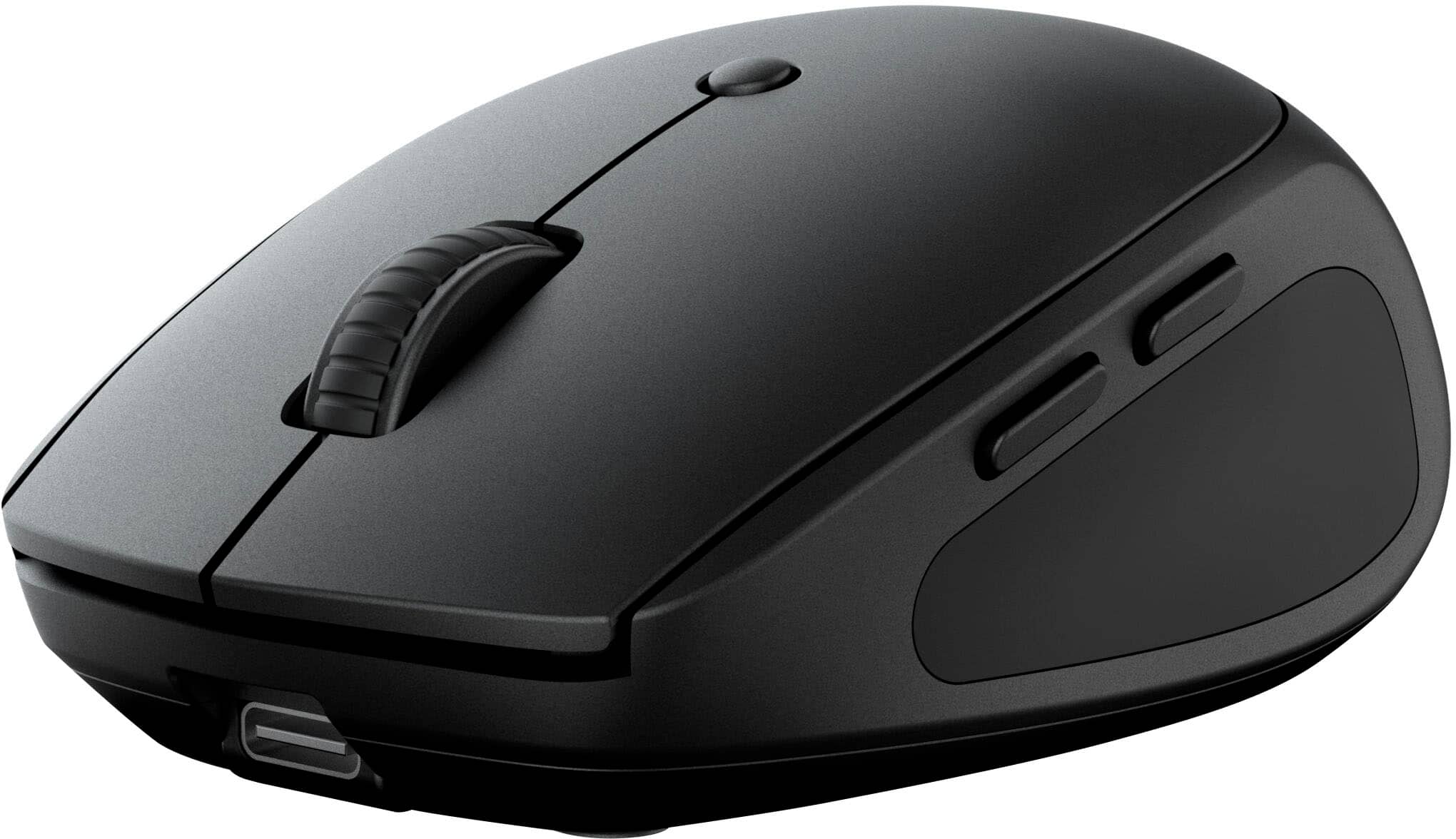
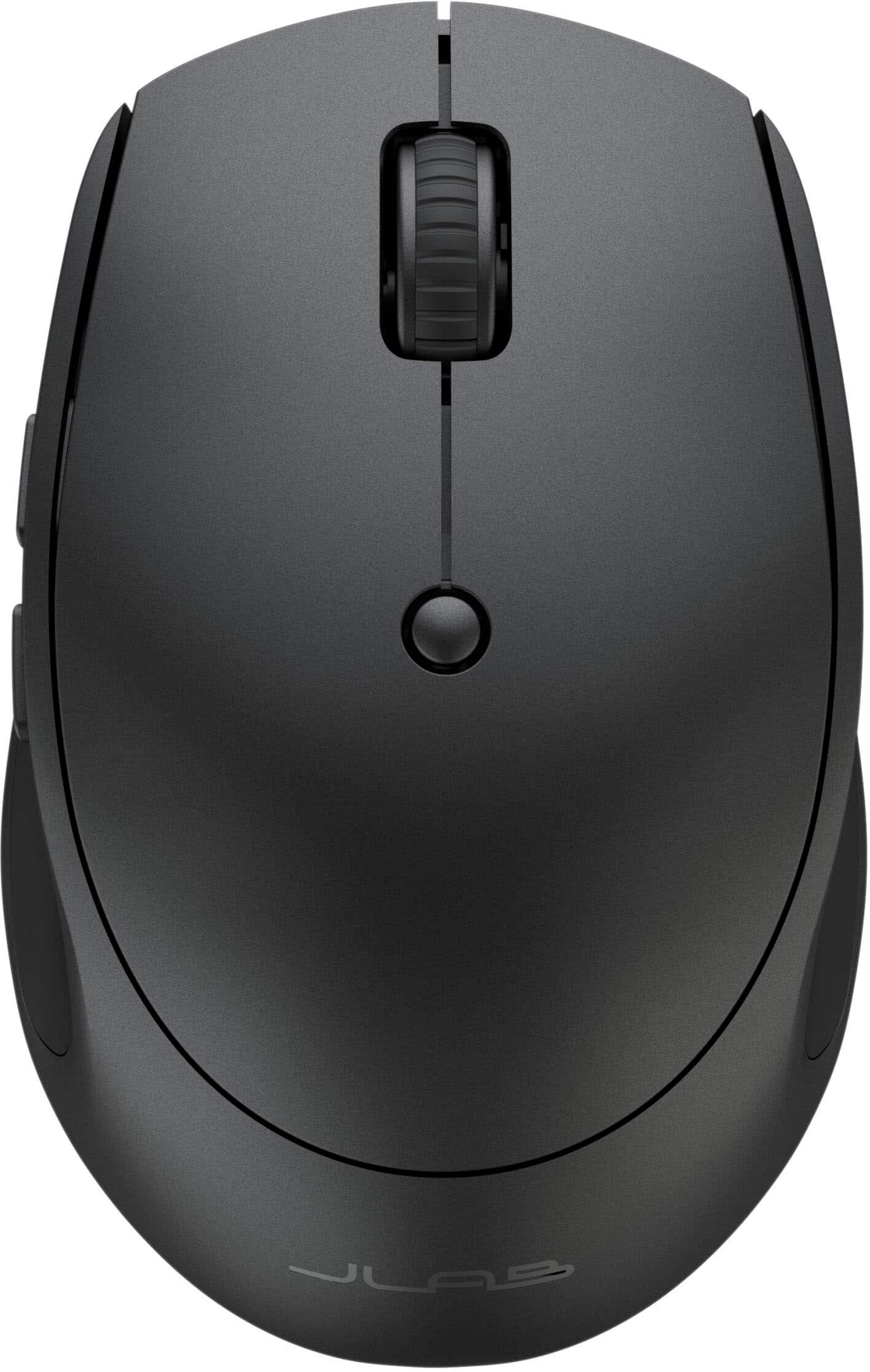
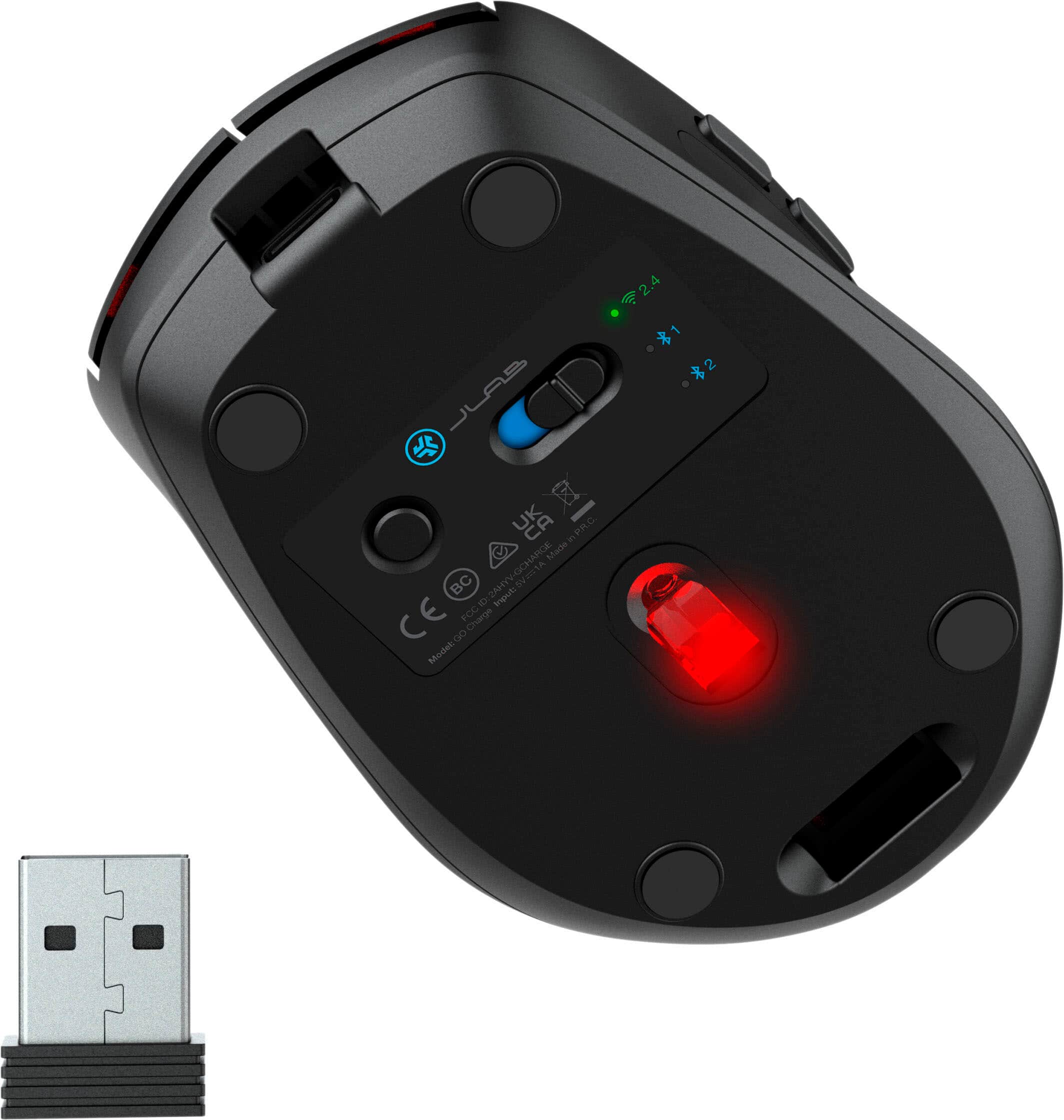
|Posted .This reviewer received promo considerations or sweepstakes entry for writing a review.This JLab - Go Charge Wireless Scroll Mouse is very nice. Simple and functional design offers lightweight, small footprint and multiple connection options. Great for work or play and offers excellent portability and battery life. Design and Build: Very lightweight but solid build and feel. This feels sturdy in my hand and offers good feedback when I’m using it. I’ve used the essentially “weightless” mouse designs before but those are almost too light without any tracking feedback or resistance on the desk. I feel this mouse really hits a good compromise of being lightweight and portable while still having a little substance that you can feel while using and I appreciate that. The design is symmetrical and can be easily used with the left or right hand, although the forward-back thumb buttons are on the left side of the device making it more suited for right-handed use. All the buttons, as well as scroll wheel, operate smoothly and silently and offer slight resistant feedback which I prefer in a mouse. This mouse has left click, right click, scroll wheel (with click), forward, and back buttons, and DPI selection button for full control in the palm of my hand. Performance: Great glide and tracking utilizing its 800-1200-1600 DPI optical sensor. This generates exceptional precision, responsiveness, and smoothness no matter what your preferred pointer speed or desktop surface are. The DPI setting is adjustable between those three and can be quickly selected with the DPI selection button conveniently located right on top. The DPI button could be recessed a little more to avoid inadvertent switching during use, but I haven’t really experienced any issues with this so far. Battery Life: Battery life is fantastic. I charged it overnight when I took it out of the box but then I’ve been using it for about a week so far and it’s still going strong. It has one LED at the base that lights when charging but during use there are no flashing lights or colors to eat up the battery. Connectivity: This mouse supports three connected devices and quick swaps between them using the connection button on the bottom. 2 connections are Bluetooth, which I absolutely love because it eliminates the need for the USB dongle. The third is then obviously the USB dongle that is great for use with older devices that may not have Bluetooth built in. I also want to note my appreciation for the built in USB dongle storage slot on the bottom of the mouse which I really appreciate. This avoids misplacing/losing the dongle when you’re not using it. I can count how many of those things I’ve lost before rendering the mouse useless if that’s your connection preference. I’ve connected this to multiple devices with both Bluetooth and USB dongle and both work fantastically. Wireless via Bluetooth is my overall preference because it eliminates the need for the USB dongle and leaves a USB port open to use for other things. Conclusion: Overall, this mouse is fantastic. Multiple connectivity options, it saves three “pairs” for quick swapping, as well as lightweight and portable with great battery life really make this a desirable mouse, and the cost/value can’t be beat.
I would recommend this to a friendMouse
||Posted . Owned for 1 month when reviewed.This reviewer received promo considerations or sweepstakes entry for writing a review.It was a add one to the laptop great value for the price.
I would recommend this to a friendNot bad for a budget option
||Posted . Owned for 2 weeks when reviewed.This reviewer received promo considerations or sweepstakes entry for writing a review.Very good for the price. Only complaint is that it tracks still from the desk even when lifted like 1-2cm off.
I would recommend this to a friendIt works!!
||Posted . Owned for 1 week when reviewed.This reviewer received promo considerations or sweepstakes entry for writing a review.Works as intended. Connected very easily with my. MacBook
I would recommend this to a friendPerfect compact travel mouse
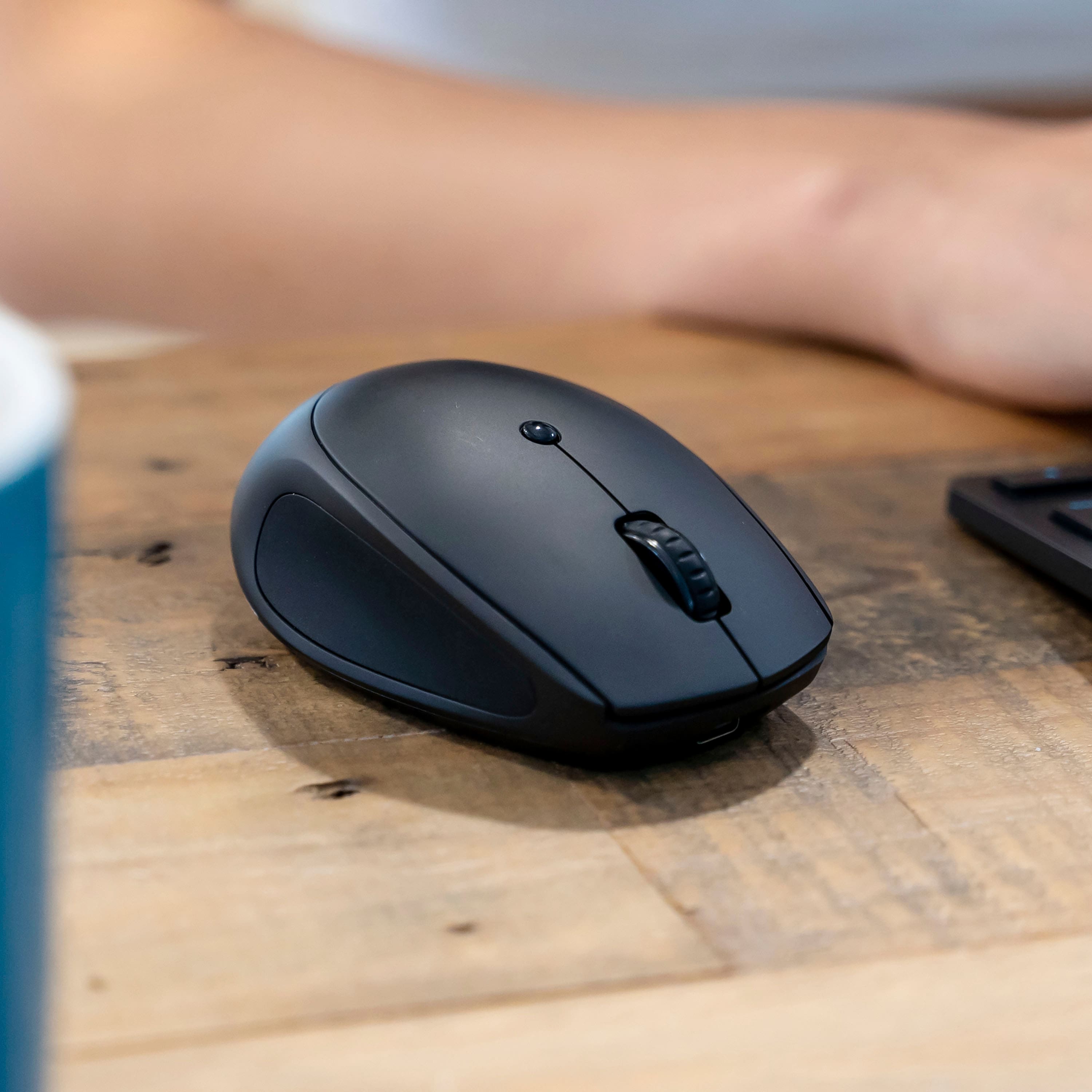
|Posted .This reviewer received promo considerations or sweepstakes entry for writing a review.The JLab Go Charge Wireless Scroll Mouse is the perfect mouse for me! I don't normally use a mouse because I use a laptop the majority of the time. Now I have discovered the ease and comfort of being able to sit back a bit and use a mouse with my laptop so I don't have to sit bent over the laptop all the time. This is especially helpful when I am browsing - which I tend to do a lot! I get squirreled and I jump from article to article so leaning back against the sofa and using the mouse on the arm of the sofa (you know you do this too!) is so much easier for me. This JLab mouse charges via a USB-C port at the front of the mouse. It comes with a USB-A to USB-C cord which is only used for charging. This mouse easily and quickly connects via Bluetooth and you are able to connect up to 2 Bluetooth devices via a little button on the bottom of the mouse. You can also make a 3rd connection via the supplied USB-A dongle - are they making USB-C dongles yet? Simply switch between your connected devices via a quick click on that same button on the bottom of the mouse to go from your laptop via bluetooth to your desktop via the dongle. It's so easy to use. The mouse itself is small and lightweight and feels very comfortable in my smaller hand. It can be used with either hand though the buttons (the ones I NEVER use) are on the left side. The grips on the right and left are rubberized for a nice feel. The scroll wheel works as it should. There is a small button on the top of the mouse that switches the sensitivity from low to medium to high. I find that the medium setting is a good setting for me. On high, I have a hard time with the mouse moving a little too quickly for my tired, older eyes! This has a good "click" feel to it with the buttons being virtually silent. Yep, no more annoying "click, click, click" all day long. Overall, the JLab Go Charge Wireless Scroll Mouse is a fantastic compact mouse that easily connects via bluetooth or USB-A dongle and can be conveniently carried with you wherever you need it to be. It stays charged for quite some time, as I have been using it for a bit now, and it still doesn't need another charge. It is quiet and comfortable in my hand. I would highly recommend this mouse.
I would recommend this to a friendAffordable
||Posted . Owned for 2 weeks when reviewed.This reviewer received promo considerations or sweepstakes entry for writing a review.Simple, and affordable. The black cover looks nice the smooth finish doesn't collect finger prints.
I would recommend this to a friendAll I want in a mouse.
|Posted .This reviewer received promo considerations or sweepstakes entry for writing a review.The first thing I noticed when I took the Jlab - Go Charge Wireless Scroll Mouse out of the packaging was that it very much resembles a certain Logitech mouse that I have. The next thing I noticed is how light the mouse is. That is a big difference from the other mouse. I plugged it in to charge right away and noticed that there's a red light at the base of the mouse while charging. It turns green when the charging is completed. It doesn't take long at all to charge and since I got it, I've not had to charge it again. It does have a tiny dongle that very much also resembles the Logitech one and when using it, connection is effortless. There's also 2 other Bluetooth connections and I connected the second one to my work computer. Connected via Bluetooth and it was easy using the connect device in the Bluetooth settings on the computer. I'm so glad it's cordless because that desk is cluttered enough that a corded mouse would be problematic. I will not have a mouse any more that doesn't have the two additional side buttons. They can be programmed for other uses, but I prefer the back and forward default options. Another thing I like about this mouse is its size. It's on the small side, like a travel mouse and because of that, it fits in my hand wonderfully. I'm very happy to have this one and that I can use it with multiple computers.
I would recommend this to a friendLeft Button Stopped Working
||Posted .This reviewer received promo considerations or sweepstakes entry for writing a review.Nice mouse while it lasted. Less than a year in and the left click button works only half the time.
No, I would not recommend this to a friendGood mouse
||Posted . Owned for 3 weeks when reviewed.This reviewer received promo considerations or sweepstakes entry for writing a review.Affordable mouse with a scroll wheel and side buttons.
I would recommend this to a friend"Reliable, responsive, ergonomic wireless mouse
|Posted .This reviewer received promo considerations or sweepstakes entry for writing a review.In a world of options this bridges the gap between both need and wants when selecting a accessory for your computer. A few neat features that I feel package nicely are bluetooth connectivity paired with a wireless dongle give you the flexibility to connect to most devices. Both PC and MAC compatabulity play into that connect to everything strategy. I also noticed its not too loud when clicking buttons or engaging the scroll wheel, added bonus! They advertise this as "multi-device compact wireless mouse" and they successfully deliver on that statement. Technically it can be connected to 3 devices and you can switch between seamlessly. Size is also as you expect, not overly bulky for those expecting to travel with this mouse. I was impressed with responsiveness and experienced little lag when using this for work. I do appreciate the additional buttons that help expedite actions on screen. Charging and battery life were as expected and it will be nice to no longer need alkaline batteries. I also appreciate it uses USB-C so you already have a bunch of cables laying around to charge. Overall, very happy with this device. I feel it combines a few handy bonus features with a fairly decent cost. Big Fan of this mouse!
I would recommend this to a friendMouse
||Posted . Owned for 1 week when reviewed.This reviewer received promo considerations or sweepstakes entry for writing a review.Rechargeable battery has short life. Side buttons too sensitive for me.
No, I would not recommend this to a friendNot good
||Posted . Owned for 1 week when reviewed.This reviewer received promo considerations or sweepstakes entry for writing a review.i do not like it . it will not stay connected and you have to keep connecting . i went back to my old mouse.
No, I would not recommend this to a friendA Solid Traveler
|Posted .This reviewer received promo considerations or sweepstakes entry for writing a review.I usually include a bit of a preamble in my reviews, but there isn’t much to prelude on this one. JLab’s Go Charge is an affordable travel mouse that does a great job nailing its design brief. - Unboxing & Setup JLab’s Go Charge mouse is reasonably minimally packaged with just the mouse itself and a small USB-C cable provided for charging convenience. The Go Charge feels slightly bigger than most travel mice I’ve used in the past, but is still sized right to slip into a laptop bag and it feels much better in my (admittedly large) hands to boot. The mouse is trivially easy to get up and running after a brief charge via its USB-C port at the front. The Bluetooth pairing button on the bottom of the mouse can be pressed to switch between one of two device profiles, and held to pair to the selected profile, while a USB-A receiver for the mouse - with a storage port integrated into the bottom of the mouse, a very nice touch - provides a simpler legacy connection option with always-paired 2.4GHz wireless. The Go Charge uses a standard HID profile, which means no drivers to install. - Usage impressions One of the first things I noticed about the Go Charge is how the rubberized sides improve grip. I’m not usually a fan of rubberized peripherals since they tend to make a device feel cheaper, but rubber is used sparingly and integrates well into the design. The mouse is well-weighted for use on a variety of surfaces, and its size and shape makes for comfortable use. Clicking is significantly quieter than I expected - almost inaudible - while remaining reasonably tactile. The main buttons have a large area of activation so it’s easy to find the right finger position. The scroll wheel and middle click feel good, though the navigation buttons on the left side of the mouse feel a bit softer with longer throw than I would like; however, they are placed far enough out of the way of where my thumb rests that I don’t accidentally trigger them. The small button on the top of the mouse changes between three DPI settings, all of which track accurately and precisely. While I prefer the lowest-DPI mode, the higher settings don’t feel jumpy or unpredictable. I didn’t notice any latency in response, but I’m sure high-end gamers need not apply. I tested the Go Charge with both the USB dongle and Bluetooth on my laptop, and both performed equally with no noticeable change in latency, performance, or connectivity. I wasn’t able to test the mouse’s battery life, but JLab claims up to four months per charge with what I assume is “typical” usage. - Bottom Line JLab’s Go Charge is a fine travel mouse that feels solid in the hand and is priced right. It’s straightforward, compatible, and good quality - all things I can’t say about many more expensive computer mice I’ve used over the years. Recommended!
I would recommend this to a friendmouse review
||Posted . Owned for 1 month when reviewed.This reviewer received promo considerations or sweepstakes entry for writing a review.this mouse crapped out after 6 months of use. I will return it for a replacement, and see what happens.
No, I would not recommend this to a friendUnrealiable after a few months
||Posted .This reviewer received promo considerations or sweepstakes entry for writing a review.It mostly works but dsconrccted during intense fight.
I would recommend this to a friendBrand response from JLab Audio Team
Posted .Thank you for taking the time to leave us a review. Please don't hesitate to reach out to our support team! Our products are backed by a 2-year warranty that cover any manufacturing defects. We're here to help!

Smooth and simple multi-device travel mouse
|Posted .This reviewer received promo considerations or sweepstakes entry for writing a review.On the whole, this is a really nice and highly portable mouse. For me, the most important thing about a mouse is how it feels in your hand and here JLab nails the feel and ergonomics (at least for a travel sized mouse - hence the "Go" in the name). The mouse feels right in your hand (I'm right-handed, but the mouse is fairly symetrically except for the forward/back buttons) and has nice cushioned grips on both sides. Functionally, the mouse tracks very well and the clicks are silent, which is great for an office environment. The scrolling is also accurate and effortless. The DPI probably isn't high enough for "twitch" gamers, but it's a wireless travel mouse so it's not targeted at that crowd and I've found it fine for every day / office use. The multi-connect feature is really handy - you get a dongle (thankfully with a place to put it!) that uses a 2.4Ghz frequency to connect to a USB-A port which is handy and then two bluetooth connection profiles, so you can easily connect to, say, your laptop and tablet. Connecting is effortless and I was set up and ready to go in about a minute. Charging is over USB-C and not SUPER fast/high wattage, but perfectly fine for a mouse that you won't charge too often in the grand scheme of things. And the mouse seems to be quite well made as well - which is keeping with the recent JLabs trend of providing well-made and thoughtfully designed products at a good price. The aesthetic of the mouse is plain black, which I like as it's always appropriate, though some may want something a bit more flashy. So there you have it - a great travel mouse that's easy and comfortable to use with value-added multi-connect features. If that sounds good to you, give this one a try today!
I would recommend this to a friendExcellent value oriented mouse
|Posted .This reviewer received promo considerations or sweepstakes entry for writing a review.For the price the features that you get with the Go Charge mouse are almost unbeatable. Multi-device connectivity with dongle or USB, DPI toggle, and side buttons. The mouse is super easy to set up with both the USB connection and the included 2.4 wireless receiver that fits nicely into the bottom of the mouse if not using. It is a compact mouse designed to be portable, so it is a little on the small side but still feels good to use. Button placement, click feel, and scroll wheel are smooth and responsive. I like the fact that it has built in batteries and is chargeable via USB-C. It would be nice to have some sort of battery level indicator to know if you’re about to run out of charge. On the plus side you can use the mouse with the cable plugged into the front and charging. I switched easily between a Bluetooth and 2.4 connection via the bottom button. One minor gripe is that when turning the mouse over to see the connection button and status LED the red tracking LED somehow seems to be shining right into your field of view and is a bit annoying. I found that I had to cover it with my finger when looking at the bottom of the mouse.
I would recommend this to a friendDecent Mouse, but could use some improvements
|Posted .This reviewer received promo considerations or sweepstakes entry for writing a review.I was surprised by how good this mouse is. It's compact and easy to use. It's a great portable mouse. Setup was easy. I just had to open the box, take the USB-A adapter out from the mouse, and plug it in to my computer. It worked instantly. It's a really smooth mouse. The buttons are satisfying to press and easy to use. One of the main features of this mouse is its ability to switch between devices. I connected the USB-A adapter to my laptop and I connected the mouse via Bluetooth to my PC. I was a bit skeptical of its ability to switch instantly, but it really was instant. The main complaint I have is that I have to flip over the mouse to switch devices. It would be much better if there was an extra button on top dedicated to switching devices. That would make it so much easier to switch devices seamlessly, especially for people who might have multiple devices on their desks. One thing I wouldn't recommend this for is gaming. It feels too small for that and feels insufficient compared to my existing wired gaming mouse. Overall, this is a solid mouse for office work and college.
I would recommend this to a friend