Customer Ratings & Reviews
- Model:
- MGOCHRGMSRBLK124
- SKU:
- 12196378
Rating by feature
- Value
Rating 4.8 out of 5 stars
- Quality
Rating 4.7 out of 5 stars
- Ease of Use
Rating 4.8 out of 5 stars
to a friend

Great Portable and Flexible Multi Device Mouse
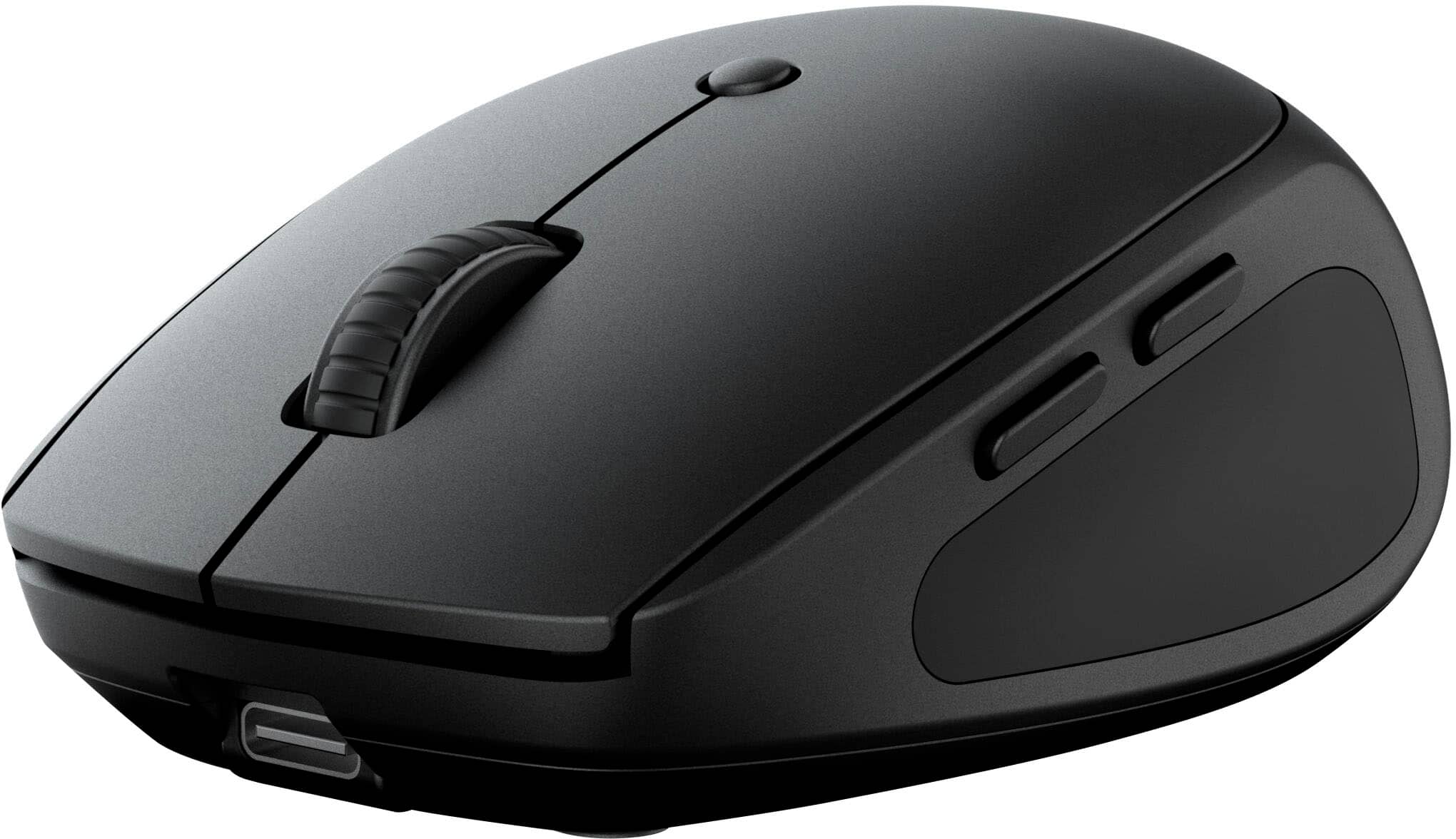
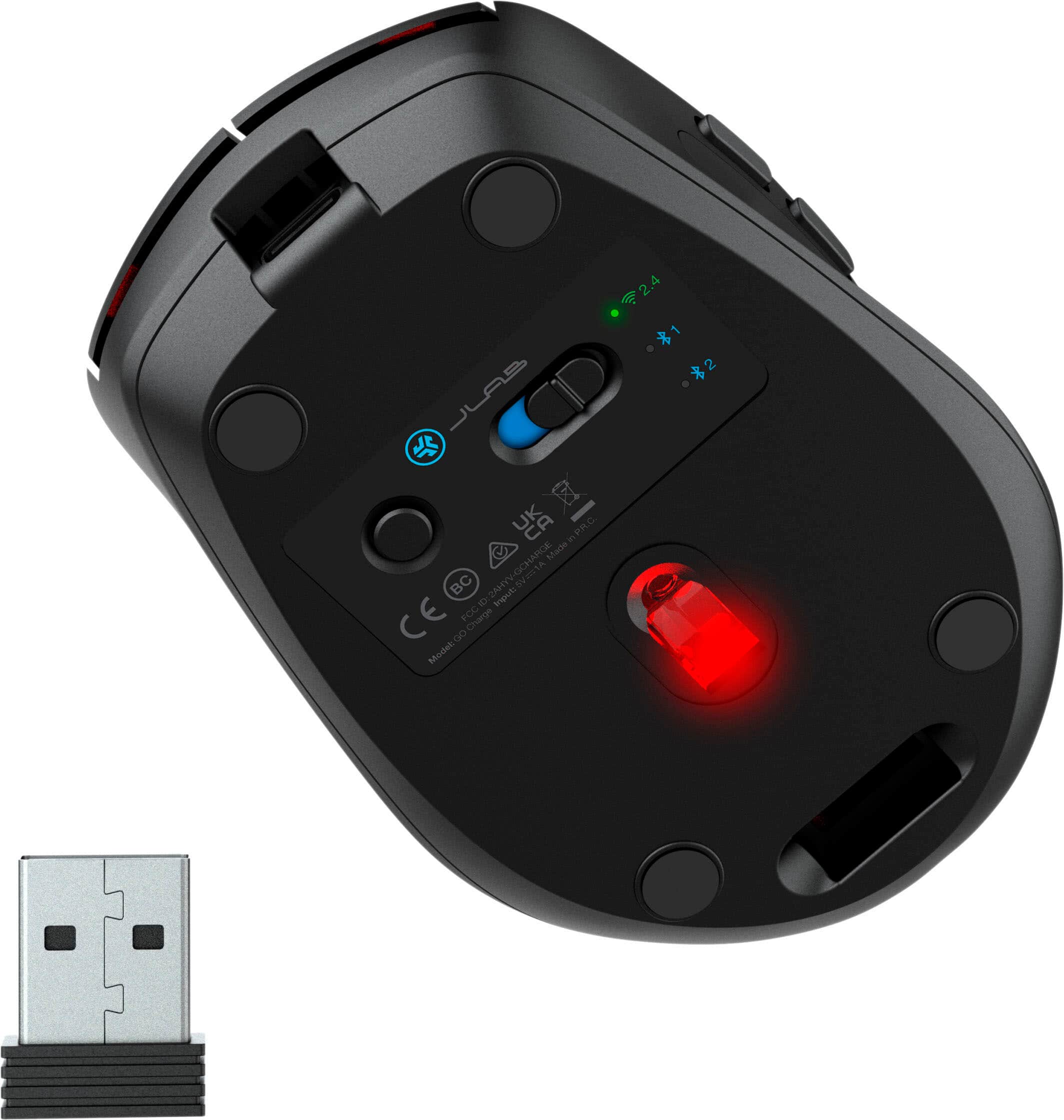
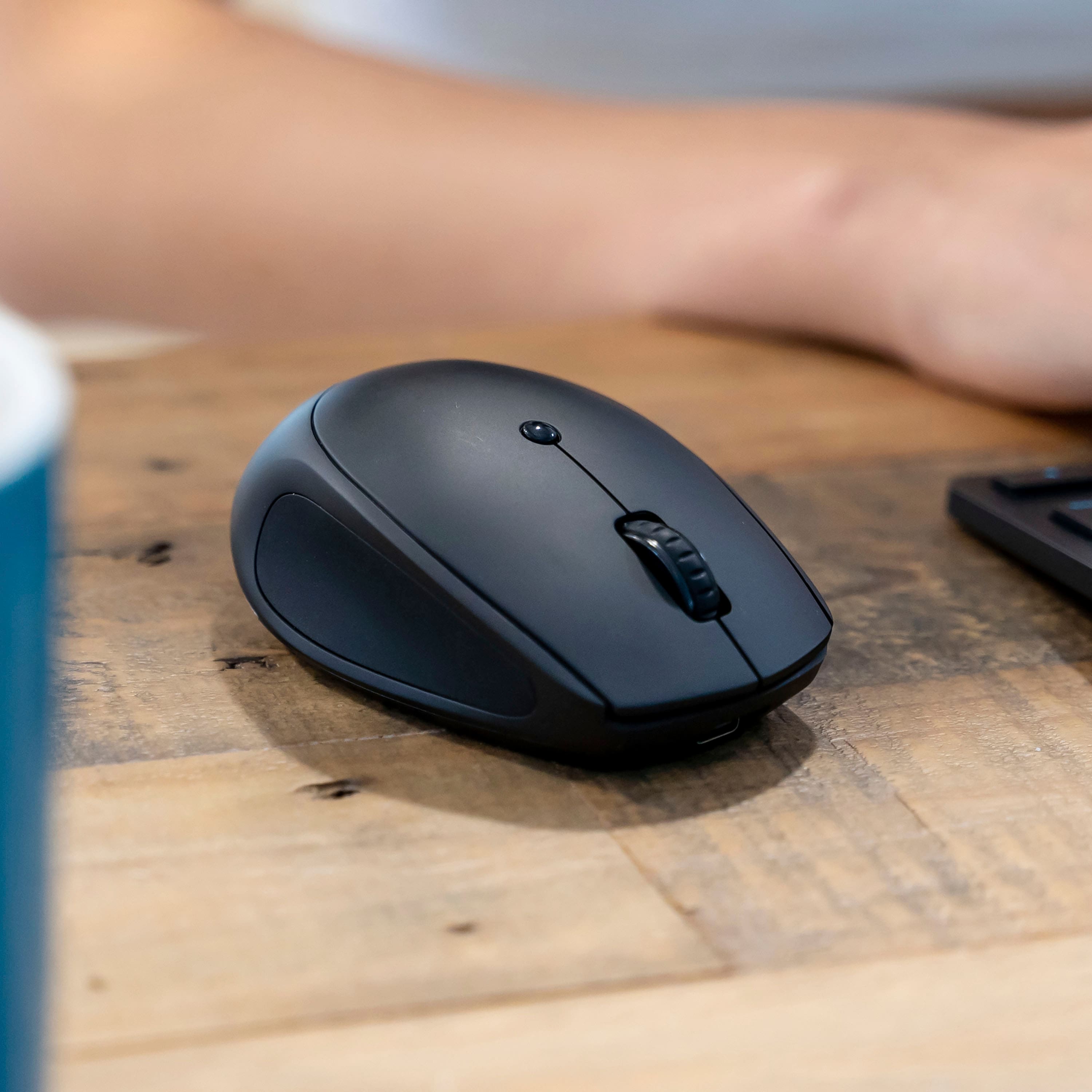
|Posted .This reviewer received promo considerations or sweepstakes entry for writing a review.I think JLAB has a good mouse here. I can’t argue with the flexibility of being able to connect a mouse to multiple devices. Most people have personal laptops, work laptops, and maybe even a tablet. Having the additional convenience of only needing to tote around one mouse makes life more portable. The mouse itself is small but has good ergonomics. I can tell you it won’t be for everyone. My hands are a bit larger and while I don’t find it difficult to use, using it more as a travel mouse, my wife finds that it felt just right in her hands, which I presume will be for most people. There’s contouring on the sides which I find the fingers just comfortably fall into and the two side buttons are easily to reach and use. I find all the buttons have a nice click feel to them. They’re the perfect in between of being able to rest your fingers without clicking but easy to click. Connectivity is intuitive and straight forward. You have a USB type A dongle that nestles in the bottom of the mouse. Every mouse with a dongle should do this so it’s nice to see JLAB has thought of this – you’d be surprised how often you don’t see this. You can also connect two different Bluetooth devices by simply using a single button on the bottom. Pressing it switches between the three different connection types and holding it while on Bluetooth will begin pairing. If you don’t want to use Bluetooth, you can plug in the included dongle and get a steady 2.4ghz connection as well if that’s your preference. This works well with both PC and Mac. The DPI button on top will cycle through 3 different speeds from what I can tell. The one thing I wasn’t super impressed with was using it for gaming. There was a noticeable lag in the game I was using it with. If you’re not doing anything competitive where reaction time is a factor, I wouldn’t be too concerned about this, but if you’re trying to react faster than the other guy for the win, I wouldn’t rely too heavily on the dongle. Bluetooth I thought was a bit better in regards to latency to be honest but I doubt most people would buy this for gaming. Even with it feeling a bit small in my hand and not suitable for gaming, this will be the mouse that travels with me. It charges USB C which means less charging cables and no batteries to fumble with, flexibility with multiple device connection, and the small footprint means it’ll throw easily in a go bag or laptop sleeve pocket.
I would recommend this to a friendCost-effective Mouse with Great Value
|Posted .This reviewer received promo considerations or sweepstakes entry for writing a review.This is a great value mouse that looks sleek and does the job effectively. The best thing about this one is that it can toggle between different Bluetooth devices and the provided dongle works flawlessly as well (USB-A connection) . It can be recharged (takes a bit of time) and the charge supposedly can last for many months. I have not seen any noticeable performance difference between the dongle and Bluetooth connections, though I normally use the former. There is a battery low indicator but the mouse will continue to work for sometime with the indicator flashing. It is really a very cost-effective solution for multiple devices and the smallness and lightness of it make elongated work times not a pain for your palm and fingers. But if you have big hands, the mouse may not be as comfortable to work with. My wife loves it and says it is one of the best fitting mouse she has ever worked with. The various buttons and scrolling functions are located where they should be and the overall design is user-friendly and intuitive. The only issue I had was connecting to one of my tabs using bluetooth for the first-time but it got resolved after restarting the mouse. Highly recommended.
I would recommend this to a friendVery good value mouse
|Posted .This reviewer received promo considerations or sweepstakes entry for writing a review.I picked this up for my work station so I could Lin it between my work computer and my video computer in my office set up. I already have a multi pair keyboard. Now I have a multi pair mouse also. This can actually do 3 devices, like my keyboard, but I only use 2. Easy to pair, did on first try on both computers. Easy to toggle between then. The feel on this is standard size, good curve, a bit light to touch, but accurate on movements. This also pairs by 2.4ghz, the dongle stores in the base. The button feel is soft band has a quit but assuring click. The base glides easily over the surface. This comes with a usb-a to usb-c cord, no brick to charge. Battery life is very good. I've been using this a week aroubd 15 houra so far iver that tine and still a lot of charge left. All soft matte finish, comparable to the thre other major brands I have in the house I use frequently, and value wise this is a great price range for the multi computer set up. Build is at least factory quality standard issue new desktop quality. I have several 10 year old original mice that work. I have several headphones from this company and all a very budget friendly prices, this is also very friendly and I am glad I got it. For my daily purpose of it, should serve well. would not hesitate to use this as a gaming mouse either. Response is good. I give this 5 stars without hesitation and reccomend this.
Not so good for a Mac
||Posted . Owned for 1 month when reviewed.This reviewer received promo considerations or sweepstakes entry for writing a review.Didn't pair with my Mac laptop. Not sure why not.
No, I would not recommend this to a friendAwesome on the go mouse.
|Posted .This reviewer received promo considerations or sweepstakes entry for writing a review.This mouse is perfect for my needs. I have a tablet, a personal laptop, and a work laptop. My work laptop may get plugged into a 49” superwide monitor, dual 27” screens, dual 23” screens, or a single 13” portable monitor. In each case a different mouse sensitivity is nice, so having that button right there on top to switch the sensitivity is perfect. Also, the work laptop has a Bluetooth issue, so having a USB option is awesome, while the other two Bluetooth spots are perfect for switching between my tablet or my laptop. The mouse works on multiple operating systems (I have used it on Windows, Linux, and Android) It is small and convenient to throw my bag and comfortable enough to use for a day if I am away from my normal ergo mouse. Overall, this hits all the marks that I want out of a travel mouse, it has three connectivity options with on being USB C and a quick way to adjust the sensitivity of the mouse. I try to turn the mouse off but leaving it on overnight several didn’t kill the battery at all so it is excellent at conserving power as well. I think the only improvement is if the adapter was USB C, but at the same time I’m sure I want it to be as most times when your connecting a mouse via USB you aren’t trying to connect the newest and best device.
I would recommend this to a friendNice travel mouse.
|Posted .This reviewer received promo considerations or sweepstakes entry for writing a review.JLab comes through with another winner. I like what they are doing with the mice they release. Keeping in mind that this is a very small mouse and should not be a daily driver unless you have small hands (no offense to those who have small hands 😉). The connectivity is pretty cool with this one. You can connect up to three devices at a time if need to. 2.4Ghz dongle is stored in the mouse which is cool. No way to loose it unless you have a gremlin that like dongles. Two Bluetooth devices can be connected as well. Easy pairing which I liked a lot. If you are one of those folks who have to test the tracking of a mouse then I can't help you. It moves nice in my hand and I haven't had problems on any surface so far. Buttons are programable like most so that should give you a nice feeling about this mouse. Pro's are basic. It does exactly what is was designed to do. Small, can be put in a bag or pocket if need be. Lasts a good long time and the stand by time is ridiculous. I didn't use it for a few days to see what the battery status was and hey, it did not disappoint. Would I recommend this mouse, yes if you need a travel mouse.
I would recommend this to a friendeasy setup, great for laptops
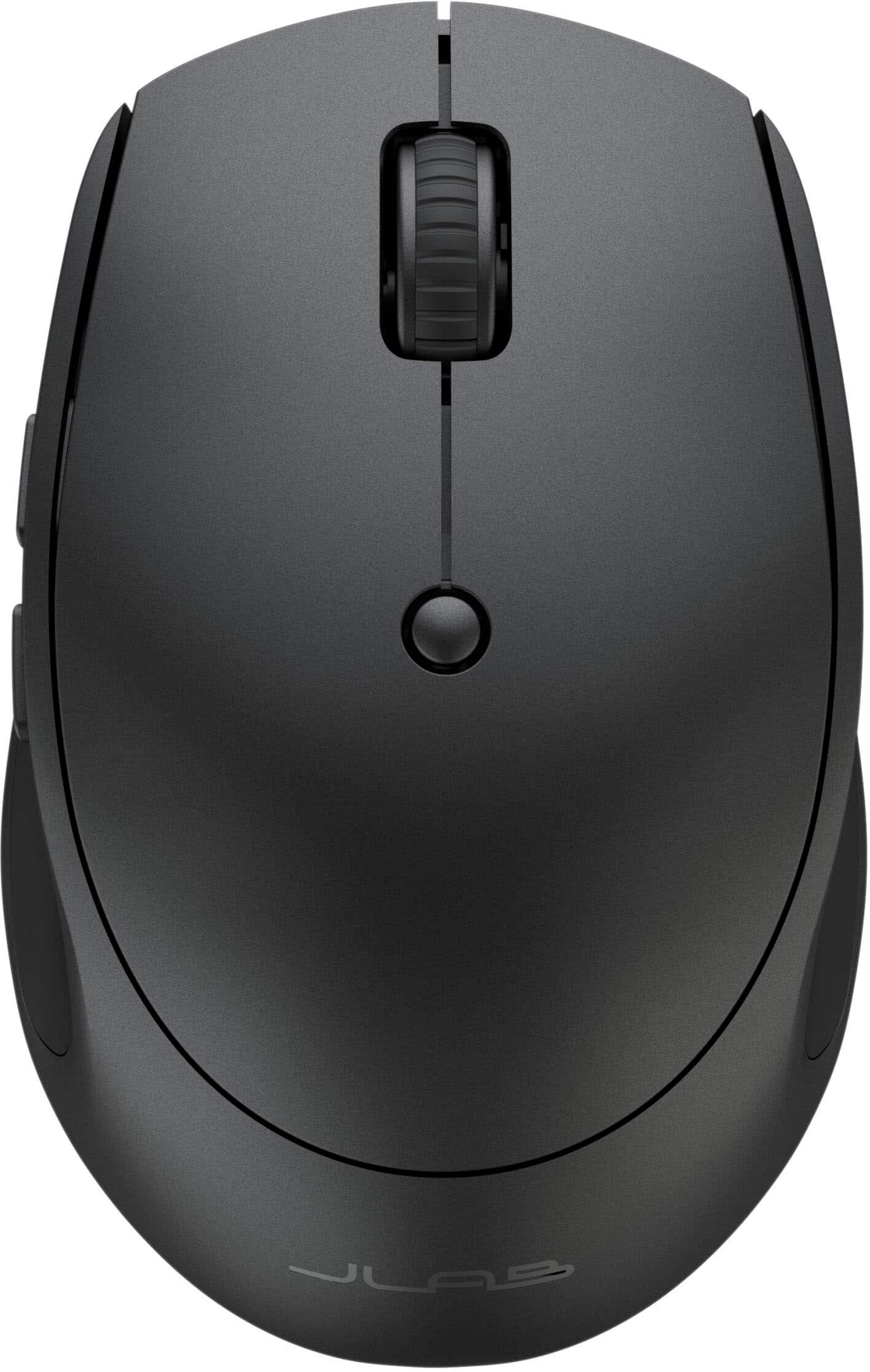
|Posted .This reviewer received promo considerations or sweepstakes entry for writing a review.This is a basic wireless mouse with a few added bells and whistles. Generic shape and relatively small in size, which might make it uncomfortable for long use by those with larger hands. It is "ergonomic" with sculpted sides, making it reasonably comfortable to hold. What it’s perfect for is a traveling mouse that you might keep in your laptop bag. Wireless mice are very well suited for use while traveling, especially in airplanes, where you don’t want the clutter of a wire in your already-cramped space. I’ve never thought that having a mouse be wireless was all that important for a desktop computer, where the mouse likely stays in one place all the time. Both wireless and wired mice typically require using up a port on the computer, so you don’t save anything, port-wise by using a wireless mouse. For a desktop situation, you can carefully route the wire on a wired mouse so it’s not obtrusive, and then you never worry about it again. I’ve never found a wired mouse’s wire to be too short to make a good arrangement. This mouse has the two large, left and right buttons, a small third button on top, two buttons on the side, and a scroll wheel. The top button changes the DPI sensitivity on the screen, but I didn't notice much difference in the feel of the cursor movement among the various settings. The two side buttons are "forward" and "back" buttons that perform the same function is clicking the back and forward buttons at the top left of your browser page so you can scroll backwards and forwards through the pages of a web document. Setup of this mouse was easy. It comes with a USB-C charging cable but no charging brick, so you’ll need one of those to charge it, or plug it into a computer port. The instructions say to charge it before use, but it had plenty of charge out of the box, so I could start using it right away. Connection is by Bluetooth or by USB-2 dongle, and the mouse can store the settings for up to three devices so you can move it between, say, your laptop and desktop computers. To my mind, mice are so cheap nowadays that I just get a mouse for each device. Connection took only a few seconds. The pointer moves crisply and cleanly around the screen, and I expect that I will get plenty of use out of it when traveling.
I would recommend this to a friendJust an okay mouse.
|Posted .This reviewer received promo considerations or sweepstakes entry for writing a review.TL;DR - The JLab Go Charge wireless/Bluetooth mouse is pretty feature-packed for being so inexpensive. Bluetooth and standard wireless connectivity mean you can use this mouse with two different computing devices. DPI adjustability means you can slow the speed of your mouse cursor when you need precision and speed it back up when you need speed. USB-C charging means no more batteries to change. However, the optical sensor isn't particularly great without a mousepad, the scroll wheel gets "grindy" and lacks sensitivity at times, and the rubberized finish gets oily quickly. Unboxing and setup - You open the box at the bottom with a knife, pair of scissors, or whatever else you have on hand. The outer packaging is a sleeve, with the bottom dropping out and presenting the mouse in blue tissue paper (a nice touch, might I add). Behind the mouse, you'll find instructions for Bluetooth pairing and using the dongle; if you already have a JLab keyboard, there's a QR code that links to instructions for how to pair the mouse to the keyboard's dongle (or vice-versa). You'll find the USB cable for charging in the bottom of the package. Charge the mouse for a bit before continuing. You'll see that the white line at the bottom of the mouse is a charge indicator. You'll find the wireless adapter on the bottom of the mouse; it connects to any USB-A port. I tested this mouse with Google TV, ChromeOS, macOS, Windows, and even the Windows app on my iPhone, and it works with all without needing to install software or do anything special. Also, JLab, thanks for getting the USB charge port placement right. Usage - it's a mouse with 5 function buttons and a DPI setting switch. the thumb buttons give you forward and back functionality in your web browser by default and are useful for switching weapons or additional interactions and attacks in games. You just need to make sure you use a good mousepad with this because it doesn't really care for desks, counters, or textured couch cushions. I got about 25 feet of Bluetooth range with my desktop PC and about 35 feet of wireless range using the included adapter. Drawbacks - I'm not really a fan of rubberized plastic, as it's not very grippy to me and seems to absorb oils. I'm also disappointed there's no optional software so the side button functions could be adjusted and the battery life displayed while connected with the USB wireless adapter. The USB-C port only being a charge port was also a surprise, as I own several other brands of mice with USB-C charging that can function as a wired mouse with the charge cable attached. Finally, I'm most disappointed in the DPI functionality. I would have liked to see an indicator as to what DPI setting the mouse is at. The DPI switch is also in a place where it's likely to accidentally get bumped. I also can't recommend this mouse for gaming, as the sensor seems finnicky in 800 and 1200 DPI modes. Final thoughts - if you need to have a mouse that can function with two different computers, this is definitely one of the less expensive options out there. It does Bluetooth and its own wireless dongle, and you could say that it works fine. However, if you only need to use the mouse with one device, there are better options out there in terms of build and materials quality in this price range.
I would recommend this to a friendDecent small mouse; bit smaller than my other one
|Posted .This reviewer received promo considerations or sweepstakes entry for writing a review.So it’s a “go” mouse meaning it’s compact enough; I have a desktop mouse of another brand and measures the same as this one and also has compact in the description. Now I do have another much compact mouse that is a bit lower depth and narrow width but seems the same length. So anyway this mouse I notice uses a bright red laser light while another mice I have is very dim and noticeable when you look into the lens. Regarding the feel and touch of the mouse in your hand, it feels fine and it would take some getting used to but easily, also adjusting of the pointer speed and DPI toggling to contour to your use. I really do like the slot that holds the usb receiver in place underneath the mouse and when charging there is a cool LED strip on the rear of the mouse that glows red when charging; green when full. It comes with a charging usb c cable and some instructions and info. I have connected this mouse using the USB receiver to my computer being simple plug and play; but this can be connected to 2 more devices over Bluetooth and there’s a switch underneath with the labeled icons. I have some other JLAB brand electronics being a Bluetooth headset, and I believe the company started out in consumer audio being wired or Bluetooth speakers and headphones (and earbuds) and see now they’re making mice and keyboards for computers, and so far I think they are ok but they tend be priced less than some other brands. In conclusion, I’m sure the mice (and their keyboards though I will maybe try someday) will function as expected in everyday tasks at somewhat a fraction of the cost without breaking the bank.
I would recommend this to a friendJLab Mouse
Posted .This reviewer received promo considerations or sweepstakes entry for writing a review.The mouse performs as it was advertised! I love that the mouse is wireless.
I would recommend this to a friend