Customer Ratings & Reviews
- Model:
- MGOCHRGMSRBLK124
- SKU:
- 6588507
Rating by feature
- Value
Rating 4.8 out of 5 stars
- Quality
Rating 4.7 out of 5 stars
- Ease of Use
Rating 4.8 out of 5 stars
Customers are saying
Customers are enthusiastic about the Go Charge Wireless Scroll Mouse, particularly its portability and intuitive connectivity. Users appreciate the overall performance and reliable battery life, as well as the silent operation and quiet clicking. The mouse's lightweight design, comfortable feel, and convenient USB-C charging are also well-received.
This summary was generated by AI based on customer reviews.
Excellent Mouse for the House!!
||Posted . Owned for 3 months when reviewed.This reviewer received promo considerations or sweepstakes entry for writing a review.NO problems with this quick-response mouse, and the price was more than right! This is my third purchase,
I would recommend this to a friendMouse
||Posted . Owned for 1 week when reviewed.This reviewer received promo considerations or sweepstakes entry for writing a review.Good quality and easy to set up. Would purchase again.
I would recommend this to a friendGood
||Posted . Owned for 1 week when reviewed.This reviewer received promo considerations or sweepstakes entry for writing a review.Looking for a cheaper good reliable mouse my daughter likes using this for her games on her laptop
I would recommend this to a friend- Pros mentioned:Overall performance
Decent mouse with multiple connectivity options
||Posted . Owned for 1 month when reviewed.This reviewer received promo considerations or sweepstakes entry for writing a review.Have been using this for two months now and experiences is good, not excellent. My rating is follows
I would recommend this to a friend Inexpensive & Works Well.
||Posted . Owned for 1 month when reviewed.This reviewer received promo considerations or sweepstakes entry for writing a review.I like that it’s bluetooth compatible. Hold charge and it’s inexpensive.
I would recommend this to a friendGreat for a cheap wireless mouse
||Posted . Owned for 2 weeks when reviewed.This reviewer received promo considerations or sweepstakes entry for writing a review.Smooth, wireless and is a perfect fit for me. Simple and easy to use as well.
I would recommend this to a friend- Pros mentioned:Battery life, Connectivity, Portability

Great mouse, hot swap 3 devices, great battery
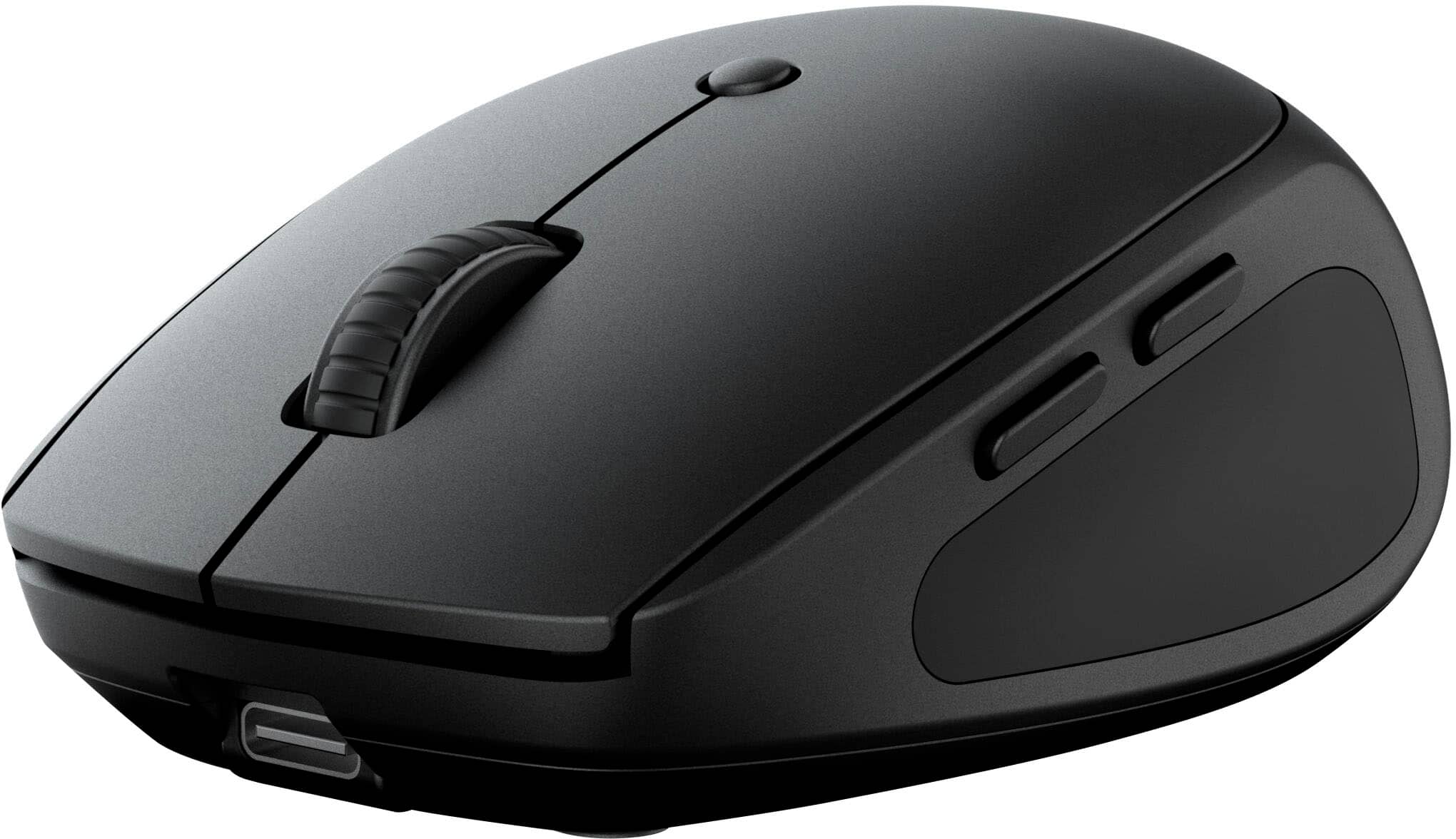
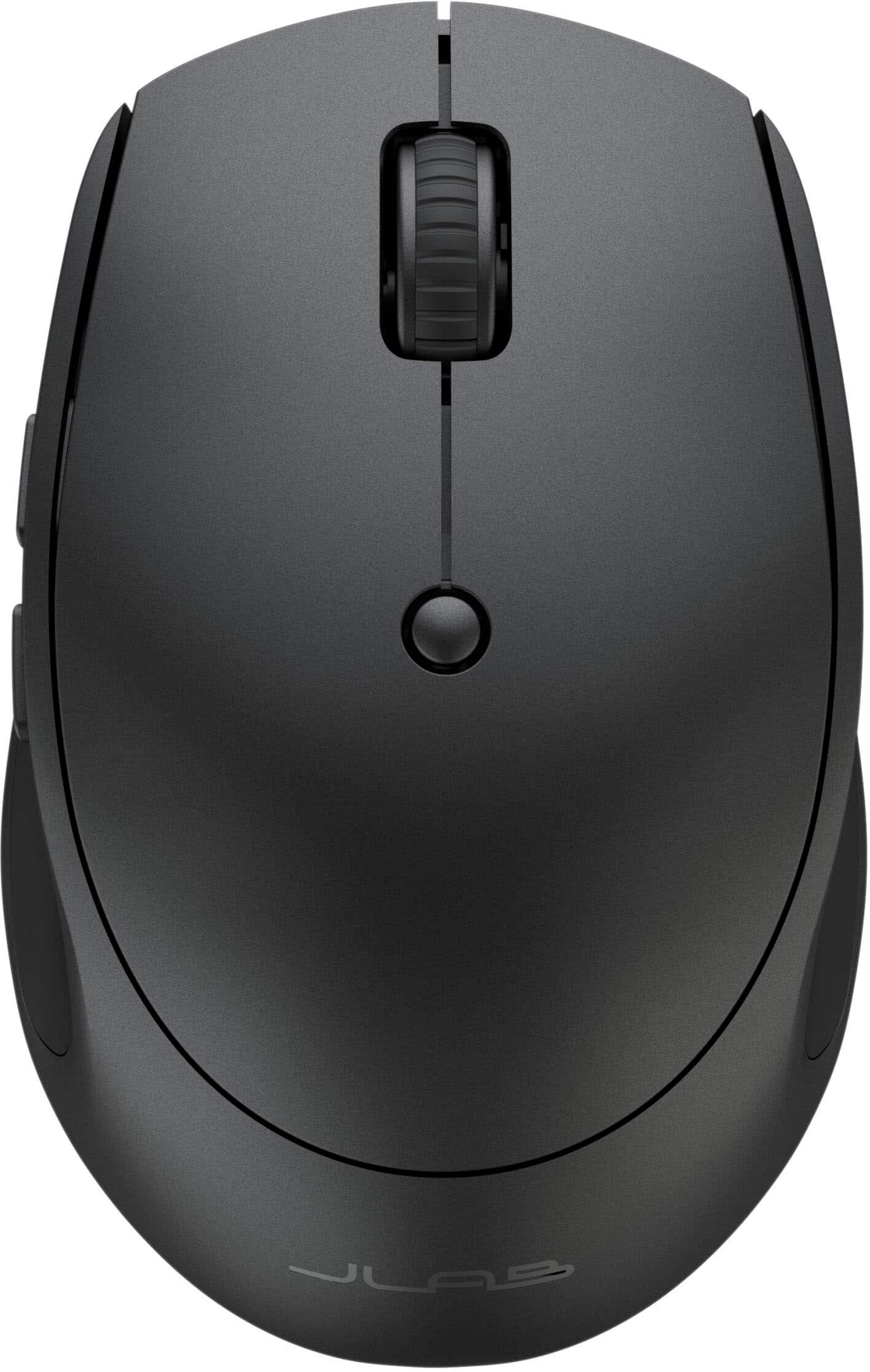
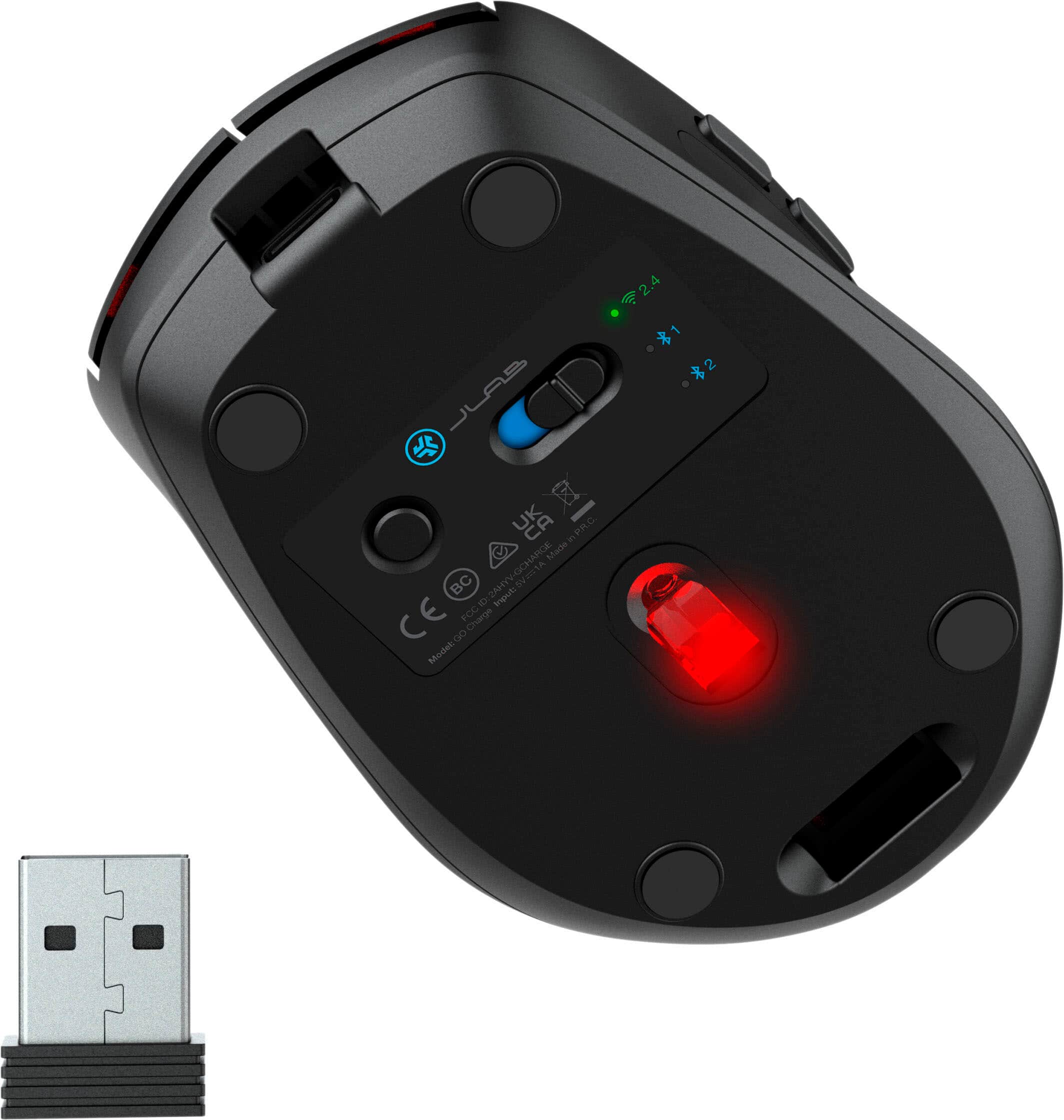
|Posted .This reviewer received promo considerations or sweepstakes entry for writing a review.This JLab - Go Charge Wireless Scroll Mouse is very nice. Simple and functional design offers lightweight, small footprint and multiple connection options. Great for work or play and offers excellent portability and battery life. Design and Build: Very lightweight but solid build and feel. This feels sturdy in my hand and offers good feedback when I’m using it. I’ve used the essentially “weightless” mouse designs before but those are almost too light without any tracking feedback or resistance on the desk. I feel this mouse really hits a good compromise of being lightweight and portable while still having a little substance that you can feel while using and I appreciate that. The design is symmetrical and can be easily used with the left or right hand, although the forward-back thumb buttons are on the left side of the device making it more suited for right-handed use. All the buttons, as well as scroll wheel, operate smoothly and silently and offer slight resistant feedback which I prefer in a mouse. This mouse has left click, right click, scroll wheel (with click), forward, and back buttons, and DPI selection button for full control in the palm of my hand. Performance: Great glide and tracking utilizing its 800-1200-1600 DPI optical sensor. This generates exceptional precision, responsiveness, and smoothness no matter what your preferred pointer speed or desktop surface are. The DPI setting is adjustable between those three and can be quickly selected with the DPI selection button conveniently located right on top. The DPI button could be recessed a little more to avoid inadvertent switching during use, but I haven’t really experienced any issues with this so far. Battery Life: Battery life is fantastic. I charged it overnight when I took it out of the box but then I’ve been using it for about a week so far and it’s still going strong. It has one LED at the base that lights when charging but during use there are no flashing lights or colors to eat up the battery. Connectivity: This mouse supports three connected devices and quick swaps between them using the connection button on the bottom. 2 connections are Bluetooth, which I absolutely love because it eliminates the need for the USB dongle. The third is then obviously the USB dongle that is great for use with older devices that may not have Bluetooth built in. I also want to note my appreciation for the built in USB dongle storage slot on the bottom of the mouse which I really appreciate. This avoids misplacing/losing the dongle when you’re not using it. I can count how many of those things I’ve lost before rendering the mouse useless if that’s your connection preference. I’ve connected this to multiple devices with both Bluetooth and USB dongle and both work fantastically. Wireless via Bluetooth is my overall preference because it eliminates the need for the USB dongle and leaves a USB port open to use for other things. Conclusion: Overall, this mouse is fantastic. Multiple connectivity options, it saves three “pairs” for quick swapping, as well as lightweight and portable with great battery life really make this a desirable mouse, and the cost/value can’t be beat.
I would recommend this to a friend Mouse
||Posted . Owned for 1 month when reviewed.This reviewer received promo considerations or sweepstakes entry for writing a review.It was a add one to the laptop great value for the price.
I would recommend this to a friend- Pros mentioned:Click sound, Connectivity, Portability
Great Portable and Flexible Multi Device Mouse
|Posted .This reviewer received promo considerations or sweepstakes entry for writing a review.I think JLAB has a good mouse here. I can’t argue with the flexibility of being able to connect a mouse to multiple devices. Most people have personal laptops, work laptops, and maybe even a tablet. Having the additional convenience of only needing to tote around one mouse makes life more portable. The mouse itself is small but has good ergonomics. I can tell you it won’t be for everyone. My hands are a bit larger and while I don’t find it difficult to use, using it more as a travel mouse, my wife finds that it felt just right in her hands, which I presume will be for most people. There’s contouring on the sides which I find the fingers just comfortably fall into and the two side buttons are easily to reach and use. I find all the buttons have a nice click feel to them. They’re the perfect in between of being able to rest your fingers without clicking but easy to click. Connectivity is intuitive and straight forward. You have a USB type A dongle that nestles in the bottom of the mouse. Every mouse with a dongle should do this so it’s nice to see JLAB has thought of this – you’d be surprised how often you don’t see this. You can also connect two different Bluetooth devices by simply using a single button on the bottom. Pressing it switches between the three different connection types and holding it while on Bluetooth will begin pairing. If you don’t want to use Bluetooth, you can plug in the included dongle and get a steady 2.4ghz connection as well if that’s your preference. This works well with both PC and Mac. The DPI button on top will cycle through 3 different speeds from what I can tell. The one thing I wasn’t super impressed with was using it for gaming. There was a noticeable lag in the game I was using it with. If you’re not doing anything competitive where reaction time is a factor, I wouldn’t be too concerned about this, but if you’re trying to react faster than the other guy for the win, I wouldn’t rely too heavily on the dongle. Bluetooth I thought was a bit better in regards to latency to be honest but I doubt most people would buy this for gaming. Even with it feeling a bit small in my hand and not suitable for gaming, this will be the mouse that travels with me. It charges USB C which means less charging cables and no batteries to fumble with, flexibility with multiple device connection, and the small footprint means it’ll throw easily in a go bag or laptop sleeve pocket.
I would recommend this to a friend It works!!
||Posted . Owned for 1 week when reviewed.This reviewer received promo considerations or sweepstakes entry for writing a review.Works as intended. Connected very easily with my. MacBook
I would recommend this to a friend- Pros mentioned:Battery life, Portability
Perfect compact travel mouse
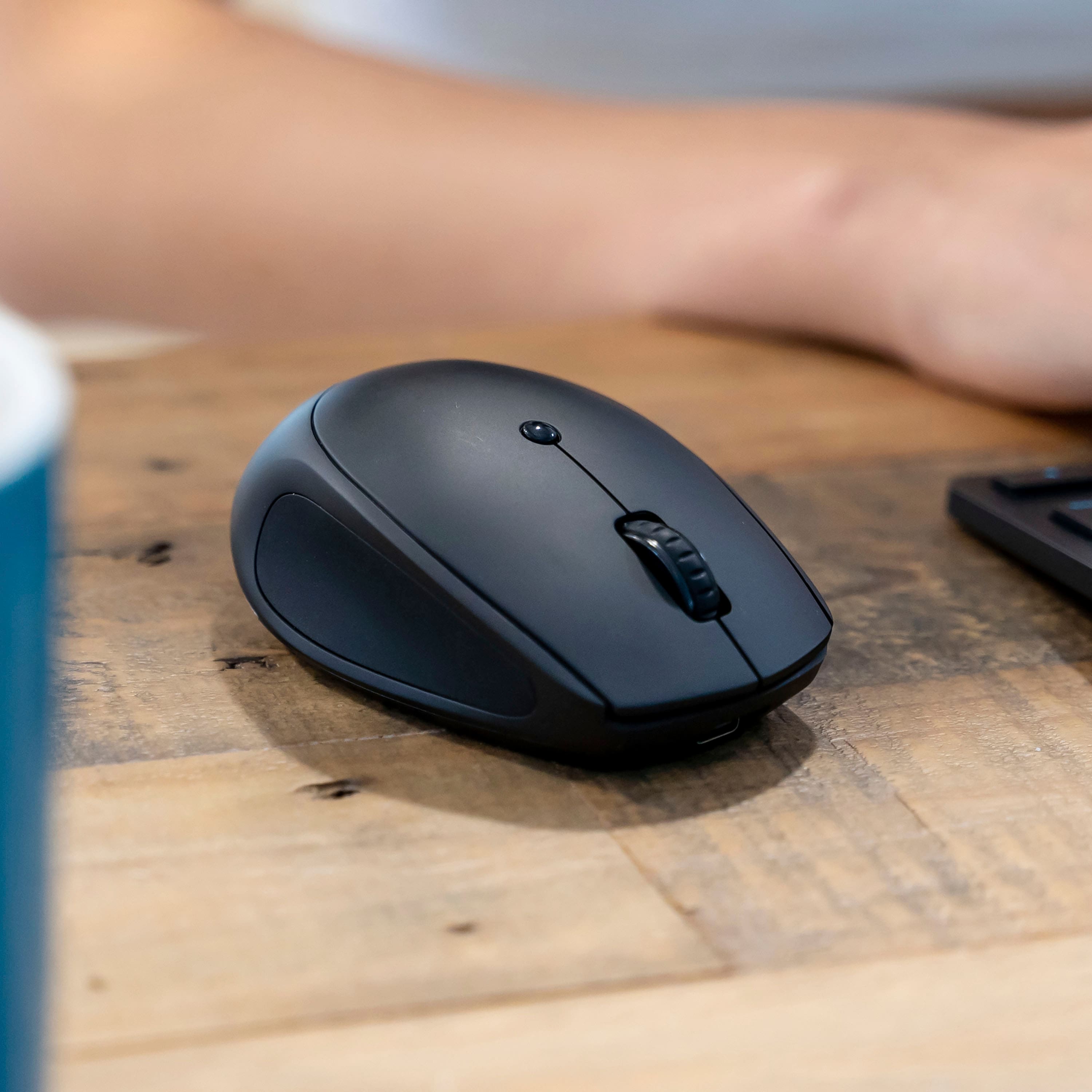
|Posted .This reviewer received promo considerations or sweepstakes entry for writing a review.The JLab Go Charge Wireless Scroll Mouse is the perfect mouse for me! I don't normally use a mouse because I use a laptop the majority of the time. Now I have discovered the ease and comfort of being able to sit back a bit and use a mouse with my laptop so I don't have to sit bent over the laptop all the time. This is especially helpful when I am browsing - which I tend to do a lot! I get squirreled and I jump from article to article so leaning back against the sofa and using the mouse on the arm of the sofa (you know you do this too!) is so much easier for me. This JLab mouse charges via a USB-C port at the front of the mouse. It comes with a USB-A to USB-C cord which is only used for charging. This mouse easily and quickly connects via Bluetooth and you are able to connect up to 2 Bluetooth devices via a little button on the bottom of the mouse. You can also make a 3rd connection via the supplied USB-A dongle - are they making USB-C dongles yet? Simply switch between your connected devices via a quick click on that same button on the bottom of the mouse to go from your laptop via bluetooth to your desktop via the dongle. It's so easy to use. The mouse itself is small and lightweight and feels very comfortable in my smaller hand. It can be used with either hand though the buttons (the ones I NEVER use) are on the left side. The grips on the right and left are rubberized for a nice feel. The scroll wheel works as it should. There is a small button on the top of the mouse that switches the sensitivity from low to medium to high. I find that the medium setting is a good setting for me. On high, I have a hard time with the mouse moving a little too quickly for my tired, older eyes! This has a good "click" feel to it with the buttons being virtually silent. Yep, no more annoying "click, click, click" all day long. Overall, the JLab Go Charge Wireless Scroll Mouse is a fantastic compact mouse that easily connects via bluetooth or USB-A dongle and can be conveniently carried with you wherever you need it to be. It stays charged for quite some time, as I have been using it for a bit now, and it still doesn't need another charge. It is quiet and comfortable in my hand. I would highly recommend this mouse.
I would recommend this to a friend Not bad for a budget option
||Posted . Owned for 2 weeks when reviewed.This reviewer received promo considerations or sweepstakes entry for writing a review.Very good for the price. Only complaint is that it tracks still from the desk even when lifted like 1-2cm off.
I would recommend this to a friendAffordable
||Posted . Owned for 2 weeks when reviewed.This reviewer received promo considerations or sweepstakes entry for writing a review.Simple, and affordable. The black cover looks nice the smooth finish doesn't collect finger prints.
I would recommend this to a friend- Pros mentioned:Connectivity, Portability
All I want in a mouse.
|Posted .This reviewer received promo considerations or sweepstakes entry for writing a review.The first thing I noticed when I took the Jlab - Go Charge Wireless Scroll Mouse out of the packaging was that it very much resembles a certain Logitech mouse that I have. The next thing I noticed is how light the mouse is. That is a big difference from the other mouse. I plugged it in to charge right away and noticed that there's a red light at the base of the mouse while charging. It turns green when the charging is completed. It doesn't take long at all to charge and since I got it, I've not had to charge it again. It does have a tiny dongle that very much also resembles the Logitech one and when using it, connection is effortless. There's also 2 other Bluetooth connections and I connected the second one to my work computer. Connected via Bluetooth and it was easy using the connect device in the Bluetooth settings on the computer. I'm so glad it's cordless because that desk is cluttered enough that a corded mouse would be problematic. I will not have a mouse any more that doesn't have the two additional side buttons. They can be programmed for other uses, but I prefer the back and forward default options. Another thing I like about this mouse is its size. It's on the small side, like a travel mouse and because of that, it fits in my hand wonderfully. I'm very happy to have this one and that I can use it with multiple computers.
I would recommend this to a friend Good mouse
||Posted . Owned for 3 weeks when reviewed.This reviewer received promo considerations or sweepstakes entry for writing a review.Affordable mouse with a scroll wheel and side buttons.
I would recommend this to a friend- Pros mentioned:Battery life, Click sound, Connectivity
"Reliable, responsive, ergonomic wireless mouse
|Posted .This reviewer received promo considerations or sweepstakes entry for writing a review.In a world of options this bridges the gap between both need and wants when selecting a accessory for your computer. A few neat features that I feel package nicely are bluetooth connectivity paired with a wireless dongle give you the flexibility to connect to most devices. Both PC and MAC compatabulity play into that connect to everything strategy. I also noticed its not too loud when clicking buttons or engaging the scroll wheel, added bonus! They advertise this as "multi-device compact wireless mouse" and they successfully deliver on that statement. Technically it can be connected to 3 devices and you can switch between seamlessly. Size is also as you expect, not overly bulky for those expecting to travel with this mouse. I was impressed with responsiveness and experienced little lag when using this for work. I do appreciate the additional buttons that help expedite actions on screen. Charging and battery life were as expected and it will be nice to no longer need alkaline batteries. I also appreciate it uses USB-C so you already have a bunch of cables laying around to charge. Overall, very happy with this device. I feel it combines a few handy bonus features with a fairly decent cost. Big Fan of this mouse!
I would recommend this to a friend Left Button Stopped Working
||Posted .This reviewer received promo considerations or sweepstakes entry for writing a review.Nice mouse while it lasted. Less than a year in and the left click button works only half the time.
No, I would not recommend this to a friendMouse
||Posted . Owned for 1 week when reviewed.This reviewer received promo considerations or sweepstakes entry for writing a review.Rechargeable battery has short life. Side buttons too sensitive for me.
No, I would not recommend this to a friend- Pros mentioned:Battery life, Click sound, Connectivity
Excellent value oriented mouse
|Posted .This reviewer received promo considerations or sweepstakes entry for writing a review.For the price the features that you get with the Go Charge mouse are almost unbeatable. Multi-device connectivity with dongle or USB, DPI toggle, and side buttons. The mouse is super easy to set up with both the USB connection and the included 2.4 wireless receiver that fits nicely into the bottom of the mouse if not using. It is a compact mouse designed to be portable, so it is a little on the small side but still feels good to use. Button placement, click feel, and scroll wheel are smooth and responsive. I like the fact that it has built in batteries and is chargeable via USB-C. It would be nice to have some sort of battery level indicator to know if you’re about to run out of charge. On the plus side you can use the mouse with the cable plugged into the front and charging. I switched easily between a Bluetooth and 2.4 connection via the bottom button. One minor gripe is that when turning the mouse over to see the connection button and status LED the red tracking LED somehow seems to be shining right into your field of view and is a bit annoying. I found that I had to cover it with my finger when looking at the bottom of the mouse.
I would recommend this to a friend Not good
||Posted . Owned for 1 week when reviewed.This reviewer received promo considerations or sweepstakes entry for writing a review.i do not like it . it will not stay connected and you have to keep connecting . i went back to my old mouse.
No, I would not recommend this to a friend