Customer Ratings & Reviews
- Model:
- MJBMOUSERBLK124
- SKU:
- 10331457
Rating by feature
- Value
Rating 4.6 out of 5 stars
- Quality
Rating 4.6 out of 5 stars
- Ease of Use
Rating 4.7 out of 5 stars
to a friend
Can't charge
||Posted . Owned for 3 weeks when reviewed.This reviewer received promo considerations or sweepstakes entry for writing a review.Works when it's charged but the one purchased cannot charge with the cable provided or any other cable so it's perpetually dead.
No, I would not recommend this to a friendBrand response from JLab Audio Team
Posted .We appreciate your feedback and will use it to improve your experience.


You get a great mouse for not much money
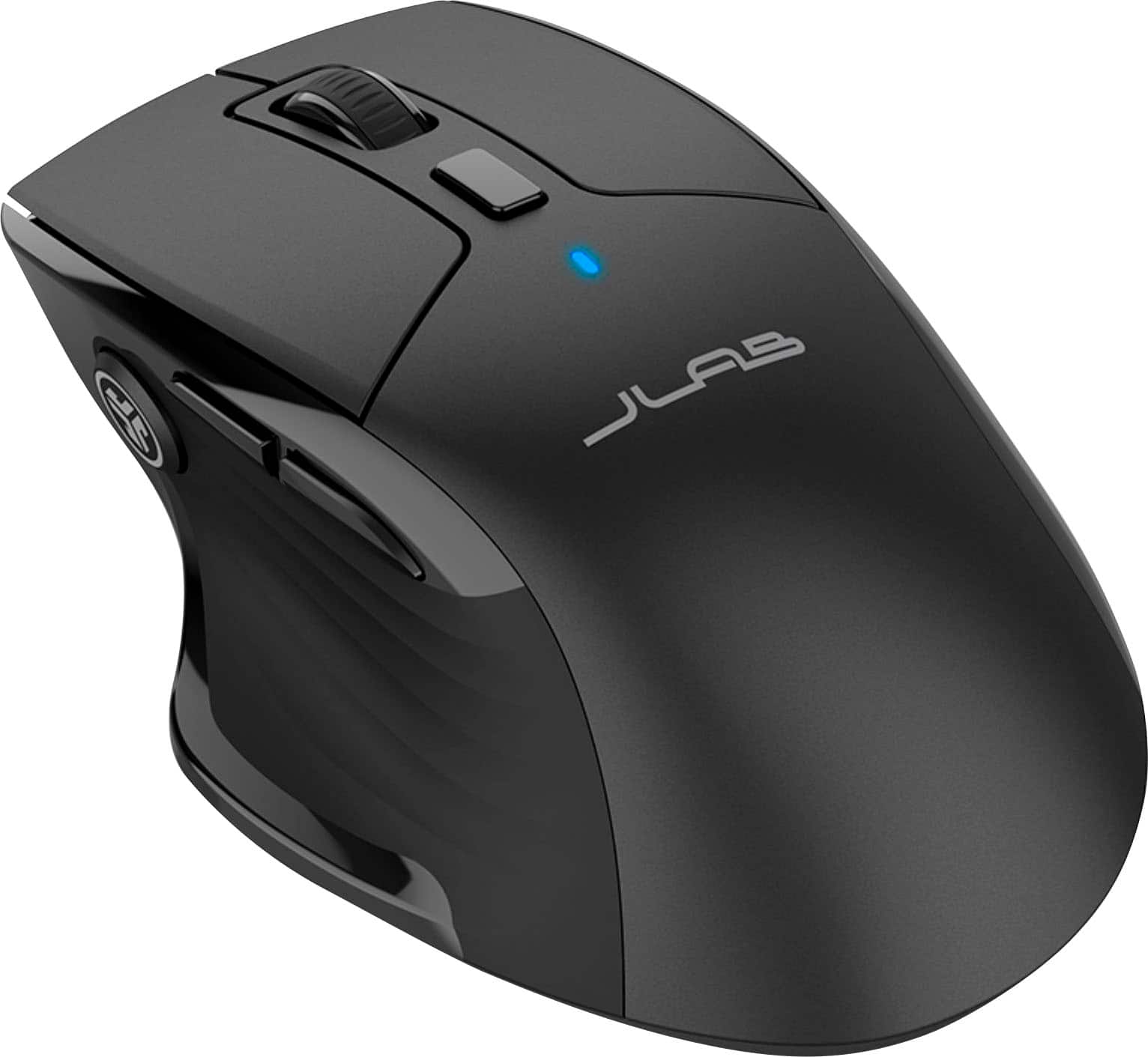
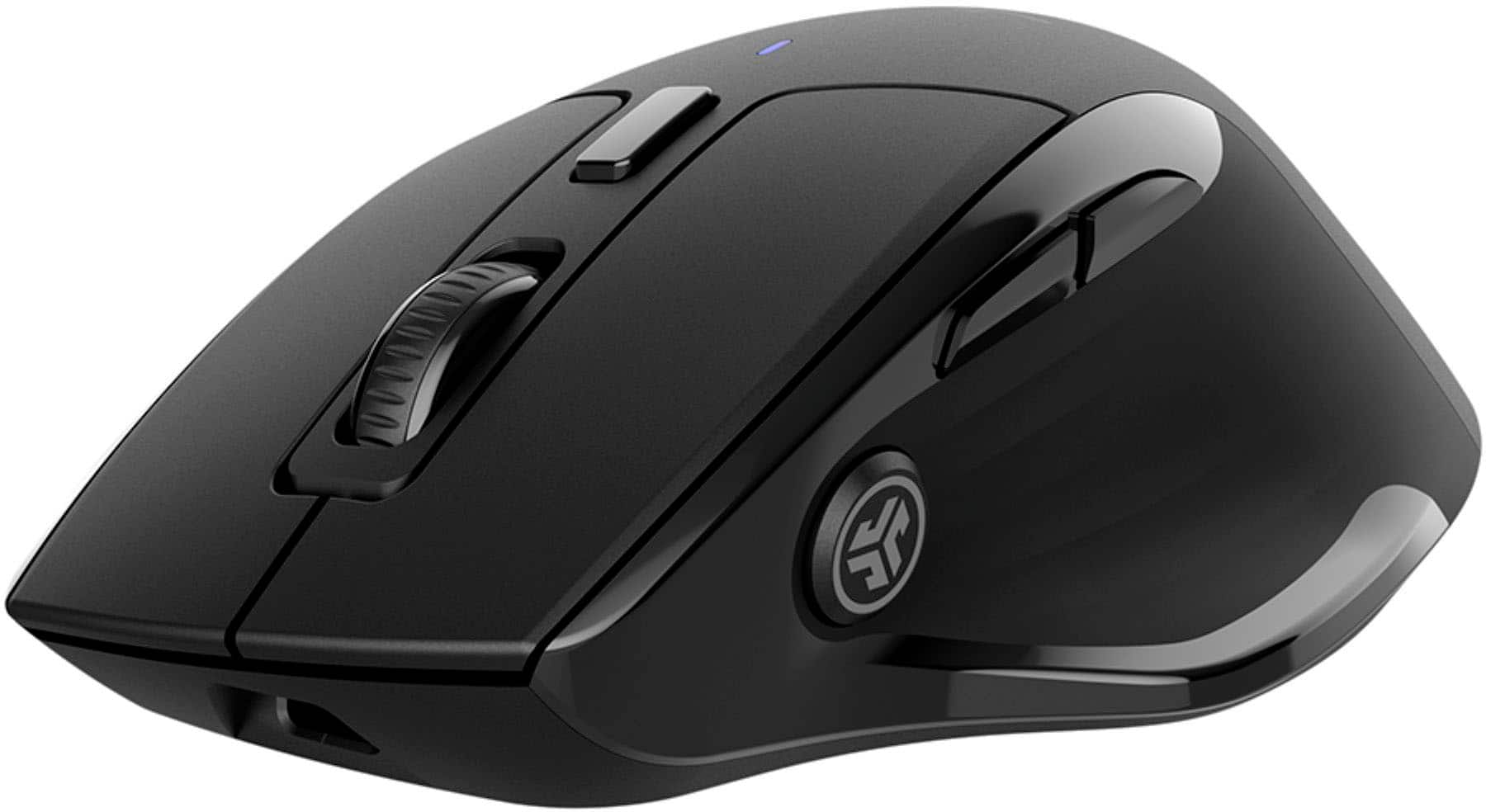
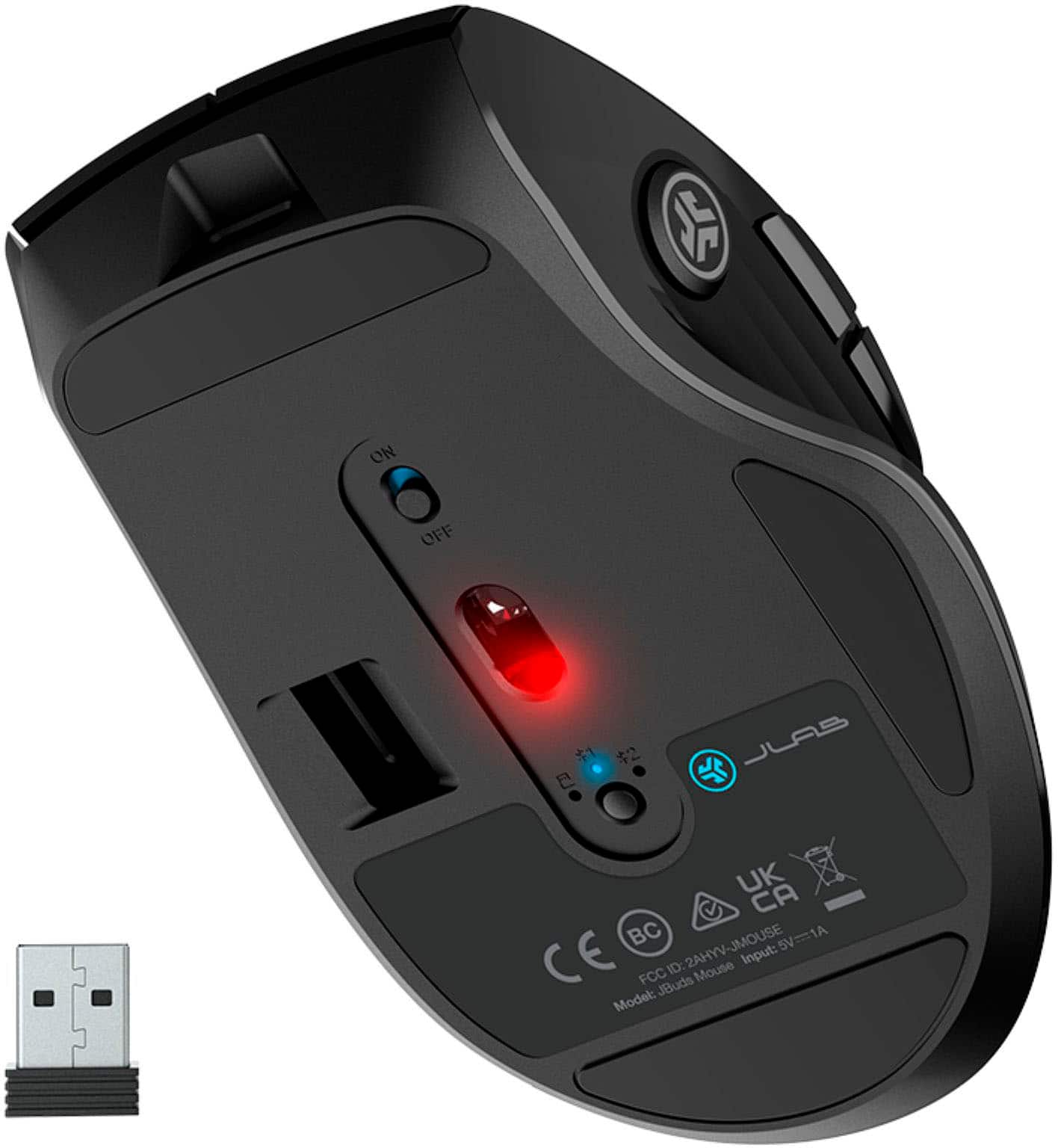
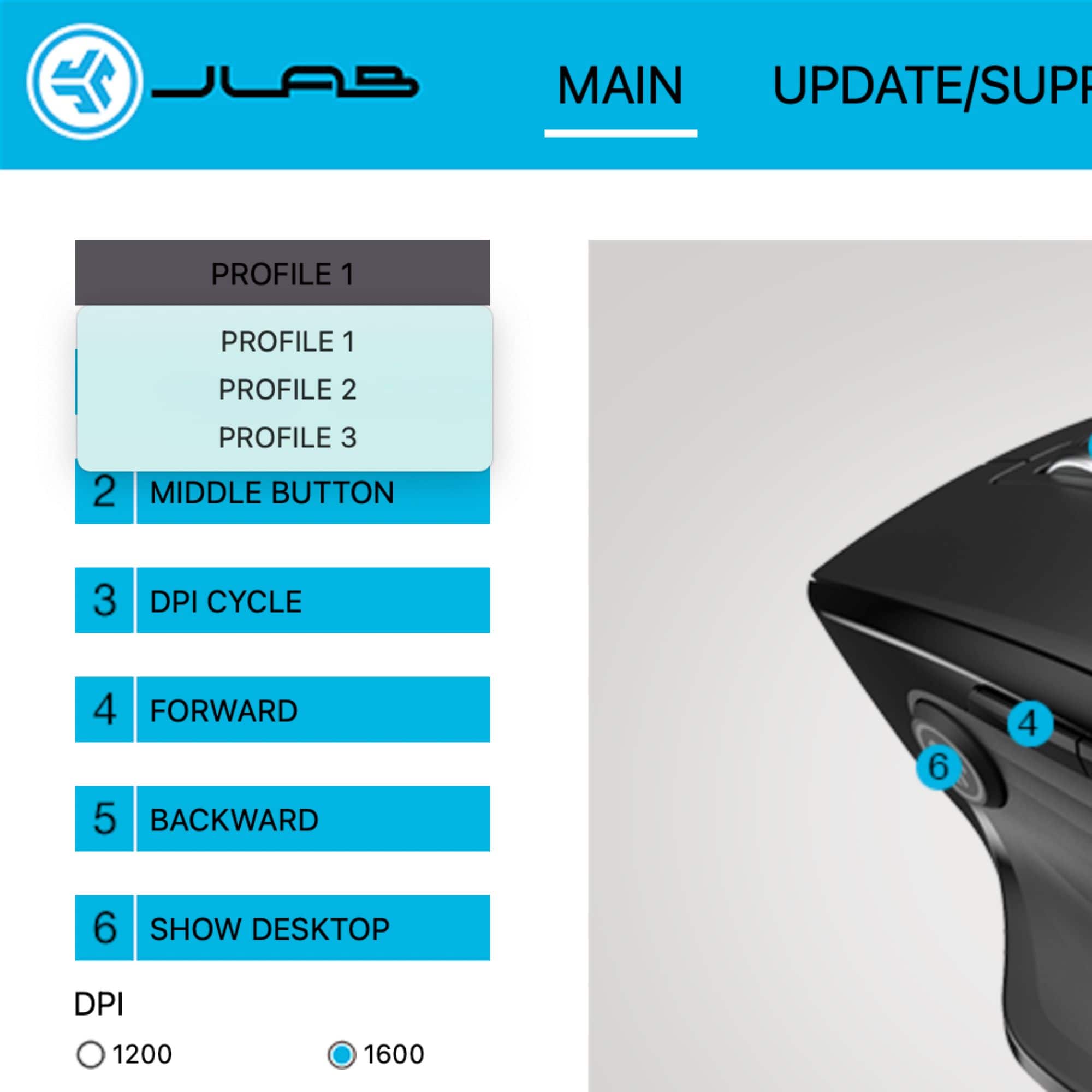
|Posted .This reviewer received promo considerations or sweepstakes entry for writing a review.My first impression of the JLab JBUDS Mouse is poor packaging. I like to keep some items in their original package and after cutting the two seals on the bottom (first issue) the inner sleeve just fought to come out. As I type this, it still hasn’t made it out of the sleeve. I hate ripping it open, but that’s what may come to fruition. Now back to the box and I’ll be back. Hopefully it gets better from here. Finally, after shaking the box for minutes, it fell to the floor. I have no idea why it wouldn’t just slide out, but this one didn’t. I don’t see any adhesives, so it must just be friction. I realize this may sound petty to some, but packaging is obviously important to me. Once I got the mouse out, it was simple to install. The USB dongle is located under the mouse, and I just removed my corded mouse on my Windows 11 PC I use as a media server and flipped the switch. There’s a red and green dot on the switch that shows if it’s powered on or not. If I remember to turn it off, that should help with battery life. According to the box, battery life is around 4 months and rechargeable via USB-c. A charging cable is provided with the mouse and dongle. I then went to the website because there is usually always software available for peripherals. This JLAB mouse has one also. It’s available for Windows and Mac. I also downloaded a PDF manual for the mouse. I like my mouse a bit on the slow side and usually have it at 800 DPI, but the lowest I was able to find in the software was 1200. It seems good enough, but just FYI it has four settings, 1200, 1600, 2000, and 2400. It also has two refresh rates, 125hz and 250hz. It looks like you can create 3 profiles and set right and middle click. Also, there are forward and backward side thumb buttons and a third thumb button with the logo that brings you to the desktop. These buttons are customizable too. Next there is the ability to connect to 3 different devices. The first setting is for the USB dongle and then there are two Bluetooth settings. The button to change them is on the bottom of the mouse with a green indicator light for the USB and blue light for the two Bluetooth spots. It only lights up as you press the button to switch between settings. It works with no issue. Just make sure to switch the mouse to one of the Bluetooth settings and Windows 11 was able to see the JLAB mouse and add it. Other than that, it is a great mouse at a good low price point. It offers a few extras like the extra thumb button as well as customizable buttons. It moves very well using just my fake woodgrain desk as a mousepad. Like I said, this is my media server, so I don’t use it much. I have my gaming ring right next to it. My only con is the package it came in. Just a simple few changes to the way the box opens, and I would have nothing but positive things to say about the product. If you’re looking for an inexpensive mouse, this would make a great choice and if you tear apart the box when you get a new item and chuck it at the round file, then I don’t think you’ll find anything to be disappointed by.
I would recommend this to a friendMOUSE
||Posted .This reviewer received promo considerations or sweepstakes entry for writing a review.POOR QUALITY...IT GLITCHES A LOT WOULD HAVE GOTTEN A CHEEPER MODLE THAT WORKS BETTER
No, I would not recommend this to a friendBelow average.
||Posted . Owned for 1 week when reviewed.This reviewer received promo considerations or sweepstakes entry for writing a review.Not a best mouse, weak grip. Not even a good for laptop.
No, I would not recommend this to a friendSilent
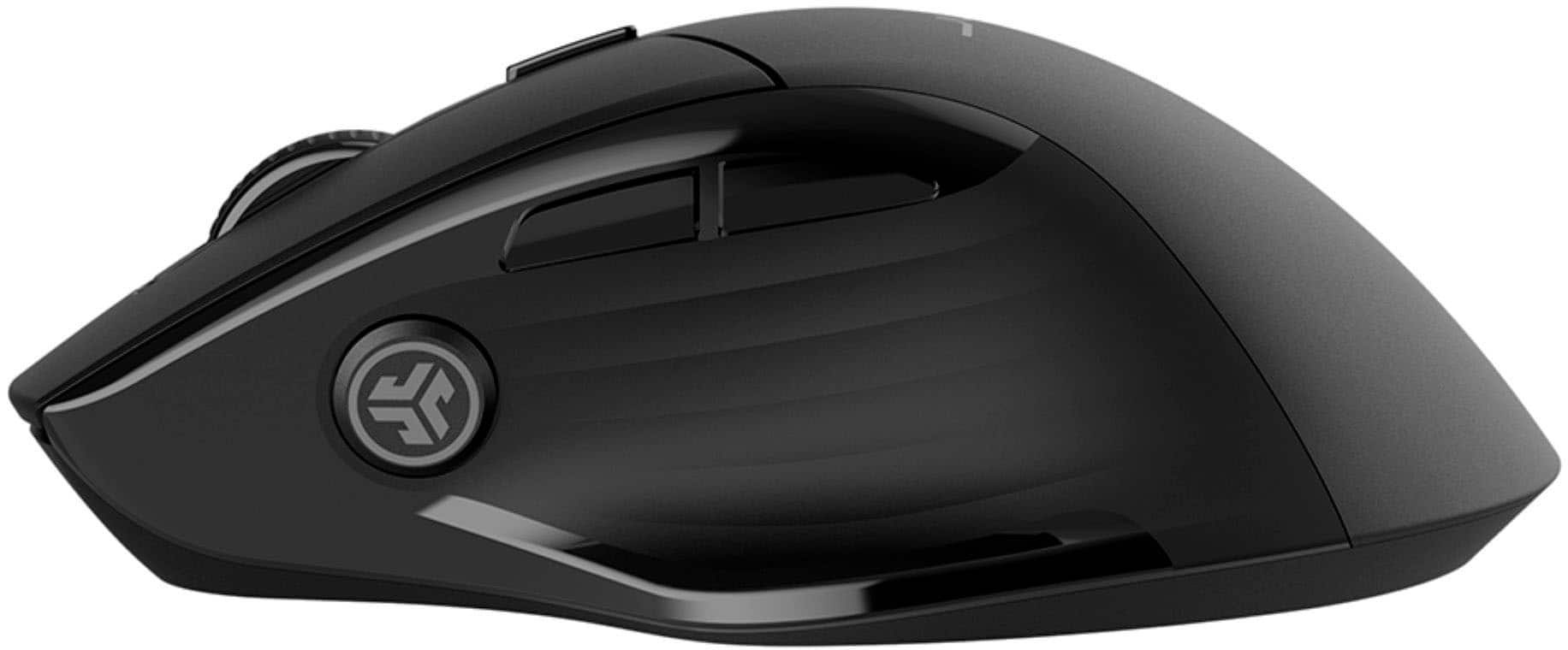
|Posted .This reviewer received promo considerations or sweepstakes entry for writing a review.The JLab Optical mouse is a very light weight /rechargeable mouse with silent clicks that you can use across multiple devices. The Optical mouse is extremely light weight and takes no effort to use, the scroll wheel is nicely textured which makes it easy for you to control your scrolling speed. The mouse comes with a charging cord and the USB dongle, although you can use Bluetooth which is very simple. You can connect the mouse to your device my plugging in the cable and connecting to your device or use the toggle switch underneath the mouse which you need to hold for 3 seconds to pair. Now although the mouse is basically silent the left and right clickers have a nice push action so you know they are being pressed , this is the same with the JLabs button on the inside of the mouse. JLabs has a application you can download to set clicks to perform tasks to make your job/life easier, the JLab button on the inside of the mouse is set to minimize all open windows/re-open them by default. This mouse is easy to use and I did not have any wrist fatigue at the end of a long day of use (I work on a computer 10 hours a day ) The multi-device usage is a plus for anyone that uses multiple products and comes in handy for me on a daily. I did not notice any stuttering/lag issue when using this mouse which tells me that the Bluetooth is strong. The only small issue I had with the mouse was that the side buttons ( forward/backward) don’t have much of a push to them so sometimes I wont know that I accidentally pushed them. JLab says the usage will be up to 4 months which is great, and even if its less the rechargeable aspect of this mouse is great.
I would recommend this to a friendQuite Handy Mouse
|Posted .This reviewer received promo considerations or sweepstakes entry for writing a review.When I unboxed the Jbuds Full Size Wireless Bluetooth Optical Mouse my initial impression was that it was going to be too bulky and cumbersome for my petite hand. It has a small platform that jutted out on the left side that caused the mouse to appear misshapen. Installation was pretty straightforward and I was surprised that the mouse was compatible with Windows, MAC, and Chrome. After playing with it for several days I have decided that my initial impression was rash and this mouse was a nice change from the one I have used for the last few years. Definitely one I would recommend and purchase again. Pros No batteries – USB-C charging (with included charging cable) and advertised for up to 4 months use with a single charge Low noise profile -Barely noticeable clicking of the buttons Extremely lightweight Bluetooth or USB connection – can connect wirelessly to up to 3 devices that you can easily switch between Ability to adjust the scrolling speed of the wheel using the DPI button Desktop button allows you to pull up your wallpaper quickly to conceal whatever you are viewing on the screen Small platform on the left of the mouse is a thumb rest, which makes your grip very comfortable JLab Work App offers the ability to customize buttons and create profiles for different users (I did not make use of this feature) Cons Larger size and awkward shape may cause issues with storage in some laptop cases/carriers
I would recommend this to a friendWell-designed rechargable customizable mouse
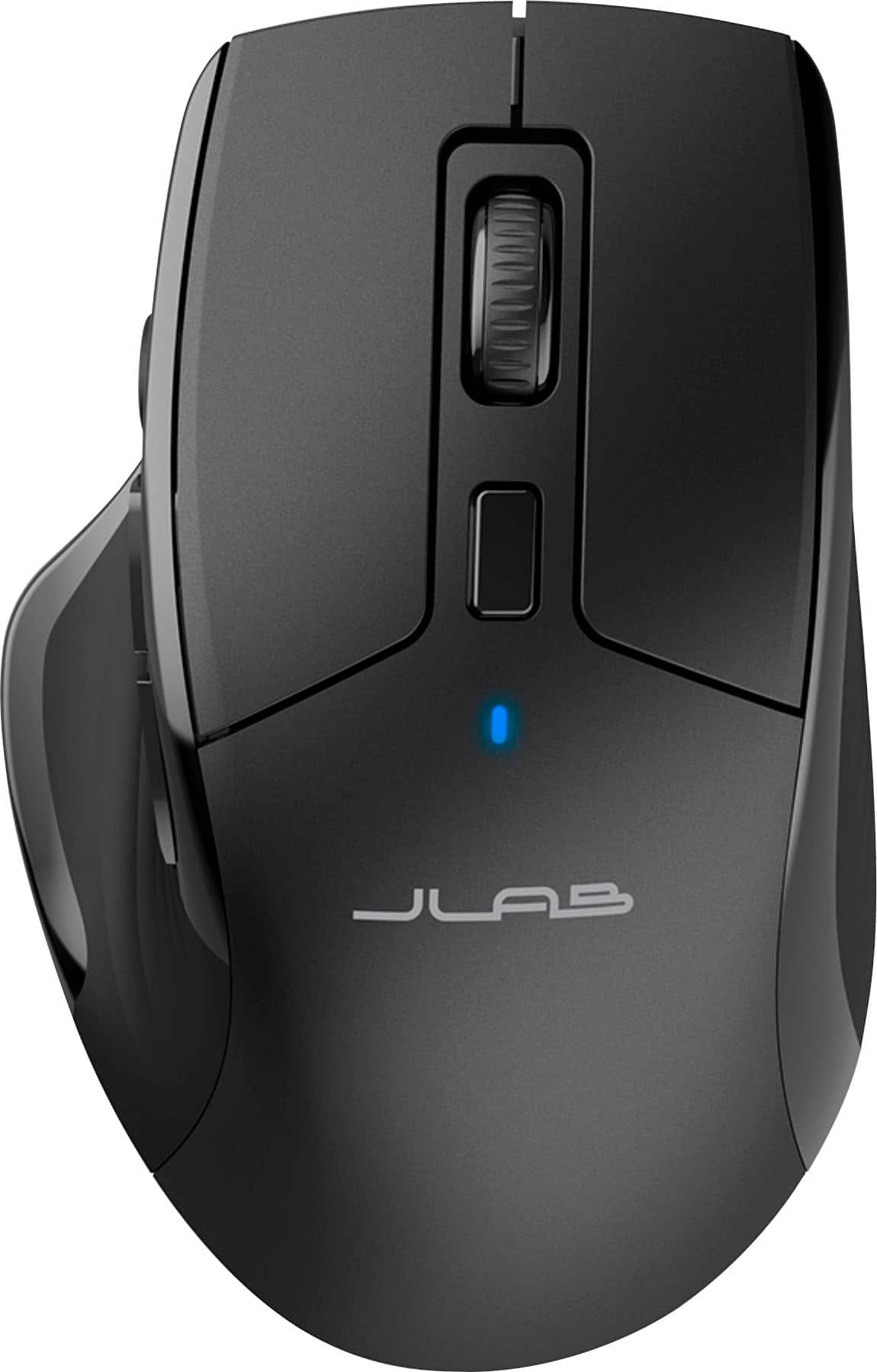
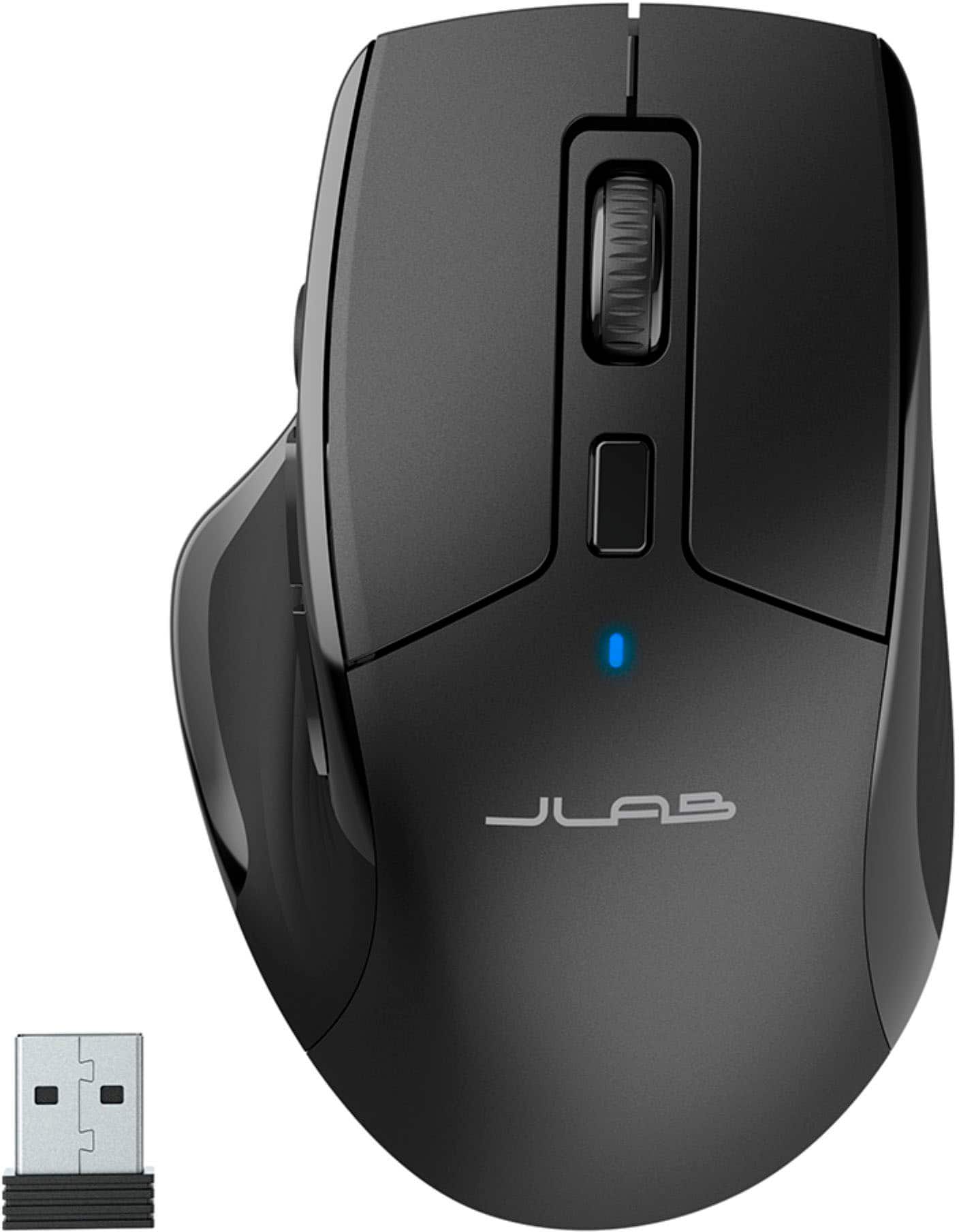
|Posted .This reviewer received promo considerations or sweepstakes entry for writing a review.JLAB is probably not the first name that comes to mind when shopping for a new mouse for your computer. But it probably should be . Their new JBUDS mouse is a winner on almost all fronts, with a comfortable ergonomic design, a nice collection of customizable buttons, a scroll wheel for easy navigation and the ability to connect to your computer via both bluetooth or more traditional 2.4Ghz USB transceiver (included). There's even an extra button on top that allows you to adjust the mouse sensitivity from 1200 to 2400 DPI, an unusual feature that provides extra customization on the fly. Most of the rest of the buttons are routine on a full featured mouse: Two tumb buttons, normally used to move foward or back between web pages and top button incorporated into the scroll wheel. JLAB adds a third thumbtip button as well, which by default minimizes or restores the an active window in Windows. All these functions are customizable BUT only if you have downloaded JLAB's mouse and keyboard control software and the mouse is attached via the 2.4Mhz tranceiver. This is a likely to confuse some users, since it is NOT intuitive and only mentioned in passing in the quick start guide. If the mouse is in bluetooth mode, the mouse control software either will not load or, if it does, ghost out all customizing options. Once you get past this roadblock, it should be smooth sailing. This is well-built mouse that works with Windows, Mac or Chrome devices. The body is a matte finish black plastic and slides around on three big Teflon pads on the botton. It is not as heavy as some competitors but those who like a light touch may prefer this approach. All buttons are reponsive and silent, including the right and left click buttons. One welcome bonus is it comes with a built-in rechargable battery (a light on top blinks red when low) so there are no batteries to replace. A nice long USB A to USB C cord is included to handle charging duties. The mouse is supposed to run up to 4 months on a charge. A button on the bottom allows you to toggle between the native wireless USB transciever or bluetooth. (Up to 2 devices can be paired so you can use it with multiple devices). The only complaint I have is the JBUDS mouse lacks the grippy rubberized pads on the sides, commonly found on other devices of this price range. That makes it a bit more slippery than I would like but is not a dealbreaker.
I would recommend this to a friendNot a good Mouse
||Posted . Owned for 3 weeks when reviewed.This reviewer received promo considerations or sweepstakes entry for writing a review.The mouse was glitchy and too complicated. I recommend Logi for a good mouse.
No, I would not recommend this to a friendBrand response from JLab Audio Team
Posted .We appreciate your feedback and will use it to improve your experience.
Crap Buttons
||Posted . Owned for 3 weeks when reviewed.This reviewer received promo considerations or sweepstakes entry for writing a review.Mushy buttons on the side. Cant tell which one I'm clicking
No, I would not recommend this to a friendBrand response from JLab Audio Team
Posted .Sorry to hear of the troubles. There are a number of reasons that you can be running into the issue described. We would love to help troubleshoot the issue for you. Please reach out to us 1-405-445-7219 M-Th: 8am - 4:30pm (PST) Friday: 8am - 2pm (PST) we'll have you up and running in no time!
Brilliant Combination of function and price.
|Posted .This reviewer received promo considerations or sweepstakes entry for writing a review.Having tried numerous wireless mice over the years, I can confidently say that the JBUDS Mouse Multi-Device Full-Size Wireless Mouse stands out as a top contender in the market. Here are some highlights that have convinced me of its superiority: Ergonomics & Design: The full-size design ensures that it fits comfortably in the hand, making extended use easy and strain-free. It's clear that a lot of thought went into its shape and curves. Multi-Device Functionality: The ability to connect to multiple devices seamlessly is a game-changer. Switching between my laptop, desktop, and tablet has never been smoother. This feature alone has transformed my multitasking capabilities. Precision & Responsiveness: The accuracy of the JBUDS Mouse is remarkable. Whether I'm designing graphics, navigating spreadsheets, or simply browsing the web, it responds with pinpoint precision. Battery Life: The battery endurance is impressive. It's such a relief to not have to constantly recharge or change batteries. Plus, the energy-saving feature is a smart addition that ensures I get the most out of each charge. Connectivity: Stable wireless connection with minimal lag. The range is commendable, allowing for flexibility in my workspace setup. Aesthetics: Beyond its functional features, it's also a sleek and modern-looking device that adds a touch of sophistication to any desk setup. In conclusion, the JBUDS Mouse Multi-Device Full-Size Wireless Mouse is a brilliant combination of design, functionality, and performance. It's worth every penny for anyone in search of a reliable, versatile, and stylish mouse. Highly recommended!
I would recommend this to a friendGreat wireless mouse, easy to pair
|Posted .This reviewer received promo considerations or sweepstakes entry for writing a review.This is regarding the JLab JBuds Multi-device Wireless Bluetooth Optical Mouse. This mouse fits my hand perfectly and is comfortable. I was surprise at how quickly this connected to both my laptops. Once I plugged in the dongle and pressed the pairing button, it connected right away. This can connect to up to three devices, which is pretty convenient. I was able to connect it to our Chrome laptop as well as the Windows one. With both laptops connected quickly and easily. I am able to switch between them laptops as I need. I haven’t tried connecting it with a 3rd item though. It moves smoothly and doesn’t have a delay like my previous wireless mouse. It has the standard buttons plus scroll wheel and DPI button and a couple additional ones for pairing. It’s a wireless mouse as long as the dongle is in the paired laptop. It comes with a charger that can plug into a laptop or a regular plug to charge. The battery is suppose to last at least 4 months, I haven’t had it long enough to tell but hopefully, it does. There is also an option to download the app if you choose to customize the mouse but I don’t have a need so I do not use the app. It worlds perfectly for my need of a nice, comfortable, easy to use, quick reflex mouse.
I would recommend this to a friendNice Mouse, Fits The Hand Just Right
|Posted .This reviewer received promo considerations or sweepstakes entry for writing a review.I've been using the JLab JBuds Full Size Wireless Bluetooth Optical Mouse for about a month now, and I'm really impressed with it. It's a great all-around mouse that's comfortable to use, has a good number of features, and is very affordable. Here are some of the things I like most about the JBuds mouse: It's comfortable. The mouse has a full-size design that fits comfortably in my hand. The buttons are also well-placed and easy to reach. It's wireless. I love the convenience of not having to deal with a cord. The mouse connects to my computer via Bluetooth, and I haven't had any problems with connectivity. It has a good number of features. The mouse has seven buttons, including a scroll wheel and two thumb buttons. You can also adjust the DPI setting to change the mouse sensitivity. It's affordable. The JBuds mouse is very affordable, especially considering all of the features it has. Overall, I highly recommend the JLab JBuds Full Size Wireless Bluetooth Optical Mouse to anyone looking for a comfortable, reliable, and affordable wireless mouse.
I would recommend this to a friendGreat Mouse for all around use
|Posted .This reviewer received promo considerations or sweepstakes entry for writing a review.I’ve been using this mouse for about 2 weeks for my main mouse at work. I had a wired one but now I love using this wireless one. I like the feel of it. I like the way you can just rest your hand on it. It’s very easy to operate and comfortable. The scroll wheel scrolls smoothly also. You can actually program this mouse to work with three different devices. Also ,there are more buttons on the mouse that you can program to do other things. Right now I only use two different devices. I use it with my iPad and work pc. The switch is seamless when I have to go between the two. This is mostly at work though. At home I use a mouse that has more features and is pricier than this one. But there aren’t huge differences in use. I feel like this mouse is just as good as any mouse out there. I love the fact that you don’t have to buy batteries over and over as it has a rechargeable battery. And the cable comes with it. So you have all you need right out of the box. I give this mouse five stars because of affordability and features. Good job.
I would recommend this to a friendFeature Rich for Little Dinero
|Posted .This reviewer received promo considerations or sweepstakes entry for writing a review.OVERVIEW: There is a lot to like about this entry mouse from JLABS. It feels really good to use fitting comfortably in my right hand. But the 10% of the population who are “left-handed” will need to look elsewhere, I just don’t believe it will be a working mouse solution for you. Note, you one-percenters who are “handi-dextrous” should be able to use just fine. ASSETS: FIRST: I love and really appreciate the noiseless mouse buttons. Doubtful I will every be able to return to my other mice due to their embedded (and annoying) clicking noises. After using this mouse, I can emphatically state, I will never purchase another mouse in the future that does not have noiseless buttons! SECOND: This mouse can connect with either a single USB-A wireless dongle adapter, or with two instances of Bluetooth connectivity. Meaning you can have it Bluetooth paired with two different laptops/PC’s (that's how I use it). Actually, if you have a 3rd laptop/PC and use the wireless dongle, you can connect and toggle between three devices. THIRD: It has its own internal rechargeable battery. And it includes a quality USB-A to USB-C cloth braided cable for charging. Had to charge the mouse out of the box, that took less than 20 minutes, and I was still able to use the mouse while charging. Now I have been using for over a week and it appears to holding the charge just fine. Only time will tell with actual use how long charge will last. The information states 4+ months, and that would be just fine between recharging for me. But, we’ll just have to see… FORTH: This mouse had seven silent buttons for assorted functions. The defaults are just fine for me, but I will probably download the app just to see what other tweaks are available. Then again, it works with more features than my other mice so I am really happy without adding another app. Note the app will allow different custom button settings (saved profiles) per connection, so that could be useful for others. Good to know! FIFTH: Has four DPI settings that can be stepped through with the single DPI Button. 1200, 1600, 2000, and 2400 DPI settings are at your fingertips. The lowest 1200 setting works great with my G14 laptop and my Neo-16 Laptop. SIXTH: The Quick Setup Guide manual may be short, but it is sufficiently sized to be readable without the need for magnifying glasses or requiring a PDF Manual download. And it has large pictures for referencing the setup steps. Nicely done. LIABILITIES: JUST ONE: There is no information on how to access and replace the rechargeable battery. Should not be an issue for now, but at some point in the future, it will need to be replaced. Hopefully by then, there will a YouTube video on battery replacement.
I would recommend this to a friendBrand response from JLab Audio Team
Posted .Thank you so much for taking the time to share your feedback. We are so grateful for your kind words!
Excellent mouse - Mouse grip couldhave been better
|Posted .This reviewer received promo considerations or sweepstakes entry for writing a review.friendly - low-mid kindergarten - low february - low-mid pleasantry - low-mid JLab has done a pretty good job with this competitively priced futuristic mouse with plethora of features like - plenty of buttons, customizations, DPI control, multi-device connectivity, USB C charging and Charging indicator. JLab has made sure that this mouse not only stays ahead in the competition but also to make sure it is user friendly. Pros: 1. USB C charging - This mouse comes with a USB C charging which is now the most common charging standards these days. So one does not need to carry or look for the batteries when they drain out. Also there is a charging indicator right below the DPI control that turns red when it needs charging and turns green when charging. This is really helpful. 2. Battery - The Battery is really good. I have been using this mouse for over 2 weeks now and it did not require charging. Sometimes even i don't turn the mouse off but still the mouse turns itself off after few min of inactivity to save the charge. This is really nice. 3. DPI control - There is a DPI control button right below the mouse wheel and above the charging indicator. Using this button it is easy to toggle the mouse sensivity to 4 different sensitivity depending on the needs of the user - 1200, 1600, 2000, 2400. This is very helpful and saves time without the user having to go into the Mouse settings to change the sensitivity level. 4. Buttons - There are totally 7 buttons - Left click, Right click, Scroll + Middle button, DPI button, Button 1, Button 2 and customizable Button 3(JLab app should be downloaded on the PC or MAC to customize it). Customizable buttons: We can control the clicks of all of the 7 buttons. The below are the customizable options: 1. DPI - 1200, 1600, 2000, 2400 2. Refresh rates - 125, 250 Hz 3. Keyboard - Ctrl, Shift, Alt, Win 4. Button Off 5. Mouse - Left Click, Right Click, Middle Button, Forward, Backward, Double Click, Scroll Up and Scroll Down 6. DPI - DPI Cycle, DPI+, DPI- 7. Multimedia - Media player, Play/Pause, Previous Track, Next Track, Volume +, Volume -, Mute 8. Browser - Home, Forward, Back, Stop, Refresh, Search, Email, Calculator, My Computer 9. Shortcut - Cut, Copy, Paste, Save, Find, Redo, Undo, Select All, Print, Close Windows, Swap Windows, Show Desktop, Run Command, Lock PC, Show Desktop Cons: 1. Mouse grip is not that good. Especially if one wants to carry around the mouse along with the laptop especially in office it is quite hard to get a hold of it. Though there are slight ridges on the side of the mouse but they are not sufficient. It would have been nice if JLab would have provided a rubber or silicon grip. Though this is not a big issue for some people it might be frustrating at times. 2. JLab Work app (Customizable app) is available only on PC or MAC and not on the phones (Android or iOS). Also the USB dongle should be connected to the PC or MAC in order to use the App. Especially if we want to use this mouse on the office laptop (where we cannot download the software) or any laptop that has only USB C ports and no USB A ports the customizable button 3 becomes useless. JLab could have provided the option to customize the mouse from the mobile app instead. But if we are able to connect to a different laptop we can still configure it and then use the mouse on the office laptop.
I would recommend this to a friendBrand response from JLab Audio Team
Posted .Thank you so much for taking the time to share your feedback. We are so grateful for your kind words!
Surprisingly good
Posted .This reviewer received promo considerations or sweepstakes entry for writing a review.I was rather surprised how good this mouse felt for the price! So much so that I just got it and had to write a review rigth away. It feels premium, has the back and forward buttons I wanted and isn't too small. Supports two bluetooth devices too and charges with a usb c cable (which is provided in-box with decent length and is braided). The only minor thing I would point out is the feedback for the back and forward buttons could be a little more prominent (I didn't fully realize I had clicked it the first time) but a really minor flaw in a great deal.
I would recommend this to a friendThe best mouse I own now.
|Posted .This reviewer received promo considerations or sweepstakes entry for writing a review.Outside their line of earbuds, this is the first device I have had from JLabs. For the most part, from my perspective JLabs makes a quality product for a reasonable price. With that being said, I have a few different wireless mouses (Mice?) from two other brands. They are great, but they are also to or three times the price with only the basic features. Right and left buttons and a scrolling wheel, nothing else. On the other hand, the JLabs Full Size wireless mouse is packed with features. Honestly, you get used to having a basic mouse and stepping up to this there is a slight learning curve to get most of this product. First off, it is obviously wireless (bluetooth), but it is also ergonomic. So use over time and it feels less cumbersome on your wrist. The buttons are not “clicky,” but they still give the positive feedback that is pleasing. I do however miss the click sound, although it was only two main buttons. There are a total of 9 buttons on this mouse and they are customizable via an app. I am still messing around with this, but I really the options you can do. Personally I am using it for windows shortcuts. The mouse is rechargeable and is supposed to have a four month battery life. FOUR MONTHS. In no way, shape or form have I managed to test that timing yet, but it has been two going on three weeks and it is has no issue so far. The fact that it is rechargeable too is awesome. No more batteries. For $30 this mouse is a no brainer. You need a new mouse, I suggest you take a look at this one. I suggest this mouse to anyone that needs a new one, I will be getting another one.
I would recommend this to a friendAn impressive mouse
|Posted .This reviewer received promo considerations or sweepstakes entry for writing a review.At a very reasonable price, it’s loaded with features that you’d expect to pay more for. Connectivity is great with both Bluetooth and USB dongle as options. I found the Bluetooth connection to be strong and stable. The DPI range of 1,200 to 2,400 was perfect for gaming, photo and video editing. With the JLAB work app, I was able to save profiles and customizations. This was helpful when switching between my laptop and desktop. Charging with the USB-C was quick, and with an expected life of 4 months, it should last a long time between charges. One feature I liked, is the quiet clicks. It provides feedback, yet doesn’t annoy or bother anyone around you. The only recommendation I’ve have, is if the housing was a bit grippier. I find when lifting the mouse up from the surface, it tends to slip. Granted this is not something you do very often. Overall, this is a great mouse and it puts the competition on notice. At this price point, the high quality and friendly set up, I’d buy this mouse again!
I would recommend this to a friendGreat mouse
Posted .This reviewer received promo considerations or sweepstakes entry for writing a review.I love how easily I can switch devices with it, I can be on my gaming computer with the dongle. Then switch to my Chromebook using Bluetooth. The silent clicking has gotten me introuble less when gaming, with my family around.
I would recommend this to a friendAmazing for the price.
Posted .This reviewer received promo considerations or sweepstakes entry for writing a review.This mouse is amazing. The number one thing I love about this mouse it's the battery life. It's been a week sense I charged it. Very responsive and light. Love it.
I would recommend this to a friend