Customer Ratings & Reviews
- Model:
- MJBMOUSERBLK124
- SKU:
- 6521121
Rating by feature
- Value
Rating 4.7 out of 5 stars
- Quality
Rating 4.6 out of 5 stars
- Ease of Use
Rating 4.7 out of 5 stars
Customers are saying
Customers commend the JBuds Wireless Mouse for its exceptional battery life, overall performance, and ergonomic design. Users appreciate its ease of use, seamless connectivity, and comfortable size and weight. However, some customers have noted concerns regarding the click noise and scroll wheel functionality, while a few have experienced lag or charging issues.
This summary was generated by AI based on customer reviews.
- Pros mentioned:Battery life, Connectivity, Ergonomics
Great rechargeable wireless mouse
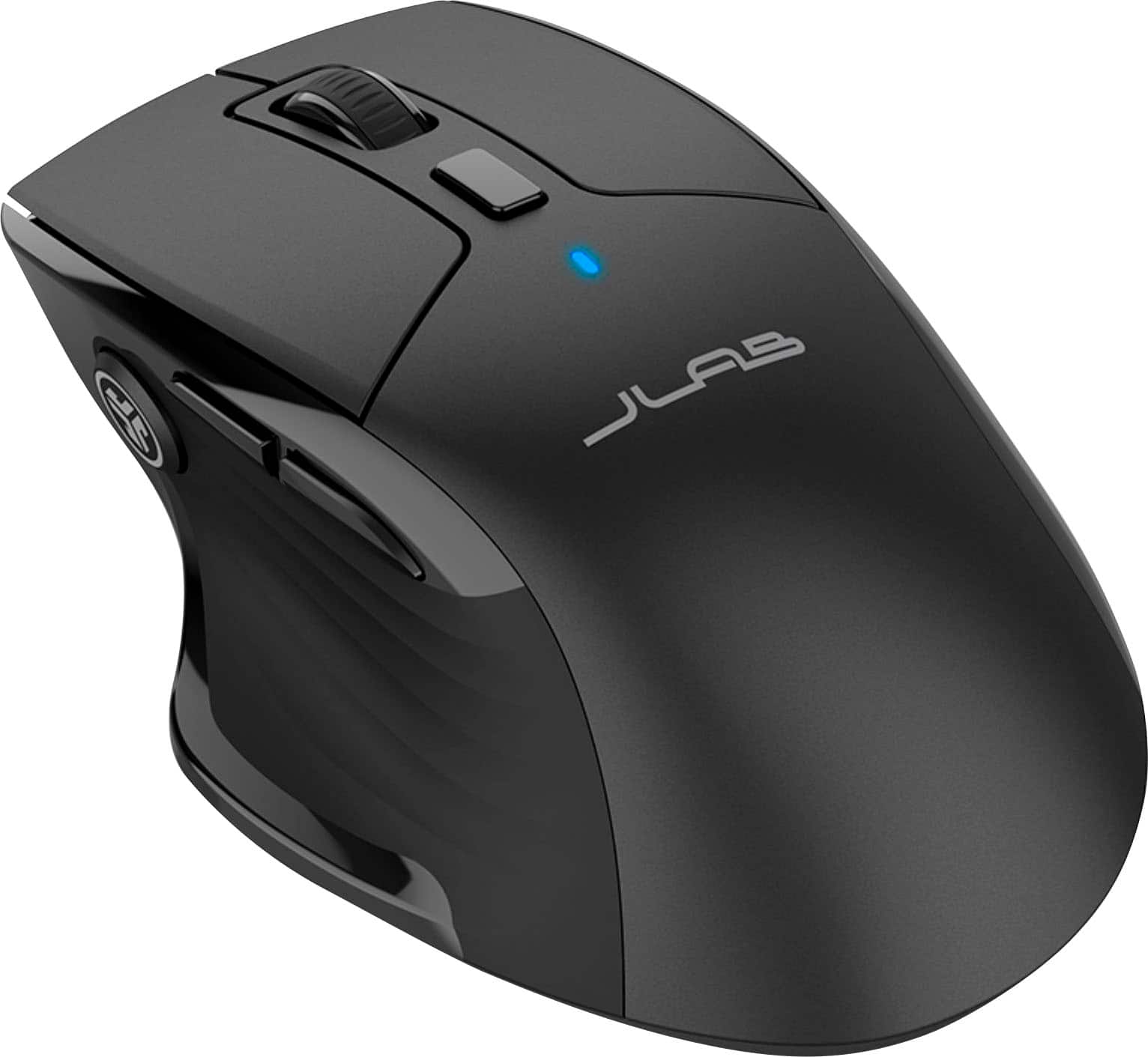
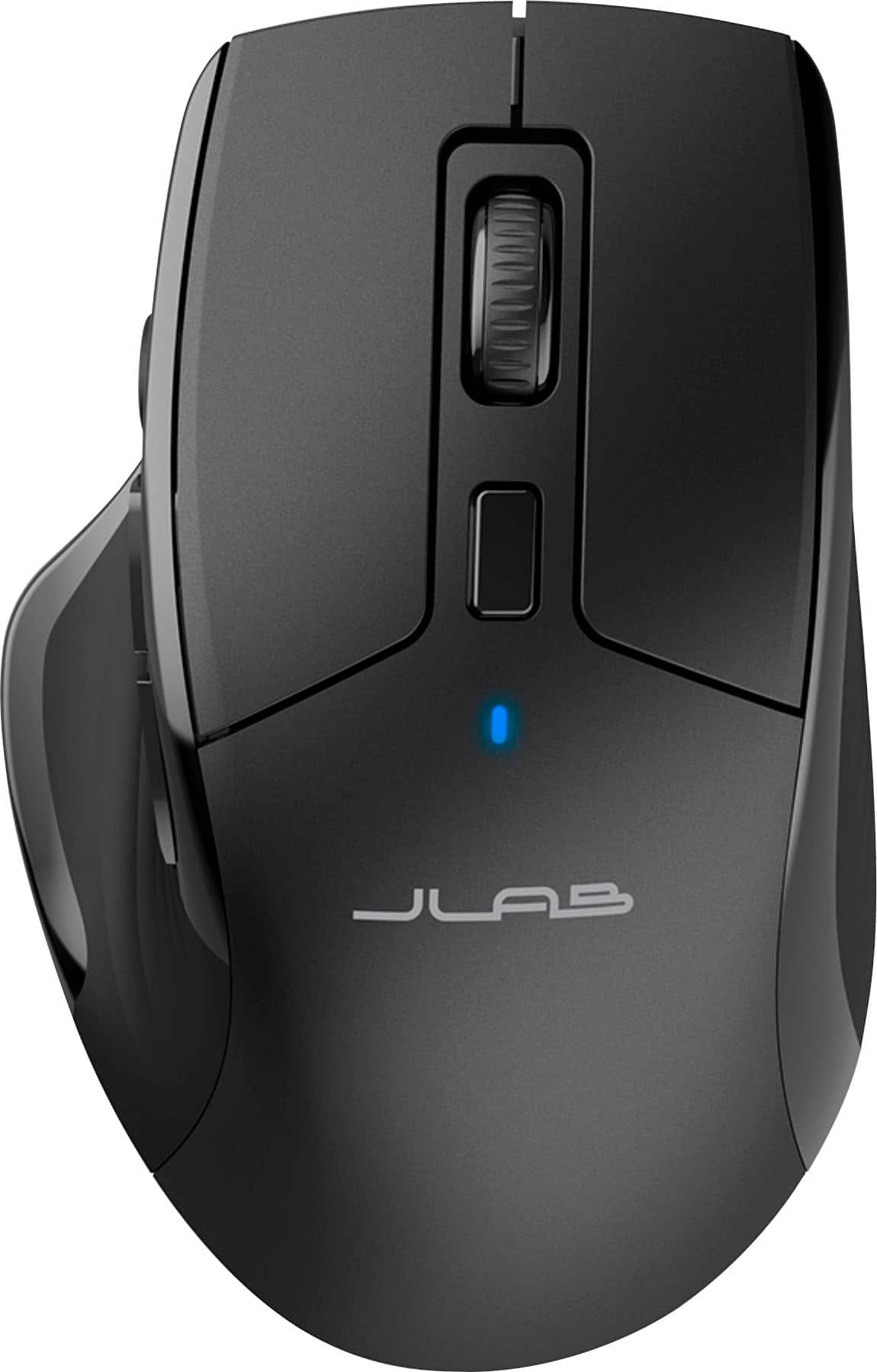
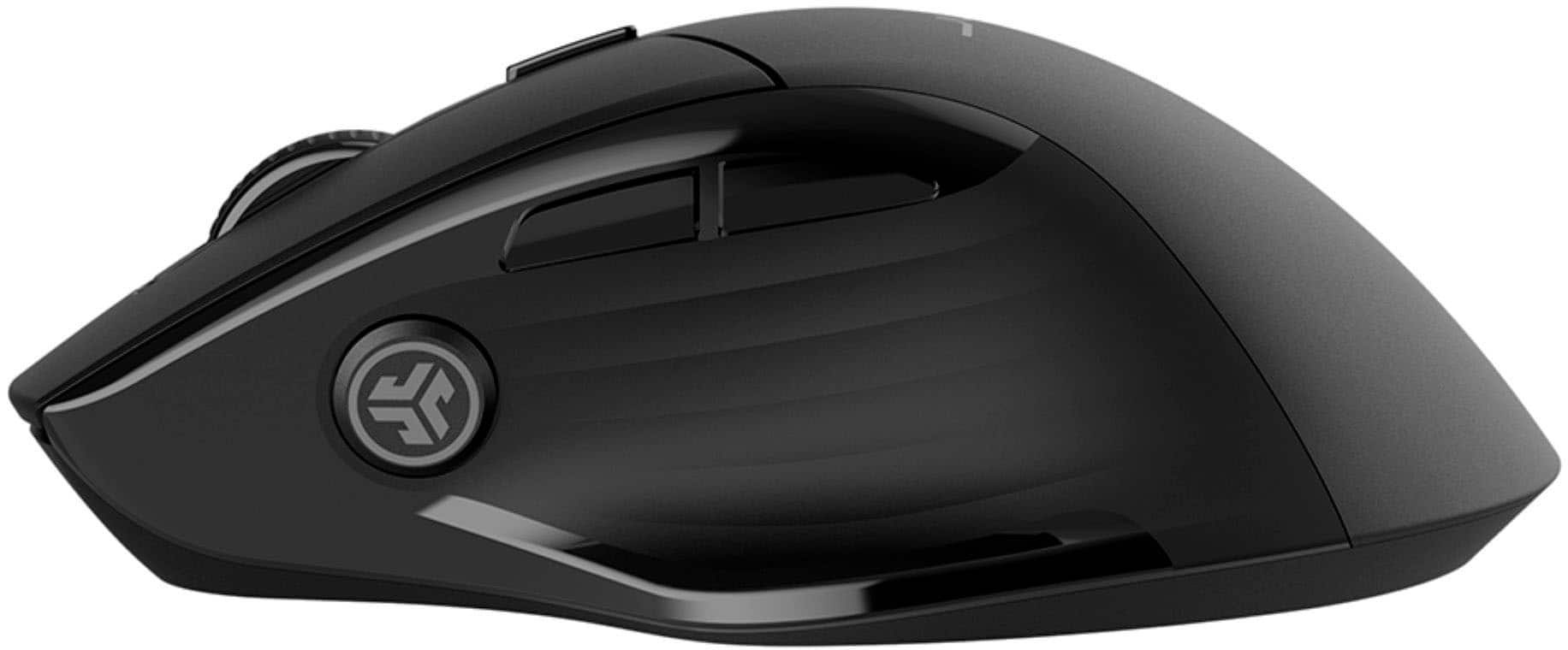
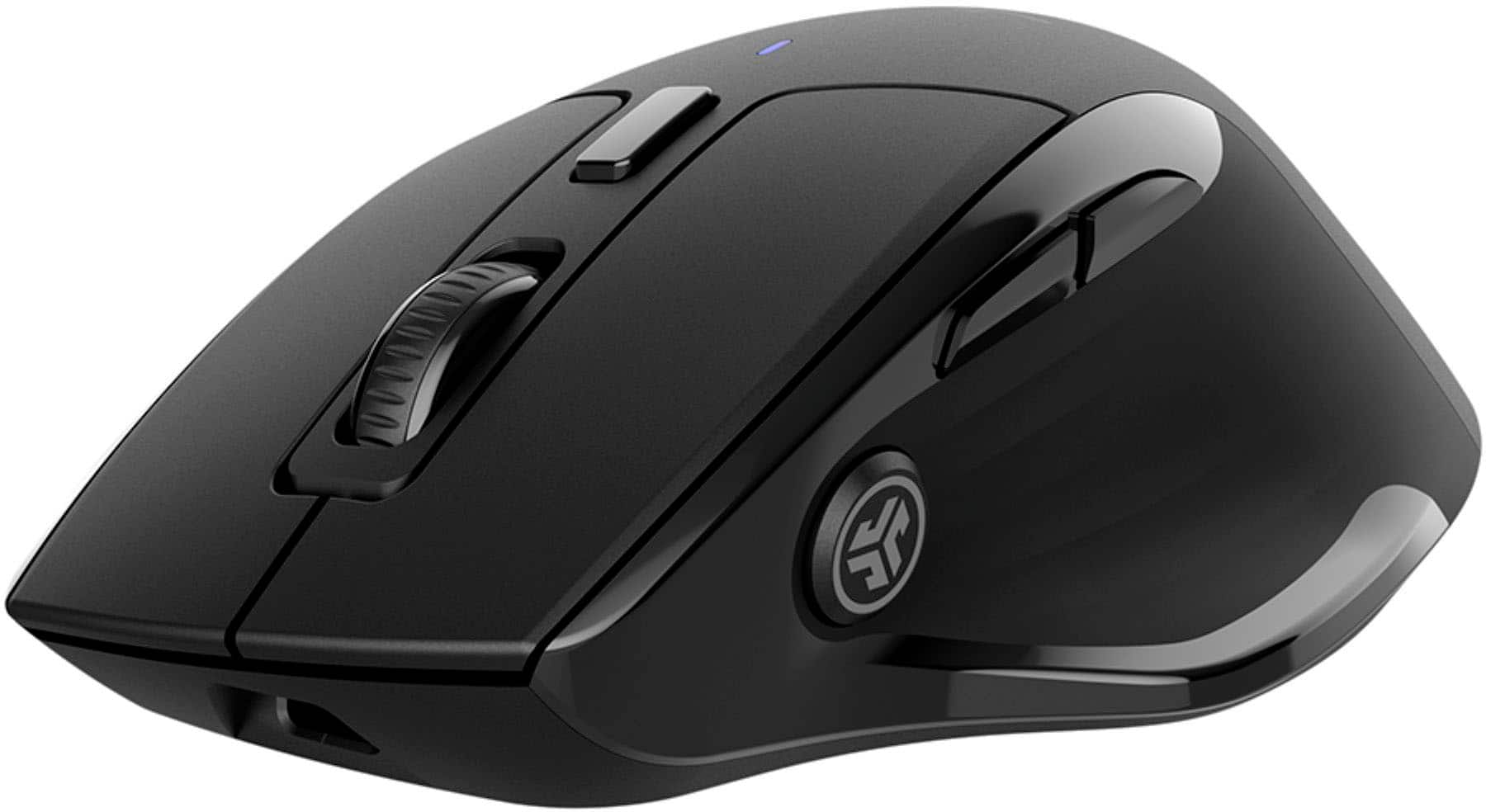
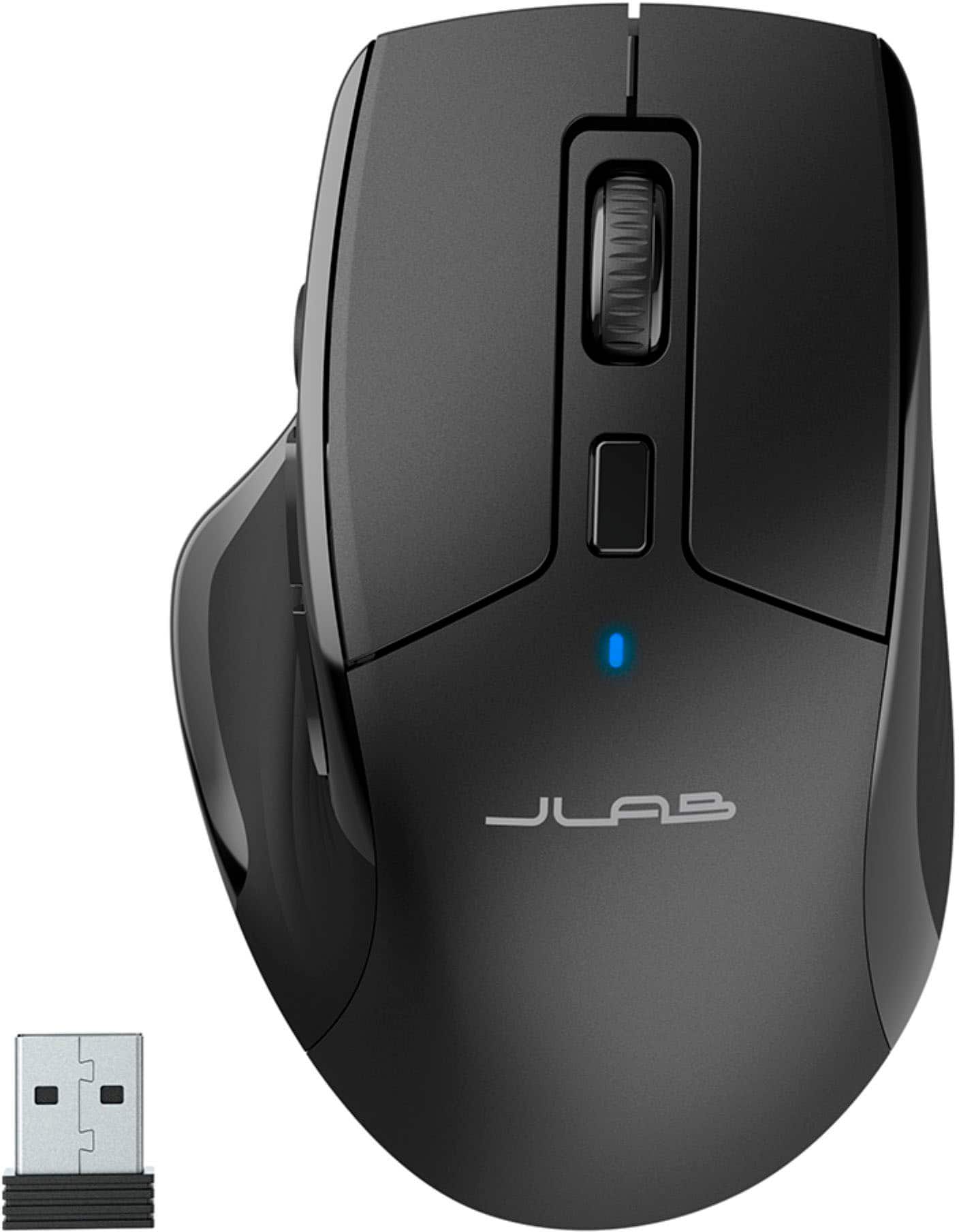
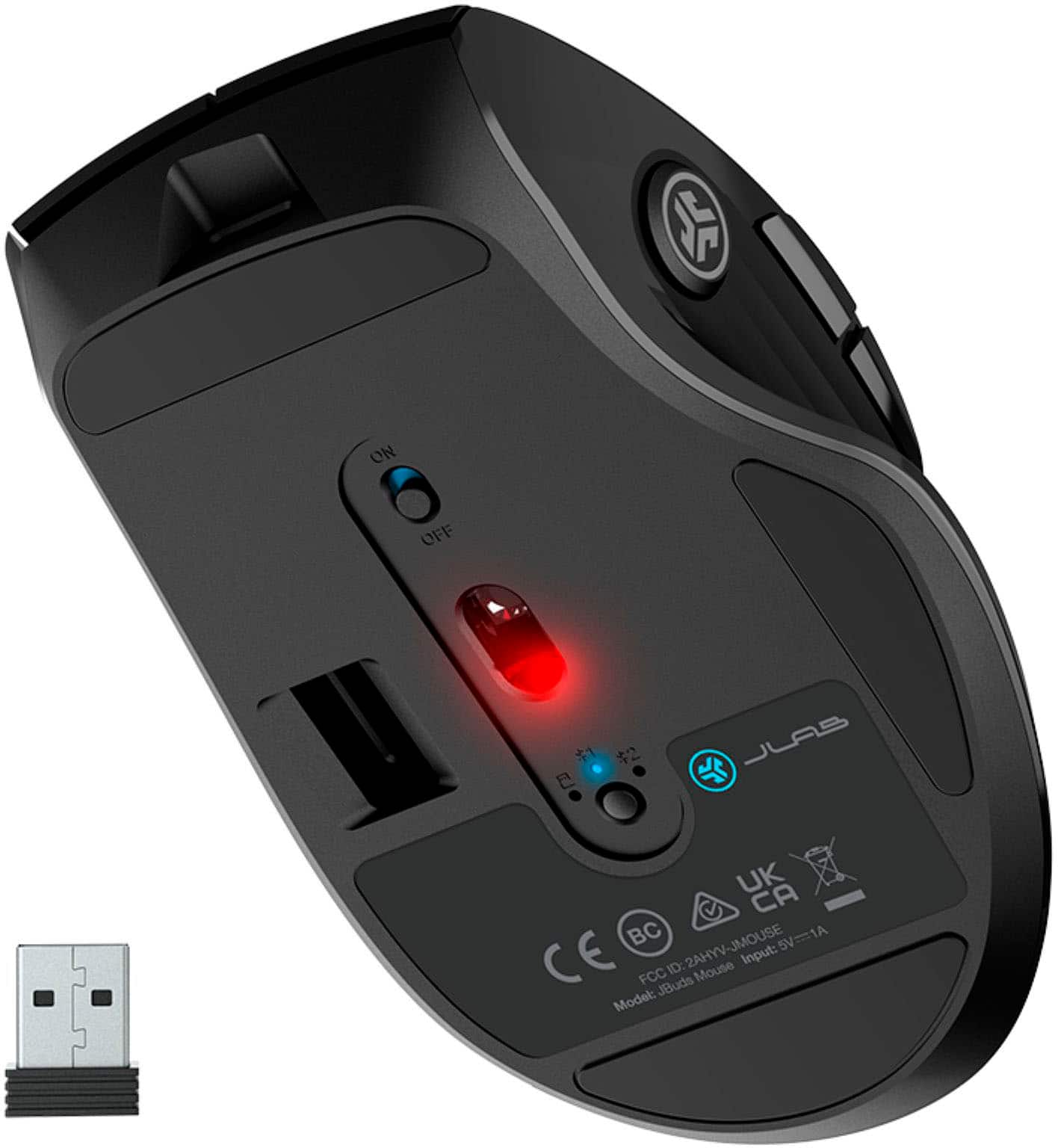
||Posted .This reviewer received promo considerations or sweepstakes entry for writing a review.You can't go wrong with this mouse. It lasts several months on a charge if you flip the switch on the bottom whenever you power down your computer, as I do. You can charge it with any USB port. It can connect with Bluetooth, or with the included dongle that lives in the base of the mouse. You could even put the dongle in one computer, set up the mouse with Bluetooth on 2 other computers, and with the push of a button on the bottom (the button toggles through DONGLE, BT1, BT2), use the one mouse on 3 different computers. But these only cost 30 bucks, so I don't. It fits my hand perfectly. I don't have a need for any other mouse to be honest. I have this one on my Windows laptop and another one on a Chromebook in the kitchen. I don't think I'll ever buy a different style mouse as long as this one is still available.
I would recommend this to a friend - Pros mentioned:Battery life, ErgonomicsCons mentioned:Click noise
Wonderful Mouse at a Wonderful Price
||Posted . Owned for 2 months when reviewed.This reviewer received promo considerations or sweepstakes entry for writing a review.I was really surprised with this mouse for the price. I bought it to use with my laptop, as an "on-the-go" mouse. The ergonomics are so phenomenal that it's made me want a new desktop mouse. USB-C charging, just the right amount of buttons, and not too big or too small. Battery life has also been great. The only reason I took a star off is that I personally can "hear" the mouse in a quiet room. I'm not sure if this is something everyone needs to worry about, but when moving the mouse, I can hear the signal from the mouse to the computer. It comes through as a very quiet, high-pitched buzz. Probably not something everyone can hear, and thus won't affect your purchase, but it does bug me a bit. That said, if you're watching a video or listening to music it's a non-issue.
I would recommend this to a friend - Pros mentioned:Battery life
Good!
||Posted . Owned for 1 month when reviewed.This reviewer received promo considerations or sweepstakes entry for writing a review.Nice light weight wireless mouse, charge stays strong for a long time, no lag I’ve noticed, 1 thing when lifting the mouse it seems to sense the movement when in the air an inch away from the table, I don’t know if I need to mess with the settings, overall satisfied!
I would recommend this to a friend - Pros mentioned:Battery life
Great for gaming
||Posted . Owned for 2 weeks when reviewed.This reviewer received promo considerations or sweepstakes entry for writing a review.Once again these guys don't disappoint the mouse has great sensitivity, it clicks where i need it to and it has quite the battery span.
I would recommend this to a friend - Pros mentioned:Battery life
Great!
||Posted . Owned for 1 month when reviewed.This reviewer received promo considerations or sweepstakes entry for writing a review.This mouse is cool! I love the no-click function. Mouse itself works great. It’s customizable, but I haven’t used that function yet. Travels well and isn’t too bulky. No batteries to replace, just plug it in! Holds charge for a long time!
I would recommend this to a friend Smooth, Comfortable and Reliable
||Posted . Owned for 1 month when reviewed.This reviewer received promo considerations or sweepstakes entry for writing a review.This mouse has been excellent in daily use. It’s very comfortable to hold, even for long hours, and the ergonomic shape really helps reduce hand fatigue. The tracking is smooth and accurate, buttons are responsive, and scrolling feels precise. Connectivity has been stable with no lag or dropouts, and the battery life is solid. Overall, it feels well-built and performs exactly as expected. A great choice for work, productivity, and everyday use.
I would recommend this to a friendBest miuse for the price
||Posted . Owned for 3 weeks when reviewed.This reviewer received promo considerations or sweepstakes entry for writing a review.Great for the price, a little lite but slides smoothly thru the mouse pad. Ive always known this brand for there Bluetooth buds but this mouse exeeds my expectation well done.
I would recommend this to a friendMouse
||Posted .This reviewer received promo considerations or sweepstakes entry for writing a review.I am very satisfied with mouse purchase. The system arrived well-packaged and in excellent condition. Performance is smooth, startup is fast, and it handles multitasking without issues. The seller was professional, communicated promptly, and delivered the item on time. Overall, this was a great buying experience, and I would recommend both the product and the seller to others.
I would recommend this to a friendJBUD MOUSE
||Posted . Owned for 6 months when reviewed.This reviewer received promo considerations or sweepstakes entry for writing a review.One of the best product in the besy buy I believe.
I would recommend this to a friend- Pros mentioned:Ease of use
Great mouse
||Posted . Owned for less than 1 week when reviewed.This reviewer received promo considerations or sweepstakes entry for writing a review.The mouse fits all of my needs and very easy to use.
I would recommend this to a friend Jlabb mouse review
||Posted . Owned for 3 weeks when reviewed.This reviewer received promo considerations or sweepstakes entry for writing a review.Quick response from mouse with little movement moving across multiple screens. No issues with sticking or having to reset mouse on Mat trying to move from the monitor to the next. Perfect fitment in hand.
I would recommend this to a friend- Pros mentioned:Ease of use
Great mouse for the price!
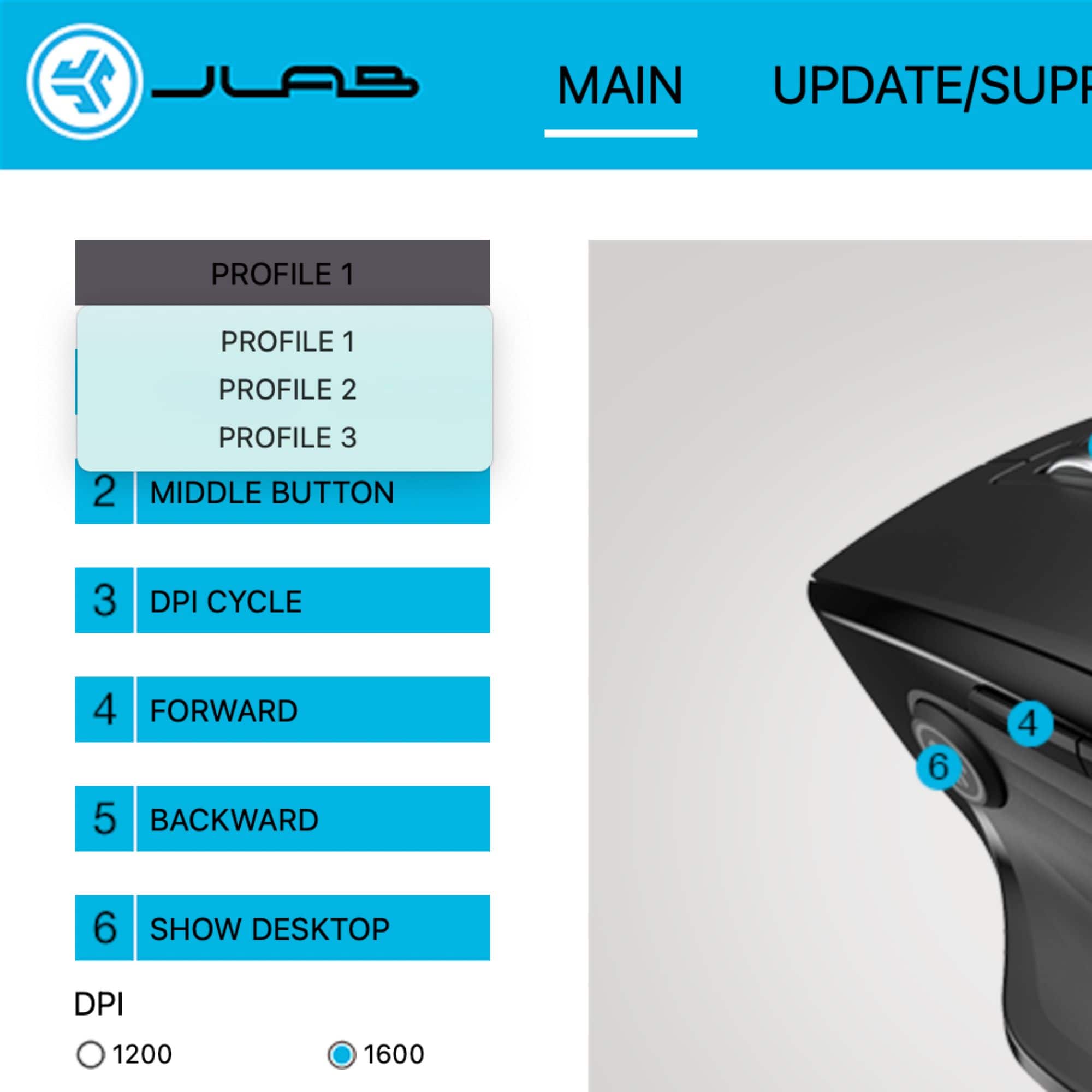
||Posted . Owned for 3 weeks when reviewed.This reviewer received promo considerations or sweepstakes entry for writing a review.Everything works well. Mouse is comfortable. Easy connection with included dongle which fits in a slot on the underside of the mouse. Buttons are fully customizable through JLab software. Highly recommended.
I would recommend this to a friend - Pros mentioned:Ease of use
Good for the price
||Posted . Owned for 3 weeks when reviewed.This reviewer received promo considerations or sweepstakes entry for writing a review.Works good easy to set up not sure on hooking up multiple sources though will try
I would recommend this to a friend Does Mouse Things!
||Posted . Owned for 5 months when reviewed.This reviewer received promo considerations or sweepstakes entry for writing a review.Comfortable and works well. Easy set up and affordable.
I would recommend this to a friend- Pros mentioned:Ease of use
fits hand and easy to use for zooming in on images
||Posted . Owned for 1 month when reviewed.This reviewer received promo considerations or sweepstakes entry for writing a review.When using google earth it is easy to click, rotate, zoom in and for that alone it is worth the purchase. Fits the hand and rechargeable
I would recommend this to a friend Excellent product
||Posted . Owned for 3 weeks when reviewed.This reviewer received promo considerations or sweepstakes entry for writing a review.Excellent product for the price. Very comfortable to use.
I would recommend this to a friend- Pros mentioned:Battery life
Great mouse!
||Posted . Owned for 1 month when reviewed.This reviewer received promo considerations or sweepstakes entry for writing a review.very functional and surprisingly long 3 month batt. life! i love being able to go forward and back on my pages with the buttons
I would recommend this to a friend - Pros mentioned:Overall performance
Nice mouse!
||Posted . Owned for 3 weeks when reviewed.This reviewer received promo considerations or sweepstakes entry for writing a review.Great product. Performs well. Good value. Would definitely buy again!!!
I would recommend this to a friend - Pros mentioned:Battery life, Connectivity

An excellent value for a feature rich mouse
|Posted .This reviewer received promo considerations or sweepstakes entry for writing a review.I admit. I'm not too knowledgeable about the JLab company. I've heard of them here and there, but can't speak for their quality or brand trustworthiness. However, I can say that I love this mouse. It's packed with features you'd find on a Logitech MX Master, which is the industry leader of an approachable wireless mouse. I own an MX, and use it in my main setup, however, I've wanted to upgrade my second space with a better mouse for years. I could get another MX, but I figured I'd check out JLab's offering first. I'm glad I did. Because the value of this mouse is unreal. The MX goes for $100, yet this mouse sells for $30! And when it's all said and done, the differences between the two don't merit $70. Not even close. The JLab's offering has a heft to it, displaying it's quality beyond its price. It's comfortable in the hand and feels more premium than it has any right to be. It connects either with Bluetooth or USB. I tend to like USB, as it is more reliable, but if you're low on inputs, Bluetooth will work for sure. With 4+ months of battery life (that I haven't had long enough to confirm), you won't go wrong with this mouse. It's rechargeable, so don't worry about having to purchase batteries. It even has an app to accompany the mouse. It's not needed, but if you like to sign into the settings, you can do it from the app. I was surprised how much I love this mouse. I was ready to judge it by it's low price before receiving it, but I can now say with confidence, that this mouse is the best value I've seen in this segment. You won't be disappointed.
I would recommend this to a friend - Pros mentioned:Battery lifeCons mentioned:Click noise
Great Mouse for the Price
|Posted .This reviewer received promo considerations or sweepstakes entry for writing a review.I recently had to return to the office , and needed a new mouse so, I decided to go with the JLab JBuds Full Size Wireless Bluetooth Optical Mouse. As someone who spends hours every day working on a computer, a reliable and efficient mouse with macro buttons was an absolute necessity. Design and Build Quality: The first thing I look for in a mouse is the size and shape. As someone with a bigger hand I need a mouse that will fit my hand comfortably and its ergonomic shape fits naturally in my hand. It has a matte black finish with a professional look that fits perfectly in any workspace. My only complaint is that the right and left buttons are a silent click, which is nice for an open office environment but personally I like to hear a nice click. The wireless plus Bluetooth connectivity was a huge seller for me. As someone who uses two laptops for work and the ability to just switch between the wireless dongle and then switch over to bluetooth is great, this feature has been a time-saver. Jlabs has its own software that you can download that allows you to map the buttons of your mouse to specific macros such as copy paste and the scroll wheel to your own personal preference. The adjustable DPI settings allow you to customize the sensitivity but those sensitivities are fixed numbers and you can not individually set them to specific numbers, like I prefere 800DPI but the lowest is 1200 DPI. Battery Life: One of the standout features of this mouse is its remarkable battery life. I've been using it for about two weeks now and I haven't had to recharge it once. JLab claims up to 6 months of battery life on a single charge, and I have no reason to doubt that claim. It's a relief not to have to worry about constantly recharging yet another device. And it's welcomed that at such an affordable price they made the mouse USB-C which is so nice and I wish other companies would take note. Overall, the JLab JBuds Full Size Wireless Bluetooth Optical Mouse has exceeded my expectations in terms of design, performance, and functionality at an affordable price. It has become an essential tool in my daily work routine, and I couldn't be happier with my purchase. If you're in the market for a wireless mouse that combines style with exceptional performance and long battery life, I highly recommend this mouse.
I would recommend this to a friend