Customer Ratings & Reviews
- Model:
- MJBMOUSERBLK124
- |
- SKU:
- 6521121
Customer reviews
Rating 4.6 out of 5 stars with 342 reviews
(342 customer reviews)Rating by feature
- Value4.6
Rating 4.6 out of 5 stars
- Quality4.5
Rating 4.5 out of 5 stars
- Ease of Use4.7
Rating 4.7 out of 5 stars
Customers are saying
Customers consistently note the JBuds Wireless Mouse for its exceptional battery life, overall performance, and ease of use. Many appreciate its ergonomic design, Bluetooth connectivity, size, and lightweight feel. However, some customers have expressed concerns about the click noise, scroll wheel functionality, and charging issues. Lag was also mentioned as a concern by a few customers.
This summary was generated by AI based on customer reviews.
Rated 4 out of 5 stars
Good
||Posted . Owned for 2 weeks when reviewed.This reviewer received promo considerations or sweepstakes entry for writing a review.Good for the price. Does exactly egat you need it to do.
I would recommend this to a friendRated 1 out of 5 stars
JLAB JBUDSMOUSE
||Posted . Owned for 1 month when reviewed.This reviewer received promo considerations or sweepstakes entry for writing a review.After just 30 days of use, the scroll wheel stopped working. This is a very poor-quality product, and I would not recommend it to anyone.
No, I would not recommend this to a friendRated 3 out of 5 stars
Dongle? NO
||Posted . Owned for 3 weeks when reviewed.This reviewer received promo considerations or sweepstakes entry for writing a review.Don’t like having a dongle. What is up with that? My Mac doesn’t have a usb port!
No, I would not recommend this to a friend- Cons mentioned:Scroll wheel
Rated 1 out of 5 stars
Defective mouse wheel after 4 months
||Posted . Owned for 4 months when reviewed.This reviewer received promo considerations or sweepstakes entry for writing a review.After 4 months of use, the mouse wheel jumps up and down when scrolling. I look through large files daily and this is more than frustrating. I tried all the solutions to this problem I could find and nothing has fixed it. Warranty takes 2-3 weeks and I have to pay to ship it to them. I would buy another brand.
No, I would not recommend this to a friendBrand response from JLab Audio Team
Posted .We appreciate your feedback and will use it to improve your experience.
Rated 2 out of 5 stars
Not what I was hoping for . . .
||Posted . Owned for 3 weeks when reviewed.This reviewer received promo considerations or sweepstakes entry for writing a review.The side buttons are a pain. It doesn't fit my hand like I thought it would. It will have to do until I can find another better one.
No, I would not recommend this to a friendBrand response from JLab Audio Team
Posted .We appreciate your feedback and will use it to improve your experience.
Rated 1 out of 5 stars
Left doesn’t work properly
||Posted . Owned for 2 months when reviewed.This reviewer received promo considerations or sweepstakes entry for writing a review.After 2 months the left click won’t work if you don’t press on a specific area on the mouse. I’m a claw mouse gripper and clicker. I press on the middle part, at first it was sensitive which i like then after a weekend the mouse won’t respond to the usual area where my finger presses.
No, I would not recommend this to a friendBrand response from JLab Audio Team
Posted .We appreciate your feedback and will use it to improve your experience.
Rated 3 out of 5 stars
Ok product
||Posted . Owned for 1 month when reviewed.This reviewer received promo considerations or sweepstakes entry for writing a review.Just a basic item to game with, nothing special. Next time, I will upgrade.
I would recommend this to a friend- Pros mentioned:Ergonomics
Rated 1 out of 5 stars
Good build but functionally sucks.
||Posted . Owned for 2 months when reviewed.This reviewer received promo considerations or sweepstakes entry for writing a review.Build quality is great and feels good in the hand. However it's very finicky when it comes to be working with the OS. I tried bluetooth and with wireless receiver. The functionality of the mouse sucks. It needs to get warmed up for every time usage which is not great.
No, I would not recommend this to a friendBrand response from JLab Audio Team
Posted .We appreciate your feedback and will use it to improve your experience.
Rated 1 out of 5 stars
Doesn’t last
||Posted . Owned for 6 months when reviewed.This reviewer received promo considerations or sweepstakes entry for writing a review.This mouse lasted 6 months before the scroller quit. Don’t waste your money.
No, I would not recommend this to a friendRated 1 out of 5 stars
not a good option
||Posted . Owned for 4 months when reviewed.This reviewer received promo considerations or sweepstakes entry for writing a review.it broke after two months, in that time it was used very little.
No, I would not recommend this to a friendRated 1 out of 5 stars
MOUSE
||Posted .This reviewer received promo considerations or sweepstakes entry for writing a review.POOR QUALITY...IT GLITCHES A LOT WOULD HAVE GOTTEN A CHEEPER MODLE THAT WORKS BETTER
No, I would not recommend this to a friend- Cons mentioned:Lag
Rated 1 out of 5 stars
Horrible lag
||Posted . Owned for 1 month when reviewed.This reviewer received promo considerations or sweepstakes entry for writing a review.The mouse lags horribly on my MacBook Pro. It feels like it’s dragging or sticking. Regardless, if use mouse pad, or my desk.
No, I would not recommend this to a friendBrand response from JLab Audio Team
Posted .We appreciate your feedback and will use it to improve your experience.
Rated 1 out of 5 stars
Below average.
||Posted . Owned for 1 week when reviewed.This reviewer received promo considerations or sweepstakes entry for writing a review.Not a best mouse, weak grip. Not even a good for laptop.
No, I would not recommend this to a friend- Cons mentioned:Charging
Rated 1 out of 5 stars
Can't charge
||Posted . Owned for 3 weeks when reviewed.This reviewer received promo considerations or sweepstakes entry for writing a review.Works when it's charged but the one purchased cannot charge with the cable provided or any other cable so it's perpetually dead.
No, I would not recommend this to a friendBrand response from JLab Audio Team
Posted .We appreciate your feedback and will use it to improve your experience.
- Pros mentioned:Battery life, Bluetooth
Rated 5 out of 5 stars
You get a great mouse for not much money
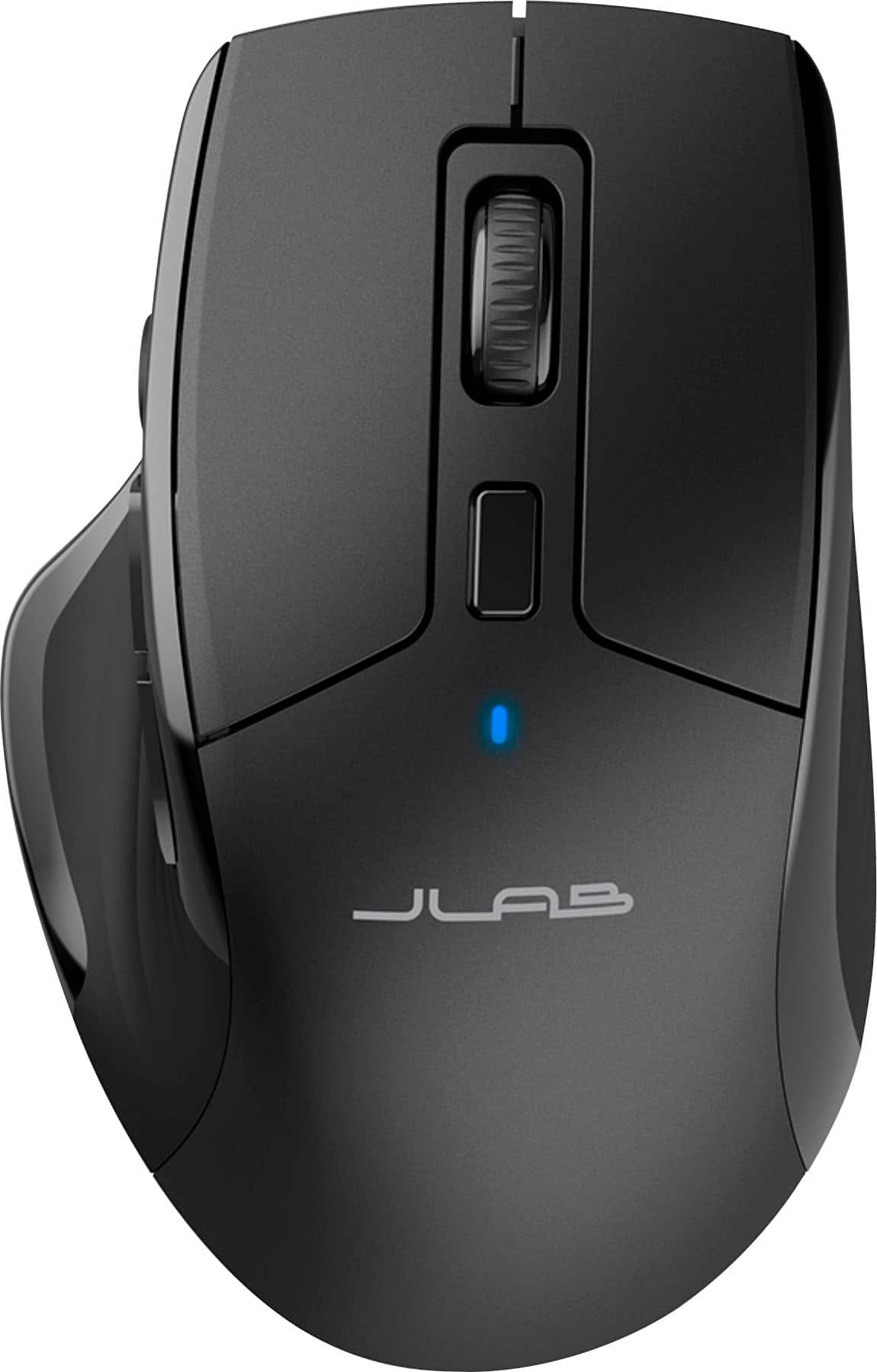
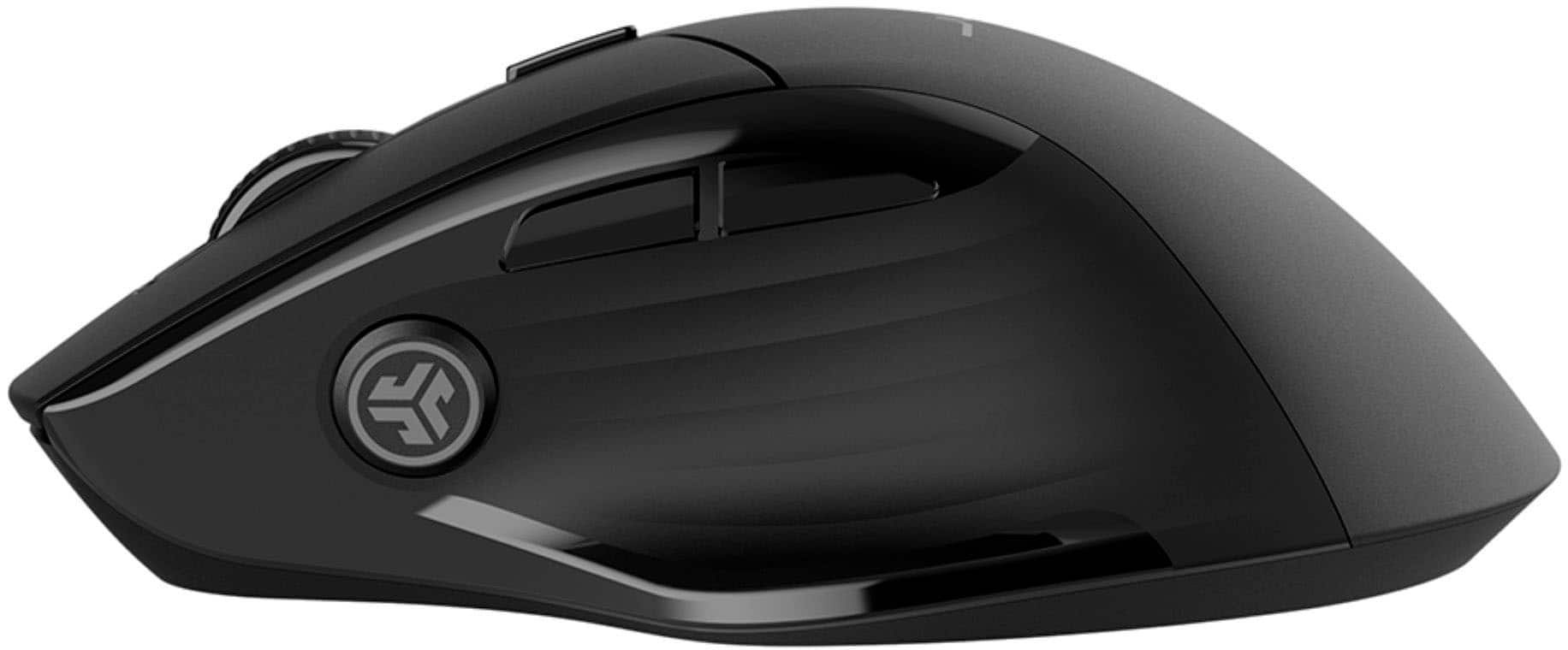
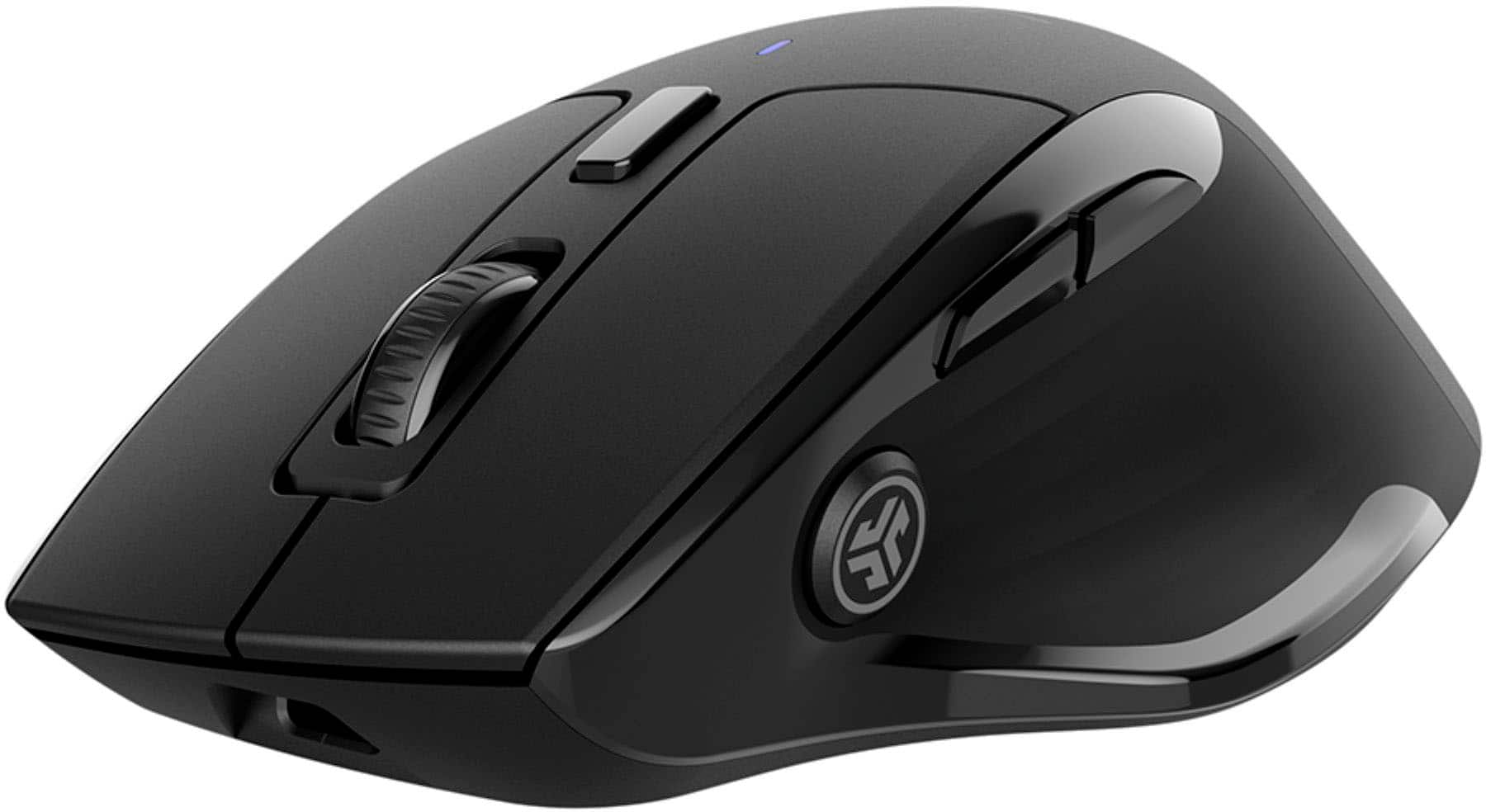
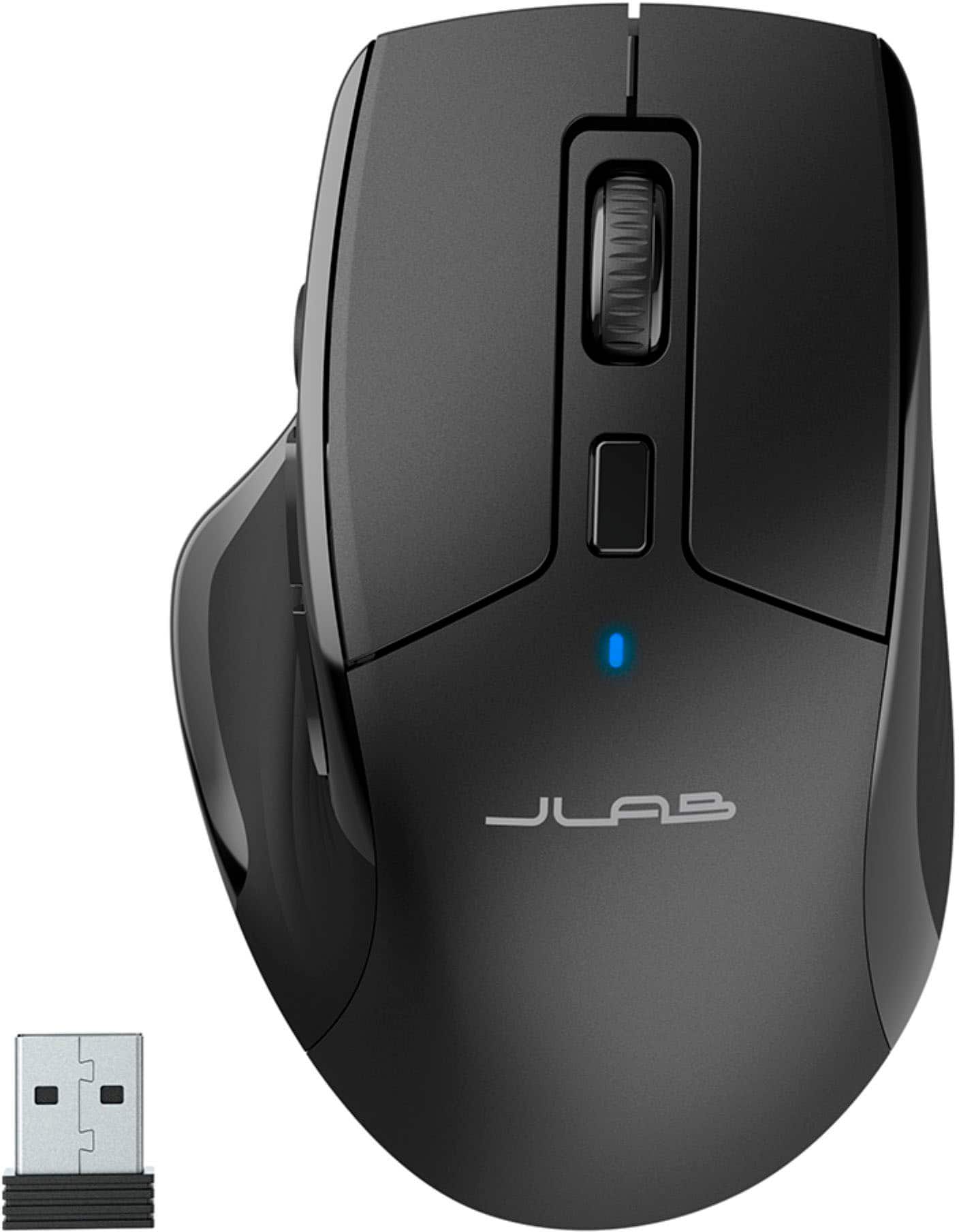
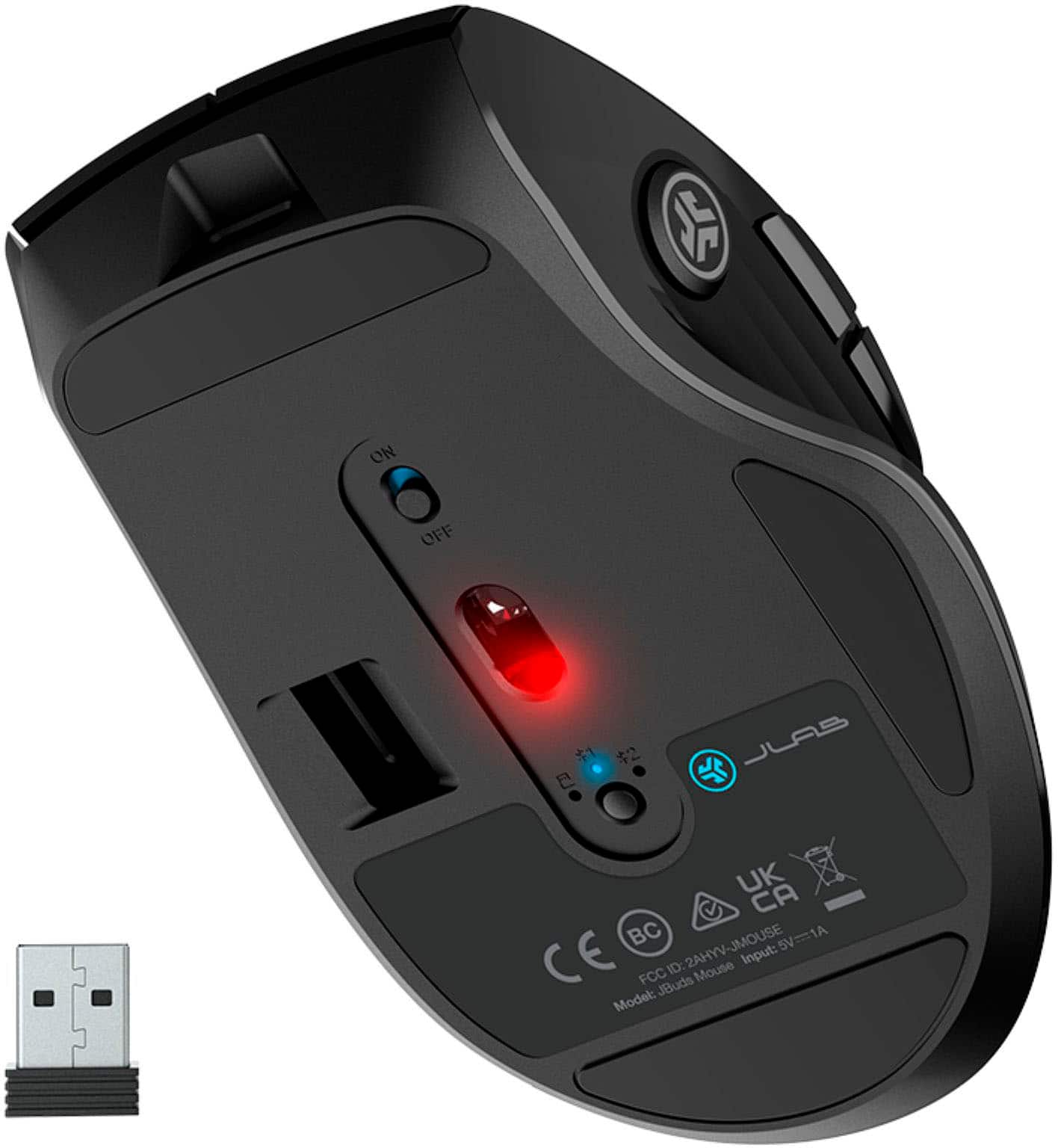
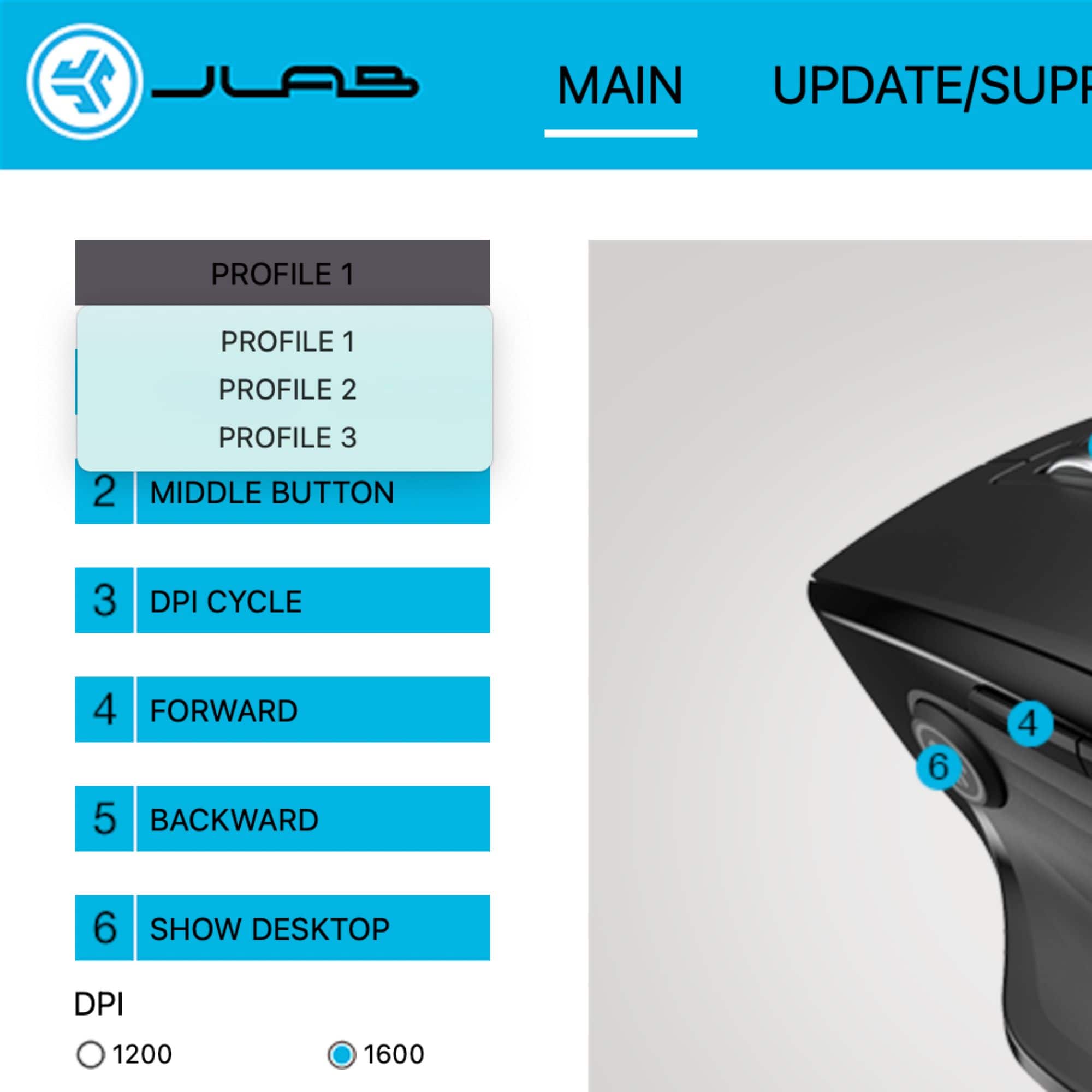
|Posted .This reviewer received promo considerations or sweepstakes entry for writing a review.My first impression of the JLab JBUDS Mouse is poor packaging. I like to keep some items in their original package and after cutting the two seals on the bottom (first issue) the inner sleeve just fought to come out. As I type this, it still hasn’t made it out of the sleeve. I hate ripping it open, but that’s what may come to fruition. Now back to the box and I’ll be back. Hopefully it gets better from here. Finally, after shaking the box for minutes, it fell to the floor. I have no idea why it wouldn’t just slide out, but this one didn’t. I don’t see any adhesives, so it must just be friction. I realize this may sound petty to some, but packaging is obviously important to me. Once I got the mouse out, it was simple to install. The USB dongle is located under the mouse, and I just removed my corded mouse on my Windows 11 PC I use as a media server and flipped the switch. There’s a red and green dot on the switch that shows if it’s powered on or not. If I remember to turn it off, that should help with battery life. According to the box, battery life is around 4 months and rechargeable via USB-c. A charging cable is provided with the mouse and dongle. I then went to the website because there is usually always software available for peripherals. This JLAB mouse has one also. It’s available for Windows and Mac. I also downloaded a PDF manual for the mouse. I like my mouse a bit on the slow side and usually have it at 800 DPI, but the lowest I was able to find in the software was 1200. It seems good enough, but just FYI it has four settings, 1200, 1600, 2000, and 2400. It also has two refresh rates, 125hz and 250hz. It looks like you can create 3 profiles and set right and middle click. Also, there are forward and backward side thumb buttons and a third thumb button with the logo that brings you to the desktop. These buttons are customizable too. Next there is the ability to connect to 3 different devices. The first setting is for the USB dongle and then there are two Bluetooth settings. The button to change them is on the bottom of the mouse with a green indicator light for the USB and blue light for the two Bluetooth spots. It only lights up as you press the button to switch between settings. It works with no issue. Just make sure to switch the mouse to one of the Bluetooth settings and Windows 11 was able to see the JLAB mouse and add it. Other than that, it is a great mouse at a good low price point. It offers a few extras like the extra thumb button as well as customizable buttons. It moves very well using just my fake woodgrain desk as a mousepad. Like I said, this is my media server, so I don’t use it much. I have my gaming ring right next to it. My only con is the package it came in. Just a simple few changes to the way the box opens, and I would have nothing but positive things to say about the product. If you’re looking for an inexpensive mouse, this would make a great choice and if you tear apart the box when you get a new item and chuck it at the round file, then I don’t think you’ll find anything to be disappointed by.
I would recommend this to a friend - Pros mentioned:Battery life
Rated 4 out of 5 stars
Silent
|Posted .This reviewer received promo considerations or sweepstakes entry for writing a review.The JLab Optical mouse is a very light weight /rechargeable mouse with silent clicks that you can use across multiple devices. The Optical mouse is extremely light weight and takes no effort to use, the scroll wheel is nicely textured which makes it easy for you to control your scrolling speed. The mouse comes with a charging cord and the USB dongle, although you can use Bluetooth which is very simple. You can connect the mouse to your device my plugging in the cable and connecting to your device or use the toggle switch underneath the mouse which you need to hold for 3 seconds to pair. Now although the mouse is basically silent the left and right clickers have a nice push action so you know they are being pressed , this is the same with the JLabs button on the inside of the mouse. JLabs has a application you can download to set clicks to perform tasks to make your job/life easier, the JLab button on the inside of the mouse is set to minimize all open windows/re-open them by default. This mouse is easy to use and I did not have any wrist fatigue at the end of a long day of use (I work on a computer 10 hours a day ) The multi-device usage is a plus for anyone that uses multiple products and comes in handy for me on a daily. I did not notice any stuttering/lag issue when using this mouse which tells me that the Bluetooth is strong. The only small issue I had with the mouse was that the side buttons ( forward/backward) don’t have much of a push to them so sometimes I wont know that I accidentally pushed them. JLab says the usage will be up to 4 months which is great, and even if its less the rechargeable aspect of this mouse is great.
I would recommend this to a friend - Pros mentioned:Battery life, Bluetooth
Rated 5 out of 5 stars
Quite Handy Mouse
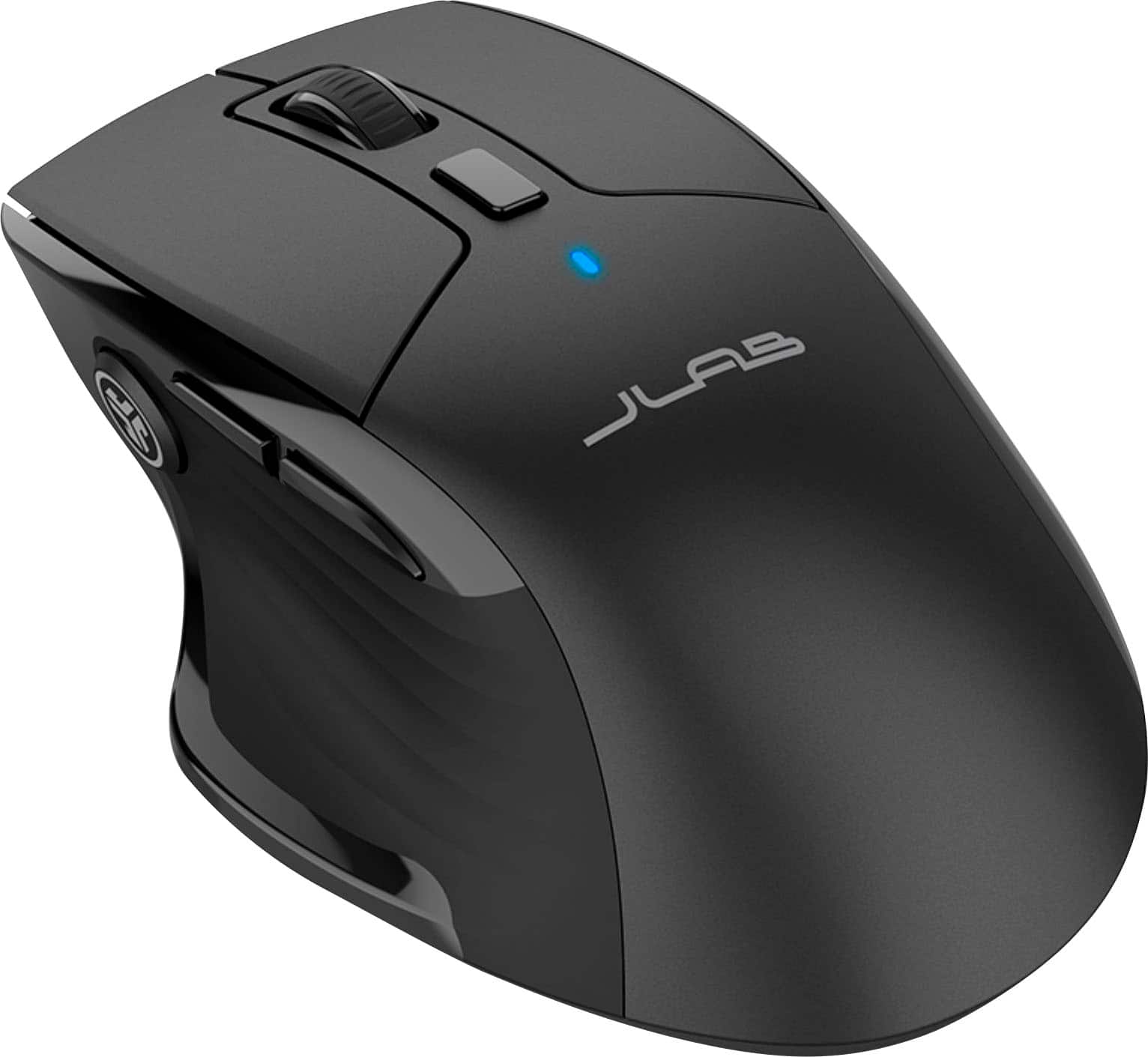
|Posted .This reviewer received promo considerations or sweepstakes entry for writing a review.When I unboxed the Jbuds Full Size Wireless Bluetooth Optical Mouse my initial impression was that it was going to be too bulky and cumbersome for my petite hand. It has a small platform that jutted out on the left side that caused the mouse to appear misshapen. Installation was pretty straightforward and I was surprised that the mouse was compatible with Windows, MAC, and Chrome. After playing with it for several days I have decided that my initial impression was rash and this mouse was a nice change from the one I have used for the last few years. Definitely one I would recommend and purchase again. Pros No batteries – USB-C charging (with included charging cable) and advertised for up to 4 months use with a single charge Low noise profile -Barely noticeable clicking of the buttons Extremely lightweight Bluetooth or USB connection – can connect wirelessly to up to 3 devices that you can easily switch between Ability to adjust the scrolling speed of the wheel using the DPI button Desktop button allows you to pull up your wallpaper quickly to conceal whatever you are viewing on the screen Small platform on the left of the mouse is a thumb rest, which makes your grip very comfortable JLab Work App offers the ability to customize buttons and create profiles for different users (I did not make use of this feature) Cons Larger size and awkward shape may cause issues with storage in some laptop cases/carriers
I would recommend this to a friend - Pros mentioned:Battery life, Bluetooth
Rated 4 out of 5 stars
Well-designed rechargable customizable mouse
|Posted .This reviewer received promo considerations or sweepstakes entry for writing a review.JLAB is probably not the first name that comes to mind when shopping for a new mouse for your computer. But it probably should be . Their new JBUDS mouse is a winner on almost all fronts, with a comfortable ergonomic design, a nice collection of customizable buttons, a scroll wheel for easy navigation and the ability to connect to your computer via both bluetooth or more traditional 2.4Ghz USB transceiver (included). There's even an extra button on top that allows you to adjust the mouse sensitivity from 1200 to 2400 DPI, an unusual feature that provides extra customization on the fly. Most of the rest of the buttons are routine on a full featured mouse: Two tumb buttons, normally used to move foward or back between web pages and top button incorporated into the scroll wheel. JLAB adds a third thumbtip button as well, which by default minimizes or restores the an active window in Windows. All these functions are customizable BUT only if you have downloaded JLAB's mouse and keyboard control software and the mouse is attached via the 2.4Mhz tranceiver. This is a likely to confuse some users, since it is NOT intuitive and only mentioned in passing in the quick start guide. If the mouse is in bluetooth mode, the mouse control software either will not load or, if it does, ghost out all customizing options. Once you get past this roadblock, it should be smooth sailing. This is well-built mouse that works with Windows, Mac or Chrome devices. The body is a matte finish black plastic and slides around on three big Teflon pads on the botton. It is not as heavy as some competitors but those who like a light touch may prefer this approach. All buttons are reponsive and silent, including the right and left click buttons. One welcome bonus is it comes with a built-in rechargable battery (a light on top blinks red when low) so there are no batteries to replace. A nice long USB A to USB C cord is included to handle charging duties. The mouse is supposed to run up to 4 months on a charge. A button on the bottom allows you to toggle between the native wireless USB transciever or bluetooth. (Up to 2 devices can be paired so you can use it with multiple devices). The only complaint I have is the JBUDS mouse lacks the grippy rubberized pads on the sides, commonly found on other devices of this price range. That makes it a bit more slippery than I would like but is not a dealbreaker.
I would recommend this to a friend Rated 1 out of 5 stars
Not a good Mouse
||Posted . Owned for 3 weeks when reviewed.This reviewer received promo considerations or sweepstakes entry for writing a review.The mouse was glitchy and too complicated. I recommend Logi for a good mouse.
No, I would not recommend this to a friendBrand response from JLab Audio Team
Posted .We appreciate your feedback and will use it to improve your experience.
Rated 1 out of 5 stars
Crap Buttons
||Posted . Owned for 3 weeks when reviewed.This reviewer received promo considerations or sweepstakes entry for writing a review.Mushy buttons on the side. Cant tell which one I'm clicking
No, I would not recommend this to a friendBrand response from JLab Audio Team
Posted .Sorry to hear of the troubles. There are a number of reasons that you can be running into the issue described. We would love to help troubleshoot the issue for you. Please reach out to us 1-405-445-7219 M-Th: 8am - 4:30pm (PST) Friday: 8am - 2pm (PST) we'll have you up and running in no time!