Customer Ratings & Reviews




- Model:
- MTALKRBLK4
- SKU:
- 6417453
Rating by feature
- Value
Rating 4.2 out of 5 stars
- Quality
Rating 4.2 out of 5 stars
- Ease of Use
Rating 4.5 out of 5 stars
Customers are saying
Customers are pleased with the TALK Professional Plug & Play USB Microphone's exceptional sound quality and ease of use. Many appreciate its intuitive design and convenient plug-and-play setup. The price point is also frequently praised as reasonable for the quality offered. Positive feedback also extends to the included cable length and stand, which are considered adequate and well-designed.
This summary was generated by AI based on customer reviews.
STAND AWKRD
||Posted . Owned for 3 months when reviewed.This reviewer received promo considerations or sweepstakes entry for writing a review.NIC MIC BUT THE STAND WASNT EASY TO USETO LOOSE KEPT FALLIN DOWN
No, I would not recommend this to a friendstarter mic
||Posted . Owned for 3 weeks when reviewed.This reviewer received promo considerations or sweepstakes entry for writing a review.A decent starter microphone, you get what you pay for.
I would recommend this to a friend- Pros mentioned:Ease of use, Sound quality

great Microphone!
|Posted .This reviewer received promo considerations or sweepstakes entry for writing a review.Really liking this microphone! Nicely constructed with easy to understand controls. It really is plug & play. In fact, the included instructions are very basic simply because there isn't much to say. Love the color coded lights. I've used it for Skype, YouTube and a couple of other applications with no issues. It is a little big, so keep that in mind. However, I don't think it is any larger than other microphones of this type. The sound quality is fantastic! Really, unless you are into some very precise hi end recording, I can't imagine this not being good enough. Highly recommended!
I would recommend this to a friend Eh.
||Posted . Owned for 3 months when reviewed.This reviewer received promo considerations or sweepstakes entry for writing a review.Never loved it. Decided to go for a new mic a few months after purchase. Too bad I can't return it.
No, I would not recommend this to a friendRegret ever buying this - broke after 3 months
||Posted . Owned for 3 months when reviewed.This reviewer received promo considerations or sweepstakes entry for writing a review.This microphone worked nicely for a few months. Then it completely stopped working. No device would accept the input. I tried troubleshooting it for weeks via software, different cables, etc. Never got it working again. Attempted to contact them and return it under warranty and never received any response or communication. I gave up and bought a different brand microphone that works normally.
No, I would not recommend this to a friendBrand response from JLab Audio Team
Posted .Hi there, we are very sorry about this and we want to make it right! Please reach out to our customer support team for help on this issue. They will be more than happy to assist. Please make sure you email support@jlabaudio.com and that you check your junk box for any responses just in case. -JLab

- Pros mentioned:Ease of use, Sound quality
Great sound, easy set up
|Posted .This reviewer received promo considerations or sweepstakes entry for writing a review.I picked up the JLab Audio - TALK Professional Plug & Play Microphone because my job has me doing tons of online meetings on a huge variety of online meeting platforms. the JLab Microphone was a cinch to set up and is intuitive to use. My voice comes across crystal clear on all the platforms and I'm pretty much the only person who doesn't have to repeat themselves throughout the meeting. I give it very high marks. My job has also assigned me online content creation and I've had to create a number of video demonstrations, some including music. The microphone did a great job there as well, allowing me to record in stereo. The microphone looks pretty great, too. I especially enjoy its neon-esque LED lighting that alerts me to whether I have have it muted or not. The light makes it clear what mode I'm in while it's looking like its from the future. It's pretty great.
I would recommend this to a friend - Pros mentioned:Sound quality
Nice quality... odd design decisions
|Posted .This reviewer received promo considerations or sweepstakes entry for writing a review.This is really my first mic that's not attached to a headset. I was mostly looking to improve my voice clarity on conference calls (listening to my own voice on recordings was cringe-worthy). This really helps in that respect. Build quality is generally nice on the mic itself, and doesn't concern me. Beyond that, I had a few issues, some of that might be attributed to not understanding the unique properties of a dedicated mic, some I think are just not very good design decisions. The large knob on the front changes the directional pattern mode; basically which direction the mic emphasizes sound input. I'm not sure there will be a lot of need to change this mode very often, so the fact they decided to make this the large knob on the very front seems like an odd choice. Pushing this large knob mutes the mic, and the colored ring around it turns red to show it's muted. Unfortunately, pressing this makes an audible click picked up by the microphone for both muting and unmuting. In my opinion, this is a pretty major issue for a microphone. Also, while I was playing with gain and volume, I once encountered an issue where the light turned red showing it was muted, but then got stuck that way, always red, even when unmuted. I had to unplug the mic and plug it back in to reset it. Another pretty serious fault, but hopefully more of a fluke, and hopefully something that can be corrected in a firmware update. Red light should mean muted, full stop.I haven't had the issue happen since though. The smaller knob controls the volume on the 3.5mm jack output, or you can press it to adjust the gain sensitivity for the mic itself. You don't know what mode it's actually on without pressing it first, so that's a bit annoying. The 3.5mm standard headphone out jack seemed to be intended to be used for "sidetone", basically so you can hear what the mic (and ultimately other people) are hearing. In practice, what I heard seemed to pick up a lot more background noises, including clunking and typing from the desk surface the mic was sitting on (meaning the tripod wasn't absorbing much sound). But I think a lot of software applications meant for voice have a tendency to filter out some of those lower level noise inputs, so what you hear in your sidetone output isn't REALLY what is necessarily going to be in the final audio heard by others. But, maybe I'm using this feature wrong :) The other quirk with this 3.5mm jack is it's on the bottom, with the USB port. But the USB cable that comes with it has a right angle connector, so it fits nicely between the mic and the support underneath it. But most headphones just come straight down, making it a bit of a more awkward fit. I feel like it would've been better if the jack came out of the back of the microphone. Finally, there is no power switch. This mic is always on, unless you unplug it. Overall, I think it's a decent mic, but I also think there is room for improvement.
No, I would not recommend this to a friend - Pros mentioned:Ease of use, Sound quality
Great All-Purpose Microphone
|Posted .This reviewer received promo considerations or sweepstakes entry for writing a review.The JLab Talk USB Microphone is a great all-purpose microphone for online meetings, streaming, in-person interviews, and everything in between. Set-up is quick and painless, all that needs to be done is to plug the microphone in via the provided cable and switch your computer's input setting to the microphone, a simple step on modern OSs. The microphone comes with two dials, the larger one toggles between sound input modes that tune the microphone for different acoustics and settings, and when pressed quickly mutes the microphone. The second smaller dial controls the microphone's input volume (gain) and output volume, and is toggled by pressing the dial. These two dials provide super easy controls for adjusting the microphone on the fly. The microphone is constructed with sturdy metal and finished in a matte black, and comes with a silicon-tipped stand. All in all, this microphone is built for the long haul and offers lots of easy-to-use controls for getting the right sound quickly.
I would recommend this to a friend - Pros mentioned:Ease of use, Sound quality
Excellent Microphone
|Posted .This reviewer received promo considerations or sweepstakes entry for writing a review.Since I started working remotely, I have found that it gets very tiresome wearing a headset for hours during conference calls. I found the need to invest in a standalone mic and this came across my view. This JLAB TALK microphone is very simple to setup and use. In fact, there is very little to complain about. My voice comes through it very crisp and clear. The 4 directional pattern modes allow me to use the speakers and not have echo for the other users in the conference call. I can't emphasize how much happier I am to not have to wear a headset anymore. Really the only complaint I have is that I wish I was able to turn off the mic when not in use. I guess I can settle with a separate usb power switch for now. For anyone that is looking for a microphone, I would easily recommend this product.
I would recommend this to a friend Flexible Microphone. Great For Videoconferencing
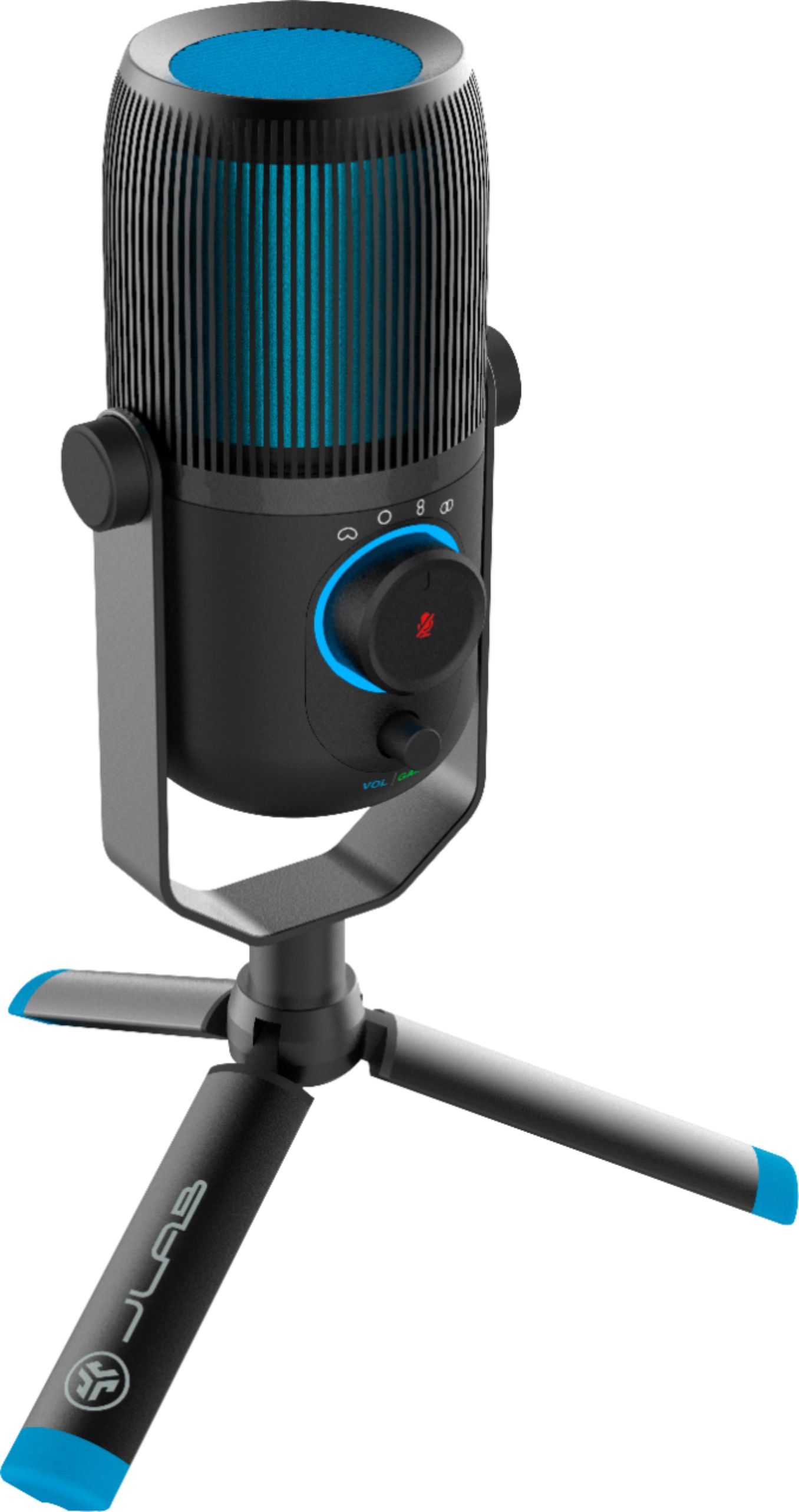
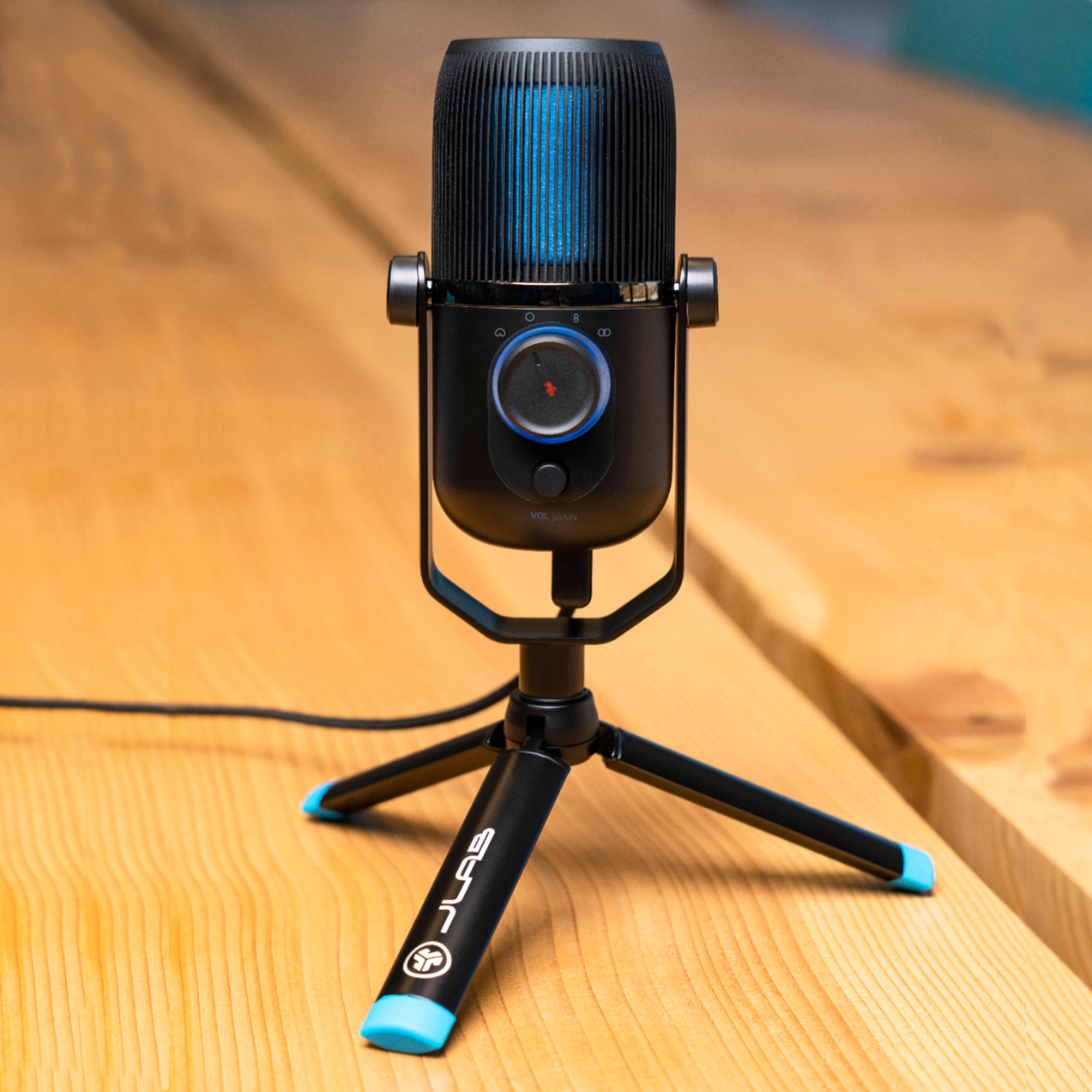
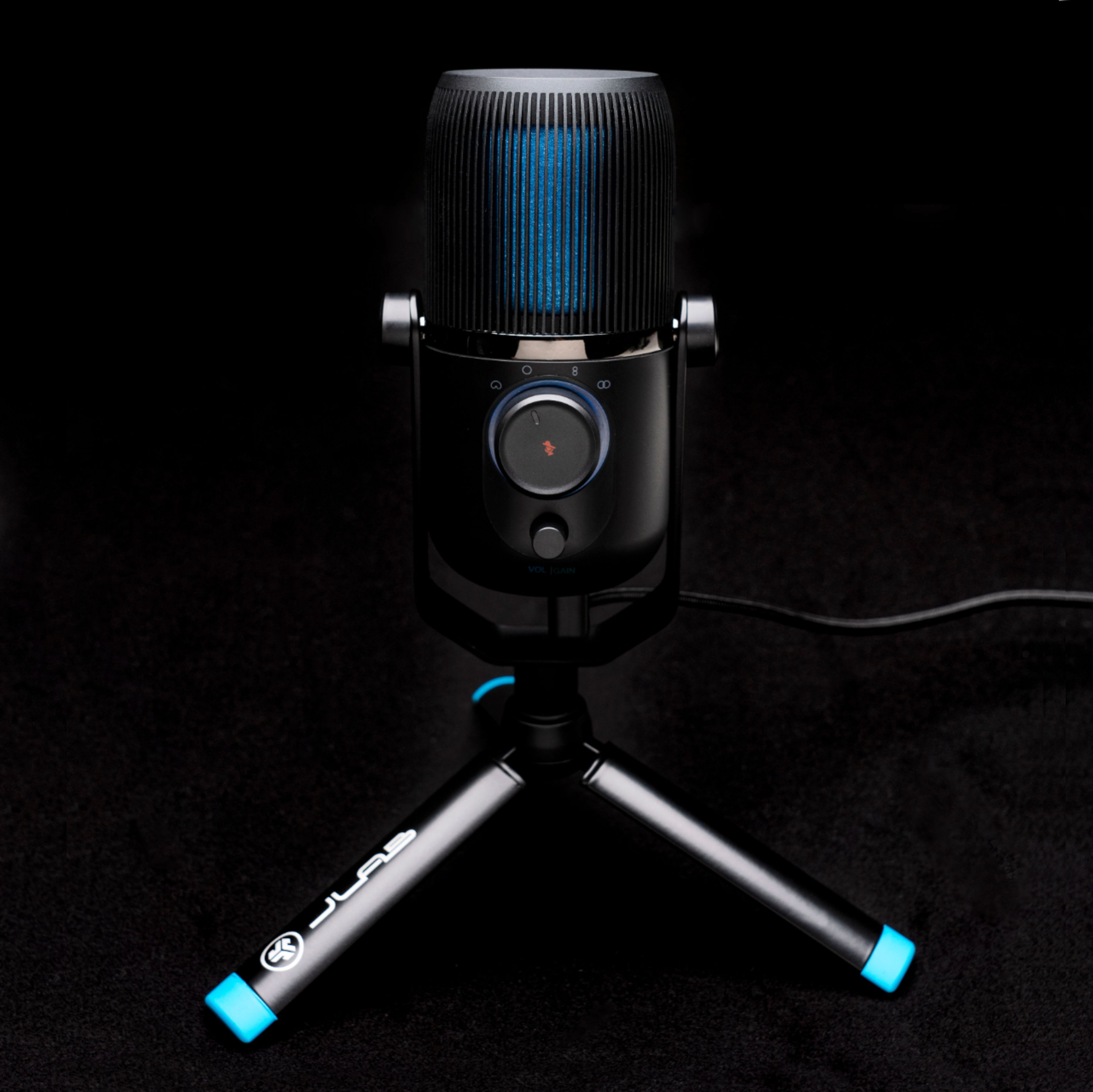
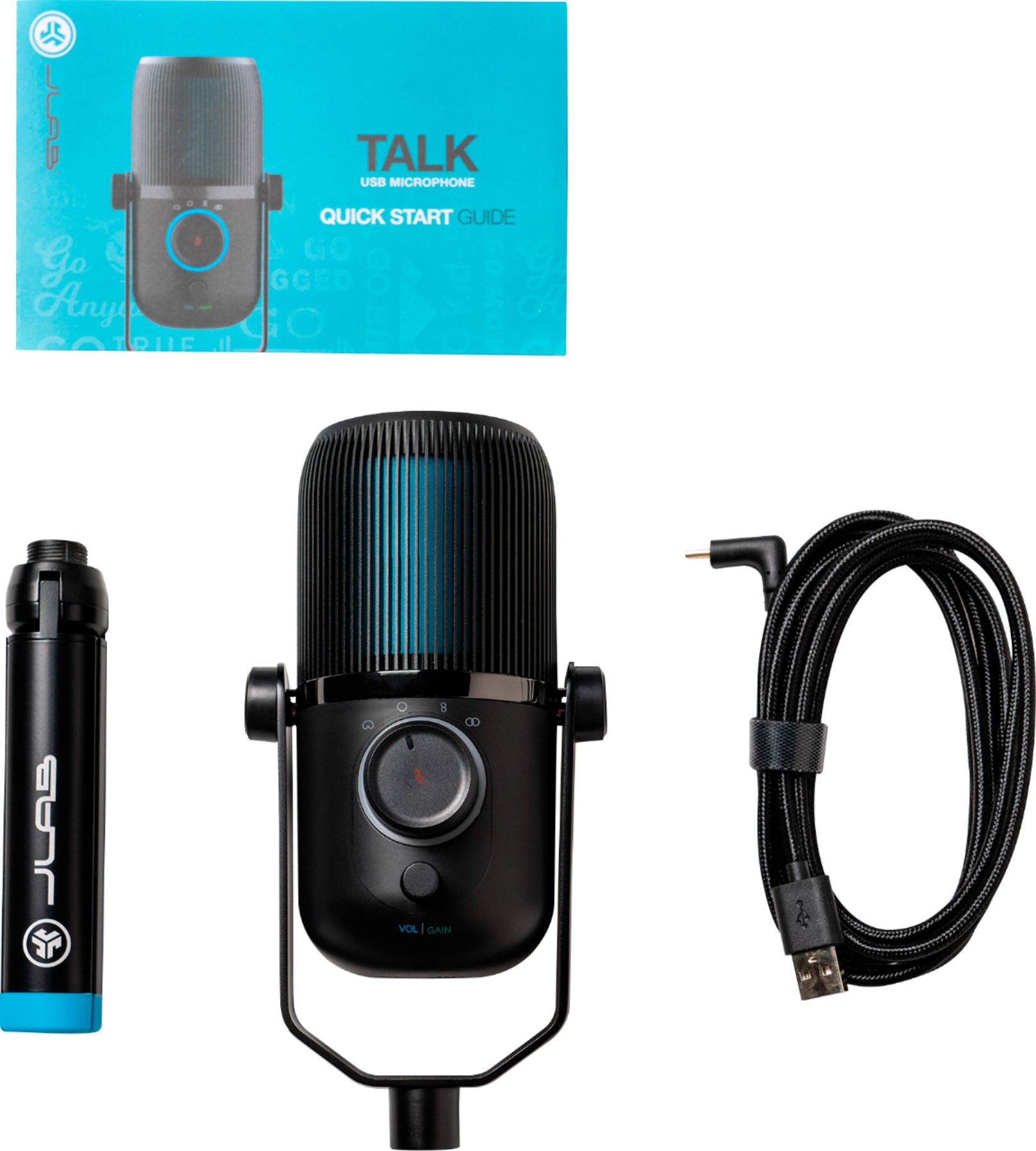
|Posted .This reviewer received promo considerations or sweepstakes entry for writing a review.Over the last few months videoconferencing has become the new normal for communicating at work for many of us due to social distancing restrictions. For my job, I have nearly a dozen Zoom meetings weekly which include from five to thirty participants. It quickly became apparent that using a webcam with a built in mic proved problematic under some meeting scenarios so I was excited to try a more professional mic solution with the JLAB Talk USB microphone. In the JLAB Talk box you find the microphone, a tripod stand, a usb-c cable, and a quick start guide. The angled usb cable is a nice touch since it attaches to the bottom of the mic. You only need to then attach the threaded tripod stand by screwing it onto mic. Setup is a breeze on your computer since the JLAB Talk is plug and play. Simply connect the cable to a USB port and you’re good to go. You may have to enter your sound settings in control panel and select the mic before using it. I like the look of the JLAB Talk but my first impression is that the mic itself feels a bit light and appears mostly plastic. The tripod on the other hand is metal and feels substantial. I do like the tripod design which is adjustable in height or you can simply close the three legs to use the stand as a comfortable handheld microphone. Nice touch. Specifications wise the JLAB Talk is quite loaded with features including 3 condensers, 4 directional mic settings, 96 kHz recording sample rate, and 24 bit depth. There is a quick mute button and a volume / gain control knob. A headphone jack is located on the bottom of the mic near the usb-c port. The directional settings are selected by turning the large knob and include cardioid, omni, stereo, and bidirectional options. You select the mute by pushing the center of the same knob. You know you are muted because the knob then glows red when activated. The directional settings were the main reason I was excited to have the JLAB Talk for Zoom meetings. These settings provide great flexibility for different meeting participant requirements. At times I have meeting where I alone am just talking to other participants. For this scenario I simply use the cardioid setting which is directional for my single voice. Then on occasion I have myself and another staff member presenting. Under this circumstance the bidirectional setting works perfectly to record myself and the second presenter perfectly as we sit on opposite sides of the JLAB Talk. Then there are meetings where I have numerous participants in the same room where I need all voices being able to be heard equally. For this scenario the omni setting worked perfectly. Here I positioned the mic at the center of the room. This setting on the JLAB Talk was a massive improvement over using a webcam mic where some participants could be heard clearly while others were barely heard at all. For me the flexibility of the JLAB Talk’s impressive directional settings truly transformed my daily videoconference meetings by making them far more professional. Highly recommended.
I would recommend this to a friendTerrible
||Posted . Owned for 3 weeks when reviewed.This reviewer received promo considerations or sweepstakes entry for writing a review.This microphone is bad. Keeps randomly disconnecting for no reason from my pc when I haven’t touched it or bumped it. Would not recommend to my worst enemy. Worked well for about 2 weeks and now it’s just a paperweight basically.
No, I would not recommend this to a friendBrand response from JLab Audio Team
Posted .Hey there, please make sure the cable clicks in on the microphone. It sounds like it has not been inserted securely and is causing issues. -JLab
Bad mic no resolution
||Posted .This reviewer received promo considerations or sweepstakes entry for writing a review.This was the mid level mic. It Broke within 3 months, filled out a warranty claim received a confirmation email and that was it. No further response, no money back. Don’t waste your money.
No, I would not recommend this to a friendBrand response from JLab Audio Team
Posted .Hi there,
Would you mind contacting our customer support team? We understand any frustrations you may have. If you reach out to the support team via our website--or email support@jlabaudio.com or phone (405)445-7219 M-F 9-4:30 PST. They would be more than happy to speak with you and troubleshoot your issue. All bluetooth products have a 2 year warranty.
-JLab
Too quiet of a sound produced
||Posted . Owned for 1 month when reviewed.This reviewer received promo considerations or sweepstakes entry for writing a review.I ended up returning this microphone as it just wasn't as good of a quality as my previous microphone. It made my voice be very quiet and I couldn't get it to get louder.
No, I would not recommend this to a friendBrand response from JLab Audio Team
Posted .We're very sorry to hear that your experience has not met your expectation. We would love to learn more about your experience as it's hard to give any tips on how to address your issue with the information provided. Our customer support team is ready and willing to help if you reach out to them. -JLab
Don’t waste your time
||Posted . Owned for 1.5 years when reviewed.This reviewer received promo considerations or sweepstakes entry for writing a review.I have had two of these mics now. Both ended up going out after about 2 months. I wouldn’t waste your time with this
No, I would not recommend this to a friendNope
||Posted . Owned for 1 month when reviewed.This reviewer received promo considerations or sweepstakes entry for writing a review.Not a fan. The audio is not great. Definitely not podcast quality.
No, I would not recommend this to a friendBrand response from JLab Audio Team
Posted .Hi there, we are very sorry about this! Let’s have you reach out to our support team. They will be more than happy to help you. -JLab
- Pros mentioned:Ease of use, Sound quality
Multi Purpose Microphone
|Posted .This reviewer received promo considerations or sweepstakes entry for writing a review.The JLab TALK Professional Plug and Play Mucrophone is a high quality microphone that can be used in a variety of situations. Setup is very easy. I mainly used the microphone for online meetings and conferences. Clarity was outstanding. This was my first venture into a “quality” microphone and the improvement in sound clarity was noticeable. If, in these times of increased video conferencing, you are looking for a product that will improve your experience, I recommended this microphone.
I would recommend this to a friend - Pros mentioned:Sound quality
Best microphone I've ever used
|Posted .This reviewer received promo considerations or sweepstakes entry for writing a review.This microphone is perfect for someone who spends a lot of time using voice communications over a PC. Using it has improved my experience with Discord calls and Twitch streams massively. The directional functions mean that when I'm actually sitting at my computer, I can set it so it doesn't pick up my obnoxious mechanical keyboard; but if I'm wandering about my room I can set it so it'll pick up all sound. The fact that you can plug a headset directly into it cleans up a lot of clutter in my workspace as well, though I do wish the headset volume could be turned up louder. The feature where if your headset is plugged into the mic it'll play back your voice to you is useful as well - it makes it incredibly easy to root out any annoying racket or feedback from your end so that anyone listening to you only hears what you want them to. The gain control feature built in helps with that as well, though I do wish that the indicator showing if the knob is adjusting gain or volume was clearer. The slightly unintuitive controls are the one downside of this mic - for a plug and play device, five minutes of setup is a bit much. That being said, once I figured out the controls and how to make my sound setup function properly with the mic, it worked beautifully. Over twelve consecutive hours of calls and streams, and I've never had an issue with someone complaining about my audio quality. It's a refreshing piece of hardware that's far superior to any built-in headset or phone microphone I've ever used, and it's made group calls a pleasure instead of an awful mess of trying to figure out who's echoing. This thing is staying part of my computer setup for a long time.
I would recommend this to a friend Returned Without Trying This Mic
||Posted . Owned for 4 months when reviewed.This reviewer received promo considerations or sweepstakes entry for writing a review.Changed my mind and returned it to my Best Buy without using. It might be great, mediocre or junk.
No, I would not recommend this to a friendBrand response from JLab Audio Team
Posted .We're very sorry to hear that your experience has not met your expectation. We would love to learn more about your experience as it's hard to give any tips on how to address your issue with the information provided. Our customer support team is ready and willing to help if you reach out to them. -JLab
- Pros mentioned:Sound quality
Great Mic For Everything
|Posted .This reviewer received promo considerations or sweepstakes entry for writing a review.I am somewhat new to world of mics, I typically in the past have just used a headset with a mic. But in the world we are now living in my Family and I are using the computer more and passing around a headset and mic just did not seem very efficient. Enter The JLAB Talk Microphone what excited me the most was the fact this mic had different settings so you can use it in different scenarios. I mainly use it on Cardioid setting as I use it to talk to someone directly. My kids use it on omni setting when doing their school activites as they tend to bounce around the room. For the most part it works well in these settings, not quite as well as a dedicated cardioid mic but nonetheless a great sounding mic. We tried it out on several different sources and everyone said we sounded great. I highly recommend this versatile mic if you need one for several different tasks.
I would recommend this to a friend Do more research
||Posted . Owned for 3 months when reviewed.This reviewer received promo considerations or sweepstakes entry for writing a review.i did not like this and returned it. Has too much hiss and not good for zoom video meetings.
No, I would not recommend this to a friendBrand response from JLab Audio Team
Posted .We're very sorry to hear that your experience has not met your expectation. We would love to learn more about your experience as it's hard to give any tips on how to address your issue with the information provided. Our customer support team is ready and willing to help if you reach out to them. -JLab