Rating 4.2 out of 5 stars with 214 reviews
4.2- Sound Quality (108)
- Ease of use (47)
- Price (14)
- Cable Length (4)
- Stand (4)
Customer Images
The vast majority of our reviews come from verified purchases. Reviews from customers may include My Best Buy members, employees, and Tech Insider Network members (as tagged). Select reviewers may receive discounted products, promotional considerations or entries into drawings for honest, helpful reviews.
- Rated 4 out of 5 stars
Good microphone
Works well and is good audio quality. Overall satisfied.
Posted by Buyer1
- Rated 5 out of 5 stars
Quality Recordings
Now whether you are a gamer, vlogger, creating a YouTube video or just need a good quality microphone for your online meetings or heck even online classes nowadays, then this is the microphone for you. The JLAB premium 4-Directional USB microphone is an excellent premium quality microphone which is easy to setup, virtually plug and play once you setup the audio input and output with the provided instructions, you get great recording quality. Now I tested the microphone in online gaming, my zoom office meetings, and let my kids’ play with it in their online Roblox gaming and it has performed well. The sound on the other end was clear and crisp, and the directional modes actually worked pretty well. The quick mute option is a nice feature, really helps when your kids walk into a meeting and you need to quickly mute the mic, and the swivel mount and the stand are nice and sturdy. The volume and gain controls right on the microphone is amazing option and worked well. The microphone also has an AUX input available incase you need to connect it to something that does not accept USB option. I even tired the microphone connected to my android phone and it worked nicely. Overall not a bad microphone at all for the price and I would definitely recommend this to anyone looking for a quality-built microphone.
Posted by Hmirza
- Rated 5 out of 5 stars
5Star Microphone 2Star Instructions
I would rate the JLab Talk microphone 5 stars and the instructions included with the microphone 2 stars. This is an excellent USB microphone. Do not be fooled by the low signal to noise ratio – it records beautifully. This is what the sound wave (JLAB PIC) looks like when recorded in a sound booth recorded using the cardioid option and compared to the analog signal from an Analog cardioid microphone (Analog Mic Pic) I used in a sound booth, which was run through a soundboard. While the signal is quieter – there is plenty of headroom to boost the signal and this is what it looks like boosted. (Boostede JLab Pic) There was no difference in sound quality between the Analog Mic and JLab recordings. Notice that the background noise level on the boosted signal is less than the original analog signal. (Boosted JLAB Pic) One of the advantages the digital microphone has over the analog there is less distortion of the signal when you boost the volume. The 4 different recording options (Cardioid, Omni, Stereo and Bi-Directional) all work well, each limiting the sound from the unwanted directions. The ease of switching between these 4 options was quite useful. Testing the JLab Talk microphone using an online meeting app, the volume was easily heard, the mute button was easy to use and the headphones plugged into the microphone worked well. The directions included with the microphone were way too minimal. There really was no description on boosting the gain and volume. The knob that controls the gain and volume has no endpoint – keeps turning even when you reach the top setting. No directions to let you know that the glowing ring around the knob that controls the recording settings let you know you are going from low to high on your gain/volume control. JLab’s website has an excellent set of instruction videos – learned more from it than the instructions in the flyer included with the microphone. The Bottom line is that I would not let the poor instructions included with the microphone stop you from buying it. The sound quality is excellent and once you have learned how to use it you no longer need the instructions.
Posted by AZEqualizer
- Rated 5 out of 5 stars
Abominable Snowman Killer
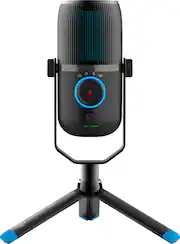
This is a review of the JLab TALK USB microphone. The JLab TALK is a USB condenser capsule microphone that has three (3) condensers and 4 different pattern modes of microphone pickup. It is the middle of the pack of the new JLab TALK series microphones which includes the smaller “GO” and the advanced “PRO” series. The elephant in the room is a similarly large microphone, well used and well-reviewed, and frankly dated microphone. The JLab is the younger, more dynamic, and frankly a better microphone in this space. Spec-wise, the JLab TALK Microphone has a USB C Connector, 3.5 mm zero-latency monitoring headphones output, a 24bit 96khz sample recording rate, 3 condensers operating in 4 pattern modes (Cardioid, Omni, Stereo and Bidirectional). The microphone comes with a ⅝” mm stand mount, which the enclosed tripod mount screws into, however, it can be removed to be interfaced with a shock-mounted microphone mount should you use one. What I like about this device is that it has a very clear identification of the device is muted - a big button in the center that lights up red to show its muted when pressed. That same button controls the 4 pattern modes but also acts as a scale when you adjust gain and volume. The button below switches between volume (blue) to adjust volume, and green to adjust the gain. A very slick and neat useful feature to allow for a quick change of your zero-latency volume and microphone gain controls. So what do the recordings sound like? To test out the recording quality, I used the built-in microphone on my webcam, the microphone on my gaming headset, a small portable two-pattern condenser microphone (which I use with my laptop for narrating voice-overs), and the JLab TALK USB microphone. To record audio, I have used Audacity with each microphone recording on one track, while reading a small 30-second paragraph from an industry-standard source voices.com sample script. First off, the recording specs of 24bit 96khz was a bit higher than any of my other microphones and inherently clearer, so I recorded in that mode as well as a lowered 16 bit 44.1khz mode. I used standard Cardioid mode, I had a fan blowing that was circulating air in the room while I was recording. Just for kicks, I did use the other modes on other tracks to try to see how much ambient noise is recorded. Overall the sound quality of the recordings is very very good. While I don’t own an Abominable snowman, my experience with this JLab Talk mic was very good. I think this will replace a lot of my at-home recordings and may even find itself into the ‘to-go’ bag. So if you are looking to start producing a Podcast, or improve the audio quality of your zoom or Teams meetings, or maybe perhaps provide your own commentary on MLS games or play by play streaming on Twitch, this microphone will do the job and more. I use a quality condenser microphone for recording voice-overs on technical help videos and how-to videos. Audio is the most important part of any podcasting experience, be it on youtube or any other medium. If your audio quality is bad, you will not have listeners. High-quality audio goes a long way. I tested this microphone on Linux and ChromeOS on a Chromebook, and it works as a plug and play. This microphone works well for audio dictation of text - should you plan to use the google docs feature of voice narration. In fact, this review was written mostly via voice narration using the JLab Microphone. A quality microphone will enhance your correct voice to text experience. Pros: Lovely modern design with blue accents Clear LED visual for selected visual changes. Large dial for changing condenser modes Top-Notch audio recording quality Low affinity for Plosives. Cons: Clicky mute button / volume / gain but overall not a huge deal
Posted by TheStigenator
- Rated 5 out of 5 stars
Nice sound, easy to use
Super easy to set up and use, if you're used to selecting sound devices in your computer's settings. You pretty much just have to hit the drop-down menu and select it. The instructions tell you to use it for sound playback as well, but that doesn't make any sense to me. It does have a headphone jack, so maybe that's what it's for. It's pretty cool that you can select the mic sound pattern-- omni, cardioid, stereo, and front and back, like recording a conversation with someone across the table from you. I didn't spend a lot of time testing the spacial sound features, but my friends can hear me just fine on video conferences and shouting at eachother during games. The cardioid setting does a pretty good job of reducing sound in the background. The only thing that bugs me about it is the control markings. The dark print on black is really hard to see, and the position indicator on the knob is invisible, especially with my computer monitors backlighting it. I guess it was designed to be used in a bright conference room? Anyway, see my picture and try to make out the marking on the big knob, and that pic is in the daylight, not in a dark room while gaming. I colored in the position indicator with a white marker after I took that picture so I'm all good... Overall, a great all-around mic with really nice build quality.
Posted by Snarltoof