Customer Ratings & Reviews
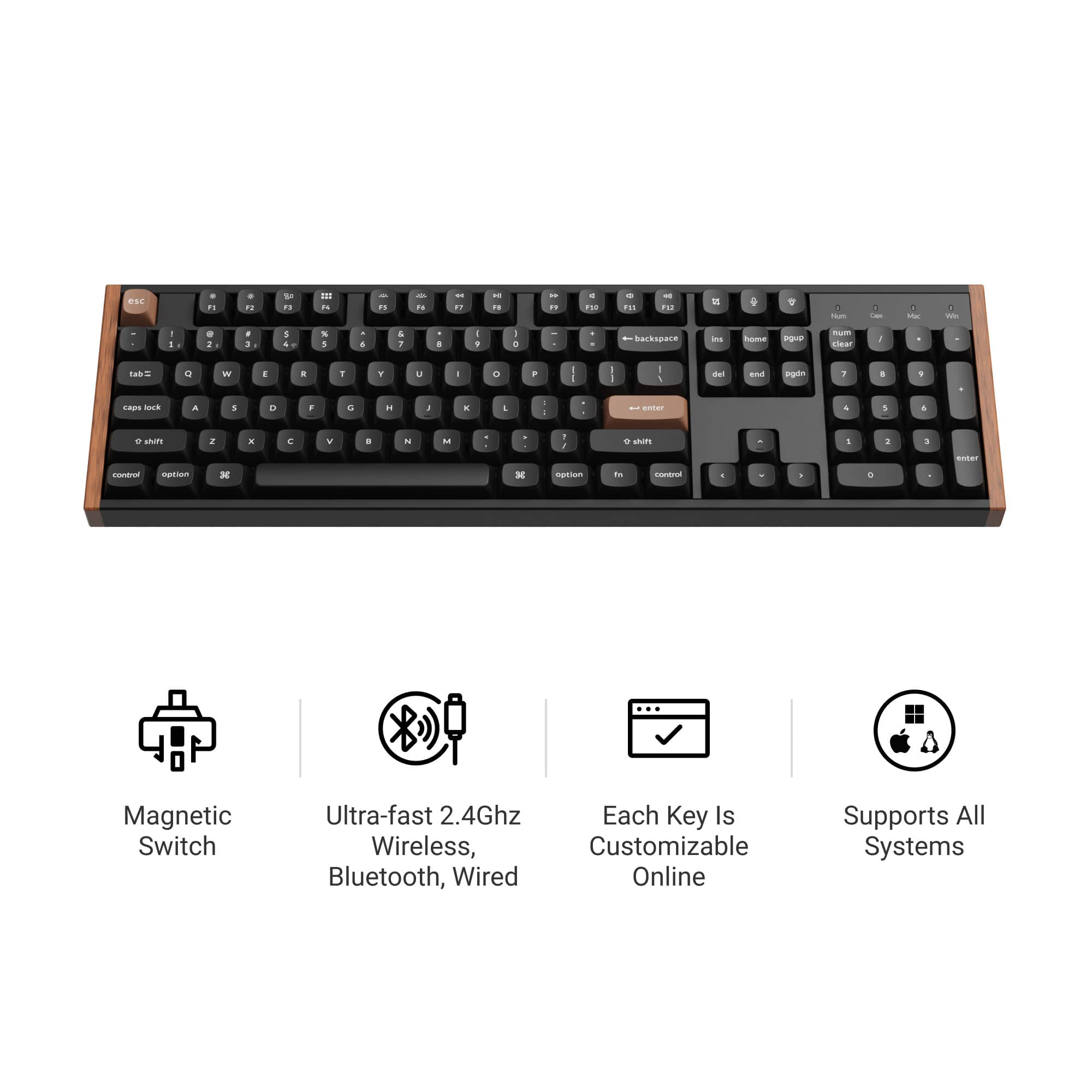
![esc F1 F2 F3 F4 F5 F6 F7 F8 F9 F10 F11 F12
Num Caps Mac Win
1 2 3 4 5 6 7 8 9 0 - = backspace
tab Q W E R T Y U I O P [ ] \
caps lock A S D F G H J K L ; '
shift Z X C V B N M , . /
control option fn control
del home pgup num clear / * -
end pgdn 7 8 9 +
enter 4 5 6
shift 1 2 3 enter
control option 28
option fn control
> o](https://pisces.bbystatic.com/image2/BestBuy_US/images/products/71a1417b-3d5f-45c1-99f0-24ab3c6d41b9.png)

![Here is the corrected and grouped text from the image:
- esc
- F1 F2 F3 F4 F5 F6 F7 F8 F9 F10 F11 F12
- 1 2 3 4 5 6 7 8 9 0 - =
- tab Q W E R T Y U I O P [ ] \
- caps lock A S D F G H J K L ; ' enter
- shift Z X C V B N M , . / shift
- control option space
- control option
- num clear / * - + enter
- 7 8 9 4 5 6 1 2 3 0 . enter](https://pisces.bbystatic.com/image2/BestBuy_US/images/products/d4438ba0-8fe4-4ee6-97d7-684d7f1b72ef.jpg)
- Model:
- K10H-F1
- SKU:
- 6644852
Rating by feature
- Value
Rating 4.4 out of 5 stars
- Quality
Rating 4.9 out of 5 stars
- Ease of Use
Rating 4.5 out of 5 stars
Customers are saying
Customers are enthusiastic about the product's excellent build quality, extensive customization options, and superior typing experience. They also highly value its versatile connectivity, quiet operation, and comfortable feel, along with its great battery life and convenient web-based software. While many find it a joy to use daily, some customers note that the product is heavy.
This summary was generated by AI based on customer reviews.
The ultimate keyboard for Mac and PC users
||Posted . Owned for 5 months when reviewed.This reviewer received promo considerations or sweepstakes entry for writing a review.If you alternate between a Mac for work and a Windows PC for gaming, this keyboard is a lifesaver. I use it all day for software engineering on my Mac, and the typing experience is incredibly smooth and comfortable for long coding sessions. The web-based QMK launcher software is great too, because you can customize keys and shortcuts easily without downloading bloated software. When I’m done with work, I just flip the switch to my gaming desktop. The Hall Effect magnetic switches are amazing for gaming because of the rapid trigger and adjustable actuation. You get the absolute best of both worlds: a premium, professional typing feel for work and high-performance responsiveness for gaming. The build feels incredibly solid and heavy-duty. Highly recommend it if you have a dual-system setup.
I would recommend this to a friend- Pros mentioned:Build quality
Feels Amazing
||Posted .This reviewer received promo considerations or sweepstakes entry for writing a review.Best feeling Keyboard I've ever used. Build quality is solid, the aluminum feels great to touch, and the wood is reminiscent of old Moog synthesizers for those who know. The keys are very responsive and customizable down to the sensitivity needed for activation which is great if used for gaming. It's expensive, but worth the price if you're willing to pay it.
I would recommend this to a friend Impressive keyboard
||Posted . Owned for 1 month when reviewed.This reviewer received promo considerations or sweepstakes entry for writing a review.Great feeling, long lasting charge. Great colorway.
I would recommend this to a friend- Pros mentioned:Build quality
Good keyboard, ok value
||Posted . Owned for 3 weeks when reviewed.This reviewer received promo considerations or sweepstakes entry for writing a review.It’s for my son‘s gaming computer. He seems to like it, but a little overpriced for features. It seems to be a very good solid keyboard. We’ll see how long it keeps up with him
I would recommend this to a friend - Pros mentioned:Build quality
Premium keyboard but too many sacrifices.
||Posted .This reviewer received promo considerations or sweepstakes entry for writing a review.This keyboard feels very sturdy and premium. The switches feel wonderful and are a pleasure to type on but that's really about it as far as positives go. I do not understand why they included RGB but no shine-thru keycaps. What's the point? The battery life is awful. I had to charge it 1-2 times a week with RGB on and about once a week with it off and it took hours to charge. The USB port being on the left side instead of in the middle made plugging it in difficult for me given how my setup is. I am also uncomfortable with there being a lipo battery in this thing. I've seen too many horror stories with those. The Keychron Launcher is also pretty bad. To make any changes to the keyboard using it, you have to be plugged in. You can't change anything in wireless mode. It will also not show the battery percentage at all. The only way to see it is to use a keybind on the keyboard but it apparently isn't always accurate. If Keychron released a version of this keyboard that is wired and has backlit keycaps, it'd be endgame. Until then, the search continues.
No, I would not recommend this to a friend Nice but still had to use a cord
||Posted . Owned for 2 weeks when reviewed.This reviewer received promo considerations or sweepstakes entry for writing a review.The keyboard is actually a great addition to a new set up on Linux. I bought it because it advertised being compatible to the system. I expected a bluetooth connection and that is what I wanted, however, it will not connect that way only through a cord. Evidently Linux only wants corded keyboards
I would recommend this to a friend- Pros mentioned:Noise level
Excellent keyboard
||Posted . Owned for 3 weeks when reviewed.This reviewer received promo considerations or sweepstakes entry for writing a review.I have used mechanical keyboards for a while. The magnetic keys in this keyboard made the whole experience so much better. The minimized sound of clicking seemed appealing to me.
I would recommend this to a friend Durable and Beautiful Keyboard
||Posted . Owned for 1 month when reviewed.This reviewer received promo considerations or sweepstakes entry for writing a review.Great keyboard, comes with nice thocky mechanical switches and the keycaps are super simple to remove and use. RGB is beautiful and has plenty of settings to choose from, battery life is great (lasts 3-4 days of 5 hours of use on 1 charge, probably longer since i charge right when it gets to 20% battery). Overall worthwhile purchase, will probably be my keyboard for the next 5-7 years with its durability
I would recommend this to a friend- Pros mentioned:Build quality
Backlight is Decieving
||Posted .This reviewer received promo considerations or sweepstakes entry for writing a review.Its a solid keyboard, and im liking it, but I was under the impression that it was backlit, as in the lighting would illuminate the keycaps, which it does not. I dont understand why you would have backlighting and then add solid keycaps? So now I either return it or buy all new keycaps.
No, I would not recommend this to a friend 
Great Quality Premium Keyboard
|Posted . Owned for 2 weeks when reviewed.This reviewer received promo considerations or sweepstakes entry for writing a review.Good Keyboard. The quality is overall really impressive for what I payed for it and it feels super solid. My only gripe would be that the backlighting doesn't light up the letters on the keys which is annoying when working in the dark. Also from my minimal testing the battery could be better but overall a really great full layout keyboard!
I would recommend this to a friend- Pros mentioned:Build quality
Great keyboard.
||Posted . Owned for 3 weeks when reviewed.This reviewer received promo considerations or sweepstakes entry for writing a review.Easy to set up. Comes with a charger cable, lots of lighting modes as well. Keys sound great.
I would recommend this to a friend Got it for it's looks, but loved the keys.
||Posted . Owned for 4 months when reviewed.This reviewer received promo considerations or sweepstakes entry for writing a review.This was an impulse purchase as my case has the same wood accents and I just needed it. I'm know the basics about keyboards, I've managed to take advantage of the most common features of the keyboard but there are some that I don't really care about since I just use it casually. That being said, its a night and day difference between my old corsair keyboard and this one.
I would recommend this to a friend- Pros mentioned:Build quality
Connectivity issues on the Mac, but feels great!
||Posted . Owned for 3 weeks when reviewed.This reviewer received promo considerations or sweepstakes entry for writing a review.I liked that this keyboard feels solid, the hall-effect switches are smooth, and the build quality fits nicely with my Mac Studio setup. Typing and gaming both feel great when it’s connected. My main frustration was that every time it went to sleep it could take 1–2 minutes before it would reconnect again — enough to disrupt workflow and make me consider plugging in a cable instead of relying on Bluetooth. If the wake-up connectivity were more reliable, I’d rate it higher.
No, I would not recommend this to a friend - Pros mentioned:Connectivity, Customization

Excellent Gaming and All Purpose Keyboard
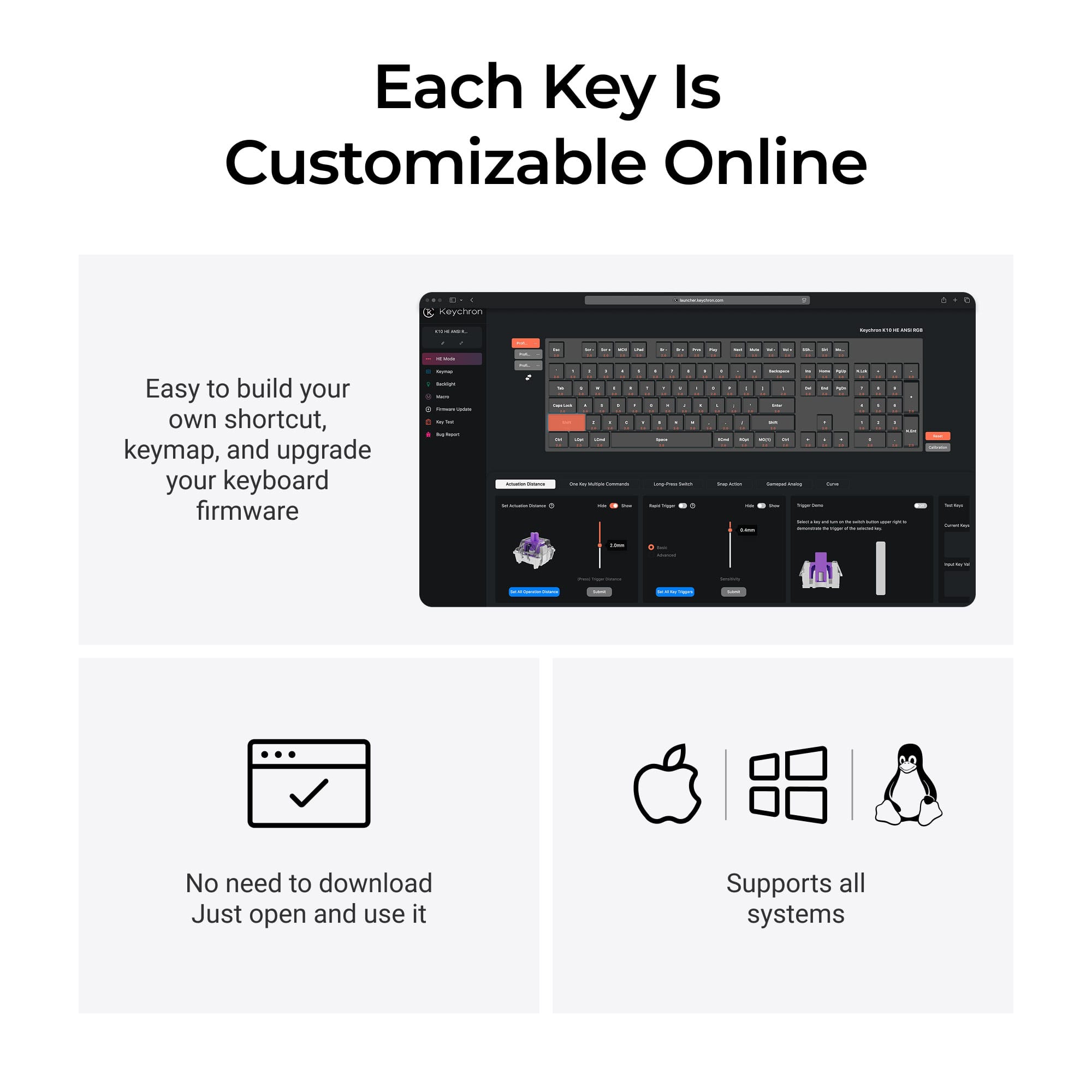
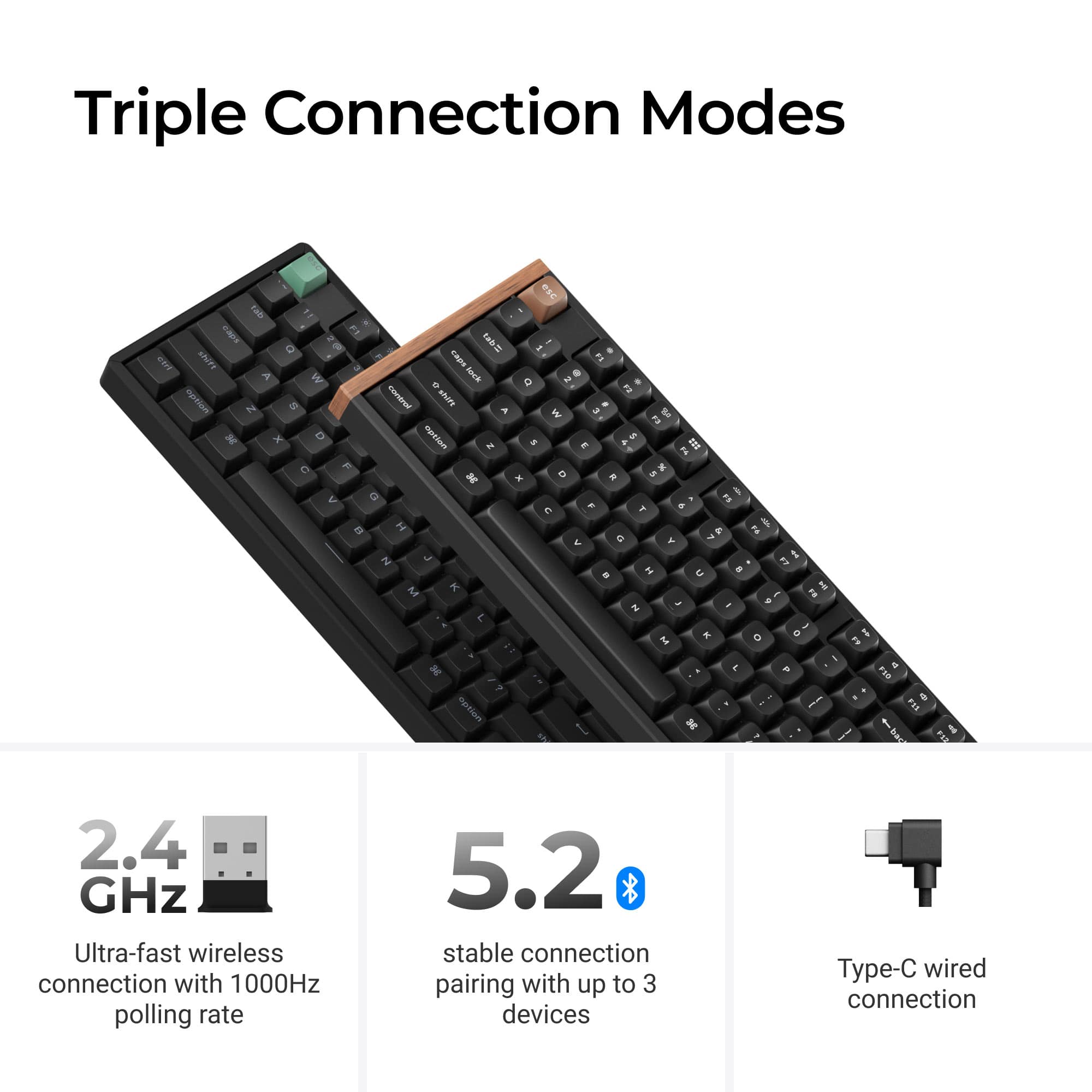
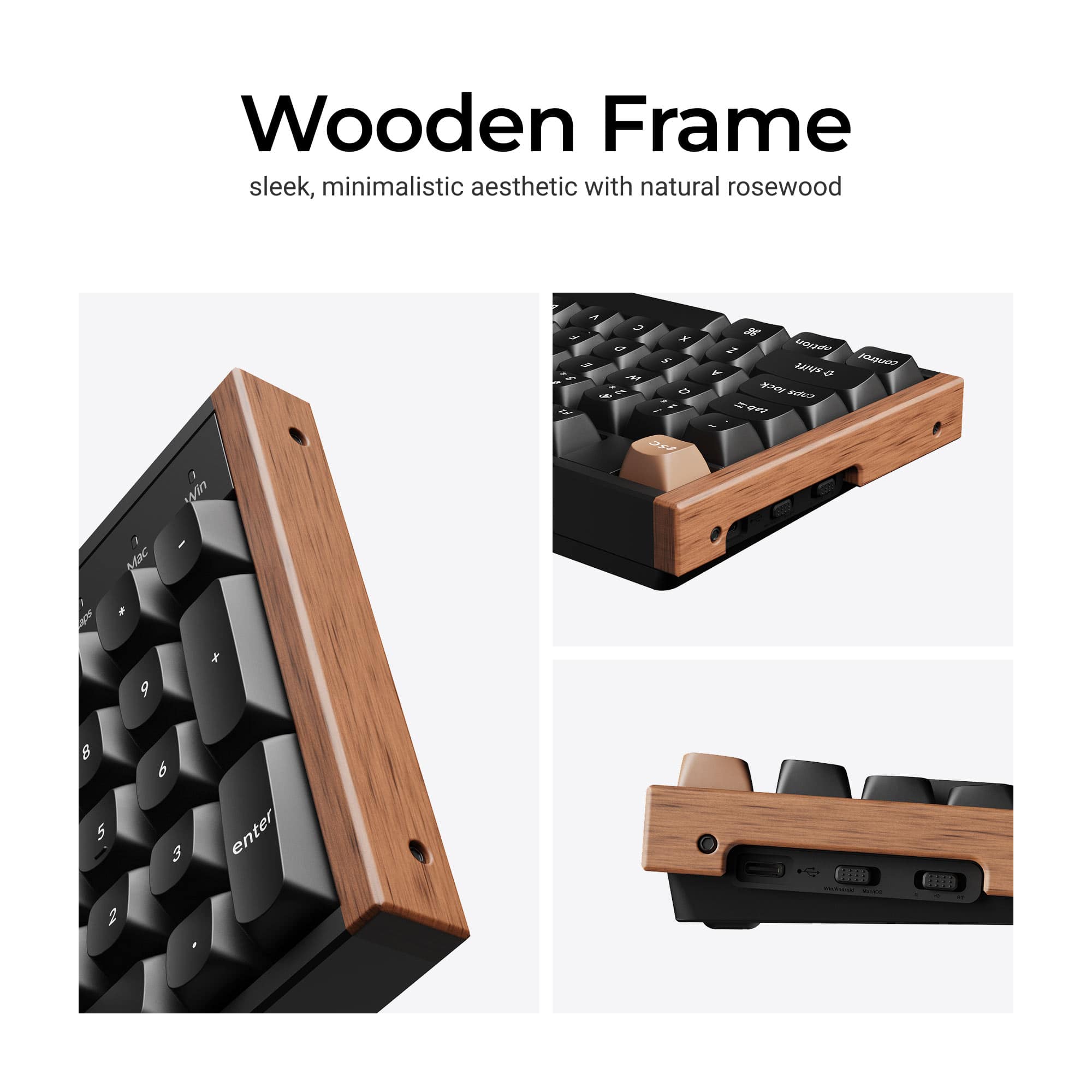
|Posted .This reviewer received promo considerations or sweepstakes entry for writing a review.TLDR: Gaming keyboard with rosewood end panels, it connects via Bluetooth, wired and 2.4Ghz WiFi, pick one. Illuminated keycaps with multi colors or solid single color with 25 pre-programmed patterns to choose. Solid key stroke response, changeable switches and very solid performance. Full sized with numeric keys also. The K10 works with Windows, Linux and Apple systems. The keyboard has 2 dedicated LEDS to indicate when an OS is chosen. The top function keys are toggled, using a dedicated FN function key, to also control audio volume, keyboard illumination, media controls, and other choices. For example, with the Fn function control switch the speaker volume, media playback, illumination and your microphone, among other functions, can all be controlled with keyboard strokes. I used it with Windows 11. Some uses of the top row keys: Keys 1 & 2 on the top row facilitate the Bluetooth, keys 3 & 4 the WiFi, F7, F8 & F9 are media FastFwd, Rewind and Pause/Play, F10 & F11 are volume up & down. There is a dedicated microphone toggle key. Users can utilize a KeyChron Launcher Web Configurator by visiting a website. This is a web based utility to adjust settings such as key colors, choosing pre programmed lighting sequences, customize keys, create macros to streamline repetitive keystrokes, and other functionality and modalities. With this app a user can customize the keyboard in endless ways. There are 25 pre-programmed color effects, all of which can be customized in the Keychron Launcher website that recognizes your keyboard and allows you to change rhythms, colors, effects, macros, the HE switches, everything. I chose to settle on solid colors instead of the various effects and patterns for now but who knows, that may change later. The configurator application requires no downloading, just visit a website to run using a web browser and it instantly lets you customize to any whim as it instantly recognizes your keyboard. Very impressive. This web based configurator needs Chrome or a Chrome based browser to work so don't try it with Firefox. No need to find and download anything! The left edge of the keyboard has 2 slide switches: They allow to toggle between Wired, Bluetooth or WiFi connections, and for use with either Mac OS/ios or Windows/Android. The device is solid and very stable in use both for gaming, typing, or web browsing. I wrote this review using the K10 and the keyboard is very comfortable and fits my fingers very well. It has heft so will not slide around while in use which is an issue with small bluetooth lightweight keyboards I have used previously. I used the wired connection but also tried the Bluetooth and the WiFi 2.4 Ghz connections and they work fine. BTW, the USB-C has an efficient 90 degree right angle connector. The device arrives with a WiFi dongle with an extension wire to insure a very strong WiFi connection to your router. The KB uses a 4000 mAh rechargeable li-polymer battery with a rated charge life of 240 hours in use with no keyboard illumination, per the KeyChron website specs.. It charges via the USB-C cable. Some fast computation tells me that is 48 days if used 5 hours per day. I use it for personal use at home so it should last 2 months dark and 1 month fully illuminated month on a charge in my estimation when used wirelessly. The K10 arrives with a key puller since some of the keys need to be changed per your preferred operations system if you use a Apple Mac, a Windows Computer, or an Android or Linux device. It is an easy task to swap out keys and to choose your OS by the web based KeyChron Launcher as described above. In gaming use I had no issues whatsoever. Play was never lagged due to any keyboard issues. The keystroke action is precise and instant, with solid feel at all times to enable fast response and advances when needed. No one should fear not being able to meet any gaming insurgency, attack, or situation when using this keyboard. The nicely finished rosewood end caps add a stylish uniqueness to this keyboard that most gaming keyboards lack. I like it both in aesthetics and in use. Yes, highly recommended to everyone.
I would recommend this to a friend Top notch keyboard
||Posted . Owned for 3 weeks when reviewed.This reviewer received promo considerations or sweepstakes entry for writing a review.I've used razer keyboards all my life but couldn't stand the loud green switches. This has all the gaming features my old keyboard did minus the multimedia knobs and dedicated macro buttons. The actuation feels great and has a nice thocky sound to it. Using their website to flash the firmware to the board itself is extremely impressive, no need for more background applications. Highly recommend you give this a try.
I would recommend this to a friendSuper clean and smooth!
|Posted . Owned for 2 weeks when reviewed.This reviewer received promo considerations or sweepstakes entry for writing a review.I love the key tap, the backlight, the size, its customizability. Overall 10/10 keyboard
I would recommend this to a friend- Pros mentioned:Typing experience
Keyboard
||Posted . Owned for 1 month when reviewed.This reviewer received promo considerations or sweepstakes entry for writing a review.Keyboard is nice and smooth typing. Very easy to use.
I would recommend this to a friend Really good Keyboard
||Posted . Owned for 2 weeks when reviewed.This reviewer received promo considerations or sweepstakes entry for writing a review.One of the best keyboards I’ve used in my life. I recommended it to all my friends
I would recommend this to a friendAmazing keyboard
||Posted .This reviewer received promo considerations or sweepstakes entry for writing a review.Really great keyboard. Recommend this keyboard to anyone that has a lot of typing at work
I would recommend this to a friendHighly recommend
||Posted . Owned for 2 weeks when reviewed.This reviewer received promo considerations or sweepstakes entry for writing a review.Absolutely fantastic keyboard. Connected easily, and the wooden highlights are a huge plus.
I would recommend this to a friend