Customer Ratings & Reviews
- Model:
- PCMOVER PRO V11 - 1U
- |
- SKU:
- 6293324
Customer reviews
Rating 4 out of 5 stars with 79 reviews
(79 customer reviews)Rating by feature
- Value4.4
Rating 4.4 out of 5 stars
- Quality4.4
Rating 4.4 out of 5 stars
- Ease of Use4.3
Rating 4.3 out of 5 stars
Customers are saying
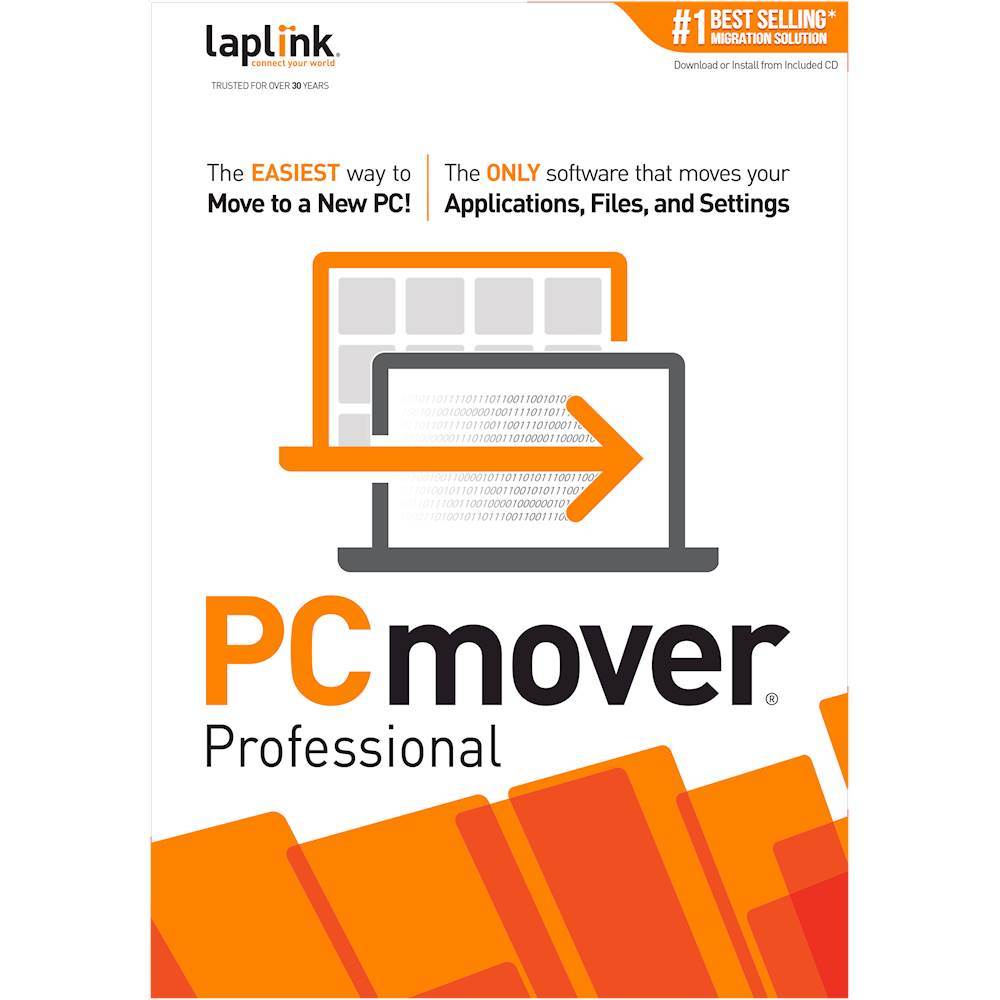
Customers are pleased with PCmover Professional 11, especially its data transfer capabilities and ease of use. Users highlight the successful transfer of data to new computers and appreciate the product's user-friendliness. The overall performance is also considered great in suitable situations. With no cons listed, users seem to have a generally positive experience.
This summary was generated by AI based on customer reviews.
Rated 4 out of 5 stars
Webmaster
||Posted . Owned for 3 weeks when reviewed.This reviewer received promo considerations or sweepstakes entry for writing a review.The program worked beautifully. I had a lot on my old PC - so much it took almost 14 hours to transfer, but transfer it did and I am very satisfied.
I would recommend this to a friend- Pros mentioned:Data transfer, Speed
Rated 5 out of 5 stars
Happy with Purchase of Laplink PCmover 11
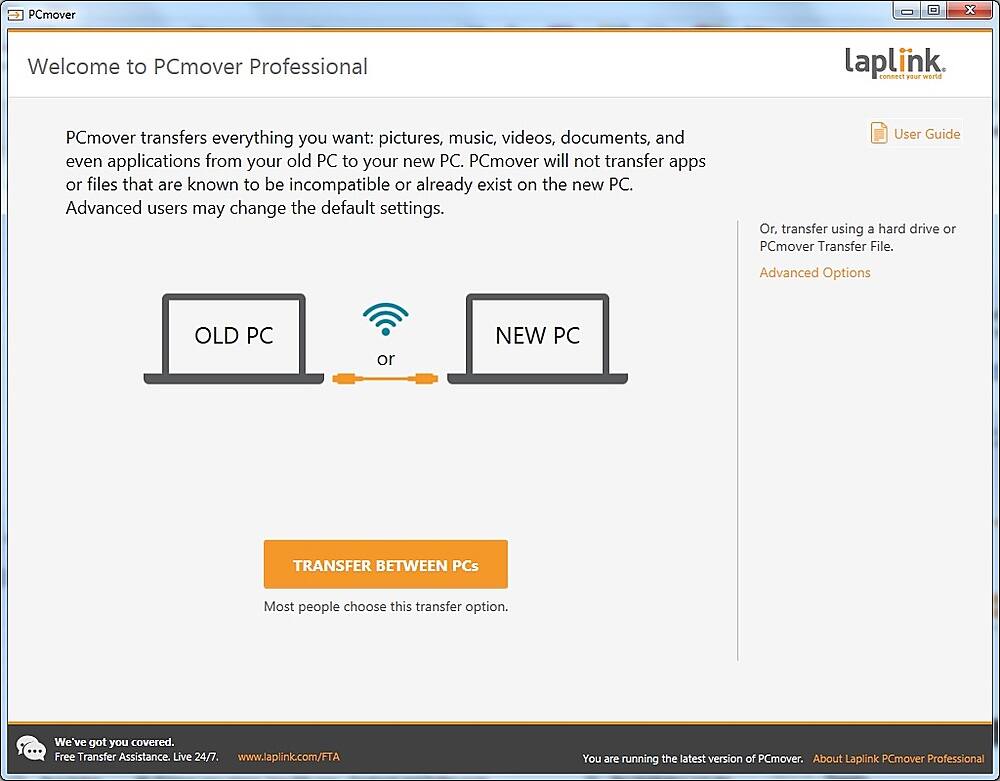
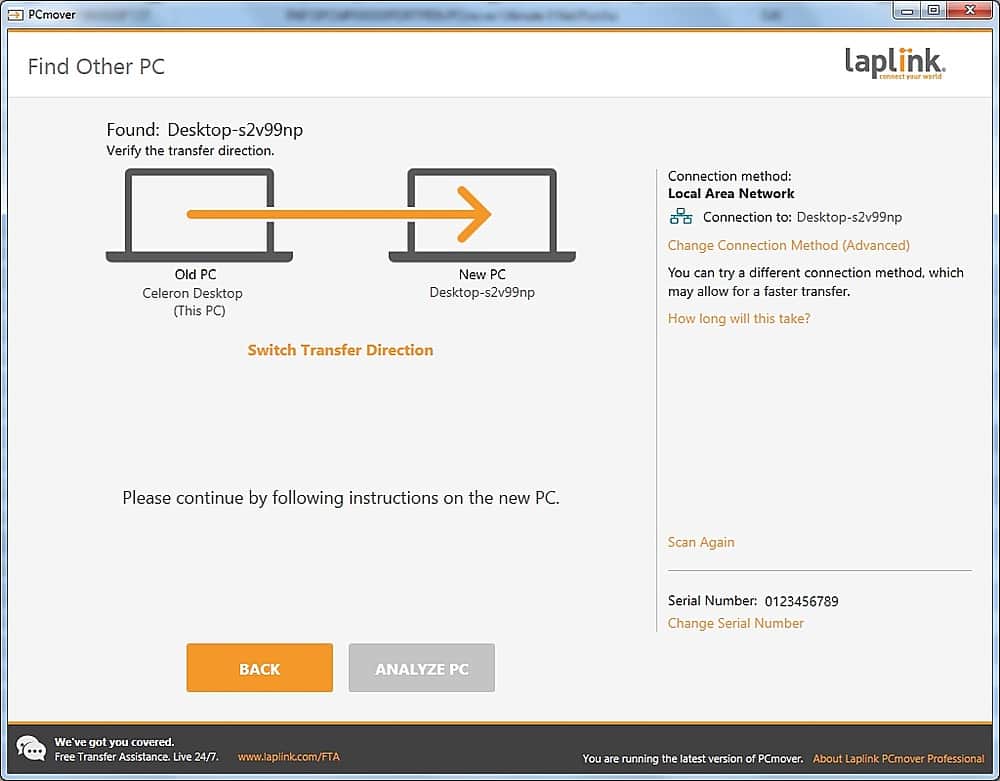
||Posted .This reviewer received promo considerations or sweepstakes entry for writing a review.Laplink PCmover Professional 11 worked like a charm. I've never had an easier time transferring data to a new PC. I had to purchase a Crossover Cable to help make transfer faster with direct connect.
I would recommend this to a friend - Pros mentioned:Overall performance
Rated 4 out of 5 stars
Have in place all users
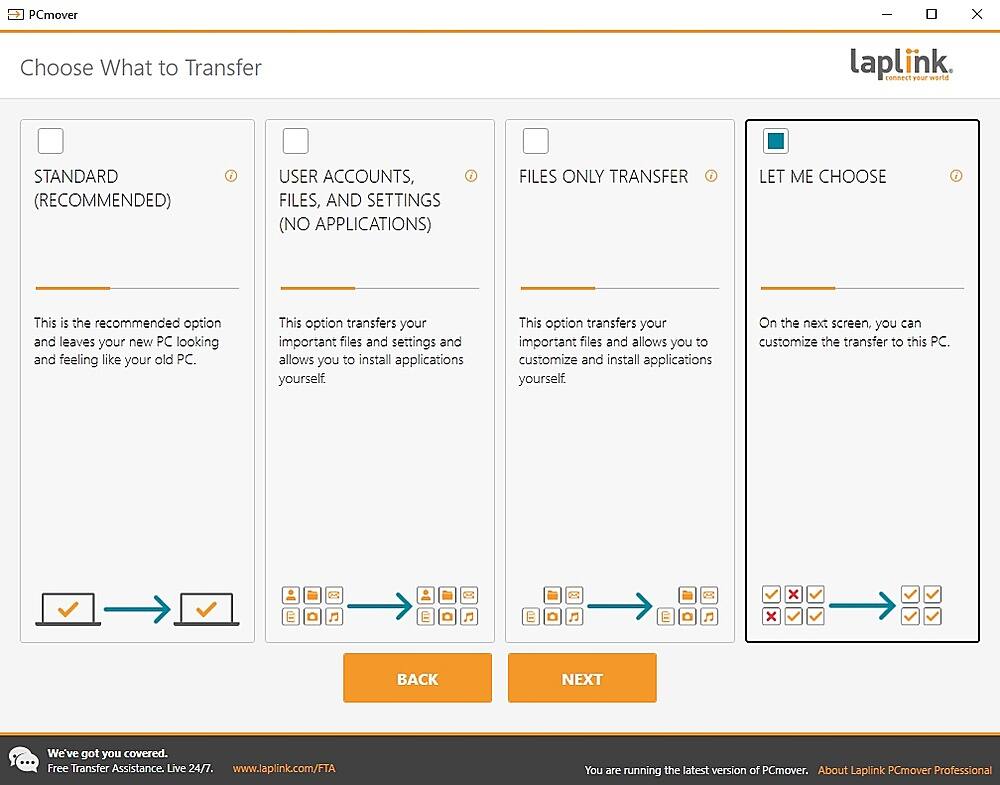
||Posted .This reviewer received promo considerations or sweepstakes entry for writing a review.Works good at getting all the programs and data moved from one computer to another. Just be sure you have in place on the new computer all the users that are on the old computer before you run the transfer.
I would recommend this to a friend - Pros mentioned:Overall performance
Rated 4 out of 5 stars
Worked well
||Posted .This reviewer received promo considerations or sweepstakes entry for writing a review.Worked well in general. Some software a couple of software programs had to be reinstalled which was no big deal. Saved a lot of time and with more security.
I would recommend this to a friend - Pros mentioned:Data transfer
Rated 5 out of 5 stars
Excellent System Transfer from Old PC to New PC
||Posted . Owned for less than 1 week when reviewed.This reviewer received promo considerations or sweepstakes entry for writing a review.I am a volunteer for a local non-profit. Our old PC was showing signs of a death so I purchased a new Dell computer based on recommendations by Consumer Reports. I am very pleased with the computer, and I ordered along with it Dell's migration software. I was told that it would duplicate the old computer's files to the new Dell. When I received the new computer, set about loading the migration software on both the old and the new computers. I ran the program on both computers. After 90 minutes, the migration was done. Unfortunately the migration was very incomplete. Only my user account was transferred; the other two, not. NONE of the applications transferred. After reviewing my work, I contacted Dell and was told that the software did exactly what it was supposed to do. I asked for my money back, but Dell refused. (In all of this, I will say that Dell's customer support is TERRIBLE. Very hard to talk with a real, live person) I started to look for others options. I did not want to try to transfer software which was old. I lacked any purchase information. I would have to download the software, and then I would have to try to it work! Windows is so complicated in this area when compared to MacOS. I found the PCMover program and have used Laplink software successfully in the past. I ordered it and downloaded. The installation was quick. I opened its manual which was quite complete. Using it, I started the transfer from the old to new computer. This required over five hours which expected based on the Dell software. After the transfer, I started using the new computer and found that ALL items transferred correctly. The only areas where I had to intervene was deactivating the antivirus software on the old computer so I could activate on the new and do the same for the backup software. After a week of using the new computer, the only problem I have is a startup error claiming a missing driver. I learned that this common with Windows 11. This does not cause any problems.
I would recommend this to a friend - Pros mentioned:Overall performance
Rated 3 out of 5 stars
Big hassle to get started
||Posted . Owned for 1 month when reviewed.This reviewer received promo considerations or sweepstakes entry for writing a review.The three stars are for the overall experience. The software itself, once installed and functioning properly, was 4+ stars. I ordered this software through Best Buy because it was $10 cheaper than anywhere else. Within two hours of ordering I was sent a link by Best Buy, and that's where the fun began. The link didn't work, necessitating an online chat with Best Buy support. That went nowhere, so a call was required. The agent was able to get me a second link, direct from the manufacturer, and that link worked and I installed the software. Ran the software, and it kept getting hung up at the exact same spot on three attempts. Called LapLink support and spent an hour on the phone with the rep, who was unable to solve the problem and sent it to the "escalation team". I was told they would respond in 24 hours...they didn't. Received a cryptic e-mail from their support about how they were unable to duplicate the problem 48 hours later. Called LapLink support again and the agent told me they discovered a bug that was causing the exact same problem I was having and had me uninstall/reinstall. After that I was able to run the application and do a full data transfer. The entire process took five days from the date of order. I could have transferred the data manually in that time.
I would recommend this to a friend - Pros mentioned:Overall performance
Rated 4 out of 5 stars
A medium, good for price, utility.
||Posted . Owned for 3 weeks when reviewed.This reviewer received promo considerations or sweepstakes entry for writing a review.I wrestled with a review on this software. In the right situations, it's great, but for my use it largely failed. I was trying to help a coworker move to a new computer - and she uses a software that we can not find install media for. It's been a pain to try to move it to the new computer. So, for a couple of bucks, I thought we'd give this a try. It grabbed 90% of the computer and transitioned it to the new machine, but it missed that needed piece of software. So, if you're only using for ease and you can find install media, I'd say this is worth a try. If you have a problem program that you absolutely must move to a new pc, I will wish you luck, but it might not work.
I would recommend this to a friend - Pros mentioned:Data transfer, Ease of use
Rated 4 out of 5 stars
PC mover really moved
||Posted . Owned for 3 weeks when reviewed.This reviewer received promo considerations or sweepstakes entry for writing a review.The process was seamless. I let it run overnight when the estimated time kept increasing. It took seven hours but transferred all of my programs and data. I had to manually move explorer favorite places but the passwords did not transfer. altogether efficient.
I would recommend this to a friend - Pros mentioned:Ease of use
Rated 5 out of 5 stars
Slow transfer rate, but works like it should
||Posted . Owned for 1 week when reviewed.This reviewer received promo considerations or sweepstakes entry for writing a review.Wow this really works good. However you must be prepaired to leave it running overnight if you do it wirelesly. I thought something was wrong so i call there tech support at 3am at night and they answered the phone right away i had a tech, much to my surprise. I was informed that that was normal because wirels has a problem with the large files being moved by laplink. the good news is if you know ahead of time you can buy there special USB cable from Amazon for $36 buck ou use a eathernet cable between the 2 computers. unfortuntly my 2 laptops only had wireless. all in all it took over night and work like it should.
I would recommend this to a friend - Pros mentioned:Data transfer, Overall performance
Rated 5 out of 5 stars
PC Mover works
||Posted .This reviewer received promo considerations or sweepstakes entry for writing a review.Gets the job done every time. Just let machines see each other on your network. Wired is faster. Worked like a chart.
I would recommend this to a friend - Pros mentioned:Data transfer
Rated 5 out of 5 stars
PCmover Pro is great for Win 10 - to - 11 transfer
||Posted .This reviewer received promo considerations or sweepstakes entry for writing a review.PC mover Professional did a fantastic job of transferring and installing all but 2 applications of the vast collection of software on my old Windows 10, system. Everything worked on Windows 11, and it didn't step on any essential system files on the newer Win 11 pro system.
I would recommend this to a friend - Pros mentioned:Overall performance
Rated 2 out of 5 stars
Download Link Didn't Work
||Posted . Owned for 3 weeks when reviewed.This reviewer received promo considerations or sweepstakes entry for writing a review.Download link didn't work. Spent about 20 minutes waiting for customer service rep. They were supposed to get back to me and never did. Finally got the manufacturer to let me download the program. Activation code did work and the software worked fine. Just to much hassle getting to that point.
I would recommend this to a friend - Pros mentioned:Overall performance
Rated 5 out of 5 stars
Easy to Use
||Posted .This reviewer received promo considerations or sweepstakes entry for writing a review.This is my 2nd time using PCMover. It works seamlessly. Only Microsoft's Office suite caused a hiccop, but otherwise, it was easy.
I would recommend this to a friend - Pros mentioned:Data transfer, Ease of use
Rated 5 out of 5 stars
The Best
||Posted . Owned for 2 weeks when reviewed.This reviewer received promo considerations or sweepstakes entry for writing a review.This program did everything is said it would do. It transferred all my programs and files to my new laptop. It was the best and easiest way to do this on my own without paying a professional. great program would use it again for sure! Ron
I would recommend this to a friend - Pros mentioned:Ease of use
Rated 5 out of 5 stars
Best software for transferring files and programs
||Posted . Owned for 1 month when reviewed.This reviewer received promo considerations or sweepstakes entry for writing a review.I work in IT and setting up a new Desktop or Laptop has always been a major pain, especially when it comes to so many apps and settings. This software made it so easy. I usually balked at the cost, but the time saved was definitely a great ROI. I had issue with only one very obscure program that wasn't compatible with Windows 11. I installed a newer version of the software and it started right up with all the settings and files that had transferred from the old version. Awesome product!
I would recommend this to a friend - Pros mentioned:Overall performance
Rated 5 out of 5 stars
Migration Software
||Posted .This reviewer received promo considerations or sweepstakes entry for writing a review.Always our go to application for moving from any windows operating system to a new computer! Works great everytime!
I would recommend this to a friend - Pros mentioned:Ease of use
Rated 5 out of 5 stars
Super product
||Posted . Owned for 2 months when reviewed.This reviewer received promo considerations or sweepstakes entry for writing a review.I have used PC Mover three times in the last 6 years and find it quite time-saving over the option of doing all the files and installs manually. The best thing is not losing default settings and cookies. The last time I used it there were some glitches with transferring email accounts but Microsoft was able to untangle it. I found only 2 programs that had to be re-installed and they were easy to download and when done all the saved data had transferred and was waiting for me!
I would recommend this to a friend - Pros mentioned:Overall performance
Rated 5 out of 5 stars
Review of PCmover
||Posted .This reviewer received promo considerations or sweepstakes entry for writing a review.It did a really good job moving info to my new laptop, saved tons of work
I would recommend this to a friend Rated 5 out of 5 stars
Makes a difficult job much easier
||Posted . Owned for 1 month when reviewed.This reviewer received promo considerations or sweepstakes entry for writing a review.I have used this software a number of times. It seems to do a very good job of moving programs so one does not have to reinstall them. Have patience though it can take a long time.
I would recommend this to a friend- Pros mentioned:Ease of use
Rated 5 out of 5 stars
Easy as pie
||Posted .This reviewer received promo considerations or sweepstakes entry for writing a review.Very esy to use and so very conveinent to transfer to my new PC
I would recommend this to a friend