Black Friday in JulyEnds Sunday. Limited quantities. No rainchecks.Shop now

Skip to contentGo to Product Search
Main Content

Laplink - PCmover Professional 11 (1-Use) - Windows [Digital]

Model: PCMOVER PRO V11 - 1U
SKU: 6293324
Sold byBest Buy

Customers are saying

Customers are pleased with PCmover Professional 11, especially its data transfer capabilities and ease of use. Users highlight the successful transfer of data to new computers and appreciate the product's user-friendliness. The overall performance is also considered great in suitable situations. With no cons listed, users seem to have a generally positive experience.

Generated by AI based on customer reviews.
Features
  • Easy-to-use

    Install PCmover on both of your computers and follow the simple wizard to transfer everything you select to your new PC.

  • Set it and forget it

    You start the transfer and walk away. PCmover does the rest!

  • PCs Auto Connect

    Discovers and connects PCs using the fastest method detected.

  • Optimized for faster transfer

    Provides maximum performance and time savings. You will quickly be using your new PC with everything ready to go.

  • Complete selectivity

    Automatically transfers all selected applications, files, folders, settings, and user profiles to your new PC.

  • Free transfer assistance

    Simply set up the transfer to your new PC with the help of a certified PC migration expert, over the phone or remotely. Free, 24 hours a day, 7 days a week.

  • “Undo” feature

    Quickly reverse changes made to your new PC if you change your mind or want to re-do the transfer with different selections.

  • Microsoft’s recommended migration solution

    Made for your convenience.

See all features
Specifications
  • Number of Users
    1
    Number of Licenses
    1
    Operating System Compatibility
    Windows
    Software Format
    Digital
Sponsored

Reviews

Customers are sayingCustomers are pleased with PCmover Professional 11, especially its data transfer capabilities and ease of use. Users highlight the successful transfer of data to new computers and appreciate the product's user-friendliness. The overall performance is also considered great in suitable situations. With no cons listed, users seem to have a generally positive experience.
This summary was generated by AI based on customer reviews.
  • Data Transfer (18)
  • Ease of use (17)
  • Overall Performance (10)
  • Speed (3)

Customer Images

The vast majority of our reviews come from verified purchases. Reviews from customers may include My Best Buy members, employees, and Tech Insider Network members (as tagged). Select reviewers may receive discounted products, promotional considerations or entries into drawings for honest, helpful reviews.

  • Rated 4 out of 5 stars

    Webmaster

    The program worked beautifully. I had a lot on my old PC - so much it took almost 14 hours to transfer, but transfer it did and I am very satisfied.

    Posted by Torrey

  • Rated 5 out of 5 stars

    Happy with Purchase of Laplink PCmover 11

    Laplink PCmover Professional 11 worked like a charm. I've never had an easier time transferring data to a new PC. I had to purchase a Crossover Cable to help make transfer faster with direct connect.

    Posted by ColleenC

  • Rated 4 out of 5 stars

    Have in place all users

    Works good at getting all the programs and data moved from one computer to another. Just be sure you have in place on the new computer all the users that are on the old computer before you run the transfer.

    Posted by Pilotwill

  • Rated 5 out of 5 stars

    Excellent System Transfer from Old PC to New PC

    I am a volunteer for a local non-profit. Our old PC was showing signs of a death so I purchased a new Dell computer based on recommendations by Consumer Reports. I am very pleased with the computer, and I ordered along with it Dell's migration software. I was told that it would duplicate the old computer's files to the new Dell. When I received the new computer, set about loading the migration software on both the old and the new computers. I ran the program on both computers. After 90 minutes, the migration was done. Unfortunately the migration was very incomplete. Only my user account was transferred; the other two, not. NONE of the applications transferred. After reviewing my work, I contacted Dell and was told that the software did exactly what it was supposed to do. I asked for my money back, but Dell refused. (In all of this, I will say that Dell's customer support is TERRIBLE. Very hard to talk with a real, live person) I started to look for others options. I did not want to try to transfer software which was old. I lacked any purchase information. I would have to download the software, and then I would have to try to it work! Windows is so complicated in this area when compared to MacOS. I found the PCMover program and have used Laplink software successfully in the past. I ordered it and downloaded. The installation was quick. I opened its manual which was quite complete. Using it, I started the transfer from the old to new computer. This required over five hours which expected based on the Dell software. After the transfer, I started using the new computer and found that ALL items transferred correctly. The only areas where I had to intervene was deactivating the antivirus software on the old computer so I could activate on the new and do the same for the backup software. After a week of using the new computer, the only problem I have is a startup error claiming a missing driver. I learned that this common with Windows 11. This does not cause any problems.

    Posted by kfriii

  • Rated 4 out of 5 stars

    Worked well

    Worked well in general. Some software a couple of software programs had to be reinstalled which was no big deal. Saved a lot of time and with more security.

    Posted by RobertS

Compare similar products

Laplink - PCmover Professional 11 (1-Use) - Windows [Digital]
4.0(79)

Migrate to a new computer effortlessly with Laplink PCmover Professional for Windows. Its automatic transfer function eliminates the need to manually reinstall programs, copy files and assign computer settings, saving you time and keeping you productive. Laplink PCmover Professional has Wi-Fi and USB 3.0 to support both older and newer PCs and laptops. This item cannot be returned or refunded, please visit to learn more.

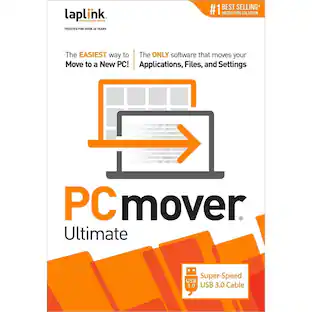
Laplink - PCmover Ultimate with USB 3.0 (1 Use) - Windows
5.0(2)

To use PCmover, simply install it on both your old and new Windows computers, and follow the easy-to-use wizard. When the transfer is complete, your new PC will have the personality and functionality of your old one. Because most transferred applications are installed ready-to-use on the new PC, there's usually no need to find old CDs or previously downloaded applications, serial numbers, or license codes. A single purchase of PCmover provides one license to migrate from one source to one destination computer - with as many attempts needed. Additional computers will require an additional license(s). INCLUDES Ultra-High-Speed USB 3.0 transfer cable.

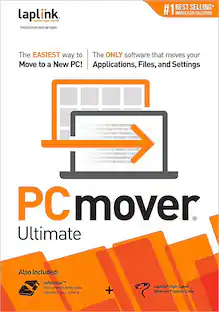
Laplink - PCmover Ultimate - Windows

To use PCmover, simply install it on both your old and new Windows computers, and follow the easy-to-use wizard. When the transfer is complete, your new PC will have the personality and functionality of your old one. Because most transferred applications are installed ready-to-use on the new PC, there's usually no need to find old CDs or previously downloaded applications, serial numbers, or license codes. A single purchase of PCmover provides one license to migrate from one source to one destination computer - with as many attempts needed. Additional computers will require an additional license(s).

In-Home Data Transfer or Backup: Up to 100GB

Save yourself time and have the job done right. A skilled Agent will visit your home and transfer or backup up to 100GB of data from 1 computer to a network-attached storage (NAS), hard drive or other storage medium.

Pros for Laplink - PCmover Professional 11 (1-Use) - Windows [Digital]
Data Transfer, Ease of use, Overall Performance, SpeedThere were no pros for this productEase of use, Data Transfer, Overall Performance, Speed, PriceData Transfer, Overall Performance, Ease of use, Setup, Service
Cons for Laplink - PCmover Professional 11 (1-Use) - Windows [Digital]
There were no cons for this productThere were no cons for this productCompatibility, Instructions, EthernetThere were no cons for this product

Specs

Questions & Answers
  • What is a key advantage of using Laplink PCmover for data transfer?

    Laplink PCmover is optimized for faster transfer speeds, minimizing downtime and allowing you to quickly get started with your new PC.

    This question and answer was generated by AI based on customer and product data.
  • Can Laplink PCmover recover data from a computer that won't turn on?

    Yes, Laplink PCmover can recover data from a computer that won't turn on, ensuring you don't lose important files and information.

    This question and answer was generated by AI based on customer and product data.
  • Does the Laplink PCmover software come with any support?

    Yes, the software includes free transfer assistance from certified PC migration experts, available 24/7 via phone or remotely.

    This question and answer was generated by AI based on customer and product data.
  • What is the benefit of the 'Undo' feature in Laplink PCmover?

    The 'Undo' feature allows you to reverse any changes made to your new PC during the transfer process, providing flexibility and control over your migration.

    This question and answer was generated by AI based on customer and product data.
  • What operating systems are compatible with this software?

    This software is compatible with the Windows operating system.

    This question and answer was generated by AI based on customer and product data.
Ask a question
No content
Sponsored

Similar products from outside of Best Buy

sponsored
Ask BlueAI

Finance Options

My Best Buy® Credit Card
Buy Now, Pay Later

Finance Options

My Best Buy® Credit Card
Buy Now, Pay Later