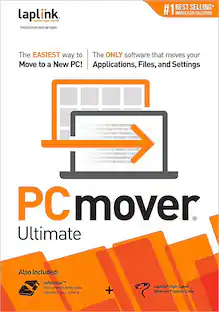
Laplink - PCmover Ultimate with USB 3.0 (1 Use) - Windows
About this product
To use PCmover, simply install it on both your old and new Windows computers, and follow the easy-to-use wizard. When the transfer is complete, your new PC will have the personality and functionality of your old one. Because most transferred applications are installed ready-to-use on the new PC, there's usually no need to find old CDs or previously downloaded applications, serial numbers, or license codes. A single purchase of PCmover provides one license to migrate from one source to one destination computer - with as many attempts needed. Additional computers will require an additional license(s). INCLUDES Ultra-High-Speed USB 3.0 transfer cable.
Easy to use
Install PCmover on both of your computers and follow the simple wizard to transfer everything you select to your new PC.
Set it and forget it
You start the transfer and walk away. PCmover does the rest.
PCs auto connect
Discovers and connects PCs using the fastest method detected.
Optimized for fast transfer
Provides maximum performance and time savings. You will quickly be using your new PC with everything ready to go.
Complete selectivity
Automatically transfers all selected applications, files, folders, settings, and user profiles to your new PC.
Free transfer assistance
Simply set up the transfer to your new PC with the help of a certified PC migration expert, over the phone or remotely. Free, 24 hours a day, seven days a week.
"Undo" feature
Quickly reverse changes made to your new PC if you change your mind or want to redo the transfer with different selections.
- Operating System CompatibilityWindowsSoftware FormatPhysical
Reviews
Rating 5 out of 5 stars with 2 reviews
The vast majority of our reviews come from verified purchases. Reviews from customers may include My Best Buy members, employees, and Tech Insider Network members (as tagged). Select reviewers may receive discounted products, promotional considerations or entries into drawings for honest, helpful reviews.

Compare similar products

To use PCmover, simply install it on both your old and new Windows computers, and follow the easy-to-use wizard. When the transfer is complete, your new PC will have the personality and functionality of your old one. Because most transferred applications are installed ready-to-use on the new PC, there's usually no need to find old CDs or previously downloaded applications, serial numbers, or license codes. A single purchase of PCmover provides one license to migrate from one source to one destination computer - with as many attempts needed. Additional computers will require an additional license(s). INCLUDES Ultra-High-Speed USB 3.0 transfer cable.

To use PCmover, simply install it on both your old and new Windows computers, and follow the easy-to-use wizard. When the transfer is complete, your new PC will have the personality and functionality of your old one. Because most transferred applications are installed ready-to-use on the new PC, there's usually no need to find old CDs or previously downloaded applications, serial numbers, or license codes. A single purchase of PCmover provides one license to migrate from one source to one destination computer - with as many attempts needed. Additional computers will require an additional license(s).
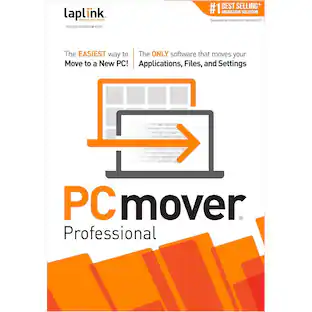
![Laplink - PCmover Professional 11 (1-Use) - Windows [Digital]](https://pisces.bbystatic.com/image2/BestBuy_US/images/products/6293/6293324_sd.jpg;maxHeight=422;maxWidth=264?format=webp)
Migrate to a new computer effortlessly with Laplink PCmover Professional for Windows. Its automatic transfer function eliminates the need to manually reinstall programs, copy files and assign computer settings, saving you time and keeping you productive. Laplink PCmover Professional has Wi-Fi and USB 3.0 to support both older and newer PCs and laptops. This item cannot be returned or refunded, please visit to learn more.

Save yourself time and have the job done right. A skilled Agent will visit your home and transfer or backup up to 100GB of data from 1 computer to a network-attached storage (NAS), hard drive or other storage medium.
| Pros for Laplink - PCmover Ultimate with USB 3.0 (1 Use) - Windows | |||
|---|---|---|---|
| There were no pros for this product— | Ease of use, Data Transfer, Overall Performance, Speed, Price | Data Transfer, Ease of use, Overall Performance, Speed | Data Transfer, Overall Performance, Ease of use, Setup, Service |
| Cons for Laplink - PCmover Ultimate with USB 3.0 (1 Use) - Windows | |||
| There were no cons for this product— | Compatibility, Instructions, Ethernet | There were no cons for this product— | There were no cons for this product— |
Specs
Customers often buy these together
 $239.99The price was $252.60
 $119.89The price was $219.89