Laplink - PCmover Professional 10 - 1 Use - Windows [Digital]
Reviews coming soon
About this product
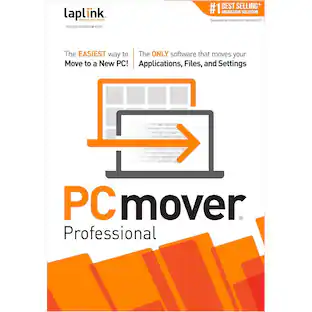
PCmover Professional is the ONLY software that automatically moves or restores all selected files, settings, user profiles, and even programs from an old PC to a new one, or old operating system to a new one. And because most transferred applications are installed ready-to-use on the new PC, there's usually no need to find old CDs, previously downloaded programs, serial numbers or license codes.* PCmover Professional is the easiest way to restore or move to a new PC without leaving anything behind, even when there are different versions of Windows on the old and new PC. Nothing is changed on the old PC and nothing is overwritten on the new PC. *Applications may require re-entry of a license code or re-activating on the new PC. Certain system settings and applications may not be transferred due to their incompatibility with the operating system on the new PC.
Features
Install PCmover on both of your computers and follow the simple setup to start transferring everything you select to your new PC or upgraded operating system.
Quickly set up your new PC with the help of a certified PC migration expert, over the phone or remotely. Free, 24 hours a day, 7 days a week.
Automatically transfer the programs, files, and settings you choose to your new PC. Programs are installed and ready to use right away.
You start the transfer and walk away. PCmover does the rest!
Specifications
- Operating System CompatibilityWindowsSoftware FormatDigital
Reviews
This product doesn't have any reviews yet.
Compare similar products
![Laplink - PCmover Professional 10 - 1 Use - Windows [Digital]](https://pisces.bbystatic.com/image2/BestBuy_US/images/products/5821/5821000_sa.jpg;maxHeight=422;maxWidth=264?format=webp)
PCmover Professional is the ONLY software that automatically moves or restores all selected files, settings, user profiles, and even programs from an old PC to a new one, or old operating system to a new one. And because most transferred applications are installed ready-to-use on the new PC, there's usually no need to find old CDs, previously downloaded programs, serial numbers or license codes.* PCmover Professional is the easiest way to restore or move to a new PC without leaving anything behind, even when there are different versions of Windows on the old and new PC. Nothing is changed on the old PC and nothing is overwritten on the new PC. *Applications may require re-entry of a license code or re-activating on the new PC. Certain system settings and applications may not be transferred due to their incompatibility with the operating system on the new PC.
![Laplink - PCmover Professional 10 - 2 Use - Windows [Digital]](https://pisces.bbystatic.com/image2/BestBuy_US/images/products/5821/5821100_sa.jpg;maxHeight=422;maxWidth=264?format=webp)
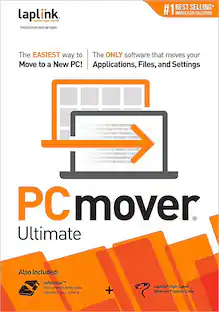
PCmover Professional is the ONLY software that automatically moves or restores all selected files, settings, user profiles, and even programs from an old PC to a new one, or old operating system to a new one. And because most transferred applications are installed ready-to-use on the new PC, there's usually no need to find old CDs, previously downloaded programs, serial numbers or license codes.* PCmover Professional is the easiest way to restore or move to a new PC without leaving anything behind, even when there are different versions of Windows on the old and new PC. Nothing is changed on the old PC and nothing is overwritten on the new PC. *Applications may require re-entry of a license code or re-activating on the new PC. Certain system settings and applications may not be transferred due to their incompatibility with the operating system on the new PC.
![Laplink - PCmover Professional 11 (1-Use) - Windows [Digital]](https://pisces.bbystatic.com/image2/BestBuy_US/images/products/6293/6293324_sd.jpg;maxHeight=422;maxWidth=264?format=webp)
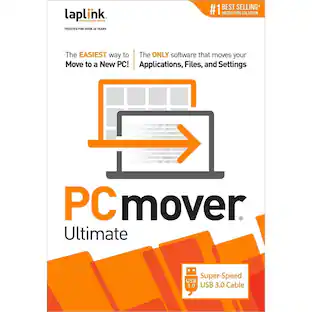
Migrate to a new computer effortlessly with Laplink PCmover Professional for Windows. Its automatic transfer function eliminates the need to manually reinstall programs, copy files and assign computer settings, saving you time and keeping you productive. Laplink PCmover Professional has Wi-Fi and USB 3.0 to support both older and newer PCs and laptops. This item cannot be returned or refunded, please visit to learn more.

To use PCmover, simply install it on both your old and new Windows computers, and follow the easy-to-use wizard. When the transfer is complete, your new PC will have the personality and functionality of your old one. Because most transferred applications are installed ready-to-use on the new PC, there's usually no need to find old CDs or previously downloaded applications, serial numbers, or license codes. A single purchase of PCmover provides one license to migrate from one source to one destination computer - with as many attempts needed. Additional computers will require an additional license(s).
| Pros for Laplink - PCmover Professional 10 - 1 Use - Windows [Digital] | |||
|---|---|---|---|
| There were no pros for this product— | There were no pros for this product— | Data Transfer, Ease of use, Overall Performance, Speed | Ease of use, Data Transfer, Overall Performance, Speed, Price |
| Cons for Laplink - PCmover Professional 10 - 1 Use - Windows [Digital] | |||
| There were no cons for this product— | There were no cons for this product— | There were no cons for this product— | Compatibility, Instructions, Ethernet |