Customer Ratings & Reviews











- Model:
- 83E1001YUS
- SKU:
- 6559604
Rating by feature
- Performance
Rating 4.6 out of 5 stars
- Storage Capacity
Rating 4.7 out of 5 stars
- Controller
Rating 4.5 out of 5 stars
Customers are saying
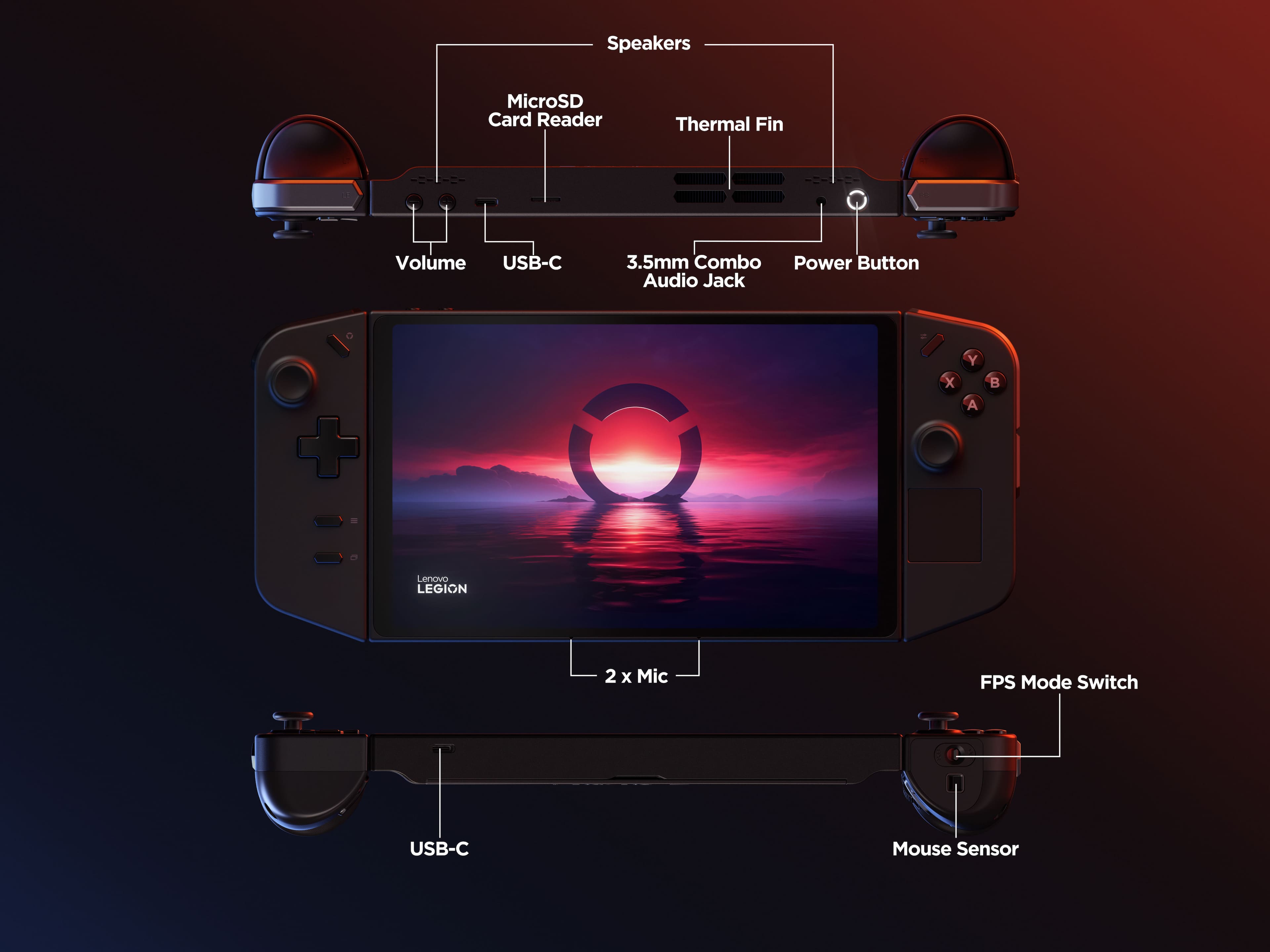
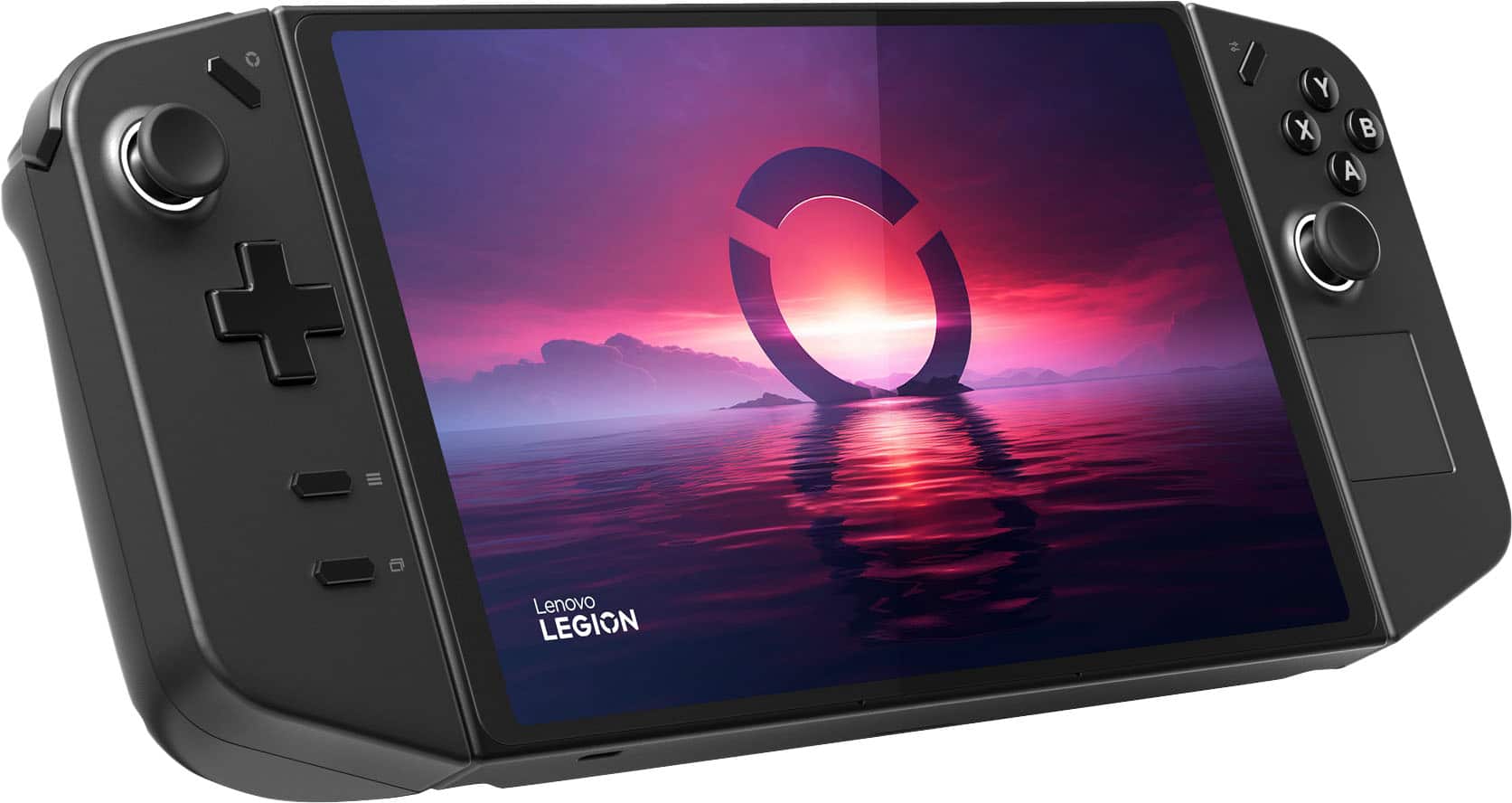
Customers love the Legion Go for its overall performance and beautiful screen quality. Many appreciate its portability and aesthetically pleasing controller design. However, some customers have expressed concerns about the battery life and weight. A few customers mentioned the device can get hot and the fan can be loud, and others feel the size is a little big.
This summary was generated by AI based on customer reviews.
- Pros mentioned:PortabilityCons mentioned:Battery life
Mobility is great
||Posted . Owned for 2 weeks when reviewed.This reviewer received promo considerations or sweepstakes entry for writing a review.Very convenient for a parent. Since it's so mobile, I can play while the little guy sleeps in my arms. Battery doesn't last too long if it's unplugged but I wasn't expecting much. Over all, great purchase.
I would recommend this to a friend - Pros mentioned:Screen quality
Good overall device with the right expectations
||Posted . Owned for less than 1 week when reviewed.This reviewer received promo considerations or sweepstakes entry for writing a review.Overall the Go has been great for me. compared to the ROG Ally the screen is amazing, and while it doesn't have VRR it has still been pretty good for me. Another huge difference compared to the Ally is the speakers. Frankly speaking the Ally speakers are light years ahead of the Go speakers, and they are upward firing instead of facing towards you. Especially early on the software always needs a lot of work, and there are many things that need worked on. So far Lenovo has done an alright job of updates to the Legion Space app so hopefully everything else follows.
I would recommend this to a friend - Cons mentioned:Size
5 star review legion go
||Posted .This reviewer received promo considerations or sweepstakes entry for writing a review.Impressive but too big for me personally i am more leaning on sum newer tech....
I would recommend this to a friendBrand response from Lenovo Product Expert
Posted .Hi,
Thanks for choosing Lenovo and for sharing your feedback with us!
We are glad to read that you are satisfied with your purchase.
Please don't hesitate to reach out to us via the Q& A section of this product page or contact Lenovo Support should you have any questions or need assistance.
Regards,
Lenovo
- Pros mentioned:Screen quality
Great screen, but overpriced.
||Posted . Owned for 1 month when reviewed.This reviewer received promo considerations or sweepstakes entry for writing a review.Not as powerful as the Ally because it can only use 25-30 watts. Howwever the screen makes the difference. The Ally over time hurt my eyes, it wasnt until I got the Legion that the 8inch display popped and I would rather trade a 5-10 fps difference for a larger screen. Based on the performance I think the devices are overpriced. If this was coming from a console platform it'd have the same specs but wouldnt cost more than $550. For what you're getting, you're just getting 720p on low or medium settings with upscaling. This is all because PC optimization isn't as good as console game. With these same specs every console developer would easily make games 1080p. The stand is amazing as well, it's a thing you didnt ask for but it's great and made well.
I would recommend this to a friend - Pros mentioned:Screen qualityCons mentioned:Battery life
Legion go
||Posted . Owned for 9 months when reviewed.This reviewer received promo considerations or sweepstakes entry for writing a review.I like the legion go big screen and very good quality but other than that i dont like the battery life seem like it dies fast
I would recommend this to a friendBrand response from Lenovo Product Expert
Posted .Hi, Devonte. Thank you for choosing Lenovo! Regarding the battery life, depending on the demand of the game you're playing; by pressing the Legion R button to launch the quick menu, you can switch to lower power mode to save battery. In the menu, under the performance tab, users can toggle thermal modes and prioritize battery life by using the default mode or creating a custom thermal mode should you not be satisfied with the 3 presets. These adjustments can also be made by going into Legion Space > Settings (Legion Space can be launched quickly by pressing the Legion L button (Legion Logo above the button). We are glad to know that you are otherwise liking your Legion Go, and we appreciate your time taken to share your experience and feedback with us.
- Cons mentioned:Battery life
Engineering Perspective
||Posted . Owned for 1 month when reviewed.This reviewer received promo considerations or sweepstakes entry for writing a review.Great device for engineering on the go. For the gaming side I feel the Lenovo dash could use some updates. The device performed amazingly for my engineering tasks.Performance in games are alright but could use a sightly better graphics processor. Most game will only run well in a low-mid to mid-high setting. I like the dual c ports allowing for external components to be added. Battery life is short, around 2 hours with moderate usage.
I would recommend this to a friendBrand response from Lenovo Product Expert
Posted .Hey GDA9525, thanks for choosing Lenovo! We are glad to hear that your Legion Go is great for your use, and we appreciate you taking the time to share your feedback with us. Rest assured, we will continue to deepen the experience of Legion Go users like yourself.
- Pros mentioned:Overall performance
Perfect on the go system
||Posted .This reviewer received promo considerations or sweepstakes entry for writing a review.Amazing system! Highly recommend. Basically a portable hand held pc for on the go. Not just for gaming too!
I would recommend this to a friendBrand response from Lenovo Product Expert
Posted .Hi KyleH-
Thank you for choosing Lenovo and sharing your experience with us. We are excited to hear that you are enjoying the product design of the Legion Go. We aim to provide excellent user experience, and we are overjoyed to hear that we met our goal.
Please reach out to us through the Q & A section of this product page if you have any questions or need assistance.
Best wishes,
Lenovo
- Pros mentioned:Overall performance, Screen quality
Blows my mind even after a month
||Posted . Owned for 3 weeks when reviewed.This reviewer received promo considerations or sweepstakes entry for writing a review.Excellent. Hands down the best device I have ever owned. I have no problems running cod at over 100 fps. Most comfortable grip prefer it over traditional controllers. Big screen and detectable mouse makes using as a pc q breeze
I would recommend this to a friend - Pros mentioned:Portability
Great system
||Posted .This reviewer received promo considerations or sweepstakes entry for writing a review.Love being able to play baldurs gate 3 on the road
I would recommend this to a friend - Pros mentioned:Screen quality
Okay nothing special
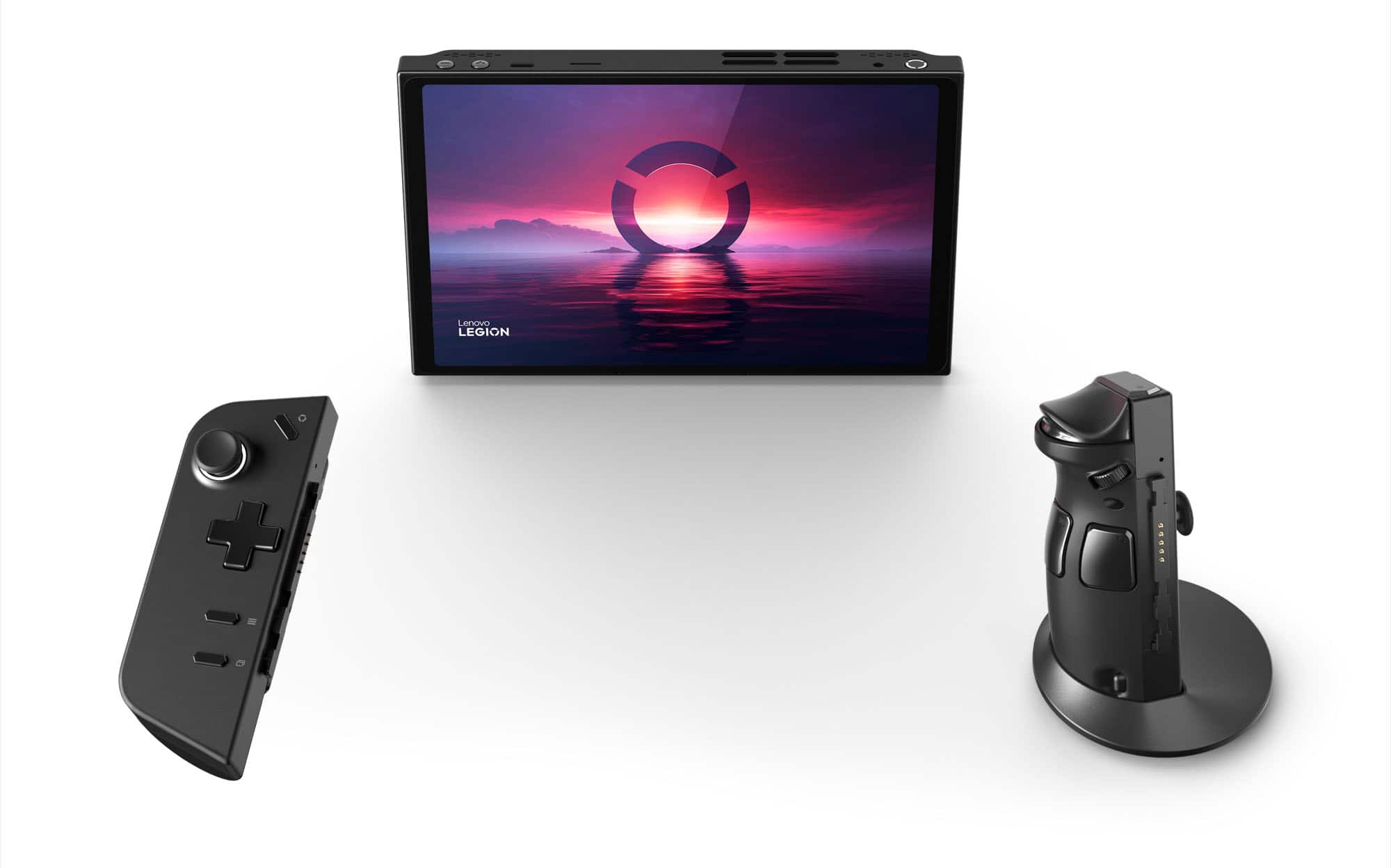
||Posted .This reviewer received promo considerations or sweepstakes entry for writing a review.Powerful and the mouse pad is nice. I thought the removable controllers would be nice but they're more of a hassle. Doesn't work well hooked up to a TV or monitor. Unit is too built and heavy. Right controller broke after a year.
No, I would not recommend this to a friend - Pros mentioned:Overall performance
Just might be the perfect portable PC
||Posted . Owned for 1 month when reviewed.This reviewer received promo considerations or sweepstakes entry for writing a review.Picked this up wanting something to play my PC games on that could get me away from my desk... and while I wasn't sure what to expect at first, after I got it all set up I'm completely in love. It's a beautiful system and I haven't run into a single game in my Steam library that hasn't ran well on it. Here's a small sampling of the more graphically intensive games I've tried out: Destiny 2, Forza Horizons 4 and 5, Granblue Fantasy Relink, Resident Evil 2 and 3. I have many more to go, but so far so good. It also runs games like Genshin Impact and Star Rail flawlessly. All in all, it's a great system and I feel like it's well worth the price.
I would recommend this to a friend - Cons mentioned:Battery life
Good hand held mid to low battery.
||Posted . Owned for 1 week when reviewed.This reviewer received promo considerations or sweepstakes entry for writing a review.This is a great pc hand held, easy to use and set up. My only complaints are the battery life is pretty short and the controllers were a little blocky, but despite that I was able to game on it with decent frame rates for the 45 minutes to an hour before it had to be plugged in. I did end up returning because it didn't get as much use as my PS5. Definitely would recommend though.
I would recommend this to a friendBrand response from Lenovo Product Expert
Posted .Hey Tallon,
We are sorry to hear that you returned your Legion Go. Although, we are glad that your time with your Legion Go was good overall, and we appreciate you taking the time to share this with us.
- Cons mentioned:Battery life, Noise level
Pretty decent but not perfect
||Posted . Owned for 1 month when reviewed.This reviewer received promo considerations or sweepstakes entry for writing a review.Works as intended. Can play most xbox pass games including Madden. Can’t replace my PS5 or a gaming PC but pretty good for handheld. Battery life sucks and the fans are loud. Can’t use in the plane if u are an adult.
I would recommend this to a friend - Pros mentioned:Overall performance
Best gaming handheld
||Posted . Owned for 1 year when reviewed.This reviewer received promo considerations or sweepstakes entry for writing a review.Handheld has great graphics and gets amazing frames on big title games and the handheld if paired with a external gpu you can play competitive online shooters easily if you internet connection is good really recommend
I would recommend this to a friendBrand response from Lenovo Product Expert
Posted .Hey Feeblepump,
Thanks for choosing Lenovo and for sharing your feedback with us!
We are glad to read that this Legion Go is the best handheld for you.
Please feel free to reach out to us via the Q& A section of this product page should you have any questions or need assistance.
Best,
Lenovo
Pretty good, except for the drivers.
||Posted .This reviewer received promo considerations or sweepstakes entry for writing a review.I only have two complaints about the OG Legion Go: The screen and the driver support. The screen is a native portrait mode tablet screen, which is whatever, but the resolution and refresh rate are way too high relative to the power of the Legion Go. It would be better as a 900p screen with maybe 120 hz. Lenovo's driver support for the OG Go is basically nonexistent, so if you want regular updates, just swap from Windows to Bazzite or SteamOS.
I would recommend this to a friendBrand response from Lenovo Product Expert
Posted .Hi JoshuaR-
Thank you for choosing Lenovo and sharing your feedback with us. We are excited to hear that you are enjoying the Legion Go. We aim to provide excellent user experience for our products, and we would love to recommend a few actions you can take to improve your experience.
Firstly, the Legion Go comes with the ability to change resolution to the user's preference. To start select the hexagonal Options key located on the right controller, under Resolution you can adjust to your preferred resolution based off the content on the display. We have noted your comments regarding the refresh rate of the display and may use these comments to improve future products.
Regarding your concern on driver updates and support, we would like to share that Lenovo is currently working on continuing to supply updates to the Legion Go, with the last update releasing in December with more planned to improve graphics performance and overall system performance.
Please reach out to us through the Q & A section of this product page if you have any questions or need assistance.
Best wishes,
Lenovo
- Pros mentioned:Screen quality
The Future is Here! Buy this thing.
||Posted . Owned for 1 month when reviewed.This reviewer received promo considerations or sweepstakes entry for writing a review.This thing is awesome. I remember my good old Gateway computer with 2gb hard drive dreaming that one day I'd be able to hold a super gaming computer in my hands. THAT TIME IS HERE. This thing is so awesome. I got it for my son who is at WestPoint in the Army and he absolutely loves it. Graphics and processor speed is awesome, the screen is just the right size. He can play his xbox games, steam games, any pc game, just awesome.
I would recommend this to a friendBrand response from Lenovo Product Expert
Posted .Hey Myfiasco, thanks for choosing Lenovo! We're thrilled to hear that your son loves it, and we appreciate you taking the time to share your perspective with us.
- Pros mentioned:Portability
Loveee!!
||Posted . Owned for 6 months when reviewed.This reviewer received promo considerations or sweepstakes entry for writing a review.Love Love LOVE!!! This game is so convenient and fun when traveling!!
I would recommend this to a friendBrand response from Lenovo Product Expert
Posted .Hi,
Thanks for choosing Lenovo and for sharing your feedback with us!
We are glad to read that you are satisfied with your purchase.
Please don't hesitate to reach out to us via the Q& A section of this product page or contact Lenovo Support should you have any questions or need assistance.
Regards,
Lenovo
- Pros mentioned:Portability, Screen quality
Excellent mobile gaming & entertainment device
||Posted . Owned for 1 week when reviewed.This reviewer received promo considerations or sweepstakes entry for writing a review.The Legion Go is proving to be a powerhouse mobile device, both for gaming & entertainment. Legion Space connects to Steam, Ubisoft, Epic & other gaming apps. It also connects to my ASUS ROG laptop for extra punch. Beautiful & bright screen
I would recommend this to a friend - Pros mentioned:Overall performance
Expensive gameboy
||Posted . Owned for 6 months when reviewed.This reviewer received promo considerations or sweepstakes entry for writing a review.Fun handheld Best Buy should def buy no question about it
I would recommend this to a friend - Cons mentioned:Battery life, Heat dissipation
Handheld
||Posted . Owned for 1 month when reviewed.This reviewer received promo considerations or sweepstakes entry for writing a review.Good but the battery dies fairly quick and it gets really hot
No, I would not recommend this to a friendBrand response from Lenovo Product Expert
Posted .Hi Nate-
Thank you for choosing Lenovo and sharing your experience with us. We are happy to hear that you are enjoying the Legion Go. We aim to offer great user experience and would like to work with you to address your concerns.
Firstly, we recommend running and installing all available drivers updates through Legion Space and Windows Update Settings, these updates are crucial to the device’s health and will affect power regulation leading to improved battery and thermals. To check for updates within Legion Space begin by launching the application, then click "Disks and Drivers" located at the bottom of the display, then select "Check for Updates". To check for Windows Updates, start by launching the Settings app, then selecting the Windows Update tab on the left-hand side of the page, finally select the “Check for updates’ button located in the top right of the page.
The Legion Go also comes has the ability to adjust the active performance profile and fan speed of the device based off your needs. To start press the hexagonal options key located on the right controller, then select the performance tab represented by the rocket ship, from here you can adjust the performance mode. We recommend using Quiet mode which will lower the temperature of the device and enhance battery life.
Please reach out to us through the Q & A section of this product webpage if you have any questions or need any assistance.
Best wishes,
Lenovo