Customer Ratings & Reviews
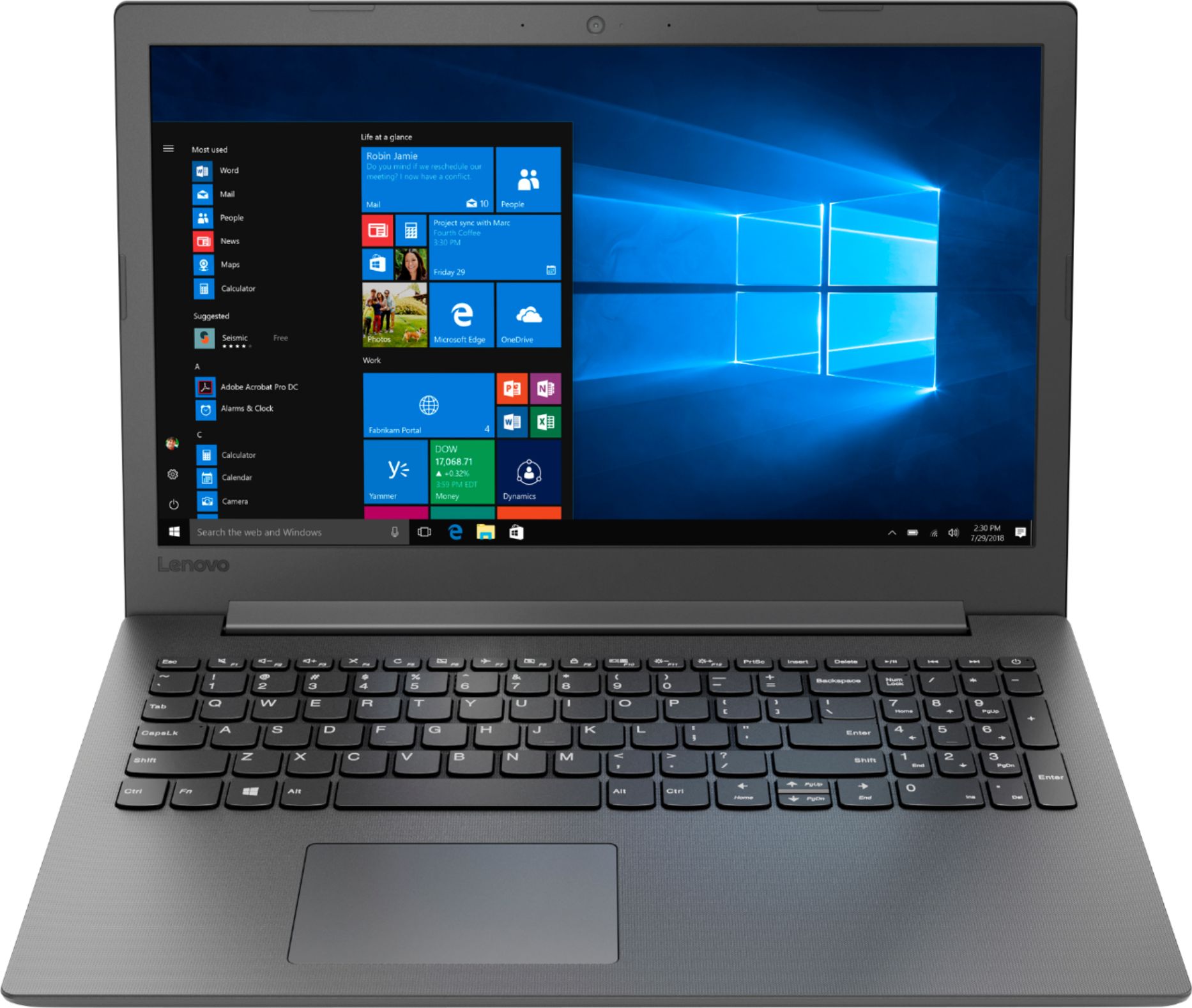
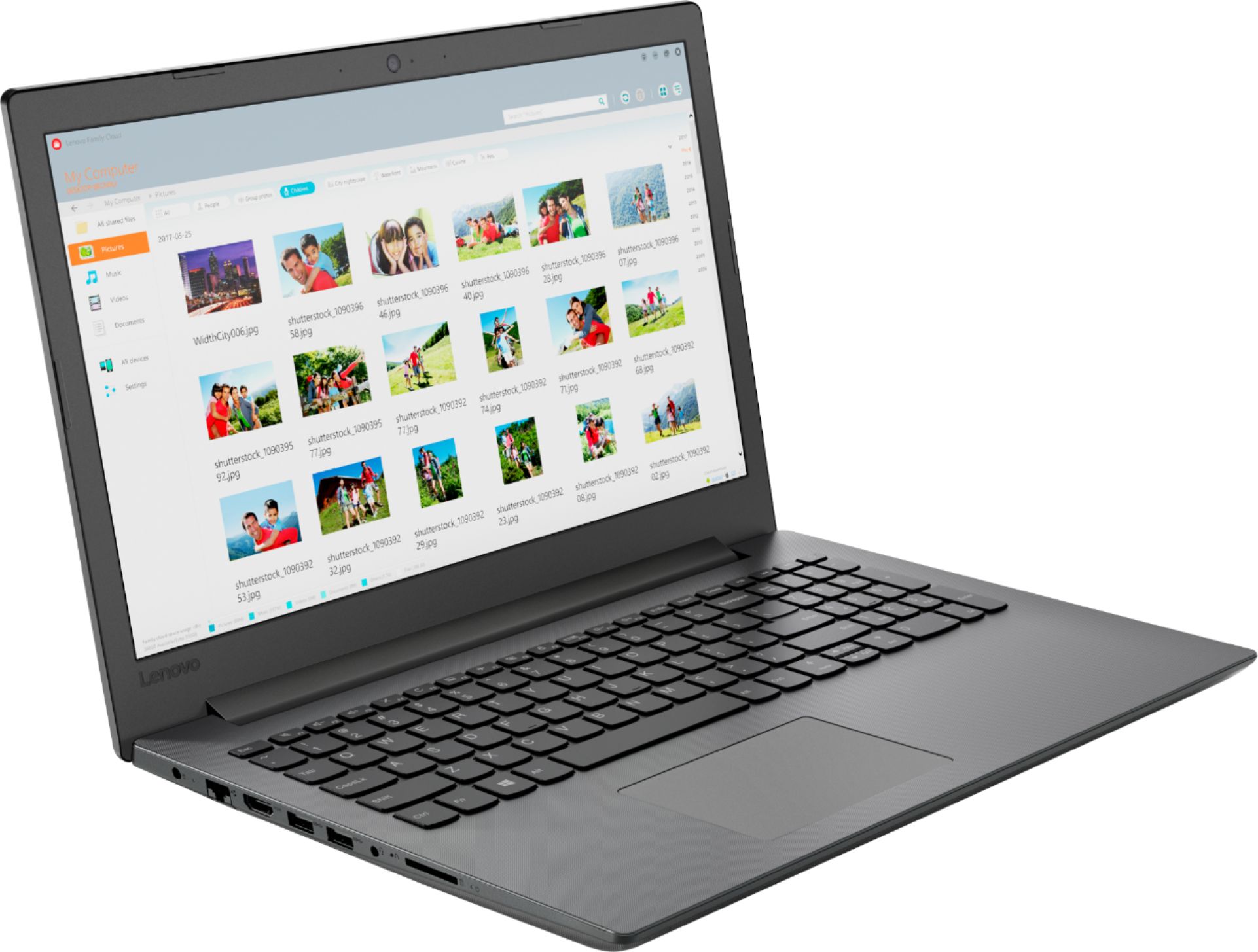
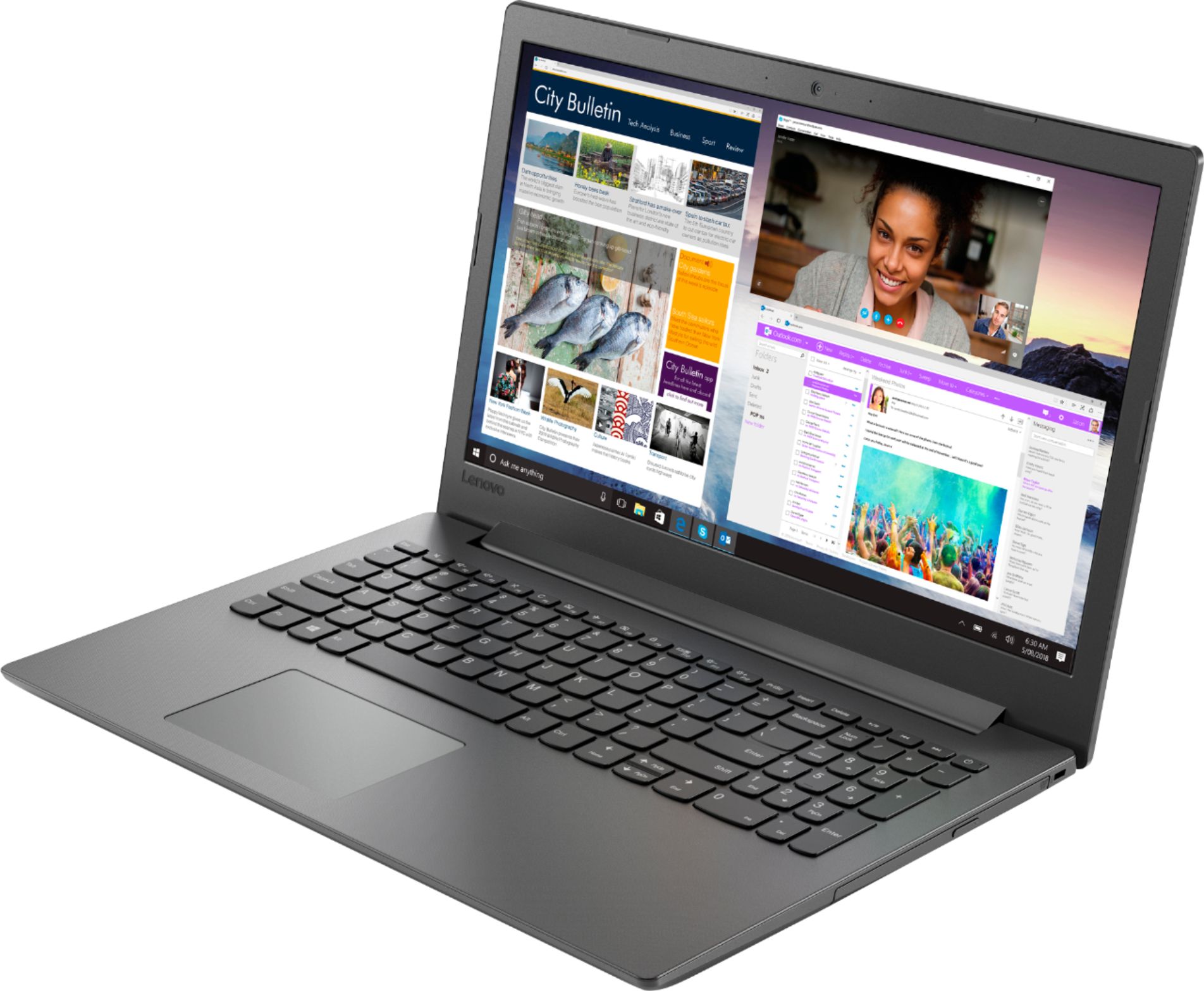
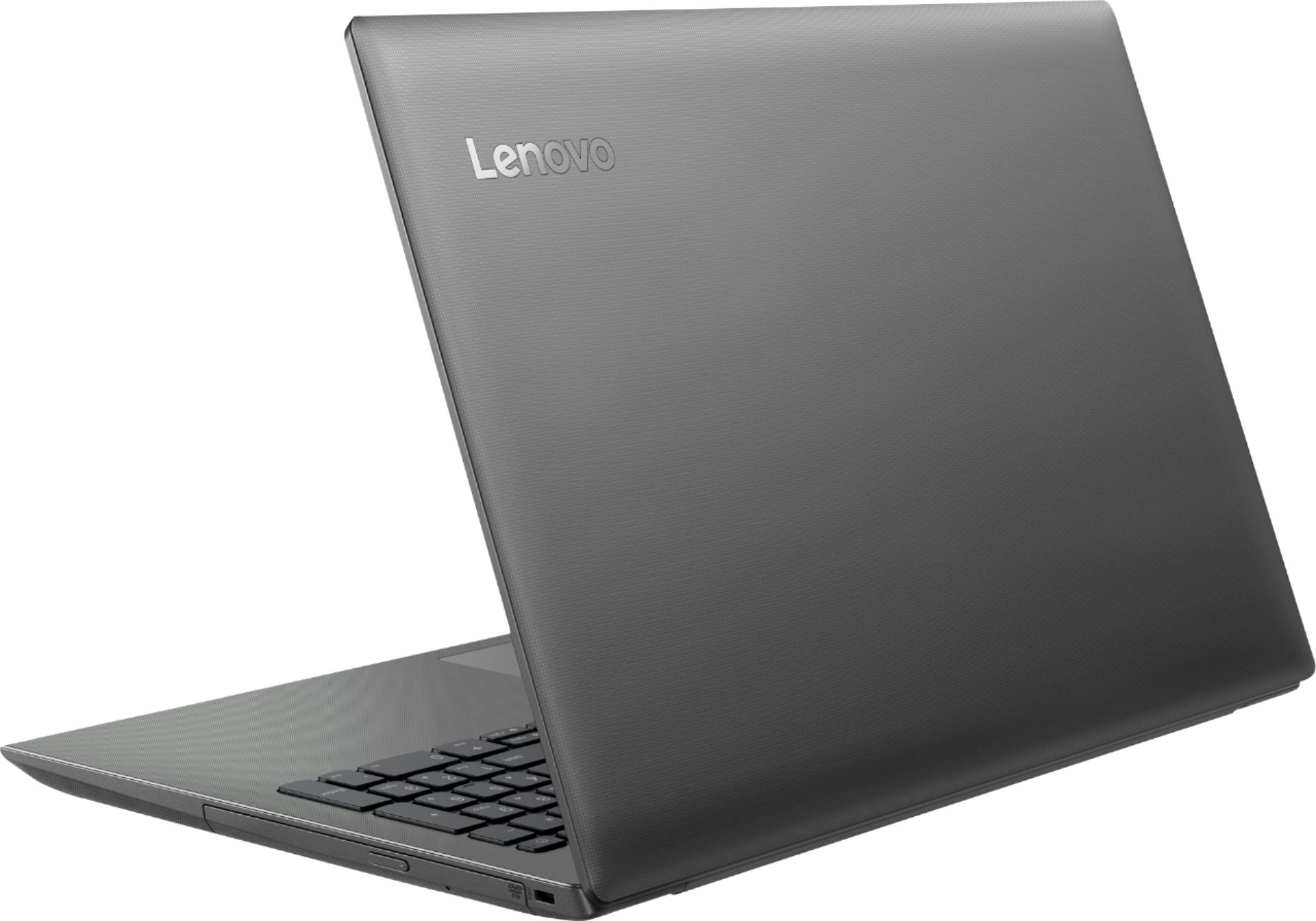

- Model:
- 81H5000NUS
- SKU:
- 6266400
Rating by feature
- Value
Rating 4.2 out of 5 stars
- Quality
Rating 3.9 out of 5 stars
- Ease of Use
Rating 4.2 out of 5 stars
Customers are saying
Customers are delighted by the affordable price, user-friendly interface, and impressive performance of the 130-15AST laptop. Many users appreciate its suitability for gaming and its ample storage capacity. However, some users have concerns about its battery life, occasional slowness, and keyboard issues.
This summary was generated by AI based on customer reviews.
- Cons mentioned:Speed
Just not Poweful Enough
||Posted .This reviewer received promo considerations or sweepstakes entry for writing a review.I could write a lengthy review, but the simple issue is this; it is just slow. Even going from web site to web site. Spend a little bit more and get a more powerful machine.
No, I would not recommend this to a friendBrand response from Lenovo Product Expert
Posted .The Lenovo IdeaPad 130-15 laptop ships with the latest 5G 802.11AC frequency WiFi. It is the fastest WiFi frequency available. This is a mid-level, moderate use configuration, with its AMD A6-9225 processor. This Dual-Core processor has a base speed of 2.6GHz and a boost speed of up to 3.0GHz. This configuration has 4GB of RAM. It is good with Microsoft Office type programs, internet browsing and other moderate work. If this describes your computing needs, the IdeaPad 130-15 would be a good choice for you.

- Cons mentioned:Speed
Leave this one alone.
||Posted . Owned for 6 months when reviewed.This reviewer received promo considerations or sweepstakes entry for writing a review.Owned this computer for six months and it was super slow right out of the box. Wish I had saved my money and got a real computer now. You get what you pay for!
No, I would not recommend this to a friend Worst computer ever
||Posted .This reviewer received promo considerations or sweepstakes entry for writing a review.Bought this cheap laptop thinking I coul at least surf the web, despite the price. Big mistake!!! That’s the slowest laptop/computer I’ve ever had. Everything takes forever. Even it’s own settings, no internet needed. You click on settings, for example, takes time to open. Once it’s opened, takes a long time to load. Then you click on what you need and at first nothing happens. Then you click another 20/30 times, cause you’re angry, and still nothing happens. Then you stare at it , mad as can be and after a long time it opens. And that repeats itself at every little step. RETURNING IT!!!!
No, I would not recommend this to a friendBrand response from Lenovo Product Expert
Posted .The Lenovo IdeaPad 130-15 laptop ships with the Dual-Core/Four-Thread AMD A6-9225 processor, supported by 4GB of DDR4-1866MHz RAM. This Dual-Core processor has a base speed of 2.6GHz and a boost speed of up to 3.0GHz. This is a mid-range, moderate use configuration. It is good with Microsoft Office type programs, internet browsing and other moderate work. If this describes your computing needs, the IdeaPad 130-15 would be a good choice for you. Be sure any software you installed is compatible with Windows 10. There is no need to install Microsoft Office software. The software is already part of the operating system, you just need to activate the software with a purchased product key. If you have installed a copy of Microsoft Office, this is conflicting with the existing copy on the system and this will slow your system down. If you have installed a 3rd party anti-virus program, be sure that Windows Defender is turned off and that the trial version of McAfee Anti-Virus software is uninstalled. There can only be one anti-virus program on the system. You may need to restore your system to original factory default settings if any of the programing errors have occurred. You can do that by typing "restore" in the Cortana search window. Just click on the magnifying glass icon at the bottom left of your Windows 10 Desktop. Click on "Reset This PC" Then click on "Get Started" and follow the on screen directions to restore to factory defaults. If the problem persists, we recommend you contact Lenovo Tech Support at: 877-453-6686.
- Cons mentioned:Keyboard
Embarrassing
||Posted .This reviewer received promo considerations or sweepstakes entry for writing a review.I purchased the laptop for my son for Christmas, and the keyboard doesn’t work at all. I am trying to reach out the customer service now to get reimbursed
No, I would not recommend this to a friendBrand response from Lenovo Product Expert
Posted .We are sorry to hear that you are having issues with your Lenovo IdeaPad 130-15 laptop. The issue you describe may be corrected by restoring the device back to original factory settings. This system is equipped with OneKey Recovery System. There is a very small pin hole on the left side of the device, right near the SD Card slot on the device. You will need a pin to push this reset button. Plug the device in. Let the battery charge for about 15 minutes. Push the reset button. The system should boot to a choice screen where you can choose "Restore To Factory Default". Select this. It will delete everything from the hard drive except the original factory install of the operating system. You will need to reinstall all programs and files after the reset. If you don't have copies of the files, try to make one before you restore by selecting "Boot to desktop" and trying to back up your files. If the problem persists after the factory reset, we recommend you contact Lenovo Tech Support at: 877-453-6686.
Not a very good computer.
||Posted . Owned for 1 year when reviewed.This reviewer received promo considerations or sweepstakes entry for writing a review.Bought as an open box in "excellent" condition. Motherboard expired quickly, internal disc drive still does not work after service and screws have fallen out form bottom.
No, I would not recommend this to a friend- Cons mentioned:Speed
Slow machine; mouse pad was DOA.
||Posted .This reviewer received promo considerations or sweepstakes entry for writing a review.Too slow - too sluggish for most applications. Even Window Operating System updates take much longer. The mouse pad was not working.
No, I would not recommend this to a friendBrand response from Lenovo Product Expert
Posted .With regard to the touchpad on your Lenovo IdeaPad 130-15, be sure it was not inadvertently turned off. Tap the HotKey in the F6 position on your keyboard, this toggles the touchpad on/off. The AMD A6-9225 processor supported by 4GB of DDR4-1866MHz RAM, can easily run Windows 10. Be sure any software you installed is compatible with Windows 10. There is no need to install Microsoft Office software. The software is already part of the operating system, you just need to activate the software with a purchased product key. If you have installed a copy of Microsoft Office, this is conflicting with the existing copy on the system and this will slow your system down. If you have installed a 3rd party anti-virus program, be sure that Windows Defender is turned off and that the trial version of McAfee Anti-Virus software is uninstalled. There can only be one anti-virus program on the system. You may need to restore your system to original factory default settings if any of the programing errors have occurred. You can do that by typing "restore" in the Cortana search window. Just click on the magnifying glass icon at the bottom left of your Windows 10 Desktop. Click on "Reset This PC" Then click on "Get Started" and follow the on screen directions to restore to factory defaults. If the problem persists, we recommend you contact Lenovo Tech Support at: 877-453-6686.
- Pros mentioned:Price
Great price
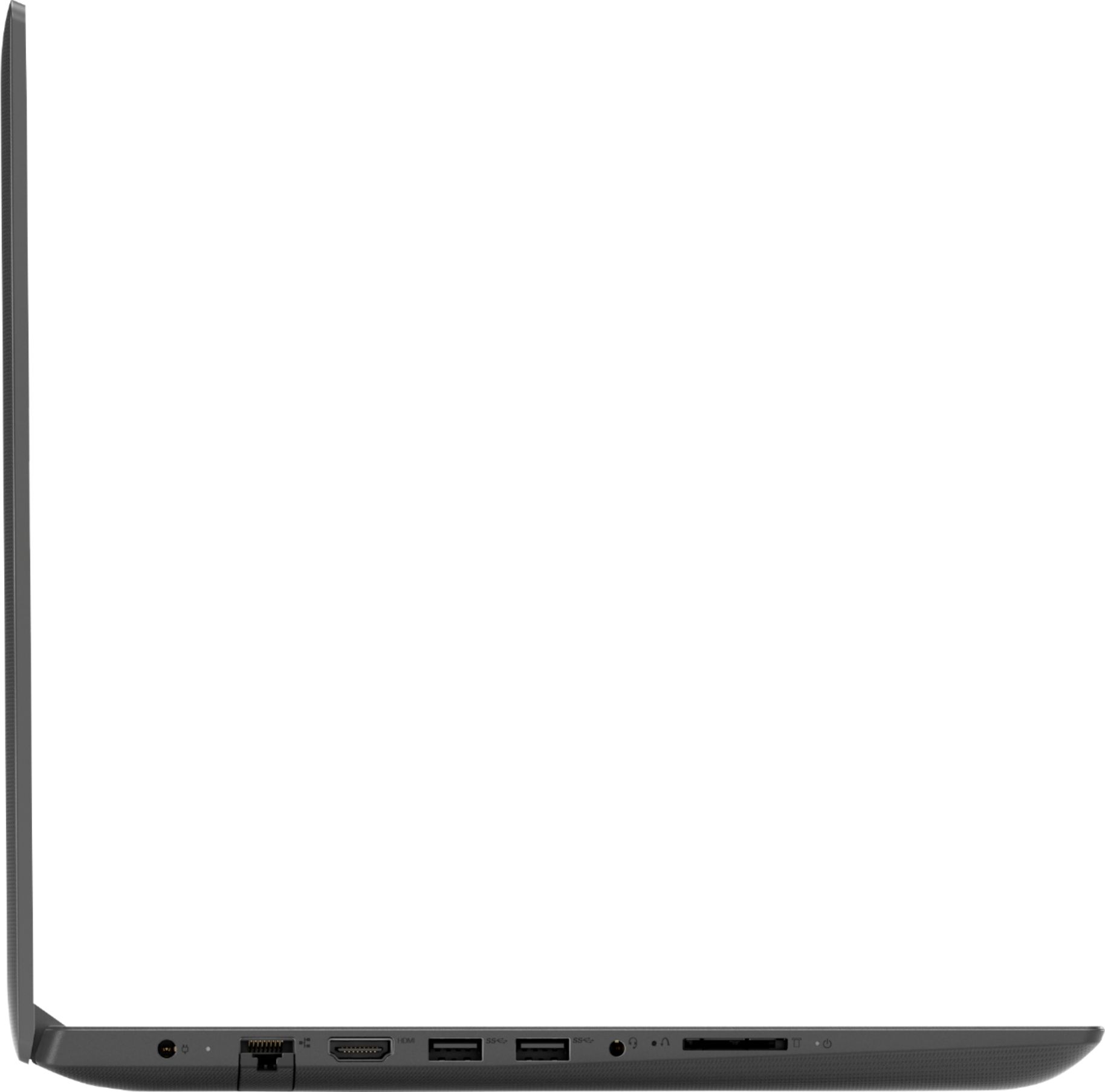
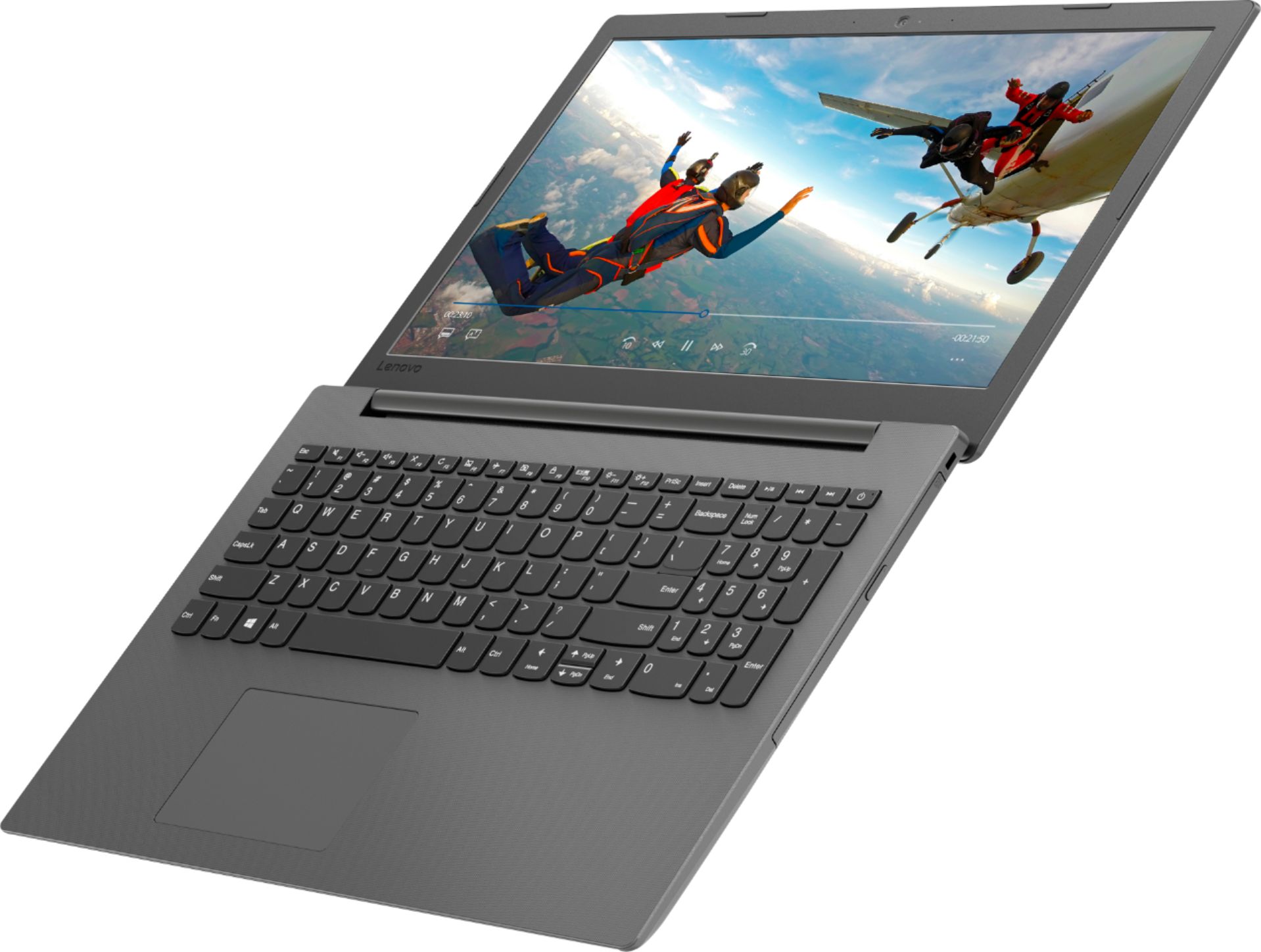
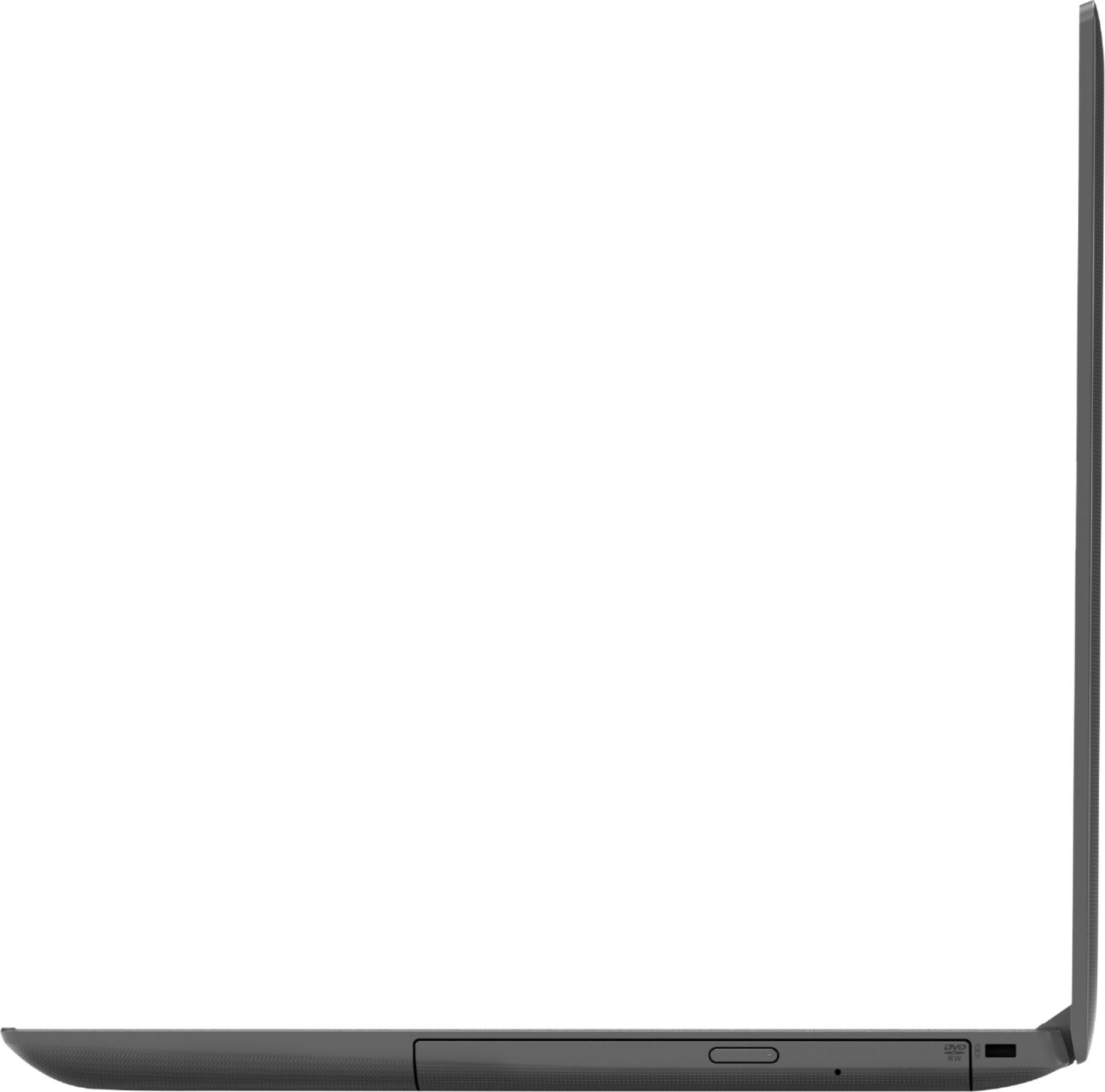
||Posted .This reviewer received promo considerations or sweepstakes entry for writing a review.Much better than a chrome book etc. Usb, SD slots, DVD r/ write drive, wireless, tons of ram. Very satisfied 209 price tag great.
I would recommend this to a friendBrand response from Lenovo Product Expert
Posted .The Lenovo IdeaPad 130-15 laptop is a mid-level, moderate use configuration, with its AMD A6-9225 processor. This Dual-Core processor has a base speed of 2.6GHz and a boost speed of up to 3.0GHz. This configuration has 4GB of RAM. It is good with Microsoft Office type programs, internet browsing and other moderate work. If this describes your computing needs, the IdeaPad 130-15 would be a good choice for you.
- Cons mentioned:Speed
so slow its unusable
||Posted . Owned for 10 months when reviewed.This reviewer received promo considerations or sweepstakes entry for writing a review.purchased last November. In less than one year this machine has slowed to a halt. I've performed every tweak I can find.
No, I would not recommend this to a friend - Cons mentioned:Speed
Like watching Paint Dry
||Posted .This reviewer received promo considerations or sweepstakes entry for writing a review.So slow it took 5 min to load calculator. Everything from the keys to screen looked cheap. 1990 called, it wants its laptop back.
No, I would not recommend this to a friendBrand response from Lenovo Product Expert
Posted .This system should boot to the Windows 10 desktop in less than 40 seconds. Be sure any software you installed is compatible with Windows 10. There is no need to install Microsoft Office software. The software is already part of the operating system, you just need to activate the software with a purchased product key. If you have installed a copy of Microsoft Office, this is conflicting with the existing copy on the system and this will slow your system down. If you have installed a 3rd party anti-virus program, be sure that Windows Defender is turned off and that the trial version of McAfee Anti-Virus software is uninstalled. There can only be one anti-virus program on the system. You may need to restore your system to original factory default settings if any of the programing errors have occurred. You can do that by typing "restore" in the Cortana search window. Just click on the magnifying glass icon at the bottom left of your Windows 10 Desktop. Click on "Reset This PC" Then click on "Get Started" and follow the on screen directions to restore to factory defaults. If the problem persists, we recommend you contact Lenovo Tech Support at: 877-453-6686.
- Cons mentioned:Speed
Horrible
||Posted .This reviewer received promo considerations or sweepstakes entry for writing a review.This laptop is the slowest laptop I have ever used.
No, I would not recommend this to a friendBrand response from Lenovo Product Expert
Posted .The Lenovo IdeaPad 130-15 laptop is a mid-level, moderate use configuration, with its AMD A6-9225 processor. This Dual-Core processor has a base speed of 2.6GHz and a boost speed of up to 3.0GHz. This configuration has 4GB of RAM. It is good with Microsoft Office type programs, internet browsing and other moderate work. Be sure any software you installed is compatible with Windows 10. There is no need to install Microsoft Office software. The software is already part of the operating system, you just need to activate the software with a purchased product key. If you have installed a copy of Microsoft Office, this is conflicting with the existing copy on the system and this will slow your system down. If you have installed a 3rd party anti-virus program, be sure that Windows Defender is turned off and that the trial version of McAfee Anti-Virus software is uninstalled. There can only be one anti-virus program on the system. You may need to restore your system to original factory default settings if any of the programing errors have occurred. You can do that by typing "restore" in the Cortana search window. Just click on the magnifying glass icon at the bottom left of your Windows 10 Desktop. Click on "Reset This PC" Then click on "Get Started" and follow the on screen directions to restore to factory defaults. If the problem persists, we recommend you contact Lenovo Tech Support at: 877-453-6686.
- Cons mentioned:Speed
Very slow and within 2 weeks I couldn’t access int
||Posted .This reviewer received promo considerations or sweepstakes entry for writing a review.Maybe I purchased a product that came with a malfunction but it’s so slow and now the internet won’t load
No, I would not recommend this to a friendBrand response from Lenovo Product Expert
Posted .This is a mid-level, moderate use configuration, with its AMD A6-9225 processor. This Dual-Core processor has a base speed of 2.6GHz and a boost speed of up to 3.0GHz. This configuration has 4GB of RAM. It is good with Microsoft Office type programs, internet browsing and other moderate work. The Lenovo IdeaPad 130-15 ships with the latest 5G 802.11AC WiFi frequency. To get the maximum performance of 5G WiFi, be sure your router has the latest firmware updates offered by the router manufacturer. Check the router manufacturer's web site for updates. If this describes your computing needs, the IdeaPad 130-15 would be a good choice for you.
BE careful
||Posted .This reviewer received promo considerations or sweepstakes entry for writing a review.Be very careful with this laptop. The charger plug is small and easily broken. The support phone number only is open Monday through Friday.
No, I would not recommend this to a friendBrand response from Lenovo Product Expert
Posted .Lenovo Tech Support is available 24/7 at: 877-453-6686. If you need a replacement AC adapter for your IdeaPad 130-15, here is a link to the proper replacement: https://www.bestbuy.com/site/lenovo-ac-power-adapter-for-select-lenovo-laptops-black/5622400.p?skuId=5622400. For 2018, Lenovo retained its place for a second year as the best laptop vendor:
https://www.laptopmag.com/articles/laptop-brand-ratings
- Cons mentioned:Speed
Do Not BUy
||Posted . Owned for 9 months when reviewed.This reviewer received promo considerations or sweepstakes entry for writing a review.Terrible Laptop. Could not get the laptop to work correctly as it is too slow simple tasks.
No, I would not recommend this to a friend - Cons mentioned:Battery life
battery life sucks
||Posted .This reviewer received promo considerations or sweepstakes entry for writing a review.takes a long time to boot up like 5-6 min and the battery is dead after about 1hr 45 min
No, I would not recommend this to a friendBrand response from Lenovo Product Expert
Posted .The Lenovo IdeaPad 130-15 laptop should boot up Windows 10 in less than 40 seconds. The software conflict that is slowing down boot up is likely the reason for the battery drain as well. Be sure any software you installed is compatible with Windows 10. There is no need to install Microsoft Office software. The software is already part of the operating system, you just need to activate the software with a purchased product key. If you have installed a copy of Microsoft Office, this is conflicting with the existing copy on the system and this will slow your system down. If you have installed a 3rd party anti-virus program, be sure that Windows Defender is turned off and that the trial version of McAfee Anti-Virus software is uninstalled. There can only be one anti-virus program on the system. You may need to restore your system to original factory default settings if any of the programing errors have occurred. You can do that by typing "restore" in the Cortana search window. Just click on the magnifying glass icon at the bottom left of your Windows 10 Desktop. Click on "Reset This PC" Then click on "Get Started" and follow the on screen directions to restore to factory defaults. If there are no conflicting programs installed, you can scan the computer for errors using Lenovo Utility software installed on this computer. This system has Lenovo utilities installed to help maintain the health of the device and keep the operating system software up to date. Type "Lenovo Vantage" in the Cortana Search window (if Lenovo Vantage is not installed on your device, you can download the APP and install it now). Select Lenovo Vantage from the list. In the window that opens, click on "Health and Support". In the expanded menu, select "Hardware Scan" In the window that opens, select "Run Quick Tests". This will scan your entire system for errors. Follow any directions that may pop up. If the problem continues after this scan, now click on "System Update". First select Windows update from the menu. Scan your system to be sure you have the latest version of Windows 10. Once that scan is complete, select "Additional Updates". This will scan your device to be sure there are no new BIOS/Driver updates needed. Follow any instructions that may pop up. If the issue still continues after these updates, we recommend you call Lenovo Tech Support at: 877-453-6686 for additional help.
ok for the price
||Posted .This reviewer received promo considerations or sweepstakes entry for writing a review.This computer is just ok. for some reason it freezes frequently for no apparent reason. may work best as a childs computer.
No, I would not recommend this to a friendBrand response from Lenovo Product Expert
Posted .The Lenovo IdeaPad 130-15 laptop is a mid-level, moderate use configuration, with its AMD A6-9225 processor. This Dual-Core processor has a base speed of 2.6GHz and a boost speed of up to 3.0GHz. This configuration has 4GB of RAM. It is good with Microsoft Office type programs, internet browsing and other moderate work. Be sure any software you installed is compatible with Windows 10. There is no need to install Microsoft Office software. The software is already part of the operating system, you just need to activate the software with a purchased product key. If you have installed a copy of Microsoft Office, this is conflicting with the existing copy on the system and this will slow your system down. If you have installed a 3rd party anti-virus program, be sure that Windows Defender is turned off and that the trial version of McAfee Anti-Virus software is uninstalled. There can only be one anti-virus program on the system. You may need to restore your system to original factory default settings if any of the programing errors have occurred. You can do that by typing "restore" in the Cortana search window. Just click on the magnifying glass icon at the bottom left of your Windows 10 Desktop. Click on "Reset This PC" Then click on "Get Started" and follow the on screen directions to restore to factory defaults. If the problem persists, we recommend you contact Lenovo Tech Support at: 877-453-6686.
Too slow for me
||Posted .This reviewer received promo considerations or sweepstakes entry for writing a review.The programs and websites took too long to load. Ended up getting my old laptop fixed and returned the Lenovo laptop.
No, I would not recommend this to a friendBrand response from Lenovo Product Expert
Posted .The Lenovo IdeaPad 130-15 laptop is a mid-level, moderate use system with its AMD A6-9225 processor. It is good for light multi-tasking and basic programs. It is good for Microsoft Office and internet browsing. If this describes your computing needs, the IdeaPad 130-15 would be a good choice.
terrible unit
||Posted .This reviewer received promo considerations or sweepstakes entry for writing a review.purchased on november 20, and by january 10 the unit was no longer working. i'm very disappointed in this product.
No, I would not recommend this to a friendBrand response from Lenovo Product Expert
Posted .We are sorry to hear that you are having issues with your Lenovo IdeaPad 130-15 laptop. This system is equipped with OneKey Recovery System. There is a very small pin hole on the left side of the device, right near the SD card slot on the device. You will need a pin to push this reset button. Plug the device in. Let the battery charge for about 15 minutes. Push the reset button. The system should boot to a choice screen where you can choose "Restore To Factory Default". Select this. It will delete everything from the hard drive except the original factory install of the operating system. You will need to reinstall all programs and files after the reset. If you don't have copies of the files, try to make one before you restore by selecting "Boot to desktop" and trying to back up your files. If the problem persists after the factory reset, we recommend you contact Lenovo Tech Support at: 877-453-6686.
- Cons mentioned:Speed
Poor performance
||Posted . Owned for 1 year when reviewed.This reviewer received promo considerations or sweepstakes entry for writing a review.This’s one of the worse pc I’ve seen in long time. Very slow.
No, I would not recommend this to a friend - Cons mentioned:Speed
Cheap quality yes I know it's budget computer
||Posted .This reviewer received promo considerations or sweepstakes entry for writing a review.The mouse pad went bad after a few months and the computer is super slow
No, I would not recommend this to a friendBrand response from Lenovo Product Expert
Posted .Regarding your touchpad issue, tap the HotKey in the F6 position on your keyboard. This toggles the touchpad on/off. Additionally, you can make adjustments to the touchpad in your system settings. You can get there by clicking on the magnifying glass at the bottom left of your Windows 10 screen. Type "touchpad" in the search window. Select "Mouse & touchpad settings" from the list of choices. You can make general adjustments to the touchpad there. You can also select "Additional mouse options" for more detailed adjustments to the touchpad sensitivity by increasing the delay of the touchpad. Regarding slowness, be sure any software you installed is compatible with Windows 10. There is no need to install Microsoft Office software. The software is already part of the operating system, you just need to activate the software with a purchased product key. If you have installed a copy of Microsoft Office, this is conflicting with the existing copy on the system and this will slow your system down. If you have installed a 3rd party anti-virus program, be sure that Windows Defender is turned off and that the trial version of McAfee Anti-Virus software is uninstalled. There can only be one anti-virus program on the system. You may need to restore your system to original factory default settings if any of the programing errors have occurred. You can do that by typing "restore" in the Cortana search window. Just click on the magnifying glass icon at the bottom left of your Windows 10 Desktop. Click on "Reset This PC" Then click on "Get Started" and follow the on screen directions to restore to factory defaults. If the problem persists, we recommend you contact Lenovo Tech Support at: 877-453-6686. For 2018, Lenovo retained its place for a second year as the best laptop vendor:
https://www.laptopmag.com/articles/laptop-brand-ratings
- Cons mentioned:Speed
No. Just no
||Posted . Owned for 1 year when reviewed.This reviewer received promo considerations or sweepstakes entry for writing a review.Terrible computer. Massively slow. Fairly small as well
No, I would not recommend this to a friend