Customer Ratings & Reviews
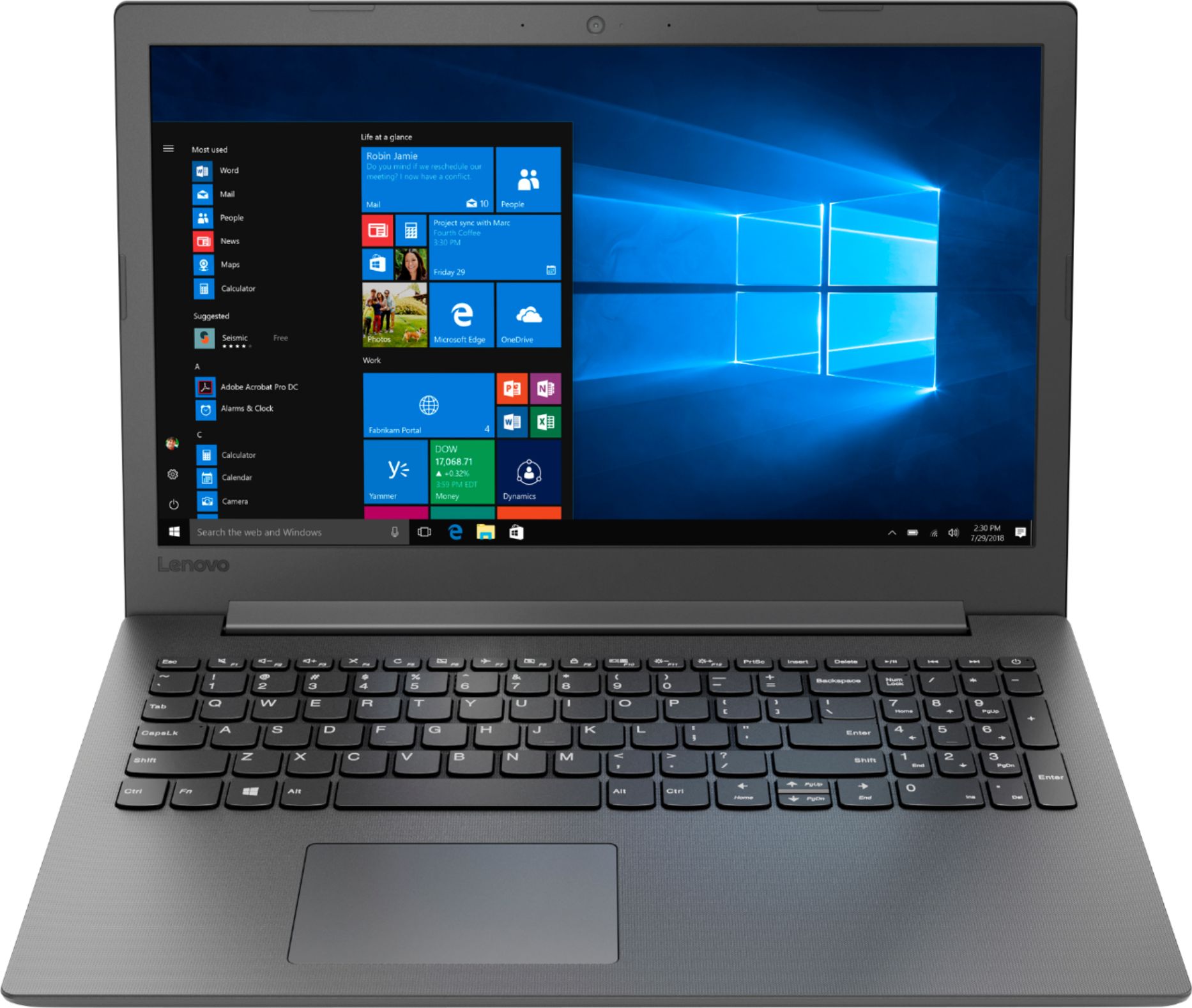
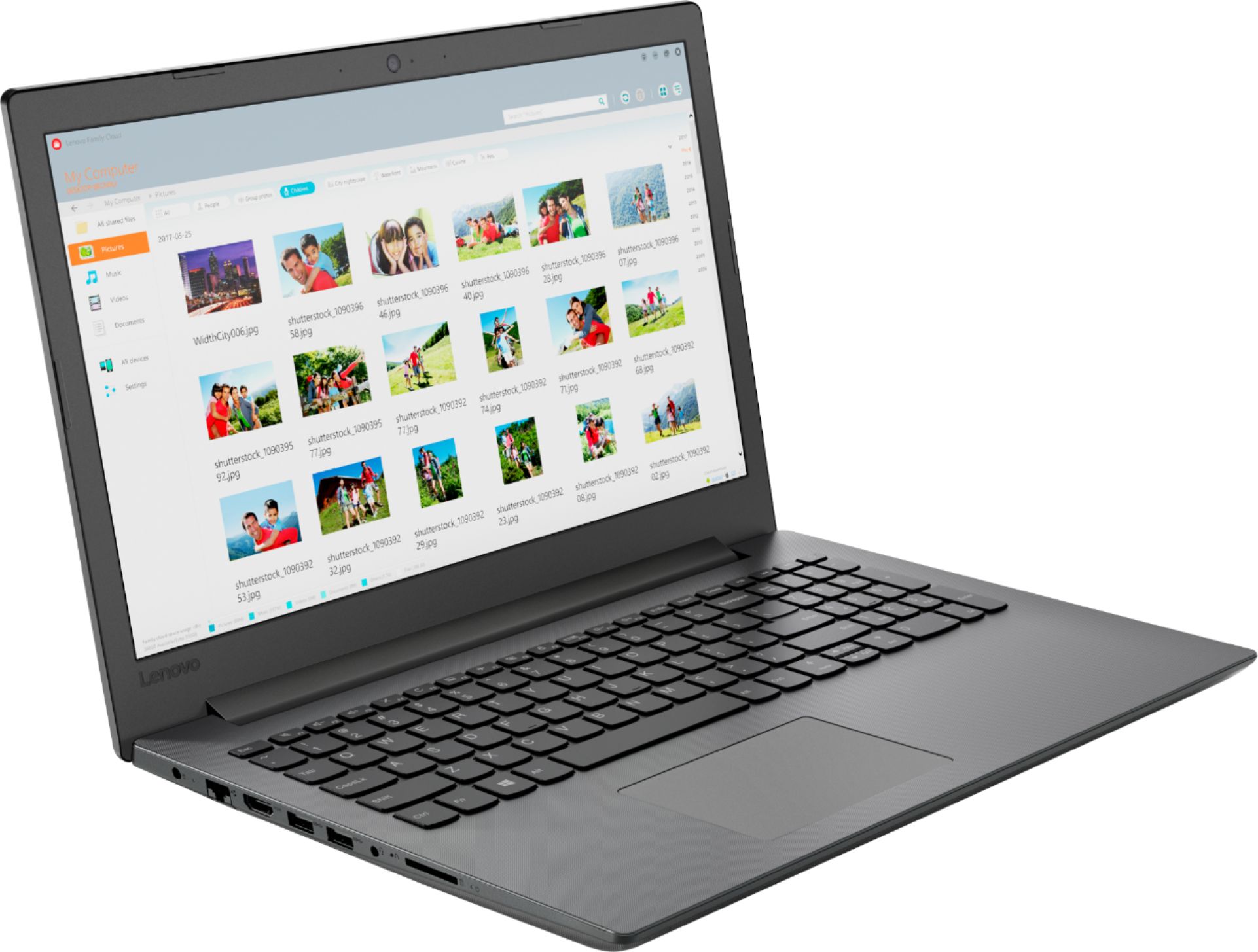
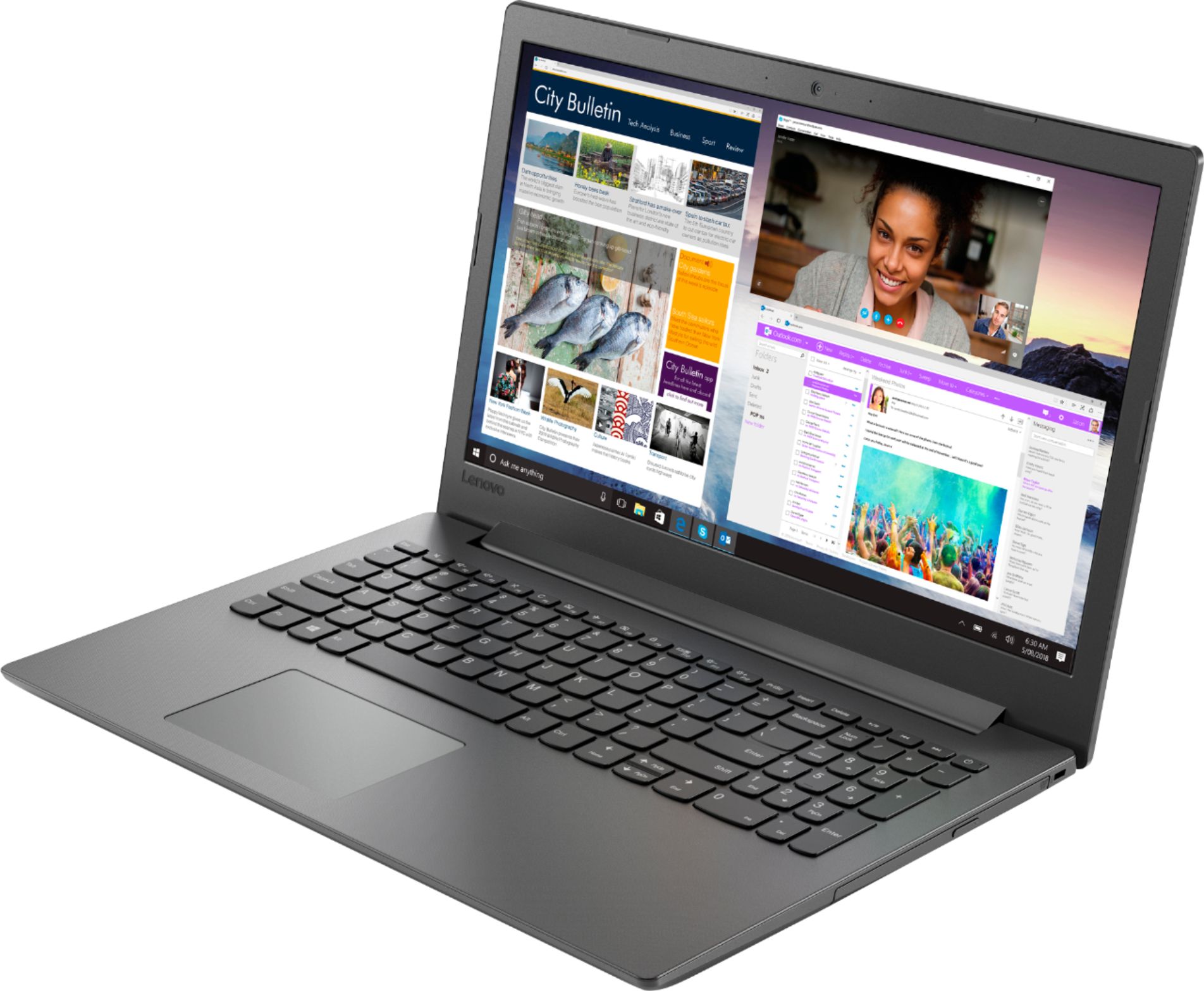
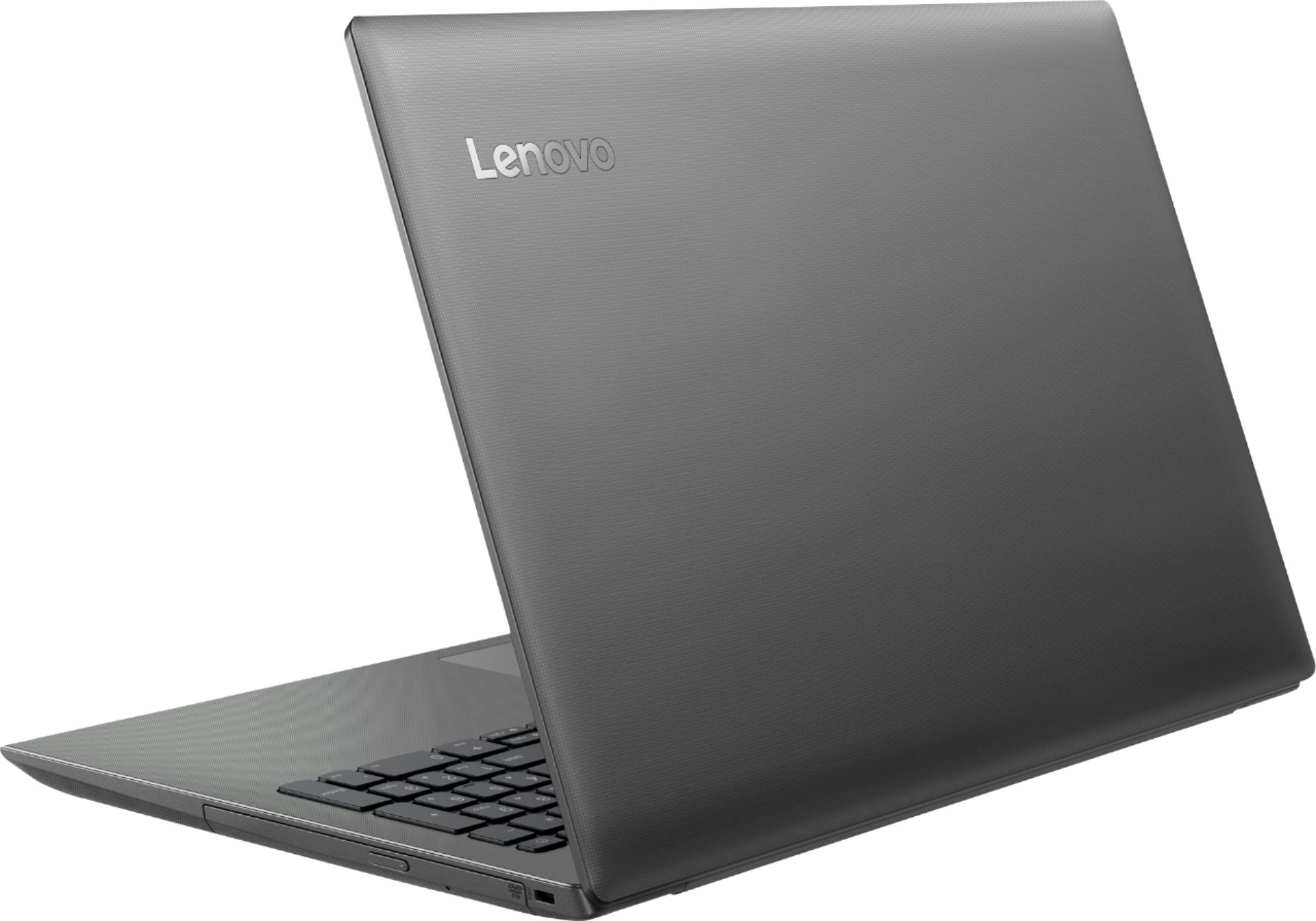

- Model:
- 81H5000NUS
- SKU:
- 6266400
Rating by feature
- Value
Rating 4.2 out of 5 stars
- Quality
Rating 3.9 out of 5 stars
- Ease of Use
Rating 4.2 out of 5 stars
Customers are saying
Customers are delighted by the affordable price, user-friendly interface, and impressive performance of the 130-15AST laptop. Many users appreciate its suitability for gaming and its ample storage capacity. However, some users have concerns about its battery life, occasional slowness, and keyboard issues.
This summary was generated by AI based on customer reviews.
Keyboard does not work only have two three days
||Posted .This reviewer received promo considerations or sweepstakes entry for writing a review.I looked it up and it seems that these laptops keyboard option goes out or stops working as my did it's really a plane
No, I would not recommend this to a friendBrand response from Lenovo Product Expert
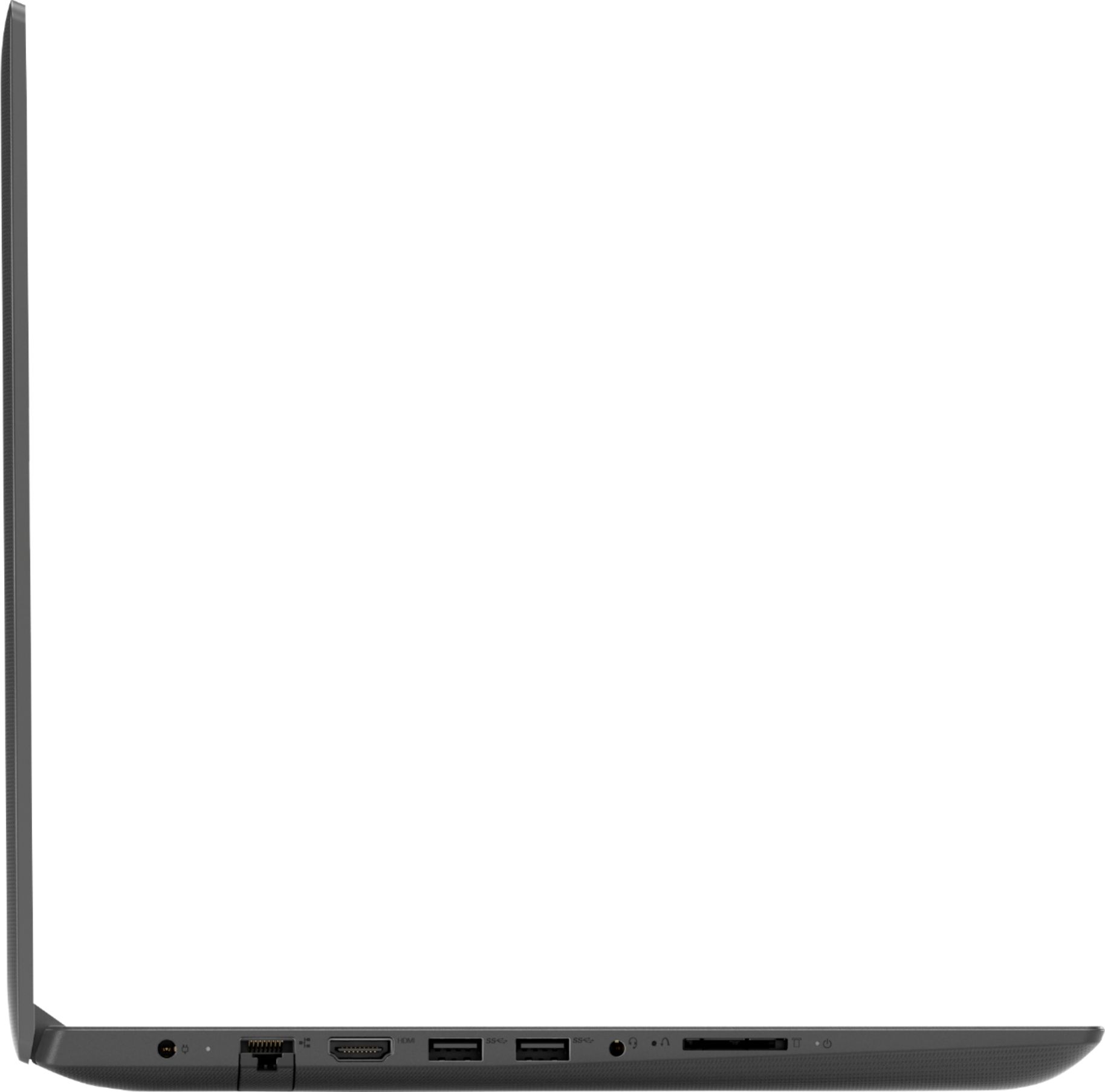
Posted .We are sorry to hear that you are having issues with the keyboard on your Lenovo IdeaPad 130-15 laptop. This may be an issue with a recent Windows 10 update. Resetting the device back to original factory settings may fix the issue. Since you can not use the keyboard, this system is equipped with OneKey Recovery System. There is a very small pin hole on the left side of the device, right near the SD card slot on the device. You will need a pin to push this reset button. Plug the device in. Let the battery charge for about 15 minutes. Push the reset button. The system should boot to a choice screen where you can choose "Restore To Factory Default". Select this. It will delete everything from the hard drive except the original factory install of the operating system. You will need to reinstall all programs and files after the reset. If you don't have copies of the files, try to make one before you restore by selecting "Boot to desktop" and trying to back up your files. If the problem persists after the factory reset, we recommend you contact Lenovo Tech Support at: 877-453-6686. For 2018, Lenovo retained its place for a second year as the best laptop vendor:
https://www.laptopmag.com/articles/laptop-brand-ratings
You get what you pay for
||Posted .This reviewer received promo considerations or sweepstakes entry for writing a review.We have only had this PC since Christmas. It is already giving us the checking media fail error. Do not waste your money
No, I would not recommend this to a friendBrand response from Lenovo Product Expert
Posted .We are sorry to hear that you are having issues with your Lenovo IdeaPad 130-15 laptop. From the description of the issue you gift, it is possible restoring the Windows 10 operating system back to original factory settings, may correct the problem. This system is equipped with OneKey Recovery System. There is a very small pin hole on the left side of the device, right near the headphone jack on the device. You will need a pin to push this reset button. Plug the device in. Let the battery charge for about 15 minutes. Push the reset button. The system should boot to a choice screen where you can choose "Restore To Factory Default". Select this. It will delete everything from the hard drive except the original factory install of the operating system. You will need to reinstall all programs and files after the reset. If you don't have copies of the files, try to make one before you restore by selecting "Boot to desktop" and trying to back up your files. If the problem persists after the factory reset, we recommend you contact Lenovo Tech Support at: 877-453-6686.
Bad hard drive
||Posted .This reviewer received promo considerations or sweepstakes entry for writing a review.Bought 4 xmas 4 daughter and hard drive went out the second week of march.
No, I would not recommend this to a friendBrand response from Lenovo Product Expert
Posted .We are sorry to hear that you are having issues with the hard drive on your daughter's IdeaPad 130-15 laptop. Be sure any software you installed is compatible with Windows 10. There is no need to install Microsoft Office software. The software is already part of the operating system, you just need to activate the software with a purchased product key. If you have installed a copy of Microsoft Office, this is conflicting with the existing copy on the system and this will slow your system down. If you have installed a 3rd party anti-virus program, be sure that Windows Defender is turned off and that the trial version of McAfee Anti-Virus software is uninstalled. There can only be one anti-virus program on the system. You may need to restore your system to original factory default settings if any of the programing errors have occurred. If you can no longer boot the device to restore the system, this system is equipped with OneKey Recovery System. There is a very small pin hole on the left side of the device, right near the SD card slot on the device. You will need a pin to push this reset button. Plug the device in. Let the battery charge for about 15 minutes. Push the reset button. The system should boot to a choice screen where you can choose "Restore To Factory Default". Select this. It will delete everything from the hard drive except the original factory install of the operating system. You will need to reinstall all programs and files after the reset. If you don't have copies of the files, try to make one before you restore by selecting "Boot to desktop" and trying to back up your files. If the problem persists after the factory reset, we recommend you contact Lenovo Tech Support at: 877-453-6686.
Bad
||Posted .This reviewer received promo considerations or sweepstakes entry for writing a review.Bought this laptop as a gift for my nephew and stoped working suddenly
No, I would not recommend this to a friendBrand response from Lenovo Product Expert
Posted .We are sorry to hear that you are having issues with your Lenovo IdeaPad 130-15 laptop. Be sure that any programs you have installed are compatible with Windows 10 and this computer's specific configuration. Restoring the computer back to original factory settings may correct the current issue. This system is equipped with OneKey Recovery System. There is a very small pin hole on the left side of the device, right near the headphone jack on the device. You will need a pin to push this reset button. Plug the device in. Let the battery charge for about 15 minutes. Push the reset button. The system should boot to a choice screen where you can choose "Restore To Factory Default". Select this. It will delete everything from the hard drive except the original factory install of the operating system. You will need to reinstall all programs and files after the reset. If you don't have copies of the files, try to make one before you restore by selecting "Boot to desktop" and trying to back up your files. If the problem persists after the factory reset, we recommend you contact Lenovo Tech Support at: 877-453-6686.
Don't buy this
||Posted .This reviewer received promo considerations or sweepstakes entry for writing a review.Worst excuse for a laptop. BEST buy should discontinue carrying this model. Came with a virus from day one.
No, I would not recommend this to a friendBrand response from Lenovo Product Expert
Posted .The Lenovo IdeaPad 130-15 laptop ships with a 30-day trial of McAfee virus protection installed and activated at the factory, to prevent any virus attack for the initial 30-days of activation of this computer.
NOT GOOD SLOW
||Posted .This reviewer received promo considerations or sweepstakes entry for writing a review.SHUTS DOWN QUICKLY, FREEZE DESPITE 4GM MEMORY CAN'T RUN 20 WINDOWS,CAN'T RUN SEVERAL PROGRAMS SAME TIME.
No, I would not recommend this to a friendBrand response from Lenovo Product Expert
Posted .This is a mid-level, moderate use configuration, with its AMD A6-9225 processor. This Dual-Core processor has a base speed of 2.6GHz and a boost speed of up to 3.0GHz. This configuration has 4GB of RAM. It is good with Microsoft Office type programs, internet browsing and other moderate work. Be sure any software you installed is compatible with Windows 10. There is no need to install Microsoft Office software. The software is already part of the operating system, you just need to activate the software with a purchased product key. If you have installed a copy of Microsoft Office, this is conflicting with the existing copy on the system and this will slow your system down. If you have installed a 3rd party anti-virus program, be sure that Windows Defender is turned off and that the trial version of McAfee Anti-Virus software is uninstalled. There can only be one anti-virus program on the system. You may need to restore your system to original factory default settings if any of the programing errors have occurred. You can do that by typing "restore" in the Cortana search window. Just click on the magnifying glass icon at the bottom left of your Windows 10 Desktop. Click on "Reset This PC" Then click on "Get Started" and follow the on screen directions to restore to factory defaults. If the problem persists, we recommend you contact Lenovo Tech Support at: 877-453-6686.
This laptop lasted 2 days then died!
||Posted .This reviewer received promo considerations or sweepstakes entry for writing a review.Was fine for the 2 days it lasted until it died and will not charge or turn on now.
No, I would not recommend this to a friendBrand response from Lenovo Product Expert
Posted .We are sorry to hear that you are having issues charging your Lenovo IdeaPad 130-15 laptop. A reset of the battery may help with the charging issue you describe. Here is a link to instructions for resetting a non-removable battery. If you need further assistance, we recommend you call Lenovo Tech Support at: 877-453-6686. Here is the link: https://www.techwalla.com/articles/how-to-reset-a-laptop-battery. If the device will not turn on, this system is equipped with OneKey Recovery System. There is a very small pin hole on the left side of the device, right near the SD card slot on the device. You will need a pin to push this reset button. Plug the device in. Let the battery charge for about 15 minutes. Push the reset button. The system should boot to a choice screen where you can choose "Restore To Factory Default". Select this. It will delete everything from the hard drive except the original factory install of the operating system. You will need to reinstall all programs and files after the reset. If you don't have copies of the files, try to make one before you restore by selecting "Boot to desktop" and trying to back up your files. If the problem persists after the factory reset, we recommend you contact Lenovo Tech Support at: 877-453-6686.
Can’t wait to return this
||Posted .This reviewer received promo considerations or sweepstakes entry for writing a review.It takes so long to set up. It freezes up non stop. This is a terrible laptop!
No, I would not recommend this to a friendBrand response from Lenovo Product Expert
Posted .We are sorry to hear that you are having issues with the initial setup of your Lenovo IdeaPad 130-15 laptop. Be sure any software you installed is compatible with Windows 10. There is no need to install Microsoft Office software. The software is already part of the operating system, you just need to activate the software with a purchased product key. If you have installed a copy of Microsoft Office, this is conflicting with the existing copy on the system and this will slow your system down. If you have installed a 3rd party anti-virus program, be sure that Windows Defender is turned off and that the trial version of McAfee Anti-Virus software is uninstalled. There can only be one anti-virus program on the system. You may need to restore your system to original factory default settings if any of the programing errors have occurred. You can do that by typing "restore" in the Cortana search window. Just click on the magnifying glass icon at the bottom left of your Windows 10 Desktop. Click on "Reset This PC" Then click on "Get Started" and follow the on screen directions to restore to factory defaults. If the problem persists, we recommend you contact Lenovo Tech Support at: 877-453-6686.
slow
||Posted .This reviewer received promo considerations or sweepstakes entry for writing a review.it's too slow to process or enter the internet for my and it did not work
No, I would not recommend this to a friendNo good!!
||Posted . Owned for 1 year when reviewed.This reviewer received promo considerations or sweepstakes entry for writing a review.Did not work as promised, I do not recommend! Do not Buy!!
No, I would not recommend this to a friendScreen came crack
||Posted .This reviewer received promo considerations or sweepstakes entry for writing a review.Scratch up and broken i should of checked it before giving it as a gift
No, I would not recommend this to a friendDon't waste money
||Posted .This reviewer received promo considerations or sweepstakes entry for writing a review.Poor sound quality, not worth for the money. Look for a better one..
No, I would not recommend this to a friendBrand response from Lenovo Product Expert
Posted .This is a mid-level, moderate use configuration, with its AMD A6-9225 processor. This Dual-Core processor has a base speed of 2.6GHz and a boost speed of up to 3.0GHz. This configuration has 4GB of RAM. This configuration ships with stereo 1.5W speakers and Dolby Audio sound enhancement software. For the best audio experience, be sure Dolby Audio is turned on and adjusted to your personal preferences. It is good with Microsoft Office type programs, internet browsing and other moderate work. If this describes your computing needs, the IdeaPad 130-15 would be a good choice for you.
slow and just a bad performance
||Posted .This reviewer received promo considerations or sweepstakes entry for writing a review.Terrible performance. I would not recommend this product to anyone
No, I would not recommend this to a friendBrand response from Lenovo Product Expert
Posted .The Lenovo IdeaPad 130-15 laptop is a mid-level, moderate use configuration, with its AMD A6-9225 processor. This Dual-Core processor has a base speed of 2.6GHz and a boost speed of up to 3.0GHz. This configuration has 4GB of RAM. It is good with Microsoft Office type programs, internet browsing and other moderate work. If this describes your computing needs, the IdeaPad 130-15 would be a good choice for you.
Broke in less than two hours of use
||Posted .This reviewer received promo considerations or sweepstakes entry for writing a review.Taking this back. Very disappointed in this product
No, I would not recommend this to a friendBrand response from Lenovo Product Expert
Posted .We are sorry to hear that you are having issues with your Lenovo IdeaPad 130-15 laptop. Be sure any software you installed is compatible with Windows 10. There is no need to install Microsoft Office software. The software is already part of the operating system, you just need to activate the software with a purchased product key. If you have installed a copy of Microsoft Office, this is conflicting with the existing copy on the system and this will slow your system down. If you have installed a 3rd party anti-virus program, be sure that Windows Defender is turned off and that the trial version of McAfee Anti-Virus software is uninstalled. There can only be one anti-virus program on the system. You may need to restore your system to original factory default settings if any of the programing errors have occurred. If your computer will not boot so you can restore it, this system is equipped with OneKey Recovery System. There is a very small pin hole on the left side of the device, right near the headphone jack on the device. You will need a pin to push this reset button. Plug the device in. Let the battery charge for about 15 minutes. Push the reset button. The system should boot to a choice screen where you can choose "Restore To Factory Default". Select this. It will delete everything from the hard drive except the original factory install of the operating system. You will need to reinstall all programs and files after the reset. If you don't have copies of the files, try to make one before you restore by selecting "Boot to desktop" and trying to back up your files. If the problem persists after the factory reset, we recommend you contact Lenovo Tech Support at: 877-453-6686.
Horrible
||Posted .This reviewer received promo considerations or sweepstakes entry for writing a review.It would not boot on the second day of use. Trash.
No, I would not recommend this to a friendBrand response from Lenovo Product Expert
Posted .We are sorry to hear that you are having issues with your Lenovo IdeaPad 130-15 laptop. Since that device was working initially, be sure any software you install is compatible with Windows 10. This system is equipped with OneKey Recovery System. There is a very small pin hole on the left side of the device, right near the headphone jack on the device. You will need a pin to push this reset button. Plug the device in. Let the battery charge for about 15 minutes. Push the reset button. The system should boot to a choice screen where you can choose "Restore To Factory Default". Select this. It will delete everything from the hard drive except the original factory install of the operating system. You will need to reinstall all programs and files after the reset. If you don't have copies of the files, try to make one before you restore by selecting "Boot to desktop" and trying to back up your files. If the problem persists after the factory reset, we recommend you contact Lenovo Tech Support at: 877-453-6686.
- Pros mentioned:Performance, Price
Great value for price point
Posted .This reviewer received promo considerations or sweepstakes entry for writing a review.I was on the fence about buying a laptop this cheap, I went into Best Buy initially to buy a Chromebook thinking a low-end laptop wouldn't perform good. This laptop has been a pleasant surprise, fast wi-fi connection, good graphics for movies, and I've downloaded a few apps like Chrome, Spotify, and an MS word alternative without issues. It doesn't run as fast as a Macbook, but it's hardly noticeable and only a slight difference. My only qualm is the quality of the sound after I've spent about a month of playing music at full-volume, there's a slight change to the quality of the sound, it's almost a blown-out sound but it's not very noticeable either. All in all I can live with the less than stellar speakers for the otherwise great quality of a machine.
I would recommend this to a friendBrand response from Lenovo Product Expert
Posted .Thank you for choosing the Lenovo IdeaPad 130-15 laptop. This is a mid-level, moderate use configuration, with its AMD A6-9225 processor. This Dual-Core processor has a base speed of 2.6GHz and a boost speed of up to 3.0GHz. This configuration has 4GB of RAM. It is good with Microsoft Office type programs, internet browsing and other moderate work. Regarding the audio on this system, there are stereo 1.5W speakers and Dolby Audio sound enhancement software. For the best audio experience, be sure Dolby Audio is turned on and adjusted to your personal preferences.
- Cons mentioned:Battery life
Good basic laptop for browsing, streaming etc...
Posted .This reviewer received promo considerations or sweepstakes entry for writing a review.Got this laptop about 1 month ago from bestbuy.com and then picked it up in the store the next day. I got it on sale and for the price I paid, I am very happy! It's got a pretty nice picture and pretty good sound. I use it for browsing the internet, streaming videos/movies, paying bills, checking email etc. It's wonderful for those things. If you're a gamer, I'm not, you'll probably need a more powerful, more expensive computer. But for browsing the internet and basic tasks like even streaming, this is a nice choice, especially if it's on sale like when I got it! It has a nice, sturdy build quality too. Battery life is pretty bad, but I have mine plugged in most of the time so it's not too big an issue. If you can get this on sale, it's a great deal in my opinion!
I would recommend this to a friendBrand response from Lenovo Product Expert
Posted .The Lenovo IdeaPad 130-15 laptop ships with a 2CELL 30WH, Lithium Polymer battery, with a battery life of up to 4 hours depending on the work that the device is performing. We are pleased to hear that the value and performance of the IdeaPad 130-15 meets your computing needs so well. This is a mid-level, moderate use configuration, with its AMD A6-9225 processor. This Dual-Core processor has a base speed of 2.6GHz and a boost speed of up to 3.0GHz. This configuration has 4GB of RAM. It is good with Microsoft Office type programs, internet browsing and other moderate work. If this describes your computing needs, the IdeaPad 130-15 would be a good choice for you.
- Pros mentioned:Performance, Price
Better than expected.
Posted .This reviewer received promo considerations or sweepstakes entry for writing a review.Ok so we needed a new computer. Tired of big, clunky desktops so decided to get our 1st laptop & price was a big factor. We researched for a bit & I like Lenovo products & saw this on Best Buy's website with the incredible sale price & after additional research we bought 2 & then my daughter bought herself one. Been a couple days now & knock on wood, all 3 are performing beautifully, no complaints at all!! For what we use them for they are more than adequate enough. We're very happy.
I would recommend this to a friendBrand response from Lenovo Product Expert
Posted .Thank you for choosing the Lenovo IdeaPad 130-15 laptops. We are pleased to hear that the IdeaPad 130-15 is meeting both yours and your daughter's computing needs so well. We appreciate your loyalty to the IdeaPad 130-15 and the Lenovo Brand. This is a mid-level, moderate use configuration, with its AMD A6-9225 processor. This Dual-Core processor has a base speed of 2.6GHz and a boost speed of up to 3.0GHz. This configuration has 4GB of RAM. It is good with Microsoft Office type programs, internet browsing and other moderate work. If this describes your computing needs, the IdeaPad 130-15 would be a good choice for you.
- Pros mentioned:PriceCons mentioned:Speed
Good for basic computer needs
Posted .This reviewer received promo considerations or sweepstakes entry for writing a review.I needed a computer for grad school when my old one died. I got a great Black Friday deal on this one. It is a little slower than I'd like, but for a great price it does what I need it to do...research and write papers. It would be good for a student or someone just casually browsing the internet.
I would recommend this to a friendBrand response from Lenovo Product Expert
Posted .Thank you for choosing the Lenovo IdeaPad 130-15 laptop. This is a mid-level, moderate use configuration, with its AMD A6-9225 processor. This Dual-Core processor has a base speed of 2.6GHz and a boost speed of up to 3.0GHz. This configuration has 4GB of RAM. It is good with Microsoft Office type programs, internet browsing and other moderate work. If this describes your computing needs, the IdeaPad 130-15 would be a good choice for you.
- Pros mentioned:PriceCons mentioned:Keyboard, Speed
Cost-efficient but some critical weakpoints
Posted .This reviewer received promo considerations or sweepstakes entry for writing a review.Pros: inexpensive, easy to use Cons: considerably slow, very difficult to upgrade, A keyboard is inconvenient.
No, I would not recommend this to a friendBrand response from Lenovo Product Expert
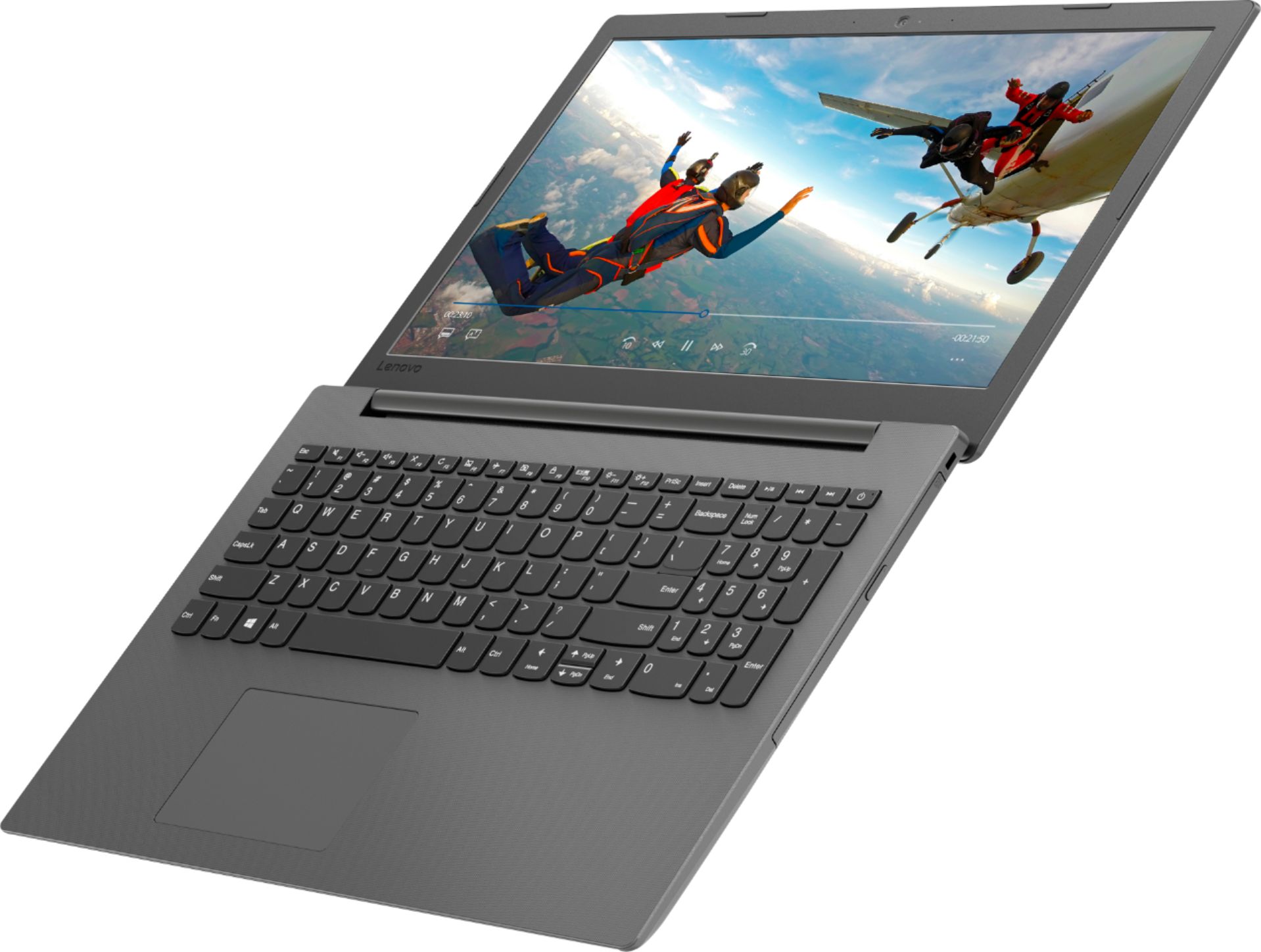
Posted .The Lenovo IdeaPad 130-15 laptop is a mid-level, moderate use system with its AMD A6-9225 processor. It is good for light multi-tasking and basic programs. It is good for Microsoft Office and internet browsing. This model is not user upgradable. A certified technician must do all of the work, so as to not void the warranty. The IdeaPad 130-15 has a standard 15.6" (screen size measured diagonally) QWERTY keyboard with a 10-key numeric pad integrated. If this describes the features and type of computing you do, the IdeaPad 130-15 would be a good choice for you.