Customer Ratings & Reviews
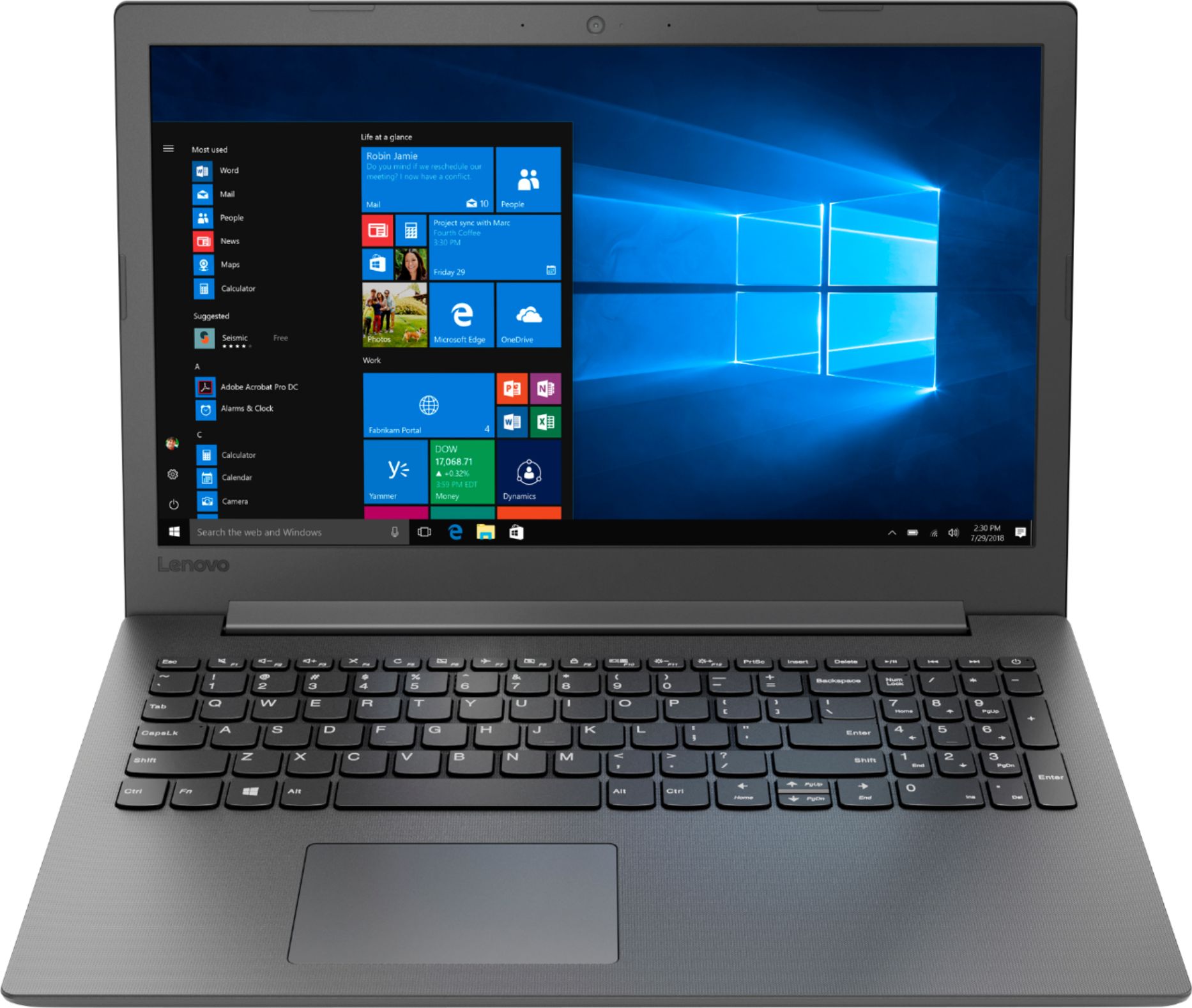
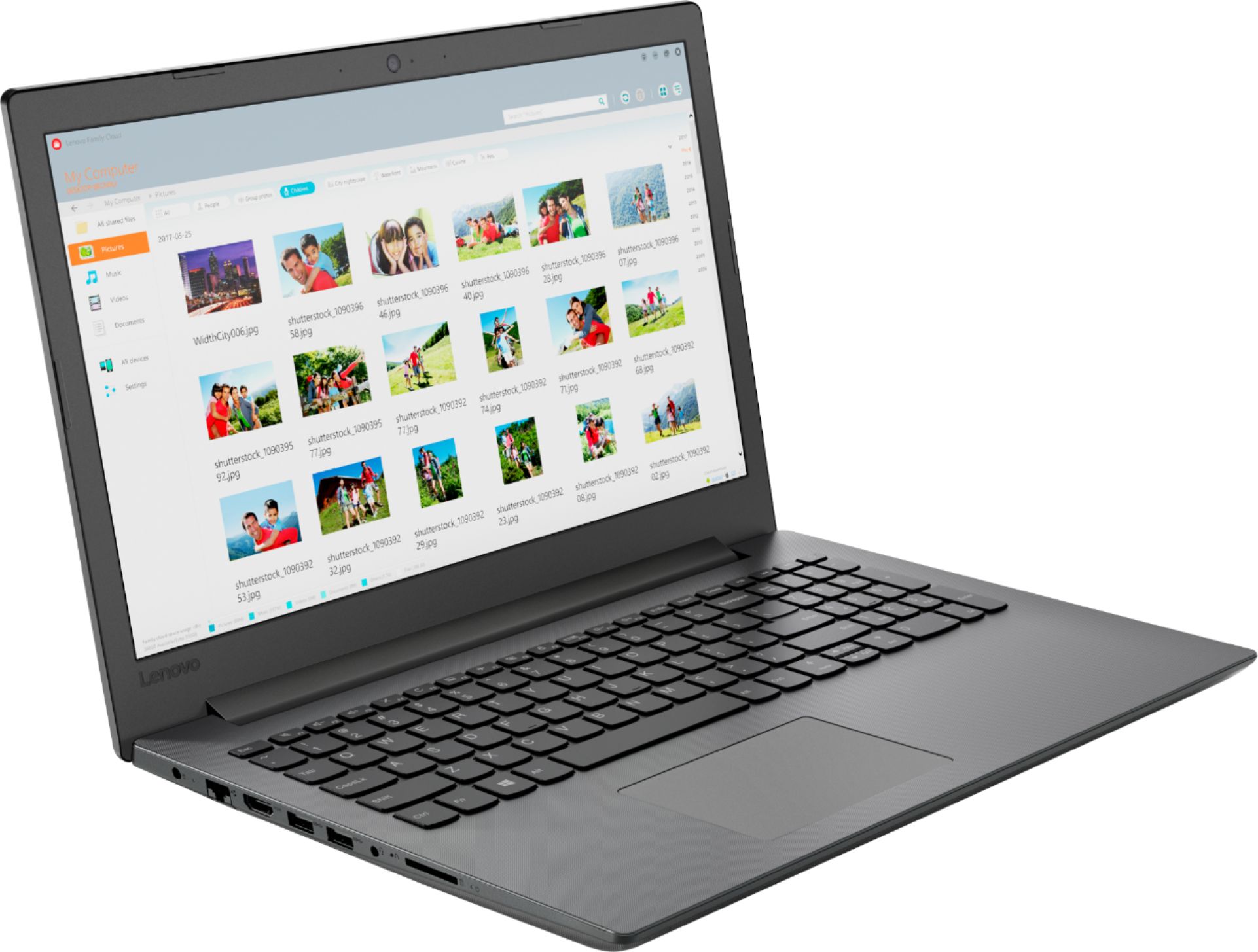
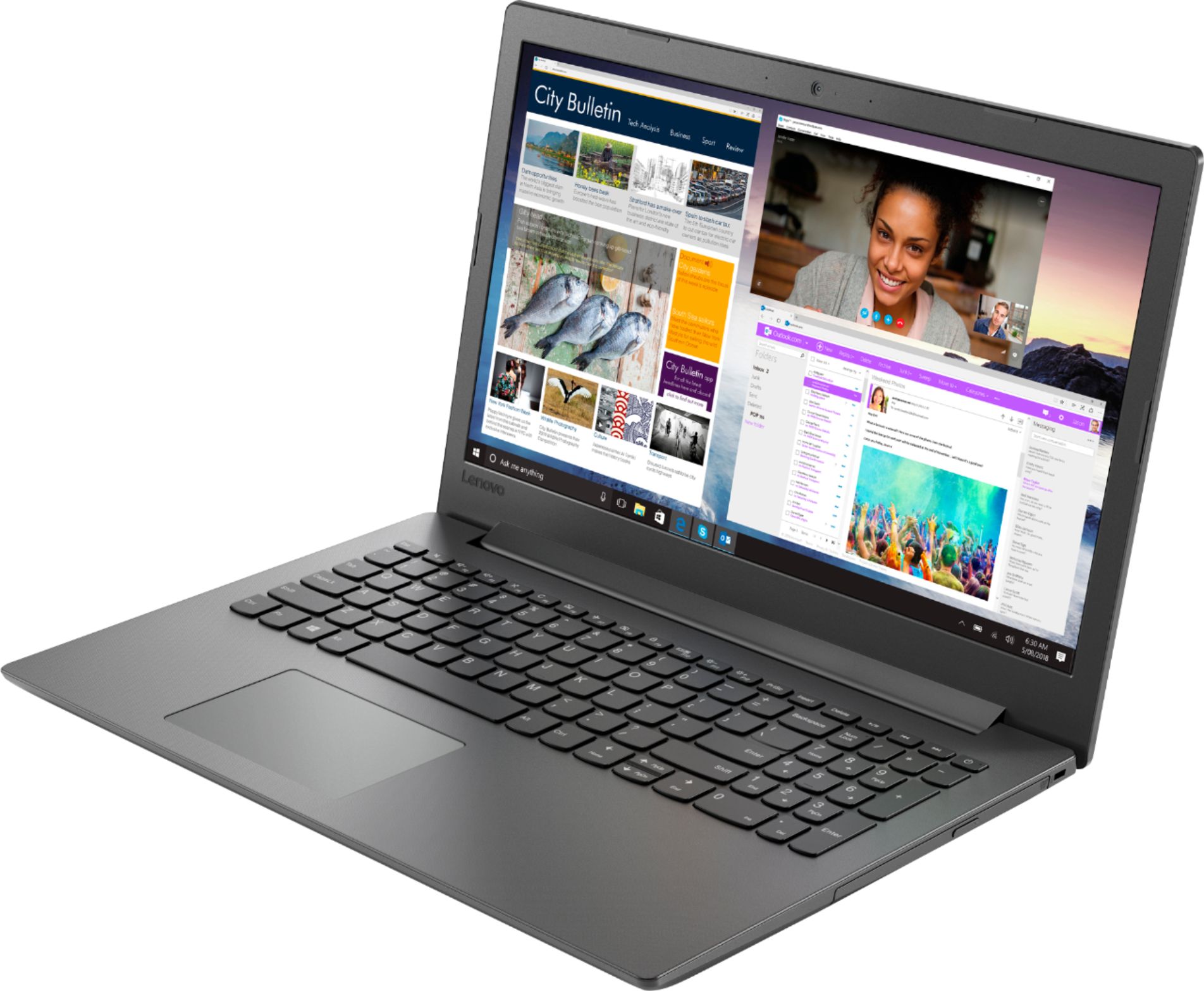
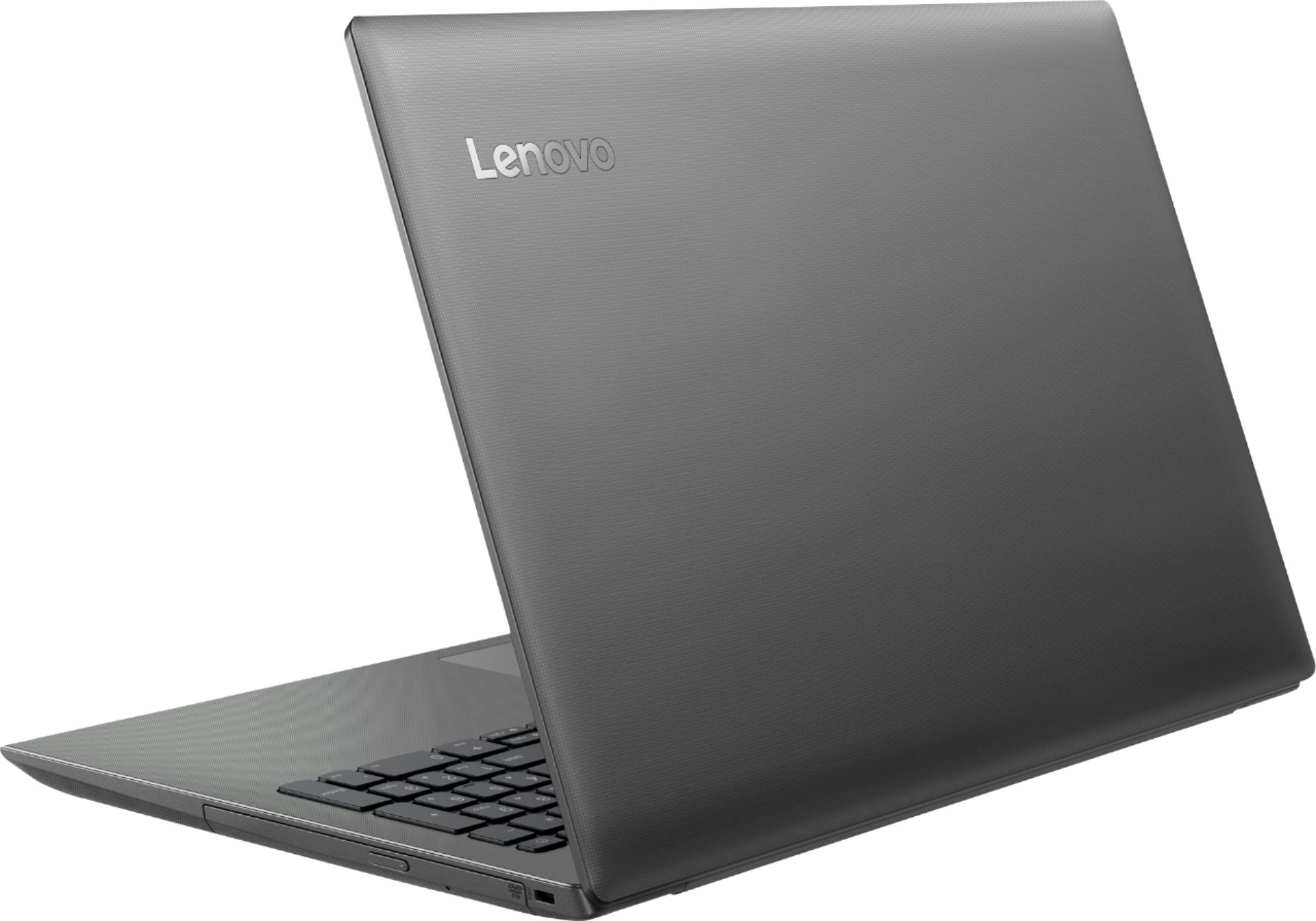

- Model:
- 81H5000NUS
- SKU:
- 6266400
Rating by feature
- Value
Rating 4.2 out of 5 stars
- Quality
Rating 3.9 out of 5 stars
- Ease of Use
Rating 4.2 out of 5 stars
Customers are saying
Customers are delighted by the affordable price, user-friendly interface, and impressive performance of the 130-15AST laptop. Many users appreciate its suitability for gaming and its ample storage capacity. However, some users have concerns about its battery life, occasional slowness, and keyboard issues.
This summary was generated by AI based on customer reviews.
- Pros mentioned:PriceCons mentioned:Speed
Nice basic PC
Posted .This reviewer received promo considerations or sweepstakes entry for writing a review.I bought this for my dad who basically surfs the web and plays a few browser-based games. I will admit that this machine is no speed demon, but it performs well when considering its specifications. We are pleased with the purchase, especially since I got it as a Black Friday Doorbuster!
I would recommend this to a friendBrand response from Lenovo Product Expert
Posted .Thank you for choosing the Lenovo IdeaPad 130-15 laptop for your father. We are pleased to hear that the value and performance of the IdeaPad 130-15 meets your father's computing needs so well.

- Cons mentioned:Speed
Basic Computer turned into a Beast
Posted .This reviewer received promo considerations or sweepstakes entry for writing a review.Let me start out by saying I have owned this computer for a year. I have seen many reviews saying this this computer is slow. This is due to the 5400RPM Hard Drive. The actual hardware of the system is really good, but it just bottlenecks because of that one flaw. I opened up Task Manager and saw that the Hard Drive is always at 100% usage. I bought a $30 SSD and swapped it, and reinstalled Windows. The difference was night and day. Now I know if you are not tech savvy enough to do this, I would not recommend this computer for that reason alone. When you do make the change to a cheap SSD this computer can do a lot. This computer could run GameCube emulators with ease as an example.
No, I would not recommend this to a friendBrand response from Lenovo Product Expert
Posted .Thank you for choosing the Lenovo IdeaPad 130-15 laptop. This model is not user upgradable. A certified technician must do all of the work, so as to not void the warranty.
- Pros mentioned:PriceCons mentioned:Ram
5 stars IF*
Posted .This reviewer received promo considerations or sweepstakes entry for writing a review.I give this laptop 5 stars IF you upgrade to 8GB of ram. Without it its a little too sluggish for most moderate users. However, if you can steal on open box deal or catch the laptop on sale like I did sub 200 its a great bargain and honestly nothing in the class is "better". Get rid of multiple antivirus programs and run the defrag regularly and you'll be happy for lower to moderate end computing needs- at 8GB.
I would recommend this to a friendBrand response from Lenovo Product Expert
Posted .The Lenovo IdeaPad 130-15 laptop is a mid-level, moderate use configuration, with its AMD A6-9225 processor. This Dual-Core processor has a base speed of 2.6GHz and a boost speed of up to 3.0GHz. This configuration has 4GB of RAM. It is good with Microsoft Office type programs, internet browsing and other moderate work. If this describes your computing needs, the IdeaPad 130-15 would be a good choice for you.
- Cons mentioned:Battery life
For the price, decent computer, but poor battery
Posted .This reviewer received promo considerations or sweepstakes entry for writing a review.Got for 200. Just wanted a no frills windows laptop. For the most part. Not disappointed. 15 inch display, dual core cpu, 500 gb hard drive, and the rest of standard laptop features for 200 bucks is a good deal Its not very fast, but it isnt terribly slow either. Battery is the only real bad thing, only lasts 2 hours or less.
I would recommend this to a friendBrand response from Lenovo Product Expert
Posted .Thank you for choosing the Lenovo IdeaPad 130-15 laptop. This model ships with a 2CELL 30WH, Lithium Polymer battery, with a battery life of up to 4 hours, depending on the work that the device is performing. Be sure there are no unwanted programs running in the background, draining the battery. Here is a link to some tips for finding out what is draining your battery:
https://www.laptopmag.com/articles/battery-saver-windows-10. Additionally, to maximize battery life, try changing your power management setting to a more conservative one. You can do this in the control panel, in the power management category on your system. Select a more conservative power management setting to extend battery life.
- Cons mentioned:Battery life, Speed
You get what you pay for
Posted .This reviewer received promo considerations or sweepstakes entry for writing a review.I bought this laptop when my old one died. I just needed something quick and was seriously on a budget. The Lenovo was on sale for around $210 when I purchased it. You definitely get what you pay for. While using it for Microsoft Office programs is good, it's average at best for anything else. The battery life is only around 1.5 hours. I think I got closer to 2 right out of the box, but it's already diminished in just a couple of months, and I didn't load a bunch of stuff on it. I'm able to stream music or TV shows ok, but it's agonizingly slow for other web use. It takes awhile to fully load web pages, and God forbid you need to have more than one tab open at a time! It worked in a pinch when I just needed a laptop but didn't have much money in the budget for one. But I'll never buy Lenovo again.
No, I would not recommend this to a friendBrand response from Lenovo Product Expert
Posted .The Lenovo IdeaPad 130-15 laptop ships with a 2CELL 30WH, Lithium Polymer battery, with a battery life of up to 4 hours, depending on the work that the device is performing. Be sure any software you installed is compatible with Windows 10, as installing incompatible software will drain the battery faster and slow the system down. It might even cause system failure. There is no need to install Microsoft Office software. The software is already part of the operating system, you just need to activate the software with a purchased product key. If you have installed a copy of Microsoft Office, this is conflicting with the existing copy on the system and this will slow your system down. If you have installed a 3rd party anti-virus program, be sure that Windows Defender is turned off and that the trial version of McAfee Anti-Virus software is uninstalled. There can only be one anti-virus program on the system. You may need to restore your system to original factory default settings if any of the programing errors have occurred. You can do that by typing "restore" in the Cortana search window. Just click on the magnifying glass icon at the bottom left of your Windows 10 Desktop. Click on "Reset This PC" Then click on "Get Started" and follow the on screen directions to restore to factory defaults. If the problem persists, we recommend you contact Lenovo Tech Support at: 877-453-6686.
Good for what it is
Posted .This reviewer received promo considerations or sweepstakes entry for writing a review.This laptop serves it purpose well. It’s not a powerful laptop but it’s to get through daily task such as web browsing, Microsoft office and minor streaming services. The speakers do have a cracking sound when playing videos on YouTube, but again I wasn’t expecting anything other than a laptop capable of basic usage. My only gripe about this laptop is the lack of access doors to upgrade the ram. The ram and battery are not accessible, you’d have to remove the whole bottom panel to access.
I would recommend this to a friendBrand response from Lenovo Product Expert
Posted .This model is not user upgradable. A certified technician must do all of the work, so as to not void the warranty. This system ships with stereo 1.5W speakers. There is Dolby Audio sound enhancement software on this system. Be sure Dolby Audio is turned on and adjusted to your personal preferences.

Recommend
Posted .This reviewer received promo considerations or sweepstakes entry for writing a review.Nice little machine. Does everything its supose to do. Worked well for our granddaughter.
I would recommend this to a friendIT'S A LAPTOP
Posted .This reviewer received promo considerations or sweepstakes entry for writing a review.GOOD SOLID LAPTOP FOR 4 1/2 YEARS WOULD RECOMMEND FOR BROWSING
I would recommend this to a friendGood laptop
Posted .This reviewer received promo considerations or sweepstakes entry for writing a review.Good reliable laptop, soild battery life and good screen
I would recommend this to a friend- Cons mentioned:Speed
Unfortunate waste of money
Posted .This reviewer received promo considerations or sweepstakes entry for writing a review.I'm currently a college student and was looking for a cheap laptop to do simple tasks such as typing up documents and creating tables/spreadsheet with the occasional browsing. Unfortunately what I got was a machine that struggles to get through even these menial tasks. The laptop constantly comes to complete halt when doing simple things like saving a document. The touchpad is of terrible quality as well. I wish i had given up on it within the 15 day return period. Save your money and look elsewhere for an even semi-decent laptop.
No, I would not recommend this to a friendBrand response from Lenovo Product Expert
Posted .We are sorry to hear that you are having issues with your Lenovo IdeaPad 130-15 laptop. This is a mid-level, light use system with its AMD A6-9220 processor. It is not meant for multi-tasking or demanding programs. It is good for Microsoft Office and light internet browsing. Be sure any software you installed is compatible with Windows 10. There is no need to install Microsoft Office software. The software is already part of the operating system, you just need to activate the software with a purchased product key. If you have installed a copy of Microsoft Office, this is conflicting with the existing copy on the system and this will slow your system down. You may need to restore your system to original factory default settings if any of the programing errors have occurred. You can do that by typing "restore" in the Cortana search window. Just click on the magnifying glass icon at the bottom left of your Windows 10 Desktop. Click on "Reset This PC" Then click on "Get Started" and follow the on screen directions to restore to factory defaults. If the problem persists, we recommend you contact Lenovo Tech Support at: 877-453-6686.
- Pros mentioned:Price
Great Laptop for the $
Posted .This reviewer received promo considerations or sweepstakes entry for writing a review.At $205 this is a great laptop. CD/DVD drive, which is hard to find these days. Clear picture and decent speed.
I would recommend this to a friendBrand response from Lenovo Product Expert
Posted .Thank you for choosing the Lenovo IdeaPad 130-15 laptop. We are pleased to hear that the value, features and performance of the IdeaPad 130-15 meets your computing needs so well.
- Cons mentioned:Speed
Really poor performance
Posted .This reviewer received promo considerations or sweepstakes entry for writing a review.I get it...it's inexpensive, doesn't have great battery life, all that jazz...I read the reviews, and the standard Lenovo response about it being a "moderate use" system and that it's good for light multitasking. Right out of the box, this computer cannot complete tasks such as opening a web browser (just opening the program, not connecting to the internet) any faster than my old HP laptop (5+ years old). Doesn't meet speed expectations for a modern computer. I'll be returning
No, I would not recommend this to a friendBrand response from Lenovo Product Expert
Posted .The Lenovo IdeaPad 130-15 laptop ships with the Dual-Core/Four-Thread AMD A6-9225 processor, with a base processing speed of 2.6GHz and a boost speed of up to 3.0GHz. There is 4GB of DDR4-1866MHz RAM. Be sure any software you installed is compatible with Windows 10. There is no need to install Microsoft Office software. The software is already part of the operating system, you just need to activate the software with a purchased product key. If you have installed a copy of Microsoft Office, this is conflicting with the existing copy on the system and this will slow your system down. If you have installed a 3rd party anti-virus program, be sure that Windows Defender is turned off and that the trial version of McAfee Anti-Virus software is uninstalled. There can only be one anti-virus program on the system. You may need to restore your system to original factory default settings if any of the programing errors have occurred. You can do that by typing "restore" in the Cortana search window. Just click on the magnifying glass icon at the bottom left of your Windows 10 Desktop. Click on "Reset This PC" Then click on "Get Started" and follow the on screen directions to restore to factory defaults. If the problem persists, we recommend you contact Lenovo Tech Support at: 877-453-6686.
- Pros mentioned:Price
Good buy
Posted .This reviewer received promo considerations or sweepstakes entry for writing a review.I know it’s not the best computer out there but not bad for the price. Got it on sale during Black Friday and it’s still going good.
I would recommend this to a friendBrand response from Lenovo Product Expert
Posted .The Lenovo IdeaPad 130-15 laptop is a mid-level, moderate use configuration, with its AMD A6-9225 processor. This Dual-Core processor has a base speed of 2.6GHz and a boost speed of up to 3.0GHz. This configuration has 4GB of RAM. It is good with Microsoft Office type programs, internet browsing and other moderate work. If this describes your computing needs, the IdeaPad 130-15 would be a good choice for you.
- Cons mentioned:Speed
Horrible Computer
Posted .This reviewer received promo considerations or sweepstakes entry for writing a review.I knew this would not be the best computer because it was very inexpensive. And inexpensive is the only good thing I can say about it. It is the slowest computer I've ever seen. Forget any video, it can barely browse the web. Hard drive is slow. Any program I run on it is slow. Sometimes I type 3 or 4 words and I have to wait for the text to catch up to my typing. I only purchased it because I was in an emergency situation, but I would not recommend this computer to anyone who can afford anything else.
No, I would not recommend this to a friendBrand response from Lenovo Product Expert
Posted .The issue you describe with the lag of your typing indicates incompatible software installed on the computer. Be sure any software you installed is compatible with Windows 10. There is no need to install Microsoft Office software. The software is already part of the operating system, you just need to activate the software with a purchased product key. If you have installed a copy of Microsoft Office, this is conflicting with the existing copy on the system and this will slow your system down. If you have installed a 3rd party anti-virus program, be sure that Windows Defender is turned off and that the trial version of McAfee Anti-Virus software is uninstalled. There can only be one anti-virus program on the system. You may need to restore your system to original factory default settings if any of the programing errors have occurred. You can do that by typing "restore" in the Cortana search window. Just click on the magnifying glass icon at the bottom left of your Windows 10 Desktop. Click on "Reset This PC" Then click on "Get Started" and follow the on screen directions to restore to factory defaults. If the problem persists, we recommend you contact Lenovo Tech Support at: 877-453-6686.
The internet speed is excellent
Posted .This reviewer received promo considerations or sweepstakes entry for writing a review.The computer itself is a great size and the graphics are really good .
I would recommend this to a friendBrand response from Lenovo Product Expert
Posted .Thank you for choosing the lenovo IdeaPad 130-15 laptop. This is an entry level, light use system with its AMD A6 processor. It is not meant for multi-tasking or demanding programs. It is good for Microsoft Office and light internet browsing. If this describes your computing needs, the IdeaPad 130-15 would be a good choice.
- Pros mentioned:Price
Yes
Posted .This reviewer received promo considerations or sweepstakes entry for writing a review.Yes Хорошо для домашних условий!!! Использования скайп и просмотра сериала, и социальных сетей!!!
I would recommend this to a friendBrand response from Lenovo Product Expert
Posted .Благодарим вас за выбор ноутбука Lenovo IdeaPad 130-15. Мы рады услышать, что IdeaPad 130-15 удовлетворяет ваши компьютерные потребности так хорошо. Это начальная ступень, система управления освещением с процессором AMD A6. Он не предназначен для многозадачных или требовательных программ. Это хорошо для Microsoft Office и легкого интернет-просмотра. Если это описывает ваши вычислительные потребности, IdeaPad 130-15 будет хорошим выбором.
- Pros mentioned:Storage
Good for the money
Posted .This reviewer received promo considerations or sweepstakes entry for writing a review.Needed something with lots of storage and fast wifi. I got just that with this laptop.
I would recommend this to a friendBrand response from Lenovo Product Expert
Posted .Thank you for choosing the Lenovo IdeaPad 130-15 laptop. We are pleased to hear that the features and performance of the IdeaPad 130-15 meets your computing needs so well. This is a mid-level, moderate use configuration, with its AMD A6-9225 processor. This Dual-Core processor has a base speed of 2.6GHz and a boost speed of up to 3.0GHz. This configuration has 4GB of RAM. It is good with Microsoft Office type programs, internet browsing and other moderate work. If this describes your computing needs, the IdeaPad 130-15 would be a good choice for you.
Battery wont charge past 60%
Posted .This reviewer received promo considerations or sweepstakes entry for writing a review.I was excited to find a laptop in my budget area. I didn't need it to do much, since I only use it for school. However, I cannot get it to charge past 60%. It says it's plugged in but not charging. What ever that means. VERY diaappointed. I got the laptop so I wouldnt be glued to one place. I bought merely so I wouldn't have to keep it plugged in to use it. If I wanted to be stuck in one area to use a computer, I would have bought a desktop. Do not buy.
No, I would not recommend this to a friendBrand response from Lenovo Product Expert
Posted .We are sorry to hear that you are having issues with charging your Lenovo IdeaPad 130-15 laptop. The issue you are describing sounds like an issue with the battery management software on this device. Unplug the computer and let the battery drain down to around 10 to 15%, then plug the device in and charge it. See how much of a charge the battery allows. If the battery charges to 100%, the issue is resolved. If the battery still will not charge past 60%, a reset of the battery may help. Here is a link to instructions for resetting a non-removable battery. If you need further assistance, we recommend you call Lenovo Tech Support at: 877-453-6686. Here is the link: https://www.techwalla.com/articles/how-to-reset-a-laptop-battery
- Pros mentioned:Price
Good until it wasn't
Posted .This reviewer received promo considerations or sweepstakes entry for writing a review.I bought this computer on black Friday 2018. Good price and was good computer until a couple days ago when it started saying diagnosing pc and will not start. I also have issues with the McAfee program saying it's expired. It will not do a system restore. I'm very disappointed at this point.
No, I would not recommend this to a friendBrand response from Lenovo Product Expert
Posted .We are sorry to hear that you are having issues with your Lenovo IdeaPad 130-15 laptop. If you do not want to use the McAfee Anti-Virus software after the free 30-day trial, you will receive pop up notifications that your device is unprotected. You can uninstall McAfee and install any 3rd party anti-virus software you choose, but you must uninstall McAfee first, as there can only be one anti-virus software on the computer at a time. Here is a link to information on uninstalling McAfee from Windows 10: https://service.mcafee.com/webcenter/portal/oracle/webcenter/page/scopedMD/s55728c97_466d_4ddb_952d_05484ea932c6/Page29.jspx?wc.contextURL=%2Fspaces%2Fcp&articleId=TS101331&_afrLoop=1355161020222084&leftWidth=0%25&showFooter=false&showHeader=false&rightWidth=0%25¢erWidth=100%25#!%40%40%3FshowFooter%3Dfalse%26_afrLoop%3D1355161020222084%26articleId%3DTS101331%26leftWidth%3D0%2525%26showHeader%3Dfalse%26wc.contextURL%3D%252Fspaces%252Fcp%26rightWidth%3D0%2525%26centerWidth%3D100%2525%26_adf.ctrl-state%3Dx25crirbo_9. Once the McAfee is uninstalled, the diagnosing PC alert should go away. If the issue continues, you may need to restore the computer back to original factory settings. Here is a link to instructions for restoring the computer back to original factory settings: https://www.laptopmag.com/articles/reset-windows-10-pc. For 2018, Lenovo retained its place for a second year as the best laptop vendor:
https://www.laptopmag.com/articles/laptop-brand-ratings
Great Computer!
Posted .This reviewer received promo considerations or sweepstakes entry for writing a review.The reviews on this computer made me nervous after I bought it but I LOVE it! I've had no issues with the speed of this computer and its light weight perfect for bringing it back and forth between school and home. Don't make the reviews second guess your purchase!
I would recommend this to a friendBrand response from Lenovo Product Expert
Posted .Thank you for choosing the Lenovo IdeaPad 130-15 laptop. We are pleased to hear that the performance of the Ideapad 130-15 meets your computing needs so well. This is a mid-level, moderate use configuration, with its AMD A6-9225 processor. This Dual-Core processor has a base speed of 2.6GHz and a boost speed of up to 3.0GHz. This configuration has 4GB of RAM. It is good with Microsoft Office type programs, internet browsing and other moderate work. If this describes your computing needs, the IdeaPad 130-15 would be a good choice for you.