Customer Ratings & Reviews


- Model:
- 81H5000NUS
- SKU:
- 6266400
Rating by feature
- Value
Rating 4.2 out of 5 stars
- Quality
Rating 3.9 out of 5 stars
- Ease of Use
Rating 4.2 out of 5 stars
Customers are saying
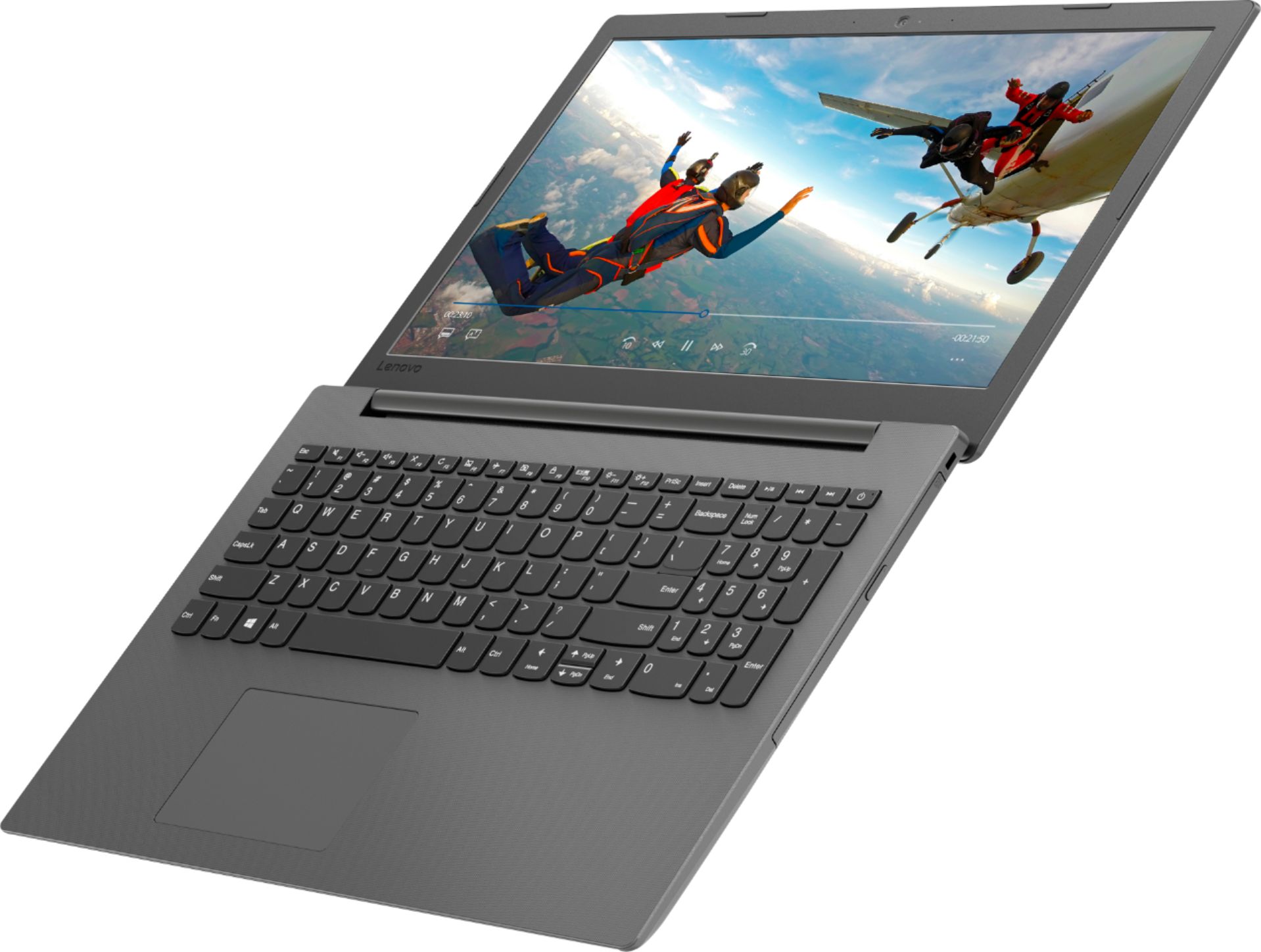
Customers are delighted by the affordable price, user-friendly interface, and impressive performance of the 130-15AST laptop. Many users appreciate its suitability for gaming and its ample storage capacity. However, some users have concerns about its battery life, occasional slowness, and keyboard issues.
This summary was generated by AI based on customer reviews.
- Pros mentioned:Gaming
Good Laptop for homework
||Posted .This reviewer received promo considerations or sweepstakes entry for writing a review.This laptop has allowed my grandsons to do their homework and also have the power to play some games.
I would recommend this to a friendBrand response from Lenovo Product Expert
Posted .Thank you for choosing the Lenovo IdeaPad 130-15 laptop for your grandsons. We are pleased to hear that the IdeaPad 130-15 is working out so well. The Lenovo IdeaPad 130-15 laptop is a mid-level, moderate use configuration, with its AMD A6-9225 processor. This Dual-Core processor has a base speed of 2.6GHz and a boost speed of up to 3.0GHz. This configuration has 4GB of RAM. It is good with Microsoft Office type programs, internet browsing and other moderate work. If this describes your computing needs, the IdeaPad 130-15 would be a good choice for you.

- Pros mentioned:PriceCons mentioned:Speed
Very good for the price
||Posted .This reviewer received promo considerations or sweepstakes entry for writing a review.A very good computer. Not very fast but acceptable for the price
I would recommend this to a friendBrand response from Lenovo Product Expert
Posted .The Lenovo IdeaPad 130-15 laptop is a mid-level, moderate use configuration, with its AMD A6-9225 processor. This Dual-Core processor has a base speed of 2.6GHz and a boost speed of up to 3.0GHz. This configuration has 4GB of RAM. It is good with Microsoft Office type programs, internet browsing and other moderate work. If this describes your computing needs, the IdeaPad 130-15 would be a good choice for you. For 2018, Lenovo retained its place for a second year as the best laptop vendor:
https://www.laptopmag.com/articles/laptop-brand-ratings
- Pros mentioned:Price
Worth the price
||Posted .This reviewer received promo considerations or sweepstakes entry for writing a review.Very good little laptop for the price. Had same brand before and this one is definitely improved.
I would recommend this to a friendBrand response from Lenovo Product Expert
Posted .Thank you for choosing the lenovo IdeaPad 130-15 laptop. We are pleased to hear that the value and performance of the IdeaPad 130-15 meets your computing needs so well. This is a mid-level, moderate use configuration, with its AMD A6-9225 processor. This Dual-Core processor has a base speed of 2.6GHz and a boost speed of up to 3.0GHz. This configuration has 4GB of RAM. It is good with Microsoft Office type programs, internet browsing and other moderate work. If this describes your computing needs, the IdeaPad 130-15 would be a good choice for you. For 2018, Lenovo retained its place for a second year as the best laptop vendor:
https://www.laptopmag.com/articles/laptop-brand-ratings
- Pros mentioned:Easy to use
Excellent laptop for what I need
||Posted .This reviewer received promo considerations or sweepstakes entry for writing a review.Low priced and simple to understand and use. Used geek squad to set it up. They did a wonderful job
I would recommend this to a friendBrand response from Lenovo Product Expert
Posted .Thank you for choosing the lenovo IdeaPad 130-15 laptop. We are pleased to hear that the value, ease of use and performance of the IdeaPad 130-15 meets your computing needs so well. This is a mid-level, moderate use configuration, with its AMD A6-9225 processor. This Dual-Core processor has a base speed of 2.6GHz and a boost speed of up to 3.0GHz. This configuration has 4GB of RAM. It is good with Microsoft Office type programs, internet browsing and other moderate work. If this describes your computing needs, the IdeaPad 130-15 would be a good choice for you.
- Pros mentioned:Price
Great for on the go
||Posted .This reviewer received promo considerations or sweepstakes entry for writing a review.Helps with homework and all other little tasks when your away from home for a reasonable price.
I would recommend this to a friendBrand response from Lenovo Product Expert
Posted .Thank you for choosing the Lenovo IdeaPad 130-15 laptop. This is a mid-level, moderate use configuration, with its AMD A6-9225 processor. This Dual-Core processor has a base speed of 2.6GHz and a boost speed of up to 3.0GHz. This configuration has 4GB of RAM. It is good with Microsoft Office type programs, internet browsing and other moderate work. If this describes your computing needs, the IdeaPad 130-15 would be a good choice for you.
- Pros mentioned:Storage
Great for the price point
||Posted . Owned for 1.5 years when reviewed.This reviewer received promo considerations or sweepstakes entry for writing a review.I have had this laptop for a year and a half, it still works great. For the price you can't beat it!! I use mine for working with my silhouette software, paying bills, and light internet use. I have had no issues with storage or speed.
I would recommend this to a friend - Pros mentioned:Price
Boots faster
||Posted . Owned for more than 2 years when reviewed.This reviewer received promo considerations or sweepstakes entry for writing a review.Good for basic users. Boots faster and easy to use. Value for the money
I would recommend this to a friend - Pros mentioned:Price
Great, cheap laptop option
||Posted .This reviewer received promo considerations or sweepstakes entry for writing a review.This laptop is great for my young boys to play games and do their homework. Great price point.
I would recommend this to a friendBrand response from Lenovo Product Expert
Posted .Thank you for choosing the Lenovo IdeaPad 130-15 laptop for your children. We are pleased to hear that the value and performance of the IdeaPad 130-15 meets the computing needs so f your children so well. This is a mid-level, moderate use configuration, with its AMD A6-9225 processor. This Dual-Core processor has a base speed of 2.6GHz and a boost speed of up to 3.0GHz. This configuration has 4GB of RAM. It is good with Microsoft Office type programs, internet browsing and other moderate work. If this describes your computing needs, the IdeaPad 130-15 would be a good choice for you.
- Pros mentioned:Price
Leveno laptop
||Posted .This reviewer received promo considerations or sweepstakes entry for writing a review.All right computer after you get to know it. For the price I think its ok. No troubles as yet.
I would recommend this to a friendBrand response from Lenovo Product Expert
Posted .Thank you for choosing the Lenovo IdeaPad 130-15 laptop. The Lenovo IdeaPad 130-15 laptop is a mid-level, moderate use configuration, with its AMD A6-9225 processor. This Dual-Core processor has a base speed of 2.6GHz and a boost speed of up to 3.0GHz. This configuration has 4GB of RAM. It is good with Microsoft Office type programs, internet browsing and other moderate work. If this describes your computing needs, the IdeaPad 130-15 would be a good choice for you.
- Pros mentioned:Price
Good value
||Posted . Owned for 1.5 years when reviewed.This reviewer received promo considerations or sweepstakes entry for writing a review.Purchased for school purposes. Great value for the price. Serves its purpose.
I would recommend this to a friend Great low-end laptop
||Posted .This reviewer received promo considerations or sweepstakes entry for writing a review.Very basic laptop which has some of the deficiencies of a low end model that I was expecting. But I knew that going in and I'm very satisfied with it. Only real complaint is the speakers aren't very good. I previously had a Lenovo model for work, and the speaker volume was excellent. Speaker volume on this model could be a lot better.
I would recommend this to a friendBrand response from Lenovo Product Expert
Posted .The Lenovo IdeaPad 130-15 laptop is a mid-level, moderate use configuration, with its AMD A6-9225 processor. This Dual-Core processor has a base speed of 2.6GHz and a boost speed of up to 3.0GHz. This configuration has 4GB of RAM. This model has stereo 1.5W speakers and Dolby Audio sound enhancements software. For the best audio experience, be sure you turn on Dolby Audio and adjust Dolby Audio to your personal preferences. It is good with Microsoft Office type programs, internet browsing and other moderate work. If this describes your computing needs, the IdeaPad 130-15 would be a good choice for you.
- Pros mentioned:Price
Good little computer
||Posted .This reviewer received promo considerations or sweepstakes entry for writing a review.This is a pretty good little computer. Great value for the price. I’ll be purchasing another.
I would recommend this to a friendBrand response from Lenovo Product Expert
Posted .Thank you for choosing the Lenovo IdeaPad 130-15 laptop. This is a mid-level, moderate use configuration, with its AMD A6-9225 processor. This Dual-Core processor has a base speed of 2.6GHz and a boost speed of up to 3.0GHz. This configuration has 4GB of RAM. It is good with Microsoft Office type programs, internet browsing and other moderate work. If this describes your computing needs, the IdeaPad 130-15 would be a good choice for you.
- Pros mentioned:Price
Great starter laptop
||Posted .This reviewer received promo considerations or sweepstakes entry for writing a review.It is a very good laptop for the price, comes loaded with features and has windows Office 10
I would recommend this to a friendBrand response from Lenovo Product Expert
Posted .Thank you for choosing the Lenovo IdeaPad 130-15 laptop. We are pleased to hear that the value, features and performance of the IdeaPad 130-15 meets your computing needs so well. This is a mid-level, moderate use configuration, with its AMD A6-9225 processor. This Dual-Core processor has a base speed of 2.6GHz and a boost speed of up to 3.0GHz. This configuration has 4GB of RAM. It is good with Microsoft Office type programs, internet browsing and other moderate work. If this describes your computing needs, the IdeaPad 130-15 would be a good choice for you.
- Pros mentioned:Price
Good laptop for the price. Easy to setup. Meets ge
||Posted .This reviewer received promo considerations or sweepstakes entry for writing a review.Got this pc on Black Friday. Great laptop for the price Great for general computing needs.
I would recommend this to a friendBrand response from Lenovo Product Expert
Posted .The Lenovo IdeaPad 130-15 laptop is a mid-level, moderate use configuration, with its AMD A6-9225 processor. This Dual-Core processor has a base speed of 2.6GHz and a boost speed of up to 3.0GHz. This configuration has 4GB of RAM. It is good with Microsoft Office type programs, internet browsing and other moderate work. If this describes your computing needs, the IdeaPad 130-15 would be a good choice for you.
- Cons mentioned:Speed
Its an Alright Laptop
||Posted .This reviewer received promo considerations or sweepstakes entry for writing a review.The lenovo laptop is slim and light screen resolution great but sometimes slow on start up.
I would recommend this to a friendBrand response from Lenovo Product Expert
Posted .The Lenovo IdeaPad 130-15 laptop will boot from off to the Windows 10 desktop screen in less than 40 seconds. If you are experiencing slower performance, be sure any software you installed is compatible with Windows 10. There is no need to install Microsoft Office software. The software is already part of the operating system, you just need to activate the software with a purchased product key. If you have installed a copy of Microsoft Office, this is conflicting with the existing copy on the system and this will slow your system down. If you have installed a 3rd party anti-virus program, be sure that Windows Defender is turned off and that the trial version of McAfee Anti-Virus software is uninstalled. There can only be one anti-virus program on the system. You may need to restore your system to original factory default settings if any of the programing errors have occurred. You can do that by typing "restore" in the Cortana search window. Just click on the magnifying glass icon at the bottom left of your Windows 10 Desktop. Click on "Reset This PC" Then click on "Get Started" and follow the on screen directions to restore to factory defaults. If the problem persists, we recommend you contact Lenovo Tech Support at: 877-453-6686. For 2018, Lenovo retained its place for a second year as the best laptop vendor:
https://www.laptopmag.com/articles/laptop-brand-ratings
- Pros mentioned:Price
Good buy for the money
||Posted .This reviewer received promo considerations or sweepstakes entry for writing a review.Slower but not bad for the money paid. Good buy for a student needing to do school work.
I would recommend this to a friendBrand response from Lenovo Product Expert
Posted .The Lenovo IdeaPad 130-15 laptop is a mid-level, moderate use configuration, with its AMD A6-9225 processor. This Dual-Core processor has a base speed of 2.6GHz and a boost speed of up to 3.0GHz. This configuration has 4GB of RAM. It is good with Microsoft Office type programs, internet browsing and other moderate work. If this describes your computing needs, the IdeaPad 130-15 would be a good choice for you.
- Pros mentioned:Gaming
Good beginner laptop
||Posted .This reviewer received promo considerations or sweepstakes entry for writing a review.Bought for my son and it’s accomidated his needs. Even for some games like the sims 4.
I would recommend this to a friendBrand response from Lenovo Product Expert
Posted .Thank you for choosing the Lenovo IdeaPad 130-15 laptop for your son. We are pleased to hear that the performance of the IdeaPad 130-15 meets your son's computing needs so well. This is a mid-level, moderate use configuration, with its AMD A6-9225 processor. This Dual-Core processor has a base speed of 2.6GHz and a boost speed of up to 3.0GHz. This configuration has 4GB of RAM. It is good with Microsoft Office type programs, internet browsing and other moderate work. If this describes your computing needs, the IdeaPad 130-15 would be a good choice for you. For 2018, Lenovo retained its place for a second year as the best laptop vendor:
https://www.laptopmag.com/articles/laptop-brand-ratings
Good looking, slick, affordable
||Posted . Owned for 1 year when reviewed.This reviewer received promo considerations or sweepstakes entry for writing a review.My sis in law wanted a new computer, thin but capable (just like her). It wasn’t the greatest computer she’d ever use, but for spreadsheets, email and web browsing, it gets the job done. If it wasn’t for its looks i wouldn’t recommend it, but she’s a fashion buyer. She knows what good looks like. So style-wise, this hits the spot. Just don’t expect a workhorse out of it.
I would recommend this to a friend- Pros mentioned:Easy to use
Great for older adults
||Posted .This reviewer received promo considerations or sweepstakes entry for writing a review.Purchased for my dad who isn’t exactly tech savvy but easy for him to set up and use
I would recommend this to a friendBrand response from Lenovo Product Expert
Posted .Thank you for choosing the Lenovo IdeaPad 130-15 laptop for your father. We are pleased to hear that the ease of use and performance of the IdeaPad 130-15 meets your father's computing needs so well. This is a mid-level, moderate use configuration, with its AMD A6-9225 processor. This Dual-Core processor has a base speed of 2.6GHz and a boost speed of up to 3.0GHz. This configuration has 4GB of RAM. It is good with Microsoft Office type programs, internet browsing and other moderate work. If this describes your computing needs, the IdeaPad 130-15 would be a good choice for you. For 2018, Lenovo retained its place for a second year as the best laptop vendor:
https://www.laptopmag.com/articles/laptop-brand-ratings
- Pros mentioned:Price
Decent Cheap Laptop
||Posted .This reviewer received promo considerations or sweepstakes entry for writing a review.Sign-on takes quite a while but once on this laptop functions adequately for the money.
I would recommend this to a friendBrand response from Lenovo Product Expert
Posted .Thank you for choosing the Lenovo IdeaPad 130-15 laptop. This system should boot up to the Windows 10 desktop in less than 40 seconds. Be sure any software you installed is compatible with Windows 10. There is no need to install Microsoft Office software. The software is already part of the operating system, you just need to activate the software with a purchased product key. If you have installed a copy of Microsoft Office, this is conflicting with the existing copy on the system and this will slow your system down. If you have installed a 3rd party anti-virus program, be sure that Windows Defender is turned off and that the trial version of McAfee Anti-Virus software is uninstalled. There can only be one anti-virus program on the system. You may need to restore your system to original factory default settings if any of the programing errors have occurred. You can do that by typing "restore" in the Cortana search window. Just click on the magnifying glass icon at the bottom left of your Windows 10 Desktop. Click on "Reset This PC" Then click on "Get Started" and follow the on screen directions to restore to factory defaults. If the problem persists, we recommend you contact Lenovo Tech Support at: 877-453-6686.