Customer Ratings & Reviews

- Model:
- 80XM00GRUS
- SKU:
- 6112001
Rating by feature
- Value
Rating 4.2 out of 5 stars
- Quality
Rating 4.2 out of 5 stars
- Ease of Use
Rating 4.5 out of 5 stars
Customers are saying
Customers are positive about the large screen, fast performance, affordable price, and sufficient storage. They appreciate that the laptop is lightweight and performs as expected. However, customers are negative about the keyboard sensitivity, short battery life, and weight of the laptop. Some customers also dislike Windows 10 as the operating system.
This summary was generated by AI based on customer reviews.
Screen way too delicate
||Posted . Owned for more than 2 years when reviewed.This reviewer received promo considerations or sweepstakes entry for writing a review.Since there no exterior protection edge, it breaks, gets dust, water, etc under the screen easily. Has needed multiple repairs.
No, I would not recommend this to a friendGood for a beginner
||Posted .This reviewer received promo considerations or sweepstakes entry for writing a review.Like all Lenovos you drop the Laptop once even while in a padded bag the screen gets messed up and spreads. You cannot use it again. This has happened on 3 Lenovo Laptops I've bought. 3 strikes your out. I will never purchase a Lenovo again. Also another Lenovo thing when your scrolling or using mouse suddenly the text on the screen shrinks to tiny. Never had this issue with another brand. Not Best Buy fault that Lenovo makes a Laptop with glitches. Best Buy rocks!
No, I would not recommend this to a friendIt’s nice
||Posted .This reviewer received promo considerations or sweepstakes entry for writing a review.It’s nice for what I needed but the mouse pad seems not as sensitive as it should be. I feel like it’s going to go in and not come back up when I click on it
No, I would not recommend this to a friendBrand response from Lenovo Product Expert
Posted .Thank you for choosing the Lenovo IdeaPad 320-17 laptop. With regard to the touchpad, you can make adjustments to the touchpad in your system settings. You can get there by clicking on the magnifying glass at the bottom left of your Windows 10 screen. Type "touchpad" in the search window. Select "Mouse & touchpad settings" from the list of choices. You can make general adjustments to the touchpad there. You can also select "Additional mouse options" for more detailed adjustments to the touchpad sensitivity by increasing the delay of the touchpad.

Serviceable PC
||Posted .This reviewer received promo considerations or sweepstakes entry for writing a review.Will do all your basic computer work fine. Not a gaming rig but will get the day to day tasks done easily.
I would recommend this to a friendNever have I had such a slow machine
||Posted .This reviewer received promo considerations or sweepstakes entry for writing a review.This computer is incredibly slow. It freezes up constantly even when the simplest applications are running. It has full protection and has been scanned so viruses are not the issue. I would not recommend this computer to anyone. It looks like I will be going back to using my 3 year old HP that performs better than this computer.
No, I would not recommend this to a friendCamera really really stinks
||Posted .This reviewer received promo considerations or sweepstakes entry for writing a review.Installing programs was hit or miss. I like some of the new security features of Windows 10 but the place where this laptop completely falls down is the webcam. Not sure why would would be sold with such low resolution but after spending nearly an hour on the phone with tech support my only options are to buy a new pc or buy a webcam which will likely eat up the limited USB ports this thing already has.
No, I would not recommend this to a friendCrashed on load up
||Posted .This reviewer received promo considerations or sweepstakes entry for writing a review.I took this Laptop back because it crashed the second time I turned it on. It lost everything and won't work at all.....JUNK
No, I would not recommend this to a friendBrand response from Lenovo Product Expert
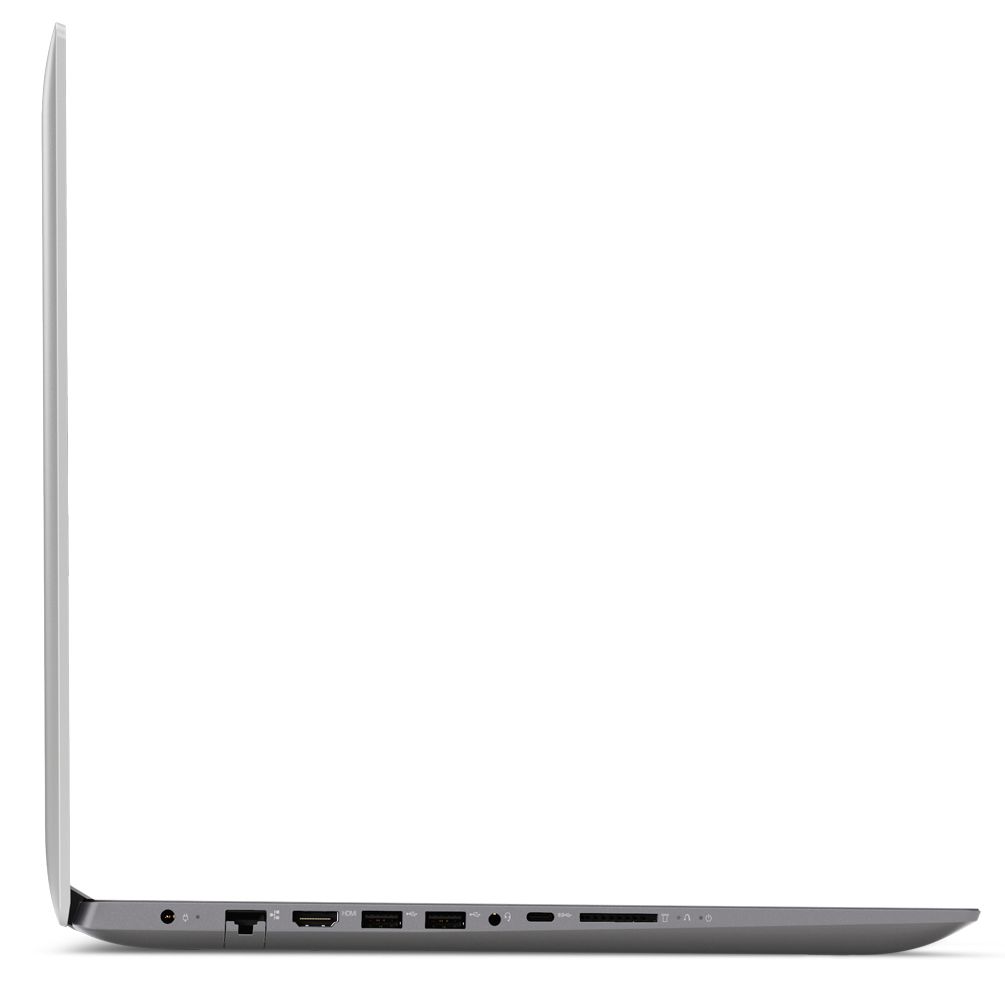
Posted .We are sorry to hear you are having issues with your Lenovo IdeaPad 320-17 laptop. This system is equipped with OneKey Recovery System. There is a very small pin hole on the left side of the device, right near the SD card slot on the device. You will need a pin to push this reset button. Plug the device in. Let the battery charge for about 15 minutes. Push the reset button. The system should boot to a choice screen where you can choose "Restore To Factory Default". Select this. It will delete everything from the hard drive except the original factory install of the operating system. You will need to reinstall all programs and files after the reset. If you don't have copies of the files, try to make one before you restore by selecting "Boot to desktop" and trying to back up your files.
Good laptop for good price
||Posted . Owned for 1.5 years when reviewed.This reviewer received promo considerations or sweepstakes entry for writing a review.Nice purchase experience. Things went very smooth and I really recommend shopping at Bestbuy.
I would recommend this to a friendNice product
||Posted . Owned for more than 2 years when reviewed.This reviewer received promo considerations or sweepstakes entry for writing a review.It's a good laptop, but I somehow feel the performance is a little bit slow.
No, I would not recommend this to a friendLooks good and durable
||Posted .This reviewer received promo considerations or sweepstakes entry for writing a review.But this one is very slow but for the value I still only give it 3 stars
No, I would not recommend this to a friendHigh Hopes, But...
||Posted .This reviewer received promo considerations or sweepstakes entry for writing a review.I thoroughly enjoyed this laptop for nearly 2 months, and then it first started acting up. I was able to do a clean install of Windows 10, losing all my files in the process, and then it continued to work for another couple weeks. Then I noticed a knocking sound coming from the hard drive, and the system completely refuses to boot. Does not allow me to re-install Windows or any other OS. Thankfully it's under warranty through Lenovo, and they have offered to replace the dud parts. This has just been one mess of a hassle, and has delayed a lot of my school work. I've never had a Lenovo product before and after some sleuthing I found this is not a rare problem, unfortunately. I'll continue to use this laptop after it's fixed (if it stays fixed) until it completely dies out, but I won't be purchasing anything from Lenovo again. :/
No, I would not recommend this to a friendGood
||Posted .This reviewer received promo considerations or sweepstakes entry for writing a review.Great I can’t say enough about this product very easy to put together
I would recommend this to a friendnot working
||Posted .This reviewer received promo considerations or sweepstakes entry for writing a review.need more instructions from sales person not geek squad
I would recommend this to a friendBrand response from Lenovo Product Expert
Posted .Thank you for choosing the Lenovo Ideapad 320-17 laptop. here is a link to YouTube videos that will help explain the features of the IdeaPad 320-17 laptop. All of the videos are free: https://www.youtube.com/results?search_query=how+to+use+the+lenovo+ideapad+320-17IKB+laptop. With regard to learning your way around Windows 10, you may want to try YouTube.com (just type that address in your browser address window). There are hundreds for free instructional videos there about Windows 10. Just type Windows 10 Introduction in to the YouTube search window. You can watch free videos there that will show you the basics all the way up to tips and tricks videos and they're all free.
Okay
||Posted .This reviewer received promo considerations or sweepstakes entry for writing a review.Works well for schoolwork. Fan runs too much though.
No, I would not recommend this to a friend- Cons mentioned:Weight
Power and Size
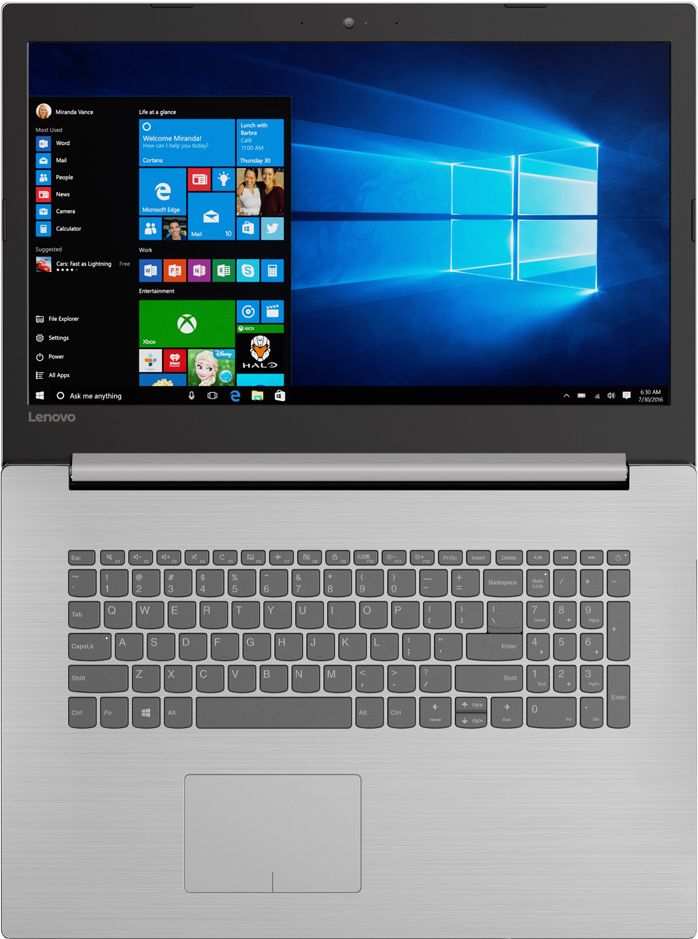
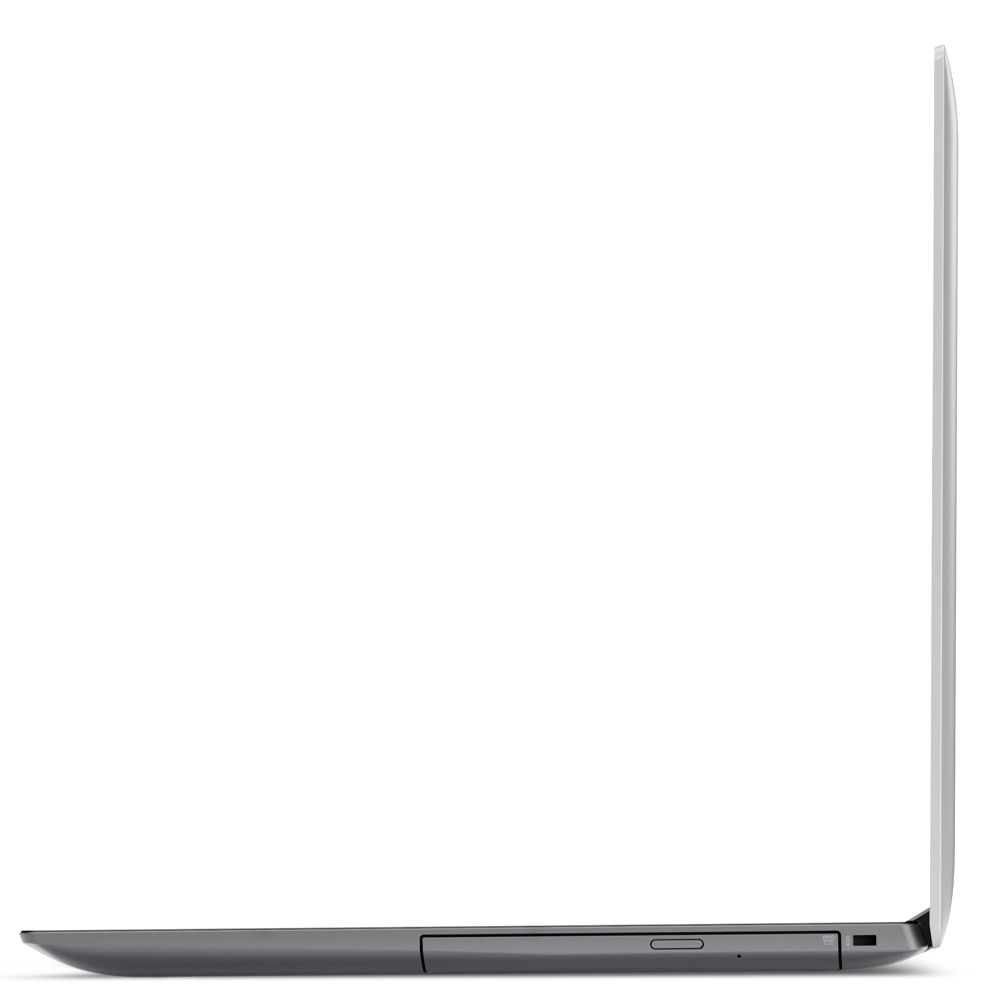
Posted .This reviewer received promo considerations or sweepstakes entry for writing a review.I have had this for about 4 days. The initial set up was quicker than previous poster said. It only took about 45 minutes to set up everything. This computer is rather quick. Browsing with multiple tabs is flawless and fast. It seems just as fast as my work laptop (Lenovo ThinkPad T470). I am not running everything I do at work, but I have been using Tableau and excel and it works just fine for that. The main issue is that the screen resolution and colors are not that great. Kind of dark with a hint of blue. Could be much better. I don't care to have all the usb, hdmi and power connections on the left of the laptop. I want at least one on the right side. It is rather heavy too, but that is probably due to the size. It is a good price point for a 17 inch lap top. I cannot seem to bring the size of text down under 100% like I can on my work PC. I need everything smaller to run multiple spreadsheets side by side on the screen. If anyone finds that setting, please let me know.
I would recommend this to a friendBrand response from Lenovo Product Expert
Posted .Thank you for choosing the Lenovo 320-17IKB Laptop. With regard to reducing the text size, you can reduce text size within Excel. Just move the slider at the bottom right of the spreadsheet to reduce the entire spreadsheet size. You can also reduce the size of all content by right clicking on your Windows 10 desktop. Select "Display Settings" within the window that opens. You can use the slider within the settings window that opens to reduce the size of all objects on your screen.
Terrible Computer
||Posted .This reviewer received promo considerations or sweepstakes entry for writing a review.It wasn't to bad at first, but then I figured with such a powerful i5 intel and how you could run multiple programs and fast multitasking it never met up to what they advertised. I am sorry that I bought it given that I have had Lenovo's in the past and they were pretty good. It seems to have a mind of it's own after I boot it up. Everyday seems to be a different thing that happens. A lot of times it won't display the images in the emails when requested and also won't let you go to any web pages.
No, I would not recommend this to a friendBrand response from Lenovo Product Expert
Posted .This system should be a fast system with its Core I-5 processor and 8GB of RAM. Be sure any software you installed is compatible with Windows 10. There is no need to install Microsoft Office software. The software is already part of the operating system, you just need to activate the software with a purchased product key. If you have installed a copy of Microsoft Office, this is conflicting with the existing copy on the system and this will slow your system down. If you have installed a 3rd party anti-virus program, be sure that Windows Defender is turned off and that the trial version of McAfee Anti-Virus software is uninstalled. There can only be one anti-virus program on the system. You may need to restore your system to original factory default settings if any of the programing errors have occurred. You can do that by typing "restore" in the Cortana search window. Just click on the magnifying glass icon at the bottom left of your Windows 10 Desktop. Click on "Reset This PC" Then click on "Get Started" and follow the on screen directions to restore to factory defaults. If the problem persists, we recommend you contact Lenovo Tech Support at: 877-453-6686.
Laptop did not come with Windows 10 installed.
||Posted .This reviewer received promo considerations or sweepstakes entry for writing a review.Laptop said it came with Windows 10 but came with Windows 7. When I started it it began to install Windows 10 then errored.. After downloading all updates it still has Windows 7 on it.. What a mess...
No, I would not recommend this to a friendSlow Laptop
||Posted .This reviewer received promo considerations or sweepstakes entry for writing a review.Purchased because of recommendation by service rep and specs were what I needed. However computer is very slow and sometimes has to be restarted several times to operate
No, I would not recommend this to a friend- Cons mentioned:Battery life
Defective Battery
||Posted .This reviewer received promo considerations or sweepstakes entry for writing a review.The Battery would not charge even when it was plugged in. This happened on three different computers (same make and model).
No, I would not recommend this to a friend Worst laptop I ever owned
||Posted . Owned for 1.5 years when reviewed.This reviewer received promo considerations or sweepstakes entry for writing a review.I've had a few Lenovo laptops between work and personal use and this one was the end of my using any Lenovo products ever again. The laptop had a series of issues right out the gate. For one, it won't stay on without the power cord plugged in relegating it to a foldable desktop. The overall feel of it is flimsy. It feels and performs cheaply all around. You can truly feel the lack of quality control. Stay far away from Lenovo laptops.
No, I would not recommend this to a friend