Customer Ratings & Reviews
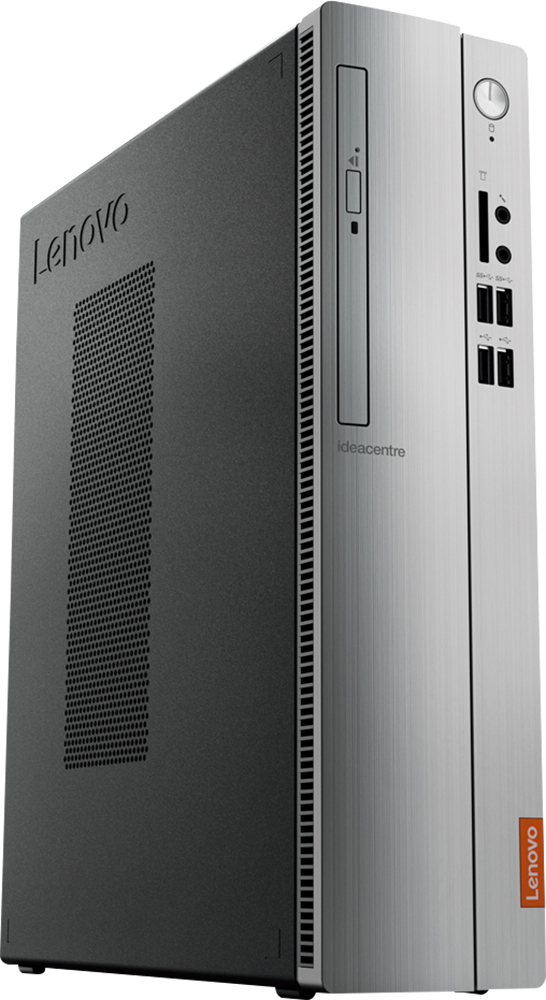
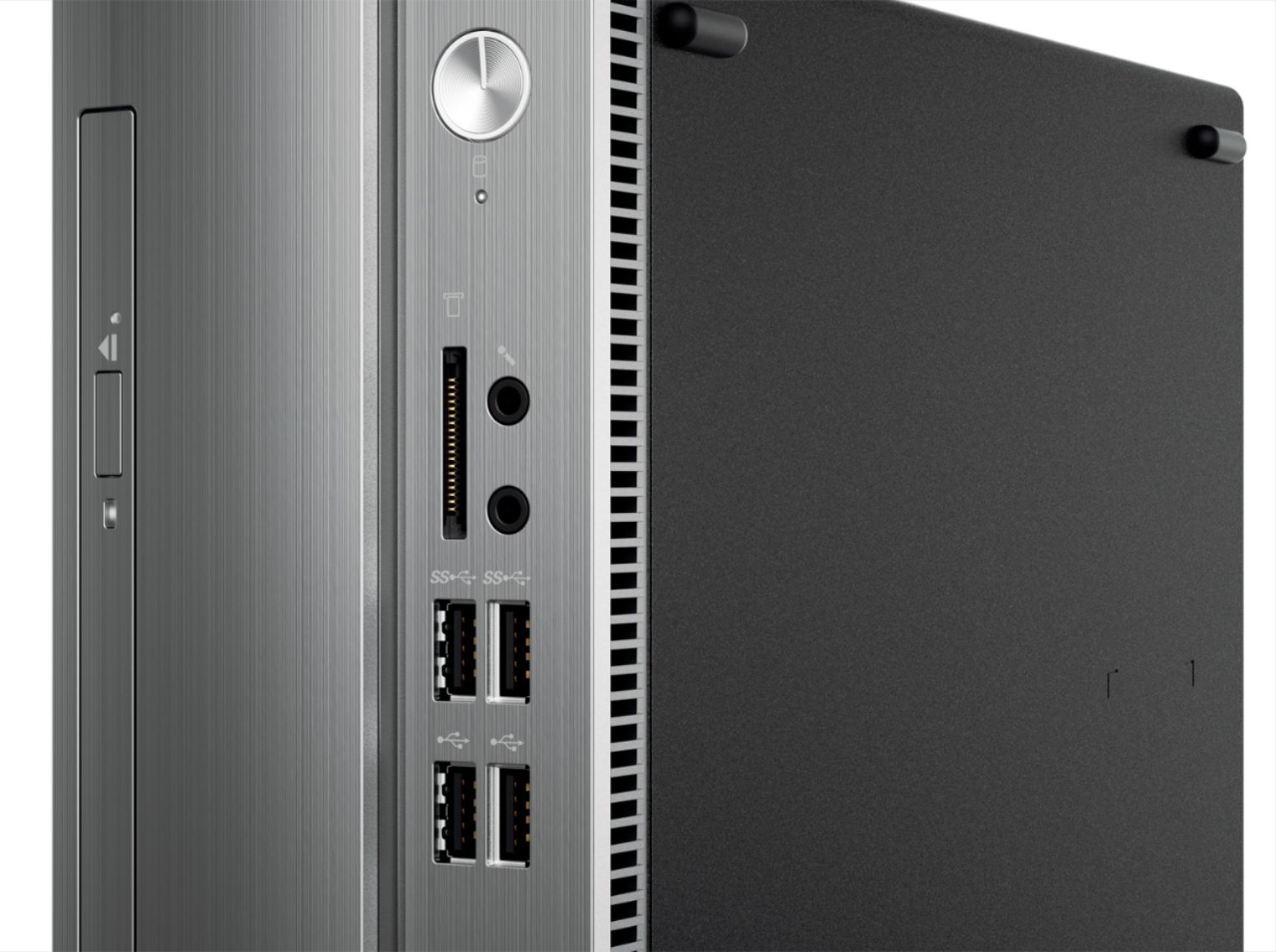

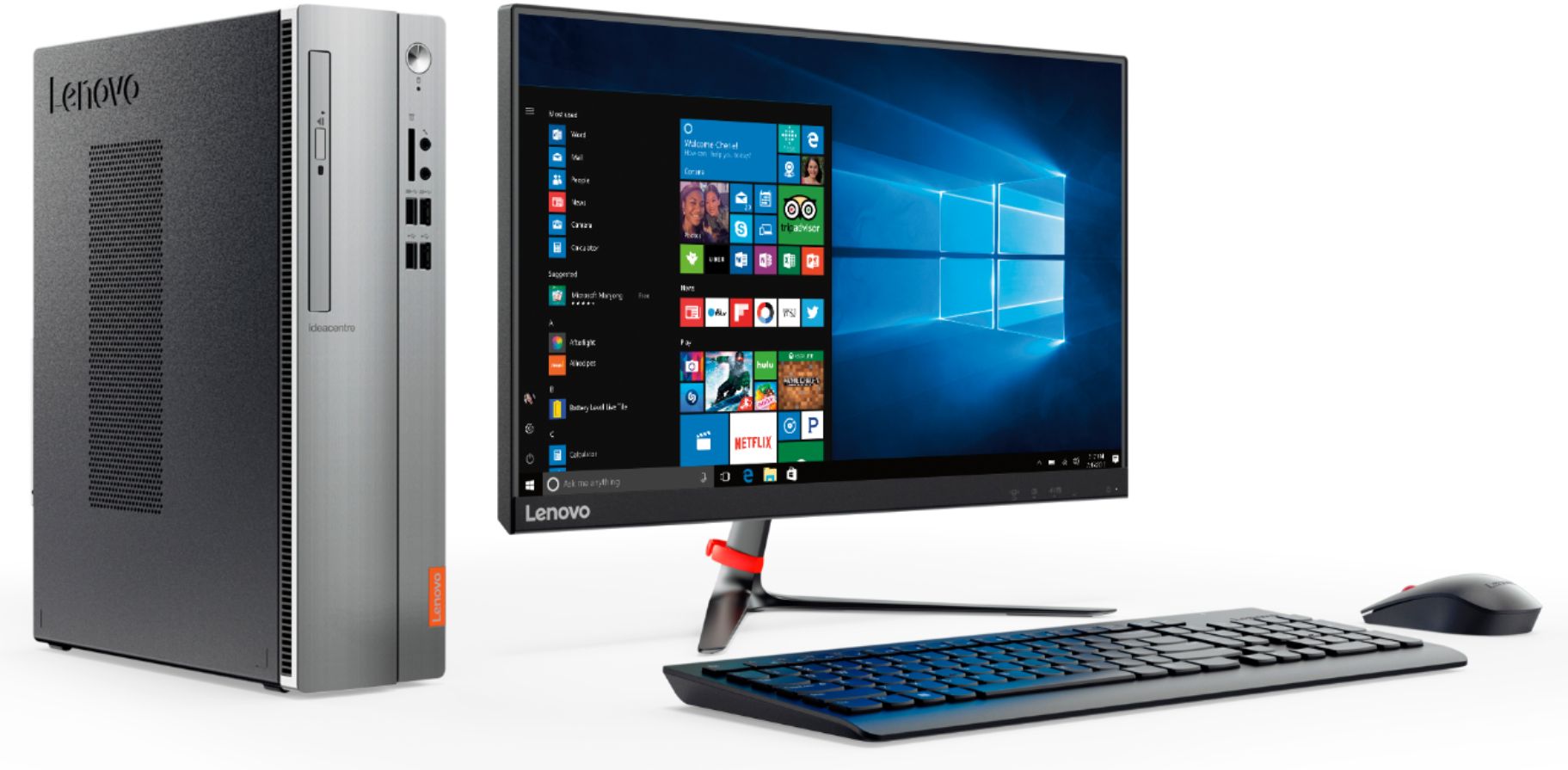
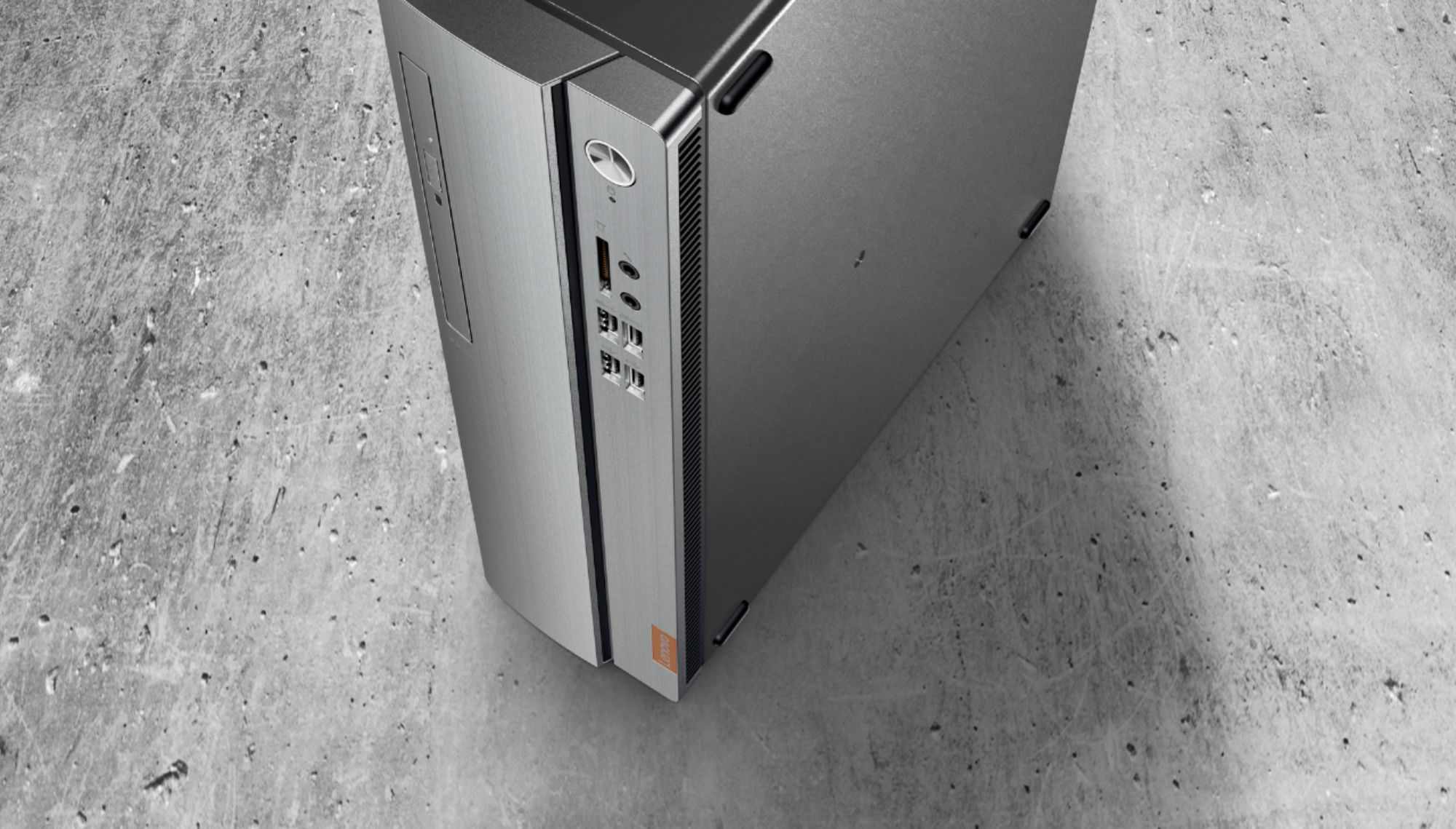
- Model:
- 90GA0002US
- SKU:
- 5740800
Rating by feature
- Value
Rating 3.8 out of 5 stars
- Quality
Rating 3.6 out of 5 stars
- Ease of Use
Rating 3.7 out of 5 stars
Customers are saying
Customers are positive about the 310S-08IAP Desktop's performance, price, ease of use, and compact size, frequently praising its value and user-friendliness. However, some customers expressed concerns regarding the limited RAM and the operating system, suggesting potential upgrades might be necessary for optimal performance. The hard drive storage capacity received mixed reviews, with some finding it sufficient while others desired more. A few users also noted some noise issues with the machine.
This summary was generated by AI based on customer reviews.
Very good.
||Posted .This reviewer received promo considerations or sweepstakes entry for writing a review.Really enjoy this product. Efficient and clear. Thanks
I would recommend this to a friendBrand response from Lenovo Product Expert
Posted .Thank you for choosing the Lenovo IdeaCentre 310s desktop. We are pleased to hear that the IdeaCentre 310s is working out so well for you.

The Little Engine That Could
||Posted . Owned for 1.5 years when reviewed.This reviewer received promo considerations or sweepstakes entry for writing a review.This Lenovo - 310S-08IAP Desktop Is Just A Computer That I Use For My Entertainment Center But It Does A Great Job
I would recommend this to a friendDecent, But Not Up To Par
||Posted .This reviewer received promo considerations or sweepstakes entry for writing a review.Bought this machine, and to replace a failed system. Have had varying degrees of performance (from shutdowns, blue screens, etc.). The only thing that's kept me from returning it, is that I'm a certified tech that can fix the issues.
No, I would not recommend this to a friendBrand response from Lenovo Product Expert
Posted .This is an entry level, light use system with its Intel Pentium processor. Be sure any programs you have installed are compatible with Windows 10. This configuration is not meant for multi-tasking or demanding programs. It is good for light work with Microsoft Office type programs and light internet browsing. If this describes your computing needs, the IdeaPad 330-15 would be a good choice.
Average performer.
||Posted . Owned for more than 2 years when reviewed.This reviewer received promo considerations or sweepstakes entry for writing a review.This does the trick as a basic PC for general use, However, the overall performance and speed are disappointing. I will consider upgrading to a higher performance CPU when this gets replaced.
No, I would not recommend this to a friendnot impressed
||Posted .This reviewer received promo considerations or sweepstakes entry for writing a review.Freezes up on almost every use. The good news is after a restart it doesn't seem to freeze again in that session.
No, I would not recommend this to a friendBrand response from Lenovo Product Expert
Posted .We are sorry to hear that you are having issues with your Lenovo IdeaCentre 310s desktop. Obviously, it is not normal for this device to freeze up upon start up. Be sure any programs you have installed are Windows 10 compatible. If you need further help with this issue, we recommend you call Lenovo Tech Support at: 877-453-6686.
Good quality for price.
||Posted . Owned for more than 2 years when reviewed.This reviewer received promo considerations or sweepstakes entry for writing a review.We've had this computer for a couple of years and it's still very efficient. Long lasting quality.
I would recommend this to a friendGreat Home Business Computer
||Posted .This reviewer received promo considerations or sweepstakes entry for writing a review.I don't know about gaming, but for home business had quick set up. Even like the included mouse over my Logitech wireless.
I would recommend this to a friendBrand response from Lenovo Product Expert
Posted .Thank you for choosing the Lenovo IdeaCentre 310s desktop. We are pleased to hear that the features and performance of the IdeaCentre 310s meets your business computing needs so well.
Lenovo computer
||Posted . Owned for 1 year when reviewed.This reviewer received promo considerations or sweepstakes entry for writing a review.I bought this because my HP failed, it was recommended by the geek squad, it is top notch I recommend to all
I would recommend this to a friendSo far so good
||Posted .This reviewer received promo considerations or sweepstakes entry for writing a review.I purchased this PC for my new business and so far is working fine,fast and reliable.Built in Wi Fi is a plus.
I would recommend this to a friendGreat desktop for the price
||Posted .This reviewer received promo considerations or sweepstakes entry for writing a review.Just needed basic desktop. Has dvd burner. Windows 10. Slim compact design. Modern keyboard and mouse. Works great.
I would recommend this to a friendBrand response from Lenovo Product Expert
Posted .Thank you for choosing the lenovo IdeaCentre 310s desktop. We are pleased to hear that the features and performance of the IdeaCentre 310s meets your computing needs so well. This is an entry level, light use system with its Intel Pentium processor. It is not meant for multi-tasking or demanding programs. It is good for Microsoft Office and light internet browsing. If this describes your computing needs, the IdeaCentre 310s desktop would be a good choice.

Great value and features!
||Posted .This reviewer received promo considerations or sweepstakes entry for writing a review.You get the same features as the top brands like dell, but you can save a lot! Recommend Lenovo laptops also.
I would recommend this to a friendBrand response from Lenovo Product Expert
Posted .Thank you for choosing the lenovo IdeaCentre 310s desktop. We are pleased to hear that the value and performance of the IdeaCentre 310s meets your computing needs so well. This is an entry level, light use system with its Intel Pentium processor. It is not meant for multi-tasking or demanding programs. It is good for Microsoft Office and light internet browsing. If this describes your computing needs, the IdeaCentre 310s desktop would be a good choice.
Lenovo 310 Computer
||Posted .This reviewer received promo considerations or sweepstakes entry for writing a review.The Lenovo - 310S-08IAP Desktop - Intel Pentium - 4GB Memory - 500GB Hard Drive - Silver is a solid computer.
I would recommend this to a friendWhat I expected for the purposei
||Posted .This reviewer received promo considerations or sweepstakes entry for writing a review.The hardest part of hooking up a new computer is getting used to the new funcions vs the older unit replaced
I would recommend this to a friendBrand response from Lenovo Product Expert
Posted .Thank you for choosing the Lenovo IdeaCentre 310s desktop. With regard to learning your way around Windows 10, you may want to try YouTube.com (just type that address in your browser address window). There are hundreds for free instructional videos there about Windows 10. Just type Windows 10 Introduction in to the YouTube search window. You can watch free videos there that will show you the basics all the way up to tips and tricks videos and they're all free
Good times had by all
||Posted .This reviewer received promo considerations or sweepstakes entry for writing a review.Great computer does everything I need it to do. Internet surfing is fun with this lightning fast computer.
I would recommend this to a friendBrand response from Lenovo Product Expert
Posted .Thank you for choosing the Lenovo IdeaCentre 310s Desktop. We are pleased to hear that the IdeaCentre 310s meets your computing needs so well.
Good product
||Posted .This reviewer received promo considerations or sweepstakes entry for writing a review.Love it. I can be on my computer all day and play games now. No cutting off and over heating
I would recommend this to a friendComputer
||Posted .This reviewer received promo considerations or sweepstakes entry for writing a review.This was for my father since his other computer quit on him. He is enjoying his new updated computer
I would recommend this to a friendBrand response from Lenovo Product Expert
Posted .Thank you for choosing the Lenovo IdeaCentre 310s desktop for your father. We are pleased to hear that the IdeaCentre 310s meets your father's computing needs so well.
Great service
||Posted .This reviewer received promo considerations or sweepstakes entry for writing a review.Every time I need help from the Geek Squad, the assistance they provide has been outstanding.
I would recommend this to a friendPerfect computer for my son
||Posted .This reviewer received promo considerations or sweepstakes entry for writing a review.This computer was perfect for my son to learn how to operate a desk top. The clarity is excellent.
I would recommend this to a friendBrand response from Lenovo Product Expert
Posted .Thank you for choosing the Lenovo IdeaCentre 310s desktop for your son. We are pleased to hear that the IdeaCentre 310s is working out so well for your son.
Good product!
||Posted .This reviewer received promo considerations or sweepstakes entry for writing a review.This product for the money is a great quality product!! No problems yet...fingers crossed!
I would recommend this to a friendBrand response from Lenovo Product Expert
Posted .Thank you for choosing the lenovo IdeaCentre 310s desktop. We are pleased to hear that the value and performance of the IdeaCentre 310s meets your computing needs so well. You can keep your new computer running optimally by scanning the computer regularly with the Lenovo Utility software installed on the computer. This system has Lenovo utilities installed to help maintain the health of the device and keep the operating system software up to date. Type "Lenovo Vantage" in the Cortana Search window (if Lenovo Vantage is not installed on your device, you can download the APP and install it now). Select Lenovo Vantage from the list. In the window that opens, click on "Health and Support". In the expanded menu, select "Hardware Scan" In the window that opens, select "Run Quick Tests". This will scan your entire system for errors. Follow any directions that may pop up. If the problem continues after this scan, now click on "System Update". First select Windows update from the menu. Scan your system to be sure you have the latest version of Windows 10. Once that scan is complete, select "Additional Updates". This will scan your device to be sure there are no new BIOS/Driver updates needed. Follow any instructions that may pop up. If the issue still continues after these updates, we recommend you call Lenovo Tech Support at: 877-453-6686 for additional help.
Good computer for the price!
||Posted .This reviewer received promo considerations or sweepstakes entry for writing a review.Didn't know what to expect... This is my first Lenovo computer product. Boy ! was I surprised.
I would recommend this to a friendBrand response from Lenovo Product Expert
Posted .Thank you for choosing the Lenovo IdeaCentre 310s desktop. We are pleased to hear that the IdeaCentre 310s is working out so well for you.