Customer Ratings & Reviews

- Model:
- 90GA0002US
- SKU:
- 5740800
Rating by feature
- Value
Rating 3.8 out of 5 stars
- Quality
Rating 3.6 out of 5 stars
- Ease of Use
Rating 3.7 out of 5 stars
Customers are saying
Customers are positive about the 310S-08IAP Desktop's performance, price, ease of use, and compact size, frequently praising its value and user-friendliness. However, some customers expressed concerns regarding the limited RAM and the operating system, suggesting potential upgrades might be necessary for optimal performance. The hard drive storage capacity received mixed reviews, with some finding it sufficient while others desired more. A few users also noted some noise issues with the machine.
This summary was generated by AI based on customer reviews.
Ok PC
||Posted .This reviewer received promo considerations or sweepstakes entry for writing a review.Good beginner PC. Don’t except anything to wow ya. Good for internet, email and light gaming.
I would recommend this to a friendBrand response from Lenovo Product Expert
Posted .This is an entry level, light use system with its Intel Pentium processor. It is not meant for multi-tasking or demanding programs. It is good for Microsoft Office and light internet browsing. If this describes your computing needs, the IdeaCentre 310s would be a good choice.

- Cons mentioned:Ram
Great for light use
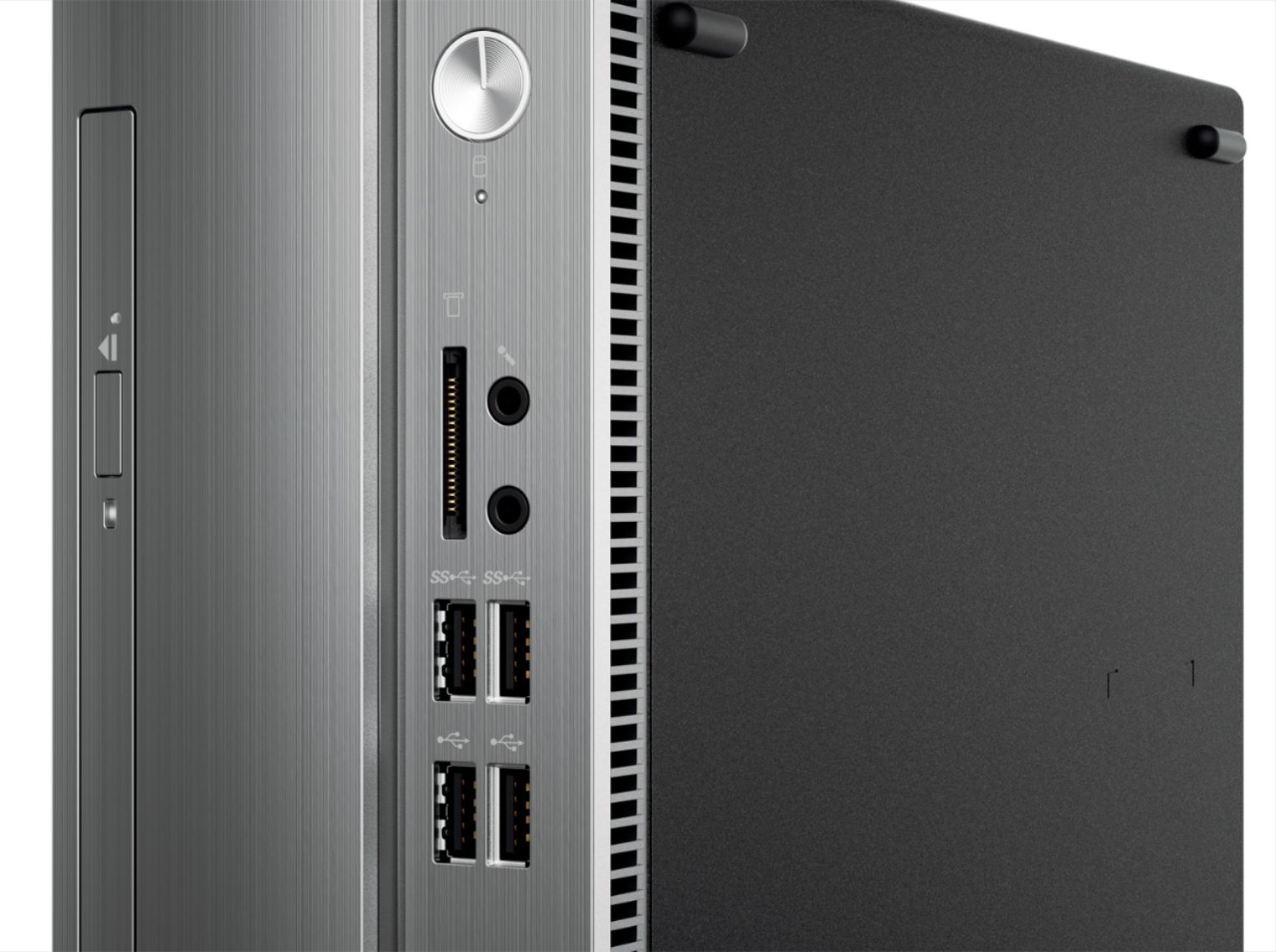
Posted .This reviewer received promo considerations or sweepstakes entry for writing a review.I have a higher-end laptop for work and use a desktop for browsing and video streaming. This does the job. I found it a little slow at first - it lags if I open too many tabs in the browser. I bought a small SSD and that helped speed it up. Unfortunately, you can't add a third SATA device to this, so to add the SSD, you have to disconnect either the included hard drive or the DVD. I disconnected the DVD drive, since I rarely use DVDs. Fortunately, it's very easy to open the case and access components.I'd also like to add some RAM to this. It can be done, but it only has one slot, so you can't just buy 4GB to get 8. You have to buy one stick of 8GB and remove the original 4GB. Also, it uses laptop RAM, which is more expensive than desktop. So it will cost you $60-$70 to get this to 8GB. However, even adding that and the price of the SSD to the original cost of the computer, this is a good deal. I love the small form factor, the fact that it has WiFI, and the number of USB 3.0 ports, especially the two on the front panel. I just wish it were more flexible for expanding/upgrading.
I would recommend this to a friendBrand response from Lenovo Product Expert
Posted .Thank you for choosing the Lenovo IdeaCentre 310s desktop. This is an entry level, light use system with its Intel Pentium processor. It is not meant for multi-tasking or demanding programs. It is good for Microsoft Office and internet browsing.
At this point the start up went easy.
||Posted .This reviewer received promo considerations or sweepstakes entry for writing a review.I am just starting to get use to microsoft again so it is to soon for a full review.
I would recommend this to a friendBrand response from Lenovo Product Expert
Posted .Thank you for choosing the lenovo IdeaCentre 310s desktop. With regard to learning your way around Windows 10, you may want to try YouTube.com (just type that address in your browser address window). There are hundreds for free instructional videos there about Windows 10. Just type Windows 10 Introduction in to the YouTube search window. You can watch free videos there that will show you the basics all the way up to tips and tricks videos and they're all free.

A basic computer
||Posted . Owned for 1.5 years when reviewed.This reviewer received promo considerations or sweepstakes entry for writing a review.We got this computer for my wife's parents and it was a basic computer
I would recommend this to a friendSimple desk pc for my dad
||Posted .This reviewer received promo considerations or sweepstakes entry for writing a review.Just got my dad a simple pc for him to learn on. He really is a dinosaur with things.
I would recommend this to a friendA basic computer
||Posted .This reviewer received promo considerations or sweepstakes entry for writing a review.We got this computer for a relative and it is a basic no frills computer.
I would recommend this to a friendBrand response from Lenovo Product Expert
Posted .This is an entry level, light use system with its Intel Pentium processor. It is not meant for multi-tasking or demanding programs. It is good for Microsoft Office and light internet browsing. If this describes your computing needs, the IdeaCentre 310s desktop would be a good choice.
Did really get to us it
||Posted . Owned for more than 2 years when reviewed.This reviewer received promo considerations or sweepstakes entry for writing a review.It’s was alright very tachy a taima but around good
No, I would not recommend this to a friendJunk
||Posted .This reviewer received promo considerations or sweepstakes entry for writing a review.It never really worked all that well from the get go Checking your emails a five minute process You put it to sleep at night and It won’t wake up in the morning you tap your space bar you move your cursor... nada The only way to wake it up in the morning is to re-Boot it
No, I would not recommend this to a friendBrand response from Lenovo Product Expert
Posted .We are sorry to hear that you are having issues with your Lenovo IdeaCentre 310s desktop. By default, Windows 10 puts your display to sleep in less than half an hour after you leave it untouched, and a PC will typically hibernate after a few hours. Be sure your computer is not in hibernation rather than sleep. Here is a link to instructions for checking these settings in Windows 10: https://www.windowscentral.com/how-change-when-your-windows-10-pc-goes-sleep
Student PC
||Posted .This reviewer received promo considerations or sweepstakes entry for writing a review.This is for the casual user. The performance is adequate.
No, I would not recommend this to a friendBrand response from Lenovo Product Expert
Posted .The Lenovo IdeaCentre 310s desktop is an entry level, light use system with its Intel Pentium processor. It is not meant for multi-tasking or demanding programs. It is good for Microsoft Office and light internet browsing. If this describes your computing needs, the IdeaCentre 310s desktop would be a good choice.
Home computer
||Posted .This reviewer received promo considerations or sweepstakes entry for writing a review.I have had this computer about 6 weeks. Several times it has froze up with a blue screen showing, and I would have to do a manual shutdown. Yesterday I went to turn it on and it won't even power up. I checked all the connections and everything was connected. I will take it back to the store and I will see what they may or may not do for me. I am thoroughly disgusted. I will not buy this brand again!
No, I would not recommend this to a friendBrand response from Lenovo Product Expert
Posted .We are sorry to hear that you are having issues with your Lenovo IdeaCentre 310s desktop. We recommend you contact Lenovo Tech Support for help at: 877-453-6686.
Good computer for light use.
||Posted .This reviewer received promo considerations or sweepstakes entry for writing a review.A good home computer for general use and not for heavy use.
I would recommend this to a friendBrand response from Lenovo Product Expert
Posted .This is an entry level, light use computer system. It uses Windows 10 Home 64-Bit as its operating system, which requires less than 2GB of RAM to run. This device has the latest WiFi capability, with 802.11AC connectivity. If your requirements fit this profile, this device is a good choice.
suits my needs
||Posted .This reviewer received promo considerations or sweepstakes entry for writing a review.your associate scott was helpful and Lenovo was on sale
I would recommend this to a friendBrand response from Lenovo Product Expert
Posted .The Lenovo IdeaCentre 310s desktop is an entry level, light use system with its Intel Pentium processor. It is not meant for multi-tasking or demanding programs. It is good for Microsoft Office and light internet browsing. If this describes your computing needs, the IdeaCentre 310s would be a good choice.
Unusable
||Posted . Owned for 6 months when reviewed.This reviewer received promo considerations or sweepstakes entry for writing a review.This is a terrible purchase. I bought this computer for my parents for everyday use (they only use it for facebook, pay bills, emails, etc). I carefully read all the reviews and figured this computer will satisfy their needs. Not only it is super slow, it broke down within few days and we had to send it to Lenovo for repair. After the repair it is still slow and we constantly receive error messages. My parents did not tell me that they don’t even use it anymore after few months because they didn’t want to trouble me with it. Now we’re stuck with a unusable computer that I don’t even know if I can return.
No, I would not recommend this to a friendTwo units didn't work
||Posted .This reviewer received promo considerations or sweepstakes entry for writing a review.I purchased this desktop and when i got it home and set it up it would not turn on. The poer light was lit but nothing happened. I returned it and got another tower of the same model. I set it up and it did work. I spent two days loading all my files and programs. Less than one week later, the same thing happened with the second tower. I brought it back for a refund. I have bought many computers from Best Buy over the years and never had a problem before. I will never buy a Lenovo again
No, I would not recommend this to a friendBrand response from Lenovo Product Expert
Posted .It sounds like the issue with the second computer, the one that worked for a while, may be an issue with incompatible software. Be sure any software you installed is compatible with Windows 10. There is no need to install Microsoft Office software. The software is already part of the operating system, you just need to activate the software with a purchased product key. If you have installed a copy of Microsoft Office, this is conflicting with the existing copy on the system and this will slow your system down. If you have installed a 3rd party anti-virus program, be sure that Windows Defender is turned off and that the trial version of McAfee Anti-Virus software is uninstalled. There can only be one anti-virus program on the system. You may need to restore your system to original factory default settings if any of the programing errors have occurred. You can do that by typing "restore" in the Cortana search window. Just click on the magnifying glass icon at the bottom left of your Windows 10 Desktop. Click on "Reset This PC" Then click on "Get Started" and follow the on screen directions to restore to factory defaults.
Too Good To Be True
||Posted .This reviewer received promo considerations or sweepstakes entry for writing a review.Had machine two weeks and it was only used for a day or two before it completely crapped out. Bought it for office and was forced to call in tech after two weeks to figure out why it kept freezing and crashing. Machine was a mess. Tech took it apart and showed me a hard drive that was so old and antiquated that we could hardly even find them on eBay. Very disappointed. You definitely get what you pay for with this one.
No, I would not recommend this to a friendBrand response from Lenovo Product Expert
Posted .We are sorry to hear you has issues with your Lenovo IdeaCentre 310s desktop computer. Be sure any software you installed is compatible with Windows 10. There is no need to install Microsoft Office software. The software is already part of the operating system, you just need to activate the software with a purchased product key. If you have installed a copy of Microsoft Office, this is conflicting with the existing copy on the system and this will slow your system down. If you have installed a 3rd party anti-virus program, be sure that Windows Defender is turned off and that the trial version of McAfee Anti-Virus software is uninstalled. There can only be one anti-virus program on the system. Here is a link to the Seagate hard drive used in this configuration, it is in stock and ready to ship: https://lenovo.encompass.com/item/10631645/Lenovo/45K0629/
Got patience? You'll need it.
||Posted . Owned for more than 2 years when reviewed.This reviewer received promo considerations or sweepstakes entry for writing a review.For the quality, its over priced. Even with a discount. It's slow, even under great internet connection it takes forever to load. Going from app to app or simply closing and app is delayed. Its not a gaming computer but I still have standards. I regret purchasing this thing. I cant even upgrade it with my own parts because the casing is so out of order.
No, I would not recommend this to a friendLevono Computer
||Posted .This reviewer received promo considerations or sweepstakes entry for writing a review.It hasn't been working well. We have had to keep restarting it.
No, I would not recommend this to a friendBrand response from Lenovo Product Expert
Posted .We are sorry to hear you are having issues with your Lenovo IdeaCentre 310s desktop. Be sure any software you installed is compatible with Windows 10. There is no need to install Microsoft Office software. The software is already part of the operating system, you just need to activate the software with a purchased product key. If you have installed a copy of Microsoft Office, this is conflicting with the existing copy on the system and this will slow your system down. If you have installed a 3rd party anti-virus program, be sure that Windows Defender is turned off and that the trial version of McAfee Anti-Virus software is uninstalled. There can only be one anti-virus program on the system. You may need to restore your system to original factory default settings if any of the programing errors have occurred. You can do that by typing "restore" in the Cortana search window. Just click on the magnifying glass icon at the bottom left of your Windows 10 Desktop. Click on "Reset This PC" Then click on "Get Started" and follow the on screen directions to restore to factory defaults. If the problem persists, we recommend you contact Lenovo Tech Support at: 877-453-6686.
Not compatible
||Posted .This reviewer received promo considerations or sweepstakes entry for writing a review.This computer was not compatible p my Samsung tv and had to return it
No, I would not recommend this to a friendError during startup
||Posted .This reviewer received promo considerations or sweepstakes entry for writing a review.Needed to restart due to an "error" during the start up.
No, I would not recommend this to a friendBrand response from Lenovo Product Expert
Posted .We are sorry to hear you are having issues with the initial activation of the Windows 10 operating system on your Lenovo IdeaCentre 310s desktop. We recommend you call Lenovo Tech Support at: 877-453-6686.
improperly represented
||Posted .This reviewer received promo considerations or sweepstakes entry for writing a review.The computer was listed as an open-box item. In fact it was a previously owned item and had not been scrubbed and still had log-in and password protections on the computer, making it impossible to use. Had to take it back immediately.
No, I would not recommend this to a friend