Customer Ratings & Reviews
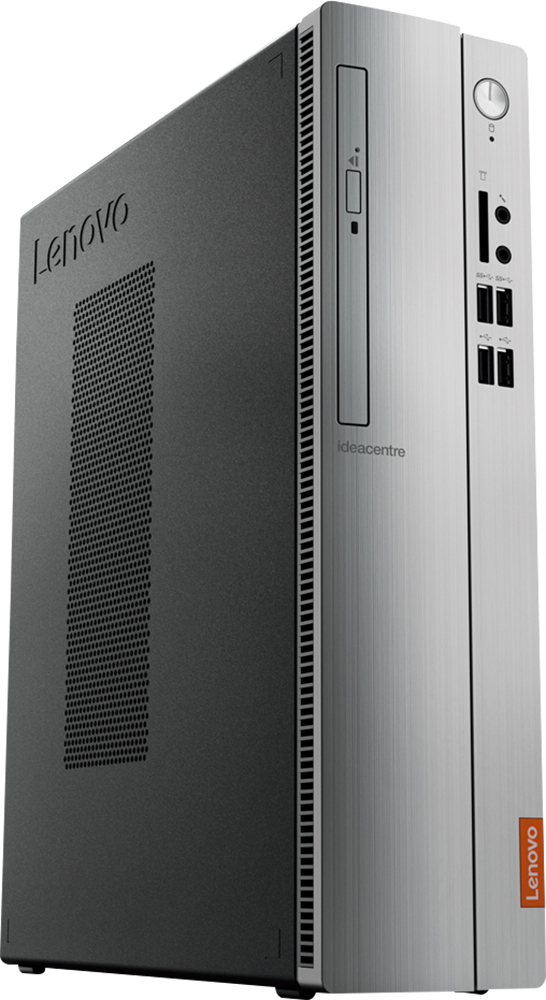
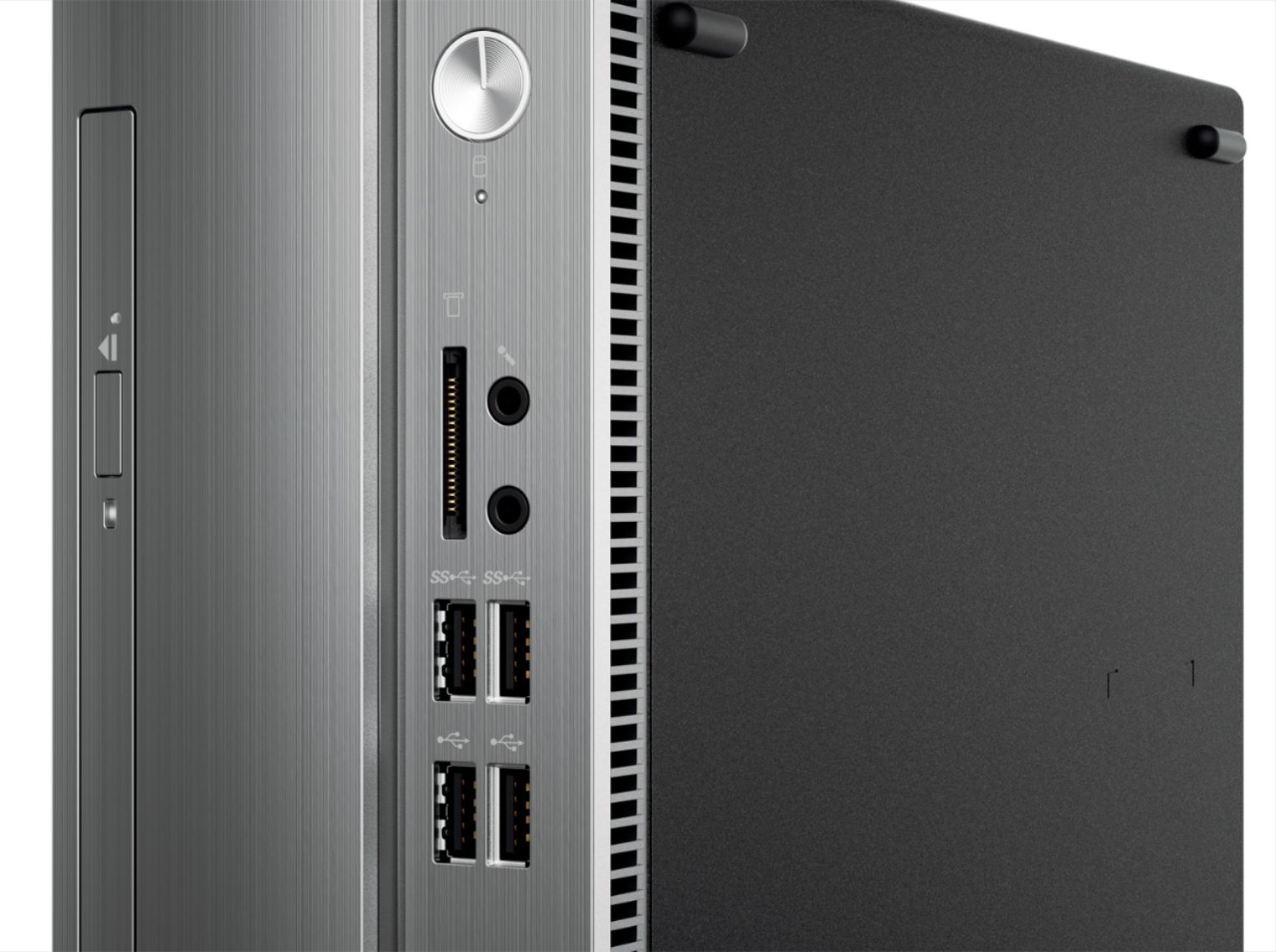

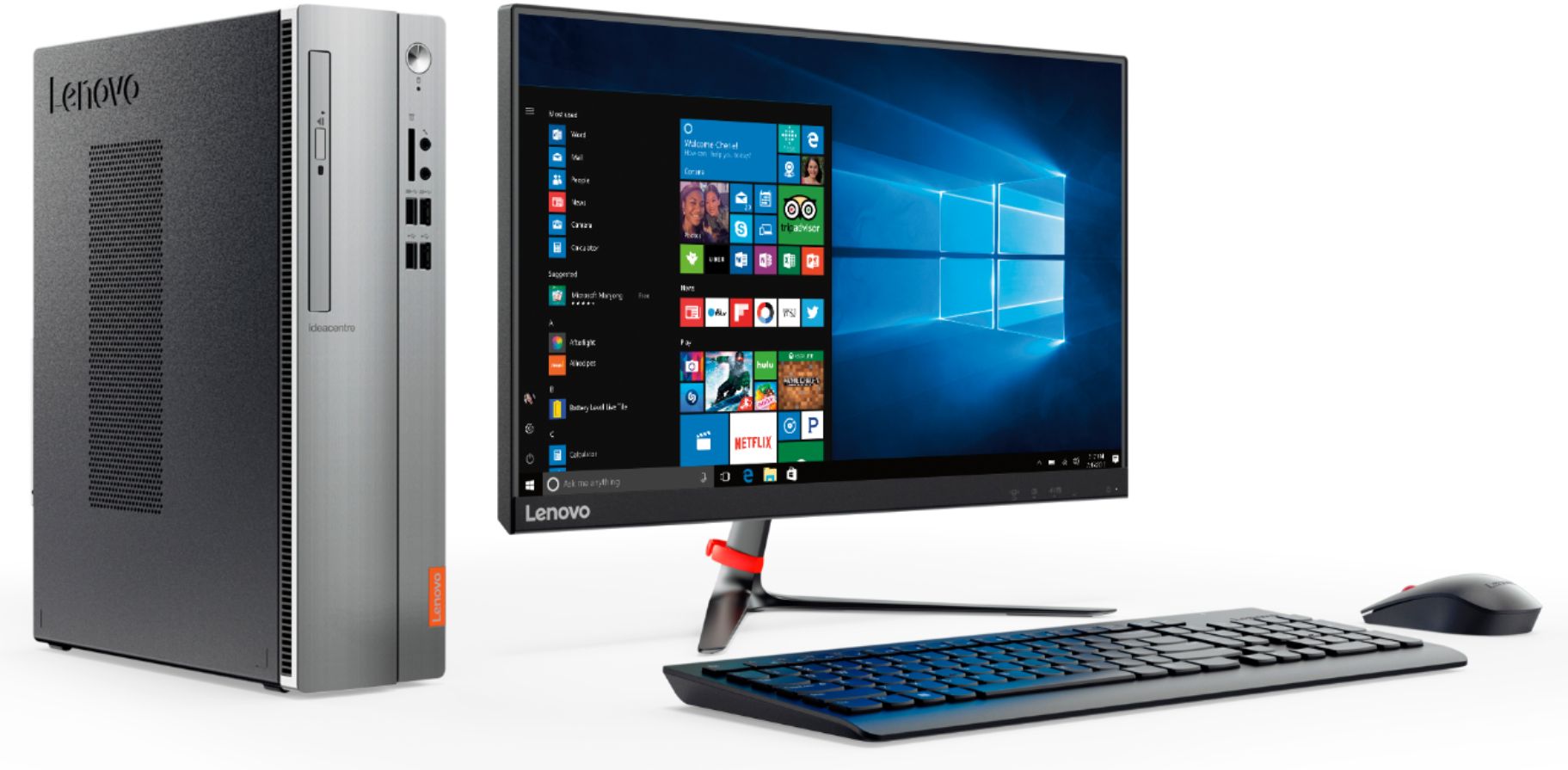
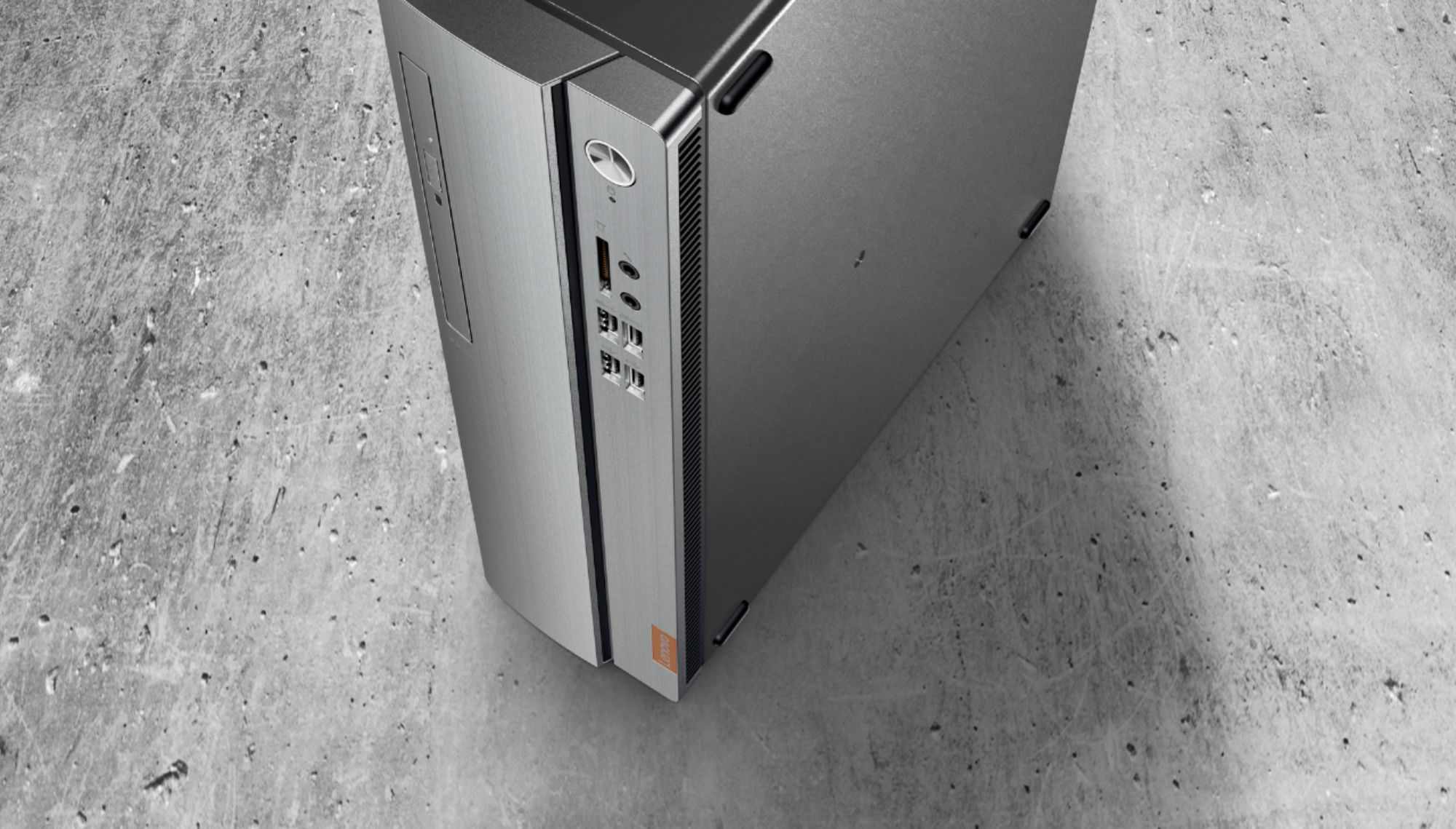
- Model:
- 90GA0002US
- SKU:
- 5740800
Rating by feature
- Value
Rating 3.8 out of 5 stars
- Quality
Rating 3.6 out of 5 stars
- Ease of Use
Rating 3.7 out of 5 stars
Customers are saying
Customers are positive about the 310S-08IAP Desktop's performance, price, ease of use, and compact size, frequently praising its value and user-friendliness. However, some customers expressed concerns regarding the limited RAM and the operating system, suggesting potential upgrades might be necessary for optimal performance. The hard drive storage capacity received mixed reviews, with some finding it sufficient while others desired more. A few users also noted some noise issues with the machine.
This summary was generated by AI based on customer reviews.
Product reviews don't lie
||Posted .This reviewer received promo considerations or sweepstakes entry for writing a review.Lenovo - 310S-08IAP Desktop was a clearance item from Best Buy for a reason. They did make good on this one by putting me in another unit. Thank you
No, I would not recommend this to a friendBrand response from Lenovo Product Expert
Posted .The Lenovo IdeaCentre 310s desktop an entry level, light use system with its Intel Pentium processor. It is not meant for multi-tasking or demanding programs. It is good for Microsoft Office and light internet browsing. If this describes your computing needs, the IdeaCentre 310s desktop would be a good choice.

- Pros mentioned:Size
Great product
Posted .This reviewer received promo considerations or sweepstakes entry for writing a review.Worked great. Bought in 2017 Im just now upgrading in 2024, so id say i got my money's worth. Loved how compact it is and very quiet. Im buying the same brand but newer model of course. I Recommend the Lenovo brand.
I would recommend this to a friend Brand new.....
||Posted .This reviewer received promo considerations or sweepstakes entry for writing a review...... and worked fine, at first, but froze after four days. Reboot, and unplugging did nada, so returned to the store.
No, I would not recommend this to a friendBrand response from Lenovo Product Expert
Posted .We are sorry to hear that you had issues with your Lenovo IdeaCentre 310s desktop. Be sure any software you installed is compatible with Windows 10. There is no need to install Microsoft Office software. The software is already part of the operating system, you just need to activate the software with a purchased product key. If you have installed a copy of Microsoft Office, this is conflicting with the existing copy on the system and this will slow your system down. If you have installed a 3rd party anti-virus program, be sure that Windows Defender is turned off and that the trial version of McAfee Anti-Virus software is uninstalled. There can only be one anti-virus program on the system. You may need to restore your system to original factory default settings if any of the programing errors have occurred. You can do that by typing "restore" in the Cortana search window. Just click on the magnifying glass icon at the bottom left of your Windows 10 Desktop. Click on "Reset This PC" Then click on "Get Started" and follow the on screen directions to restore to factory defaults. If the problem persists, we recommend you contact Lenovo Tech Support at: 877-453-6686.
Junk
||Posted .This reviewer received promo considerations or sweepstakes entry for writing a review.Bought this and went to use it and got a virus. Junk and now sits in a pile. Waste of money. never used.
No, I would not recommend this to a friendBrand response from Lenovo Product Expert
Posted .We are sorry to hear you had an issue with your Lenovo IdeaCentre 310s desktop. We recommend you call Lenovo Tech Support for help with your specific issue at: 877-453-6686.
had to replace this
||Posted .This reviewer received promo considerations or sweepstakes entry for writing a review.found out from outl computer specialist that this unit was full of laptop parts of inferior quality
No, I would not recommend this to a friendBrand response from Lenovo Product Expert
Posted .To create the Slimline desktop footprint the Lenovo IdeaCentre 310s has, laptop components are used. The heart of this configuration is the Intel Pentium J4205 processor. This is a good, entry level, light use system. It is not meant for multi-tasking or demanding programs. It is good for Microsoft Office and light internet browsing. If this describes your computing needs, the IdeaCentre 310s would be a good choice.
Keeps shutting off
||Posted . Owned for 11 months when reviewed.This reviewer received promo considerations or sweepstakes entry for writing a review.Brand new but keeps freezing mid work. Shuts off on its own.
No, I would not recommend this to a friendWorst pc ever
||Posted .This reviewer received promo considerations or sweepstakes entry for writing a review.Worst pc ever. It freeze itself all the time. Good price but !!!!!
No, I would not recommend this to a friendBrand response from Lenovo Product Expert
Posted .This is an entry level, light use computer system. It uses Windows 10 Home 64-Bit as its operating system, which requires less than 2GB of RAM to run. This device has the latest WiFi capability, with 802.11AC connectivity. If your requirements fit this profile, this device is a good choice.

- Pros mentioned:PriceCons mentioned:Operating system
Very Satisfied
Posted .This reviewer received promo considerations or sweepstakes entry for writing a review.I gave it 5 stars because, so far, no complaints only compliments. Windows 10 does take some getting used to. I miss the word processing programs that came with earlier versions of Windows. The ones in Windows Accessories are somewhat useful. I have not used the cd drive yet. I called Lenovo for restore discs just in case I needed them because they were not included with the desktop. They promptly sent it out via a flash drive. Best Buy had a great sale price on this computer. Enjoy.
I would recommend this to a friendBrand response from Lenovo Product Expert
Posted .Thank you for choosing the Lenovo IdeaCentre 310s desktop. With regard to learning your way around Windows 10, you may want to try YouTube.com (just type that address in your browser address window). There are hundreds for free instructional videos there about Windows 10. Just type Windows 10 Introduction in to the YouTube search window. You can watch free videos there that will show you the basics all the way up to tips and tricks videos and they're all free.
- Cons mentioned:Ram
Hoping it wont crash while I write this.
Posted .This reviewer received promo considerations or sweepstakes entry for writing a review.I made the mistake of purchasing this budget PC under duress. My Gateway i5 Win7 of some seven years finally caved after updating to Win10. Thanks, Msoft. This was my first experience with Lenovo and I was looking forward to trying their product. Enough poor experiences with HP and scary Dell reviews steered me in this direction. The good news is that this unit is still under warranty. The bad news is that is worthless. I say this after much research brought on by system crashes. For those in the same boat, I would not recommend springing for the support pitch. It is my belief that this has more to do with Win10 than the system itself but that said, what was LENOVO thinking? They should have anticipated that the inevitable Win10 update would lead to this units demise. Ultimately, it was a poor purchase decision on my part. You get what you pay for and this was admittedly the cheapest. So this should not speak to LENOVO quality as a whole. I imagine something with better specs might not experience these problems within the first few months of use. To expand on this I have endured needing a clean Win10 install at 2 months and am now facing the same prospect at 6 months. Today I opened task manager and found both the CPU and disk spiking to 100%. Basic bookmarks, cmon. I was entertaining the idea of upping the memory from the measly 4GB but fear that would be a waste of money as it is DDR3 and or motherboard specific. If anything, I would hope to salvage that expense in a new build versus throwing money down a wormhole. Sorry LENOVO. No hard feelings. You have prompted my learning towards a DIY PC and the ins and outs of Windows. Ultimately, those that are daring enough should consider this. At a comparable price, another option could be a micro PC with specs that BLOW THIS OUT OF THE WATER. Hmm, maybe that's the move. Keep this disappointment alive long enough to salvage Winblows10, bide one's time for a customized build and then repurpose the mini for an amped up android streaming box. BSOD WHEA Uncorrectable error report 2/21/2019 reads as fatal.
No, I would not recommend this to a friendBrand response from Lenovo Product Expert
Posted .The Lenovo IdeaCentre 310s desktop is an entry level, light use system with its Intel Pentium processor. It is not meant for multi-tasking or demanding programs. It is good for Microsoft Office and light internet browsing. We are sorry to hear that you are having issues with the Windows 10 operating system. Be sure any software you installed is compatible with Windows 10 and the specific entry-level configuration of this system. There is no need to install Microsoft Office software. The software is already part of the operating system, you just need to activate the software with a purchased product key. If you have installed a copy of Microsoft Office, this is conflicting with the existing copy on the system and this will slow your system down. If you have installed a 3rd party anti-virus program, be sure that Windows Defender is turned off and that the trial version of McAfee Anti-Virus software is uninstalled. There can only be one anti-virus program on the system. You may need to restore your system to original factory default settings if any of the programing errors have occurred. You can do that by typing "restore" in the Cortana search window. Just click on the magnifying glass icon at the bottom left of your Windows 10 Desktop. Click on "Reset This PC" Then click on "Get Started" and follow the on screen directions to restore to factory defaults. If the problem persists, we recommend you contact Lenovo Tech Support at: 877-453-6686.
- Pros mentioned:Price
Great Computer to use with a scanner
Posted .This reviewer received promo considerations or sweepstakes entry for writing a review.I bought this desktop unit primarily to use with my HP Printer/Scanner to scan documents and it works great. Good value for the money
I would recommend this to a friendBrand response from Lenovo Product Expert
Posted .Thank you for choosing the Lenovo IdeaCentre 310s desktop. We are pleased to hear that the value and performance of the IdeaCentre 310s meets your computing needs so well.
Hardware failure after several months
Posted .This reviewer received promo considerations or sweepstakes entry for writing a review.I have only had this machine for five months, and now it is freezing frequently. The event viewer says it is due to a fatal hardware failure. I am giving it two stars instead of one because I used it for five months before the failure. I only use the machine for LIGHT processing (schoolwork and Netflix), and before Lenovo copies and pastes its generic response, FYI I have not installed incompatible software and I do not have antivirus software except Windows Defender.
No, I would not recommend this to a friendBrand response from Lenovo Product Expert
Posted .We are sorry to hear that you are having issues with your Lenovo IdeaCentre 310s desktop. Since you have no incompatible software on this device, we recommend you call Lenovo Tech Support for help with your specific issue at: 877-453-6686.
- Cons mentioned:Operating system
Slow
Posted .This reviewer received promo considerations or sweepstakes entry for writing a review.I have used Lenova products in the past and been pleased with them but this thing is NOT what I expected. It is slow and freezes frequently. This may but Windows10, I am not sure but this is leading me to move to IOS for my next one.
No, I would not recommend this to a friendBrand response from Lenovo Product Expert
Posted .We are sorry to hear that you are having issues with your Lenovo IdeaCentre 310s desktop. Be sure any software you installed is compatible with Windows 10. There is no need to install Microsoft Office software. The software is already part of the operating system, you just need to activate the software with a purchased product key. If you have installed a copy of Microsoft Office, this is conflicting with the existing copy on the system and this will slow your system down. If you have installed a 3rd party anti-virus program, be sure that Windows Defender is turned off and that the trial version of McAfee Anti-Virus software is uninstalled. There can only be one anti-virus program on the system. You may need to restore your system to original factory default settings if any of the programing errors have occurred. You can do that by typing "restore" in the Cortana search window. Just click on the magnifying glass icon at the bottom left of your Windows 10 Desktop. Click on "Reset This PC" Then click on "Get Started" and follow the on screen directions to restore to factory defaults. If the problem persists, we recommend you contact Lenovo Tech Support at: 877-453-6686.
Looks pretty, but failed in 5 months
Posted .This reviewer received promo considerations or sweepstakes entry for writing a review.My recommendation - do not buy this PC and look elsewhere for your computer purchase. This machine is a nice looking box and it worked great for 5 months. Now it freezes after about 20 minutes of use and can only recover if you Power it off and back on. I have tried completely reinstalling windows already, so I know it’s the hardware. Best Buy leaves no recourse for returning a defective product after 30 days, so they are no help either. I’m now stuck with a $250 paper weight.
No, I would not recommend this to a friendBrand response from Lenovo Product Expert
Posted .We are sorry to hear that you are having issues with Windows 10 within your Lenovo IdeaCentre 310s desktop. From the issue you describe, it sounds like there is software that is incompatible with Windows 10 installed on this device. Be sure any software you installed is compatible with Windows 10. There is no need to install Microsoft Office software. The software is already part of the operating system, you just need to activate the software with a purchased product key. If you have installed a copy of Microsoft Office, this is conflicting with the existing copy on the system and this will slow your system down. If you have installed a 3rd party anti-virus program, be sure that Windows Defender is turned off and that the trial version of McAfee Anti-Virus software is uninstalled. There can only be one anti-virus program on the system. You may need to restore your system to original factory default settings if any of the programing errors have occurred. You can do that by typing "restore" in the Cortana search window. Just click on the magnifying glass icon at the bottom left of your Windows 10 Desktop. Click on "Reset This PC" Then click on "Get Started" and follow the on screen directions to restore to factory defaults. If the problem persists, we recommend you contact Lenovo Tech Support at: 877-453-6686.
Trash
Posted .This reviewer received promo considerations or sweepstakes entry for writing a review.Everything seemed fine until the first crash. That was followed by a second... Then a third... Then a fourth... Then a fifth... From there it was a constant crash after logging in... This eventually evolved into me not being able to log in because the computer would no longer read any keyboard I plugged I to it. I'm taking it back tomorrow...
No, I would not recommend this to a friendBrand response from Lenovo Product Expert
Posted .We are sorry to hear that you are having issues with your Lenovo IdeaCentre 310s desktop. We recommend you call Lenovo Tech Support at: 877-453-6686 for specific help with your issue.
JUNK
Posted .This reviewer received promo considerations or sweepstakes entry for writing a review.Worst computer ever built. I have had quiet a few thru the years and this is the slowest I have ever had going back to 1994!!! Do you self a favor and skip this one
No, I would not recommend this to a friendBrand response from Lenovo Product Expert
Posted .This is an entry level, light use system with its Intel Pentium processor. It is not meant for multi-tasking or demanding programs. It is good for Microsoft Office and light internet browsing. If this describes your computing needs, the IdeaCentre 310s Desktop would be a good choice.
Barely made it a year.
Posted .This reviewer received promo considerations or sweepstakes entry for writing a review.Motherboard went out just after the one year mark! Horrible and stuck with a repair bill almost as high as the cost of the computer. Will never buy Lenovo again.
No, I would not recommend this to a friendBrand response from Lenovo Product Expert
Posted .We are sorry to hear that you had an issue with your IdeaCentre 310s desktop. Be sure any software you installed is compatible with Windows 10 and this system configuration. The Intel Pentium processor is a light use processor and is not meant for demanding programs or heavy use. Additionally, there is no need to install Microsoft Office software. The software is already part of the operating system, you just need to activate the software with a purchased product key. If you have installed a copy of Microsoft Office, this is conflicting with the existing copy on the system and this will slow your system down. If you have installed a 3rd party anti-virus program, be sure that Windows Defender is turned off and that the trial version of McAfee Anti-Virus software is uninstalled. There can only be one anti-virus program on the system. You may need to restore your system to original factory default settings if any of the programing errors have occurred. You can do that by typing "restore" in the Cortana search window. Just click on the magnifying glass icon at the bottom left of your Windows 10 Desktop. Click on "Reset This PC" Then click on "Get Started" and follow the on screen directions to restore to factory defaults. If a problem persists, we recommend you contact Lenovo Tech Support at ASAP: 877-453-6686.