Customer Ratings & Reviews
- Model:
- 80XS00DJUS
- SKU:
- 6175415
Rating by feature
- Value
Rating 4.4 out of 5 stars
- Quality
Rating 4.2 out of 5 stars
- Ease of Use
Rating 4.5 out of 5 stars
Customers are saying
Customers praise the 320-15ABR 15.6" Laptop for its budget-friendly price, user-friendly interface, and ample storage capacity. It is also noted to be lightweight and suitable for gaming. However, customers have concerns about its short battery life, noisy fan, and poor build quality.
This summary was generated by AI based on customer reviews.
its garbage. don't trust the good reviews.
Posted .This reviewer received promo considerations or sweepstakes entry for writing a review.this piece of crap is the worst thing ive ever used. its so terrible a caveman would only use it as kindling for his fire. im surprised it counts as an electronic. a brick is better quality than this piece of garbage when it comes to operating. its a very lightweight computer, but the case is made of hard plastic. it would be a very good weapon in an emergency. if i could change history id erase this thing from existence. to be completely honest, this piece of crap is so hard it would break your enemys face if you threw it at him. half the time it doesnt turn on, its terrible for gaming, and every time i use it i get so frustrated i want to smash it into a million pieces with titanium and then burn the remnants with gasoline in a house made of frozen gasoline and then throw the ashes into acid.
No, I would not recommend this to a friendBrand response from Lenovo Product Expert
Posted .This system should be a fast system with its AMD A12-9720P processor and 8GB of RAM. Be sure any software you installed is compatible with Windows 10. There is no need to install Microsoft Office software. The software is already part of the operating system, you just need to activate the software with a purchased product key. If you have installed a copy of Microsoft Office, this is conflicting with the existing copy on the system and this will slow your system down. If you have installed a 3rd party anti-virus program, be sure that Windows Defender is turned off and that the trial version of McAfee Anti-Virus software is uninstalled. There can only be one anti-virus program on the system. You may need to restore your system to original factory default settings if any of the programing errors have occurred. You can do that by typing "restore" in the Cortana search window. Just click on the magnifying glass icon at the bottom left of your Windows 10 Desktop. Click on "Reset This PC" Then click on "Get Started" and follow the on screen directions to restore to factory defaults. If the problem persists, we recommend you contact Lenovo Tech Support at: 877-453-6686.

Not a good computer
Posted .This reviewer received promo considerations or sweepstakes entry for writing a review.I have been a Lenovo fan for several years now. My last computer finally died, so I was shopping for another Lenovo. I bought this one, and unfortunately, I am not happy with the performance. It is slow, loud (always working), and if you are looking to have multiple screens open, download or upload videos, or looking to use the internet, this is not the computer for you. I did not want to spend a ton of money, and Lenovo Ideapads have always been good for me, but this one is just a paper weight at this point. The class video I'm watching has stalled for about 10 minutes now. I even restarted my computer in hopes that the performance would pick up. I have only had the computer for about 10 weeks, and all of my data is on the cloud, so the memory is not being used by 1/4. There is no need for this to be this slow. My son's Chromebook is faster and performs better.
No, I would not recommend this to a friendBrand response from Lenovo Product Expert
Posted .We are sorry to hear that you are having issues with your Lenovo IdeaPad 320-15 laptop. Be sure all of the software you have installed is compatible with Windows 10. There is no need to install Microsoft Office software. The software is already part of the operating system, you just need to activate the software with a purchased product key. If you have installed a copy of Microsoft Office, this is conflicting with the existing copy on the system and this will slow your system down. If you have installed a 3rd party anti-virus program, be sure that Windows Defender is turned off and that the trial version of McAfee Anti-Virus software is uninstalled. There can only be one anti-virus program on the system. You may need to restore your system to original factory default settings if any of the programing errors have occurred. You can do that by typing "restore" in the Cortana search window. Just click on the magnifying glass icon at the bottom left of your Windows 10 Desktop. Click on "Reset This PC" Then click on "Get Started" and follow the on screen directions to restore to factory defaults. Additionally, this system has Lenovo utilities installed to help maintain the health of the device and keep the operating system software up to date. Type "Lenovo Vantage" in the Cortana Search window. Select Lenovo Vantage from the list. In the window that opens, click on "Health and Support". In the expanded menu, select "Hardware Scan" In the window that opens, select "Run Quick Tests". This will scan your entire system for errors. Follow any directions that may pop up. If the problem continues after this scan, now click on "System Update". First select Windows update from the menu. Scan your system to be sure you have the latest version of Windows 10. Once that scan is complete, select "Additional Updates". This will scan your device to be sure there are no new BIOS/Driver updates needed. Follow any instructions that may pop up. If the issue still continues after these updates, we recommend you call Lenovo Tech Support at: 877-453-6686 for additional help.
- Cons mentioned:Fan noise
Underwhelmed
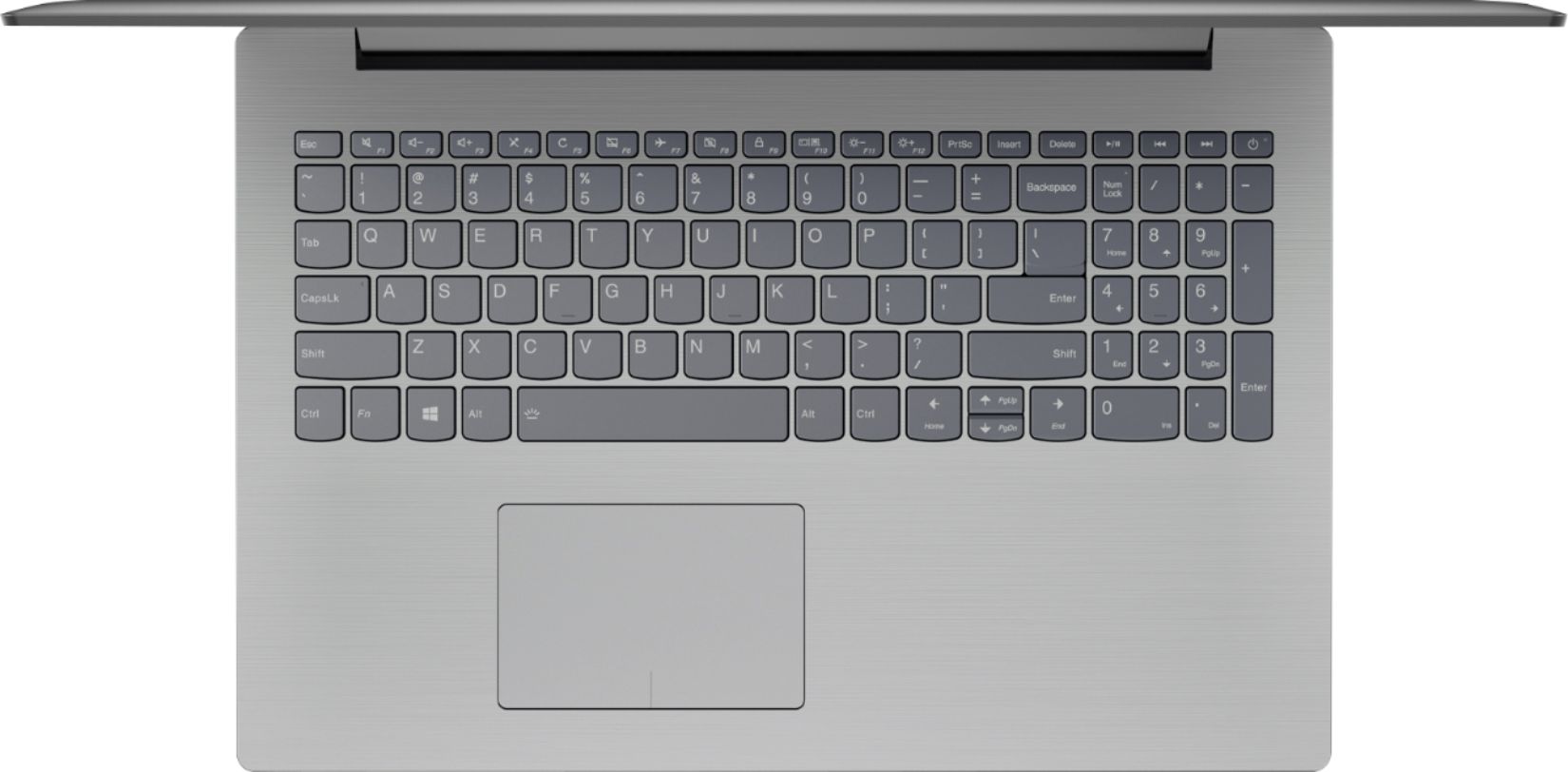
Posted .This reviewer received promo considerations or sweepstakes entry for writing a review.I purchased the Lenovo ideapad320 to replace a Lenovo ideapad that we happily used for years. This laptop is really underwhelming compared to it's predecessor. The most disappointing thing to me is the fan noise, which is a random thing to get fired up about, I know. It is SO LOUD. It sounds like it is working so darn hard to open a new tab on the browser and that stresses me out. The keyboard layout is another thing I wish I would've checked more closely before buying. Unless I'm missing something, I have to hit Fn+arrow for Page Down, Page Up or Home, rather than it being a one key option. I plan to upgrade to a different laptop soon.
No, I would not recommend this to a friend Specs look good Online.... Real World Mediocre
Posted .This reviewer received promo considerations or sweepstakes entry for writing a review.The specs online looked great, however after real world test (setup, installing of same programs, testing side by side) You're better off with any Intel Pentium Based processor (not even close to i3 or i5). Will be initiating a return here soon to get a decent Intel based product.
No, I would not recommend this to a friendBrand response from Lenovo Product Expert
Posted .This configuration contains the Quad-Core AMD A12-9720P processor, with a base speed of 2.7 GHz and a boost speed of up to 3.6GHz. Be sure any software you installed is compatible with Windows 10. There is no need to install Microsoft Office software. The software is already part of the operating system, you just need to activate the software with a purchased product key. If you have installed a copy of Microsoft Office, this is conflicting with the existing copy on the system and this will slow your system down. If you have installed a 3rd party anti-virus program, be sure that Windows Defender is turned off and that the trial version of McAfee Anti-Virus software is uninstalled. There can only be one anti-virus program on the system. You may need to restore your system to original factory default settings if any of the programing errors have occurred. You can do that by typing "restore" in the Cortana search window. Just click on the magnifying glass icon at the bottom left of your Windows 10 Desktop. Click on "Reset This PC" Then click on "Get Started" and follow the on screen directions to restore to factory defaults. If the problem persists, we recommend you contact Lenovo Tech Support at: 877-453-6686.
Is someone vacuuming?
Posted .This reviewer received promo considerations or sweepstakes entry for writing a review.This laptop is terrible. I bought this model in August 2017 and I'm already contemplating scrapping it after 9 months. I tried a new strategy of replacing lower-cost laptops every 3-4 years instead of higher-cost laptops every 6-8 years. First problem, the fan is exceedingly loud and revs inconsistently so it's difficult to tune it out. The summary title I felt was a fitting quote from my daughter while walking in the room. Second, the computer crashes and locks up far too frequently. It's not uncommon to need to do a hard shutdown in the morning because it's frozen and can't be brought out of sleep mode. I've also managed to overheat the system, causing an emergency shutdown, using only Excel. Third, the Lenovo skin of Windows 10 is annoying since it will pop-up prompts to sync different services (some daily, some hourly), even after repeatedly going into Settings to turn it off. The cherry on top of this sundae was Best Buy deleting my account again as I tried to log in and submit this review.
No, I would not recommend this to a friendBrand response from Lenovo Product Expert
Posted .We are sorry to hear that you are having issues with your Lenovo IdeaPad 320-15 laptop. This is a high performance system with its AMD A12-9720P processor and 8GB of RAM. It will generate heat whenever it is turned on, even at idle, this is normal. The onboard fan will maintain the proper operating temperature for the device. You will hear the fan whenever it runs, this too is normal. Concerning the crashing of the system, be sure any software you have installed is compatible with Windows 10 and this system's specific configuration. This system has Lenovo utilities installed to help maintain the health of the device and keep the operating system software up to date. Type "Lenovo Vantage" in the Cortana Search window. Select Lenovo Vantage from the list. In the window that opens, click on "Health and Support". In the expanded menu, select "Hardware Scan" In the window that opens, select "Run Quick Tests". This will scan your entire system for errors. Follow any directions that may pop up. If the problem continues after this scan, now click on "System Update". First select Windows update from the menu. Scan your system to be sure you have the latest version of Windows 10. Once that scan is complete, select "Additional Updates". This will scan your device to be sure there are no new BIOS/Driver updates needed. Follow any instructions that may pop up. If the issue still continues after these updates, we recommend you call Lenovo Tech Support at: 877-453-6686 for additional help.
Slow, drops Internet connection, update problems
Posted .This reviewer received promo considerations or sweepstakes entry for writing a review.I expected far more given the specs: I can't keep the wireless connected (I'm typing this on an HP on the very same connection). I've had to connect via Ethernet.. the machine has been at it for five hours and is still updating. The system gets very warm.. like a laptop from ten years ago. I have two other new Lenovos with half the RAM and much slower processors.. they perform vastly better: one is an AMD A6 with 4GB of RAM, the other is a weak Intel Celeron or cheaper, also with only 4GB RAM. This new Lenovo is supposed to be fast. I'll try to reinstall the horrible Windows 10 (clean install) and update the Realtek wireless driver.. if that doesn't fix it, I'm returning it to the store for a refund tomorrow to exchange it for a Dell.
No, I would not recommend this to a friendBrand response from Lenovo Product Expert
Posted .We are sorry to hear that you are having issues with your Lenovo IdeaPad 320-15 laptop. This system comes with the latest 802-11AC WiFi capability. There are Lenovo utilities installed on this device to help maintain the health of the device and keep the operating software up to date. Type "Lenovo Vantage" in the Cortana Search window. Select Lenovo Vantage from the list. In the window that opens, click on "Health and Support". In the expanded menu, select "Hardware Scan" In the window that opens, select "Run Quick Tests". This will scan your entire system for errors. Follow any directions that may pop up. If the problem continues after this scan, now click on "System Update". First select Windows update from the menu. Scan your system to be sure you have the latest version of Windows 10. Once that scan is complete, select "Additional Updates". This will scan your device to be sure there are no new BIOS/Driver updates needed. Follow any instructions that may pop up. If the issue still continues after these updates, we recommend you call Lenovo Tech Support at: 877-453-6686 for additional help.
- Cons mentioned:Fan noise
Not good quality
Posted .This reviewer received promo considerations or sweepstakes entry for writing a review.Had laptop for less than 24 hours and will be returning. Runs extremely slow, fan runs constantly and is pretty loud and laptop still gets hot to the touch. Very disappointed.
No, I would not recommend this to a friendBrand response from Lenovo Product Expert
Posted .This system should be a fast system with its AMD A12-9720P processor and 8GB of RAM. Be sure any software you installed is compatible with Windows 10. There is no need to install Microsoft Office software. The software is already part of the operating system, you just need to activate the software with a purchased product key. If you have installed a copy of Microsoft Office, this is conflicting with the existing copy on the system and this will slow your system down. If you have installed a 3rd party anti-virus program, be sure that Windows Defender is turned off and that the trial version of McAfee Anti-Virus software is uninstalled. There can only be one anti-virus program on the system. You may need to restore your system to original factory default settings if any of the programing errors have occurred. You can do that by typing "restore" in the Cortana search window. Just click on the magnifying glass icon at the bottom left of your Windows 10 Desktop. Click on "Reset This PC" Then click on "Get Started" and follow the on screen directions to restore to factory defaults. If the problem persists, we recommend you contact Lenovo Tech Support at: 877-453-6686.
Piece of junk
Posted .This reviewer received promo considerations or sweepstakes entry for writing a review.Slowest piece of crap laptop I've ever owned.Will be smashing with hammer and replacing with anything not made by lenovo
No, I would not recommend this to a friendBrand response from Lenovo Product Expert
Posted .This system should be a fast system with its AMD A12-9720P processor and 8GB of RAM. Be sure any software you installed is compatible with Windows 10. There is no need to install Microsoft Office software. The software is already part of the operating system, you just need to activate the software with a purchased product key. If you have installed a copy of Microsoft Office, this is conflicting with the existing copy on the system and this will slow your system down. If you have installed a 3rd party anti-virus program, be sure that Windows Defender is turned off and that the trial version of McAfee Anti-Virus software is uninstalled. There can only be one anti-virus program on the system. You may need to restore your system to original factory default settings if any of the programing errors have occurred. You can do that by typing "restore" in the Cortana search window. Just click on the magnifying glass icon at the bottom left of your Windows 10 Desktop. Click on "Reset This PC" Then click on "Get Started" and follow the on screen directions to restore to factory defaults. If the problem persists, we recommend you contact Lenovo Tech Support at: 877-453-6686.