Customer Ratings & Reviews
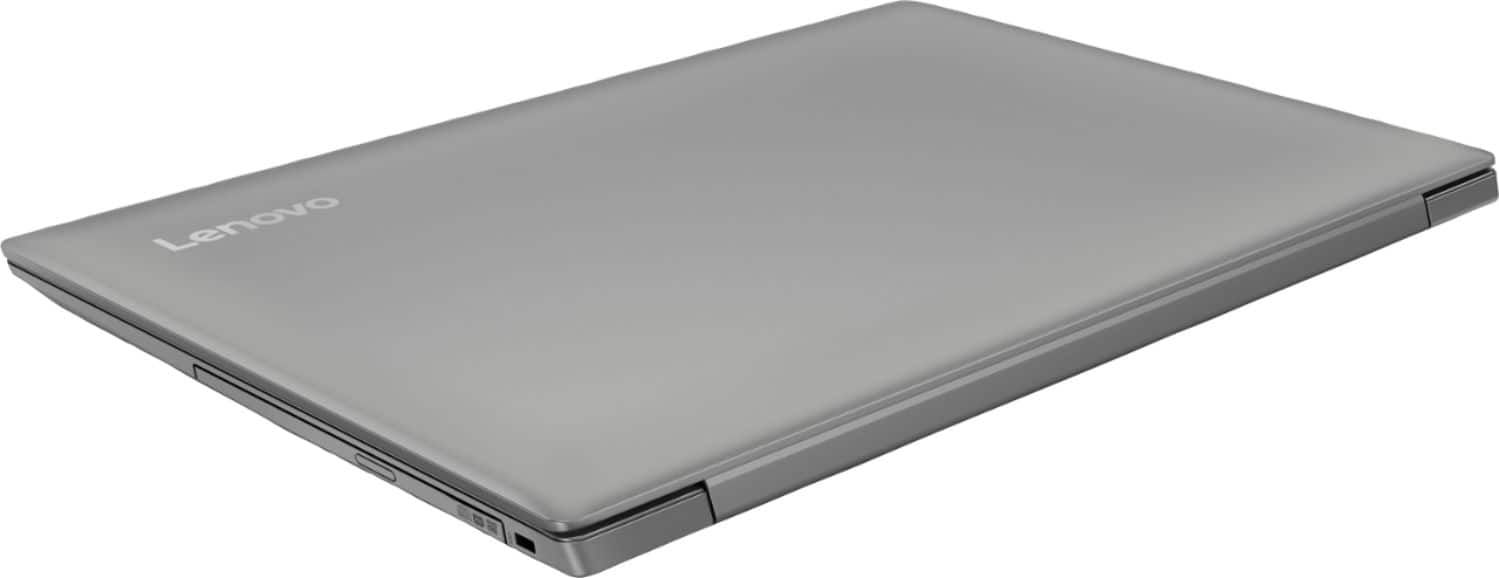
- Model:
- 81D1003TUS
- SKU:
- 6221788
Rating by feature
- Value
Rating 4.2 out of 5 stars
- Quality
Rating 3.9 out of 5 stars
- Ease of Use
Rating 4.1 out of 5 stars
Customers are saying
Customers consistently note the affordability and user-friendly nature of the 330-15IGM 15.6" Laptop. Many appreciate its lightweight design and adequate performance for basic tasks. However, some users express concerns about its slow processing speed and limited RAM, suggesting the need for upgrades.
This summary was generated by AI based on customer reviews.
- Cons mentioned:Slow
Very slow
||Posted . Owned for 11 months when reviewed.This reviewer received promo considerations or sweepstakes entry for writing a review.Do yourself a favor and invest a little more to get a better laptop. This runs very slow and sluggish.
I would recommend this to a friend Slow
||Posted .This reviewer received promo considerations or sweepstakes entry for writing a review.I knew it was entry level, but so was the 3 yr old computer it was replacing. This was just too slow, returned it. Spend the $ to move up mid level
No, I would not recommend this to a friendBrand response from Lenovo Product Expert
Posted .This is an entry level, light use system with its Intel Celeron processor. It is not meant for multi-tasking or demanding programs. It is good for Microsoft Office and light internet browsing. If this describes your computing needs, the IdeaPad 330-15 would be a good choice.

Stay away
||Posted . Owned for 1.5 years when reviewed.This reviewer received promo considerations or sweepstakes entry for writing a review.Let’s just say that you get what you pay for. From startup is super slow and plastic is cheap. I rather buy an $1000+ laptop.
No, I would not recommend this to a friendLaptop computer
||Posted . Owned for 1.5 years when reviewed.This reviewer received promo considerations or sweepstakes entry for writing a review.I won’t buy this computer again wireless card went out and geek squad wanted to charge to fix a device I bought from them
No, I would not recommend this to a friend- Cons mentioned:Slow
Dont buy it
||Posted . Owned for 11 months when reviewed.This reviewer received promo considerations or sweepstakes entry for writing a review.Takes a while to turn on and turn off. Runs slow and cant do much with it. I regret buying it.
No, I would not recommend this to a friend Lowest cost computer i'd accept
||Posted .This reviewer received promo considerations or sweepstakes entry for writing a review.Works for the business for my employees to do basic admin stuff, would never use it for anything serious. Super cheap feeling trackpad.
No, I would not recommend this to a friendBrand response from Lenovo Product Expert
Posted .This is an entry level, light use system with its Intel Celeron processor. It is not meant for multi-tasking or demanding programs. It is good for light work with Microsoft Office type programs and light internet browsing. If this describes your computing needs, the IdeaPad 330-15 would be a good choice. With regard to the touchpad, you can make adjustments to the touchpad in your system settings. You can get there by clicking on the magnifying glass at the bottom left of your Windows 10 screen. Type "touchpad" in the search window. Select "Mouse & touchpad settings" from the list of choices. You can make general adjustments to the touchpad there. You can also select "Additional mouse options" for more detailed adjustments to the touchpad sensitivity by increasing the delay of the touchpad.
- Cons mentioned:Software
Chug chug putt putt thump thump
||Posted .This reviewer received promo considerations or sweepstakes entry for writing a review.It couldn't handle 1 kids educational software download froze up, wouldn't shut down.....
No, I would not recommend this to a friendBrand response from Lenovo Product Expert
Posted .Be sure any software you installed is compatible with Windows 10. There is no need to install Microsoft Office software. The software is already part of the operating system, you just need to activate the software with a purchased product key. If you have installed a copy of Microsoft Office, this is conflicting with the existing copy on the system and this will slow your system down. If you have installed a 3rd party anti-virus program, be sure that Windows Defender is turned off and that the trial version of McAfee Anti-Virus software is uninstalled. There can only be one anti-virus program on the system. You may need to restore your system to original factory default settings if any of the programing errors have occurred. You can do that by typing "restore" in the Cortana search window. Just click on the magnifying glass icon at the bottom left of your Windows 10 Desktop. Click on "Reset This PC" Then click on "Get Started" and follow the on screen directions to restore to factory defaults. If the problem persists, we recommend you contact Lenovo Tech Support at: 877-453-6686.
Slow but cheap
||Posted . Owned for 1 year when reviewed.This reviewer received promo considerations or sweepstakes entry for writing a review.This laptop takes forever to load, simply start it walk away for 10 minutes , come back and hope it’s loaded
No, I would not recommend this to a friend- Cons mentioned:Slow
Extremely slow PC
||Posted .This reviewer received promo considerations or sweepstakes entry for writing a review.PC takes a while to load anything and is definitely not worth more than $200.
No, I would not recommend this to a friendBrand response from Lenovo Product Expert
Posted .This is an entry level, light use system with its Intel Celeron processor. It is not meant for multi-tasking or demanding programs. It is good for Microsoft Office and light internet browsing. If this describes your computing needs, the IdeaPad 330-15 would be a good choice. Be sure any programs you load to the device are compatible with Windows 10.
- Cons mentioned:Slow
Crap
||Posted .This reviewer received promo considerations or sweepstakes entry for writing a review.This thing is the slowest computer out there. Dial up is faster.
No, I would not recommend this to a friend - Cons mentioned:Slow
Very slow
||Posted .This reviewer received promo considerations or sweepstakes entry for writing a review.Way too slow in my opinion , i exchanged it for a different laptop
No, I would not recommend this to a friendBrand response from Lenovo Product Expert
Posted .This configuration of the Lenovo IdeaPad 330-15 laptop, with the Intel Celeron processor, is an entry level, light use system. It is not meant for multi-tasking or demanding programs. It is good for light work with Microsoft Office type programs and browsing the internet. If this describes your computing needs, the IdeaPad 330-15 with Intel Celeron processor would be a good choice.
- Cons mentioned:Slow
This laptop works slow most of the time.
||Posted .This reviewer received promo considerations or sweepstakes entry for writing a review.This computer moves slow and lags most of the time.
No, I would not recommend this to a friend - Cons mentioned:Slow
Useless
||Posted .This reviewer received promo considerations or sweepstakes entry for writing a review.Slow spaceless settings change not great..........
No, I would not recommend this to a friendBrand response from Lenovo Product Expert
Posted .This is an entry level, light use system with its Intel Celeron processor. It is not meant for multi-tasking or demanding programs. It is good for Microsoft Office and light internet browsing. If this describes your computing needs, the IdeaPad 330-15 would be a good choice.
SLOW PROCESSOR
||Posted .This reviewer received promo considerations or sweepstakes entry for writing a review.This thing is a piece. It is the slowest loading laptop we've ever had.
No, I would not recommend this to a friendNot the easiest to use
||Posted .This reviewer received promo considerations or sweepstakes entry for writing a review.Recommend purchasing a mouse. Operate it night mode it is easier on the eyes.
No, I would not recommend this to a friendBrand response from Lenovo Product Expert
Posted .With regard to the touchpad, you can make adjustments to the touchpad in your system settings. You can get there by clicking on the magnifying glass at the bottom left of your Windows 10 screen. Type "touchpad" in the search window. Select "Mouse & touchpad settings" from the list of choices. You can make general adjustments to the touchpad there. You can also select "Additional mouse options" for more detailed adjustments to the touchpad sensitivity by increasing the delay of the touchpad.
Hard to use
||Posted .This reviewer received promo considerations or sweepstakes entry for writing a review.This laptop make a noise, I have for 2 weeks and star to give problems
No, I would not recommend this to a friendBrand response from Lenovo Product Expert
Posted .We are sorry to hear that you are having issues with your Lenovo IdeaPad 330-15 laptop. We recommend you call Lenovo Tech Support at: 877-453-6686, for help with your specific issue.
horrible
||Posted .This reviewer received promo considerations or sweepstakes entry for writing a review.this laptop is only 3 weeks old I have used it a hand full of time and it freeze up on me all the day every time I use it. and all that I am doing is doing testing online for my job
No, I would not recommend this to a friendBrand response from Lenovo Product Expert
Posted .This system is an entry level, light use system, with its Intel Celeron processor. It is not meant for multi-tasking or demanding programs. It is good for light work with Microsoft Office programs and browsing the internet.
I don’t know
||Posted .This reviewer received promo considerations or sweepstakes entry for writing a review.I purchased the product and I am not sure if it is a new product or used, because we have been having trouble with pop ups for cyber security services that keeps us from using the computer. So I am going to take it back to the store and return it
No, I would not recommend this to a friendBrand response from Lenovo Product Expert
Posted .We are sorry to hear that you are having issues with your Lenovo IdeaPad 330-15 laptop. This system comes with a 30-day trial of McAfee anti-virus software. The pop-ups you describe are notifications about the time left on your free trial. Here is a link to instructions for uninstalling McAfee from your computer: https://service.mcafee.com/webcenter/portal/cp/home/articleview;jsessionid=1Uozpv-qeilRhx-JgKBE1LTTj1-9SKLRKrhOwvlO7rAXS3WBXdKC!-1206583232!1688681395?locale=en-US&articleId=TS101331&_afrLoop=2124131578462417#!%40%40%3F_afrLoop%3D2124131578462417%26articleId%3DTS101331%26centerWidth%3D100%2525%26leftWidth%3D0%2525%26locale%3Den-US%26rightWidth%3D0%2525%26showFooter%3Dfalse%26showHeader%3Dfalse%26_adf.ctrl-state%3D1bd61pwpn2_4
Terrible Purchase
||Posted .This reviewer received promo considerations or sweepstakes entry for writing a review.I have had this in the shop once already for a hardware malfunction, 3 months later it is doing the same thing. I would not recommend this product at all!!!
No, I would not recommend this to a friendThis laptop is very slow
||Posted .This reviewer received promo considerations or sweepstakes entry for writing a review.I bought this laptop for its price, but when I turned it on, it was so slow and frustrating. I though it would be better, but I guess you get for what you pay for.
No, I would not recommend this to a friendBrand response from Lenovo Product Expert
Posted .This is an entry level, light use computer system, with its Intel Celeron processor. This system is not meant for multi-tasking or demanding programs/software. It is good for light Microsoft Office programs and browsing the internet. his device has the latest WiFi capability, with 802.11AC connectivity. If your requirements fit this profile, this device is a good choice.