Customer Ratings & Reviews



- Model:
- 81DE017BUS
- SKU:
- 6291892
Rating by feature
- Battery Life
Rating 3.9 out of 5 stars
- Speed
Rating 3.5 out of 5 stars
- Display
Rating 3.8 out of 5 stars
Customers are saying
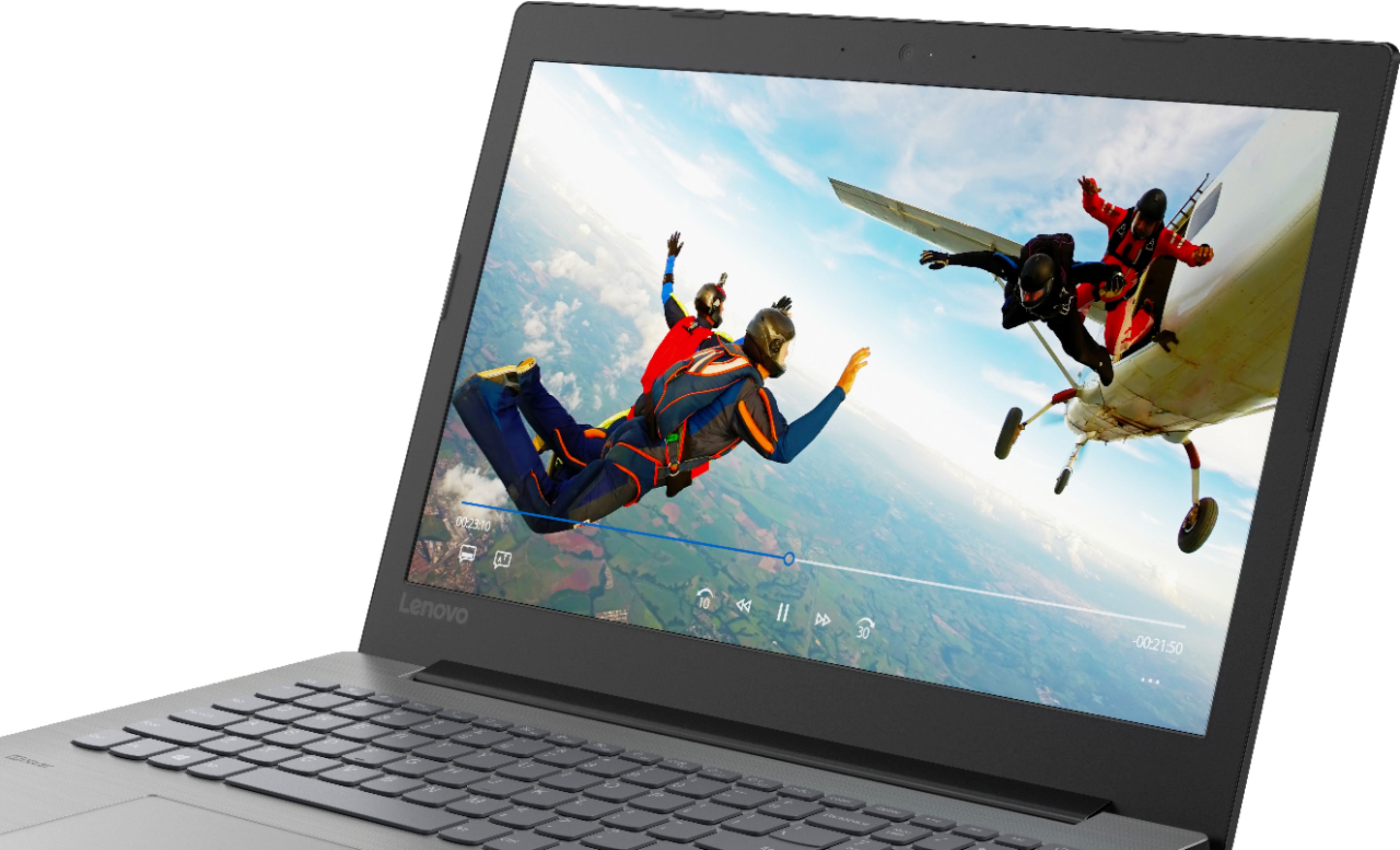
Customers often highlight the affordability, user-friendly interface, and ample storage space of the 330-15IKBR laptop. It is considered a great value for the price, making it suitable for various tasks including work, school, and gaming. However, some users have concerns about the battery life, touchpad sensitivity, and boot time, suggesting areas where improvements could be made.
This summary was generated by AI based on customer reviews.
Great Laptop
||Posted .This reviewer received promo considerations or sweepstakes entry for writing a review.Great laptop for everyday basic use and much more.
I would recommend this to a friendBrand response from Lenovo Product Expert
Posted .Thank you for choosing the Lenovo IdeaPad 330-15 laptop. We are pleased to hear that the performance of the IdeaPad 330-15 meets your computing needs so well. This is a mid-level, moderate use configuration, with its Intel Core i3-8130U processor. This Dual-Core processor has a base speed of 2.2GHz and a boost speed of up to 3.4GHz. This configuration has 8GB of DDR4-2133MHz RAM. It is good with Microsoft Office type programs, internet browsing and other moderate work. If this describes your computing needs, the IdeaPad 330-15 would be a good choice for you. For 2018, Lenovo retained its place for a second year as the best laptop vendor:
https://www.laptopmag.com/articles/laptop-brand-ratings
Just a mediocre computer
||Posted .This reviewer received promo considerations or sweepstakes entry for writing a review.Not very fast, but an adequate machine for emails, Facebook and word processing. Wish I had spent a little more and gotten a touch screen. I recommend it it, but very weakly.
I would recommend this to a friendLENOVO LAPTOP
||Posted .This reviewer received promo considerations or sweepstakes entry for writing a review.IT'S A GREAT LAPTOP. WORKS FOR WHAT I NEED IT FOR.
I would recommend this to a friendBrand response from Lenovo Product Expert
Posted .Thank you for choosing the lenovo IdeaPad 330-15 laptop. We are pleased to hear that the performance of the IdeaPad 330-15 meets your computing needs so well. This is a mid-level, moderate use configuration, with its Intel Core i3-8130U processor. This Dual-Core processor has a base speed of 2.2GHz and a boost speed of up to 3.4GHz. This configuration has 8GB of DDR4-2133MHz RAM. It is good with Microsoft Office type programs, internet browsing and other moderate work. If this describes your computing needs, the IdeaPad 330-15 would be a good choice for you.
Works great.. just as advertised.
||Posted .This reviewer received promo considerations or sweepstakes entry for writing a review.Works great.. just as advertised. And now I have to
I would recommend this to a friendBrand response from Lenovo Product Expert
Posted .Thank you for choosing the Lenovo IdeaPad 330-15 laptop. We are pleased to hear that the performance of the IdeaPad 330-15 meets your computing needs so well. This is a mid-level, moderate use configuration, with its Intel Core i3-8130U processor. This Dual-Core processor has a base speed of 2.2GHz and a boost speed of up to 3.4GHz. This configuration has 8GB of DDR4-2133MHz RAM. It is good with Microsoft Office type programs, internet browsing and other moderate work. If this describes your computing needs, the IdeaPad 330-15 would be a good choice for you.
Excellent laptop
||Posted .This reviewer received promo considerations or sweepstakes entry for writing a review.Nice laptop for Microsoft office and web searching
I would recommend this to a friendBrand response from Lenovo Product Expert
Posted .Thank you for choosing the lenovo IdeaPad 330-15 laptop. This is a mid-level, moderate use configuration, with its Intel Core i3-8130U processor. This Dual-Core processor has a base speed of 2.2GHz and a boost speed of up to 3.4GHz. This configuration has 8GB of DDR4-2133MHz RAM. It is good with Microsoft Office type programs, internet browsing and other moderate work. If this describes your computing needs, the IdeaPad 330-15 would be a good choice for you.
LENOVO LAPTOP IS GREAT
||Posted .This reviewer received promo considerations or sweepstakes entry for writing a review.ALL IS WORKING FINE WE LIKE OUR NEW LENOVO LAPTOP.
I would recommend this to a friendBrand response from Lenovo Product Expert
Posted .Thank you for choosing the Lenovo IdeaPad 330-15 laptop. We are pleased to hear that the performance of the IdeaPad 330-15 meets your computing needs so well. This is a mid-level, moderate use configuration, with its Intel Core i3-8130U processor. This Dual-Core processor has a base speed of 2.2GHz and a boost speed of up to 3.4GHz. This configuration has 8GB of DDR4-2133MHz RAM. It is good with Microsoft Office type programs, internet browsing and other moderate work. If this describes your computing needs, the IdeaPad 330-15 would be a good choice for you.
Barebones
||Posted .This reviewer received promo considerations or sweepstakes entry for writing a review.I have never seen a computer with an all but blank desktop.. So trying to get used to Windows 10 and finding what I needed was a real pain. When I finally found a users manual it didn't really cover that much either. I guess that's because this computer doesn't have that much to cover. As the saying goes, you only get what you pay for. Will be using as a backup computer only. I have another Lenovo that is 6 years old but puts this one to shame big time. Next time I'll be more careful to get a decent computer.
No, I would not recommend this to a friendBrand response from Lenovo Product Expert
Posted .The Lenovo IdeaPad 330-15 laptop is a mid-level, moderate use configuration, with its Intel Core i3-8130U processor. This Dual-Core processor has a base speed of 2.2GHz and a boost speed of up to 3.4GHz. This configuration has 8GB of DDR4-2133MHz RAM. It is good with Microsoft Office type programs, internet browsing and other moderate work. The heart of the Ideapad 330-15 is the Windows 10 Home operating system. With regard to learning your way around Windows 10, you may want to try YouTube.com (just type that address in your browser address window). There are hundreds for free instructional videos there about Windows 10. Just type Windows 10 Introduction in to the YouTube search window. You can watch free videos there that will show you the basics all the way up to tips and tricks videos and they're all free.
Does what it’s supposed to do
||Posted . Owned for 5 months when reviewed.This reviewer received promo considerations or sweepstakes entry for writing a review.I bought this pc knowing that I will need to upgrade to a faster pc but I needed a pc desperately and bought this. It does the job but I can’t wait until I upgrade
No, I would not recommend this to a friendNot bad for everyday tasks
||Posted . Owned for 3 months when reviewed.This reviewer received promo considerations or sweepstakes entry for writing a review.I was hoping for a bit more processing power buy I guess you get what you pay for. Not bad for email and simple tasks but gets over loaded too quickly for my needs.
No, I would not recommend this to a friendWorks well
||Posted .This reviewer received promo considerations or sweepstakes entry for writing a review.I wasn't expecting extreme performance from an i3, but this one seems a bit slow when multitasking work documents at the same time. (excell, pdf, etc)
I would recommend this to a friendHad issues from the beginning
||Posted .This reviewer received promo considerations or sweepstakes entry for writing a review.I had issues with this computer from the beginning even in the set up took it back and change brands so I can't give much of a review
No, I would not recommend this to a friendBrand response from Lenovo Product Expert
Posted .We are sorry to hear that you had issues with the initial activation of your lenovo IdeaPad 330-15 laptop. Be sure any software you installed is compatible with Windows 10. There is no need to install Microsoft Office software. The software is already part of the operating system, you just need to activate the software with a purchased product key. If you have installed a copy of Microsoft Office, this is conflicting with the existing copy on the system and this will slow your system down. If you have installed a 3rd party anti-virus program, be sure that Windows Defender is turned off and that the trial version of McAfee Anti-Virus software is uninstalled. There can only be one anti-virus program on the system. You may need to restore your system to original factory default settings if any of the programing errors have occurred. You can do that by typing "restore" in the Cortana search window. Just click on the magnifying glass icon at the bottom left of your Windows 10 Desktop. Click on "Reset This PC" Then click on "Get Started" and follow the on screen directions to restore to factory defaults. If the problem persists, we recommend you contact Lenovo Tech Support at: 877-453-6686.
Computer
||Posted . Owned for 1.5 years when reviewed.This reviewer received promo considerations or sweepstakes entry for writing a review.I loke to product, but have had some issues with the camera. I am glad I purchased the extended warranty
I would recommend this to a friendSolid computer
||Posted .This reviewer received promo considerations or sweepstakes entry for writing a review.Just needed to check e-mail and browse the web and this fits the bill. Don't buy if you're expecting to do much more than that.
I would recommend this to a friendHaven’t used the computer yet
||Posted .This reviewer received promo considerations or sweepstakes entry for writing a review.Size is great! Haven’t used the computer yet. Hoping this upcoming weekend I get a chance to charge and use the computer.
I would recommend this to a friendDid not meet my needs.
||Posted .This reviewer received promo considerations or sweepstakes entry for writing a review.I’m not saying this is a bad laptop. It just did not meet my expectations. I went cheap and that’s what I got.
No, I would not recommend this to a friendBrand response from Lenovo Product Expert
Posted .The Lenovo IdeaPad 330-15 laptop is a mid-level, moderate use configuration, with its Intel Core i3-8130U processor. This Dual-Core processor has a base speed of 2.2GHz and a boost speed of up to 3.4GHz. This configuration has 8GB of DDR4-2133MHz RAM. It is good with Microsoft Office type programs, internet browsing and other moderate work. If this describes your computing needs, the IdeaPad 330-15 would be a good choice for you. For 2018, Lenovo retained its place for a second year as the best laptop vendor:
https://www.laptopmag.com/articles/laptop-brand-ratings
Good budget laptop
||Posted . Owned for 7 months when reviewed.This reviewer received promo considerations or sweepstakes entry for writing a review.I bought this to replace a 10 year old HP laptop and couldn't be happier, it does everything I need it to
I would recommend this to a friendComputer is slow.
||Posted .This reviewer received promo considerations or sweepstakes entry for writing a review.I have found that this computer is slow. I have tried a virus program and it is a little faster, not much.
No, I would not recommend this to a friendBrand response from Lenovo Product Expert
Posted .The Lenovo IdeaPad 330-15 laptop should be a fast system with its Dual-Core/Four-Thread Core I-3-8130U processor and 8GB DDR4-2133MHz RAM. Be sure any software you installed is compatible with Windows 10. There is no need to install Microsoft Office software. The software is already part of the operating system, you just need to activate the software with a purchased product key. If you have installed a copy of Microsoft Office, this is conflicting with the existing copy on the system and this will slow your system down. If you have installed a 3rd party anti-virus program, be sure that Windows Defender is turned off and that the trial version of McAfee Anti-Virus software is uninstalled. There can only be one anti-virus program on the system. You may need to restore your system to original factory default settings if any of the programing errors have occurred. You can do that by typing "restore" in the Cortana search window. Just click on the magnifying glass icon at the bottom left of your Windows 10 Desktop. Click on "Reset This PC" Then click on "Get Started" and follow the on screen directions to restore to factory defaults. If the problem persists, we recommend you contact Lenovo Tech Support at: 877-453-6686. For 2018, Lenovo retained its place for a second year as the best laptop vendor:
https://www.laptopmag.com/articles/laptop-brand-ratings
Design is good
||Posted .This reviewer received promo considerations or sweepstakes entry for writing a review.Stop working after 15 days . Not great look good i am not able on it
No, I would not recommend this to a friendDisappointed
||Posted . Owned for more than 2 years when reviewed.This reviewer received promo considerations or sweepstakes entry for writing a review.I bought it a year ago and the display adapter doesn’t work anymore .
No, I would not recommend this to a friendOk once it finally boots up
||Posted .This reviewer received promo considerations or sweepstakes entry for writing a review.If I had a word to describe this computer it would be slow. I had it for about a week until I returned it for something better. I know now to spend a little more for a better quality product. I’m a Lenovo fan but this didn’t live up to the name in my opinion. This laptop may be ok for basic browsing/ word processing but anything more is pushing it.
No, I would not recommend this to a friendBrand response from Lenovo Product Expert
Posted .This Lenovo IdeaPad 330-15 laptop should boot up from off to the Windows 10 desktop in less than 40 seconds. Be sure any software you installed is compatible with Windows 10. There is no need to install Microsoft Office software. The software is already part of the operating system, you just need to activate the software with a purchased product key. If you have installed a copy of Microsoft Office, this is conflicting with the existing copy on the system and this will slow your system down. If you have installed a 3rd party anti-virus program, be sure that Windows Defender is turned off and that the trial version of McAfee Anti-Virus software is uninstalled. There can only be one anti-virus program on the system. You may need to restore your system to original factory default settings if any of the programing errors have occurred. You can do that by typing "restore" in the Cortana search window. Just click on the magnifying glass icon at the bottom left of your Windows 10 Desktop. Click on "Reset This PC" Then click on "Get Started" and follow the on screen directions to restore to factory defaults. If the problem persists, we recommend you contact Lenovo Tech Support at: 877-453-6686.