Customer Ratings & Reviews
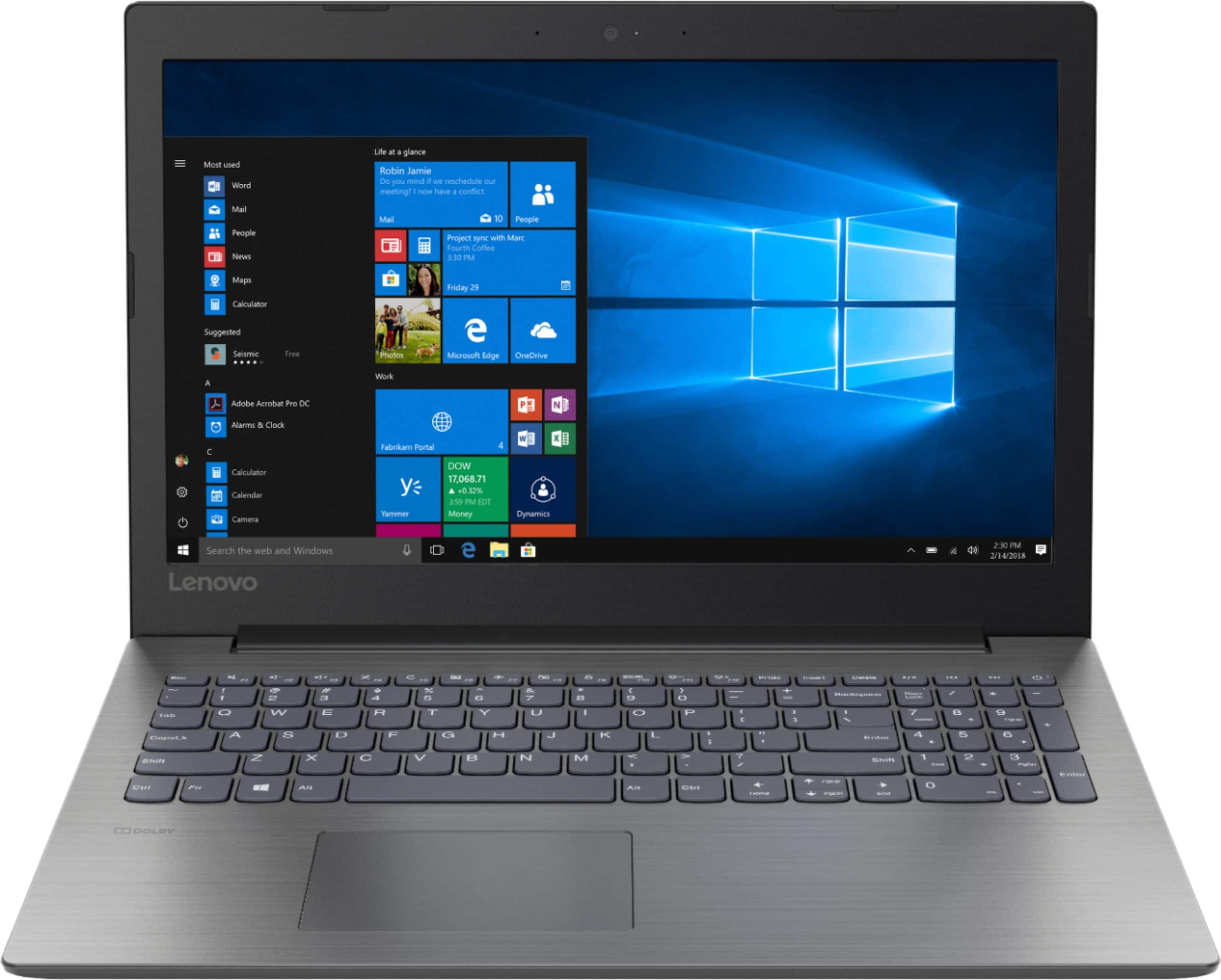
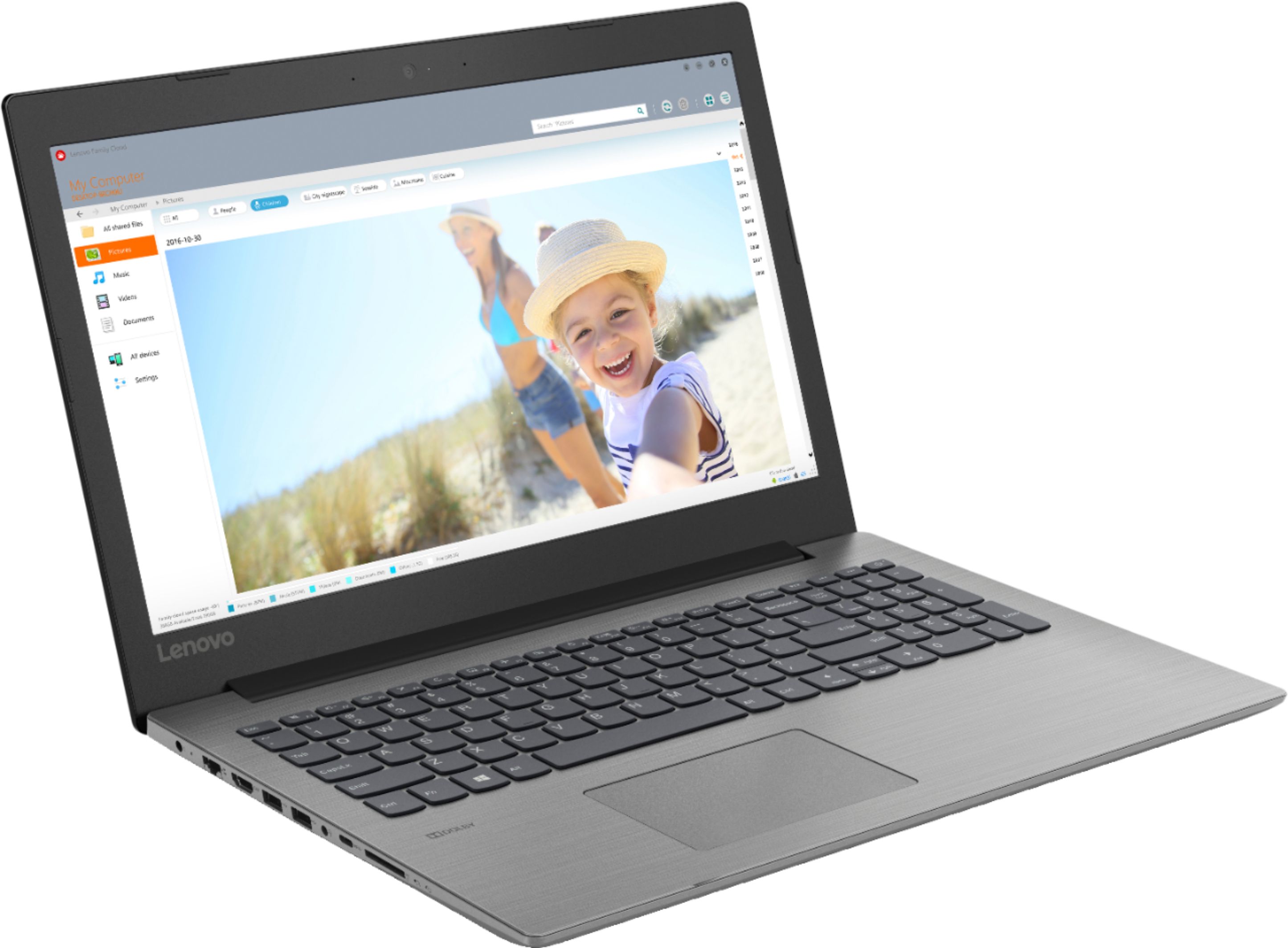
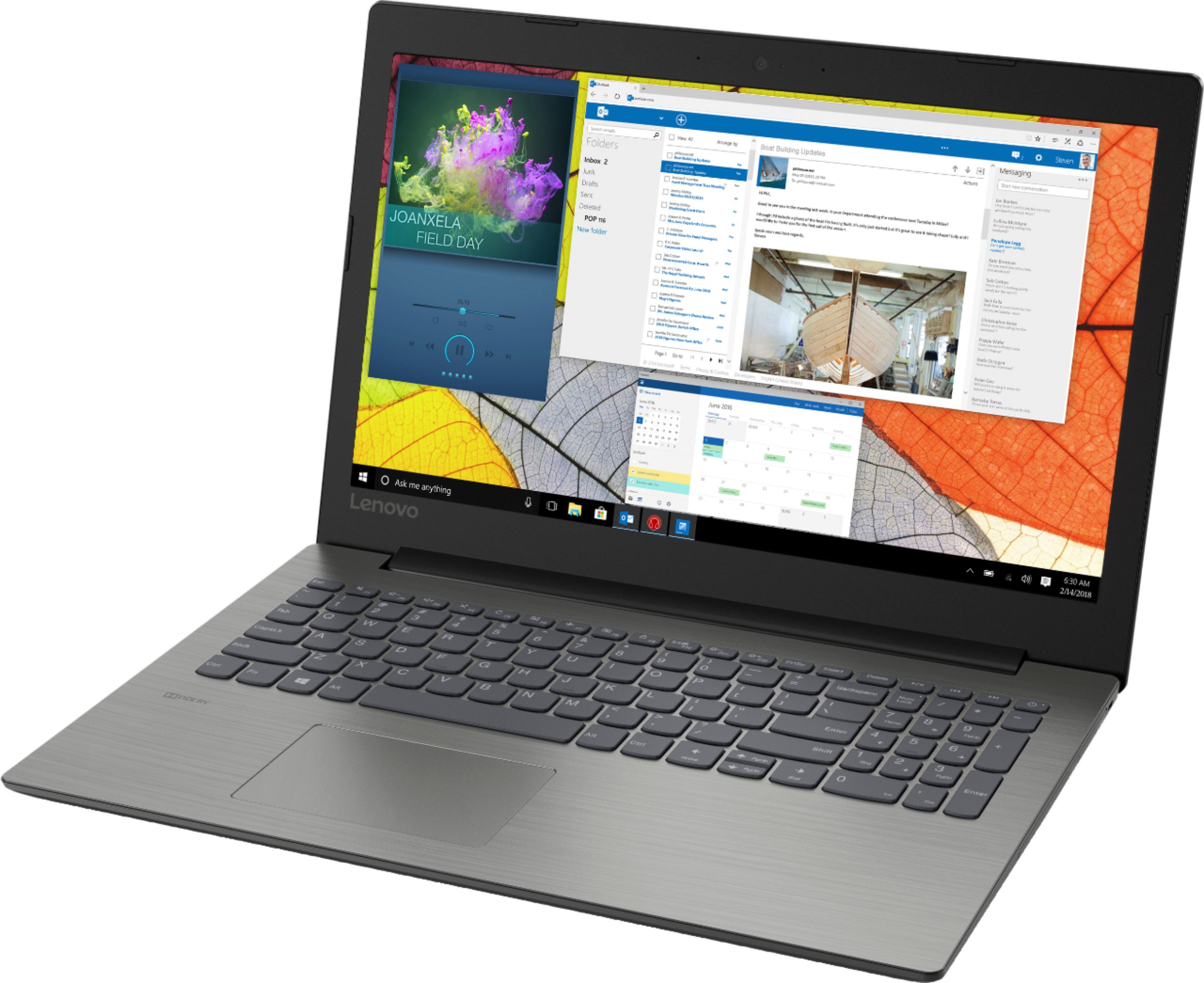
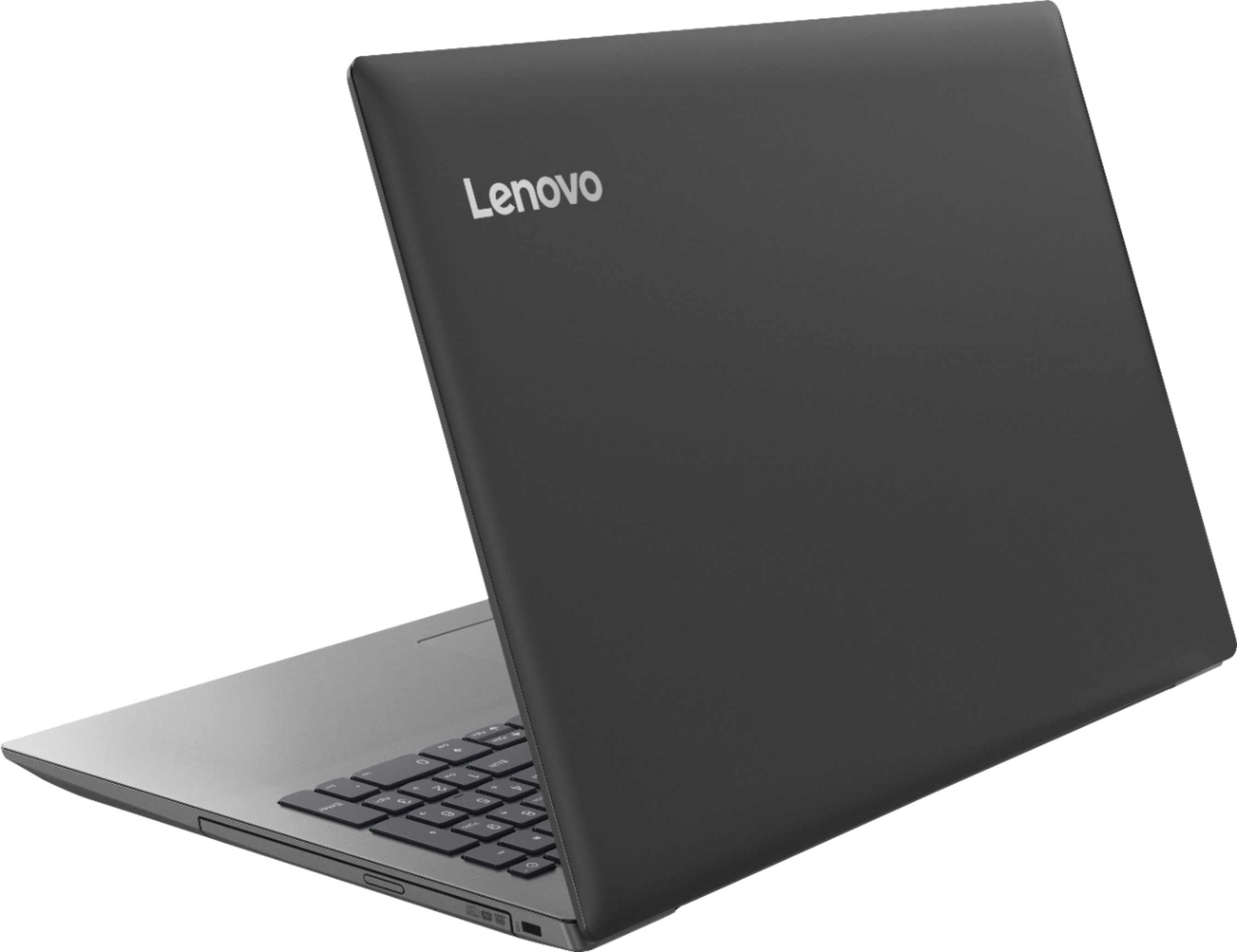
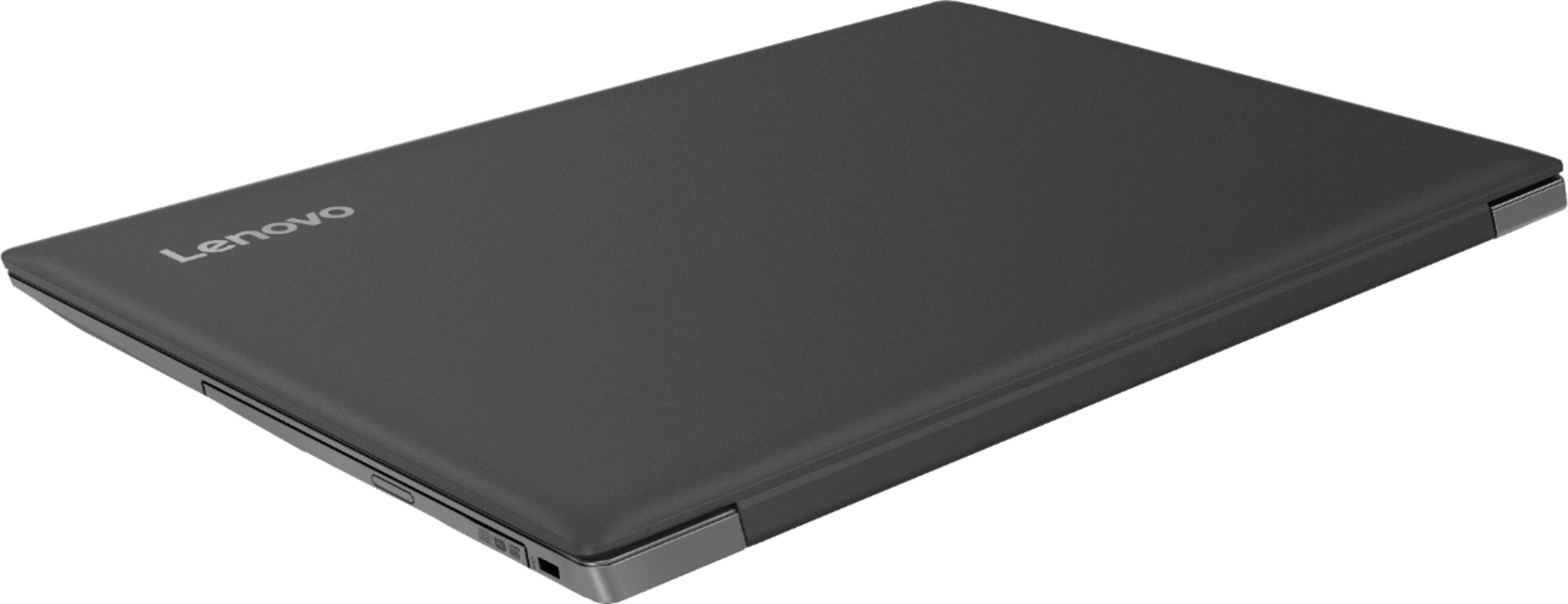
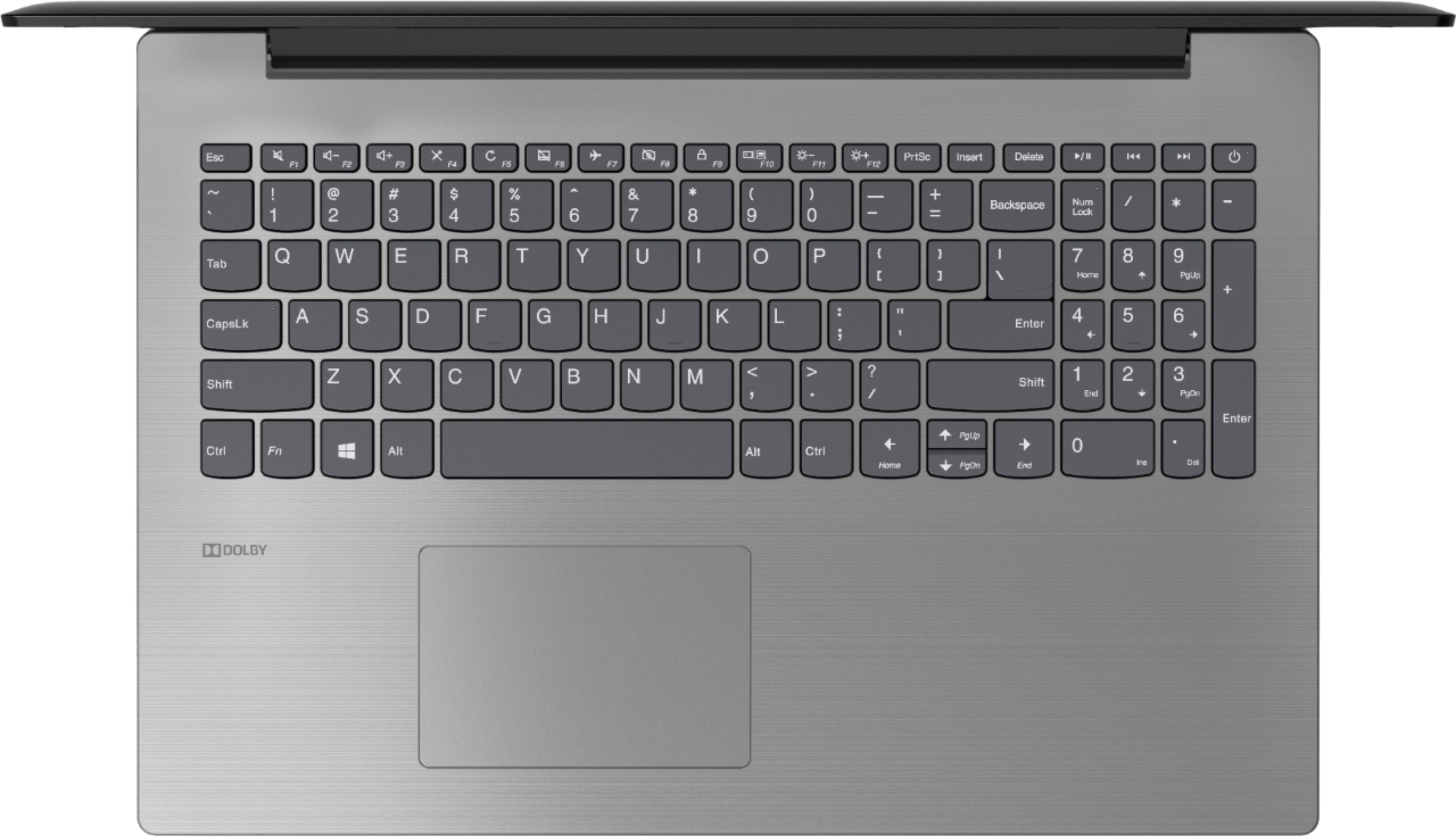
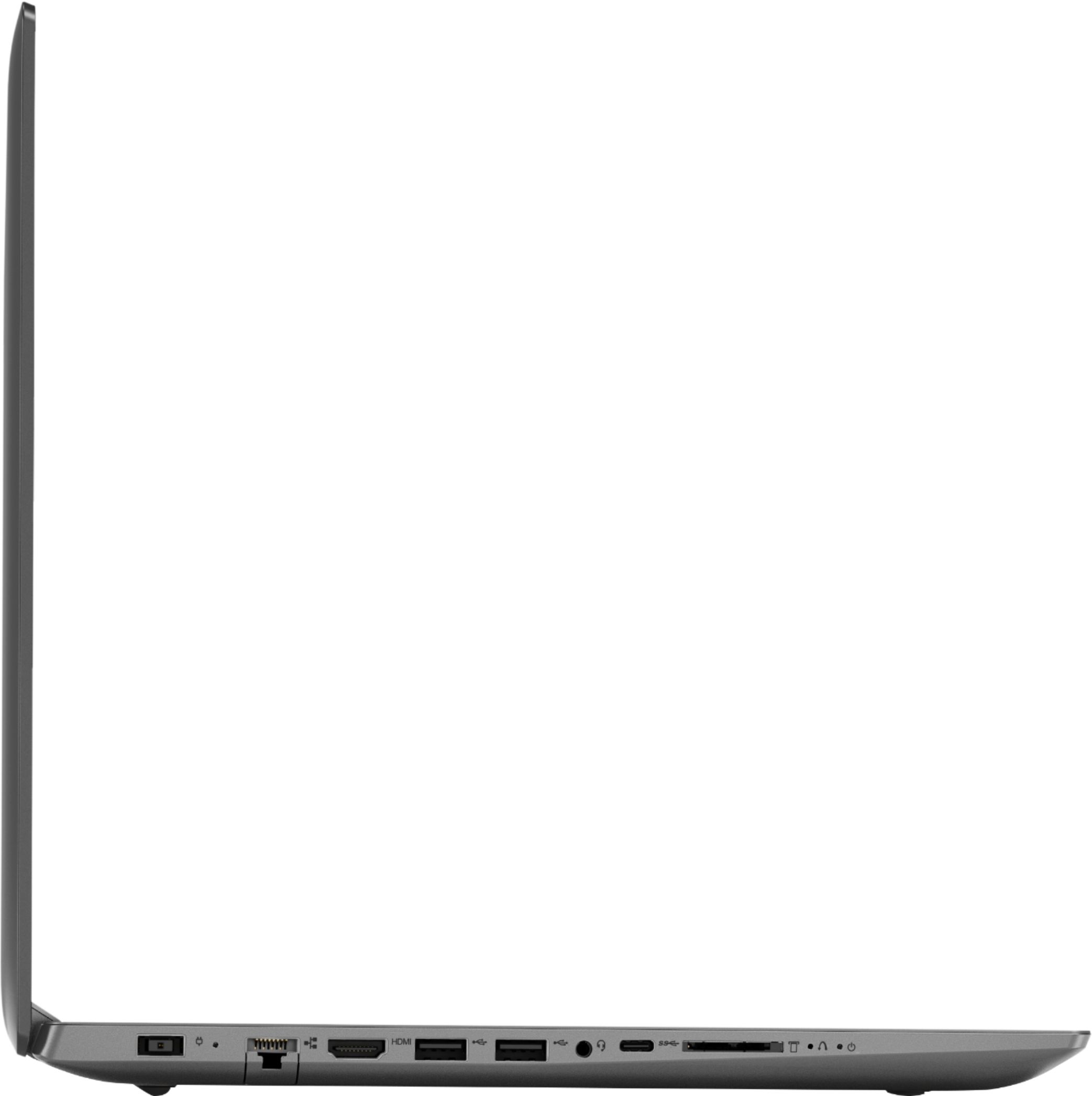

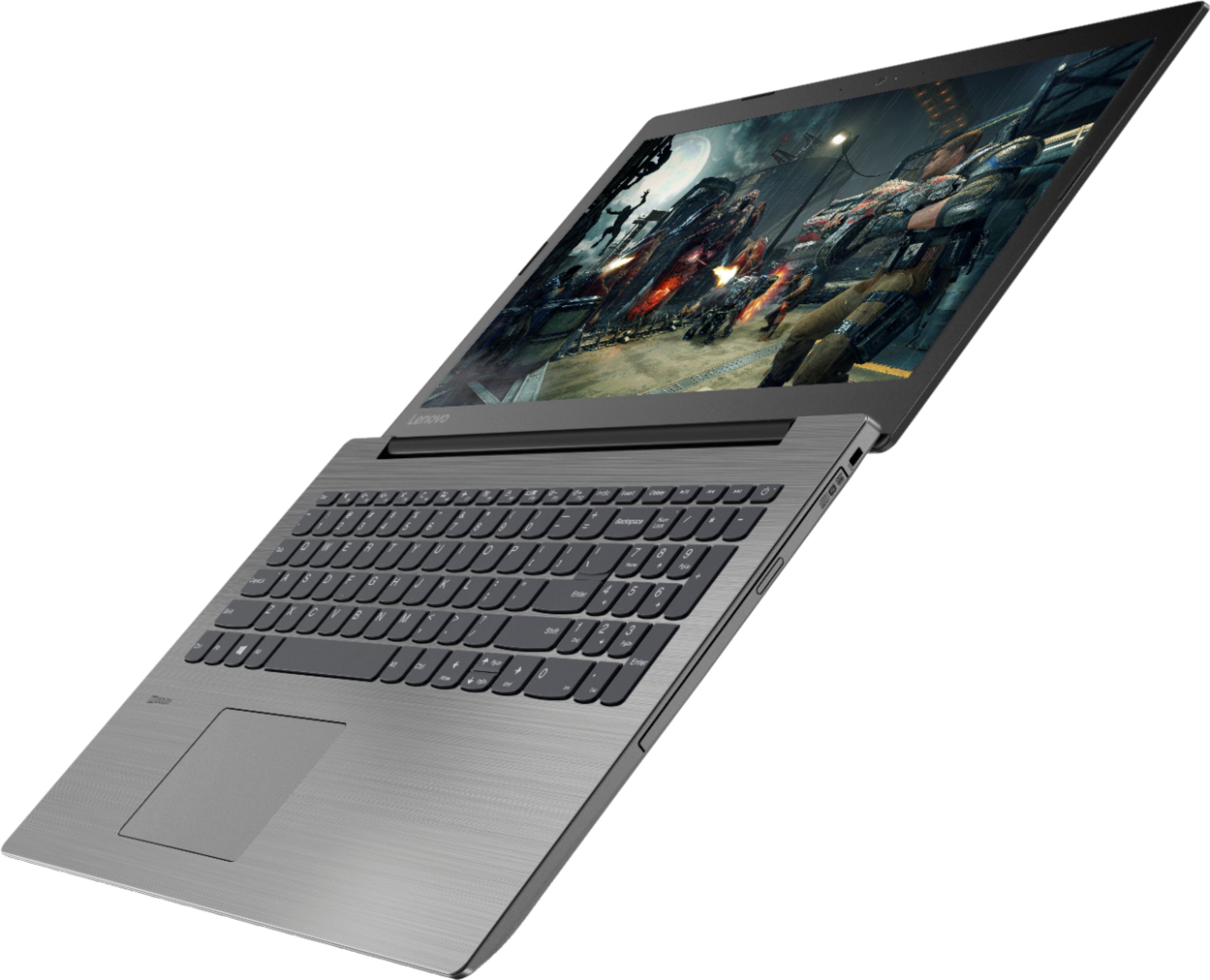

- Model:
- 81DE017BUS
- SKU:
- 6291892
Rating by feature
- Battery Life
Rating 3.9 out of 5 stars
- Speed
Rating 3.5 out of 5 stars
- Display
Rating 3.8 out of 5 stars
Customers are saying
Customers often highlight the affordability, user-friendly interface, and ample storage space of the 330-15IKBR laptop. It is considered a great value for the price, making it suitable for various tasks including work, school, and gaming. However, some users have concerns about the battery life, touchpad sensitivity, and boot time, suggesting areas where improvements could be made.
This summary was generated by AI based on customer reviews.
Very dissatisfied
||Posted .This reviewer received promo considerations or sweepstakes entry for writing a review.Was sold 2 refurbished without my knowledge. Both bad
No, I would not recommend this to a friendBrand response from Lenovo Product Expert
Posted .Model number 81DE017BUS is a new product.

Glad I tried it in store
Posted .This reviewer received promo considerations or sweepstakes entry for writing a review.***4.5 stars*** Based just on the written specs, I would not have purchased this laptop. Fortunately, I tried it in the store after being disappointed by better-spec'd & pricier laptops. This lower-priced Lenovo Ideapad 330-IKBR had quicker processing and seemed to be holding up better as a display item. Plus, it has a CD/DVD drive! Been using this laptop for about 5 months (I actually have the Platinum Gray) and am still enjoying it. There are 2 disadvantages I've experienced thus far: 1) Have to be diligent about the updates. It runs slow if the Microsoft Windows updates aren't installed right away and seems to take a few minutes to get back up to speed even after the update is installed. And there multiple monthly updates. Always double check for updates. Windows 10 will say it's up to date, but often running another check immediately thereafter yields an additional update to install. 2) This Windows 10 computer will not run Microsoft Works Word Processor! I now use LibreOffice to run .wps document files. Otherwise, I enjoy using this computer thus far for everyday Internet research, word processing, video viewing, etc. I really have no complaints about the hardware itself. Windows 10, however, is another story....
I would recommend this to a friendBrand response from Lenovo Product Expert
Posted .Thank you for choosing the Lenovo IdeaPad 330-15 laptop. You can keep the operating software on this computer easily up to date by using the Lenovo Utility software installed on this computer. This system has Lenovo utilities installed to help maintain the health of the device and keep the operating system software up to date. Type "Lenovo Vantage" in the Cortana Search window (if Lenovo Vantage is not installed on your device, you can download the APP and install it now). Select Lenovo Vantage from the list. In the window that opens, click on "Health and Support". In the expanded menu, select "Hardware Scan" In the window that opens, select "Run Quick Tests". This will scan your entire system for errors. Follow any directions that may pop up. If the problem continues after this scan, now click on "System Update". First select Windows update from the menu. Scan your system to be sure you have the latest version of Windows 10. Once that scan is complete, select "Additional Updates". This will scan your device to be sure there are no new BIOS/Driver updates needed. Follow any instructions that may pop up. If the issue still continues after these updates, we recommend you call Lenovo Tech Support at: 877-453-6686 for additional help.
- Pros mentioned:Easy to use
A $400 Laptop Is a $400 Laptop - Nothing New There
Posted .This reviewer received promo considerations or sweepstakes entry for writing a review.Can't understand why a computer with way more memory than my 7 year old one can't operate fast enough when, for example, one goes toodling down a street in the 'street view' mode of a Google map. It is very slow to refresh if you turn the cursor or move further down the street. This may be one of those "complex video game" functions that simply require a lot more useable memory - which this model lacks. Streaming is MARGINALLY OK for both videos and music on You Tube; at times it stumbles (which my old computer never did). My old computer also had an equalizer in its audio output function but this one doesn't. Audio output seems pretty adequate though - but note that my audio output goes to my audio tower with amp, etc so I can't speak for the audio output of the computer itself.. Came with minimal bloatware (which is why I went Lenovo and won't go near an HP) and it ran just fine as soon as I plugged it in and hooked it to my 55" flat panel TV. Picture quality is very good. Windows 10 was not as bad as I anticipated it would be. It was very easy to master operation of this computer. I require a built in pop-out optical scanner; if that is important to you, be careful - some of the more expensive laptops these days do not have one. Look at it to be sure before you buy. Really could use more USB ports. My old computer had 3. There is no audio input - only output, if that matters. . I decided to try something cheaper than I got last time hoping that in 7 years, technology would have caught up with price - but NO; it didn't. Bigger numbers, higher exponent prefixes, but inferior performance. What you bought 7 years ago and found adequate for your needs will probably cost the same today. I suggest you use that as a guide - skip the 'giga,' 'terra' stuff for comparison. Meaningless. People I know would consider this computer "iffy" at best. There's certainly better performance out there, but you'll have to pay more than $400 for it.
No, I would not recommend this to a friendBrand response from Lenovo Product Expert
Posted .The Lenovo IdeaPad 330-15 laptop is a mid-level, moderate use configuration, with its Intel Core i3-8130U processor. This Dual-Core processor has a base speed of 2.2GHz and a boost speed of up to 3.4GHz. This configuration has 8GB of DDR4-2133MHz RAM. It is good with Microsoft Office type programs, internet browsing and other moderate work. If this describes your computing needs, the IdeaPad 330-15 would be a good choice for you. There is no "optical scanner" on this device. It does ship with a CD/DVD-RW optical drive built in. This model ships with two standard USB ports and one USB-c port. If you need more standard USB ports, you might consider using a USB Hub with this device. There is a 3.5mm Combo Audio Jack on this device. It is both input and output. It can be used with a headset and/or a microphone.
- Pros mentioned:Gaming, Price
Good
Posted .This reviewer received promo considerations or sweepstakes entry for writing a review.It’s decent for the money. Not as fast as I needed it to be. But faster than the 10 yr old PC I was using before. Ha! I’d highly recommend this to someone starting high school or even college. It’s got great reviews, other than mine. And it can keep up with some gaming and business and/or school stuff. It’s a nice little machine for the price.
I would recommend this to a friendBrand response from Lenovo Product Expert
Posted .The Lenovo IdeaPad 330-15 laptop is a mid-level, moderate use configuration, with its Intel Core i3-8130U processor. This Dual-Core processor has a base speed of 2.2GHz and a boost speed of up to 3.4GHz. This configuration has 8GB of DDR4-2133MHz RAM. It is good with Microsoft Office type programs, internet browsing and other moderate work. If this describes your computing needs, the IdeaPad 330-15 would be a good choice for you.
- Pros mentioned:Speed
Very Pleasantly Surprised
Posted .This reviewer received promo considerations or sweepstakes entry for writing a review.We bought 2 of these for watching TV in the living room, and our requirements were that it had a 15 inch screen, was from a manufacturer that we have heard of and had 8GB of RAM. I read a lot of the reviews, and decided to get 2 of these, and we are very happy that we did. As commented in several reviews, the machine is much faster than I was expecting, and the look and feel of this sleekly profiled model is rock solid. This is the first touchpad ever that I actually like, and the keyboard is grade A. Zero giggling of the keys, and a modern design. Normal typing is all that is required, and it never surprises you. I'm not a gamer, so can't comment on that, but I played a video from Netflix with no issues. Lenovo hit a home run with this device when it comes to providing a solid device at a great pricepoint.
I would recommend this to a friendBrand response from Lenovo Product Expert
Posted .Thank you for choosing the lenovo IdeaPad 330-15 laptops. We are pleased to hear that the features and performance of the IdeaPad 330-15 meets your computing needs so well. This is a mid-level, moderate use configuration, with its Intel Core i3-8130U processor. This Dual-Core processor has a base speed of 2.2GHz and a boost speed of up to 3.4GHz. This configuration has 8GB of DDR4-2133MHz RAM. It is good with Microsoft Office type programs, internet browsing and other moderate work. If this describes your computing needs, the IdeaPad 330-15 would be a good choice for you.
- Pros mentioned:Gaming
Game
Posted .This reviewer received promo considerations or sweepstakes entry for writing a review.I got this as a Christmas gift and it is so far so good for Gaming I have not had any issues with it at all but its only been a few days. But it is good so far. I will update in a few weeks and let you know how it is.
I would recommend this to a friendBrand response from Lenovo Product Expert
Posted .Thank you for choosing the Lenovo IdeaPad 330-15 laptop. We are pleased to hear that the performance of the Ideapad 330-15 meets your computing needs so well.
Great laptop, issue with sound though
Posted .This reviewer received promo considerations or sweepstakes entry for writing a review.It's a great laptop that can handle the amount of work I need it to do. It's fast, sleek, and gets the job done. The only problem I have found so far is there is no sound coming from the speakers at all. Apparently it's a common problem, as I have found several people with the same issue. I've tried uninstalling drivers, following all kinds of help guides, and nothing has worked. There isn't any sound with headphones either, so watching videos and listening to music is probably not going to be an option with this laptop, which is very unfortunate because I will be needing sound on this laptop.
I would recommend this to a friendBrand response from Lenovo Product Expert
Posted .We are sorry to hear that you are having issues with the audio on your Lenovo IdeaPad 330-15 laptop. This model ships with stereo 1.5W speakers and Dolby Audio sound enhancement software. First, be sure the speakers have not been inadvertently turned off. Tap the HotKey in the F1 position. This toggles the audio on/off. Second, if the speakers are on and there still is no sound, tap the HotKey in the F3 position. This HotKey increased the volume of the audio on this device. Both the speakers and the audio through the headphone jack. If the issue continues, we recommend you scan the computer with Lenovo Utility software installed on the computer. This will look for issues on the device and point you to fixes for these issues. This system has Lenovo utilities installed to help maintain the health of the device and keep the operating system software up to date. Type "Lenovo Vantage" in the Cortana Search window (if Lenovo Vantage is not installed on your device, you can download the APP and install it now). Select Lenovo Vantage from the list. In the window that opens, click on "Health and Support". In the expanded menu, select "Hardware Scan" In the window that opens, select "Run Quick Tests". This will scan your entire system for errors. Follow any directions that may pop up. If the problem continues after this scan, now click on "System Update". First select Windows update from the menu. Scan your system to be sure you have the latest version of Windows 10. Once that scan is complete, select "Additional Updates". This will scan your device to be sure there are no new BIOS/Driver updates needed. Follow any instructions that may pop up. If the issue still continues after these updates, we recommend you call Lenovo Tech Support at: 877-453-6686 for additional help.
- Pros mentioned:Gaming
Perfect
Posted .This reviewer received promo considerations or sweepstakes entry for writing a review.Purchased this laptop a few days ago, and it is doing everything I ask of it. Surfing, social media, streaming music and movies, and even some gaming. I took the first few hours to make sure all updates were installed before diving in, and it runs like a champ!
I would recommend this to a friendBrand response from Lenovo Product Expert
Posted .Thank you for choosing the Lenovo IdeaPad 330-15 laptop. We are pleased to hear that the performance of the IdeaPad 330-15 meets your computing needs so well. This is a mid-level, moderate use configuration, with its Intel Core i3-8130U processor. This Dual-Core processor has a base speed of 2.2GHz and a boost speed of up to 3.4GHz. This configuration has 8GB of DDR4-2133MHz RAM. It is good with Microsoft Office type programs, internet browsing and other moderate work. If this describes your computing needs, the IdeaPad 330-15 would be a good choice for you.
- Pros mentioned:Easy to use
Laptop
Posted .This reviewer received promo considerations or sweepstakes entry for writing a review.Bought for my 80+ year old father in law. Great for what he uses it for and more
I would recommend this to a friendBrand response from Lenovo Product Expert
Posted .Thank you for choosing the Lenovo IdeaPad 330-15 laptop for your Father-In-Law. We are pleased to hear that the performance of the IdeaPad 330-15 meets your Father-In-Law's computing needs so well. The Lenovo IdeaPad 330-15 laptop is a mid-level, moderate use configuration, with its Intel Core i3-8130U processor. This Dual-Core processor has a base speed of 2.2GHz and a boost speed of up to 3.4GHz. This configuration has 8GB of DDR4-2133MHz RAM. It is good with Microsoft Office type programs, internet browsing and other moderate work. If this describes your computing needs, the IdeaPad 330-15 would be a good choice for you.
love the laptop
Posted .This reviewer received promo considerations or sweepstakes entry for writing a review.ive had the laptop since march 14th. got it open and charged and set up really fast. i can video chat watch moving and netflix and play sims all day long. only thing now is it has stopped charging. laptop saying its plugged in but not charging and wont go up or down from 95%. when i contacted geek squad i was told i just have to bring it in they wouldnt even try to tell me anything i could try to get it fixed. i just gor this not even a month ago to replace my asus laptop that my son broke. really hoping this can be fixed.
I would recommend this to a friendBrand response from Lenovo Product Expert
Posted .Thank you for choosing the Lenovo IdeaPad 330-15 laptop. With regard to the battery listing as being plugged in but not charging at 95% of charge. This sounds like the Battery Saver feature within Windows 10. Try unplugging the device and let the charge go down below 40%. Then plug the device in and see if it starts to charge and then charges to 100%. Here is a link to more information about Windows 10 and the Battery Saver Software: https://www.howtogeek.com/241179/how-to-use-and-configure-windows-10s-battery-saver-mode/
- Cons mentioned:Touchpad
Do Not Buy--- Defective Software, No Customer Ser
Posted .This reviewer received promo considerations or sweepstakes entry for writing a review.So.... I wrote a review (below) to Lenovo after I was forced to return this due to Zoom driver issues (as did many other reviewers) Their insulting response is below my review giving us a basic, elementary instruction (which obviously we tried multiple times before contacting Window and Lenovo Tech support) Hey Lenovo, It's bad enough you wasted our time along with many others, but don't insult us further by giving us a lame reply. Shame, shame. · 4 days ago It's the little things that matter... ...like customer service and solutions to minor problems. We are returning this laptop today after only a week. There is a small problem, yet intolerable one, with the touch pad features. After two days, we were informed that it is not something that can be fixed. You cannot turn off the touchpad features that cause a zoom if the the touchpad is accessed in a certain way. I tried to find a solution to this on my own for hours. Windows did a remote session and was pretty confused as to why all of the touchpad options were missing. Windows support advised me to go to Lenovo support. Lenovo support not only did not support, they advised me to do something that would have caused more issues and then ended the chat before I could ask more questions. Next, my husband stepped in. He went through Lenovo support and finally, the truth was revealed. Due to a split between the software companies Elan and Synaptics, the annoying touchpad problem could not be corrected. I will note that my husband is the CIO of a college with over 10,000 students and also, on the Board of his state's Education CIOs. They network and they talk and the recommend. In short, Lenovo wasted many, many hours of our time and that just isn't right. A new driver should have been created for this product or Lenovo shouldn't continue to sell it... end of product line or not. As far as the rest of the details, it is lightweight with a big, bright screen, but I just can't trust the product and suspect other defects will be present. Defects in combination with the complete apathy to support means I had to replace this. Response from Lenovo: Courtnea_Lenovo · Customer Care · 7 hours ago Welcome to our Ratings and Reviews section! Lenovo appreciates you taking the time to share your comments and concerns. We apologize for the inconvenience caused with your machine and experience. Upon further research of your account, we see that you had an issue with disabling the pinch zoom feature on your machine. The Auto Zoom feature is something that Windows 10 offers to its consumers as and ease of access. Please utilize the following steps to turn off this feature: Control Panel > Mouse > UltraNav > Touch Pad Settings > Application Gestures > Pinch Zoom > Un-check the Enable Pinch Zoom box. We want you to have a superior experience with our products and appreciate your business. Please let us know if this helps! Thanks for choosing Lenovo! Kind regards, Courtnea_Lenovo Gee Courtnea Lenovo, we never thought of that… oh wait, yes we did and NO.
No, I would not recommend this to a friendBrand response from Lenovo Product Expert
Posted .We are sorry to hear that you are continuing to have issues with the zoom function of your touchpad, on your Lenovo IdeaPad 330-15 laptop. The best solution is always to get specific help for your exact problem and the way to do that would be to call Lenovo Tech Support. Try this number, 877-453-6686. The tech support specialist may ask to remotely connect to your computer to "see" the system configuration. If you would like to try to fix the issue, one more time, yourself, you can scan the computer with the Lenovo Utility software installed on the computer. This will either confirm you have the latest BIOS and Driver software on the computer, including those files controlling the touchpad, or replace the BIOS and Driver files on your computer that are out of date. The Lenovo IdeaPad 330-15 has Lenovo utilities installed to help maintain the health of the device and keep the operating system software up to date. Type "Lenovo Vantage" in the Cortana Search window (if Lenovo Vantage is not installed on your device, you can download the APP and install it now). Select Lenovo Vantage from the list. In the window that opens, click on "Health and Support". In the expanded menu, select "Hardware Scan" In the window that opens, select "Run Quick Tests". This will scan your entire system for errors. Follow any directions that may pop up. If the problem continues after this scan, now click on "System Update". First select Windows update from the menu. Scan your system to be sure you have the latest version of Windows 10. Once that scan is complete, select "Additional Updates". This will scan your device to be sure there are no new BIOS/Driver updates needed. Follow any instructions that may pop up. If the issue still continues after these updates, we recommend you call Lenovo Tech Support at: 877-453-6686 for additional help. We sincerely hope this helps.
- Pros mentioned:Speed
Great for the money
Posted .This reviewer received promo considerations or sweepstakes entry for writing a review.I am very happy with my new laptop. The speed is awesome!
I would recommend this to a friendBrand response from Lenovo Product Expert
Posted .Thank you for choosing the Lenovo IdeaPad 330-15 laptop. This is a mid-level, moderate use configuration, with its Intel Core i3-8130U processor. This Dual-Core processor has a base speed of 2.2GHz and a boost speed of up to 3.4GHz. This configuration has 8GB of DDR4-2133MHz RAM. It is good with Microsoft Office type programs, internet browsing and other moderate work. If this describes your computing needs, the IdeaPad 330-15 would be a good choice for you. For 2018, Lenovo retained its place for a second year as the best laptop vendor:
https://www.laptopmag.com/articles/laptop-brand-ratings
Not as advertised
Posted .This reviewer received promo considerations or sweepstakes entry for writing a review.Advertised as containing 8GB memory, but I just opened the laptop and the RAM card was only 4GB. It was decent while it lasted, but didn't last very long until the screen died.
No, I would not recommend this to a friendGreat college laptop
Posted .This reviewer received promo considerations or sweepstakes entry for writing a review.Pretty good device. I highly recommend this laptop if you're in college!
I would recommend this to a friendGreat
Posted .This reviewer received promo considerations or sweepstakes entry for writing a review.This laptop functions very well. I used it to work from home with barely any issues.
I would recommend this to a friend- Cons mentioned:Boot time
Good build quality, poor performance.
Posted .This reviewer received promo considerations or sweepstakes entry for writing a review.I purchased this laptop to use for day to day tasks like paying bills, web browsing, and to use when I travel. The battery life was reasonable. But everything else about this laptop was unsatisfactory. Boot time was long, signing in to Windows was sluggish, and after finally getting to the desktop screen to load a web browser....Chrome would put the computer at a stand still.
No, I would not recommend this to a friend Waste of your money
Posted .This reviewer received promo considerations or sweepstakes entry for writing a review.I purchased this computer on 08-07-2018 and it stopped working on 12-15-2018. It will not turn on anymore. I only used this computer to pay my house bills too so its only used about once or twice a week. I will be taking it to Geek Squad to see if it will be fixable.
No, I would not recommend this to a friendBrand response from Lenovo Product Expert
Posted .We are sorry to hear that you are having issues with your Lenovo IdeaPad 330-15 laptop. This system is equipped with OneKey Recovery System. There is a very small pin hole on the left side of the device, right near the SD Card slot on the device. You will need a pin to push this reset button. Plug the device in. Let the battery charge for about 15 minutes. Push the reset button. The system should boot to a choice screen where you can choose "Restore To Factory Default". Select this. It will delete everything from the hard drive except the original factory install of the operating system. You will need to reinstall all programs and files after the reset. If you don't have copies of the files, try to make one before you restore by selecting "Boot to desktop" and trying to back up your files. If the problem persists after the factory reset, we recommend you contact Lenovo Tech Support at: 877-453-6686.
Won't connect to Wifi
Posted .This reviewer received promo considerations or sweepstakes entry for writing a review.Horrible experience. Was so excited to purchase a laptop for school and was sure I had found the right one, and boy was I wrong. The WiFi adapter will not connect reliably to my home network. I have attempted all possible fixes, including reinstalling drivers, rolling back the drivers, reinstalling the network adapter, and resetting several settings. Nothing worked. I have other computers and devices on the same network and none of them are experiencing the same issues, so I am sure it is not a network issue. Returning this garbage for another machine from a different manufacturer.
No, I would not recommend this to a friendBrand response from Lenovo Product Expert
Posted .The Lenovo IdeaPad 330-15 ships with the latest 5G 802.11AC frequency WiFi. Be sure your router has the latest firmware updates available from the router manufacturer's web site. If this does not fix the issue, we recommend you call Lenovo Tech Support for help with your specific issue at: 877-453-6686.
Run
Posted .This reviewer received promo considerations or sweepstakes entry for writing a review.Touchpad is terrible, you will inadvertently click/close pages you wish you didn't. After sleep mode, laptop will go into airplane mode or mute randomly or disable the touchpad, requiring a restart or 3rd party mouse to operate. System launch can be slow sometimes taking over 10 minutes to open an app. I plan on replacing ASAP. I will never purchase Lenovo brand again...
No, I would not recommend this to a friendBrand response from Lenovo Product Expert
Posted .With regard to the touchpad, you can make adjustments to the touchpad in your system settings. You can get there by clicking on the magnifying glass at the bottom left of your Windows 10 screen. Type "touchpad" in the search window. Select "Mouse & touchpad settings" from the list of choices. You can make general adjustments to the touchpad there. You can also select "Additional mouse options" for more detailed adjustments to the touchpad sensitivity by increasing the delay of the touchpad. The Lenovo IdeaPad 330-15 laptop should boot to Windows 10 desktop in less than 40 seconds. Be sure any software you installed is compatible with Windows 10. There is no need to install Microsoft Office software. The software is already part of the operating system, you just need to activate the software with a purchased product key. If you have installed a copy of Microsoft Office, this is conflicting with the existing copy on the system and this will slow your system down. If you have installed a 3rd party anti-virus program, be sure that Windows Defender is turned off and that the trial version of McAfee Anti-Virus software is uninstalled. There can only be one anti-virus program on the system. You may need to restore your system to original factory default settings if any of the programing errors have occurred. You can do that by typing "restore" in the Cortana search window. Just click on the magnifying glass icon at the bottom left of your Windows 10 Desktop. Click on "Reset This PC" Then click on "Get Started" and follow the on screen directions to restore to factory defaults. If the problem persists, we recommend you contact Lenovo Tech Support at: 877-453-6686.
DO NOT BUY. Video driver not working
Posted .This reviewer received promo considerations or sweepstakes entry for writing a review.DO NOT BUY. Video driver doesn't work with latest Windows 10. Intel graphics Keeps crashing the machine and getting latest driver from Lenovo or Intel doesn't resolve it. I've even restored it back to factory and still the issue persisted before I did anything else. Have to exchange for another laptop that I will have to spend another $100 more.
No, I would not recommend this to a friendBrand response from Lenovo Product Expert
Posted .We are sorry to hear that you are having issues updating the video drivers on your Lenovo IdeaPad 330-15 laptop. To be sure you get the right versions for your configuration, we recommend you use the Lenovo Utility software installed on this computer. This system has Lenovo utilities installed to help maintain the health of the device and keep the operating system software up to date. Type "Lenovo Vantage" in the Cortana Search window (if Lenovo Vantage is not installed on your device, you can download the APP and install it now). Select Lenovo Vantage from the list. In the window that opens, click on "Health and Support". In the expanded menu, select "Hardware Scan" In the window that opens, select "Run Quick Tests". This will scan your entire system for errors. Follow any directions that may pop up. If the problem continues after this scan, now click on "System Update". First select Windows update from the menu. Scan your system to be sure you have the latest version of Windows 10. Once that scan is complete, select "Additional Updates". This will scan your device to be sure there are no new BIOS/Driver updates needed. Follow any instructions that may pop up. If the issue still continues after these updates, we recommend you call Lenovo Tech Support at: 877-453-6686 for additional help.