Customer Ratings & Reviews

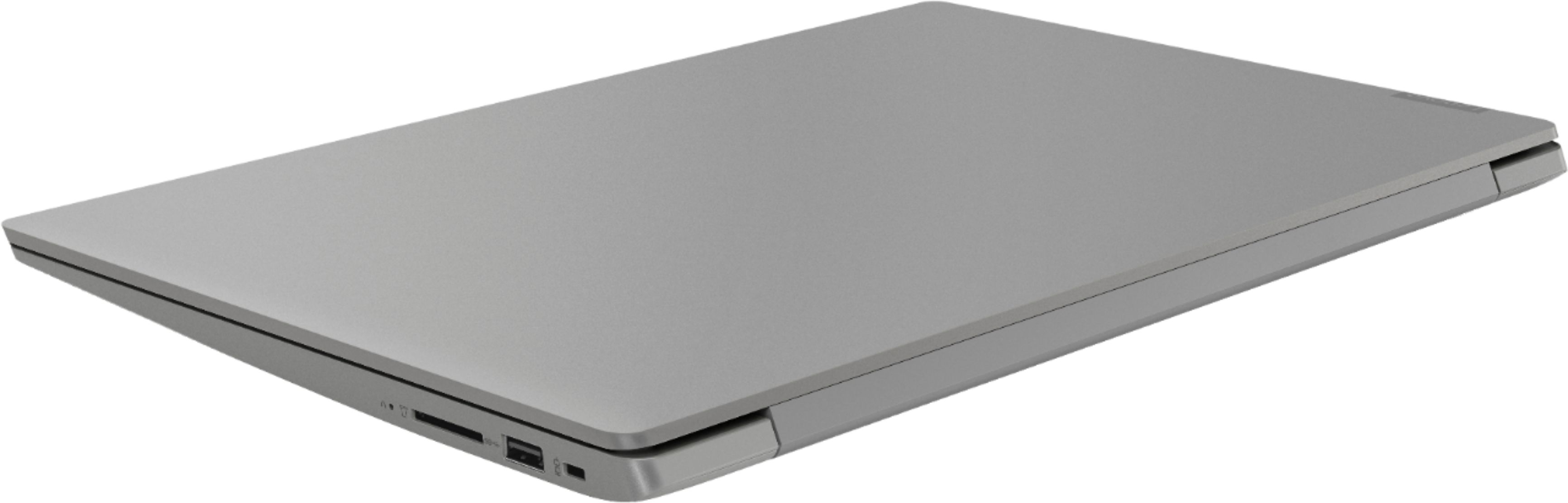
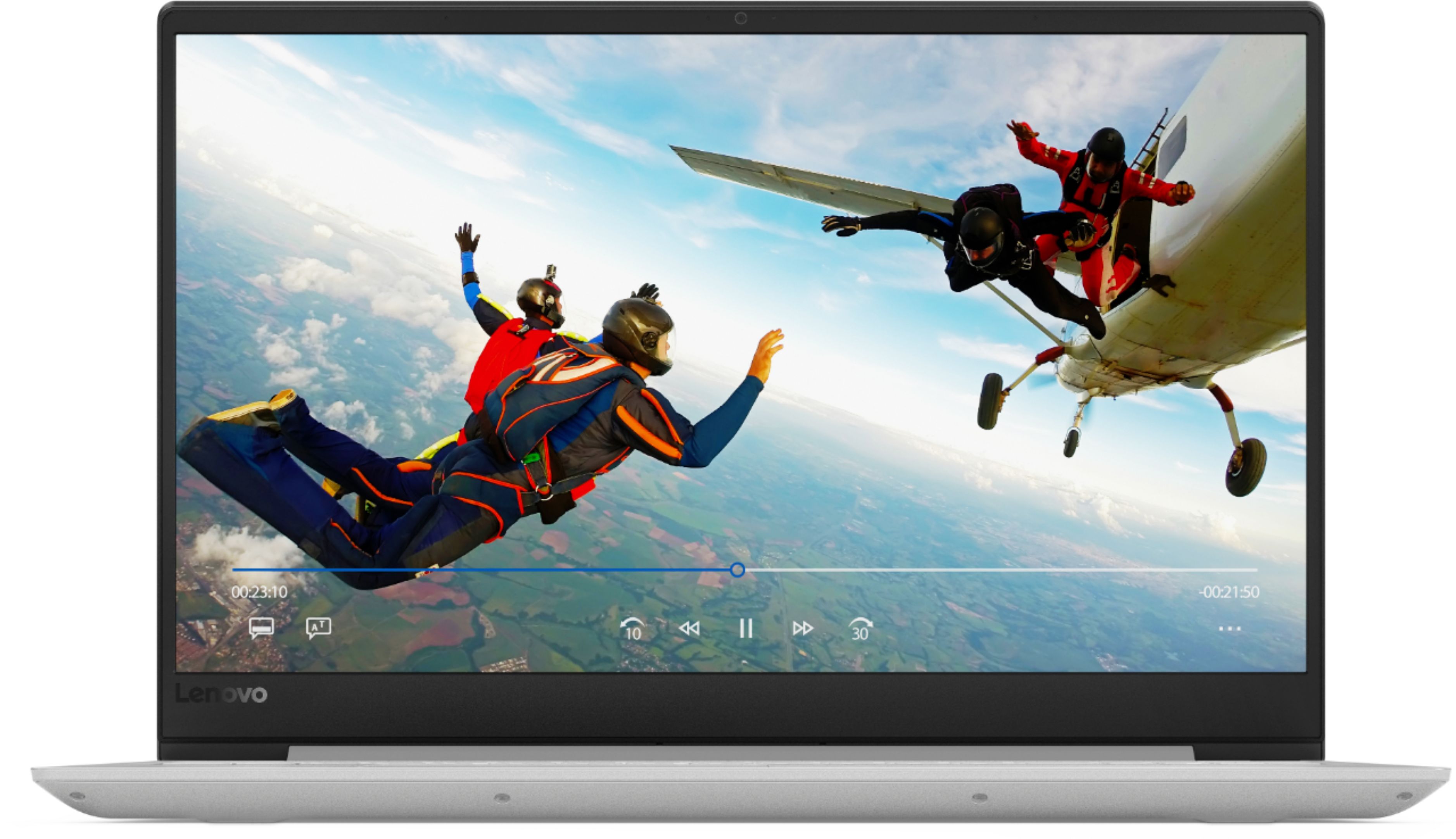

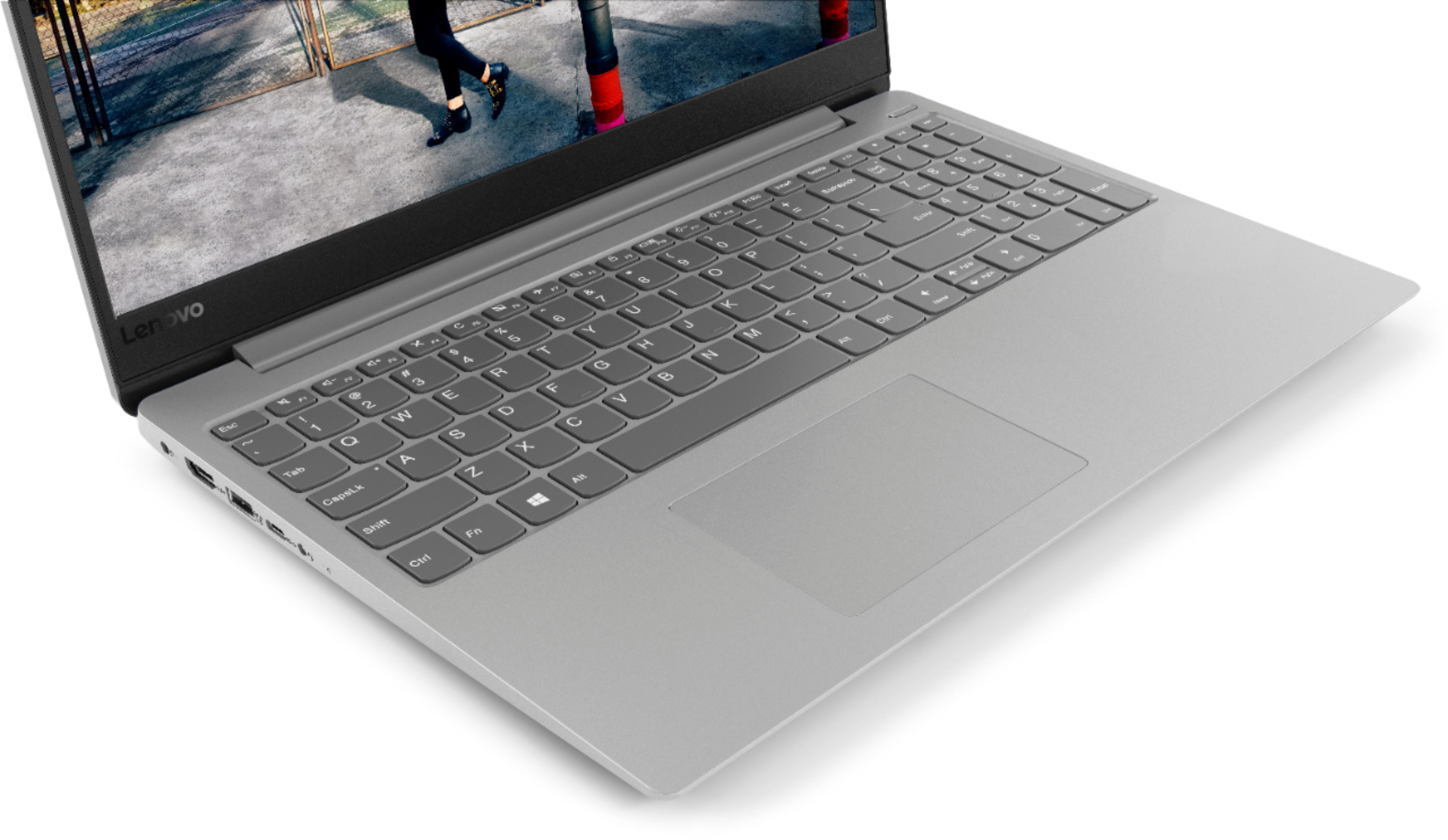
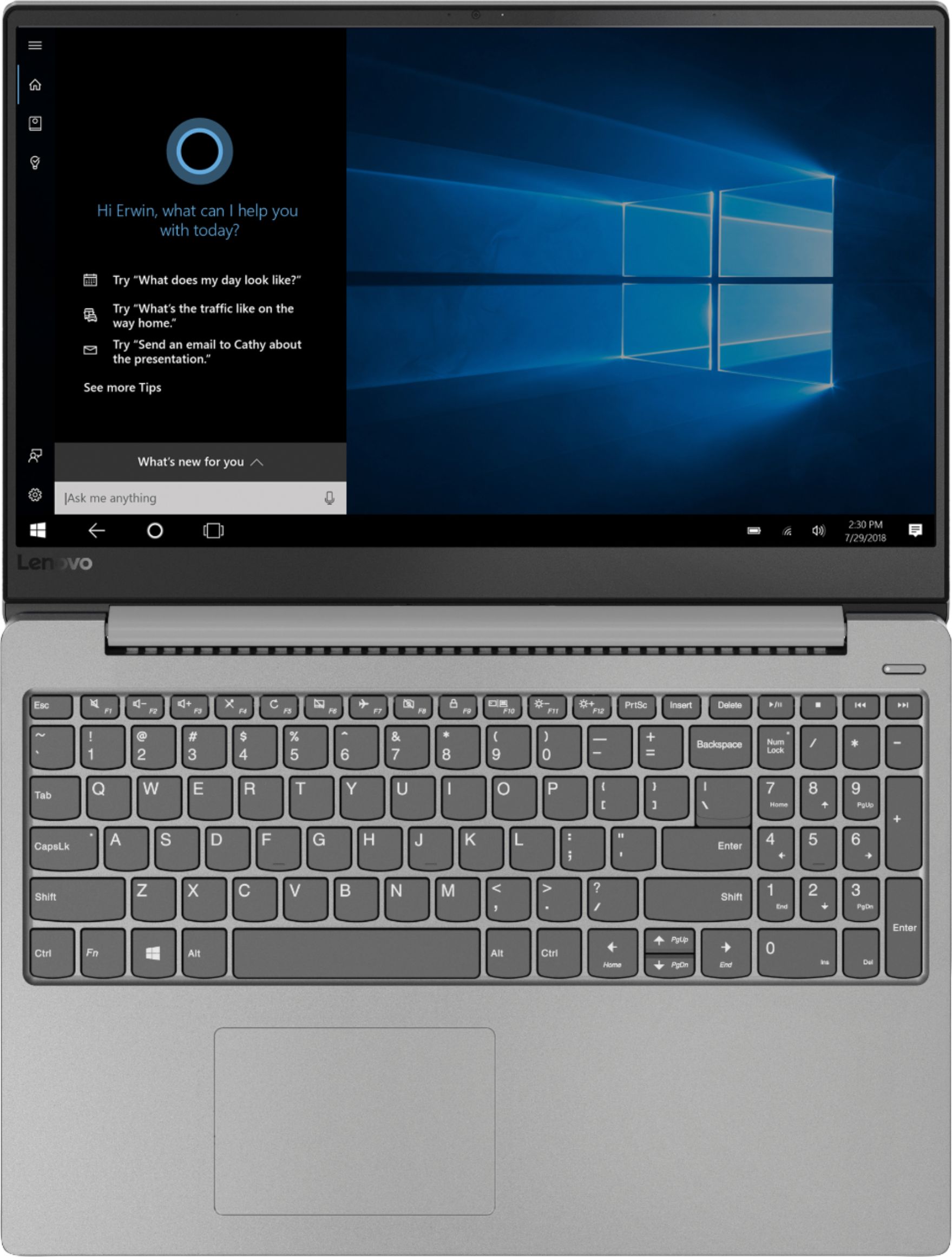

- Model:
- IDEAPAD 330S 15 - 81FB006AUS
- SKU:
- 6266403
Rating by feature
- Value
Rating 3.9 out of 5 stars
- Quality
Rating 3.9 out of 5 stars
- Ease of Use
Rating 4.2 out of 5 stars
Customers are saying
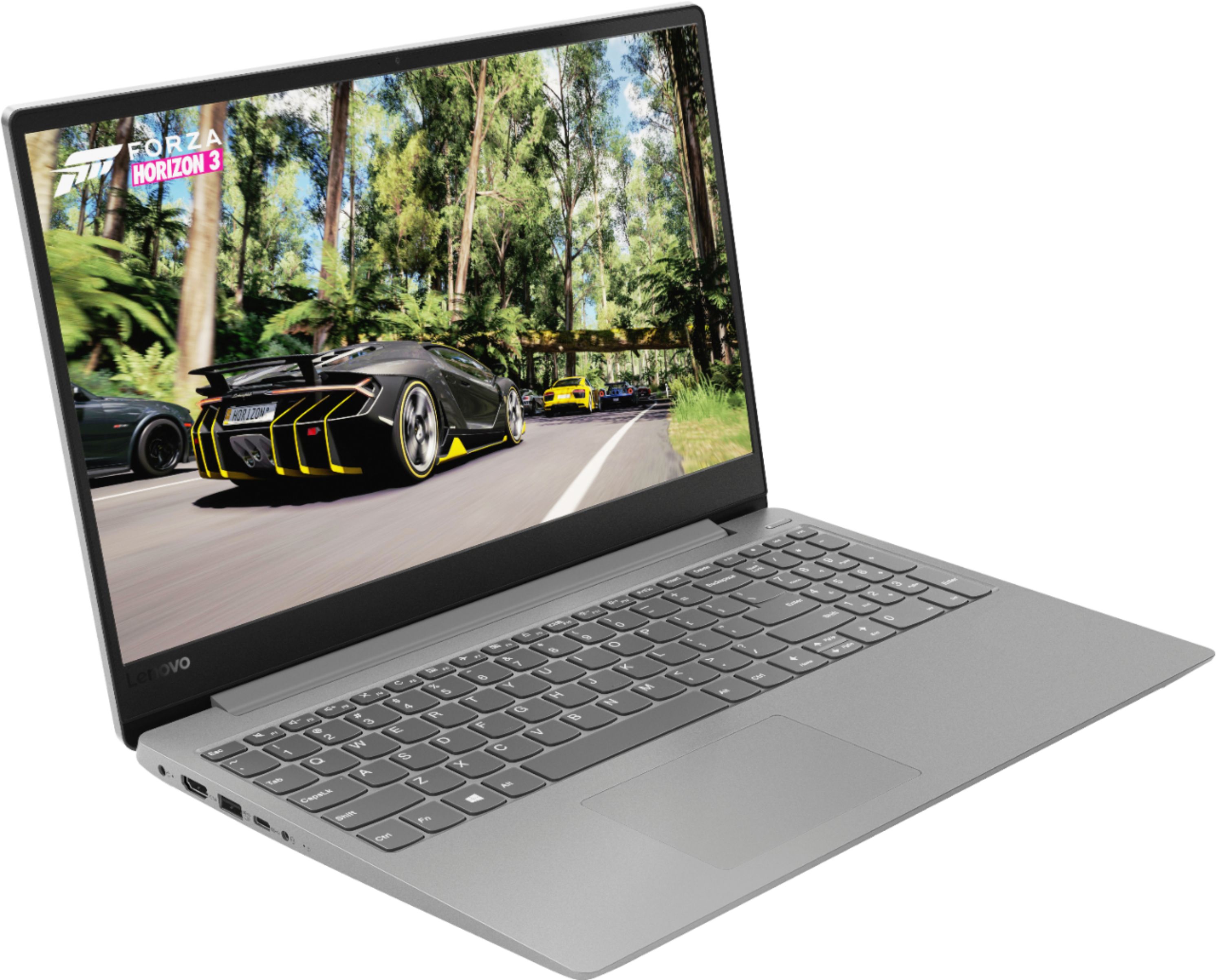
Customers commend the 330S-15ARR 15.6" Laptop for its fast performance, lightweight design, and affordable price. It is well-suited for gaming and schoolwork. However, some users have concerns about the short battery life, limited storage capacity, and noisy fan.
This summary was generated by AI based on customer reviews.
- Cons mentioned:Battery life
Good Laptop but could be better
Posted .This reviewer received promo considerations or sweepstakes entry for writing a review.I bought this laptop about a week ago its a pretty good laptop overall i use it mostly for work it has a a very nice display some downsides to it are the battery life the battery its okay but it can honestly be a lot better it only last about 5 hrs while watching movies,games,etc and about 6 doing productivity stuff but i suggest going and playing around with the battery setting to get the best life out of it and also if you plan to game on it which is not to bad depending on the game also have to play around with setting and i recommend having it plugged in other than that its light and has narrow bezels and it has a Ryzen5 mobile processing chip which has proved itself with some videos i have created and edited
I would recommend this to a friendBrand response from Lenovo Product Expert
Posted .Thank you for choosing the Lenovo IdeaPad 330s-15 laptop. This system ships with a 2CELL 30WH, Lithium Polymer battery, with a battery life of up to 7 hours, depending on the work that the device is performing. If you are getting substantially less battery life, be sure there are no unwanted programs running in the background, draining the battery. Here is a link to some tips for finding out what is draining your battery:
https://www.laptopmag.com/articles/battery-saver-windows-10. If there are no unwanted programs running, To maximize battery life, try changing your power management setting to a more conservative one. You can do this in the control panel, in the power management category on your system. Select a more conservative power management setting to extend battery life.
- Pros mentioned:PriceCons mentioned:Battery life
Surprised at Quality
Posted .This reviewer received promo considerations or sweepstakes entry for writing a review.For the price, it is excellent. SS drive, 8 gb ram and a fine motor. Key board is great to type on and the screen is a 1080 P with a narrow edge. Battery life could be a bit longer, but not a deal breaker for me. The price was good for a PC with the specs it has.
I would recommend this to a friendBrand response from Lenovo Product Expert
Posted .Thank you for choosing the Lenovo IdeaPad 330s-15 laptop. We are pleased to hear that the value, features and performance of the IdeaPad 330s-15 meets your computing needs so well. This model ships with a 2CELL 30WH, Lithium Polymer battery, with a battery life of up to 7 hours, depending on the work that the device is performing. To maximize battery life, be sure there are no unwanted programs running in the background, draining the battery. Here is a link to some tips for finding out what is draining your battery:
https://www.laptopmag.com/articles/battery-saver-windows-10. Also, to maximize battery life, try changing your power management setting to a more conservative one. You can do this in the control panel, in the power management category on your system. Select a more conservative power management setting to extend battery life. Finally, if the battery life does not improve, a battery reset may help. Here is a link to instructions for resetting a non-removable battery. If you need further assistance, we recommend you call Lenovo Tech Support at: 877-453-6686. Here is the link: https://www.techwalla.com/articles/how-to-reset-a-laptop-battery
- Pros mentioned:Price
Well, the fans work
Posted .This reviewer received promo considerations or sweepstakes entry for writing a review.I started web browsing on factory settings and the fans kicked in after about 7 minutes of googling, huh? Otherwise, this is a pretty good laptop for the money. Relatively thin and light. I love the thin bezzles and I really love the number pad. The FHD display is pretty darn great considering I only shelled out $490 out the door.
I would recommend this to a friendBrand response from Lenovo Product Expert
Posted .The Lenovo IdeaPad 330s-15 laptop is a high performance system with its Quad-Core/Eight-Thread AMD Ryzen 5 2500U processor, 8GB of RAM and a 128GB solid state hard drive. It will generate heat whenever it is turned on, even at idle, this is normal. The onboard fan will maintain the proper operating temperature for the device. You will hear the fan whenever it runs, this too is normal.
- Cons mentioned:Battery life
Great laptop.... HORRIBLE battery life
Posted .This reviewer received promo considerations or sweepstakes entry for writing a review.I like this device. Its pretty and it works well for my everyday needs. I just received it two 4 days ago. The only HUGE complaint I have is that the battery life sucks. It doesn't go past 4 hours and the only thing I have done so far is browsed the web... Idk if I would recommend for this reason. I am a graduate student so I don't require much from a laptop BUT I do require a decent battery life... anywhere between 6-8 is good.... 4 is horrible.... even on battery saver mode.... the battery goes quickly which SUCKS.
No, I would not recommend this to a friendBrand response from Lenovo Product Expert
Posted .The Lenovo IdeaPad 330s-15 laptop ships with a 2CELL 30WH, Lithium Polymer battery, with a battery life of up to 7 hours, depending on the work that the device is performing. If you are getting substantially less battery life, be sure there are no unwanted programs running in the background, draining the battery. Here is a link to some tips for finding out what is draining your battery:
https://www.laptopmag.com/articles/battery-saver-windows-10. Additionally, to maximize battery life, try changing your power management setting to a more conservative one. You can do this in the control panel, in the power management category on your system. Select a more conservative power management setting to extend battery life.
Great Computer
Posted .This reviewer received promo considerations or sweepstakes entry for writing a review.Sad part is this laptop has a m.2 slot for a m.2 SSD hard drive but this slot does not function. That said you can safely upgrade it with an 8GB ram chip made by CRUCIAL. and it will have 12GB DDR4. And if you had a 2.5 Samsung EVO 860 SSD 1TB hard drive and enable rapid mode this computer is screaming fast. This computer runs circles around my 7th Generation I7 HP Omen laptop with similar specs. This little laptop is a must. Just a side note for those who want to erase it with a USB windows 10 drive you will need to connect an external keyboard and mouse as it does not feature integrated USB and touch pad support during the Windows install process.
I would recommend this to a friendBrand response from Lenovo Product Expert
Posted .Please keep in mind, this model is not user upgradable. A certified technician must do all of the work, so as to not void the warranty.
- Cons mentioned:Battery life
Issues build up fast
Posted .This reviewer received promo considerations or sweepstakes entry for writing a review.Laptop was okay for about a week, after the week was up things turned for the worse. I used this laptop for schoolwork and casual gaming, now I can barely get the thing to turn on. My storage isn't too full, I have barely any photos and the rest are word documents. I try to play a game on here from time to time, I cannot even turn my volume up to 100% without the speaker cracking. My laptop won't even run roblox, the thing cannot last a minute off of the charger without dying. It takes about 10 minutes to restart, I have factory reset this laptop 4 times, nothing ever helps. This type of laptop is only good for a little bit before it gets worn out, I have never dropped it or left it out in cold or hot conditions. I think the best suit for this would be online schooling, if even that.
No, I would not recommend this to a friend - Cons mentioned:Screen
Meh
Posted .This reviewer received promo considerations or sweepstakes entry for writing a review.After having an amazing Toshiba for 7 years, I finally decided to get a new laptop when I opened my Etsy shop and started making decals. I went to Best Buy and was talked into getting this one. Really wished I had shopped around. My Toshiba still outshines this in power and stability. After 2 months I have already had it crash twice, I get frozen screens daily, and when I try to watch videos, half the screen turns green. Not to mention the touchpad only seems to like to work in the back bedroom. If I move it to any other room, the cursor goes crazy. No matter what the computer is sitting on. I have tried everything. I even tried reinstalling the driver, to no avail. I brought it back to the back bedroom and it ran fine. I think it is possessed. (but seriously, that did happen) It makes my decal programs impossible to run in my workspace.
No, I would not recommend this to a friendBrand response from Lenovo Product Expert
Posted .We are sorry to hear that you are having issues with your Lenovo IdeaPad 330s-15 laptop. From your description of the issues you are having with the IdeaPad 330s-15, it sounds like there is software installed on the computer that is not compatible with Windows 10. Be sure any software you have installed is compatible with Windows 10. Additionally, there is no need to install Microsoft Office software. The software is already part of the operating system, you just need to activate the software with a purchased product key. If you have installed a copy of Microsoft Office, this is conflicting with the existing copy on the system and this will slow your system down. If you have installed a 3rd party anti-virus program, be sure that Windows Defender is turned off and that the trial version of McAfee Anti-Virus software is uninstalled. There can only be one anti-virus program on the system. You may need to restore your system to original factory default settings if any of the programing errors have occurred. You can do that by typing "restore" in the Cortana search window. Just click on the magnifying glass icon at the bottom left of your Windows 10 Desktop. Click on "Reset This PC" Then click on "Get Started" and follow the on screen directions to restore to factory defaults. If the problem persists, we recommend you contact Lenovo Tech Support at: 877-453-6686.
- Cons mentioned:Battery life, Screen
Terrible computer
Posted .This reviewer received promo considerations or sweepstakes entry for writing a review.This computer is the WORST I have ever set my eyes on. The screen turns green and purple during videos the computer crashes 2 times a day sometimes while making a noise. This computer is LITERAL garbage I hoped it would be a good budget computer but I am switching to mac. I repeat DO NOT BY THIS COMPUTER I would give it -1000000 stars if i could. This computer also has the worst battery life I have ever seen. Maybe 2 hours tops.
No, I would not recommend this to a friendBrand response from Lenovo Product Expert
Posted .We are sorry to hear that you are having issues with your Lenovo IdeaPad 330s-15 laptop. The issues you describe sound like there is incompatible software installed on the PC. Be sure any software you installed is compatible with Windows 10. There is no need to install Microsoft Office software. The software is already part of the operating system, you just need to activate the software with a purchased product key. If you have installed a copy of Microsoft Office, this is conflicting with the existing copy on the system and this will slow your system down. If you have installed a 3rd party anti-virus program, be sure that Windows Defender is turned off and that the trial version of McAfee Anti-Virus software is uninstalled. There can only be one anti-virus program on the system. You may need to restore your system to original factory default settings if any of the programing errors have occurred. You can do that by typing "restore" in the Cortana search window. Just click on the magnifying glass icon at the bottom left of your Windows 10 Desktop. Click on "Reset This PC" Then click on "Get Started" and follow the on screen directions to restore to factory defaults. If the problem persists, we recommend you contact Lenovo Tech Support at: 877-453-6686.
Met needs for price and graphic card
Posted .This reviewer received promo considerations or sweepstakes entry for writing a review.So my search led me through looking for something in the i3 or i5 model around $400. Further research I found that the 7th and 8th gen Intel have the same graphic card and the benchmarks are not as good as the Vega 8 in the Ryzen 5. Not sure if it will bother you but the SD card sticks out more than half way.
I would recommend this to a friendBrand response from Lenovo Product Expert
Posted .Thank you for choosing the Lenovo IdeaPad 330s-15 laptop. We are pleased to hear that the IdeaPad 330-15 meets your computing needs so well.
- Pros mentioned:Fast
Fast all around
Posted .This reviewer received promo considerations or sweepstakes entry for writing a review.Fast memory, fast wifi, fast storage. For the money, really cant go wrong.
I would recommend this to a friendBrand response from Lenovo Product Expert
Posted .Thank you for choosing the Lenovo IdeaPad 330s-15 laptop. We are pleased to hear that the features and performance of the IdeaPad 330s-15 meets your computing needs so well.
- Cons mentioned:Battery life
Great Specs/price.. Battery is TERRIBLE!!!!!!!!
Posted .This reviewer received promo considerations or sweepstakes entry for writing a review.On highest performance this laptop is great fast and works well. Love the build of the frame and keyboard. Screen is pleasing to use and with the SSD it is silent and quick loading. BUT (and this is a huge BUT) if you value battery life at all this laptop is NOT FOR YOU! Just regular surfing of the internet only gives me 2 to 3 hours on the lowest performance setting right out of the box. I enjoy using it on my desk but am constantly running for a cord when using it on the couch or recliner. I would recommend this as a work laptop for someone who does not travel and leaves it plugged in on a desk but wants the ability to take it home to work in a home office. But if you travel and want to use it on a long plane ride or road trip get a 3 cell battery laptop. Very disappointed in Lenovo on this one! A brand new laptop should have a much better performing battery than this! Lenovo is going to suggest battery settings are off or background apps are draining battery however don't fall for it. My laptop is brand new and should perform greatly for the 7 hours they advertise at least on the first day on lowest setting! Go with a 3 Cell battery unless you are a person like I described above. DO NOT BUY!!!!
No, I would not recommend this to a friendBrand response from Lenovo Product Expert
Posted .The Lenovo IdeaPad 330s-15 laptop ships with a 2CELL 30WH, Lithium Polymer battery, with a battery life of up to 7 hours, depending on the work that the device is performing. To maximize battery life, be sure there are no unwanted programs running in the background, draining the battery. Here is a link to some tips for finding out what is draining your battery:
https://www.laptopmag.com/articles/battery-saver-windows-10. Also, to maximize battery life, try changing your power management setting to a more conservative one. You can do this in the control panel, in the power management category on your system. Select a more conservative power management setting to extend battery life. Finally, if the battery life does not improve, a battery reset may help. Here is a link to instructions for resetting a non-removable battery. If you need further assistance, we recommend you call Lenovo Tech Support at: 877-453-6686. Here is the link: https://www.techwalla.com/articles/how-to-reset-a-laptop-battery
Already having issues after 1 year
Posted .This reviewer received promo considerations or sweepstakes entry for writing a review.I bought this laptop for a college course because my tablet wasn't fast enough, and I saw this one was on sale. It was fast at first, but after a few months it slowed down. I've had it almost exactly a year and now the screen randomly goes black for up to 10 seconds and my browsers freeze up and crash. It has never been dropped or severely damaged. There was also the issue with OneDrive where I couldn't access ANY of my files because it said the login wasn't working. That took nearly 4 days of back and forth contact with support before it finally got fixed. If you want a lower quality laptop, this is it, but don't expect it to last more than a few years. The guy helping me even had the nerve to argue with my dad, who used to run a business on building and repairing computers, about this one being faster than another that they were out of (the one sold out had a better processor). Will not buy this brand again nor buy from Best Buy ever again.
No, I would not recommend this to a friendBrand response from Lenovo Product Expert
Posted .We are sorry to hear that you are having issues with your Lenovo IdeaPad 330s-15 laptop. Since you point out that the computer was initially fast then got slower, Be sure any software you installed is compatible with Windows 10. There is no need to install Microsoft Office software. The software is already part of the operating system, you just need to activate the software with a purchased product key. If you have installed a copy of Microsoft Office, this is conflicting with the existing copy on the system and this will slow your system down and may be causing the issues you are having with the screen going blank. If you have installed a 3rd party anti-virus program, be sure that Windows Defender is turned off and that the trial version of McAfee Anti-Virus software is uninstalled. There can only be one anti-virus program on the system. You may need to restore your system to original factory default settings if any of the programing errors have occurred. You can do that by typing "restore" in the Cortana search window. Just click on the magnifying glass icon at the bottom left of your Windows 10 Desktop. Click on "Reset This PC" Then click on "Get Started" and follow the on screen directions to restore to factory defaults. If the problem persists, we recommend you contact Lenovo Tech Support at: 877-453-6686. For 2018, Lenovo retained its place for a second year as the best laptop vendor:
https://www.laptopmag.com/articles/laptop-brand-ratings
Great at first
Posted .This reviewer received promo considerations or sweepstakes entry for writing a review.Just picked this laptop up yesterday and it was amazing at first. Super quick, nice screen and form factor. The issue I have is with the latest BIOS update (Version 7WCN30WW) that Lenovo Vantage had me install. Immediately after installing, my computer became very sluggish and now its cooling fan is almost always running. The fan turns up with the minimalist of task and it struggles with even a couple web pages. The install went smoothly, so I cant understand why I would see this performance drop. I reset Windows to factory and I did nothing to help the issue. It appears there has been some noted throttling/fan issues with this model but I had hoped they were fixed. I wish I could downgrade back to the previous version of BIOS that came installed. It appeared to work fine. I think I'll have no choice but to return.
No, I would not recommend this to a friendBrand response from Lenovo Product Expert
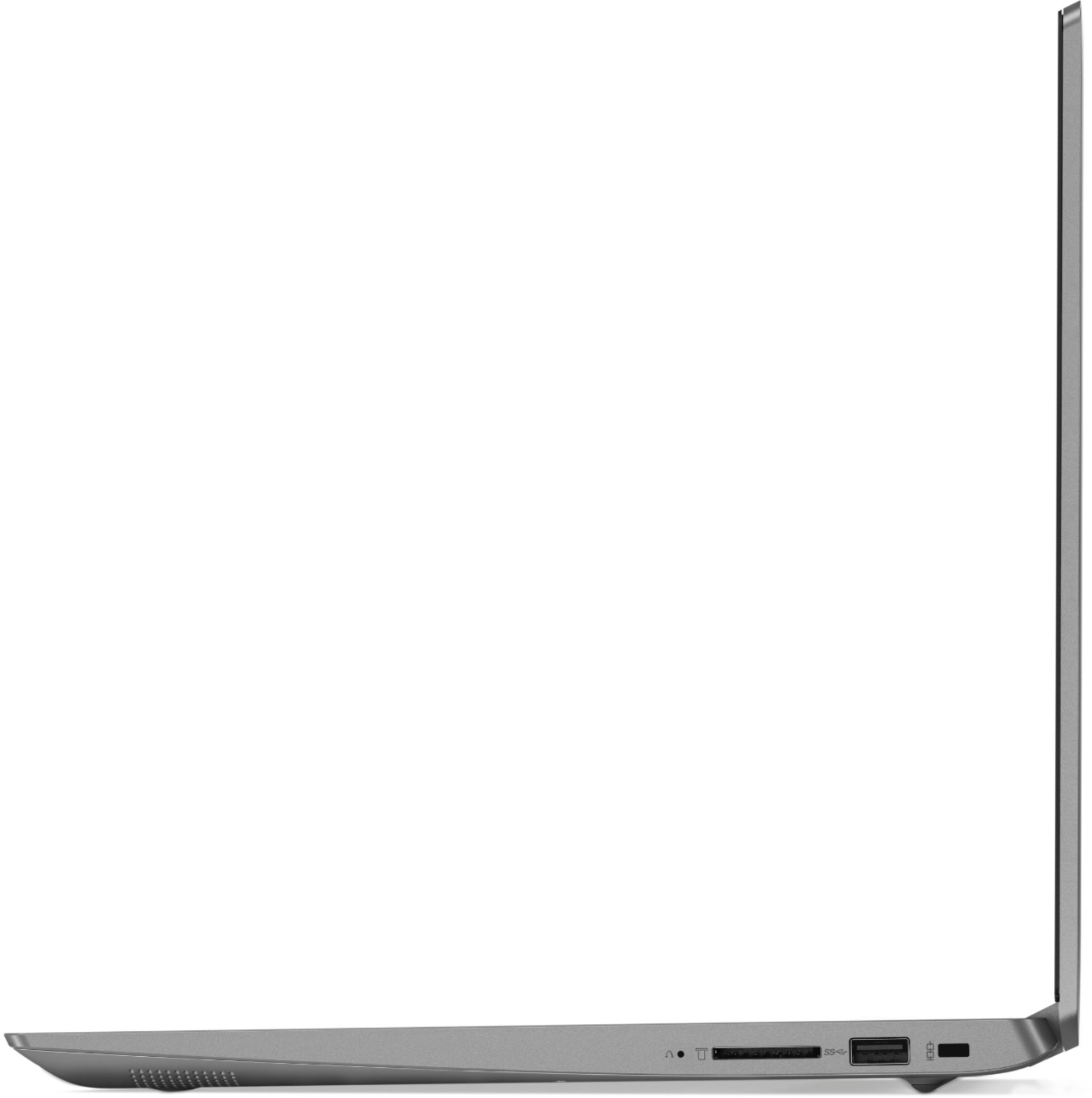
Posted .We are sorry to hear that you are having issues with updating your operating software on your Lenovo IdeaPad 330s-15 laptop. Try resetting the device back to original factory settings using OneKey Recovery System. This system is equipped with OneKey Recovery System. There is a very small pin hole on the right side of the device, right near the SD card slot on the device. You will need a pin to push this reset button. Plug the device in. Let the battery charge for about 15 minutes. Push the reset button. The system should boot to a choice screen where you can choose "Restore To Factory Default". Select this. It will delete everything from the hard drive except the original factory install of the operating system. You will need to reinstall all programs and files after the reset. If you don't have copies of the files, try to make one before you restore by selecting "Boot to desktop" and trying to back up your files. If the problem persists after the factory reset, we recommend you contact Lenovo Tech Support at: 877-453-6686.
Good but delicate
Posted .This reviewer received promo considerations or sweepstakes entry for writing a review.Great fast laptop but cracked inside after almost 3 years
I would recommend this to a friendI am pleasantly surprised with this laptop!
Posted .This reviewer received promo considerations or sweepstakes entry for writing a review.I am pleasantly surprised with this laptop! It has surpassed my expectations and I would rate it 6 stars if I could!
I would recommend this to a friendBrand response from Lenovo Product Expert
Posted .Thank you for choosing the lenovo IdeaPad 330s-15 laptop. We are pleased to hear that the performance of the IdeaPad 330s-15 meets your computing needs so well. The Lenovo IdeaPad 330s-15 ships with a powerful Quad-Core/Eight-Thread AMD Ryzen 5 2500U processor, 8GB of DDR4-2400MHz RAM and a 128GB solid state hard drive. This configuration has a 15.6" (measured diagonally) 1920 x 1080 (FHD) resolution screen, with a brightness level of 250 nits. This configuration can handle many of today's most demanding programs and is good with multi-tasking. If this describes the kind of computing you do, the Lenovo IdeaPad 330s-15 will be a great choice for you.
Pretty good machine with dinky storage
Posted .This reviewer received promo considerations or sweepstakes entry for writing a review.With a 128gb SSD I was shocked to find how quickly the gard drive filled up. I installed Divinity Original Sin and another game of similar size only to discover I was out of disk space. Sales persons said the ssd was soldered in and no other drive slot. Another reviewer said it had an M2 style SSD slot inside but opening it up voids the warranty. I don’t relish giving my money to geek squad to open and look and put in another drive after losing everything I hace to the Camp fire. I don’t get why Lenovo would handicap this machine like this. Its absurd, upsetting and makes me feel like I just bought a toy.
No, I would not recommend this to a friendBrand response from Lenovo Product Expert
Posted .The Lenovo IdeaPad 330s-15 laptop ships with a 128GB solid state hard drive. There is a 4 in 1 SD card slot on this device that can be used to add additional storage space. this model is compatible with SD, SDHC, SDXC, MMC smart cards.
- Cons mentioned:Battery life
Underwhelmed
Posted .This reviewer received promo considerations or sweepstakes entry for writing a review.I got this laptop for school and was told it would be great for multi-tasking. I like that it starts up fast. I hate that it feels cheap and flimsy. I watch a lot of videos for school (from multiple sites) and they constantly mess up. They work fine on my much older tablet. The battery does not last the 7 hours Lenovo claims. You could maybe get 3 hours if you dim it really low. I would suggest this computer only if you're comfortable with the brand itself but don't experiment with this.
No, I would not recommend this to a friendBrand response from Lenovo Product Expert
Posted .The Lenovo IdeaPad 330s-15 ships with a powerful Quad-Core/Eight-Thread AMD Ryzen 5 2500U processor, 8GB of DDR4-2400MHz RAM and a 128GB solid state hard drive. This configuration has a 15.6" (measured diagonally) 1920 x 1080 (FHD) resolution screen, with a brightness level of 250 nits. This configuration can handle many of today's most demanding programs and is good with multi-tasking. The Lenovo IdeaPad 330s-15 ships with a 2CELL 30WH, Lithium Polymer battery, with a battery life of up to 7 hours, depending on the work that the device is performing. Streaming videos is a demanding process and will drain the battery faster than other processes. If this describes the kind of computing you do, the Lenovo IdeaPad 330s-15 will be a great choice for you.
- Cons mentioned:Battery life
WARNING
Posted .This reviewer received promo considerations or sweepstakes entry for writing a review.Worst computer I have ever bought.. If your going to college do not get this computer. Battery lasts at most 45 minutes and the computer is extremely slow running. Bought this computer brand new and I am extremely dissapointed wish I could get my money back... Save yourself some money and buy from a decent computer company
No, I would not recommend this to a friendBrand response from Lenovo Product Expert
Posted .This is a fast system with its Quad-Core/Eight-Thread AMD Ryzen 5 2500U processor, 8GB of RAM and a 128GB solid state hard drive. This processor has a base speed of 2.0GHz and a boost speed of up to 3.6GHz. Be sure any software you installed is compatible with Windows 10. There is no need to install Microsoft Office software. The software is already part of the operating system, you just need to activate the software with a purchased product key. If you have installed a copy of Microsoft Office, this is conflicting with the existing copy on the system and this will slow your system down. If you have installed a 3rd party anti-virus program, be sure that Windows Defender is turned off and that the trial version of McAfee Anti-Virus software is uninstalled. There can only be one anti-virus program on the system. You may need to restore your system to original factory default settings if any of the programing errors have occurred. You can do that by typing "restore" in the Cortana search window. Just click on the magnifying glass icon at the bottom left of your Windows 10 Desktop. Click on "Reset This PC" Then click on "Get Started" and follow the on screen directions to restore to factory defaults. If the problem persists, we recommend you contact Lenovo Tech Support at: 877-453-6686.
Faulty Lenovo Ideapad330S
Posted .This reviewer received promo considerations or sweepstakes entry for writing a review.I bought the Lenovo Ideapad 330s at the recommendation of a friend, I'm starting to wonder if they ever used it. After less than 4 months of use the touch pad has started to malfunction. One day it works fine, the next it wont respond at all. After spending over an hour on the phone with a tech support and having no improvements they aid I should try resetting my computer as it sounds like something didn't install right. I tried that and still the issue was not resolved, so I called them back and they said I could send it to them and be without it for 10 business days depending on the availability of the part. How am I supposed to work, being self employed who uses my computer every day, for the next two weeks without a computer. I guess it's time to get a different brand of computer that will work. P.S. the only reason I gave 1 star is because it makes you give at least one to submit a review.
No, I would not recommend this to a friendBrand response from Lenovo Product Expert
Posted .We are sorry to hear that you are having a touchpad issue with your Lenovo IdeaPad 330s-15 laptop. First, try adjusting the touchpad. You can make adjustments to the touchpad in your system settings. You can get there by clicking on the magnifying glass at the bottom left of your Windows 10 screen. Type "touchpad" in the search window. Select "Mouse & touchpad settings" from the list of choices. You can make general adjustments to the touchpad there. You can also select "Additional mouse options" for more detailed adjustments to the touchpad sensitivity by increasing the delay of the touchpad. If these adjustments don't fix the issue, then scan your system for both hardware and software issues, using Lenovo Utility software installed on this computer. This system has Lenovo utilities installed to help maintain the health of the device and keep the operating system software up to date. Type "Lenovo Vantage" in the Cortana Search window (if Lenovo Vantage is not installed on your device, you can download the APP and install it now). Select Lenovo Vantage from the list. In the window that opens, click on "Health and Support". In the expanded menu, select "Hardware Scan" In the window that opens, select "Run Quick Tests". This will scan your entire system for errors. Follow any directions that may pop up. If the problem continues after this scan, now click on "System Update". First select Windows update from the menu. Scan your system to be sure you have the latest version of Windows 10. Once that scan is complete, select "Additional Updates". This will scan your device to be sure there are no new BIOS/Driver updates needed. Follow any instructions that may pop up. If the issue still continues after these updates, we recommend you call Lenovo Tech Support at: 877-453-6686 for additional help.
So disappointed
Posted .This reviewer received promo considerations or sweepstakes entry for writing a review.At the beginning I was extremly happy and so in love with this laptop.I actually had to retuen&exchange my HP for it.Right the next day my screen turned blue, then days after completely white, the touch pad barely worked, had to click more than 5-6 time. I had to return it and sadly can’t trust Lenovo again.
No, I would not recommend this to a friendBrand response from Lenovo Product Expert
Posted .We are sorry to hear that you are having issues with Windows 10 operating system on your Lenovo IdeaPad 330s-15 laptop. Be sure any software you installed is compatible with Windows 10. There is no need to install Microsoft Office software. The software is already part of the operating system, you just need to activate the software with a purchased product key. If you have installed a copy of Microsoft Office, this is conflicting with the existing copy on the system and this will slow your system down. If you have installed a 3rd party anti-virus program, be sure that Windows Defender is turned off and that the trial version of McAfee Anti-Virus software is uninstalled. There can only be one anti-virus program on the system. You may need to restore your system to original factory default settings if any of the programing errors have occurred. You can do that by typing "restore" in the Cortana search window. Just click on the magnifying glass icon at the bottom left of your Windows 10 Desktop. Click on "Reset This PC" Then click on "Get Started" and follow the on screen directions to restore to factory defaults. If the problem persists, we recommend you contact Lenovo Tech Support at: 877-453-6686.