Customer Ratings & Reviews
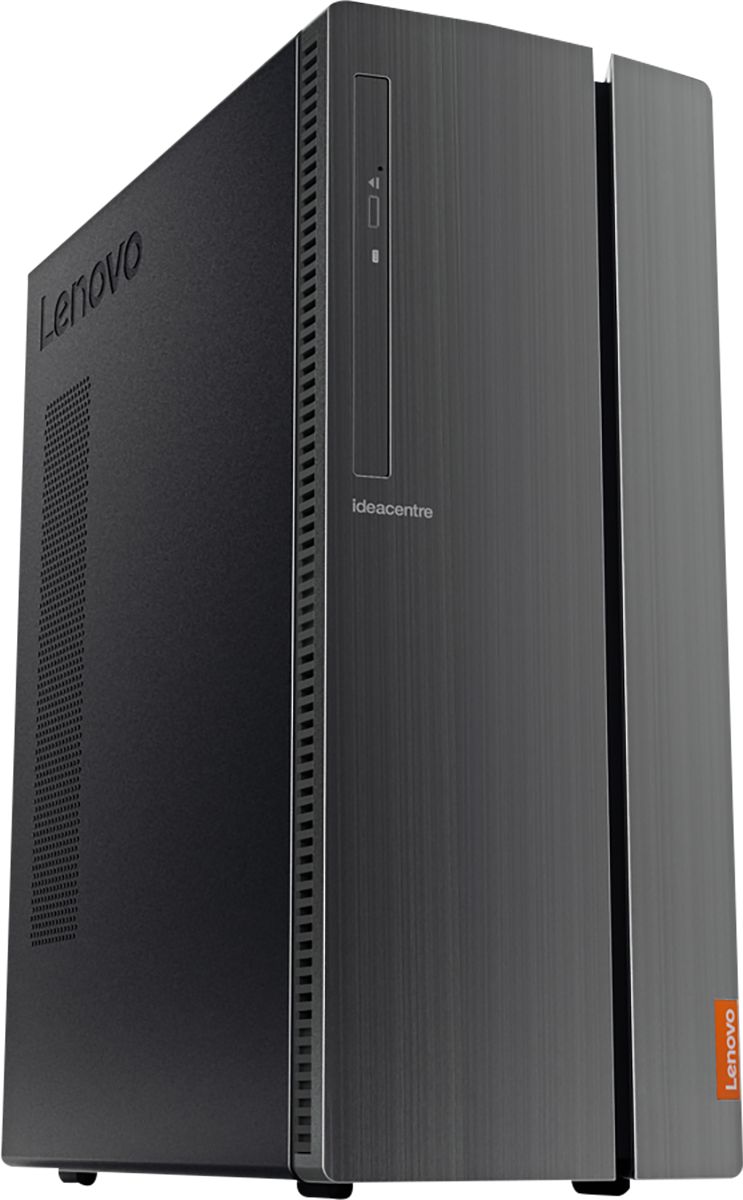
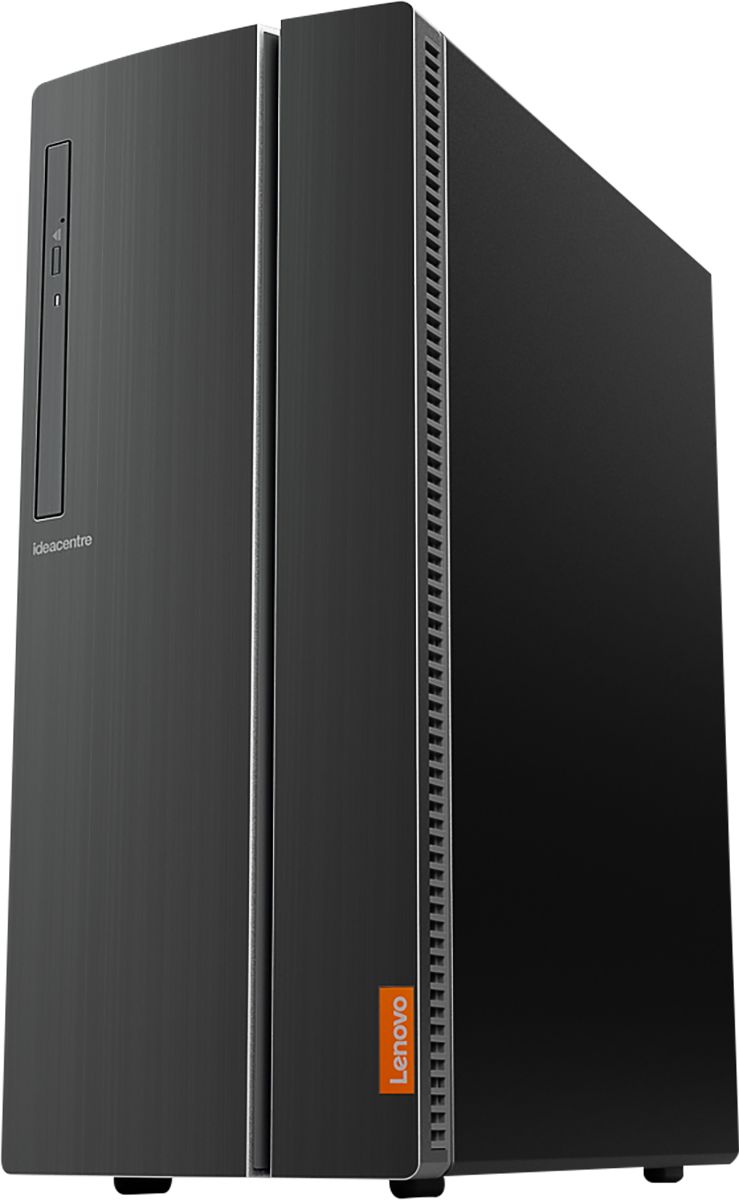
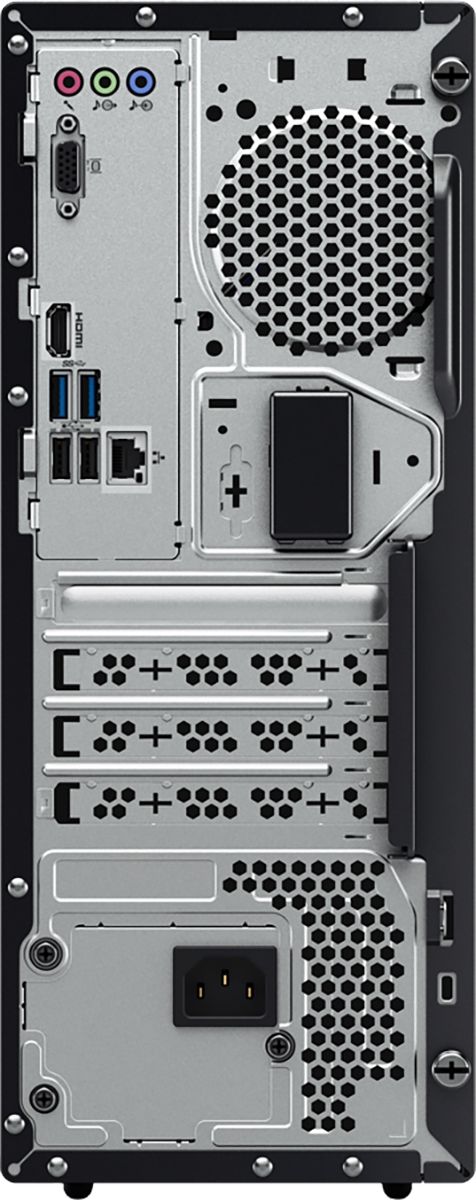
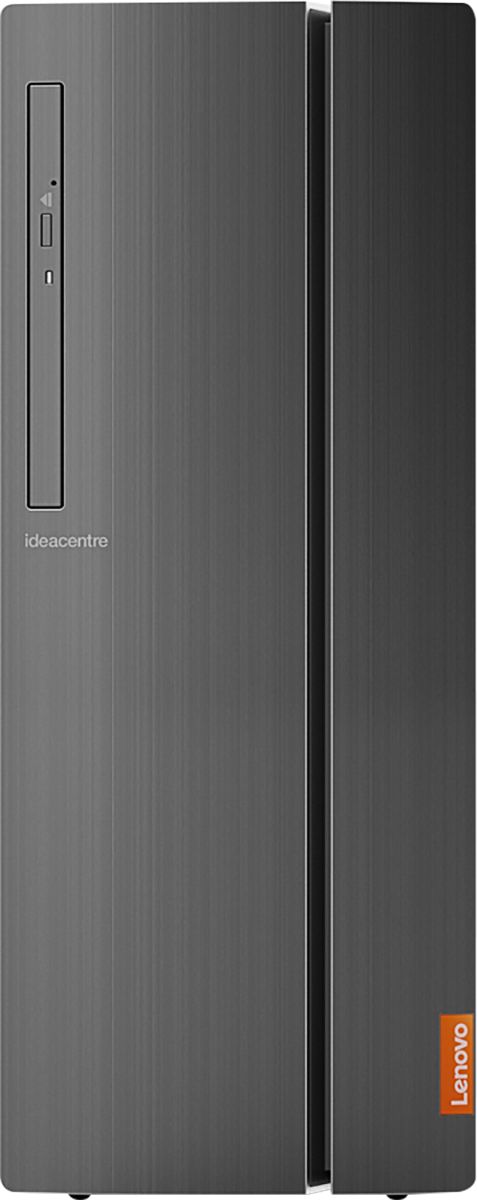

- Model:
- 90HV001MUS
- SKU:
- 6325578
Rating by feature
- Value
Rating 4.4 out of 5 stars
- Quality
Rating 4.4 out of 5 stars
- Ease of Use
Rating 4.5 out of 5 stars
Customers are saying
Customers consistently note the 510A-15ICB Desktop's ease of use, strong performance for its price, and ample storage. Many appreciate its compact size and quiet operation during use. While some users experienced issues with the operating system, the positive feedback on other features outweighs these concerns.
This summary was generated by AI based on customer reviews.
- Pros mentioned:Size
Very nice computer
||Posted . Owned for 1 week when reviewed.This reviewer received promo considerations or sweepstakes entry for writing a review.Computer is very fast and its compact, tons of features, I don't like the mcafee software that comes preloaded nor do i like the Lenovo software either but if you know what you are doing you can uninstall it completely and you'll be fine. Very nice computer.
I would recommend this to a friend - Pros mentioned:Speed
Small reliable powerhouse.
||Posted . Owned for 3 weeks when reviewed.This reviewer received promo considerations or sweepstakes entry for writing a review.Intel has come a long way. This PC is much faster than prior generation I3 processors. The OS runs flawlessly and is reliable. Lenovo seems to be the go to PC manufacturer these days.
I would recommend this to a friendBrand response from Lenovo Product Expert
Posted .Thank you for choosing the lenovo IdeaCentre 510A desktop, model number 90HV001MUS. This configuration ships with the Quad-Core Intel Core i3-8100 processor, with a speed of 3.6GHz. This processor is supported by 8GB DDR4-2666MHz RAM. This is a mid-level, moderate use configuration This configuration is good with Microsoft Office type programs, internet browsing and other moderate work. If this describes your computing needs, the lenovo IdeaCentre 510A desktop, model number 90HV001MUS would be a good choice for you.

Great computer for the price
||Posted . Owned for 1 month when reviewed.This reviewer received promo considerations or sweepstakes entry for writing a review.This is my first Lenovo. I've always had HPs. I didn't know a computer could be this quiet! I've spent years listening to the hum or fans making noise. Not this Lenovo! I've had it more than a month and I'm very happy with it.
I would recommend this to a friendBrand response from Lenovo Product Expert
Posted .Thank you for choosing the Lenovo IdeaCentre 510A Desktop, model number 90HV001MUS. This model ships with the Quad-Core Intel Core i3-8100 processor with a speed of 3.6GHz. This processor is supported by 8GB DDR4-2666MHz RAM. This is a mid-level, moderate use configuration. It is good with Microsoft Office type programs, internet browsing and other moderate work. If this describes your computing needs, the Lenovo IdeaCentre 510A Desktop, model number 90HV001MUS would be a good choice for you.
Solid computer
||Posted . Owned for 3 weeks when reviewed.This reviewer received promo considerations or sweepstakes entry for writing a review.I'm using for a home server. Setup was a breeze, plenty of USB ports, solid base computer that looks good on my 46 inch TV. My only complaint is the front panel doesn't close with a wireless keyboard/mouse USB key plugged in. For what I'm using it for, beyond what I need.
I would recommend this to a friendBrand response from Lenovo Product Expert
Posted .Once again, thank you for choosing the Lenovo IdeaCentre 510A Desktop. You can keep your computer running at its best by keeping the Windows 10 Operating System and all supporting BIOS files and drivers up to date. You can easily accomplish this by scanning the computer with the Lenovo Utility software available on this computer. This system has Lenovo utilities installed to help maintain the health of the device and keep the operating system software up to date. Type "Lenovo Vantage" in the Cortana Search window (if Lenovo Vantage is not installed on your device, you can download the APP and install it now). Select Lenovo Vantage from the list. In the window that opens, click on "Health and Support". In the expanded menu, select "Hardware Scan" In the window that opens, select "Run Quick Tests". This will scan your entire system for errors. Follow any directions that may pop up. If the problem continues after this scan, now click on "System Update". First select Windows update from the menu. Scan your system to be sure you have the latest version of Windows 10. Once that scan is complete, select "Additional Updates". This will scan your device to be sure there are no new BIOS/Driver updates needed. Follow any instructions that may pop up. If you ever need additional help with your Lenovo computer, we recommend you call Lenovo Tech Support at: 877-453-6686 for additional help.
- Pros mentioned:Speed
Speed, speed and more speed
||Posted . Owned for 1 month when reviewed.This reviewer received promo considerations or sweepstakes entry for writing a review.I went from a computer that took an average of 2 1/2 minutes to one that takes less than 50 seconds to boot. It always seemed to be the least productive time of my day to sit there and watch a screen symbol spin around and around. This is fast and powerful.
I would recommend this to a friend - Pros mentioned:Performance
This computer replaced my 15 year old one
||Posted . Owned for 3 weeks when reviewed.This reviewer received promo considerations or sweepstakes entry for writing a review.New technology is lots more powerful than my old one. Geek Squad did a great job of transferring everything I needed to the new computer. Best Buy price was very competitive.
I would recommend this to a friendBrand response from Lenovo Product Expert
Posted .Thank you for choosing the Lenovo IdeaCentre 510A Desktop. The Lenovo IdeaCentre 510A Desktop, model number 90HV001MUS, ships with the Quad-Core Intel Core i3-8100 processor, with a speed of 3.6GHz. This processor is supported by 8GB DDR4-2666MHz RAM. This is a mid-level, moderate use configuration. It is good with Microsoft Office type programs, internet browsing and other moderate work. If this describes your computing needs, the Lenovo IdeaCentre 510A Desktop, model number 90HV001MUS would be a good choice for you.
- Pros mentioned:Speed
Lenove tower
||Posted . Owned for 3 weeks when reviewed.This reviewer received promo considerations or sweepstakes entry for writing a review.I enjoy the new tower however I did lose all of my games I had paid for in the past. I was somewhat more difficult 10 then 7 still working on it. Overall works fine and fast. Haven't had a new one for years so I am enjoying this one for sure.
I would recommend this to a friend - Pros mentioned:Performance
Great for virtual school and Fortnite
||Posted . Owned for 6 months when reviewed.This reviewer received promo considerations or sweepstakes entry for writing a review.This PC works great for my son who is doing virtual school by day and playing Fortnite by… well, the rest of the time. It couldn’t handle anything more powerful than that, but it does exactly what I got it for so no complaints!
I would recommend this to a friend Desktop computer just what I needed
||Posted . Owned for 1 month when reviewed.This reviewer received promo considerations or sweepstakes entry for writing a review.My desk top died and the one I did get to replace the old one does more than I could ask. I have to keep secretarial notes on a statewide organization, it is a breeze. I need to use multiple drives and everything works better than I could have planned.
I would recommend this to a friendBrand response from Lenovo Product Expert
Posted .Once again, thank you for choosing the Lenovo IdeaCentre 510A Desktop. You can keep your computer running at its best by keeping the Windows 10 Operating System and all supporting BIOS files and drivers up to date. You can easily accomplish this by scanning the computer with the Lenovo Utility software available on this computer. This system has Lenovo utilities installed to help maintain the health of the device and keep the operating system software up to date. Type "Lenovo Vantage" in the Cortana Search window (if Lenovo Vantage is not installed on your device, you can download the APP and install it now). Select Lenovo Vantage from the list. In the window that opens, click on "Health and Support". In the expanded menu, select "Hardware Scan" In the window that opens, select "Run Quick Tests". This will scan your entire system for errors. Follow any directions that may pop up. If the problem continues after this scan, now click on "System Update". First select Windows update from the menu. Scan your system to be sure you have the latest version of Windows 10. Once that scan is complete, select "Additional Updates". This will scan your device to be sure there are no new BIOS/Driver updates needed. Follow any instructions that may pop up. If you ever need additional help with your Lenovo computer, we recommend you call Lenovo Tech Support at: 877-453-6686 for additional help.
- Pros mentioned:Speed
Love it
||Posted . Owned for 5 months when reviewed.This reviewer received promo considerations or sweepstakes entry for writing a review.I always had their computers my last one last about 10 years when it was time to get another one I wasn’t about to pay the price that don’t want it I was shocked by this computer works well works fast and I think it’s better than dell
I would recommend this to a friend - Pros mentioned:Performance
Great computer for the price!
||Posted . Owned for 1 month when reviewed.This reviewer received promo considerations or sweepstakes entry for writing a review.I bought this computer to replace my old one and I am totally satisfied with its performance. My only complaint is that I have to now pay for a yearly subscription for Microsoft Word when old computers used to come with it already installed
I would recommend this to a friendBrand response from Lenovo Product Expert
Posted .Thank you for choosing the Lenovo IdeaCentre 510A Desktop, model number 90HV001MUS. The Lenovo IdeaCentre 510A Desktop, model number 90HV001MUS, ships with the Quad-Core Intel Core i3-8100 processor, with a speed of 3.6GHz. This processor is supported by 8GB DDR4-2666MHz RAM. This is a mid-level, moderate use configuration. It is good with Microsoft Office type programs, internet browsing and other moderate work. If this describes your computing needs, the Lenovo IdeaCentre 510A Desktop, model number 90HV001MUS would be a good choice for you.
- Pros mentioned:Price
Love Lenovo
||Posted . Owned for 3 weeks when reviewed.This reviewer received promo considerations or sweepstakes entry for writing a review.I've owned a Lenovo prior to this purchase and have had not problems, but it just got old (over 10 years) At the cost for towers today just considered a new one. May still have the old one updated as it was still running Vista...lol.
I would recommend this to a friend I'm no IT pro, but its been solid and easy to use
||Posted . Owned for 1 month when reviewed.This reviewer received promo considerations or sweepstakes entry for writing a review.We use our home computer for basic functions- online access, homework, iTunes, simple projects. Its the first tower we've purchased in about 8 years. I knew we didn't need anything super expensive or with all the bells and whistles (gaming, super fast speeds) and this unit fit the bill. We explored our pricing options, read the reviews, and consulted with the staff at Best Buy and settled on this unit. As I said, I'm not the most knowledgeable with computer issues, but the included software made transferring data from my old tower to the new one a snap. If you're looking for something that seems to be a good value for the price, we've enjoyed this so far!
I would recommend this to a friendBrand response from Lenovo Product Expert
Posted .Thank you for choosing the Lenovo IdeaCentre 501A Desktop, model number 90HV001MUS. The Lenovo IdeaCentre 510A Desktop, model number 90HV001MUS, ships with the Quad-Core Intel Core i3-8100 processor, with a speed of 3.6GHz. This processor is supported by 8GB DDR4-2666MHz RAM. This is a mid-level, moderate use configuration. It is good with Microsoft Office type programs, internet browsing and other moderate work. If this describes your computing needs, the Lenovo IdeaCentre 510A Desktop, model number 90HV001MUS would be a good choice for you.
- Pros mentioned:Ease of use
worked perfectlly right out of the box
||Posted . Owned for 1 month when reviewed.This reviewer received promo considerations or sweepstakes entry for writing a review.This was just what I needed. worked perfectly out of the box and plugged in, a few minutes to get my accounts updated and it was great. I only use for email and bill pay I'm sure it is capable of a lot more but for me its' perfect.
I would recommend this to a friend - Pros mentioned:Speed
Great computer !!
||Posted . Owned for 1 month when reviewed.This reviewer received promo considerations or sweepstakes entry for writing a review.Great PC, I’ve had quite a few computers and this is one of the better ones. Really fast and it’s good to have a dvd-r burner. I highly recommend this computer. Really fast shipping, great packing job. Thanks again.
I would recommend this to a friendBrand response from Lenovo Product Expert
Posted .Thanks for choosing the Lenovo IdeaCentre 510A Desktop. We are so happy to hear the features, performance, and user-friendly design of the IdeaCentre 510A Desktop is meeting your computing needs so well! We appreciate your recommendation.
- Pros mentioned:Speed
Nice computer
||Posted . Owned for 1 month when reviewed.This reviewer received promo considerations or sweepstakes entry for writing a review.I needed a new computer because of windows 7 ending so I picked this one..I dislike windows 10 but have no choice to use it. This computer is faster than my old one and is good so far.
I would recommend this to a friendBrand response from Lenovo Product Expert
Posted .The Lenovo IdeaCentre 510A Desktop, model number 90HV001MUS, ships with the Quad-Core Intel Core i3-8100 processor, with a speed of 3.6GHz. This processor is supported by 8GB DDR4-2666MHz RAM. This is a mid-level, moderate use configuration. It is good with Microsoft Office type programs, internet browsing and other moderate work. The heart of the IdeaCentre 510A Desktop is Windows 10. With regard to learning your way around Windows 10, you may want to try YouTube.com (just type that address in your browser address window). There are hundreds for free instructional videos there about Windows 10. Just type Windows 10 Introduction in to the YouTube search window. You can watch free videos there that will show you the basics all the way up to tips and tricks videos and they're all free.
- Pros mentioned:Performance
Great looking tower
||Posted . Owned for 1 month when reviewed.This reviewer received promo considerations or sweepstakes entry for writing a review.The design is excellent, it’s a very good computer for you basic needs. Nothing to heavy. And the best part was the open box price and warranty for this item. It just looks great and performs good
I would recommend this to a friend - Pros mentioned:Price
New PC Tower
||Posted . Owned for 3 weeks when reviewed.This reviewer received promo considerations or sweepstakes entry for writing a review.Hard drive on my previous computer crashed. Needed something quickly. Went to Best Buy to look at what they had available. This PC has been perfect for operating and for the price. The sales people were very knowledgeable on this PC tower.
I would recommend this to a friendBrand response from Lenovo Product Expert
Posted .Once again, thank you for choosing the Lenovo IdeaCentre 510A Desktop. You can keep your computer running at its best by keeping the Windows 10 Operating System and all supporting BIOS files and drivers up to date. You can easily accomplish this by scanning the computer with the Lenovo Utility software available on this computer. This system has Lenovo utilities installed to help maintain the health of the device and keep the operating system software up to date. Type "Lenovo Vantage" in the Cortana Search window (if Lenovo Vantage is not installed on your device, you can download the APP and install it now). Select Lenovo Vantage from the list. In the window that opens, click on "Health and Support". In the expanded menu, select "Hardware Scan" In the window that opens, select "Run Quick Tests". This will scan your entire system for errors. Follow any directions that may pop up. If the problem continues after this scan, now click on "System Update". First select Windows update from the menu. Scan your system to be sure you have the latest version of Windows 10. Once that scan is complete, select "Additional Updates". This will scan your device to be sure there are no new BIOS/Driver updates needed. Follow any instructions that may pop up. If you ever need additional help with your Lenovo computer, we recommend you call Lenovo Tech Support at: 877-453-6686 for additional help.
- Pros mentioned:Speed
Good buy
||Posted . Owned for 3 weeks when reviewed.This reviewer received promo considerations or sweepstakes entry for writing a review.Bought two, one for online schooling and one for work. Both are good. It is quiet and fast enough for our needs. Wish it has a display cord connection port to connect the screen. Also I need to buy a speaker for it.
I would recommend this to a friend - Pros mentioned:Ease of use
Good for school
||Posted . Owned for 1 week when reviewed.This reviewer received promo considerations or sweepstakes entry for writing a review.It was a nice delivery, easy to install on the first day of using it, I would recommend this to someone who doesn't plan on using this for gaming, but for work, school, or streaming services, it is a great item.
I would recommend this to a friendBrand response from Lenovo Product Expert
Posted .Thank you for choosing the Lenovo IdeaCentre 510A Desktop, model number 90HV001MUS. We are pleased to hear that the IdeaCentre 510A Desktop meets your computing needs so well.