Customer Ratings & Reviews
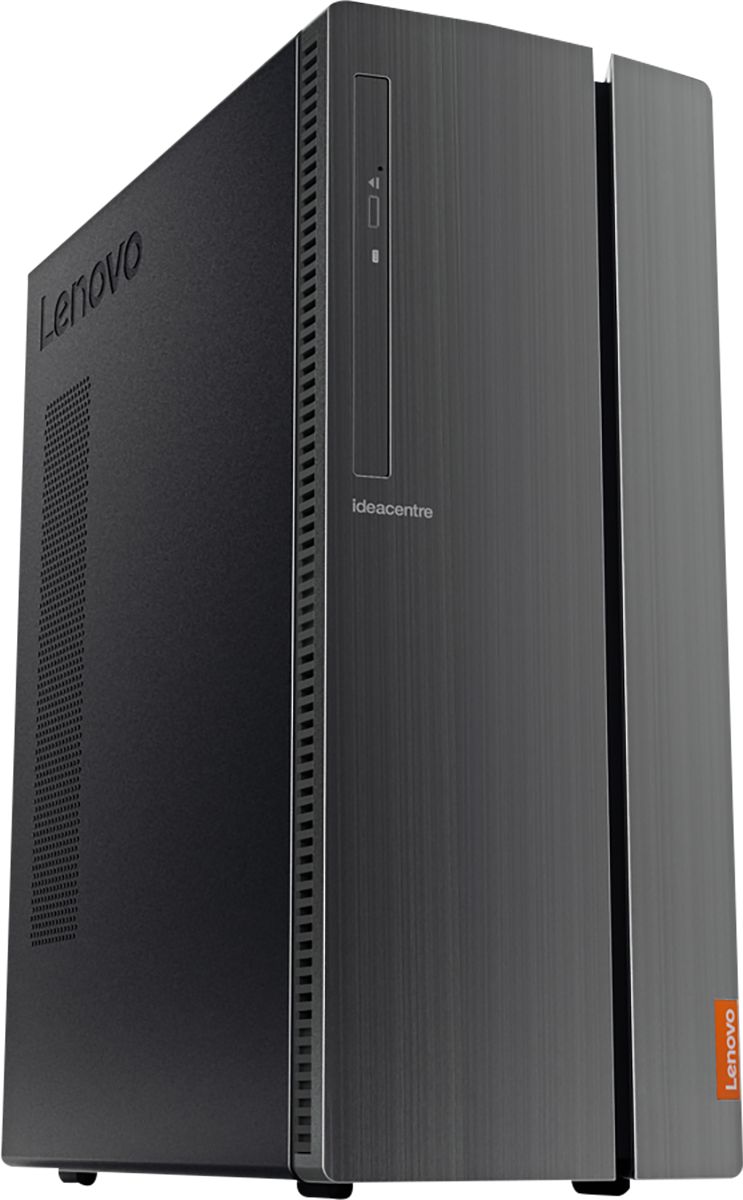
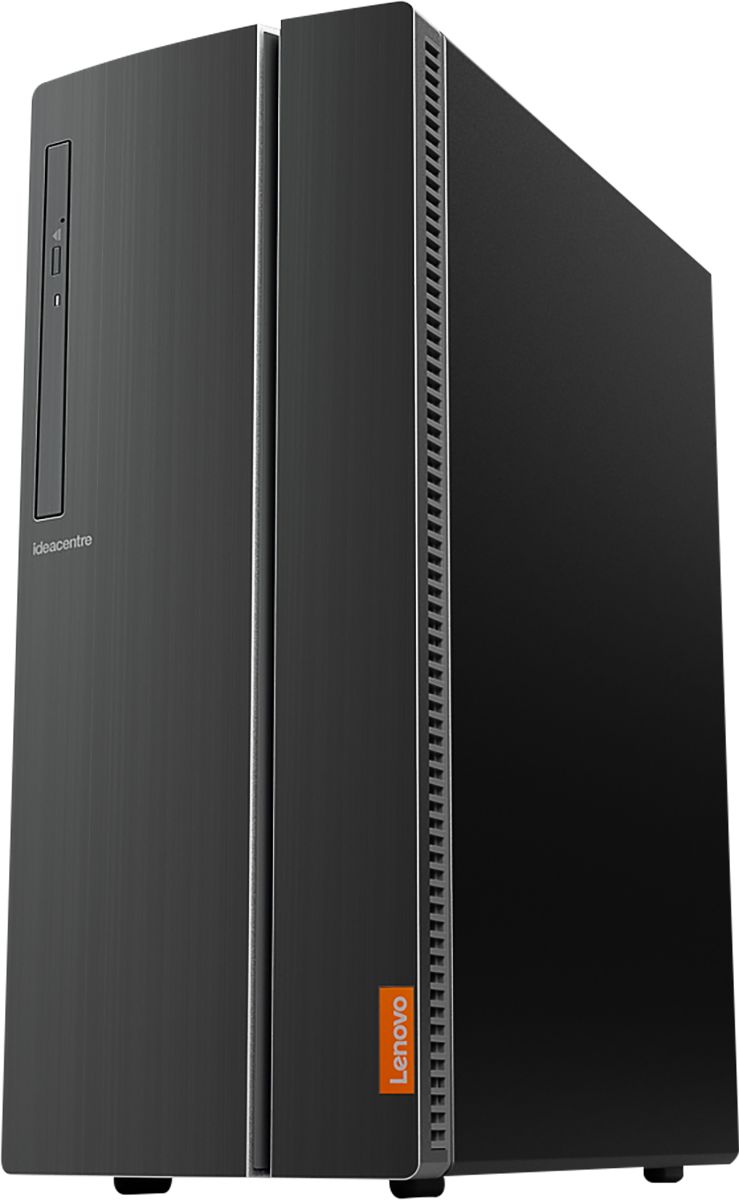
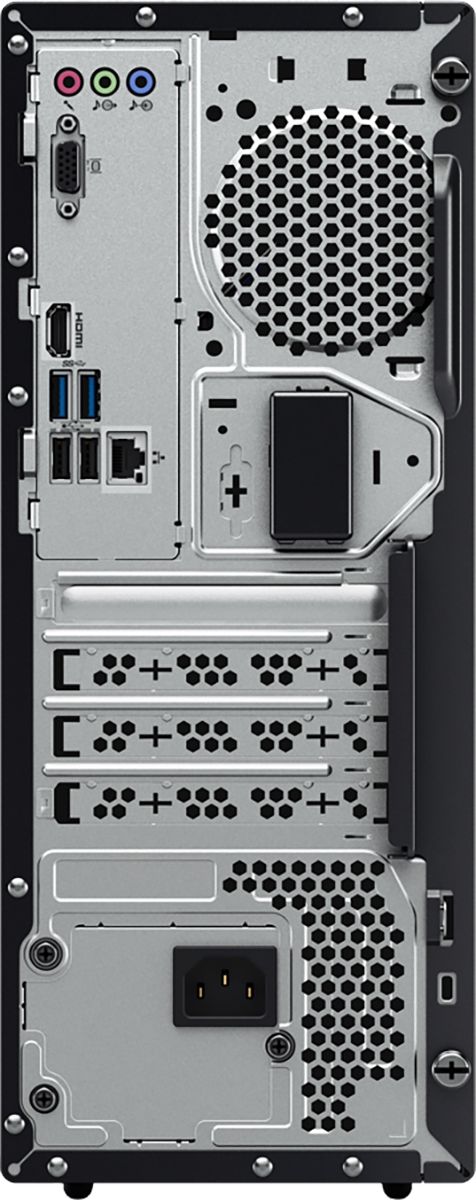
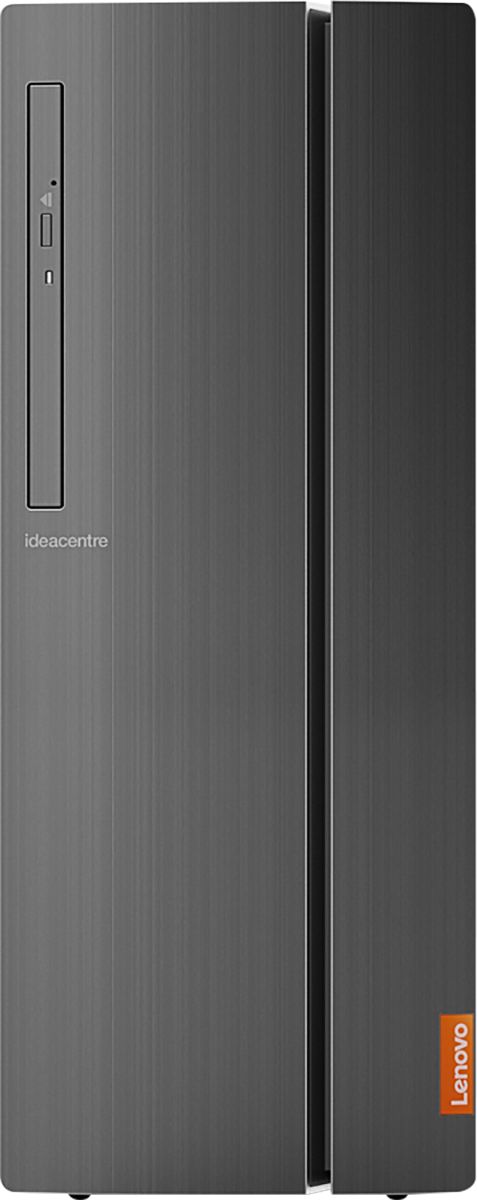

- Model:
- 90HV001MUS
- SKU:
- 6325578
Rating by feature
- Value
Rating 4.4 out of 5 stars
- Quality
Rating 4.4 out of 5 stars
- Ease of Use
Rating 4.5 out of 5 stars
Customers are saying
Customers consistently note the 510A-15ICB Desktop's ease of use, strong performance for its price, and ample storage. Many appreciate its compact size and quiet operation during use. While some users experienced issues with the operating system, the positive feedback on other features outweighs these concerns.
This summary was generated by AI based on customer reviews.
- Pros mentioned:Ease of use
Replacement computer
||Posted . Owned for less than 1 week when reviewed.This reviewer received promo considerations or sweepstakes entry for writing a review.I purchased this computer as a replacement for the one I needed to drop to Geek Squad. Geek Squad was going to send off my original computer, to be repaired. I was told it would be up to two weeks before its return.
No, I would not recommend this to a friendBrand response from Lenovo Product Expert
Posted .Thank you for choosing the Lenovo IdeaCentre 510A Desktop, model number 90HV001MUS. The Lenovo IdeaCentre 510A Desktop, model number 90HV001MUS, ships with the Quad-Core Intel Core i3-8100 processor, with a speed of 3.6GHz. This processor is supported by 8GB DDR4-2666MHz RAM. This is a mid-level, moderate use configuration. It is good with Microsoft Office type programs, internet browsing and other moderate work. If this describes your computing needs, the Lenovo IdeaCentre 510A Desktop, model number 90HV001MUS would be a good choice for you.

- Pros mentioned:Performance
Satisfied
||Posted . Owned for 1 month when reviewed.This reviewer received promo considerations or sweepstakes entry for writing a review.Great budget tower. Threw in a 250GB Samsung M.2 (yes, there is an expansion bay by the WiFi card) and a Zotac GTX 1650 and reinstalled windows. Runs quiet and cool. Can run Skyrim at max settings in 1080p.
I would recommend this to a friendBrand response from Lenovo Product Expert
Posted .Thanks for choosing the Lenovo IdeaCentre 510A Desktop. We are so happy to hear the features, performance, and user-friendly design of the IdeaCentre 510A Desktop is meeting your computing needs so well!`
- Pros mentioned:Speed
Lenovo in a desktop
||Posted . Owned for 1 month when reviewed.This reviewer received promo considerations or sweepstakes entry for writing a review.After installing a few of these models, I found that upgrading the drive to an SSD from the get-go is best. After that minor change, the machine has plenty of speed and spacious bays for components if needed.
I would recommend this to a friend - Pros mentioned:Performance
Workstations
||Posted . Owned for 1 month when reviewed.This reviewer received promo considerations or sweepstakes entry for writing a review.I got few of these desktops for workstation to use at my office and I wasn’t to sure but must to admit I’m impressed with their quality and performance, I’m truly happy with them and Certainly great product m.
I would recommend this to a friendBrand response from Lenovo Product Expert
Posted .Thank you for choosing the Lenovo IdeaCentre 510A Desktop, model number 90HV001MUS. We are pleased to hear that the IdeaCentre 510A is working out so well for your business. The Lenovo IdeaCentre 510A Desktop, model number 90HV001MUS, ships with the Quad-Core Intel Core i3-8100 processor, with a speed of 3.6GHz. This processor is supported by 8GB DDR4-2666MHz RAM. This is a mid-level, moderate use configuration. It is good with Microsoft Office type programs, internet browsing and other moderate work. If this describes your computing needs, the Lenovo IdeaCentre 510A Desktop, model number 90HV001MUS would be a good choice for you.
- Pros mentioned:Ease of use
Hubby's new computer
||Posted . Owned for less than 1 week when reviewed.This reviewer received promo considerations or sweepstakes entry for writing a review.Love Lenovo computers. This is our third in the last year and half. Second desktop and one laptop. They are clean, easy to use and work exceptionally well. No problems with set-up, and easy to maneuver.
I would recommend this to a friendBrand response from Lenovo Product Expert
Posted .Thank you for choosing the Lenovo IdeaCentre 510A Desktop, model number 90HV001MUS. The Lenovo IdeaCentre 510A Desktop, model number 90HV001MUS, ships with the Quad-Core Intel Core i3-8100 processor, with a speed of 3.6GHz. This processor is supported by 8GB DDR4-2666MHz RAM. This is a mid-level, moderate use configuration. It is good with Microsoft Office type programs, internet browsing and other moderate work. If this describes your computing needs, the Lenovo IdeaCentre 510A Desktop, model number 90HV001MUS would be a good choice for you.
- Pros mentioned:Performance
Great addition to my office
||Posted . Owned for 3 weeks when reviewed.This reviewer received promo considerations or sweepstakes entry for writing a review.I already had a Lenovo laptop and wanted to get a desktop so I could have 2 screens and be able to work faster. This was perfect. Would highly recommend this tower to anyone looking for a desktop computer.
I would recommend this to a friendBrand response from Lenovo Product Expert
Posted .Thank you for choosing the Lenovo IdeaCentre 510A Desktop, model number 90HV001MUS. We appreciate your loyalty to the Lenovo Brand. The Lenovo IdeaCentre 510A Desktop, model number 90HV001MUS, ships with the Quad-Core Intel Core i3-8100 processor, with a speed of 3.6GHz. This processor is supported by 8GB DDR4-2666MHz RAM. This is a mid-level, moderate use configuration. It is good with Microsoft Office type programs, internet browsing and other moderate work. If this describes your computing needs, the Lenovo IdeaCentre 510A Desktop, model number 90HV001MUS would be a good choice for you.
- Pros mentioned:Ease of use
So far, so good for simple home use.
||Posted . Owned for 1 month when reviewed.This reviewer received promo considerations or sweepstakes entry for writing a review.Good for basic home use like, internet shopping, Microsoft Office, e-mail, social media, and even a game or two. Not big on using the PC at home as it is my career, but it checks all of the boxes for the simple tasks.
I would recommend this to a friendBrand response from Lenovo Product Expert
Posted .Thank you for choosing the Lenovo IdeaCentre 510A desktop, model number 90HV001MUS. The Lenovo IdeaCentre 510A Desktop, model number 90HV001MUS, ships with the Quad-Core Intel Core i3-8100 processor, with a speed of 3.6GHz. This processor is supported by 8GB DDR4-2666MHz RAM. This is a mid-level, moderate use configuration. It is good with Microsoft Office type programs, internet browsing and other moderate work. If this describes your computing needs, the Lenovo IdeaCentre 510A Desktop, model number 90HV001MUS would be a good choice for you.
Good deal for price
||Posted . Owned for 1 month when reviewed.This reviewer received promo considerations or sweepstakes entry for writing a review.Found it easy to set up since I usually get my son or grandson to help with technical items. Price wise found it competitive with a HP that I had considered. This has more storage at about same cost.
I would recommend this to a friendBrand response from Lenovo Product Expert
Posted .Thank you for choosing the Lenovo IdeaCentre 510A Desktop, model number 90HV001MUS. We are pleased to hear that the value, features and performance of the IdeaCentre 510A meets your computing needs so well.
- Pros mentioned:Ease of use
Ms
||Posted . Owned for 3 weeks when reviewed.This reviewer received promo considerations or sweepstakes entry for writing a review.So far this computer does everything that I have needed it to do. I am more comfortable learning by reading hard copy and would have greatly appreciated printed set-up documents being included.
I would recommend this to a friend - Pros mentioned:Performance
Good price for a basic PC
||Posted . Owned for 3 weeks when reviewed.This reviewer received promo considerations or sweepstakes entry for writing a review.I bought this for my company to use at a job site for remote access. It's not a high end gaming computer but it does the job for what it is. It was not expensive but it worked well and met our needs.
I would recommend this to a friend - Pros mentioned:Speed
Great SOHO PC
||Posted . Owned for 3 weeks when reviewed.This reviewer received promo considerations or sweepstakes entry for writing a review.I bought this for a client of mine for small office applications as their old one was a bit old and way out of date. Nice speedy computer and you can never go wrong with a Lenovo, my brand of choice in PCs.
I would recommend this to a friend Value
||Posted . Owned for 1 month when reviewed.This reviewer received promo considerations or sweepstakes entry for writing a review.Purchased this for my Mom because her computer was ancient and slow. This computer is great for someone who just needs to surf the web but also leaves 30 Internet Browser tabs open at once.
I would recommend this to a friendBrand response from Lenovo Product Expert
Posted .Thank you for choosing the Lenovo IdeaCentre 510A Desktop for your mother. We are pleased to hear that the IdeaCentre 510A is working out so well for your mother.
Great value
||Posted . Owned for 1 month when reviewed.This reviewer received promo considerations or sweepstakes entry for writing a review.Bought for my mother. She didn't need a gaming computer, but rather one for printing, some internet, storage of pictures, etc.
I would recommend this to a friendBrand response from Lenovo Product Expert
Posted .Thank you for choosing the lenovo IdeaCentre 510A desktop for your mother. We are pleased to hear that the features and performance of the IdeaCentre 510A meets your mother's computing needs so well. Lenovo is the number #1 manufacturer of computers in the World:
https://venturebeat.com/2019/01/10/gartner-and-idc-hp-and-lenovo-shipped-the-most-pcs-in-2018-but-total-numbers-fell/
- Pros mentioned:Performance
Nice tower for the price
||Posted . Owned for less than 1 week when reviewed.This reviewer received promo considerations or sweepstakes entry for writing a review.Well satisfied. Designer should have thought deeper when designing door. Can,t close if you have something plugged in. Minor complaint as it does not affect performance. Miniature junk software on it.
I would recommend this to a friendBrand response from Lenovo Product Expert
Posted .Thank you for choosing the Lenovo IdeaCentre 510A Desktop. The Lenovo IdeaCentre 510A Desktop model number 90HV001MUS, ships with just two adware programs, a 30-day trial of Microsoft Office 365 (as part of Windows 10 operating system) and a 30-day trial of McAfee virus protection. Lenovo computers ship with one of the cleanest factory software installs within the consumer computer industry. The Lenovo IdeaCentre 510A Desktop, model number 90HV001MUS, ships with the Quad-Core Intel Core i3-8100 processor, with a speed of 3.6GHz. This processor is supported by 8GB DDR4-2666MHz RAM. This is a mid-level, moderate use configuration. It is good with Microsoft Office type programs, internet browsing and other moderate work. If this describes your computing needs, the Lenovo IdeaCentre 510A Desktop, model number 90HV001MUS would be a good choice for you.
Satisfied Computing
||Posted . Owned for 2 weeks when reviewed.This reviewer received promo considerations or sweepstakes entry for writing a review.After my HP died, I was looking for a good, reliable computer. Stumbling onto the Lenovo 510A desktop was a lucky move for me. The price was affordable for a new desktop. A few reviewers said it was noisy -- I disagree. This is the quietest computer I've ever had. It is also the slimmest and "shallowest" (depth). My only complaint is that the door that hides the USB ports and other slots doesn't fold flush with the side of the computer.
I would recommend this to a friend- Pros mentioned:Performance
very well pleased with this machine
||Posted . Owned for 1 month when reviewed.This reviewer received promo considerations or sweepstakes entry for writing a review.My first Lenovo, I am pleased with it's performance. If I was purchasing another computer at this point I would in all likelihood purchase another one. Quality? - I haven't used it enough to say.
I would recommend this to a friendBrand response from Lenovo Product Expert
Posted .Once again, thank you for choosing the Lenovo IdeaCentre 510A Desktop. You can keep your computer running at its best by keeping the Windows 10 Operating System and all supporting BIOS files and drivers up to date. You can easily accomplish this by scanning the computer with the Lenovo Utility software available on this computer. This system has Lenovo utilities installed to help maintain the health of the device and keep the operating system software up to date. Type "Lenovo Vantage" in the Cortana Search window (if Lenovo Vantage is not installed on your device, you can download the APP and install it now). Select Lenovo Vantage from the list. In the window that opens, click on "Health and Support". In the expanded menu, select "Hardware Scan" In the window that opens, select "Run Quick Tests". This will scan your entire system for errors. Follow any directions that may pop up. If the problem continues after this scan, now click on "System Update". First select Windows update from the menu. Scan your system to be sure you have the latest version of Windows 10. Once that scan is complete, select "Additional Updates". This will scan your device to be sure there are no new BIOS/Driver updates needed. Follow any instructions that may pop up. If you ever need additional help with your Lenovo computer, we recommend you call Lenovo Tech Support at: 877-453-6686 for additional help.
- Pros mentioned:Speed
Very happy with my PC
||Posted . Owned for 11 months when reviewed.This reviewer received promo considerations or sweepstakes entry for writing a review.It's coming up to one year with this PC and I could not be happier. No issues with speed or transfer rates at all. I have worked this PC hard and the Lenovo continues to perform flawlessly.
I would recommend this to a friend - Pros mentioned:Price
Solid performance
||Posted . Owned for 3 weeks when reviewed.This reviewer received promo considerations or sweepstakes entry for writing a review.Nice features, great price. Only problem was connecting a new HP printer via wireless. Issue was resolved by HP tech support and it was fixed after they had me change some computer settings.
I would recommend this to a friendBrand response from Lenovo Product Expert
Posted .Once again, thank you for choosing the Lenovo IdeaCentre 510A Desktop. You can keep your computer running at its best by keeping the Windows 10 Operating System and all supporting BIOS files and drivers up to date. You can easily accomplish this by scanning the computer with the Lenovo Utility software available on this computer. This system has Lenovo utilities installed to help maintain the health of the device and keep the operating system software up to date. Type "Lenovo Vantage" in the Cortana Search window (if Lenovo Vantage is not installed on your device, you can download the APP and install it now). Select Lenovo Vantage from the list. In the window that opens, click on "Health and Support". In the expanded menu, select "Hardware Scan" In the window that opens, select "Run Quick Tests". This will scan your entire system for errors. Follow any directions that may pop up. If the problem continues after this scan, now click on "System Update". First select Windows update from the menu. Scan your system to be sure you have the latest version of Windows 10. Once that scan is complete, select "Additional Updates". This will scan your device to be sure there are no new BIOS/Driver updates needed. Follow any instructions that may pop up. If you ever need additional help with your Lenovo computer, we recommend you call Lenovo Tech Support at: 877-453-6686 for additional help.
- Pros mentioned:Ease of use
AWESOME PC MEETS ALL MY NEEDS
||Posted . Owned for 1 month when reviewed.This reviewer received promo considerations or sweepstakes entry for writing a review.This PC was very easy to get up and running,connected to my home network with ease. I'm able to print, video chat, stream movies and communicate on social pretty much right out the box.
I would recommend this to a friendBrand response from Lenovo Product Expert
Posted .Thank you for choosing the Lenovo IdeaCentre 510A Desktop, model number 90HV001MUS. We are pleased to hear that the performance of the IdeaCentre 510A Desktop meets your computing needs so well. The Lenovo IdeaCentre 510A Desktop, model number 90HV001MUS, ships with the Quad-Core Intel Core i3-8100 processor, with a speed of 3.6GHz. This processor is supported by 8GB DDR4-2666MHz RAM. This is a mid-level, moderate use configuration. It is good with Microsoft Office type programs, internet browsing and other moderate work. If this describes your computing needs, the Lenovo IdeaCentre 510A Desktop, model number 90HV001MUS would be a good choice for you.
- Pros mentioned:Performance
Really good computer for the price
||Posted . Owned for 1 month when reviewed.This reviewer received promo considerations or sweepstakes entry for writing a review.The unit is still new to me, but from what I've seen so far it will more than meet my needs. It has good specs and I expect it to perform exceptionally well. I would recommend this unit to my friends.
I would recommend this to a friendBrand response from Lenovo Product Expert
Posted .Thank you for choosing the Lenovo IdeaCentre 510A Desktop, model number 90HV001MUS. This configuration ships with the Quad-Core Intel Core i3-8100 processor, with a speed of 3.6GHz. This processor is supported by 8GB DDR4-2666MHz RAM. This is a mid-level, moderate use configuration, with its Intel Core i3-8130U processor. It is good with Microsoft Office type programs, internet browsing and other moderate work. If this describes your computing needs, the Lenovo IdeaCentre 510A Desktop, model number 90HV001MUS would be a good choice for you.