Customer Ratings & Reviews
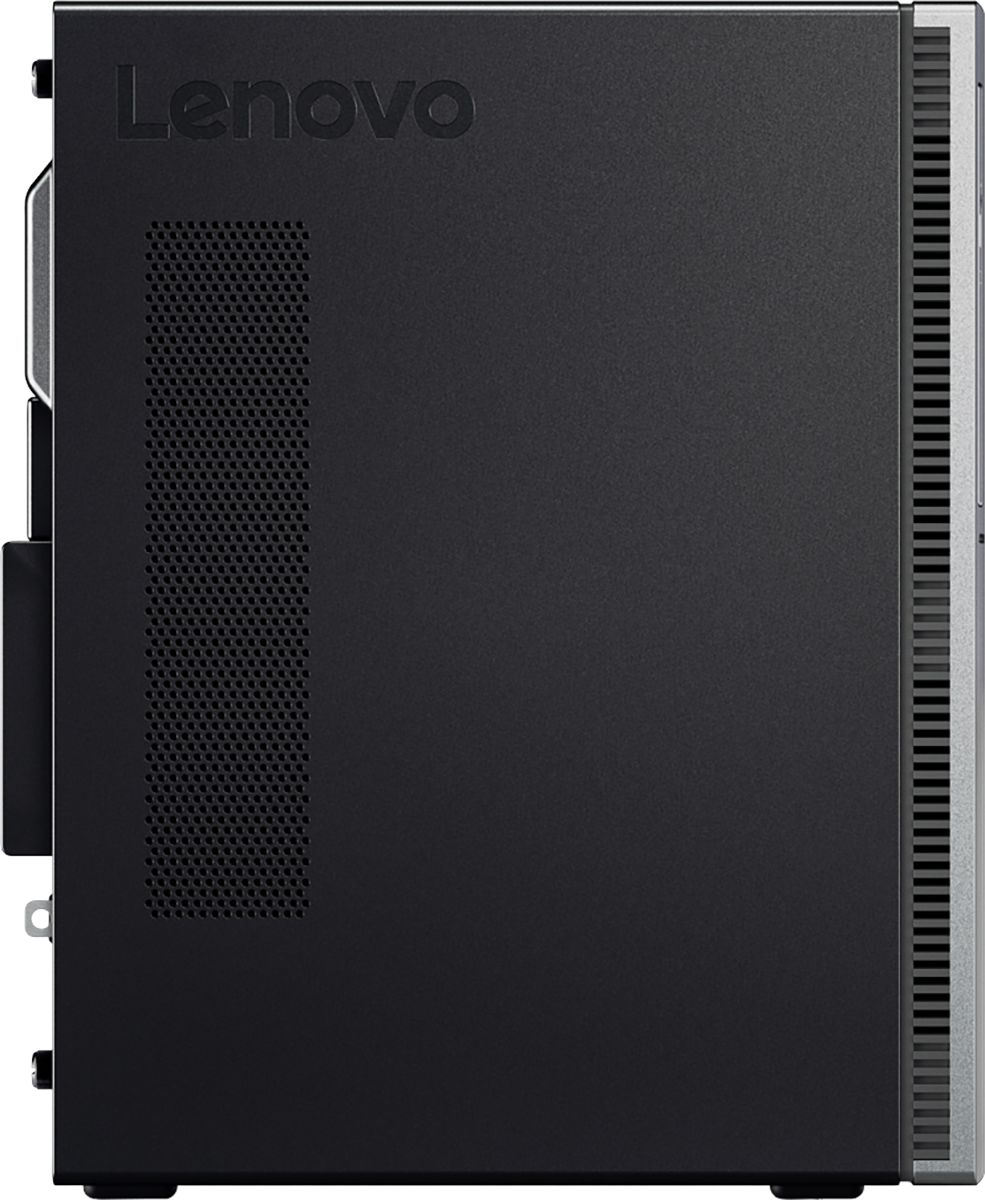

- Model:
- 90HV001MUS
- SKU:
- 6325578
Rating by feature
- Value
Rating 4.4 out of 5 stars
- Quality
Rating 4.4 out of 5 stars
- Ease of Use
Rating 4.5 out of 5 stars
Customers are saying
Customers consistently note the 510A-15ICB Desktop's ease of use, strong performance for its price, and ample storage. Many appreciate its compact size and quiet operation during use. While some users experienced issues with the operating system, the positive feedback on other features outweighs these concerns.
This summary was generated by AI based on customer reviews.
- Pros mentioned:Performance
desktop tower
||Posted . Owned for 1 year when reviewed.This reviewer received promo considerations or sweepstakes entry for writing a review.excellent no problems, run great !!! windows 11 compatible
I would recommend this to a friend - Pros mentioned:Ease of use
Excellent desktop for low cost
||Posted . Owned for 1 week when reviewed.This reviewer received promo considerations or sweepstakes entry for writing a review.Excellent low cost home desktop. Keyboard and mouse included. Easy to install.
I would recommend this to a friendBrand response from Lenovo Product Expert
Posted .Thank you for Choosing the Lenovo IdeaCentre 510A Desktop, model number 90HV001MUS. We are pleased to hear that the easy install and performance of the IdeaCentre 510A Desktop meets your computing needs so well.

- Pros mentioned:Price
Great for school use
||Posted . Owned for 1 month when reviewed.This reviewer received promo considerations or sweepstakes entry for writing a review.Bought this as my kids first desktop. It's great for what we use it for and we'll worth the price
I would recommend this to a friendBrand response from Lenovo Product Expert
Posted .Thank you for choosing the Lenovo IdeaCentre 510A desktop, model number 90HV001MUS. This model ships with the Quad-Core Intel Core i3-8100 processor, with a speed of 3.6GHz. This processor is supported by 8GB DDR4-2666MHz RAM. This configuration is good for moderate levels of usage with programs like Microsoft Office, streaming online video and general internet browsing. If this describes your level of computing, the Lenovo IdeaCentre 510A desktop, model number 90HV001MUS is a great choice.
- Pros mentioned:Performance
It works great for the family.
||Posted . Owned for 1 year when reviewed.This reviewer received promo considerations or sweepstakes entry for writing a review.We all use the Lenovo. It gets the job done. It works great for a family computer.
I would recommend this to a friendBrand response from Lenovo Product Expert
Posted .Thank you for choosing the Lenovo IdeaCentre 510A Desktop, model number 90HV001MUS, for your family. The Lenovo IdeaCentre 510A Desktop, model number 90HV001MUS, ships with the Quad-Core Intel Core i3-8100 processor, with a speed of 3.6GHz. This processor is supported by 8GB DDR4-2666MHz RAM. This is a mid-level, moderate use configuration. It is good with Microsoft Office type programs, internet browsing and other moderate work. If this describes your computing needs, the Lenovo IdeaCentre 510A Desktop, model number 90HV001MUS would be a good choice for you.
SATISFACTORY
||Posted . Owned for 1 month when reviewed.This reviewer received promo considerations or sweepstakes entry for writing a review.I purchased this as a christmas present for daughter open box. I was told by tech I would need a wifi plug and a keyboard which I purchased seperately. I was not told that the monitor was NOT included in the box. Suffice to say I was not happy christmas day when my daughter opened and couldn't use. I later purchased monitor at Walmart. This is so unethical it's not even funny. Buyer beware at Bestbuy Springfield.
No, I would not recommend this to a friendBrand response from Lenovo Product Expert
Posted .This model ships with built in 5G 802.11AC frequency WiFi. Desktop computers do not normally include a monitor. Always check with your retailer for what is included. The Lenovo IdeaCentre 510A Desktop, model number 90HV001MUS, ships with the Quad-Core Intel Core i3-8100 processor, with a speed of 3.6GHz. This processor is supported by 8GB DDR4-2666MHz RAM. This is a mid-level, moderate use configuration. It is good with Microsoft Office type programs, internet browsing and other moderate work. If this describes your computing needs, the Lenovo IdeaCentre 510A Desktop, model number 90HV001MUS would be a good choice for you.
- Pros mentioned:Speed

Lenovo-510A-151CB Desktop-A great affordabe choice
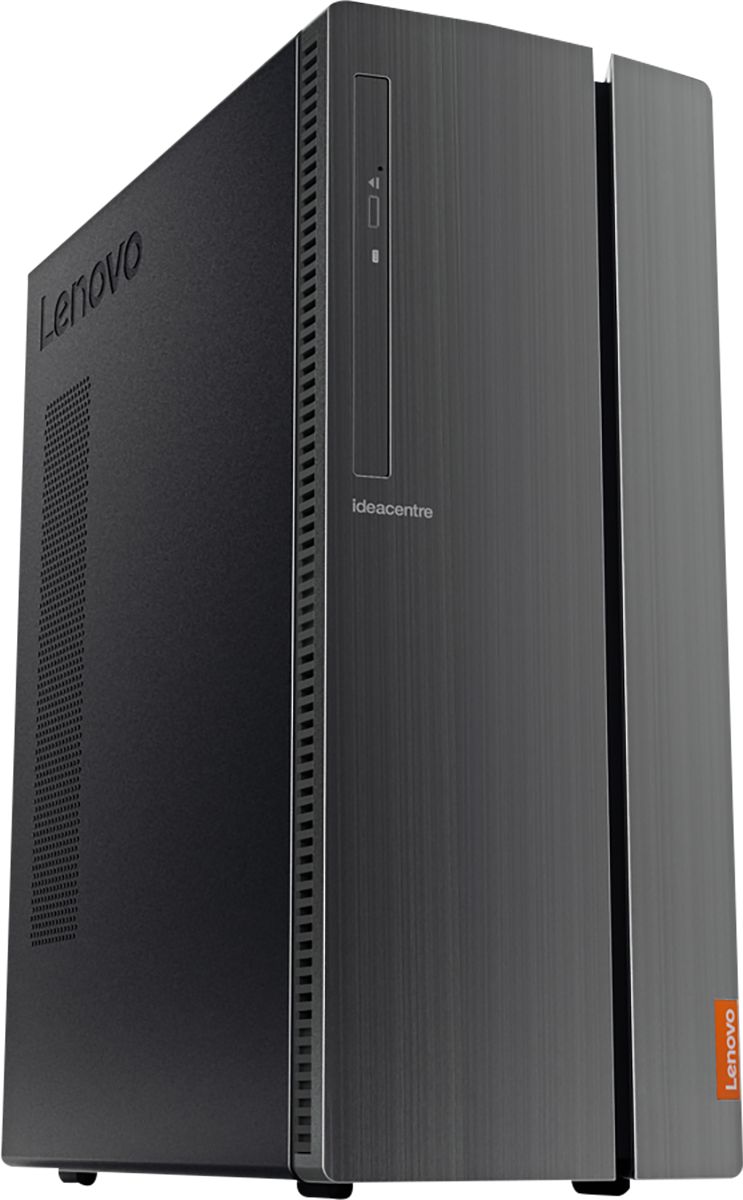
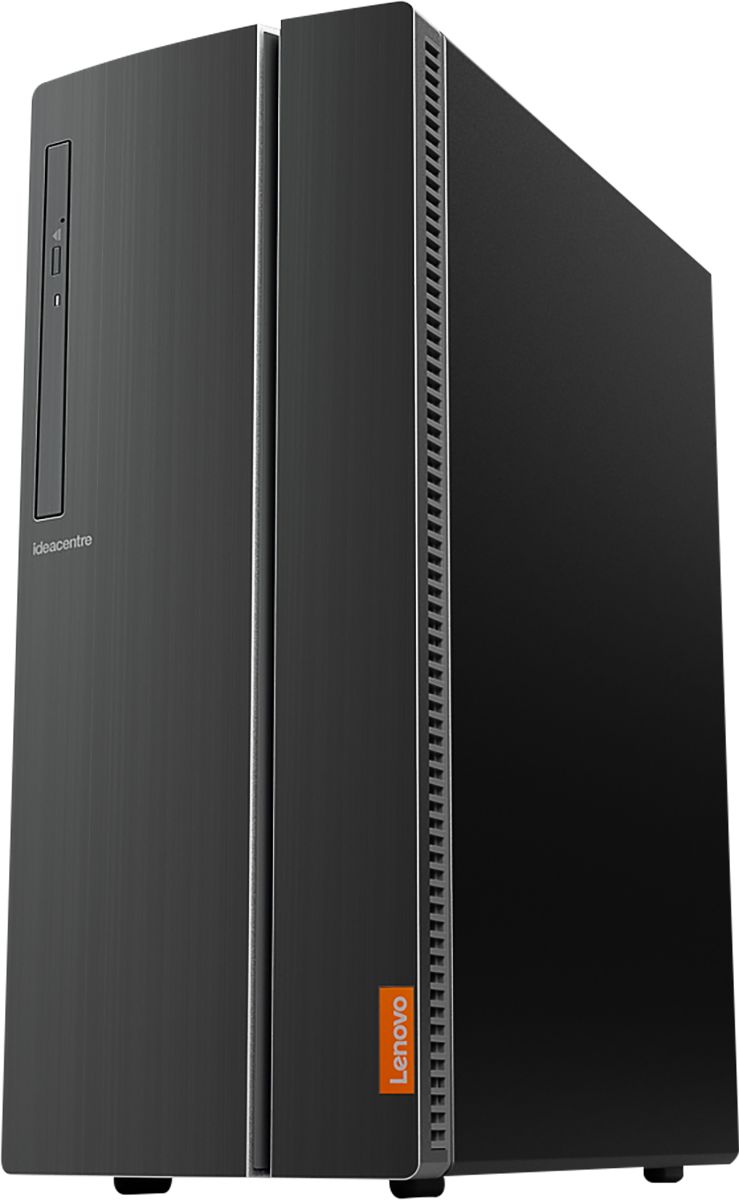
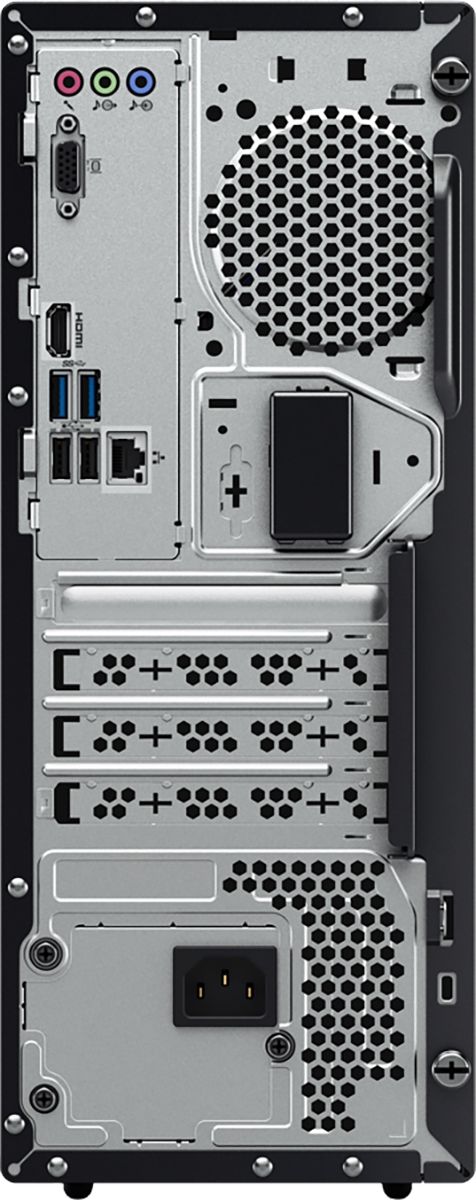
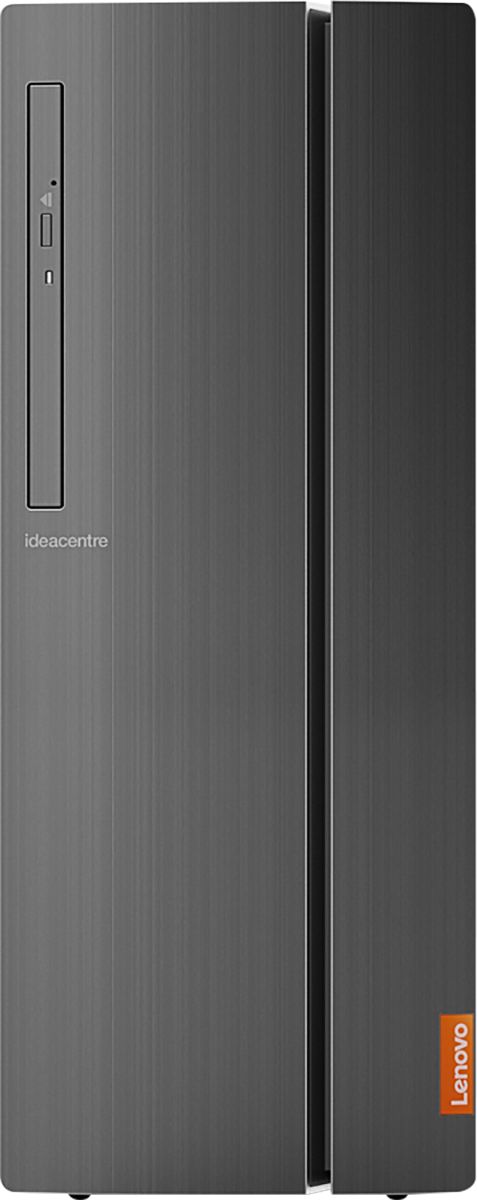
|Posted .This reviewer received promo considerations or sweepstakes entry for writing a review.This is a very solid affordable computer and one that won’t ‘break the bank’. It is set up with a Windows 10 Home 64 Operating System, a keyboard, and a mouse. Onboard, it is equipped with a WIFI Wireless LAN Adapter, an Ethernet port and several USB connections. It runs on a seventh generation Intel Core i3 processor. For the money it is a great computer for a home office, small office or student. Sitting up the computer was quick and easy. Everything needed was in the box except for a monitor and speakers. Monitor connections include both—an HDMI port and a VGA connection. The WIFI adapter connected upon first try and windows performed several updates and a couple of restarts. Included with the software is a trial version of a McAfee Security program. I removed it and added the security program that I use on my network. I then installed my subscription of Windows 360. I was completely up and running in 20-25 minutes. The computer is very quiet and runs very smooth. The 7th generation processor and 8 GB or Ram assisted the operation of opening several applications at once consistently with speed. Although this is not built for high performance gaming, the graphics are very crisp, intense and clear and the computer feels very responsive and solid. The 1 TB hard drive is ample file storage for all types of files, including photos and videos. The case design is sleek with a DVD recordable optical drive on the front. Also, on the front of the desktop is an operable door which conceals a 3.5mm microphone jack and a 3.5mm headphone jack. a memory card reader, and 4 USB 3.0 connections. The rear of the desktop has two USB 2.0 and two USB 3.0 connections. It also has an RJ-45 ethernet connection and one connection each for VGA and HDMI. Rear audio ports include a Line-in (3.5mm), line-out (3.5mm), and a microphone-in (3.5mm) port. The desktop is expandable and there is plenty of space for additional memory and storage. Lenovo offers a 1-year warranty with purchase. However, if you feel that your personal needs require a longer warranty, in the past I have easily purchased extended or additional warranty time with Lenovo. And, there is always the option of the Geek Squad to consider. The desktop tower is not heavy which would be a plus in relocating the desktop to a dorm, etc. The case is approximately 5.71” w x 11.22” d x 14.41” H and finished in a very dark gray color. If you are looking for a solid computer for family use, home office, small office, high school or college use, you should seriously consider this computer and give it a test drive at the store. Again, it is not suitable for high performance gaming or full versions of CAD and high-level graphic software programs, but for just about anything else, this is an excellent and very affordable choice.
I would recommend this to a friendBrand response from Lenovo Product Expert
Posted .The Lenovo IdeaCentre 510A desktop, model number 90HV001MUS, ships with the 8th Generation Quad-Core Intel Core i3-8100 processor, supported by 8GB DDR4-2666MHz RAM. This processor has a speed of 3.6GHz.
- Pros mentioned:Ease of use
User friendly low cost desktop
||Posted . Owned for 2 weeks when reviewed.This reviewer received promo considerations or sweepstakes entry for writing a review.The Lenovo 510A is truly plug and play. Very easy to start working with it right out of the box.
I would recommend this to a friendBrand response from Lenovo Product Expert
Posted .Thank you for choosing the Lenovo IdeaCentre 510A desktop model number 90HV001MUS. This model ships with the Quad-Core Intel Core i3-8100 processor with a speed of 3.6GHz. This processor is supported by 8GB DDR4-2666MHz RAM.
- Pros mentioned:Performance
Lenovo Desk Top Hard Drive
||Posted . Owned for 1 month when reviewed.This reviewer received promo considerations or sweepstakes entry for writing a review.The desk top computer works great. Thank you Geed Squad for all of your help.
I would recommend this to a friend - Pros mentioned:Speed
Great buy
||Posted . Owned for 5 months when reviewed.This reviewer received promo considerations or sweepstakes entry for writing a review.Bought this for homeschooling purposes. Works great and has plenty of speed
I would recommend this to a friendBrand response from Lenovo Product Expert
Posted .Thanks for choosing the Lenovo IdeaCentre 510A Desktop. We are so happy to hear the features, performance, and user-friendly design of the IdeaCentre 510A Desktop is meeting your computing needs so well!
- Pros mentioned:Speed
Fast desktop
||Posted . Owned for 2 weeks when reviewed.This reviewer received promo considerations or sweepstakes entry for writing a review.I love it. Very fast and work great. Really recommend it to friends and relatives.
I would recommend this to a friendBrand response from Lenovo Product Expert
Posted .Once again, thank you for choosing the Lenovo IdeaCentre 510A Desktop. You can keep your computer running at its best by keeping the Windows 10 Operating System and all supporting BIOS files and drivers up to date. You can easily accomplish this by scanning the computer with the Lenovo Utility software available on this computer. Just type "Lenovo Vantage" in the Cortana Search window (if Lenovo Vantage is not installed on your device, you can download the APP and install it now). Select Lenovo Vantage from the list. In the window that opens, click on "Health and Support". In the expanded menu, select "Hardware Scan" In the window that opens, select "Run Quick Tests". This will scan your entire system for errors. Follow any directions that may pop up. If the problem continues after this scan, now click on "System Update". First select Windows update from the menu. Scan your system to be sure you have the latest version of Windows 10. Once that scan is complete, select "Additional Updates". This will scan your device to be sure there are no new BIOS/Driver updates needed. Follow any instructions that may pop up. If you ever need additional help with your Lenovo computer, we recommend you call Lenovo Tech Support at: 877-453-6686 for additional help.
- Pros mentioned:Speed
Fast computer
||Posted . Owned for 3 weeks when reviewed.This reviewer received promo considerations or sweepstakes entry for writing a review.Bought for my daughter in another state. She loves it Says it is very fast and great.
I would recommend this to a friendBrand response from Lenovo Product Expert
Posted .Once again, thank you for choosing the Lenovo IdeaCentre 510A Desktop for your daughter. This computer can continue running at its best by keeping the Windows 10 Operating System and all supporting BIOS files and drivers up to date. You can easily accomplish this by scanning the computer with the Lenovo Utility software available on this computer. This system has Lenovo utilities installed to help maintain the health of the device and keep the operating system software up to date. Type "Lenovo Vantage" in the Cortana Search window (if Lenovo Vantage is not installed on your device, you can download the APP and install it now). Select Lenovo Vantage from the list. In the window that opens, click on "Health and Support". In the expanded menu, select "Hardware Scan" In the window that opens, select "Run Quick Tests". This will scan your entire system for errors. Follow any directions that may pop up. If the problem continues after this scan, now click on "System Update". First select Windows update from the menu. Scan your system to be sure you have the latest version of Windows 10. Once that scan is complete, select "Additional Updates". This will scan your device to be sure there are no new BIOS/Driver updates needed. Follow any instructions that may pop up. If you ever need additional help with your Lenovo computer, we recommend you call Lenovo Tech Support at: 877-453-6686 for additional help.
- Pros mentioned:Ease of use
Great PC for regular office work
||Posted . Owned for 2 weeks when reviewed.This reviewer received promo considerations or sweepstakes entry for writing a review.This pc works great for office work. It also works well for web browsing and photo handling.
I would recommend this to a friendBrand response from Lenovo Product Expert
Posted .Thank you for choosing the Lenovo IdeaCentre 510A desktop, model number 90HV001MUS. This model ships with the Quad-Core Intel Core i3-8100 processor, with a speed of 3.6GHz. This processor is supported by 8GB DDR4-2666MHz RAM. This configuration works well with Microsoft Office type programs, internet browsing and other moderate work. If this describes your computing needs, the Lenovo IdeaCentre 510A desktop, model number 90HV001MUS would be a good choice for you.
- Pros mentioned:Performance
Great little computer, has all I need.
||Posted . Owned for 1 month when reviewed.This reviewer received promo considerations or sweepstakes entry for writing a review.This is a nice computer. I was not disappointed in its working. Lenovo is a good brand.
I would recommend this to a friendBrand response from Lenovo Product Expert
Posted .Thank you for choosing the Lenovo IdeaCentre 510A Desktop, model number 90HV001MUS. This model ships with the Quad-Core Intel Core i3-8100 processor, with a speed of 3.6GHz. This processor is supported by 8GB DDR4-2666MHz RAM. This is a mid-level, moderate use configuration. It is good with Microsoft Office type programs, internet browsing and other moderate work. If this describes your computing needs, the Lenovo IdeaCentre 510A Desktop, model number 90HV001MUS would be a good choice for you.
- Pros mentioned:Price
Good home computer.
||Posted . Owned for 3 weeks when reviewed.This reviewer received promo considerations or sweepstakes entry for writing a review.Good price for what you get, had it for about a month and it still good to go. Great product.
I would recommend this to a friendBrand response from Lenovo Product Expert
Posted .Once again, thank you for choosing the Lenovo IdeaCentre 510A Desktop. You can keep your computer running at its best by keeping the Windows 10 Operating System and all supporting BIOS files and drivers up to date. You can easily accomplish this by scanning the computer with the Lenovo Utility software available on this computer. This system has Lenovo utilities installed to help maintain the health of the device and keep the operating system software up to date. Type "Lenovo Vantage" in the Cortana Search window (if Lenovo Vantage is not installed on your device, you can download the APP and install it now). Select Lenovo Vantage from the list. In the window that opens, click on "Health and Support". In the expanded menu, select "Hardware Scan" In the window that opens, select "Run Quick Tests". This will scan your entire system for errors. Follow any directions that may pop up. If the problem continues after this scan, now click on "System Update". First select Windows update from the menu. Scan your system to be sure you have the latest version of Windows 10. Once that scan is complete, select "Additional Updates". This will scan your device to be sure there are no new BIOS/Driver updates needed. Follow any instructions that may pop up. If you ever need additional help with your Lenovo computer, we recommend you call Lenovo Tech Support at: 877-453-6686 for additional help.
- Pros mentioned:Speed
Perfect
||Posted . Owned for less than 1 week when reviewed.This reviewer received promo considerations or sweepstakes entry for writing a review.Great purchase as additional computer for home schooling. Fast and reliable!
I would recommend this to a friend - Pros mentioned:Size
Greeat PC for the money
||Posted . Owned for 1 month when reviewed.This reviewer received promo considerations or sweepstakes entry for writing a review.We needed a pc on a short notice. We found this gem and it's been a great purchase since.
I would recommend this to a friendBrand response from Lenovo Product Expert
Posted .Thank you for choosing the Lenovo IdeaCentre 510A Desktop, model number 90HV001MUS. This model ships with the Quad-Core Intel Core i3-8100 processor, with a speed of 3.6GHz. This processor is supported by 8GB DDR4-2666MHz RAM. This is a mid-level, moderate use configuration. It is good with Microsoft Office type programs, internet browsing and other moderate work. If this describes your computing needs, the Lenovo IdeaCentre 510A Desktop, model number 90HV001MUS would be a good choice for you.
- Pros mentioned:Size
great computer
||Posted . Owned for 1 month when reviewed.This reviewer received promo considerations or sweepstakes entry for writing a review.This is a great little computer for the bedroom to do bills on. great size and price
I would recommend this to a friendBrand response from Lenovo Product Expert
Posted .Once again, thank you for choosing the Lenovo IdeaCentre 510A Desktop. You can keep your computer running at its best by keeping the Windows 10 Operating System and all supporting BIOS files and drivers up to date. You can easily accomplish this by scanning the computer with the Lenovo Utility software available on this computer. This system has Lenovo utilities installed to help maintain the health of the device and keep the operating system software up to date. Type "Lenovo Vantage" in the Cortana Search window (if Lenovo Vantage is not installed on your device, you can download the APP and install it now). Select Lenovo Vantage from the list. In the window that opens, click on "Health and Support". In the expanded menu, select "Hardware Scan" In the window that opens, select "Run Quick Tests". This will scan your entire system for errors. Follow any directions that may pop up. If the problem continues after this scan, now click on "System Update". First select Windows update from the menu. Scan your system to be sure you have the latest version of Windows 10. Once that scan is complete, select "Additional Updates". This will scan your device to be sure there are no new BIOS/Driver updates needed. Follow any instructions that may pop up. If you ever need additional help with your Lenovo computer, we recommend you call Lenovo Tech Support at: 877-453-6686 for additional help.
- Pros mentioned:Speed
trustworthy
||Posted . Owned for 1 month when reviewed.This reviewer received promo considerations or sweepstakes entry for writing a review.PC is not for gaming and exactly what I wanted. I don't have to share. Yipee!!
I would recommend this to a friendBrand response from Lenovo Product Expert
Posted .Thank you for choosing the Lenovo IdeaCentre 510A Desktop computer. We are pleased to hear that the IdeaCentre 510A meets your computing needs so well.
- Pros mentioned:Ease of use
Good inexpensive tower.
||Posted . Owned for 2 weeks when reviewed.This reviewer received promo considerations or sweepstakes entry for writing a review.Setup was easy and it is doing what I need. Using it for basic internet use for work.
I would recommend this to a friendBrand response from Lenovo Product Expert
Posted .Thank you for choosing the Lenovo IdeaCentre 510A Desktop. The Lenovo IdeaCentre 510A Desktop, model number 90HV001MUS, ships with the Quad-Core Intel Core i3-8100 processor, with a speed of 3.6GHz. This processor is supported by 8GB DDR4-2666MHz RAM. This is a mid-level, moderate use configuration. It is good with Microsoft Office type programs, internet browsing and other moderate work. If this describes your computing needs, the Lenovo IdeaCentre 510A Desktop, model number 90HV001MUS would be a good choice for you.
Fast and Compact
||Posted . Owned for 2 weeks when reviewed.This reviewer received promo considerations or sweepstakes entry for writing a review.Great for everyday use. Compact design, Easy to upgrade the RAM and add an SSD.
I would recommend this to a friendBrand response from Lenovo Product Expert
Posted .Thank you for choosing the Lenovo IdeaCentre 510A Desktop, model number 90HV001MUS. The Lenovo IdeaCentre 510A Desktop, model number 90HV001MUS, ships with the Quad-Core Intel Core i3-8100 processor, with a speed of 3.6GHz. This processor is supported by 8GB DDR4-2666MHz RAM. This is a mid-level, moderate use configuration. It is good with Microsoft Office type programs, internet browsing and other moderate work. If this describes your computing needs, the Lenovo IdeaCentre 510A Desktop, model number 90HV001MUS would be a good choice for you.