Customer Ratings & Reviews
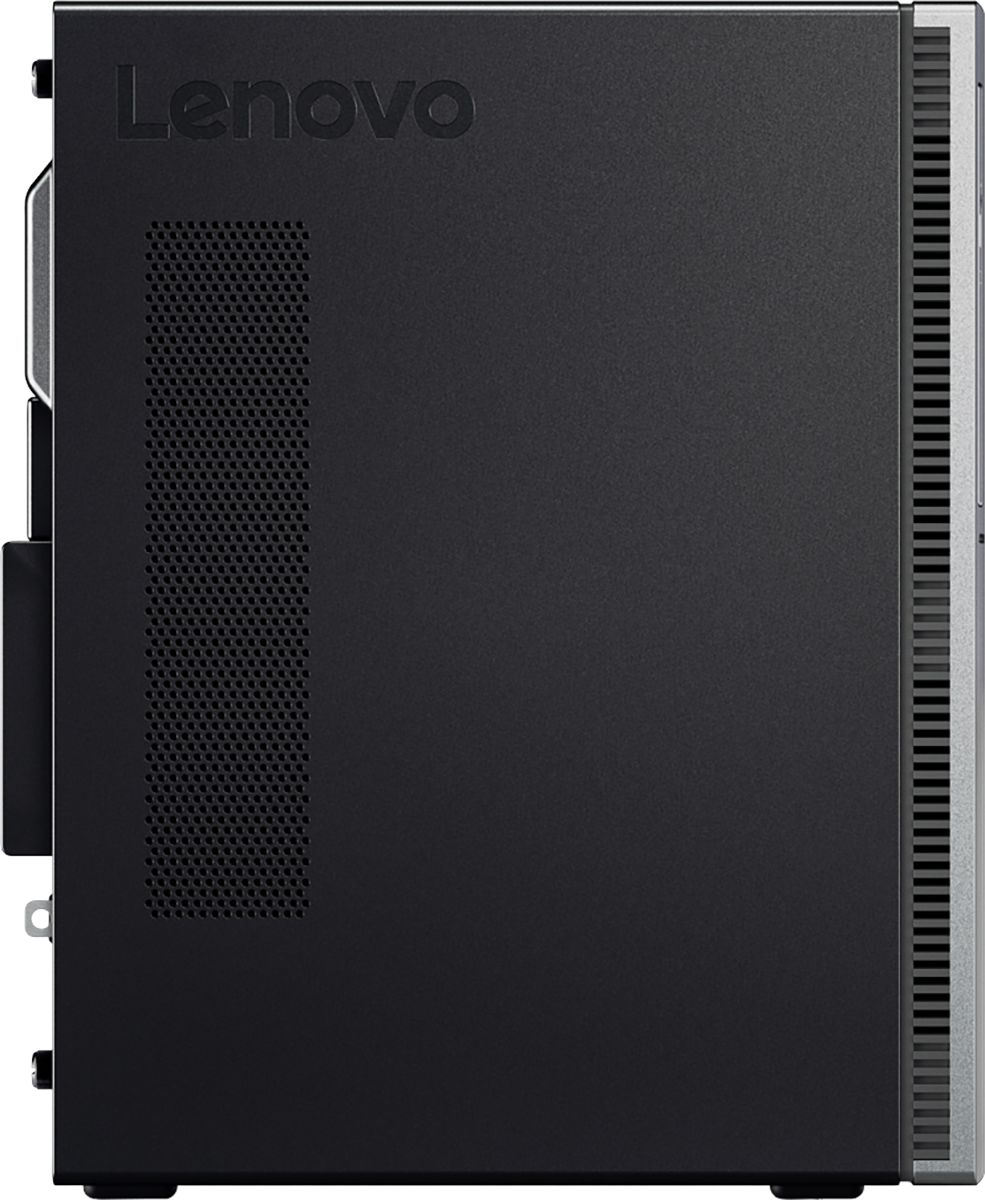

- Model:
- 90HV001MUS
- SKU:
- 6325578
Rating by feature
- Value
Rating 4.4 out of 5 stars
- Quality
Rating 4.4 out of 5 stars
- Ease of Use
Rating 4.5 out of 5 stars
Customers are saying
Customers consistently note the 510A-15ICB Desktop's ease of use, strong performance for its price, and ample storage. Many appreciate its compact size and quiet operation during use. While some users experienced issues with the operating system, the positive feedback on other features outweighs these concerns.
This summary was generated by AI based on customer reviews.
- Cons mentioned:Operating system
Don't buy Lenovo
||Posted .This reviewer received promo considerations or sweepstakes entry for writing a review.Never buy anything from Lenovo. worst product ever. in the year of 2020 with latest windows operating system but this PC will give you BSOD.
No, I would not recommend this to a friendBrand response from Lenovo Product Expert
Posted .We are sorry to hear that you are having issues with your Lenovo IdeaCentre 510A Desktop Computer. This model ships with Windows 10 Home 64-bit Operating System and should not fail. Be sure any software you installed is compatible with Windows 10. There is no need to install Microsoft Office software. The software is already part of the operating system, you just need to activate the software with a purchased product key. If you have installed a copy of Microsoft Office, this is conflicting with the existing copy on the system and this will slow your system down. If you have installed a 3rd party anti-virus program, be sure that Windows Defender is turned off and that the trial version of McAfee Anti-Virus software is uninstalled. There can only be one anti-virus program on the system. You may need to restore your system to original factory default settings if any of the programming errors have occurred. You can do that by typing "restore" in the Cortana search window. Just click on the magnifying glass icon at the bottom left of your Windows 10 Desktop. Click on "Reset This PC" Then click on "Get Started" and follow the on screen directions to restore to factory defaults. If the problem persists, we recommend you contact Lenovo Tech Support at: 877-453-6686.

Poor Purchase
||Posted . Owned for 5 months when reviewed.This reviewer received promo considerations or sweepstakes entry for writing a review.Very disappointed with this purchase. Booted up fine at startup and for two days afterwards. Then what appears to be a common problem with this PC, No VGA signal. After numerous phone calls finally a tech person determined it was a problem with the motherboard. Due to Covid they were unable to authorize a return for at least 30 days. It turned out to be closer to 60 days. Purchased in Sept. 2020 and I am still waiting for PC on Jan. 28,2021. Bought a Dell in the meantime which I should have bought instead of this LEVONO
No, I would not recommend this to a friendAnnoyed, Frustrated & Completely Disappointed
||Posted . Owned for 7 months when reviewed.This reviewer received promo considerations or sweepstakes entry for writing a review.Straight out of the box...Couldn’t even boot up properly. My guess is something related to the data card was the culprit. Had to return because all available troubleshoots failed to fix it. This was NOT an open box item; it was brand spanking new and completely broken. This is not the only Lenovo product that has been disappointing. Be sure to do lots of research before buying. I’m personally going back to Apple. I’ve never had nowhere near this level of trouble with my previous MacBook Pros, Dell or HP. Grrr!!!
No, I would not recommend this to a friendBrand response from Lenovo Product Expert
Posted .We are sorry to hear that you had issues with the initial activation of Windows 10 on your Lenovo IdeaCentre 510A Desktop Computer, model number 90HV001MUS. Be sure any software you installed is compatible with Windows 10. There is no need to install Microsoft Office software. The software is already part of the operating system, you just need to activate the software with a purchased product key. If you have installed a copy of Microsoft Office, this is conflicting with the existing copy on the system and this will slow your system down. If you have installed a 3rd party anti-virus program, be sure that Windows Defender is turned off and that the trial version of McAfee Anti-Virus software is uninstalled. There can only be one anti-virus program on the system. You may need to restore your system to original factory default settings if any of the programming errors have occurred. You can do that by typing "restore" in the Cortana search window. Just click on the magnifying glass icon at the bottom left of your Windows 10 Desktop. Click on "Reset This PC" Then click on "Get Started" and follow the on screen directions to restore to factory defaults. If the problem persists, we recommend you contact Lenovo Tech Support at: 877-453-6686.

Desktop that gets the job done
|Posted .This reviewer received promo considerations or sweepstakes entry for writing a review.I was looking for a desktop for the family and to do some entry level video editing. This gets the job done. It is simple enough for my 6 year old to operate with the included Windows 10 and powerful enough for the rest of the family to get their assignments done. Open the box, plug in, connect monitor, mouse, and keyboard, and your ready to go. It has plenty of usb ports font and back with a USB C in front also. A multi data reader in fron with a cd/DVD. 1 TB hard drive which is plenty. It boots fast and continues to process fast in all operations. There were quite a bit of firmware and software updates upon initial startup but no biggie. The graphics card processes smoothly and quietly without bogging down the system under heavy load. I have yet to dive deep into the system, but so far so good.... I'm impressed and satisfied.
I would recommend this to a friendBrand response from Lenovo Product Expert
Posted .Thank you for choosing the Lenovo IdeaCentre 510A desktop. We are pleased to hear that the features and performance of the IdeaCentre 510A meets your computing needs so well.
Unstable functioning
||Posted . Owned for 3 weeks when reviewed.This reviewer received promo considerations or sweepstakes entry for writing a review.The computer would randomly reboot. It occurred at night, when it was idle. It would reboot while I would be working. It would sometimes go hours fine. Other times it would only last 10-15 minutes. I actively monitored CPU temperature and power usage. Neither was abnormal.
No, I would not recommend this to a friendBrand response from Lenovo Product Expert
Posted .There are at least two reasons your system would reboot automatically. If you have Automatic Updates selected, your system will update anytime there is a new update and the system is connected to the internet. You can turn off automatic updates, if you choose. You will then get an alert when there is an update ready and you can manually select a time for the update to occur. The second reason your system would reboot itself would be incompatible software installed on the computer. Be sure any software you installed is compatible with Windows 10. There is no need to install Microsoft Office software. The software is already part of the operating system, you just need to activate the software with a purchased product key. If you have installed a copy of Microsoft Office, this is conflicting with the existing copy on the system and this will slow your system down. If you have installed a 3rd party anti-virus program, be sure that Windows Defender is turned off and that the trial version of McAfee Anti-Virus software is uninstalled. There can only be one anti-virus program on the system. You may need to restore your system to original factory default settings if any of the programming errors have occurred. You can do that by typing "restore" in the Cortana search window. Just click on the magnifying glass icon at the bottom left of your Windows 10 Desktop. Click on "Reset This PC" Then click on "Get Started" and follow the on screen directions to restore to factory defaults. If the problem persists, we recommend you contact Lenovo Tech Support at: 877-453-6686.
- Pros mentioned:Performance, Price
Easy setup, and very solid for the price.
|Posted .This reviewer received promo considerations or sweepstakes entry for writing a review.So I got this with doubts that it could perform well, but I was wrong. It is actually really solid for the price, and gets the job done with easy. Some mild video editing, and lots of streaming. It's holding up very well. I've been doing lots of words docs too, and there has been no issues. It was a little sluggish at the setup, but after it calmed down...it has been good to go. Makes me wonder why others companies charge so much for the same internals, or less. This is a great starter computer, or family computer. I love it.. I've got it hooked to my 34 inch ultra wide monitor through HDMI, and I'm having NO issues.
I would recommend this to a friendBrand response from Lenovo Product Expert
Posted .Thank you for choosing the Lenovo IdeaCentre 510A desktop. We are pleased to hear that the value, features and performance of the IdeaCentre 510A meets your computing needs so well.
- Pros mentioned:Price
very user friendly
||Posted . Owned for 1 month when reviewed.This reviewer received promo considerations or sweepstakes entry for writing a review.great purchase for my son back to school price was very affordable for my budget.
I would recommend this to a friendBrand response from Lenovo Product Expert
Posted .Thank you for choosing the Lenovo 510a Desktop. We are pleased to hear that the value and performance of the I510a Desktop meets your computing needs so well.
Taking it back to the geek squad tomorrow
||Posted . Owned for 1 month when reviewed.This reviewer received promo considerations or sweepstakes entry for writing a review.Having a lot of issues with the new one, taking it back tomorrow for the geek squad to check it out.
No, I would not recommend this to a friendBrand response from Lenovo Product Expert
Posted .We are sorry to hear that you are having issues with your Lenovo IdeaCentre 510A Desktop. Be sure any software you installed is compatible with Windows 10. There is no need to install Microsoft Office software. The software is already part of the operating system, you just need to activate the software with a purchased product key. If you have installed a copy of Microsoft Office, this is conflicting with the existing copy on the system and this will slow your system down. If you have installed a 3rd party anti-virus program, be sure that Windows Defender is turned off and that the trial version of McAfee Anti-Virus software is uninstalled. There can only be one anti-virus program on the system. You may need to restore your system to original factory default settings if any of the programing errors have occurred. You can do that by typing "restore" in the Cortana search window. Just click on the magnifying glass icon at the bottom left of your Windows 10 Desktop. Click on "Reset This PC" Then click on "Get Started" and follow the on screen directions to restore to factory defaults. If the problem persists, we recommend you contact Lenovo Tech Support at: 877-453-6686.
Very slow processor
||Posted . Owned for 10 months when reviewed.This reviewer received promo considerations or sweepstakes entry for writing a review.I returned this after a week of use. Very slow processor.
No, I would not recommend this to a friendwould not buy again
||Posted . Owned for 10 months when reviewed.This reviewer received promo considerations or sweepstakes entry for writing a review.Though it would be an upgrade from Dell but something is allways not working properly
No, I would not recommend this to a friendBrand response from Lenovo Product Expert
Posted .We are sorry to hear that you are having issues with your Lenovo IdeaCentre 510A Desktop, model number 90HV001MUS. Be sure any software you installed is compatible with Windows 10. There is no need to install Microsoft Office software. The software is already part of the operating system, you just need to activate the software with a purchased product key. If you have installed a copy of Microsoft Office, this is conflicting with the existing copy on the system and this will slow your system down. If you have installed a 3rd party anti-virus program, be sure that Windows Defender is turned off and that the trial version of McAfee Anti-Virus software is uninstalled. There can only be one anti-virus program on the system. You may need to restore your system to original factory default settings if any of the programming errors have occurred. You can do that by typing "restore" in the Cortana search window. Just click on the magnifying glass icon at the bottom left of your Windows 10 Desktop. Click on "Reset This PC" Then click on "Get Started" and follow the on screen directions to restore to factory defaults. If the problem persists, we recommend you contact Lenovo Tech Support at: 877-453-6686.
Known problem with model.
||Posted . Owned for 3 weeks when reviewed.This reviewer received promo considerations or sweepstakes entry for writing a review.Turned on computer and it made a terrible noise and vibrated on table. Had to have someone come and take apart. Wire was hitting fan. They said this is a common problem with this model according to internet. Very disappointed in Lenovo and Best Buy for selling it. No wonder it was cheap.
No, I would not recommend this to a friendGarbage!
||Posted . Owned for 1.5 years when reviewed.This reviewer received promo considerations or sweepstakes entry for writing a review.Absolutely a piece of junk. Comes overloaded with proprietary unnecessary garbage loaded in it and was always sloooooooow. Now, one and a half years later it is at a super crawl, almost frozen.
No, I would not recommend this to a friendStopped working after ONLY MONTHS
||Posted . Owned for 4 months when reviewed.This reviewer received promo considerations or sweepstakes entry for writing a review.I've only had this computer for 4 MONTHS and now it will not even START up -- Does Not work at all -- absolutely ridiculous -- I bought this for my kids virtual schooling and now it does not work and the school year is not even over yet
No, I would not recommend this to a friendIt's to slow,and it doesn't want to download on US
||Posted .This reviewer received promo considerations or sweepstakes entry for writing a review.I don't know why I Can't download things on USB stick.
No, I would not recommend this to a friendBrand response from Lenovo Product Expert
Posted .We are sorry to hear that you are having issues with your Lenovo IdeaCentre 510A Desktop, model number 90HV001MUS. Be sure any software you installed is compatible with Windows 10. There is no need to install Microsoft Office software. The software is already part of the operating system, you just need to activate the software with a purchased product key. If you have installed a copy of Microsoft Office, this is conflicting with the existing copy on the system and this will slow your system down. If you have installed a 3rd party anti-virus program, be sure that Windows Defender is turned off and that the trial version of McAfee Anti-Virus software is uninstalled. There can only be one anti-virus program on the system. You may need to restore your system to original factory default settings if any of the programming errors have occurred. You can do that by typing "restore" in the Cortana search window. Just click on the magnifying glass icon at the bottom left of your Windows 10 Desktop. Click on "Reset This PC" Then click on "Get Started" and follow the on screen directions to restore to factory defaults. If the problem persists, we recommend you contact Lenovo Tech Support at: 877-453-6686.
Trying to reach customer service, does not work
||Posted . Owned for 3 weeks when reviewed.This reviewer received promo considerations or sweepstakes entry for writing a review.I understand the situation, but EVERY single line of communication to Best Buys is not working. I do not want to get a notification that the return will not be honored. I received the product, it worked for one day now will not turn on. Would like replacement.
No, I would not recommend this to a friendBrand response from Lenovo Product Expert
Posted .We are sorry to hear that you are having issues with your Lenovo IdeaCentre 510A Desktop, model number 90HV001MUS. Resetting the computer back to original factory settings may correct the issue you are having. Ensure that your computer is connected to ac power during the recovery process.
The Windows recovery environment on your computer operates independently from the Windows 10 operating system. It enables you to recover or repair the operating system even if the Windows 10 operating system fails to start.
After two consecutive failed boot attempts, the Windows recovery environment starts automatically. Then, you can choose repair and recovery options by following the on-screen instructions.
https://support.lenovo.com/us/en/solutions/ht502826
Piece of garbage
||Posted . Owned for 1.5 years when reviewed.This reviewer received promo considerations or sweepstakes entry for writing a review.Computer crapped out this week 20 months after purchasing it . This is a bit ridiculous. It was just used for home computer stuff. So disappointed in Best Buy and this company
No, I would not recommend this to a friendLenovo is the worst.
||Posted . Owned for 1 year when reviewed.This reviewer received promo considerations or sweepstakes entry for writing a review.This was purchased to replace a 10 year old Dell. I’m ready to go back to that slow, outdated Dell. It would still outperform this slow, quirky, unreliable doorstop.
No, I would not recommend this to a friendNightmare Desktop I have ever experienced
||Posted . Owned for 9 months when reviewed.This reviewer received promo considerations or sweepstakes entry for writing a review.I purchased it last Dec 2020 at Bestbuy. It was seriously nightmare. Its response was so lagged and even shutdowns from time to time. Accordingly I rated one star.
No, I would not recommend this to a friendJunk
||Posted . Owned for 9 months when reviewed.This reviewer received promo considerations or sweepstakes entry for writing a review.Slowest computer I have ever owned. Freezes up daily. Often takes 20 seconds to close an internet tab. Spend the extra money for a better PC.
No, I would not recommend this to a friendBrand response from Lenovo Product Expert
Posted .The Lenovo IdeaCentre 510A Desktop, model number 90HV001MUS, ships with the 4-Core Intel Core i3-8100 processor with a speed of 3.6GHz. This processor is supported by 8GB (2 x 4GB) DDR4-2666MHz RAM. It will close an open internet tab almost instantaneously. If you are getting slower than expected performance, be sure any software you installed is compatible with Windows 10. There is no need to install Microsoft Office software. The software is already part of the operating system, you just need to activate the software with a purchased product key. If you have installed a copy of Microsoft Office, this is conflicting with the existing copy on the system and this will slow your system down. If you have installed a 3rd party anti-virus program, be sure that Windows Defender is turned off and that the trial version of McAfee Anti-Virus software is uninstalled. There can only be one anti-virus program on the system. You may need to restore your system to original factory default settings if any of the programming errors have occurred. You can do that by typing "restore" in the Cortana search window. Just click on the magnifying glass icon at the bottom left of your Windows 10 Desktop. Click on "Reset This PC" Then click on "Get Started" and follow the on screen directions to restore to factory defaults. If the problem persists, we recommend you contact Lenovo Tech Support at: 877-453-6686.
Lasted 1 year and quit
||Posted . Owned for 1 year when reviewed.This reviewer received promo considerations or sweepstakes entry for writing a review.I bought this in August, 2020 and it just went out December, 2021. Wont buy another one of these, should definitely last longer than a year.
No, I would not recommend this to a friend