Customer Ratings & Reviews
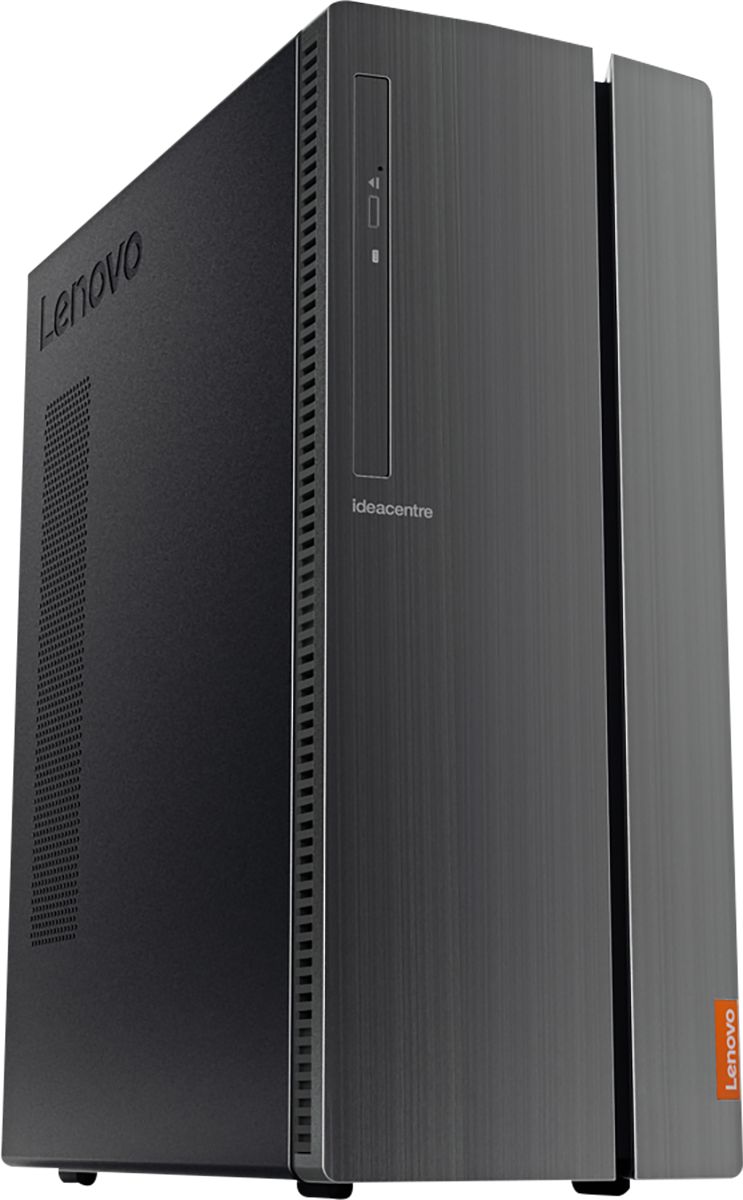
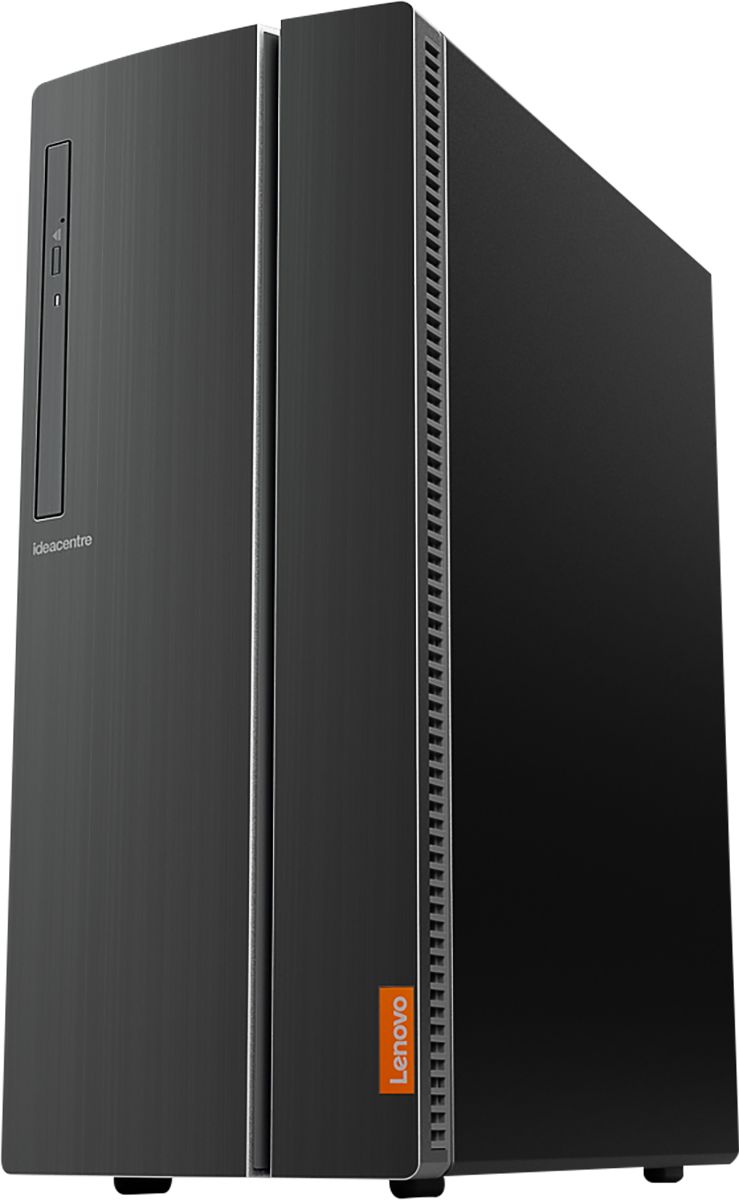
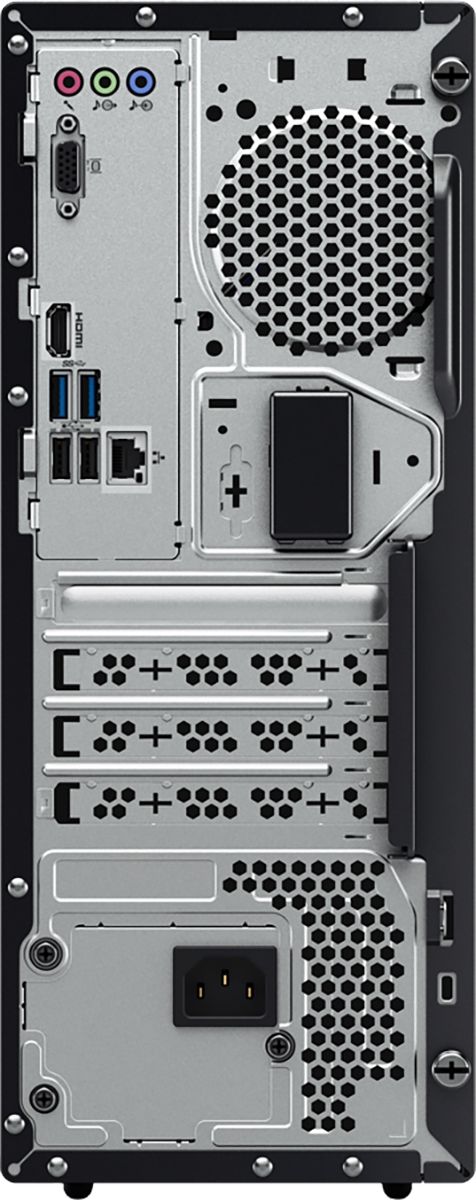
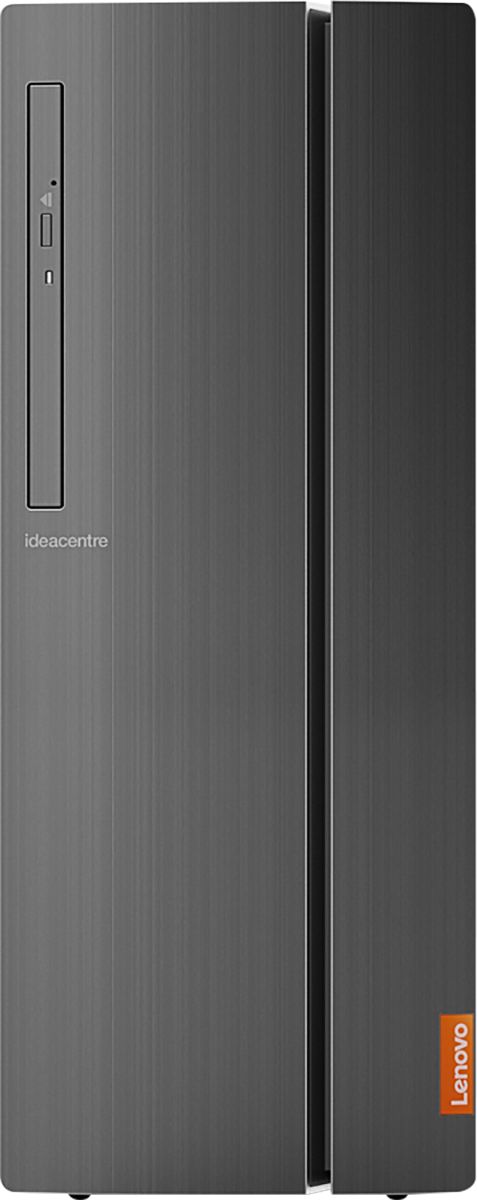

- Model:
- 90HV001MUS
- SKU:
- 6325578
Rating by feature
- Value
Rating 4.4 out of 5 stars
- Quality
Rating 4.4 out of 5 stars
- Ease of Use
Rating 4.5 out of 5 stars
Customers are saying
Customers consistently note the 510A-15ICB Desktop's ease of use, strong performance for its price, and ample storage. Many appreciate its compact size and quiet operation during use. While some users experienced issues with the operating system, the positive feedback on other features outweighs these concerns.
This summary was generated by AI based on customer reviews.
Died after 6 months
||Posted . Owned for 6 months when reviewed.This reviewer received promo considerations or sweepstakes entry for writing a review.Computer died after only 6 months. Was told only repair options were to ship it out of state and that is would take 4-5 weeks! Stay away from Lenovo...
No, I would not recommend this to a friendSLOW
||Posted . Owned for 1 year when reviewed.This reviewer received promo considerations or sweepstakes entry for writing a review.Worst computer ever, The computers from the early 90's were faster than this paperweight and Win10 is the most bloated OS I have ever used.
No, I would not recommend this to a friend
A good all purpose general home use computer.
|Posted .This reviewer received promo considerations or sweepstakes entry for writing a review.The Lenovo - 510A-15ICB Desktop - Intel Core i3 - 8GB Memory - 1TB Hard Drive - Black might not be a top of the line computer, but its functionality is compatible with any good all purpose general home use computer. I was able to install all of my personal software with its included DVD-RW drive. Also, I was able to use the DVD-RW drive to listen to my musical CD’s and to watch my DVD movies. Microsoft Office is included as a trial period and allows all processing of various forms of data. Even though the Lenovo - 510A-15ICB Desktop - Intel Core i3 - 8GB Memory - 1TB Hard Drive - Black is not a gaming computer, I am able to play simple games such as Candy Crush, Pool and Car racing, etc. Voice assistant Cortana is available to listen to and perform my commands. I can add software to enhance the Lenovo - 510A-15ICB Desktop - Intel Core i3 - 8GB Memory - 1TB Hard Drive - Black from the Microsoft store as easy as clicking install. It also comes with a free month of McAfee security. My printer was connected through Wi-Fi, by simply clicking search for printer. The Lenovo - 510A-15ICB Desktop - Intel Core i3 - 8GB Memory - 1TB Hard Drive - Black is a benefit to my home, due to its large hard drive and the many basic functions that it can perform.
I would recommend this to a friendBrand response from Lenovo Product Expert
Posted .Thank you for choosing the Lenovo IdeaCentre 510A desktop. We are pleased to hear that the value and performance of the IdeaCentre 510A meets your computing needs so well.

Crashed and died
||Posted . Owned for 1 year when reviewed.This reviewer received promo considerations or sweepstakes entry for writing a review.It crashed and died during a Windows10 update. I didn't mess with warranties. The local computer repair shop put in a new hard drive.
No, I would not recommend this to a friendLousy, dont buy
||Posted . Owned for 1.5 years when reviewed.This reviewer received promo considerations or sweepstakes entry for writing a review.This is not even 2 years old and it will no longer even turn on and to fix it is as much as it cost to buy it.
No, I would not recommend this to a friendBought 2. 1 died in 14 days
||Posted . Owned for 3 weeks when reviewed.This reviewer received promo considerations or sweepstakes entry for writing a review.We bought to these two weeks before Christmas. One of the two died within two weeks. No power the other one is still performing, for now.
No, I would not recommend this to a friendBrand response from Lenovo Product Expert
Posted .We are sorry to hear that you are having issues with your Lenovo IdeaCentre 510A Desktop, model number 90HV001MUS. Be sure any software you installed is compatible with Windows 10. There is no need to install Microsoft Office software. The software is already part of the operating system, you just need to activate the software with a purchased product key. If you have installed a copy of Microsoft Office, this is conflicting with the existing copy on the system and this will slow your system down. If you have installed a 3rd party anti-virus program, be sure that Windows Defender is turned off and that the trial version of McAfee Anti-Virus software is uninstalled. There can only be one anti-virus program on the system. You may need to restore your system to original factory default settings if any of the programming errors have occurred. You can do that by typing "restore" in the Cortana search window. Just click on the magnifying glass icon at the bottom left of your Windows 10 Desktop. Click on "Reset This PC" Then click on "Get Started" and follow the on screen directions to restore to factory defaults. If the problem persists, we recommend you contact Lenovo Tech Support at: 877-453-6686.
- Pros mentioned:Performance
Great for Home use
|Posted .This reviewer received promo considerations or sweepstakes entry for writing a review.This Lenovo is a great computer. I am not a PC gamer and do not work from home, so I just need a computer to complete your basic home tasks like web browsing, Microsoft Office, maybe some videos. It's a great value for the performance that you get. It's not restricted like my Chromebook, which is basically used for web browsing and shopping, etc. After the initial setup and many Microsoft Windows updates, the computer never slows for me. Programs open quickly and clicks with the programs, respond instantly. I also quite like the design and the thought that was put into it. There are port on the front (SD, USB, etc.), but there is a cover. I don't leave things plugged into the front ports, and I don't think many people do. It just looks nicer than a bunch of empty ports. Plus, no kids sticking things into them (the parents know). The back USB, HDMI and mic ports are also at the top of the computer. That makes it very easy to find them by slightly tipping the computer to look or without looking by reach. For solid, every day, home use, I would recommend this computer.
I would recommend this to a friendBrand response from Lenovo Product Expert
Posted .Thank you for choosing the Lenovo IdeaCentre 510A desktop. We are pleased to hear that the features and performance of the IdeaCentre 510A meets your computing needs so well.
small business owner
||Posted . Owned for 1 year when reviewed.This reviewer received promo considerations or sweepstakes entry for writing a review.We bought 3 Lenovo and had to replace them because they were so slow. Great specs / horrible performance
No, I would not recommend this to a friendWorse desktop I've ever used.
||Posted . Owned for 3 weeks when reviewed.This reviewer received promo considerations or sweepstakes entry for writing a review.I'm going to return it or, at the very least, have it tuned up (with Windows 10) so I can use it. It has cost me a few migrain headaches.
No, I would not recommend this to a friendBrand response from Lenovo Product Expert
Posted .The Lenovo IdeaCentre 510A Desktop, model number 90HV001MUS, ships with Windows 10 Home 64-bit Operating System already installed. The Lenovo IdeaCentre 510A Desktop, model number 90HV001MUS, ships with the Quad-Core Intel Core i3-8100 processor, with a speed of 3.6GHz. This processor is supported by 8GB DDR4-2666MHz RAM. This is a mid-level, moderate use configuration. It is good with Microsoft Office type programs, internet browsing and other moderate work. Be sure any software you installed is compatible with Windows 10. There is no need to install Microsoft Office software. The software is already part of the operating system, you just need to activate the software with a purchased product key. If you have installed a copy of Microsoft Office, this is conflicting with the existing copy on the system and this will slow your system down. If you have installed a 3rd party anti-virus program, be sure that Windows Defender is turned off and that the trial version of McAfee Anti-Virus software is uninstalled. There can only be one anti-virus program on the system. You may need to restore your system to original factory default settings if any of the programming errors have occurred. You can do that by typing "restore" in the Cortana search window. Just click on the magnifying glass icon at the bottom left of your Windows 10 Desktop. Click on "Reset This PC" Then click on "Get Started" and follow the on screen directions to restore to factory defaults. If the problem persists, we recommend you contact Lenovo Tech Support at: 877-453-6686.
A
||Posted . Owned for 1 month when reviewed.This reviewer received promo considerations or sweepstakes entry for writing a review.Not a great modem for gaming at all. It keeps shutting off in the middle of games. I’ve only had it for two weeks!
No, I would not recommend this to a friendspend more money
||Posted .This reviewer received promo considerations or sweepstakes entry for writing a review.got slow real quick,, it barely gets used and it slower than molasses in winter time
No, I would not recommend this to a friend- Pros mentioned:Performance
Decent for the money, easy setup
Posted .This reviewer received promo considerations or sweepstakes entry for writing a review.I'm one of those ones that hates voice commands and I hate the thought of using Cortana for anything. So set up was rather annoying for me, though albeit easy. I did go through and uninstall a myriad of useless programs and games. It seems to be working fine although when I used the optical drive/cd drive (whichever you prefer to call it) to install a design program I use for my work, it literally only got louder the longer my disc was in the drive. I'm just glad I don't use/need it very often. The tower itself is surprisingly very quiet. I was incredibly leery of buying another Lenovo product as the last I purchased was a custom built laptop that I had to threaten legal action against the company before they refunded my money for said lemon custom built laptop. That took nearly a year of back and forth to get my some 1400.00 back for it. I was up against a wall though this time The tower I would have purchased was out of stock and so were about half a dozen others as well. I just didn't see paying hundreds more for a tower when this comes with a 15 day return policy. I work from home and have to have a computer to do my design and research work. I do appreciate that this tower can be laid on it's side, though it is quite chunkier than the photos make it out to be. The photos look like it's slimmer and longer than it actually is. Also, if it's laid flat, it has to be hanging over the edge of whatever it's on. That angled section on the one side is actually a door that opens and it opens down. So, if you have it on a shelf type desk with your monitor sitting on it, you have to push it over the edge of the shelf so that the door will open. If you're like me and use a lot of USB type cords for charging/downloading off of various products, you might want to get a tower with more ports. This literally has only enough to plug all of the cords and such I need into it. I do not have any free USB ports now. If I need more I will have to unplug some to use the ports and switch back and forth. If that's an issue for you, definitely go with a tower that has more ports. I only play two online facebook games and the computer doesn't seem to have any issues with running them, or videos. All in all, for the money, ease of use, what it will do, memory etc, it seems to be a decent buy.
No, I would not recommend this to a friend buyer
||Posted . Owned for 2 weeks when reviewed.This reviewer received promo considerations or sweepstakes entry for writing a review.stop working in a weak time. First I was very happy to use it.It is very good product.
I would recommend this to a friendBrand response from Lenovo Product Expert
Posted .We are sorry to hear that you are having issues with your Lenovo IdeaCentre 510A Desktop, model number 90HV001MUS. It is possible that resetting your computer back to original factory settings will fix the issue you mention. Ensure that your computer is connected to ac power during the recovery process. The Windows recovery environment on your computer operates independently from the Windows 10 operating system. It enables you to recover or repair the operating system even if the Windows 10 operating system fails to start. After two consecutive failed boot attempts, the Windows recovery environment starts automatically. Then, you can choose repair and recovery options by following the on-screen instructions. Here is a link to more Windows 10 Recovery options:
https://support.microsoft.com/en-us/help/12415/windows-10-recovery-options. If the issue continues, we recommend you call Lenovo Tech Support at: 877-453-6686.
Crashed!
||Posted . Owned for 1 year when reviewed.This reviewer received promo considerations or sweepstakes entry for writing a review.Computer crashed after a year and half of use. C'est la vie.
No, I would not recommend this to a friendNever again
||Posted . Owned for 1 month when reviewed.This reviewer received promo considerations or sweepstakes entry for writing a review.Just didn’t work right, it didn’t even have a power cord
No, I would not recommend this to a friendSo unfair
||Posted . Owned for 2 months when reviewed.This reviewer received promo considerations or sweepstakes entry for writing a review.Stopped working the very day after the return period ended.
No, I would not recommend this to a friendBrand response from Lenovo Product Expert
Posted .We are sorry to hear that you are having issues with your Lenovo IdeaCentre 510A Desktop, model number 90HV001MUS. Resetting your computer back to original factory settings may correct the issue you are having. Ensure that your computer is connected to ac power during the recovery process. The Windows recovery environment on your computer operates independently from the Windows 10 operating system. It enables you to recover or repair the operating system even if the Windows 10 operating system fails to start. After two consecutive failed boot attempts, the Windows recovery environment starts automatically. Then, you can choose repair and recovery options by following the on-screen instructions. Here is a link to more Windows 10 Recovery options:
https://support.microsoft.com/en-us/help/12415/windows-10-recovery-options. Once you have the system restored, be sure any software you installed is compatible with Windows 10. There is no need to install Microsoft Office software. The software is already part of the operating system, you just need to activate the software with a purchased product key. If you have installed a copy of Microsoft Office, this is conflicting with the existing copy on the system and this will slow your system down. If you have installed a 3rd party anti-virus program, be sure that Windows Defender is turned off and that the trial version of McAfee Anti-Virus software is uninstalled. There can only be one anti-virus program on the system. You may need to restore your system to original factory default settings if any of the programming errors have occurred. You can do that by typing "restore" in the Cortana search window. Just click on the magnifying glass icon at the bottom left of your Windows 10 Desktop. Click on "Reset This PC" Then click on "Get Started" and follow the on screen directions to restore to factory defaults. If the problem persists, we recommend you contact Lenovo Tech Support at: 877-453-6686.
Does what it's supposed to. Not impressed
|Posted .This reviewer received promo considerations or sweepstakes entry for writing a review.My old PC had an Intel i5 processor while this product has an i3. I immediately noticed the difference in upload/download processing speed and was expectedly disappointed. In order to make up for it, the GPU clock speed is high, causing it to work harder to live up to the same speed as an i5 processor. I have a high suspicion that it might not last as long as you like, depending on how often and how hard you work the computer. Its specs suggest that it is definitely not a high-end gaming PC, nor is it a cheap hollow internet box. It is designed for the average computer user that needs to type a paper or check email from time to time. 1 TB hard drive is nothing to sneeze at, the HDMI video output is in native 4K and I like the USB-C port in front (4 additional USB ports in front added to the 4 in back). For what I want in a computer and compared to what I had, this wouldn't be my first choice, but it would make a pretty good gift to someone who needs a home computer.
No, I would not recommend this to a friendBrand response from Lenovo Product Expert
Posted .The Lenovo IdeaCentre 510A desktop, model number 90HV001MUS, ships with the 8th Generation, Quad-Core Intel Core i3-8100 processor, supported by 8GB DDR4-2666MHz RAM. This processor has a speed of 3.6GHz. There is no discrete Graphics Processing Unit (GPU) within this configuration. Graphics processing is integrated within the Intel Core i3-8100 processor. It is the Intel UHD Graphics 630 version. This is a mid-range, moderate use configuration. It is good for work with Microsoft Office-type programs, streaming online videos and multi-tasking. If this describes your computing needs, the Lenovo IdeaCentre 510A desktop would be a great choice.
Decent PC for the money
|Posted .This reviewer received promo considerations or sweepstakes entry for writing a review.Overall, I’ve been fairly impressed with this Lenovo. The last Lenovo I bought was loaded with bloatware and took hours to clean it out (perfect for Geek Squad). I only had to remove a few programs in this system. There are other systems that are probably worse on bloatware than Lenovo, but you can’t win them all. I took off one star for the return on investment. This is pretty close to a barebones system and only recommended for light duty. The one caveat is built-in wireless, but I would have gladly traded wireless for more RAM. You can definitely find cheaper towers with heavier hardware, but if you’re a fan of Lenovo or you just like the sleek design, then pick this little gem. This is definitely a decent PC for parents or grandparents who already have a monitor.
I would recommend this to a friendBrand response from Lenovo Product Expert
Posted .The Lenovo IdeaCentre 510A desktop is a mid-level, moderate use configuration, with its Intel Core i3-8100U processor. This Quad-Core processor has a base speed of 3.6GHz. This configuration has 8GB of DDR4-2666MHz RAM. It is good with Microsoft Office type programs, internet browsing and other moderate work. The Lenovo IdeaCentre 510A model ships with just two adware programs, a 30-day trial of Microsoft Office 365 (as part of Windows 10 operating system) and a 30-day trial of McAfee virus protection. Lenovo computers ship with one of the cleanest factory software installs within the consumer computer industry. If this describes your computing needs, the IdeaCentre 510A Desktop would be a good choice for you.
- Pros mentioned:Performance
Perfect
Posted .This reviewer received promo considerations or sweepstakes entry for writing a review.Got it for only 300 bucks. A 1 TB hardrive like that can't be beat. It's still a work horse 3 years later.
I would recommend this to a friend Good Value PC
|Posted .This reviewer received promo considerations or sweepstakes entry for writing a review.Great machine for casual home use. Easy setup and useful for web browsing and video streaming. I also liked that there was minimal bloatware on this machine.
I would recommend this to a friendBrand response from Lenovo Product Expert
Posted .Thank you for choosing the Lenovo IdeaCentre 510A desktop. We are pleased to hear that the easy setup and performance of the IdeaCentre 510A meets your computing needs so well.